Where voicemail transcription falls short
Transcripts can be long and hard to scan.They do not always identify urgency or next action.They often live outside the customer record.Someone still needs to assign follow-up manually.
Transcription tells you what was said. Solvea helps your team understand what happened and what to do next.
Scenario
Solvea is designed to turn missed calls into summaries, transcripts, urgency, owner, status, and follow-up context.
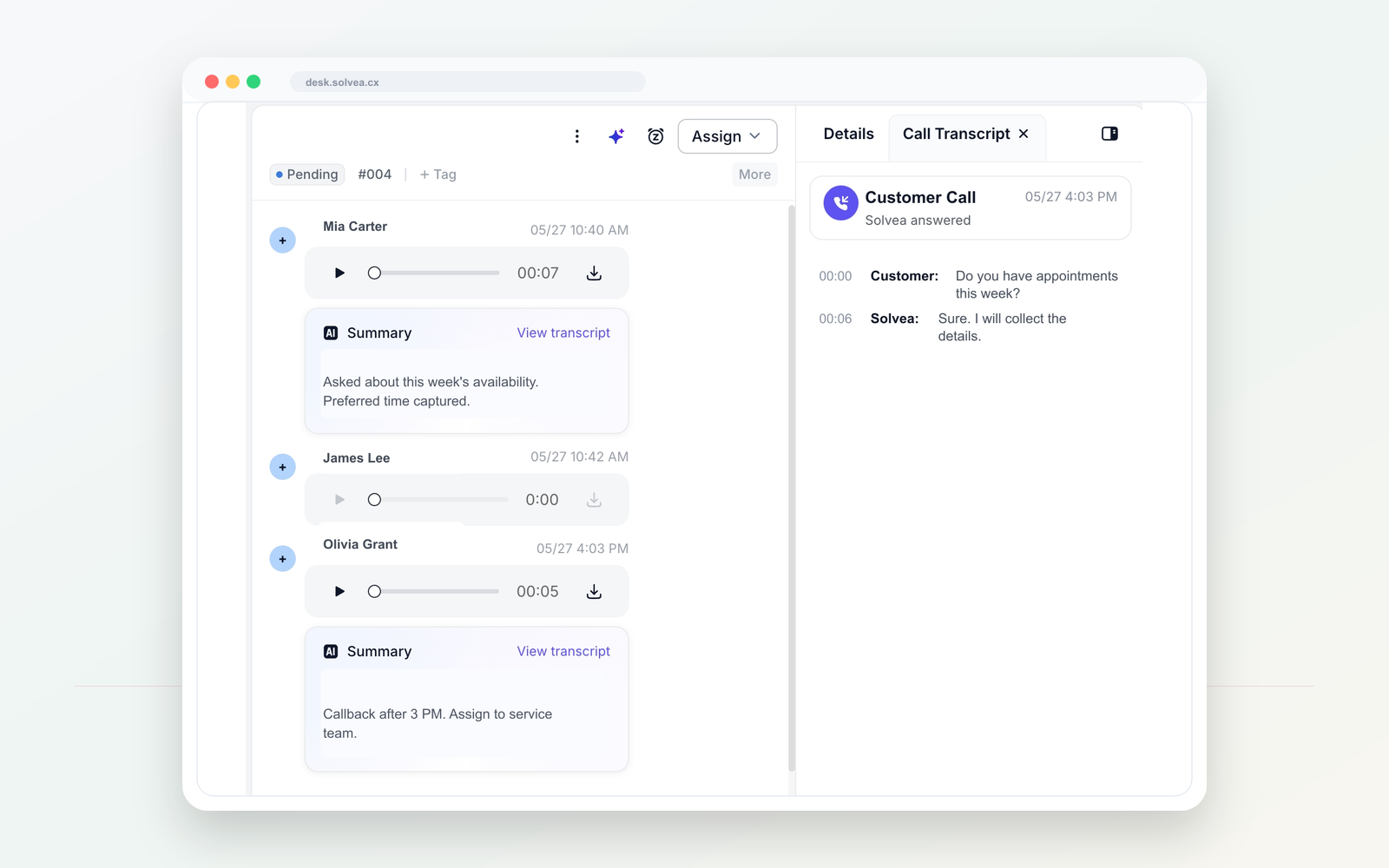
A customer call should become a clear record your team can act on from mobile or PC.
Workflow
Use one dedicated line for customer calls and texts, separate from personal phones.
Tell Solvea how to greet callers, what to ask, and when a human should follow up.
When the team is busy or closed, AI can answer and collect the caller intent.
Summaries, transcripts, owners, statuses, and notes stay in PC Desk.
Compare
Voicemail transcription converts speech to text.
Solvea adds intent, urgency, and next step.
A transcript can still be another item to read.
A short summary helps the team act faster.
Voicemail tools rarely show ownership.
PC Desk connects calls with owners, statuses, and notes.
Use cases
01 After-hours voicemail review.
Solvea use case02 Busy-hour missed calls.
Solvea use case03 Callback prioritization.
Solvea use case04 Shared team visibility across mobile and PC.
Solvea use caseFAQ
No. Solvea uses transcription as part of a larger workflow: AI answering, summary, customer thread, and follow-up.
Summaries help teams scan the call quickly and decide the next action.
Yes. Owners, statuses, and internal notes help keep follow-up visible.
Search intent
These related phrases are answered naturally while staying focused on real business phone workflows.
Start with a business number. Let AI answer when your team cannot. Follow up from one shared inbox.