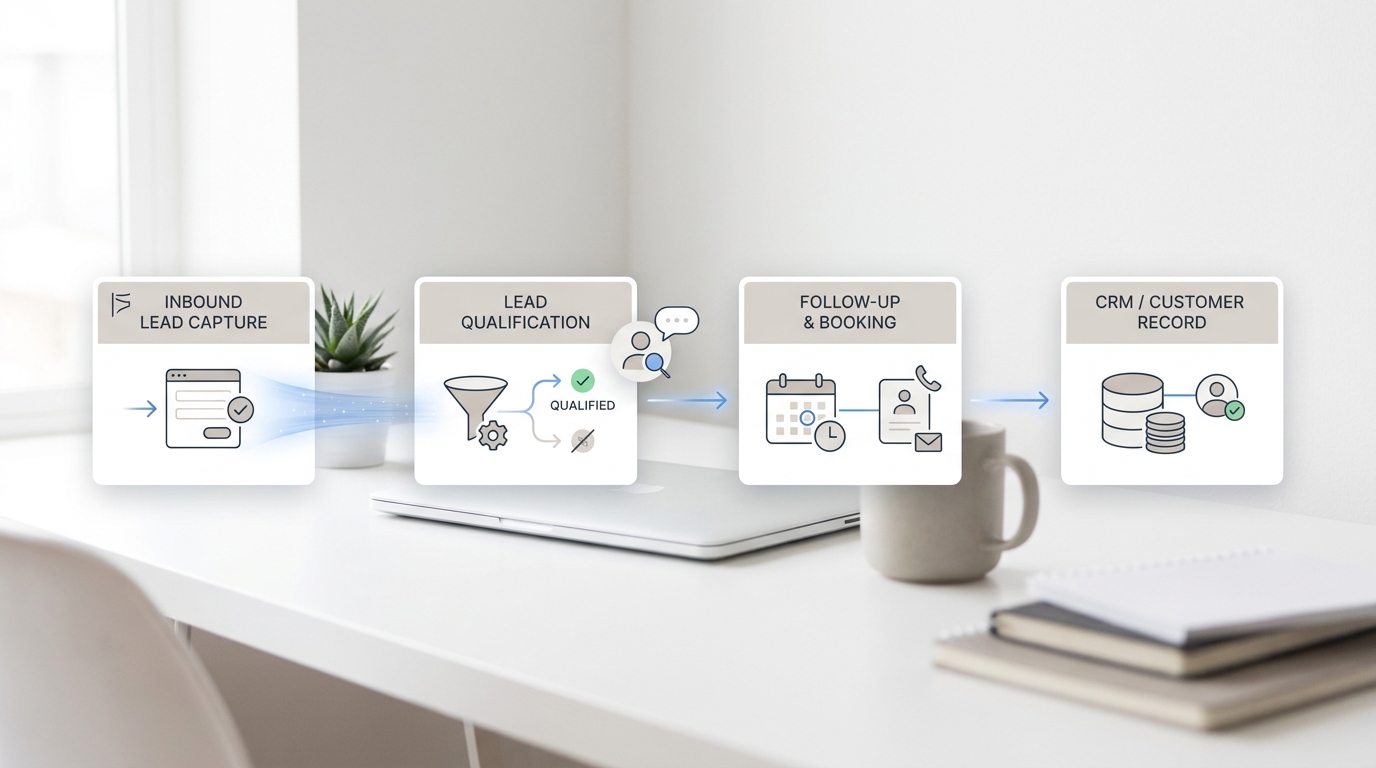
A unified inbox AI receptionist gives a small service team one place to see what customers asked, what the AI answered, what still needs a person, and which channel should carry the follow-up. That matters when the same customer can call from a job site, email a photo, send a WhatsApp message after hours, and then open live chat from the website the next morning.
Without one record, the front desk has to reconstruct the story from separate phone logs, email threads, chat transcripts, and messaging apps. The customer repeats the same details. The team misses the handoff. The next person answers without context.
This guide shows how to plan a unified inbox AI receptionist workflow for phone, email, WhatsApp, LINE, and live chat: what each channel should create, which fields should follow the customer into the ticket, and when the AI should route the conversation to a human.
Quick Answer: What Is a Unified Inbox AI Receptionist?
A unified inbox AI receptionist is an AI front-desk workflow that answers customers across multiple channels, turns each interaction into a reviewable conversation record or ticket, and keeps customer context available for staff follow-up.
For Solvea, the current omnichannel inbox page describes phone, SMS, email, WhatsApp, LINE, and live chat landing in one place, with AI triage, full customer context, and human handoff. The inbox documentation also describes tickets as structured records with conversation history, handling process, and final outcome. Put together, the practical goal is simple: every channel should produce a clear next action instead of another disconnected message.
| Customer channel | What the AI receptionist should capture | What the team should see in the inbox |
|---|---|---|
| Phone | Caller intent, contact details, summary, transcript, recording when available, urgency | A call ticket with next step, owner, status, and handoff reason |
| Sender, subject, customer request, attachments or policy context, reply status | A merged or new ticket with the conversation history and recommended action | |
| Customer identity, message thread, requested service, preferred follow-up | A messaging ticket tied to the same customer timeline | |
| LINE | Customer identity, message thread, service request, region or language context when relevant | A messaging ticket staff can continue without switching tools |
| Live chat | Page context, visitor question, lead or support intent, answer given by AI | A chat ticket or conversation record with customer context |
The key phrase is "one customer timeline." A unified inbox AI receptionist is not just a dashboard. It is the operating rule that the channel changes, but the customer record stays together.
Why Separate Channels Break Follow-Up
Most service businesses add channels one at a time. A phone line comes first. Then a website chat widget. Then email. Then WhatsApp or LINE because customers ask for it. Each addition feels useful until the team has to manage all of them at once.
The problem is not only volume. It is context loss:
| Fragmented workflow | What goes wrong |
|---|---|
| Phone calls stay in a phone app | Staff can see a missed call but not the related email or chat follow-up |
| Email sits in a shared mailbox | The team may not know the caller already spoke with the AI |
| WhatsApp and LINE are checked separately | Urgent messages can wait behind routine questions |
| Live chat lives in a website widget | Product, booking, or intake questions are not always tied to the customer profile |
| Handoffs happen verbally | The next person has to ask the customer to repeat the same story |
A unified inbox AI receptionist should remove those gaps by preserving the request, the AI answer, the source channel, and the reason a person needs to step in.
The Field Map: What Should Move From Conversation to Ticket
Start with a field map before you write scripts. The field map tells the AI receptionist what to capture and tells the team what they can trust later.
| Field | Why it matters | Example use |
|---|---|---|
| Customer name | Helps staff address the person correctly | "Maria Chen" |
| Phone number or email | Gives the team a reliable follow-up route | Callback, confirmation, quote, intake reply |
| Channel | Shows where the request started | Phone, email, WhatsApp, LINE, or live chat |
| Request type | Separates bookings, support, sales, billing, and policy questions | Appointment booking, order status, estimate request |
| Urgency | Helps route same-day and high-risk requests | Emergency repair, same-day appointment, upset customer |
| AI answer given | Lets staff see what the customer was told | Availability shared, policy explained, order status answered |
| Missing information | Prevents incomplete handoffs | No address, no order number, unclear service date |
| Handoff reason | Explains why the AI stopped | Needs human approval, policy exception, no matching data |
| Owner | Makes follow-up accountable | Front desk, manager, technician, sales |
| Status | Keeps the queue scannable | New, waiting on customer, needs review, resolved |
| Source record | Lets staff audit the interaction | Transcript, summary, recording, email thread, chat history |
This is the control layer for a unified inbox AI receptionist. If a field does not help answer, route, or review the request, leave it out. If a field is needed for a person to take action, capture it before handoff.
Channel Rules for Phone, Email, WhatsApp, LINE, and Live Chat
Each channel needs its own behavior, but all of them should end in the same inbox logic.
Phone
Phone calls are high-intent and high-context. A caller may need an appointment, quote, emergency answer, policy explanation, or staff callback. Solvea's public site and Desk page support phone calls, summaries, transcripts, recordings, next steps, and shared inbox follow-up.
For phone, a unified inbox AI receptionist should:
- Identify the caller's request.
- Ask only for the fields needed to resolve or route it.
- Answer from approved business knowledge when the answer is safe.
- Create a clear call record with summary, transcript or recording context when available, next step, and owner.
- Escalate when the request needs judgment, approval, payment handling, or a sensitive decision.
The important rule is that a phone call should not end as just a missed-call note. It should become follow-up work the team can scan.
Email is slower but detail-rich. Customers use it for photos, attachments, longer explanations, quotes, invoices, and follow-up threads. Solvea's deploy documentation says the Agent can read and respond to customer emails automatically, and the inbox documentation explains how qualifying emails can be merged into the same ticket.
For email, a unified inbox AI receptionist should:
- Classify the request type.
- Check whether the email belongs to an existing ticket.
- Draft or send approved routine answers where appropriate.
- Preserve the subject, sender, and thread context.
- Route attachments or exceptions to a person.
Do not treat email as a separate queue if the customer already called. The email should add context to the same customer story whenever the merge rules support it.
WhatsApp is often used for quick customer questions, confirmations, photos, and after-hours requests. Solvea's current omnichannel inbox page includes WhatsApp in the one-inbox channel list.
For WhatsApp, a unified inbox AI receptionist should:
- Keep the message thread tied to the customer identity.
- Capture the request in the same field format used for phone and email.
- Use AI triage to separate routine answers from staff follow-up.
- Preserve the customer-preferred channel for the next reply.
The handoff should not say "check WhatsApp." It should say what the customer needs, what has already been answered, and who owns the next step.
LINE
LINE matters when a business serves customers who prefer it for messaging. Solvea's current omnichannel inbox page includes LINE in the same one-inbox list as phone, SMS, email, WhatsApp, and live chat.
For LINE, a unified inbox AI receptionist should:
- Keep the LINE conversation attached to the same customer timeline.
- Capture language or region context when it affects follow-up.
- Route urgent or policy-sensitive requests with the same owner and status rules used elsewhere.
- Let staff continue the thread without losing the prior AI summary.
Treat LINE as another customer entry point, not a side channel. The inbox should make it visible beside the rest of the customer's history.
Live Chat
Live chat is useful because it comes with context: the page the visitor is on, the question they asked, and whether they are likely looking for support, booking, pricing, or product information. Solvea's deploy overview supports an AI-powered chat widget on a website or app, and the Shopify documentation supports embedding live chat into a Shopify store.
For live chat, a unified inbox AI receptionist should:
- Answer approved FAQ, product, booking, or support questions.
- Capture the page or product context when it helps staff.
- Group messages into a ticket when the live chat identity rules support it.
- Route sales, service, or support handoffs with a clear next action.
Live chat should not disappear after the browser closes. It should create the same reviewable record as a phone or email conversation.
How AI Triage Should Work
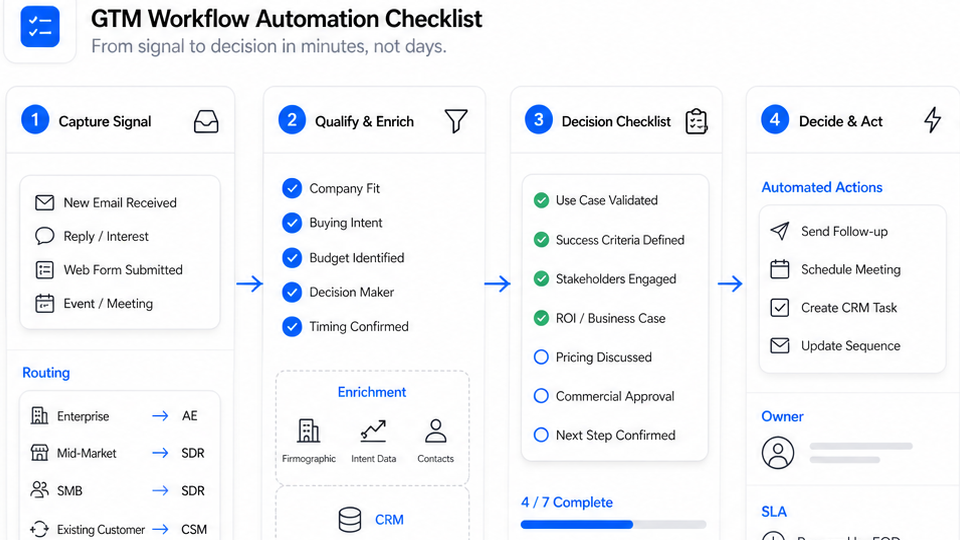
AI triage is where a unified inbox AI receptionist becomes useful for a busy operator. The AI should not simply mark everything "new." It should classify, prioritize, and route based on rules the business can inspect.
| Triage decision | Good rule | Bad rule |
|---|---|---|
| Request type | "Booking request, order question, service estimate, policy question, complaint" | "Important" |
| Urgency | "Same-day appointment, emergency, upset customer, deadline mentioned" | "Sounds urgent" with no evidence |
| Owner | "Assign billing questions to admin, emergency service to dispatcher, quote requests to sales" | "Someone should follow up" |
| Status | "Needs review because no order number was found" | "Pending" with no explanation |
| Handoff reason | "Policy exception requested" | "AI could not help" |
Good triage creates a small, trustworthy queue. The team should be able to filter by owner, status, channel, urgency, and handoff reason without listening to every call or reading every message from scratch.
Handoff Rules: When the AI Should Stop
A unified inbox AI receptionist should be helpful, but it should also know its stopping points. Define these before launch:
| Handoff trigger | AI response | Staff receives |
|---|---|---|
| Customer asks for a policy exception | Explain that the team will review it | Request, policy mentioned, customer details, transcript |
| Customer is angry or confused | Acknowledge and route | Summary, tone context, requested resolution |
| The AI cannot find required data | Ask once, then create a review ticket | Missing field, customer-provided details |
| Payment, refund, or account change is requested | Capture the request and stop | Action requested, customer identity, urgency |
| Booking conflict appears | Offer to route or collect alternatives | Preferred times, service, customer contact |
| Product or service answer is not in approved knowledge | Say the team will confirm | Question, attempted answer source, knowledge gap |
| Legal, medical, financial, or regulated advice is requested | Provide only approved routing language | Escalation reason and channel |
The handoff script can be simple:
I have the details and I am sending this to the team for review. You will not need to repeat the request; I am attaching the conversation summary, your contact details, and the reason this needs a person.That sentence is the promise a unified inbox AI receptionist needs to keep.
Example Workflow: From First Message to Staff Follow-Up
Here is a practical sequence for a service business:
- A customer calls after hours asking for a same-day appointment.
- The AI receptionist asks for the service, location, preferred time, and callback number.
- If Google Calendar is connected and authorized, the agent can check availability before confirming a booking or routing the request.
- The AI creates a phone ticket with the call summary, transcript context, next step, owner, and status.
- The customer later sends a WhatsApp or LINE message with an extra detail.
- The unified inbox shows the new message beside the existing customer timeline.
- Staff opens the ticket, sees what the AI captured, and replies on the customer's preferred channel.
For ecommerce or retail support, the same pattern can include Shopify. Solvea's Shopify documentation supports live chat, product knowledge sync, and order information retrieval by order number once Shopify is integrated. The point is the same: the AI can answer routine questions, while the inbox keeps the record ready for staff when judgment is required.
Setup Checklist
Use this checklist before you route real customer conversations into a unified inbox AI receptionist:
| Step | What to decide |
|---|---|
| Channel scope | Which channels go live first: phone, email, WhatsApp, LINE, live chat, or SMS |
| Ticket fields | Which fields every channel must capture |
| Knowledge sources | Which FAQs, policies, service menus, product data, and booking rules the AI may use |
| Tool permissions | Whether Google Calendar, Google Sheets, Shopify, or other tools are authorized |
| Handoff triggers | Which requests must always go to a person |
| Owners | Who receives sales, booking, support, billing, and complaint tickets |
| Status model | How work moves from new to waiting, review, escalated, or resolved |
| Customer preference | Which channel the customer wants for follow-up |
| QA cases | Which test conversations prove the workflow works |
| Measurement | How you will review response time, missed messages, handoff reasons, and resolved tickets |
Do not launch every channel at once if the team cannot review the results. Start with the busiest channel plus one digital follow-up channel, then add more once the field map and handoff rules are trusted.
QA Scenarios to Test
Run these tests before relying on the workflow:
| Scenario | Expected result |
|---|---|
| Customer calls, then emails more details | The inbox keeps the customer story visible rather than creating confusion |
| Customer starts on live chat and asks for a callback | The chat record includes contact details, request type, and callback reason |
| Customer sends a WhatsApp or LINE message after hours | The request is triaged and assigned with a clear status |
| Customer asks for a policy exception | The AI captures the request and routes it to staff |
| Customer asks a question outside the knowledge base | The AI does not guess; it creates a knowledge-gap handoff |
| Staff opens the ticket the next morning | The owner can see channel, summary, transcript or message history, urgency, and next step |
| A repeat customer contacts the business on a different channel | The team can see prior interaction context where the customer timeline supports it |
A unified inbox AI receptionist is ready when staff can trust the record, not just the AI answer.
What to Measure
Measure the workflow at the inbox level:
| Metric | Why it matters |
|---|---|
| New conversations by channel | Shows where customers actually reach you |
| AI-resolved conversations | Shows which routine requests are handled without staff |
| Handoff rate by reason | Shows where scripts, knowledge, or policies need work |
| Time to owner assignment | Shows whether the inbox is routing quickly enough |
| Time to first human reply | Shows whether urgent handoffs are being handled |
| Reopened tickets | Shows whether the first answer or handoff was incomplete |
| Knowledge gaps | Shows what to add to FAQs, service menus, product data, or policies |
| Channel preference | Shows where customers want the follow-up to happen |
Review these metrics by channel. If WhatsApp creates many handoffs because the AI lacks policy knowledge, fix the knowledge source. If phone calls create too many "missing information" tickets, change the call script. If live chat generates strong leads but no owner is assigned, adjust routing.
Your AI Receptionist, Live in Minutes.
Scale your front desk with an AI that never sleeps. Solvea handles unlimited multi-channel inquiries, books appointments into your calendar automatically, and ensures zero missed opportunities around the clock.
Bring Every Channel Into Solvea
The value of a unified inbox AI receptionist is not that every conversation becomes automated. The value is that every conversation becomes visible, structured, and easier to hand off.
Solvea brings phone, email, WhatsApp, LINE, live chat, and related tools into one AI receptionist workflow so service teams can answer faster without asking customers to repeat themselves. Start with the current deployment overview, review the inbox documentation, connect the tools your team already uses, and compare current packaging on the pricing page when you are ready to bring every channel into Solvea.