Why teams search for a lighter helpdesk
Customer notes are scattered across tools.Managers cannot see who owns the next step.Phone calls are separated from emails and messages.Heavy helpdesk tools can feel too much for small teams.
Calls, texts, emails, WhatsApp messages, AI summaries, owners, and next steps stay on one customer timeline.
Scenario
Small teams lose time when customer context lives across phones, inboxes, notes, and memory. Desk gives the team one place to work from.
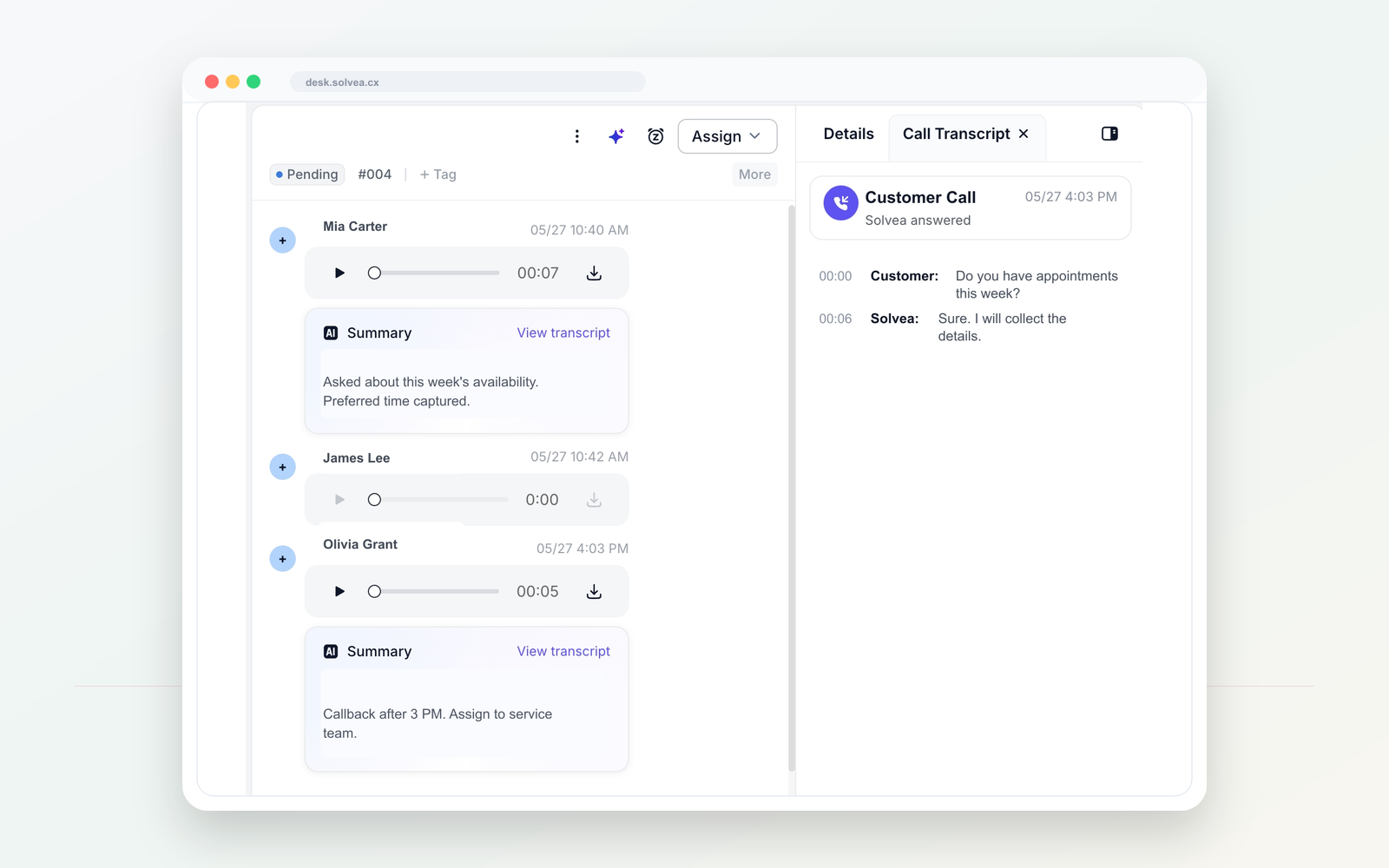
A customer call should become a clear record your team can act on from mobile or PC.
Workflow
AI answering and call summaries turn phone calls into usable context.
Calls, texts, emails, WhatsApp messages, notes, and summaries stay together.
Owners, statuses, and internal notes keep follow-up visible.
Customer memory stays with the team, not one employee phone.
Compare
Calls, messages, and notes live in different places.
Desk keeps the customer conversation together.
Follow-up depends on memory or private phones.
Owners and statuses make next steps visible.
Heavy helpdesk software can be too much for a small team.
Solvea focuses on a lightweight, phone-first customer workspace.
Use cases
01 Owners who need visibility into follow-up.
Solvea use case02 Teams handling calls and messages across channels.
Solvea use case03 Businesses that want a lighter customer service workspace.
Solvea use case04 Small teams replacing paper notes and scattered inboxes.
Solvea use caseFAQ
Solvea Desk is best described as a lightweight customer conversation workspace for phone-first small teams.
Solvea Desk can bring calls, texts, emails, WhatsApp messages, AI summaries, notes, owners, and statuses into one workspace.
It keeps customer context with the business and makes follow-up visible to the team.
Search intent
These related phrases are answered naturally while staying focused on real business phone workflows.
Start with a business number. Let AI answer when your team cannot. Follow up from one shared inbox.