Small business helpdesk

A lightweight helpdesk for customer calls and follow-up

Solvea Desk helps small teams manage customer conversations without turning phone follow-up into a heavy support system.

scroll

Your team needs helpdesk visibility without enterprise complexity.

If most customer work starts with calls, a phone-first helpdesk keeps the workflow close to the real customer moment.

Why it matters

Why small teams outgrow spreadsheets and shared inboxes

Paper notes and spreadsheets do not show call history clearly.Shared inboxes may miss the phone call context.Enterprise helpdesk tools can be too heavy for early teams.Owners need to know who followed up and what happened.
Solvea workflow

Answer. Summarize. Follow up.

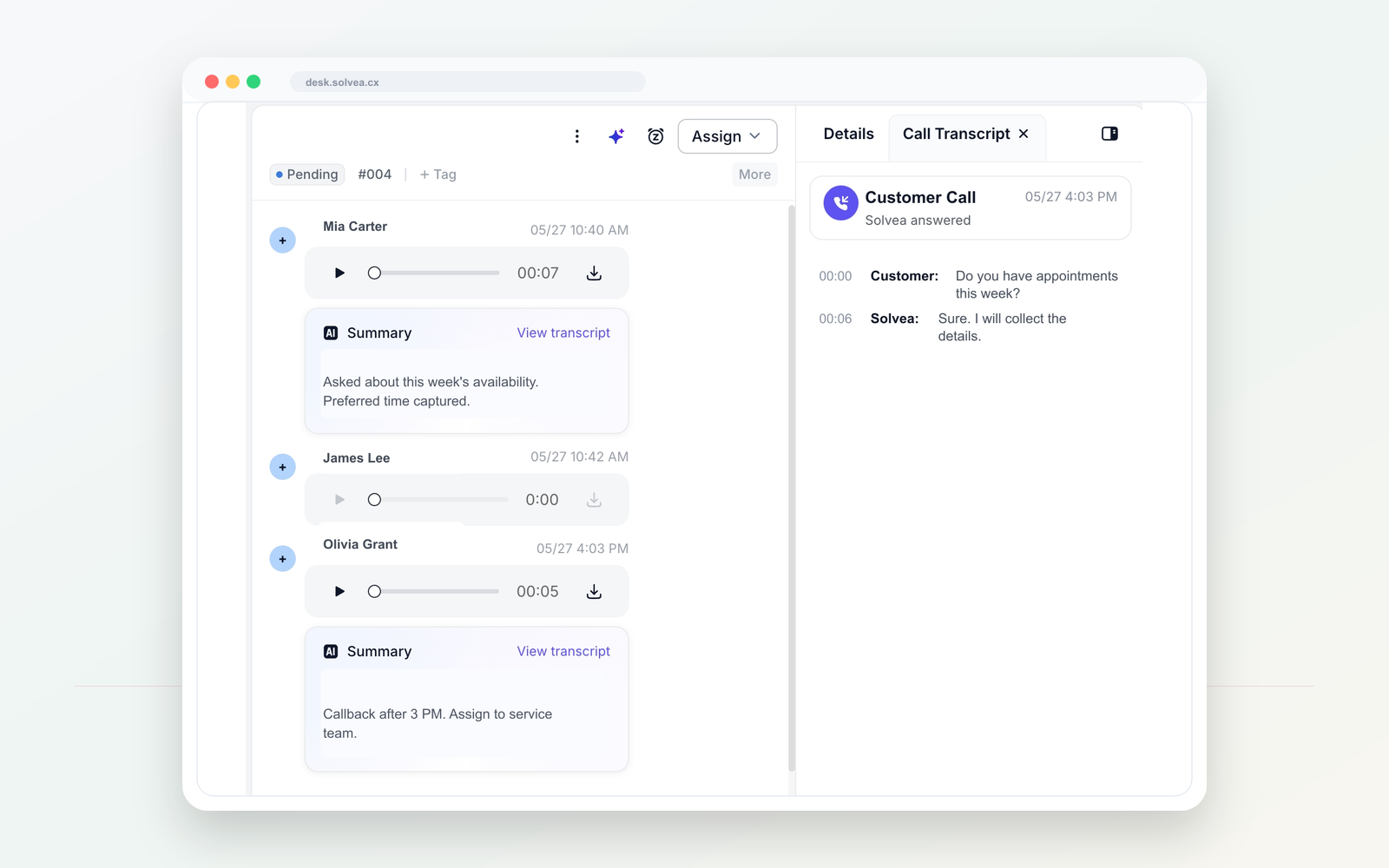
A customer call should become a clear record your team can act on from mobile or PC.

Solvea PC Desk call summary and follow-up preview

A smaller helpdesk for phone-first work

Step 01

Open a second number

Use one dedicated line for customer calls and texts, separate from personal phones.

Solvea PC Desk call summary and follow-up preview
Step 02

Set AI answering rules

Tell Solvea how to greet callers, what to ask, and when a human should follow up.

Solvea PC Desk call summary and follow-up preview
Step 03

Capture the call

When the team is busy or closed, AI can answer and collect the caller intent.

Solvea PC Desk call summary and follow-up preview
Step 04

Follow up with context

Summaries, transcripts, owners, statuses, and notes stay in PC Desk.

Solvea PC Desk call summary and follow-up preview

Heavy ticketing vs phone-first helpdesk

Old way Solvea way

Traditional helpdesk tools can start with tickets and queues.

Solvea starts with the customer call and the next step.

Phone context can live outside the support system.

Calls and summaries stay inside the customer timeline.

Setup can be too much for a small team.

Desk is positioned around lightweight follow-up and visibility.

Use it when calls drive the customer relationship

01 Small service teams with missed calls.

Solvea use case

02 Teams combining phone, email, and WhatsApp follow-up.

Solvea use case

03 Owners who need team visibility.

Solvea use case

04 Businesses moving away from notes and spreadsheets.

Solvea use case

Questions people ask before switching

Is Solvea a Zendesk replacement?

Solvea is not positioned as a full enterprise helpdesk replacement. It is a lightweight option for phone-first teams.

Does it include AI answering?

Yes. AI answering and summaries can feed the customer timeline.

Who is this for?

Small teams that need customer conversations and follow-up in one place.

Common ways teams describe this need

These related phrases are answered naturally while staying focused on real business phone workflows.

helpdesk for small businesshelp deskcustomer service softwarelightweight helpdeskcustomer conversationsphone-first helpdeskteam inbox

Turn missed calls into follow-up work.

Start with a business number. Let AI answer when your team cannot. Follow up from one shared inbox.