A Shopify order support voice agent should do more than answer a phone call with a generic script. The useful version can identify the shopper, look up the order, explain the tracking status in plain language, answer product questions from approved store knowledge, and route return or refund exceptions to the right human with the full context attached.
That matters because Shopify support is rarely just one channel. A customer may call about a delayed shipment, open live chat to ask whether a product is still available, email about a return, and expect the brand to remember the whole thread. The workflow breaks when every channel creates a separate support trail.
This guide shows a practical Shopify order support voice agent workflow for merchants that want phone and live chat coverage for order status, tracking, product answers, and returns handoff without giving the AI permission to guess, overpromise, or rewrite policy.
Quick Answer: What Should a Shopify Order Support Voice Agent Handle?
A Shopify order support voice agent should handle routine information requests and stop at clear handoff points. Start with order lookup, tracking, product knowledge, and ticket creation before you automate more sensitive return or refund actions.
| Customer request | What the agent should do | Where the record should land |
|---|---|---|
| Where is my order? | Ask for the order number, retrieve order details, and explain the current status | Call/chat transcript plus support ticket |
| What is my tracking number? | Retrieve tracking number and shipment details when available | Customer reply plus ticket summary |
| What did I order? | Confirm product name, SKU, quantity, price, and status from the order lookup | Ticket and conversation summary |
| Can I return this? | Check the store policy and order context, then collect the return reason | Return review ticket or human queue |
| Is this product right for me? | Answer from synced product knowledge and approved FAQ content | Live chat, phone summary, or product-question ticket |
| I need to change an order | Collect the request and route to staff if the action affects payment, address, fulfillment, or policy | Human handoff ticket |
| I am upset or the order is wrong | Acknowledge, summarize, and escalate with context | Priority support ticket |
Solvea's Shopify documentation supports this foundation: after Shopify is authorized, Solvea can embed live chat into the store, sync product knowledge into the knowledge base, and retrieve order information for customer support. The same documentation says the Shopify order query tool can retrieve tracking numbers, product details, purchase time, and shipping destination country by order number.
Why Phone Support Needs a Workflow, Not Just an Answer
Many ecommerce support teams start with chat automation because written answers are easier to review. Phone support is different. A caller may not have the exact order number ready. They may say the package is late, the tracking page is confusing, or the product does not match what they expected.
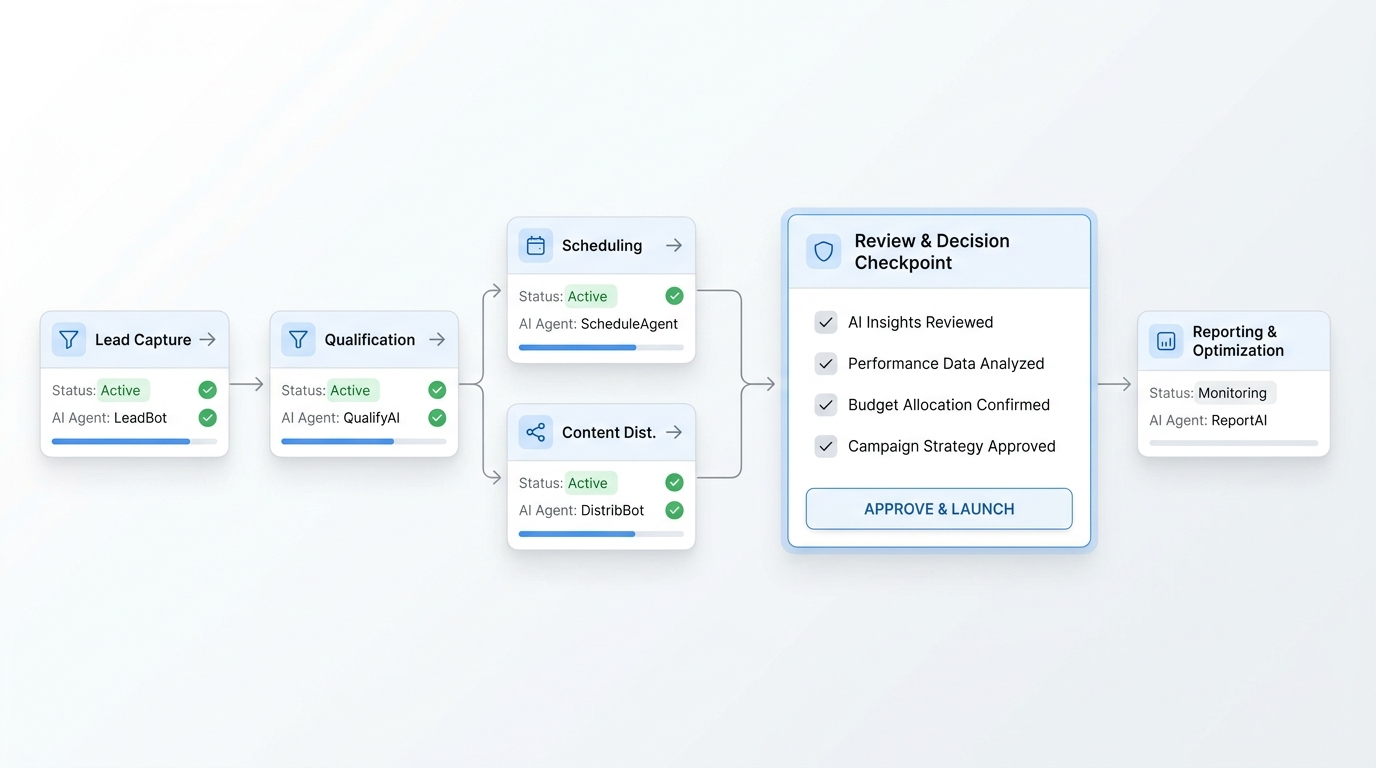
A Shopify order support voice agent needs a controlled path:
- Identify the customer and order.
- Confirm the request type.
- Pull only the data required for the request.
- Answer in language the shopper can understand.
- Avoid policy decisions that need staff review.
- Save the summary, transcript, and next action.
- Hand off when the customer needs judgment, empathy, or an account action.
That is the difference between "AI answered the phone" and "support can trust the record after the call."
What Solvea Can Connect for Shopify Support
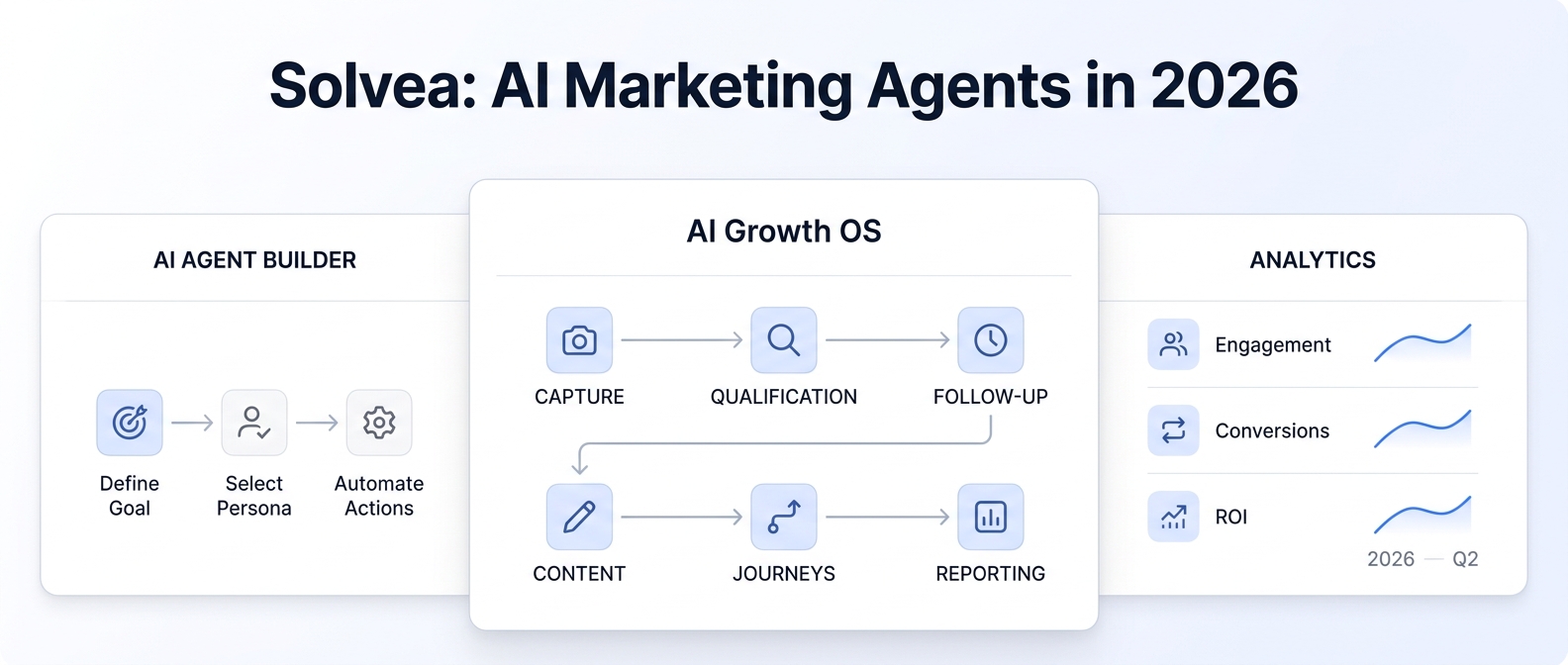
Solvea's deploy overview describes agents across live chat, phone and SMS, and email. It also describes tools and ecommerce platform connections that let an agent access external systems during a conversation. For Shopify, the current docs support three customer-support building blocks:
| Building block | Current Solvea support | Practical use in this workflow |
|---|---|---|
| Shopify live chat | Embed live chat into the Shopify store | Let shoppers ask product, shipping, and order questions on-site |
| Product knowledge sync | Sync Shopify product data to the knowledge base, with optional daily automatic sync | Give the agent approved product facts for Q&A and recommendations |
| Order query by order number | Retrieve detailed order information for customer support | Answer order status and tracking questions without staff lookup |
| Phone and SMS channel | Enable the agent to answer inbound calls and send or receive text messages using dedicated phone numbers | Cover callers who prefer voice or need urgent help |
| Inbox tickets | Organize customer conversations into tickets across channels | Preserve conversation history, support outcome, and human follow-up |
This article does not assume Solvea can directly approve returns, issue refunds, edit orders, or change fulfillment status from the Shopify integration. Current proof supports order information retrieval, product knowledge, live chat, phone coverage, and ticket handoff. For returns and exceptions, build a handoff workflow unless your team has separately approved and configured deeper actions.
The Order Support Field Map
Use this table as the first version of your Shopify order support voice agent field map.
| Support field | Source or capture method | How the agent should use it |
|---|---|---|
| Order number | Customer provides it during the call or chat | Primary lookup key for the Shopify order query |
| Customer name | Customer says it, or staff verifies from the order context | Use for confirmation, not as the only lookup key |
| Phone or email | Caller ID, customer input, or ticket context | Confirm identity and route follow-up |
| Tracking number | Shopify order query result when available | Read back and offer to send in the follow-up channel |
| Product name | Shopify order details or synced product knowledge | Confirm item and answer basic product questions |
| SKU | Shopify product/order detail | Useful for staff review, exchanges, and product-specific issues |
| Quantity | Shopify order detail | Confirm what shipped or what the shopper is asking about |
| Price | Shopify order detail | Use carefully and only when needed for the support question |
| Product status | Shopify order detail or product knowledge | Explain availability or order context |
| Purchase time | Shopify order query result | Help staff understand eligibility windows or escalation urgency |
| Shipping destination country | Shopify order query result | Route shipping questions or carrier expectations |
| Customer intent | Agent classification | Order status, tracking, product answer, return, exchange, complaint, staff request |
| Return reason | Customer statement | Capture for staff review rather than deciding policy alone |
| Handoff reason | Agent rule | Explain why a person needs to review the case |
| Ticket summary | AI-generated from the conversation | Let staff continue without asking the shopper to repeat everything |
The field map keeps the Shopify order support voice agent from mixing two jobs. The agent can retrieve order and product facts. Staff still owns exceptions, policy decisions, and account actions unless your approved workflow says otherwise.
Order Status and Tracking Flow
The first workflow to launch is the simplest: order status and tracking. It is common, repetitive, and easy to test.
| Step | Agent action | Guardrail |
|---|---|---|
| Identify request | Detect that the shopper wants order status, tracking, or delivery information | Do not answer from memory |
| Ask for order number | Request the order number and confirm it back | Avoid searching by weak identity alone |
| Retrieve order info | Use the Shopify order query tool | Use only authorized data and required fields |
| Explain status | Give a concise answer using the current order and tracking data | Do not promise a delivery date that is not in the data |
| Offer next step | Ask whether the shopper wants the tracking number sent or needs staff help | Keep the next action explicit |
| Save ticket | Store request, order number, tracking answer, and unresolved questions | Make the record reviewable |
| Escalate if needed | Route missing tracking, conflicting status, high-frustration calls, or delivery disputes to staff | Do not improvise policy |
The best answer is usually short:
I found order [order number]. The current tracking number is [tracking number]. The latest available status is [status]. I can send this to you by text or open a support ticket if the delivery information does not look right.If the order lookup fails, the agent should not pretend. Use a controlled fallback:
I could not find that order number in the connected store data. I will create a ticket with the order number you gave me so the support team can check it manually.Product Answers From Synced Knowledge
Product questions are a good fit for AI only when the knowledge source is clean. A Shopify order support voice agent should answer from approved product data, policy pages, and FAQ content rather than inventing fit, compatibility, inventory, or warranty details.
| Product question | Agent response pattern | Handoff trigger |
|---|---|---|
| What size should I buy? | Give the approved size guide or ask clarifying questions from the product knowledge | The shopper needs a personalized recommendation outside the guide |
| Is this in stock? | Use synced product data if available and current | Inventory is unclear or high-value order timing matters |
| What is included? | Read the product details and SKU-specific description | Product bundle or variant details are ambiguous |
| Will it work with another product? | Use approved compatibility notes | Compatibility is not documented |
| What is the return policy? | Share the approved policy summary and link or route | The shopper asks for an exception |
| Can I exchange for another size? | Collect product, order number, reason, and preferred item | Exchange eligibility needs staff or return-system review |
Solvea's Shopify docs state that product data can be synced into the knowledge base and optionally updated once per day. That is useful, but it also creates a rule: the agent should know when the answer might need current staff confirmation. If a product answer depends on inventory, discounts, substitutions, restricted items, or a policy exception, route it.
Returns Handoff Flow
Returns are where many support automations overreach. Shopify's Admin API documentation treats a return as the intent of a buyer to ship one or more items from an order back to the merchant or fulfillment location, and each return has a status. That is enough context to plan the support workflow, but it is not a reason to let a first pilot automatically approve every return.
Start returns as a structured handoff:
| Return step | Agent captures | Staff receives |
|---|---|---|
| Identify order | Order number, customer contact, item name, SKU, quantity | The order context needed for review |
| Understand reason | Wrong item, damaged, size issue, changed mind, late delivery, other | A concise reason in the ticket |
| Check policy knowledge | Approved return window, item exceptions, packaging notes, channel instructions | The policy text the agent used |
| Set expectation | "I will send this to the team for review" when eligibility is not automatic | A clear customer-facing next step |
| Handoff | Ticket owner, urgency, order detail, return reason, transcript link | A complete review packet |
| Follow up | SMS, email, phone, or live chat reply based on customer preference | A channel to continue the case |
Use this spoken handoff script:
I have the order and return reason. I am sending this to the support team so they can review the return under your store policy. You will not need to repeat the details; I am attaching the order number, item, reason, and conversation summary.This keeps the Shopify order support voice agent helpful without letting it make refund, exchange, or exception decisions that belong to staff.
Live Chat and Voice Should Share the Same Ticket Logic
Customers do not think in channels. They think in problems. If they call about a shipment and then open live chat an hour later, the support workflow should not start from zero.
Solvea's inbox documentation describes tickets as structured records of a customer issue with conversation history, handling process, and final outcome. It also says phone calls create tickets, live chat messages with the same live chat ID are grouped into one ticket, and qualifying emails can merge into the same ticket.
For Shopify support, use the same ticket fields across phone and live chat:
| Ticket field | Why it matters |
|---|---|
| Customer identity | Lets staff find the person without searching multiple inboxes |
| Order number | Connects the conversation to the Shopify order |
| Request type | Keeps order status, tracking, product, return, complaint, and staff requests distinct |
| Channel | Shows whether the issue came through phone, live chat, email, or SMS |
| AI answer given | Lets staff see what the shopper was told |
| Handoff reason | Explains why the agent stopped |
| Owner | Assigns the next action |
| Status | New, answered, waiting on customer, needs review, escalated, resolved |
| Transcript or summary | Gives context without replaying every call |
A Shopify order support voice agent becomes more useful when the team can scan one issue record instead of rebuilding the history from call logs, chats, and emails.
Human Handoff Rules
The handoff rules should be explicit before launch. Do not let the agent decide sensitive cases from tone alone.
| Trigger | Agent response | Human action |
|---|---|---|
| No order found | Create a ticket with provided details | Staff checks manually |
| Tracking missing or contradictory | Explain that support will review | Staff checks carrier or fulfillment system |
| Address change requested | Collect request and stop | Staff reviews before changing anything |
| Cancellation requested after fulfillment starts | Collect request and stop | Staff reviews order and policy |
| Refund requested | Capture reason and order details | Staff reviews return/refund policy |
| Damaged or wrong item | Ask for concise details and route | Staff requests photos or next steps |
| High-frustration caller | Acknowledge and escalate | Staff responds with full transcript |
| Policy exception requested | Do not approve or deny beyond approved script | Manager reviews |
| Product answer not in knowledge base | Say the team will confirm | Product/support team updates knowledge base |
Handoff is not failure. For a Shopify order support voice agent, handoff is how the merchant keeps brand trust when the question needs judgment.
Setup Checklist
Use this sequence for a controlled launch.
- Connect Shopify in Solvea and confirm authorization is complete.
- Enable live chat on the Shopify store if web chat support is part of the pilot.
- Sync Shopify product data into the knowledge base.
- Decide whether automatic product knowledge sync should be enabled.
- Write the order-status prompt using the order number as the lookup key.
- Define the fields the agent may read aloud, such as tracking number, item name, SKU, quantity, and current status.
- Write return handoff scripts and staff queue rules.
- Define ticket statuses, owners, and handoff reasons.
- Test phone, live chat, and email records in the inbox.
- Add internal links to the Shopify setup docs, deploy overview, inbox docs, and pricing page for buyers who want to evaluate Solvea.
For the conversion path, send readers to the Shopify setup docs first, then to current pricing only when they are ready to compare packaging.
QA Scenarios to Test Before Launch
Run these tests before routing real customer volume.
| Scenario | Expected result |
|---|---|
| Valid order number with tracking | Agent retrieves order information and gives tracking answer |
| Valid order number without tracking | Agent explains that no tracking is available and opens a review ticket |
| Wrong order number | Agent asks once, then creates a ticket if lookup still fails |
| Customer asks for a refund | Agent captures reason and routes to staff |
| Customer asks for an address change | Agent stops and routes to staff |
| Product question with synced answer | Agent answers from product knowledge |
| Product question not in knowledge base | Agent says the team will confirm and creates a knowledge-gap ticket |
| Caller starts angry | Agent acknowledges, summarizes, and escalates |
| Live chat after phone call | Staff can see the issue context in the inbox |
| Email reply after live chat | Ticket logic preserves the support trail where merge rules apply |
The pilot is ready only when the support team trusts both the answer and the ticket summary.
What to Measure
Measure operational quality before you measure automation volume.
| Metric | What it tells you |
|---|---|
| Order lookup success rate | Whether callers can provide usable order numbers and the tool is configured correctly |
| Tracking answer completion | How often the agent can answer WISMO calls without staff lookup |
| Handoff rate | Whether the agent is stopping at the right points |
| Return handoff completeness | Whether staff receives order number, item, reason, and customer preference |
| Product knowledge gap rate | Which product answers need better knowledge base content |
| Repeat-contact rate | Whether customers come back because the first answer was incomplete |
| Staff correction rate | Whether the agent said anything support had to fix |
| Ticket owner accuracy | Whether issues land with the right person or queue |
| First-week QA findings | What prompt, policy, or data changes are needed before scaling |
Do not treat a high automation rate as success if support has to repair the answers later. The first goal is a Shopify order support voice agent that answers routine questions accurately and hands off the rest cleanly.
Where Solvea Fits
Solvea fits when the merchant needs more than a chat widget. The current public site positions Solvea as a business phone with an AI receptionist, shared customer inbox, summaries, and team follow-up across mobile and PC. The deploy overview supports customer channels and tools during conversations. The Shopify docs support live chat, product knowledge sync, and order information retrieval.
Use Solvea for:
- Phone support for shoppers who prefer to talk.
- Live chat on Shopify storefront pages.
- Product answers from synced Shopify product knowledge.
- Order-status and tracking answers using order number lookup.
- Ticket summaries for support review.
- Human handoff for returns, refunds, exchanges, address changes, complaints, and policy exceptions.
- Shared support visibility across phone, live chat, and email tickets.
Start with the Shopify integration documentation, then review the deploy overview, inbox overview, and current pricing when your team is ready to evaluate the workflow.
If your team wants a separate staff review queue for return handoffs or product knowledge gaps, the Google Tool documentation explains how Solvea can read from and write to Google Sheets during conversations.
Your AI Receptionist, Live in Minutes.
Scale your front desk with an AI that never sleeps. Solvea handles unlimited multi-channel inquiries, books appointments into your calendar automatically, and ensures zero missed opportunities around the clock.
FAQ
What is a Shopify order support voice agent?
A Shopify order support voice agent is an AI receptionist workflow that answers phone calls about Shopify orders, retrieves approved order information, explains tracking or product details, and creates a support ticket or human handoff when the request needs staff review.
Can a voice agent look up Shopify order status?
Yes, when Shopify is connected and the customer provides the order number. Solvea's Shopify documentation says the order query tool can retrieve detailed order information, including tracking numbers, product details, purchase time, and shipping destination country.
Should the agent approve returns automatically?
Not in the first pilot. Returns involve policy, item condition, timing, customer context, and sometimes refunds or exchanges. Start by having the agent collect the order number, item, return reason, and customer contact, then route the case to staff.
Can the same setup answer product questions?
Yes, if product data has been synced into the knowledge base and the answer is covered by approved product information. If the answer is missing, uncertain, or policy-sensitive, the agent should create a ticket and route it to staff.
How should phone and live chat work together?
Use the same ticket logic for both channels. The customer should not have to repeat the order number, product question, or return reason just because they moved from phone to live chat or email.
What data should the ticket include?
Include customer identity, order number, request type, answer given, unresolved question, handoff reason, owner, status, transcript or summary, and the preferred follow-up channel.
What should merchants test before launch?
Test a valid order lookup, missing tracking, wrong order number, product question with known answer, product question with no answer, refund request, address-change request, angry caller, and channel handoff from phone to live chat.
Final Recommendation
A Shopify order support voice agent is valuable when it keeps the support trail clean. Let it answer the questions that are grounded in Shopify order data and synced product knowledge. Make it stop and hand off when the request affects refunds, exchanges, address changes, fulfillment changes, damaged items, complaints, or policy exceptions.
Start with a narrow order-status pilot, connect Shopify in Solvea, sync product knowledge, define return handoff rules, and review the first week of tickets before expanding. When the workflow is ready, connect Shopify in Solvea and build the phone plus live chat support path your shoppers already expect.