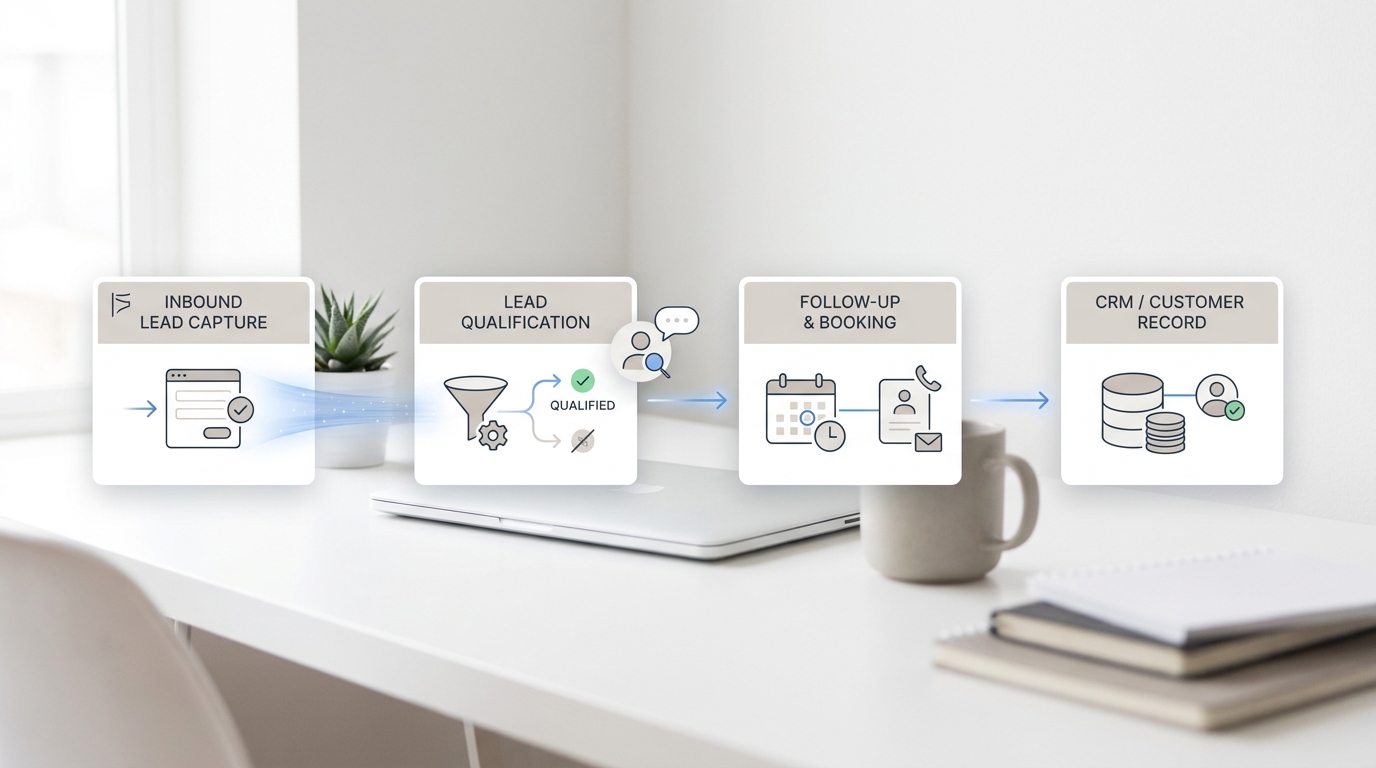
Every minute a listing agent spends coordinating showing schedules by phone is a minute not spent closing deals. The showing scheduling process — inbound inquiry, qualification, availability check, confirmation, reminder — is repetitive, high-volume, and time-sensitive. It's also exactly the type of workflow that AI agents handle well.
Automating showing scheduling isn't about replacing human agents. It's about making sure that every showing request gets an immediate, accurate response regardless of when it arrives — including the 6pm inquiry that would otherwise sit unacknowledged until morning.
This article covers the practical tips for implementing AI-based showing scheduling automation: what the tools can do, what to configure, and what to watch for.
TL;DR
Field | Details |
What you're automating | Inbound showing requests, lead qualification, booking confirmation, reminders |
Key benefit | 24/7 response — after-hours leads don't go to voicemail |
Who it's for | Listing agents, buyer's agents, real estate teams with high showing volume |
Time to set up | Under 30 minutes for most AI receptionist tools |
Integration needed | Phone number routing + your showing calendar (ShowingTime, Calendly, Google Calendar) |
Biggest caution | AI needs accurate, current listing info — outdated knowledge base = wrong answers |
Why Automate Showing Scheduling?
Three problems drive most agents toward showing scheduling automation:
1. After-hours showing requests go unanswered
A buyer's agent submits a showing request at 8pm. Without a response path, that request sits until the next morning — by which point the buyer may have already scheduled with a different listing. A 2014 agent responsiveness study by WAV Group and Weichert found that the average real estate agent takes over 15 hours to respond to a buyer inquiry — and nearly half of all inquiries receive no response at all. An AI agent responds in seconds.
2. Manual scheduling consumes staff time
Coordinating showings — calling to confirm, sending access instructions, following up with feedback requests — can consume hours of front-office time daily. AI systems handle the full qualification and booking flow without agent involvement for the vast majority of routine showing requests — standard showing inquiries (availability, access instructions, time confirmation) are entirely automatable.
3. High showing volume creates coordination errors
Double-bookings, missed confirmations, and access instruction gaps all come from the same root cause: too many manual touchpoints. An automated workflow with built-in conflict prevention eliminates the class of errors that come from parallel manual queues.
5 Tips for Automating Showing Scheduling with an AI Agent
Tip 1: Choose a Tool That Connects to Your Showing Calendar
The automation is only as good as its calendar integration. An AI that answers calls and says "I'll check availability" but can't actually confirm a booking in real time is not automation — it's an answering service.
Look for AI tools that integrate directly with:- ShowingTime: The industry standard for residential listing coordination- Calendly: Useful for buyer's agents scheduling consultation calls and showings- Google Calendar / Outlook: For teams not using a dedicated showing platform
When the AI books a slot, it should immediately create an appointment in the calendar system and notify the agent. Every confirmed showing should also trigger an automatic confirmation to the requesting agent.
Tools worth evaluating: Solvea (AI receptionist with knowledge base, multi-channel), OneAI (instant lead callback + calendar booking), Lindy.ai (workflow automation with CRM updates), Monday.com CRM with AI voice.
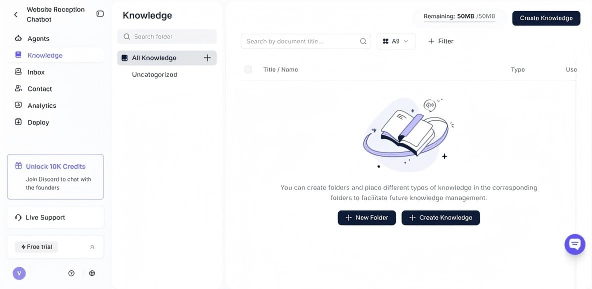
Tip 2: Build a Complete Listing Knowledge Base Before Going Live
The most common failure mode with AI-based showing scheduling is wrong information. The AI tells a buyer's agent that a property shows Monday–Saturday when the seller has requested no Monday showings. Or it gives the wrong lockbox code.
Before enabling AI for any listing, configure a complete knowledge base entry that includes:
- Showing hours: specific days and hours, not "flexible"
- Access method: lockbox make/model, code, location, or key-in-office instructions
- Advance notice requirement: minimum lead time required (2 hours, 24 hours, etc.)
- Seller notification preference: does seller need to approve each showing?
- Pet and occupant notes: dog in the house, occupied showing, etc.
- Expiration: when does the listing go under contract, and should showing scheduling stop?
Update the knowledge base immediately when any of these details change. An AI answering with outdated access instructions creates real operational problems.
Tip 3: Define Escalation Rules — What the AI Handles vs. What Goes to a Human
Not every showing request should be handled end-to-end by AI. Define clear rules for what escalates:
Request Type | AI Handles | Escalate to Human |
Standard showing request, available slot | ✓ Book and confirm | — |
Request for a slot outside showing hours | ✓ Explain and offer alternatives | — |
Request same day within minimum notice window | — | ✓ Agent approves or declines |
High-value buyer with multiple property requests | — | ✓ Agent takes over for relationship |
Seller cancellation needed | — | ✓ Human coordinates with seller |
Offer inquiry mixed into showing request | — | ✓ Agent handles immediately |
Configure your AI so it flags and notifies you in real time for escalation cases. Tools like Solvea and OneAI let you set conditions that trigger immediate agent alerts — a buyer mentioning they want to make an offer should always reach a human, not stay in the automated queue.
Tip 4: Use AI for After-Hours Lead Capture, Not Just Scheduling
After-hours is where the biggest response-time gains are available. A buyer calling at 9pm doesn't just want to schedule a showing — they often want basic property information first: square footage, HOA fees, whether the property is still available, parking situation.
An AI agent that can answer these pre-showing questions immediately keeps the buyer engaged and moves them toward a booking decision. Configure your AI knowledge base with:
- Current property details (use your MLS data or property listing as the source)
- Common buyer questions: price reductions history, time on market, school district, nearby amenities
- What happens next: "I can schedule a showing for you now or your agent can call tomorrow to discuss"
The goal at 9pm is not to complete a full buyer consultation — it's to give enough accurate information that the buyer stays engaged and books.
Tip 5: Automate Confirmations, Reminders, and Post-Showing Follow-Up
The showing scheduling automation should extend beyond the initial booking. Configure your AI and scheduling tools to send:
- Immediate booking confirmation: Address, time, access instructions, agent contact — sent automatically the moment a showing is confirmed
- 24-hour reminder: Same details, resent the day before
- Post-showing feedback request: Triggered automatically a few hours after the showing window — "How did the showing go? Would your client like to see additional properties?"
Automated reminder workflows — confirmation at booking and a 24-hour reminder before the showing — consistently reduce no-show rates by converting potential silent no-shows into advance cancellations or rebooking conversations. Post-showing feedback requests from AI systems generate higher response rates than manual follow-ups because they arrive at a consistent, predictable time.
What to Expect When You Go Live With AI Showing Scheduling
First week: Some buyer's agents will be surprised the first time they reach an AI instead of a human. Keep your agent profile visible on the listing so agents know they can call or text you directly for complex situations. Most will adapt quickly — especially when the AI answers accurately and books their showing in under 3 minutes.
Ongoing: Review the AI's conversation logs weekly. Look for patterns in escalations, questions the AI couldn't answer, and situations where the AI gave wrong information. Update the knowledge base based on what you find.
Edge cases: Properties with complex showing instructions (seller must be present, multiple pets, access via a different address) need more careful knowledge base entries — not less automation. Write these out clearly and the AI will follow them accurately.
From Manual Coordination to AI Automation: What Changes
Manual showing scheduling means the agent is the bottleneck. Every request either reaches them or waits. After-hours requests pile up. Busy days create response time gaps that cost showings.
With AI-automated showing scheduling, the bottleneck moves to configuration, not execution. The agent's job shifts from answering calls to maintaining the knowledge base, reviewing escalation logs, and handling the complex situations the AI surfaces.
An AI receptionist like Solvea handles the full inbound flow — qualification, availability check, booking confirmation, and follow-up notification — for every showing request across every listing, at any hour. You configure the rules once and the AI executes them consistently.
Your AI Receptionist, Live in Minutes.
Scale your front desk with an AI that never sleeps. Solvea handles unlimited multi-channel inquiries, books appointments into your calendar automatically, and ensures zero missed opportunities around the clock.
FAQ
Can an AI agent actually book a showing without human involvement?Yes, if it's connected to your scheduling calendar and has the correct listing information. The AI checks availability, confirms the slot, creates the appointment, and notifies you — all automatically. The human reviews the completed booking, not the individual call.
What happens if the AI gives a buyer's agent wrong showing instructions?The buyer's agent shows up to the wrong address or at the wrong time — a real problem. This is why maintaining an accurate, up-to-date knowledge base is the most important step in AI showing automation. Review your listing entries when any detail changes, especially access instructions.
Will buyer's agents refuse to work with an AI?Most won't, especially if the AI responds quickly and accurately. Buyer's agents want to book showings efficiently — they care about speed and accuracy more than whether a human or AI handled the call. Issues arise when AI gives wrong information or can't complete the booking, not from the concept of AI itself.
How do I handle showing requests for properties that just went under contract?Update your knowledge base immediately when the status changes. Configure your AI to stop accepting showing requests for that listing and respond with: "This property is under contract. Would you like information about similar listings?" Leaving an AI running with stale listing status creates unnecessary agent-to-agent friction.
What's the difference between ShowingTime and an AI receptionist like Solvea?ShowingTime handles showing scheduling and confirmations within its own platform — it's the calendar and coordination layer. An AI receptionist like Solvea handles the inbound call and chat conversation before the scheduling happens — qualification, answering buyer questions, and routing to the booking step. The two work in conjunction: Solvea handles the phone conversation, ShowingTime handles the calendar management.
Can I automate showing scheduling for multiple listings at once?Yes. Most AI tools let you configure separate knowledge base entries for each listing, so the AI knows which showing rules apply to which property. The key is keeping each entry accurate and current.