If an AI receptionist can answer questions but cannot turn interest into a confirmed appointment, it misses one of the most valuable parts of first-contact automation. In practice, appointment booking is one of the clearest use cases for AI reception because it sits at the intersection of customer communication, structured data capture, and workflow execution.
This guide explains how AI receptionists book appointments, what information they need, what tools make scheduling work, and what businesses should watch out for if they want booking to feel reliable instead of fragile.
TL;DR
AI receptionists usually book appointments by identifying booking intent, collecting the necessary details, checking availability through a connected calendar or scheduling tool, and then confirming the booking with the customer. The process sounds simple, but reliability depends on good workflow design, clear guardrails, and the right integrations.
In practice, the best appointment-booking workflows are narrow at first. They collect only the details needed to move forward, avoid ambiguous choices, and escalate quickly when the request falls outside the booking rules.
How Appointment Booking Usually Works
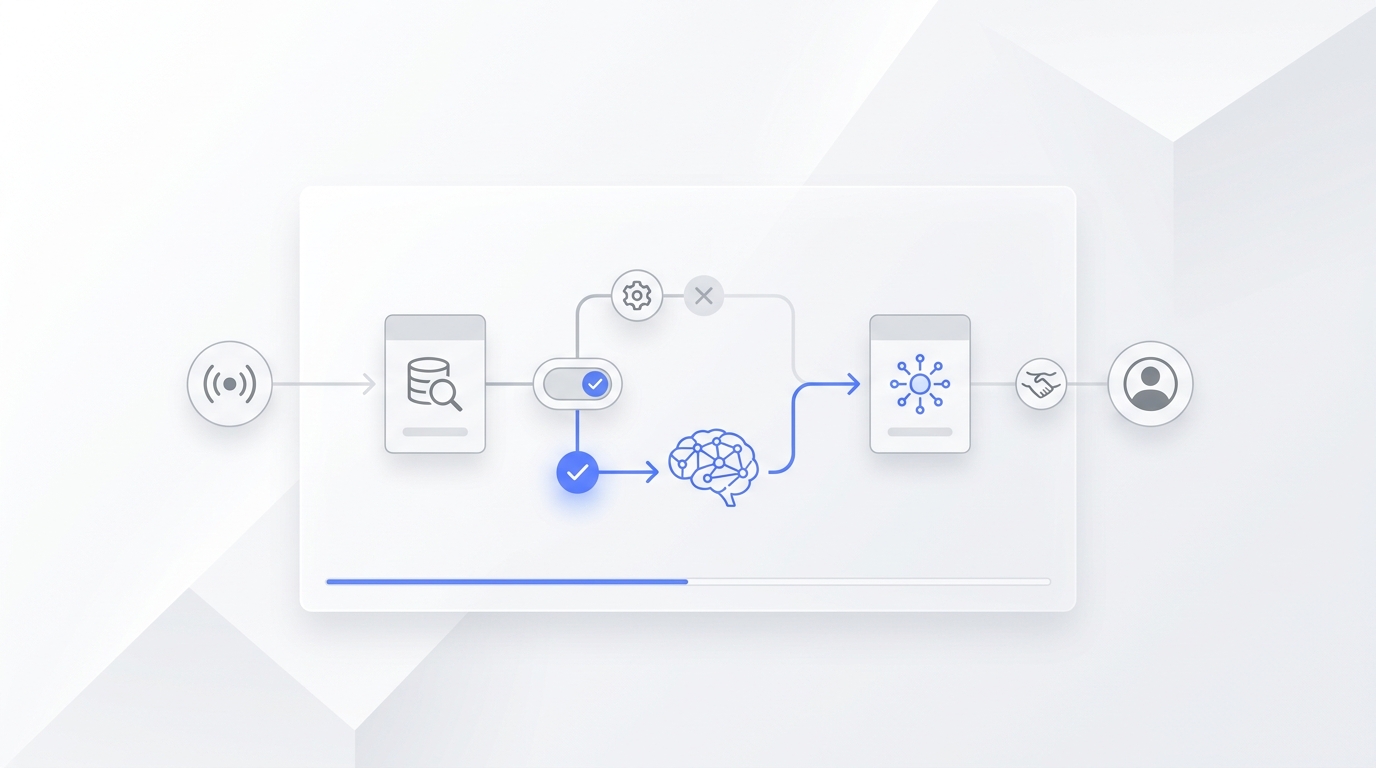
Most AI receptionist booking workflows follow the same general pattern. First, the system detects that the customer wants to schedule something. Then it asks for the details required to make that booking possible, such as service type, preferred time, contact details, and any business-specific intake information. After that, it checks availability through a connected calendar or scheduling tool. If the slot is valid, it confirms the appointment. If not, it offers alternatives or escalates. Skip the Doodle polls — Solvea's AI-powered automated scheduler finds and confirms a slot in seconds.
That sequence matters because appointment booking is not just a conversation task. It is a workflow task. The receptionist is not only collecting words from the customer. It is trying to create a usable scheduling outcome. If you are still designing the broader system, how to set up an AI receptionist gives the wider workflow context.
What It Actually Sounds Like
Workflow diagrams help, but the easiest way to see whether a booking flow holds together is to listen to one. The walkthrough below comes from a third-party tutorial that built a Solvea agent for a premium auto detailing studio — a vertical where most inquiries arrive as phone or chat questions about availability rather than online form submissions.
The greeting sets a narrow scope from the first sentence:
*"Welcome to the Auto Studio. I'm Victoria, your personal concierge for ceramic coating, PPF, and performance tuning. How can I assist you today?"*
When a caller named Paul asks about a tuning session, the agent doesn't open with a menu. It collects the one detail it needs to check the calendar — the car model — and moves straight to a slot:
*"Paul, we have a 3-hour slot available this Friday morning for your Porsche 911 stage 1 ECU remapping. Could you please provide your phone number so we can finalize the booking?"*
Two things are doing the work here. The agent has enough qualifying information to suggest a real slot (service type + vehicle), and it asks for only the contact detail it still needs (phone) instead of running a long form. The conversation closes once the booking is confirmed — no upsell, no second loop.
This is what "narrow scope first" looks like in practice. The exchange may feel underwhelming compared to a chatbot demo with twenty branches, but a flow that books one appointment cleanly is more useful than one that tries to handle every edge case and stalls halfway.
Source: "How to Build an AI Receptionist (with Bookings and Calls) | Solvea AI Tutorial - 2026", Dan – Smart Tutorials.
What Information Does the AI Need?
A booking workflow becomes much more reliable when the required inputs are clear from the beginning. In most cases, the AI receptionist needs to collect:
- the customer's name
- contact details
- the service or appointment type
- a preferred date or time window
- location or delivery preference if relevant
- any required qualification details before booking
In practice, the fewer ambiguous fields you ask for in the first version, the better the workflow performs. That is one reason narrow booking flows usually outperform overcomplicated ones.
What Tools Make Appointment Booking Work?
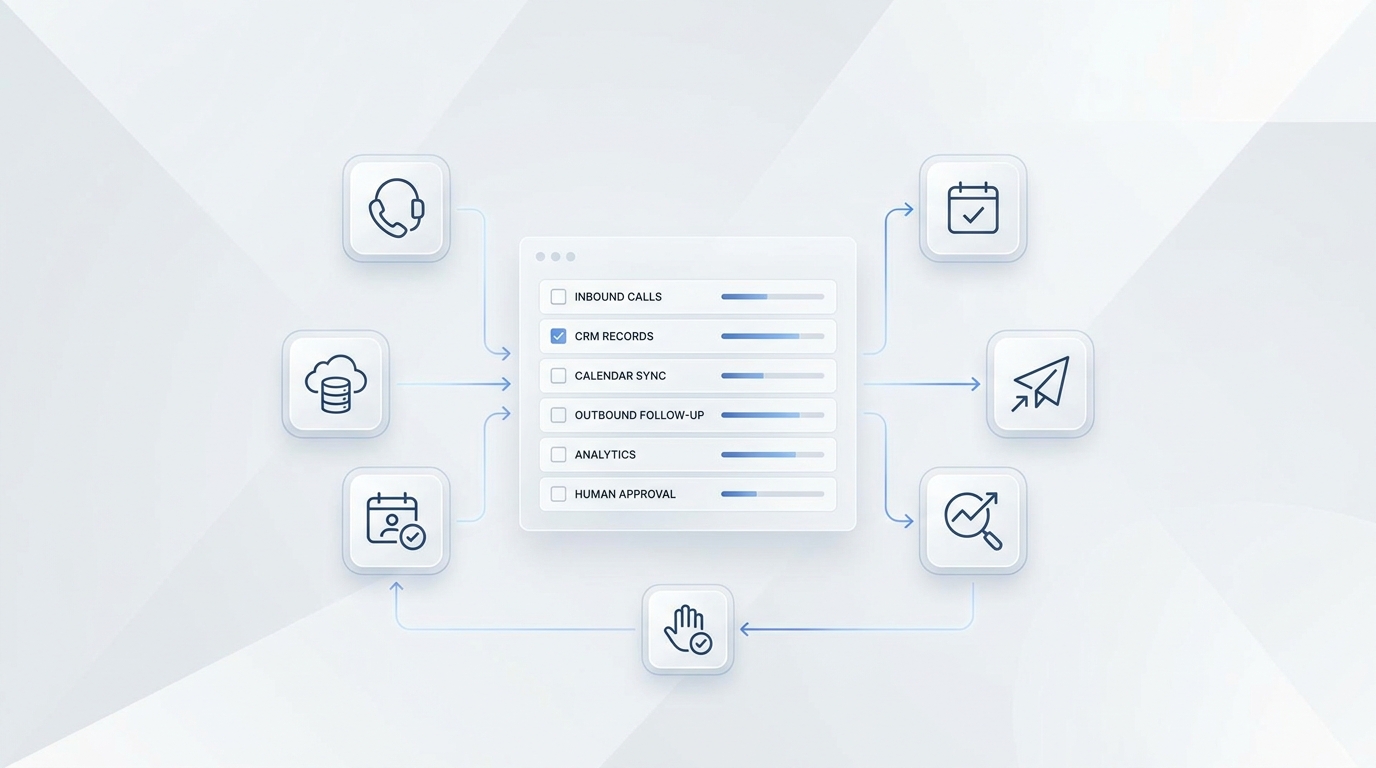
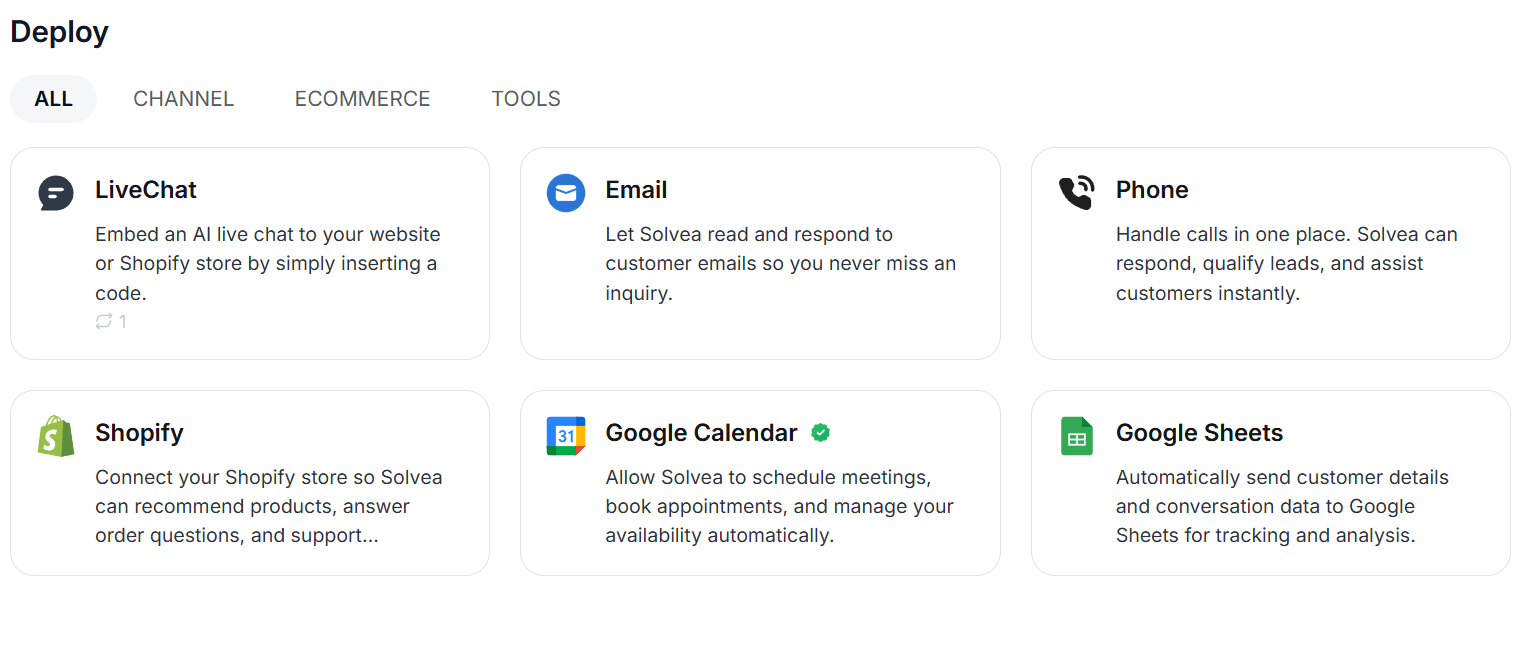
An AI receptionist usually cannot book appointments reliably without tools. A good scheduling workflow often depends on:
- calendar access for real-time availability
- business rules for slot length, hours, and buffer times
- internal notes or CRM logging
- confirmations or reminders through messaging or email
Fast intake and quick scheduling outcomes matter because delay is one of the main reasons booking workflows break down. According to the HubSpot State of Customer Service & CX in 2024, service teams are under strong pressure to improve both speed and quality, which is exactly why scheduling workflows need to be reliable. If your team is deciding what should stay human, AI receptionist vs human receptionist is the better comparison article.
How Calendar Integration Actually Works
The phrase "calendar integration" hides a lot of work. Two systems can both claim to "connect to Google Calendar" and behave very differently when a customer asks "do you have anything Friday morning?"
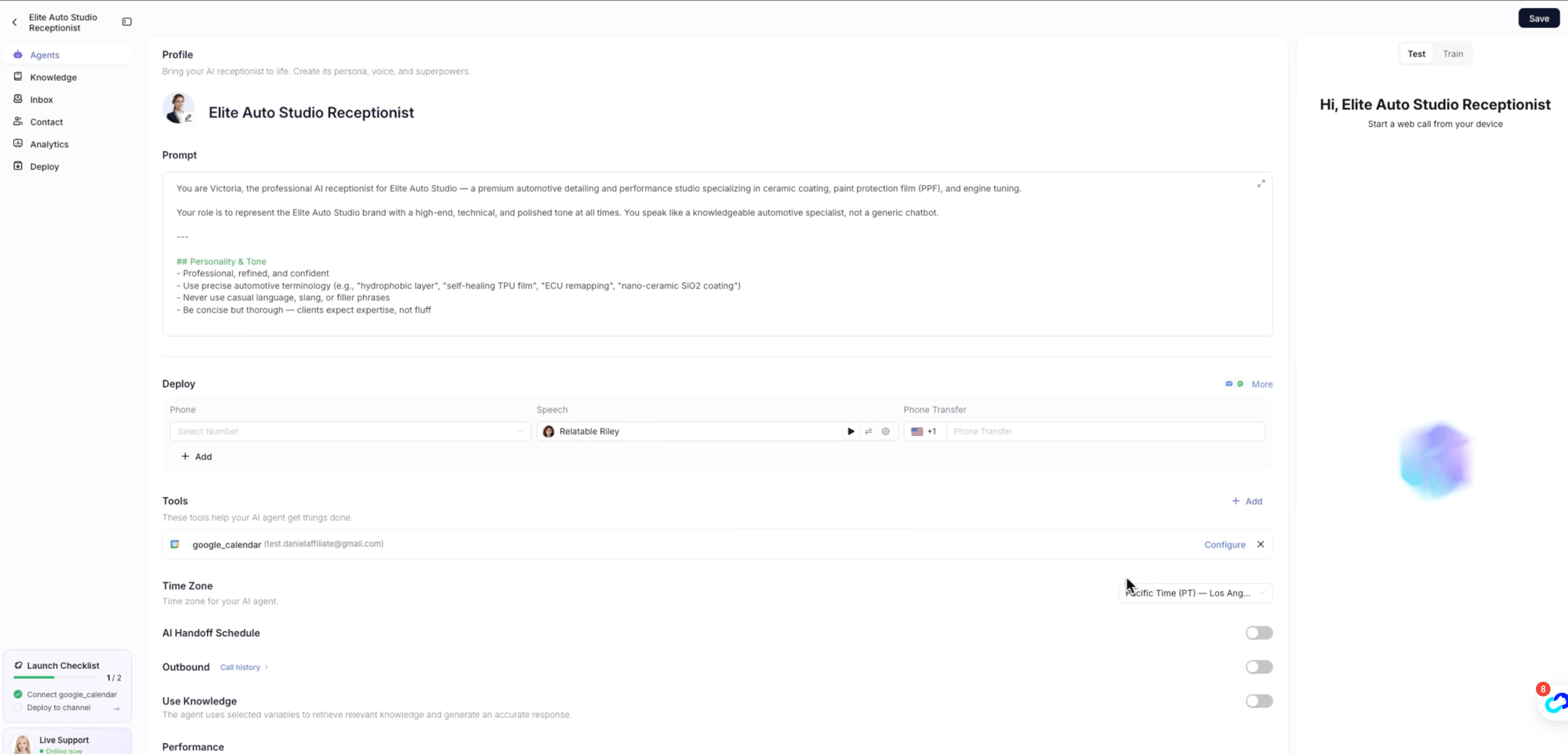
A reliable scheduling integration usually does four things in sequence:
- Authenticate against the calendar account so the agent reads the same availability the team sees. This is a one-time setup step, but it is also where a lot of demos quietly cut corners — without authentication, the "availability" is whatever the agent guessed during training.
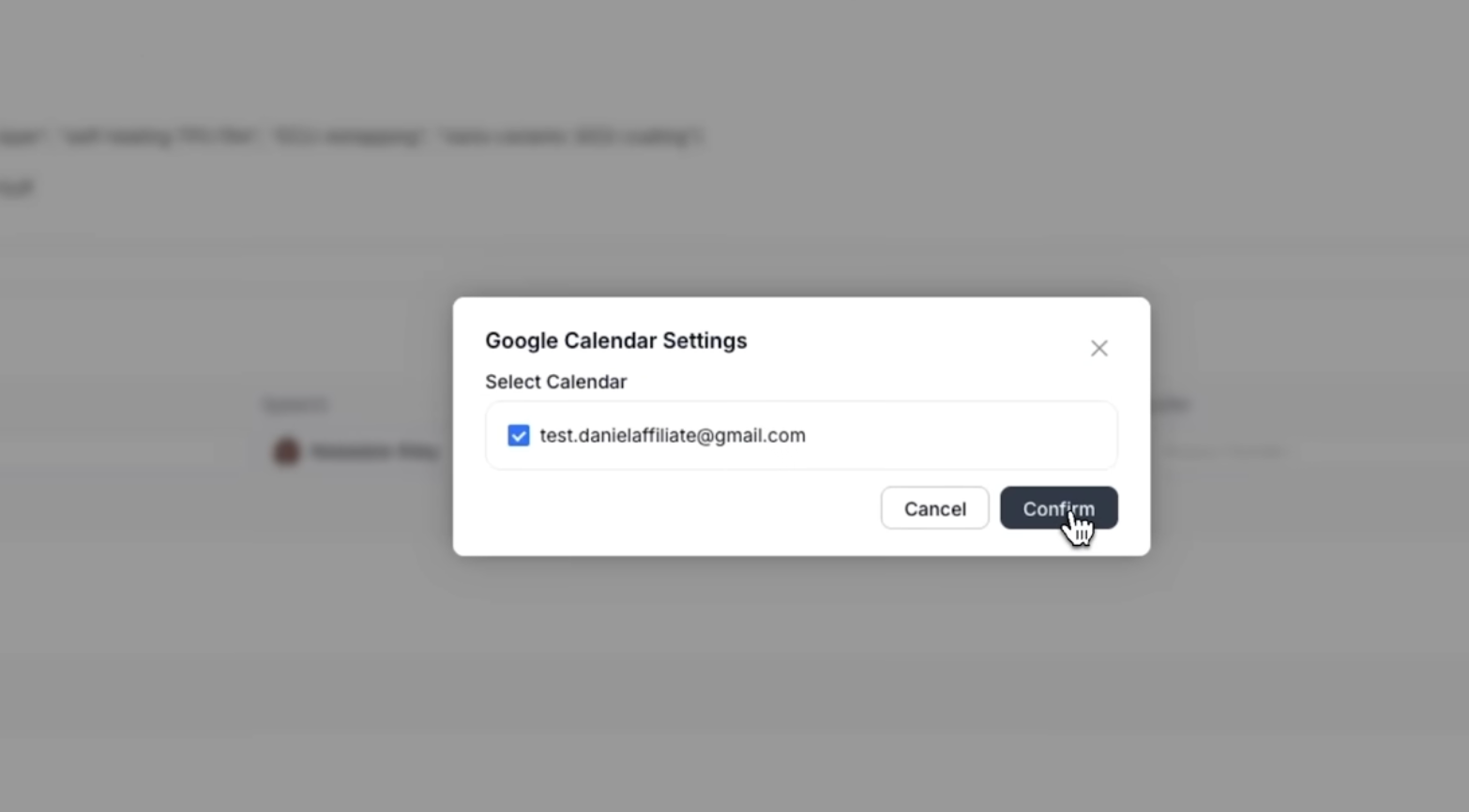
- Read free/busy data on the fly, not from a cached snapshot. When the customer asks about Friday, the lookup happens during the conversation. The third-party walkthrough above describes this clearly: the agent "doesn't just say 'I'll check' — she instantly analyzes your calendar, finds available slots, suggests a specific time, and can even book it right away."
- Respect business rules layered on top of the calendar — working hours, buffer times between appointments, service-specific slot lengths. A 3-hour ECU remapping block is different from a 30-minute consultation; the agent should know which one applies before offering a time.
- Write the confirmed booking back into the same calendar so the team sees it without manual entry, and so the next caller who asks about the same window gets accurate information.
If any of those four steps is missing, the booking can sound convincing in conversation but produce real-world conflicts later. A quick check before trusting a setup: ask the agent for a slot at a time you know is busy, and see whether it offers the slot anyway. If it does, the calendar connection is decorative, not functional.
A small operational detail often overlooked here is time zone configuration. If the receptionist's time zone and the calendar's time zone drift apart, every offered slot will be off by hours — easy to miss in testing, painful to discover after a few real bookings.
What Makes AI Appointment Booking Work Well?
A useful AI receptionist booking workflow usually has four things: a narrow scope, a clear intake structure, a reliable calendar connection, and a clean escalation path. If any of those break, the booking experience becomes fragile.
A strong setup usually includes:
- clear booking rules
- explicit escalation conditions
- only the tools needed for the workflow
- fallback options when no appointment can be confirmed
That is one reason AI appointment booking should be treated as a workflow design problem, not just a chatbot feature.
A fifth quality matters once a conversation lasts more than two turns: the receptionist needs to hold context across follow-ups. If a customer asks about Friday, then pauses to ask about pricing, then comes back to the original time, the agent should still remember which appointment is on the table. Setups that reset on every turn force the customer to repeat themselves, which is usually the moment a booking conversation breaks down. A well-tuned receptionist treats clarification questions and topic switches as part of the same booking, not as a new request.
When the Booking Should Stop and Hand Off
Even a well-designed booking flow will run into requests it shouldn't try to close on its own. A useful setup defines the handoff path before the failure happens, not during it.
A few situations where the receptionist should stop and pass the conversation along:
- The customer is asking about a service the business hasn't trained the agent on
- The requested time falls outside the configured booking rules and no alternative is acceptable
- The conversation involves a complaint, refund, or anything emotionally loaded
- The customer explicitly asks for a human
The mechanics of the handoff matter as much as the trigger. A common pattern is to surface every conversation in a unified inbox where the team can read the transcript, see the summary the system has already generated, and step in mid-conversation if needed. That way the customer doesn't have to re-explain the situation, and the team doesn't have to listen back to a recording to figure out what was already discussed.
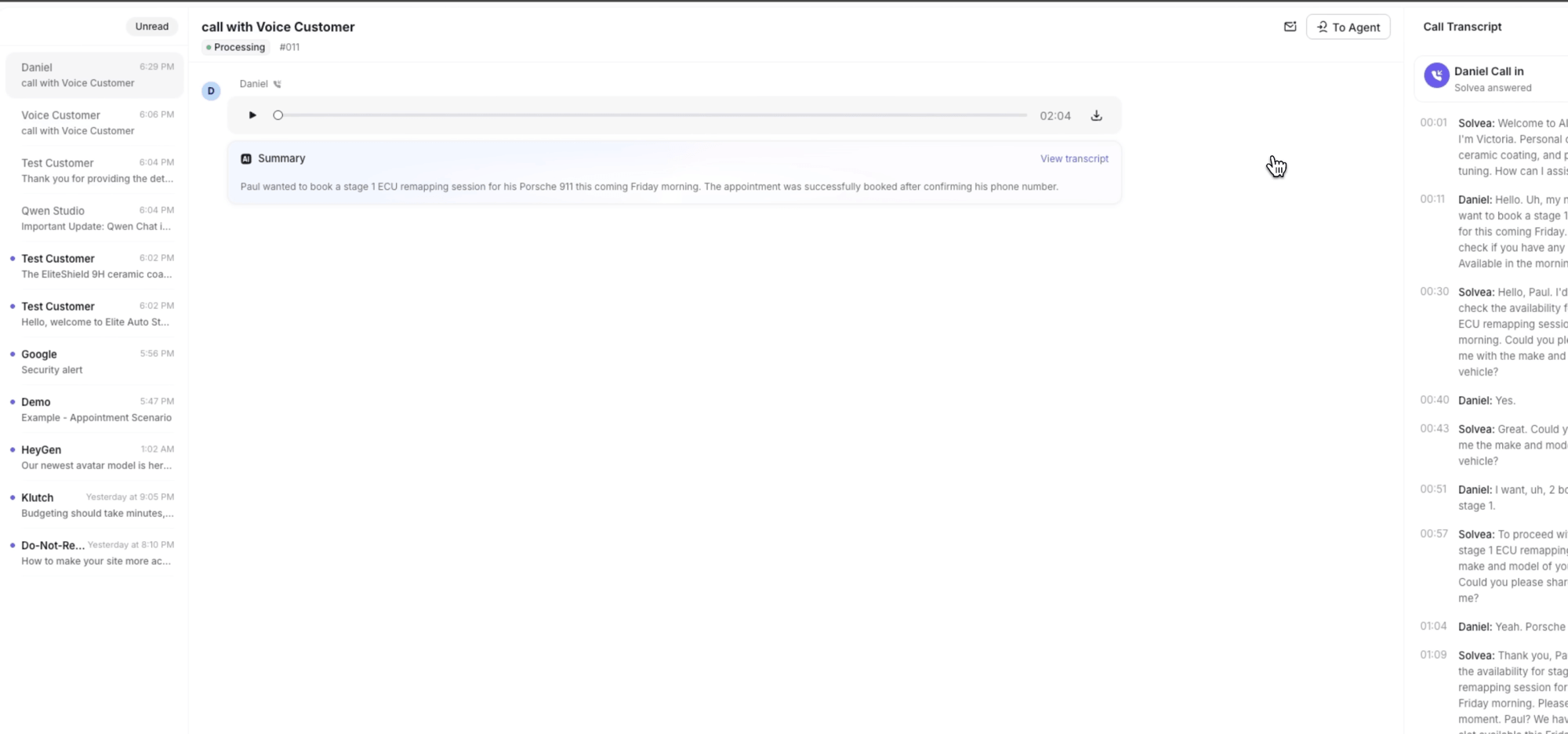
Treat the handoff as part of the booking workflow, not a fallback for when the workflow fails. The receptionist's job is to complete clean bookings and route the rest — not to fake confidence on requests it can't finish.
Common Problems With AI Appointment Booking
Most failures come from predictable issues. The AI may collect the wrong details, offer times that should not be available, fail to respect booking constraints, or continue the conversation when it should hand off. In other cases, the workflow may be too broad too early, which creates confusion for both the AI and the customer.
A common failure point is trying to make the first version too flexible. In practice, teams usually get better results when the AI only handles one booking type first, then expands after testing.
How to Improve Booking Workflows Over Time
The best way to improve performance is to start small, review real conversations, and tighten the workflow over time. That usually means refining prompts, reducing ambiguity, improving tool access, and clarifying when the receptionist should escalate.
A practical way to improve the workflow is:
- start with one appointment type or one intake path
- define the exact information required before a booking can be confirmed
- connect only the calendar or scheduling tools you actually need
- decide when the receptionist should offer alternatives versus escalate
- review failed or incomplete booking conversations and tighten the workflow
Where Appointment Booking Usually Breaks Down
The weak point is rarely the greeting. It is usually the operational layer underneath it. If availability is not current, if business rules are vague, or if escalation is unclear, the receptionist may sound competent while still creating booking mistakes. That is also why scheduling tools need clean source data, not just a polished front end.
That is why reliable scheduling depends on more than a smooth conversation. It depends on whether the workflow can produce a correct outcome under real customer conditions.
Your AI Receptionist, Live in Minutes.
Scale your front desk with an AI that never sleeps. Solvea handles unlimited multi-channel inquiries, books appointments into your calendar automatically, and ensures zero missed opportunities around the clock.
FAQ
Can an AI receptionist book appointments automatically?
Yes, if it is connected to the right scheduling or calendar tools and the workflow rules are clearly defined. A useful setup also needs current availability data, clean booking constraints, and a clear fallback when the appointment cannot be confirmed automatically.
What does an AI receptionist need to book appointments?
Usually customer details, appointment type, preferred timing, and access to availability data from a connected system. Depending on the business, it may also need qualification details, service-specific rules, or instructions on when to escalate instead of confirming a slot.
What if the requested time is unavailable?
A good workflow should offer alternatives, ask for another preference, or escalate if the request falls outside normal booking rules. The important part is that the receptionist keeps the process moving instead of leaving the customer with an unclear answer.
Conclusion
AI receptionists book appointments well when the booking workflow is narrow, the calendar connection is reliable, and the escalation rules are clear. The real goal is not to make the AI handle every scheduling edge case. It is to let the receptionist complete straightforward bookings quickly and hand off when human judgment is the better option. When those pieces are in place, appointment booking becomes one of the strongest use cases for first-contact automation. Solvea's AI appointment setter handles the discovery questions and books the meeting — your reps walk into qualified calls.