An HVAC answering service script should do more than make every caller hear the same greeting. Its real job is to collect the facts your dispatcher or technician needs, set an honest expectation, and move the call into the right next step without trying to diagnose equipment over the phone.
That balance matters after hours. A homeowner with no cooling, a property manager asking for a maintenance estimate, and a caller reporting a possible gas or carbon-monoxide concern should not follow the same path.
This guide gives HVAC owners and operations managers a practical script framework, copy-ready call templates, a field checklist, and a rollout plan. You can use it with an in-house receptionist, an outsourced answering service, or an AI receptionist configured for your business.
The Short Version: What Every HVAC Call Script Must Capture
Before a call is transferred, booked, or sent to voicemail, capture these eight items:
- Caller name and callback number.
- Service address and service-area eligibility.
- Residential or commercial property type.
- The caller's description of the problem in their own words.
- Safety or emergency signals that trigger your approved escalation policy.
- System type, if the caller knows it.
- Preferred appointment window and access constraints.
- The promised next step, owner, and response time.
The last item is often the difference between a useful answering workflow and a message-taking dead end. “Someone will call you back” is vague. “The on-call coordinator will text or call this number within 20 minutes” creates ownership.
A Better HVAC Answering Service Script Structure
The best script is modular. Instead of forcing every caller through a long questionnaire, it uses a common opening and then branches by intent.
1. Open with identity and permission
Use a greeting that confirms the business and explains what will happen next.
“Thank you for calling [Company Name]. I can help with a service request, scheduling, or a message for the team. May I start with your name and the best callback number?”
This opening is short, avoids pretending a technician is already on the line, and protects the conversation if the call drops.
2. Identify the call type
Ask one routing question before collecting details:
“Are you calling about a current heating or cooling problem, a new installation or estimate, maintenance, or an existing appointment?”
Typical branches include:
- active repair request,
- possible safety or emergency concern,
- installation or replacement estimate,
- preventive maintenance,
- existing appointment or technician-status question,
- billing, warranty, or administrative request,
- vendor or non-customer call.
3. Capture the minimum useful context
Ask only questions your next team member will actually use. A receptionist should document the caller's observations, not lead the caller through technical troubleshooting.
Useful prompts include:
- “What is the system doing or not doing?”
- “When did you first notice the issue?”
- “Is the property without heating or cooling entirely?”
- “Is this a home or a commercial property?”
- “Do you know whether the system is a furnace, heat pump, boiler, mini-split, or central air system?”
- “Has your company serviced this address before?”
Avoid turning the script into a remote diagnostic flow. The goal is clean intake and routing.
4. State the next step precisely
End every path with four details:
- what happens next,
- who owns it,
- when the caller should expect contact,
- which channel will be used.
Example:
“I have sent this to the on-call coordinator as a priority service request. They will call or text you at [number] within [approved response window]. If the situation changes or you believe anyone is in immediate danger, contact emergency services and follow your utility's safety instructions.”
Copy-Ready HVAC Call Script Templates
Use the templates below as a starting point. Replace every bracketed field with a rule your team has approved.
Template 1: Standard repair request
Receptionist: “Thank you for calling [Company Name]. This is [Name/Virtual Receptionist]. May I have your name and the best number to reach you if we get disconnected?”
Receptionist: “What is the service address?”
Receptionist: “Please describe what the heating or cooling system is doing in your own words.”
Receptionist: “When did the issue begin, and is the property currently without heating or cooling?”
Receptionist: “Is this a residential or commercial property? If you know it, what type of system do you have?”
Receptionist: “What appointment times work best, and is there anything the technician should know about parking, gates, pets, tenants, or access?”
Close: “I have recorded your service request for [next step]. You should receive [a call/text] from [owner] within [response window].”
Template 2: After-hours priority call
“I can collect the information for the on-call team. First, may I have your name, callback number, and service address?”
“Please tell me what is happening. I will document your words for the on-call coordinator.”
“Is anyone in immediate danger, or are you reporting smoke, fire, a gas odor, a carbon-monoxide alarm, or someone feeling ill?”
If an approved emergency trigger is present: Follow the company's emergency script immediately. Do not continue routine booking or offer technical instructions.
If no emergency trigger is present: “Is the property fully without heating or cooling? Are there infants, older adults, medically vulnerable occupants, tenants, animals, or temperature-sensitive operations at the location?”
Close: “This has been marked [priority level] and sent to [on-call role]. Expect contact by [channel] within [approved window].”
Your escalation language must reflect your actual coverage. Do not promise a technician dispatch if the on-call person still needs to approve it.
Template 3: Installation or replacement estimate
“Are you replacing an existing system, planning for a new property, or comparing options because of a current problem?”
“What is the service address and property type?”
“Which systems or areas are you considering, and what outcome matters most to you?”
“Is there a target date, budget-planning deadline, construction schedule, or financing question the comfort advisor should know about?”
“What day and time works best for an estimate conversation or site visit?”
Keep the receptionist focused on qualification and scheduling. Equipment recommendations and load calculations belong with qualified team members.
Template 4: Existing appointment or technician-status call
“May I have the name, service address, and callback number on the appointment?”
“Are you calling to confirm, reschedule, add access details, or ask about technician arrival?”
“I can record the update and route it to [dispatch role/system]. The next update will come by [channel] within [window].”
Never invent an arrival time. If your answering workflow cannot read the live dispatch board, say so and create a dispatch follow-up task.
Template 5: Maintenance-plan customer
“May I have the name, service address, and callback number associated with the plan?”
“Are you scheduling routine maintenance, asking about plan coverage, or reporting a current system problem?”
“I will send the request to [maintenance coordinator/service team]. You should receive [booking confirmation or follow-up] by [time].”
Avoid making warranty or membership-coverage promises unless the answering workflow can verify the customer's plan and your current terms.
HVAC Call Intake Checklist
The script is the conversation. The intake record is what makes the conversation operational.
| Field | Why it matters | Required? |
|---|---|---|
| Caller name | Identifies the contact | Yes |
| Callback number | Preserves follow-up if disconnected | Yes |
| Service address | Confirms routing and coverage | Yes |
| Email or preferred channel | Supports confirmations and written follow-up | Recommended |
| Residential/commercial | Routes to the right team | Yes |
| New/existing customer | Helps locate history | Yes |
| Call intent | Separates repair, estimate, maintenance, and admin requests | Yes |
| Caller-described symptoms | Gives dispatch usable context without diagnosis | Yes |
| Safety trigger | Activates the approved emergency policy | Yes |
| Loss of heating/cooling | Supports priority classification | Yes |
| Vulnerable occupants or critical operations | Adds context for the on-call decision | When relevant |
| System type | Helps preparation if known | Optional |
| Preferred appointment window | Moves the request toward booking | Yes |
| Access notes | Prevents avoidable visit delays | Recommended |
| Source or campaign | Supports marketing attribution | Recommended |
| Assigned owner | Prevents orphaned messages | Yes |
| Response deadline | Creates accountability | Yes |
| Final disposition | Records booked, dispatched, callback, nurture, or closed | Yes |
Safety Boundaries: What the Script Should Not Do
An answering script is not a substitute for emergency services, a utility's emergency line, or a qualified HVAC professional.
Create an explicit emergency branch for signals such as fire, smoke, a suspected gas leak, a carbon-monoxide alarm, or people experiencing symptoms. Your approved wording should tell the receptionist or AI agent to stop routine troubleshooting, avoid minimizing the concern, and direct the caller to the appropriate emergency resource under company policy.
The U.S. Environmental Protection Agency recommends installing carbon-monoxide alarms and having fuel-burning appliances inspected by a trained professional. Use resources such as the EPA's carbon-monoxide guidance when your team reviews its safety language, but have management and qualified advisors approve the final script for your locations.
The script should also avoid:
- diagnosing a failed component,
- telling a caller to open equipment panels,
- promising that a situation is safe,
- guaranteeing a technician arrival time you cannot verify,
- quoting a final repair price without the required inspection,
- claiming warranty coverage without record access,
- collecting payment data through an unapproved channel.
How to Set Priority Without Overpromising
A simple priority matrix can help the answering workflow create consistent handoffs.
| Priority | Example intake outcome | Next step |
|---|---|---|
| Safety escalation | Approved emergency trigger is present | Follow emergency script; do not use routine scheduling flow |
| Urgent review | Complete loss of heating/cooling or another condition your policy flags | Notify on-call owner within the urgent response window |
| Standard repair | System issue without an emergency trigger | Offer approved booking windows or create dispatcher callback |
| Estimate | Replacement, installation, or project inquiry | Book comfort-advisor or estimator workflow |
| Administrative | Billing, warranty, vendor, or records request | Route to the correct business-hours queue |
The matrix should classify the handoff, not pretend to determine the technical severity of the equipment failure.
Human Answering Service vs AI Receptionist Script
The core script logic should stay consistent across people and software. The operational difference is how the workflow connects to your systems.
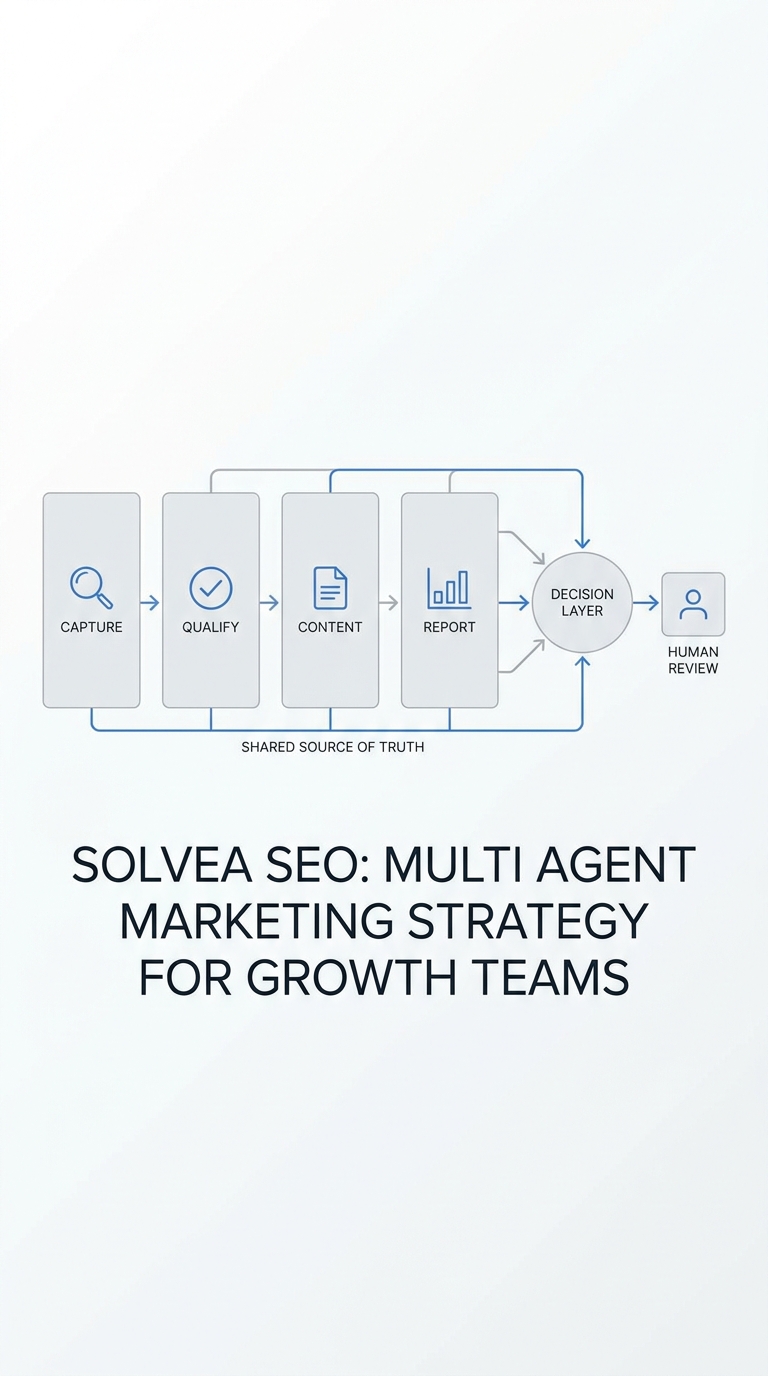
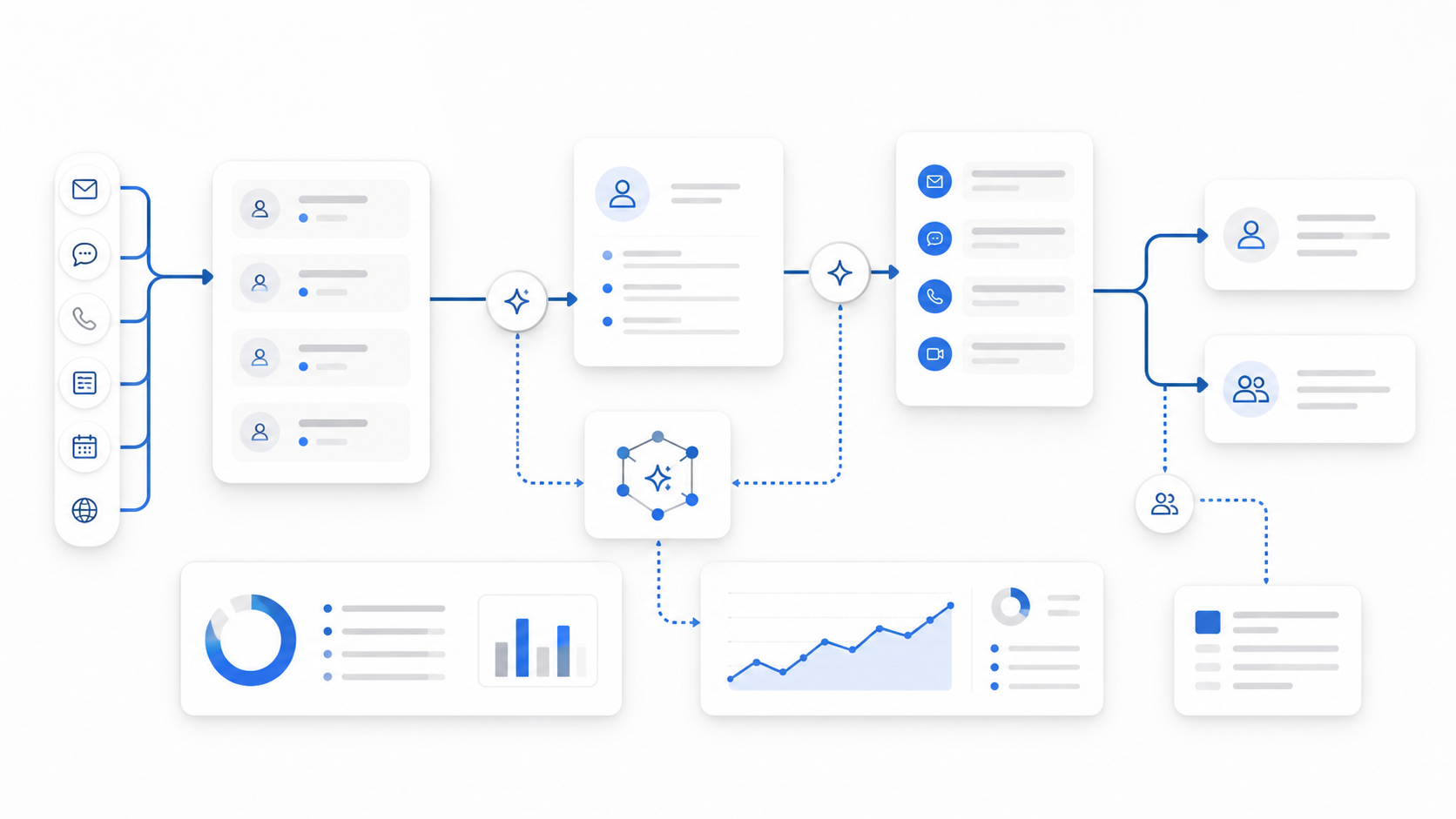
A traditional answering service may collect a message and page the on-call person. An AI receptionist can be configured to answer recurring questions, check approved appointment availability, send confirmations, and place the complete conversation into a shared workflow. The quality still depends on the rules you provide.
When evaluating an HVAC answering service, ask whether it can:
- branch by repair, estimate, maintenance, and existing appointment,
- use different rules during business hours and after hours,
- verify service-area boundaries,
- book only into approved appointment types,
- send call summaries to the right owner,
- escalate by urgency and customer type,
- preserve the conversation across phone and text,
- report whether the lead was booked, dispatched, or lost.
Solvea's AI receptionist for home services guide explains how call capture, qualification, booking, and follow-up fit into a broader front-desk workflow. For nights and weekends, compare the handoff design in after-hours lead capture: AI vs voicemail.
A 7-Day Script Rollout Plan
Day 1: Map call types
Review recent calls and list the intents that account for most conversations. Separate repair, estimate, maintenance, appointment-status, billing, warranty, and vendor calls.
Day 2: Approve escalation boundaries
Document safety triggers, on-call coverage, service-area rules, customer-priority rules, and exactly what the receptionist may promise.
Day 3: Define required fields
Turn the checklist above into fields in your CRM, dispatch board, shared inbox, or answering-service form. Remove questions nobody uses.
Day 4: Write branch-specific closings
Create a precise next-step statement for every branch. Include owner, response window, and channel.
Day 5: Run test calls
Test a standard repair, after-hours priority call, estimate request, reschedule, out-of-area caller, and safety escalation. Confirm each record reaches the right owner.
Day 6: Fix handoff gaps
Look for missing phone numbers, vague summaries, duplicate notifications, unsupported promises, and requests that have no assigned queue.
Day 7: Go live and review outcomes
Audit the first set of real conversations. Do not grade only politeness. Check whether the call produced a complete record and the promised follow-up happened.
Metrics That Show Whether the Script Works
Track a small set of operational measures:
- percentage of calls with all required fields,
- percentage of eligible requests booked during the interaction,
- average time from call end to owner acknowledgment,
- missed or abandoned calls recovered by callback or text,
- percentage of urgent handoffs acknowledged within policy,
- calls reassigned because of incorrect routing,
- leads with no final disposition,
- bookings that fail because of bad contact or access information.
If missed calls are still common, a missed-call text-back workflow can create a second path for callers who hang up before the conversation completes.
Your AI Receptionist, Live in Minutes.
Scale your front desk with an AI that never sleeps. Solvea handles unlimited multi-channel inquiries, books appointments into your calendar automatically, and ensures zero missed opportunities around the clock.
Final HVAC Answering Service Script Checklist
Before launch, confirm that your script:
- starts with caller identity and callback information,
- branches by intent before asking detailed questions,
- records observations without diagnosing equipment,
- contains an approved safety escalation path,
- distinguishes on-call review from guaranteed dispatch,
- verifies service area and property type,
- captures booking and access constraints,
- names the next owner and response window,
- writes the complete record into a system your team checks,
- measures final outcomes instead of call volume alone.
The best HVAC answering service script is not the longest. It is the one that gives callers clarity and gives your team a complete, actionable handoff every time.
If you want to turn these templates into a 24/7 phone, text, and booking workflow, explore Solvea's HVAC AI receptionist.