Multi agent marketing is useful when it makes one messy growth workflow easier to run. It gets risky when the team treats it as a reason to automate every marketing task at once.
The practical way to use multi agent marketing in 2026 is to start with one revenue-adjacent workflow, split it into narrow agent jobs, connect those jobs to one source of truth, and keep a human review step until the error patterns are boring. That sounds slower than buying a stack of tools. It is usually faster because the team does not spend the next month cleaning up duplicate records, conflicting messages, or unowned follow-ups.
This guide gives you the operating worksheet: how to choose the first workflow, define each agent's job, set permission levels, run the first pilot, and measure whether the system deserves more scope.
What multi agent marketing means in 2026
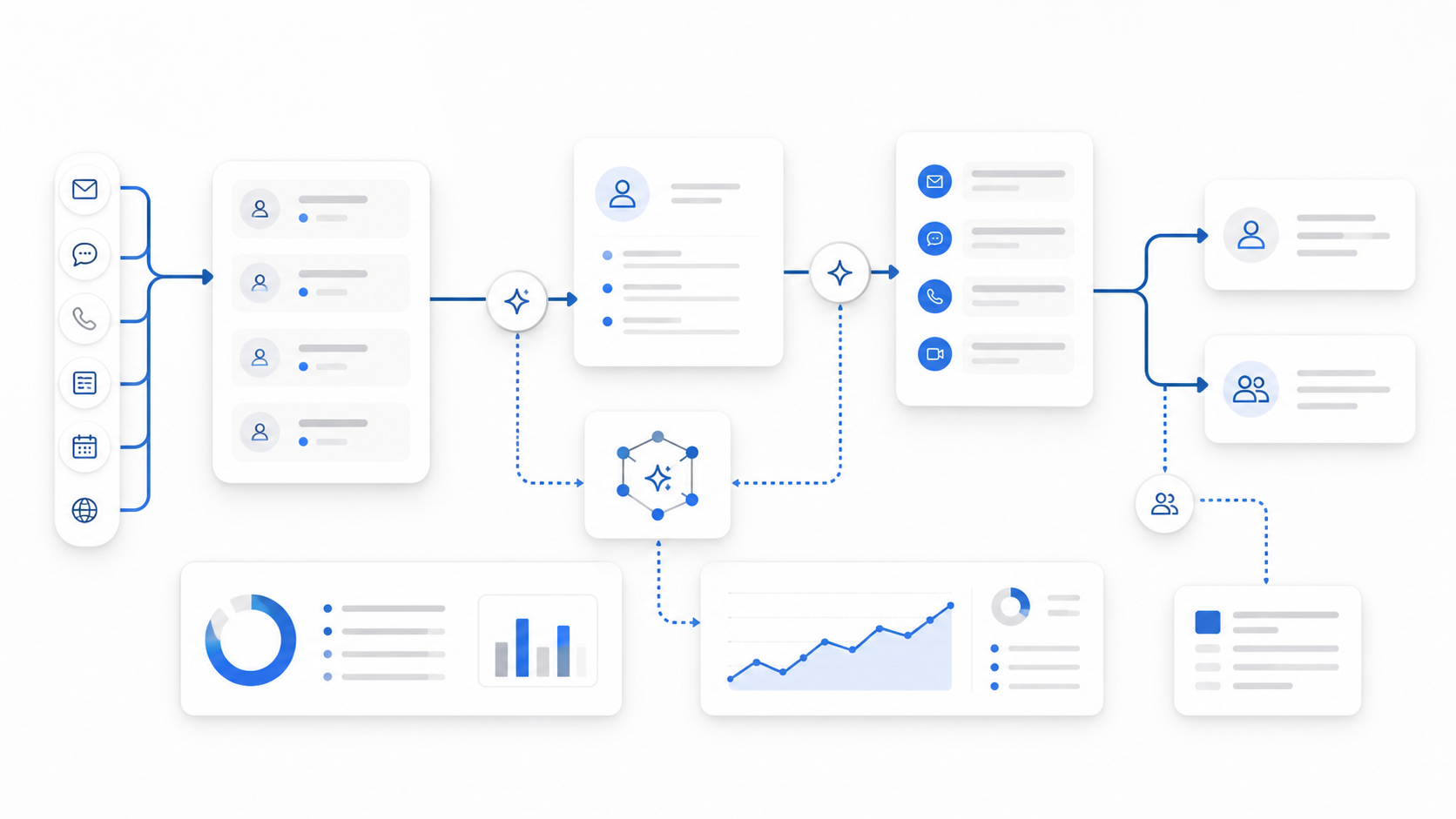
Multi agent marketing is a workflow design where multiple AI agents handle different parts of a marketing or GTM process. One agent might research a customer question, another might draft a response, another might update the CRM, and another might report what happened.
That does not mean every team needs a large agent network. In most small and mid-sized teams, multi agent marketing should begin with two or three narrow agents:
- a signal agent that detects or summarizes what happened;
- a decision agent that recommends the next step;
- an action agent that does one bounded task only after the rules are clear.
The important word is bounded. A useful multi agent marketing workflow has limits around data access, allowed actions, escalation, and measurement. Without those limits, the system can create more operational work than it removes.
For a broader strategic view, read Solvea's Multi Agent Marketing Strategy for Growth Teams. For a tighter checklist, use the Multi Agent Marketing Checklist for Faster Decisions.
Step 1: Pick one workflow, not one tool
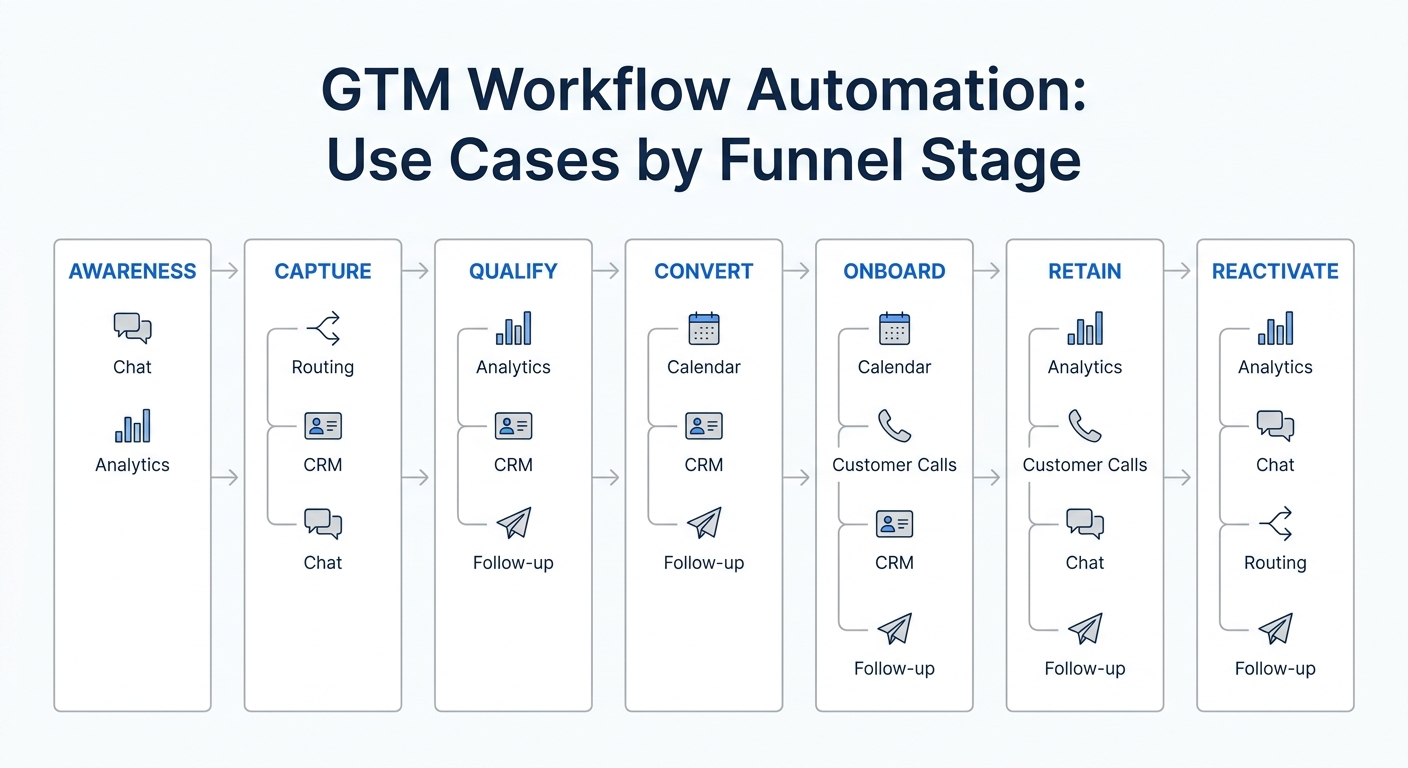
Start with a workflow that already has demand, delay, and a measurable next step. Multi agent marketing works best when the buyer, lead, customer, or teammate has already created a signal.
Good first workflows include:
- missed-call capture and follow-up;
- inbound lead qualification;
- appointment booking;
- quote-request routing;
- post-demo follow-up;
- content brief creation from customer questions;
- stale-lead reactivation;
- conversation quality review.
Weak first workflows are usually broad and hard to inspect. "Automate marketing" is too wide. "Have an agent improve conversion" is too vague. "When a qualified prospect asks for availability after hours, answer, capture context, and create a booked callback task" is a workable first workflow.
Use this selection rule:
| If the leak is... | Start with... | Primary metric |
|---|---|---|
| Customers wait too long | Response and routing | First response time |
| Leads arrive unqualified | Intake and qualification | Qualified leads routed |
| Bookings stall | Scheduling and reminders | Booked appointments |
| Content is slow | Research and brief creation | Publish-ready briefs |
| Nobody knows what is working | Reporting and review | Decisions made from evidence |
If a workflow cannot be measured in one sentence, narrow it before adding agents.
Step 2: Write the workflow spec
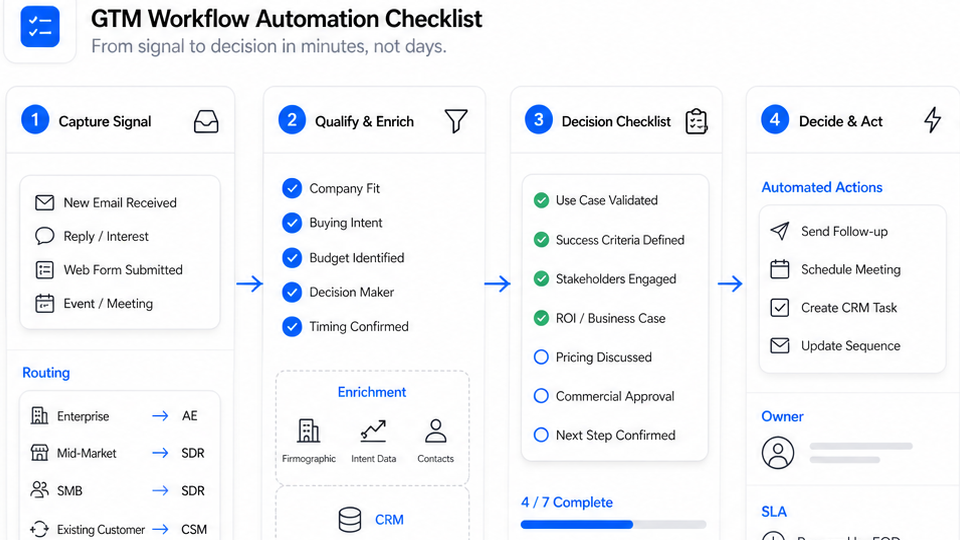
Before you connect any tools, write the workflow as a short spec. This is the most useful artifact in a multi agent marketing rollout because it keeps the agents, data, and humans aligned.
Use this template:
| Field | What to define | Example |
|---|---|---|
| Trigger | The event that starts the workflow | A missed call arrives after hours |
| Source of truth | The system that owns the current state | Shared inbox, CRM, helpdesk, or calendar |
| Agent roles | Each agent's narrow job | Intake agent, qualification agent, routing agent |
| Allowed data | What agents may read | Caller number, transcript, service area, availability |
| Allowed action | What agents may do | Create task, draft reply, tag lead, book slot |
| Review rule | When a human must approve | Pricing, angry customer, low confidence, policy gap |
| Owner | The human accountable for the next state | Front desk lead or sales owner |
| KPI | The one metric that proves value | Recovered inquiries or booked callbacks |
| Rollback | How to pause or narrow scope | Disable outbound send; keep draft-only mode |
Here is the simplest version:
When [trigger] happens, [agent role] may [allowed action] using [approved data], unless [review rule] is true. The owner is [human/team], the KPI is [metric], and rollback means [pause/narrow rule].
That sentence exposes weak spots quickly. If the source of truth is unclear, the agents will disagree. If the review rule is unclear, risky cases will slip through. If rollback is unclear, the team will be afraid to launch.
Step 3: Split the work into agent roles
Do not ask one agent to own the whole journey. The point of multi agent marketing is specialization plus handoff clarity.
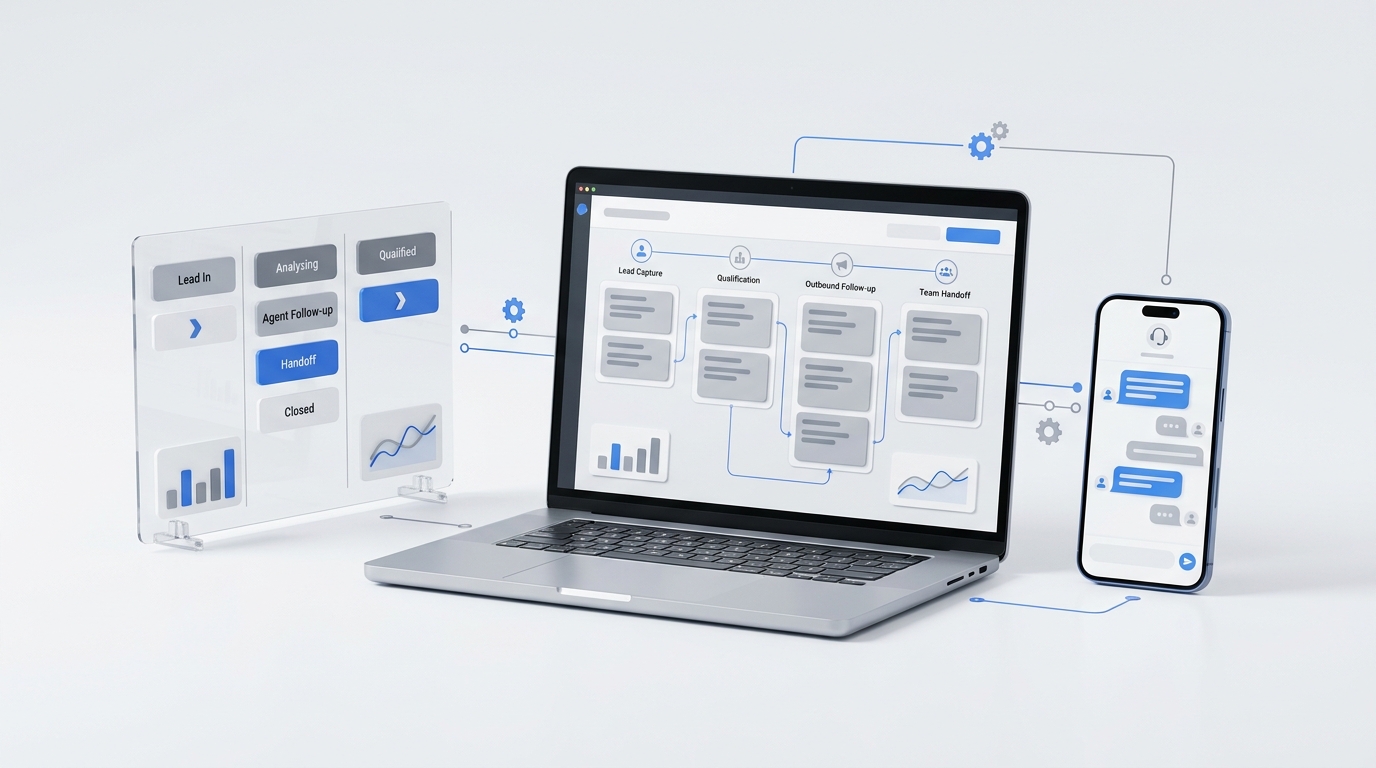
For a first customer-response workflow, the roles might look like this:
| Agent | Job | Input | Output | Permission level |
|---|---|---|---|---|
| Intake agent | Capture what happened | Call, form, chat, email, SMS | Clean summary | Read and summarize |
| Qualification agent | Decide what matters | Summary, business rules, customer history | Intent, urgency, fit | Recommend |
| Knowledge agent | Answer known questions | Knowledge base, approved FAQs, policy notes | Draft answer | Draft only at first |
| Routing agent | Assign next owner | Intent, location, service, availability | Task, tag, or owner | Limited action |
| Reporting agent | Show what worked | Outcomes, corrections, handoffs | Weekly decision log | Read and report |
The first version should usually run in draft or review mode. Let agents observe, summarize, recommend, and prepare the next step. Then give one agent one low-risk action after the team has seen enough examples.
That sequence makes multi agent marketing easier to trust. The team sees the reasoning trail before the system acts on customers or records.
Step 4: Connect the minimum data needed
Multi agent marketing breaks when agents use different versions of the truth. A lead source in one system, a status in another system, and a booking rule in a third system can produce conflicting outputs.
Connect only what the first workflow needs:
- customer identity;
- channel source;
- transcript or message content;
- lead or ticket status;
- business hours;
- booking availability;
- service area;
- approved answers;
- owner assignment rules;
- previous outcome.
This is where tool choice starts to matter. Solvea is strongest on the customer-response side of multi agent marketing because its current product pages position the platform around an AI receptionist, shared customer conversations, live call context, and integrations. The public integrations page lists Shopify, HubSpot, Zendesk, Freshdesk, Google Calendar, Google Sheets, WhatsApp, and LINE, while the AI Agent Builder page describes conversational setup, industry templates, live preview, and no-code launch.
That makes Solvea a better fit for workflows that begin with a customer interaction than for abstract campaign planning. Use it when the first workflow involves calls, texts, emails, live chat, WhatsApp, booking, routing, or follow-up.
Step 5: Set permission levels before launch
Permission design is where many multi agent marketing pilots fail. Teams jump from "agent can draft" to "agent can send, tag, book, update, and report" too quickly.
Use four levels:
| Level | Agent can... | Use when... |
|---|---|---|
| Observe | Read and summarize | You are mapping the workflow |
| Recommend | Suggest next step | Rules are incomplete |
| Draft | Prepare content or task | Human review is still required |
| Act | Execute one bounded action | Error rate is low and rollback is clear |
Move one level at a time. A qualification agent might recommend for the first week, draft handoff notes the second week, then apply one approved tag in week three. It should not jump straight into changing lifecycle stages and sending follow-up messages.
The safe rule is simple: the more public, costly, or hard-to-reverse the action is, the later it should move to autonomous mode.
Step 6: Run a 14-day pilot
A 14-day pilot is enough to learn whether a multi agent marketing workflow is operationally real. It is not enough to prove every downstream revenue effect, but it is enough to see handoff quality, correction rate, and whether the team actually uses the output.
Use this rollout:
| Days | Mode | What to inspect | Decision |
|---|---|---|---|
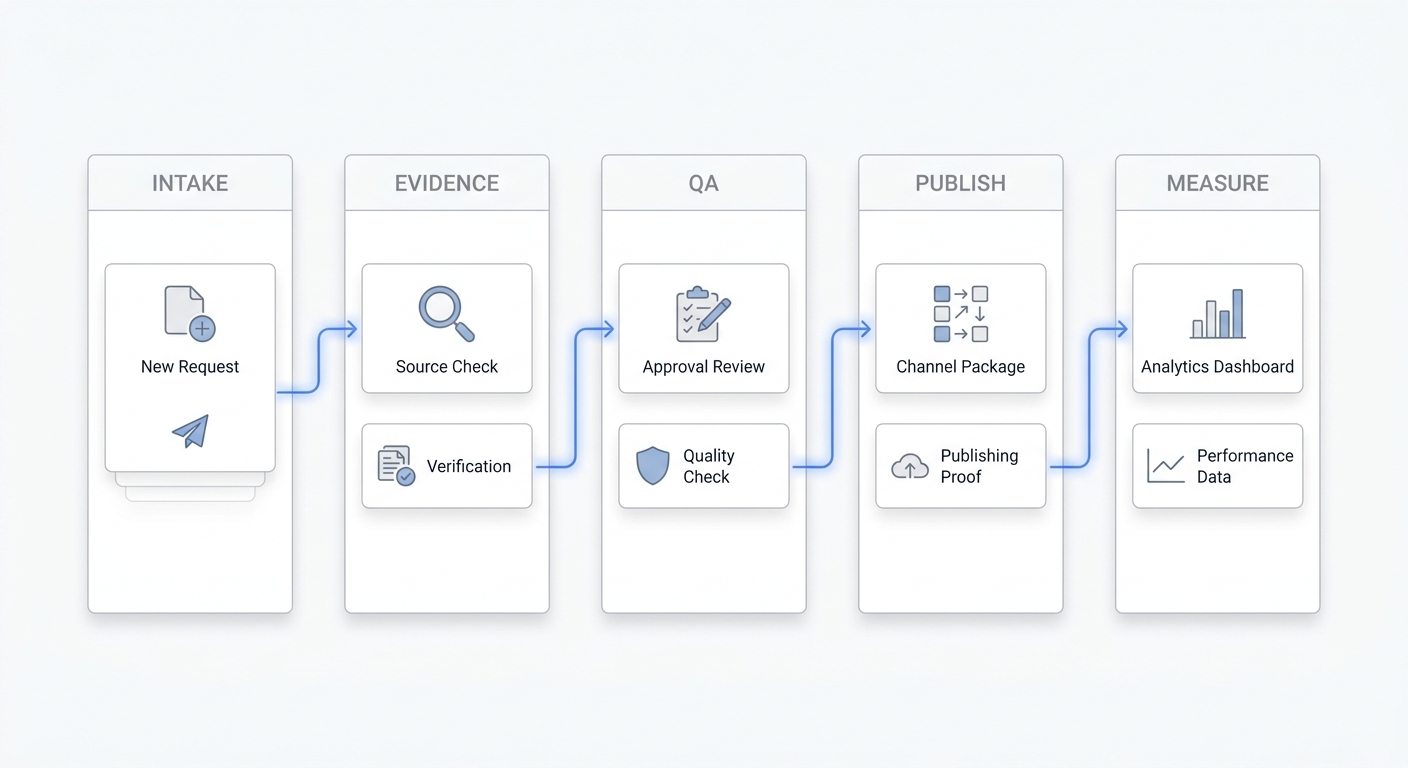
| 1-2 | Spec only | Trigger, owner, source of truth, rollback | Narrow or approve workflow |
| 3-5 | Observe | Summaries, missing data, unclear cases | Improve inputs |
| 6-8 | Recommend | Suggested next steps and confidence | Tighten rules |
| 9-11 | Draft | Human edits to drafts or tasks | Decide first allowed action |
| 12-14 | Limited action | One action such as tag, task, or booking request | Keep, narrow, or pause |
Track corrections, not just outputs. If agents created 100 summaries but humans fixed 40 of them, the workflow is not ready for action mode. If agents created 30 handoffs and humans only corrected two, you have a stronger case to expand.
Step 7: Measure the system like operations
The best multi agent marketing metric depends on the workflow. Do not use one dashboard score for everything.
For capture workflows, measure:
- first response time;
- recovered missed inquiries;
- completed lead records;
- owner assignment accuracy.
For qualification workflows, measure:
- qualified leads routed;
- correction rate;
- escalation rate;
- time to next human action.
For booking workflows, measure:
- booked appointments;
- no-show rate;
- reschedule rate;
- abandoned booking requests.
For content workflows, measure:
- briefs approved;
- assets published;
- review cycle time;
- organic clicks or assisted conversions from the final URL.
Solvea's analytics page is relevant for customer-response workflows because it emphasizes resolution rate, response time, CSAT, drop-offs, escalation rate, and AI-generated improvement recommendations. Those are the right categories for judging whether a customer-facing agent workflow is improving or just staying busy.
Step 8: Add internal controls
Controls are not bureaucracy. They are what let a small team trust multi agent marketing without reviewing every detail forever.
Use these controls before expanding:
| Control | Practical rule |
|---|---|
| One source of truth | Only one system owns lead or ticket status |
| One owner per state | Every handoff lands with a named person or queue |
| One action per release | Each launch adds only one new autonomous action |
| Review thresholds | Escalate low confidence, pricing, legal, angry, or unclear cases |
| Audit trail | Store transcript, summary, action, owner, and outcome |
| Weekly review | Review examples, not only dashboard totals |
| Rollback rule | Disable action mode without turning off observation |
The rollback rule matters most. If the system starts creating bad tags, bad summaries, or bad handoffs, you should be able to return to draft mode while preserving learning.
How Solvea fits a multi agent marketing stack
Solvea is not a general campaign orchestration platform. Its strongest role is the customer-response layer of a multi agent marketing system.
Use Solvea when the workflow starts with customer intent:
- a call comes in;
- a call is missed;
- a customer sends a text;
- a prospect asks a question in chat;
- a buyer wants to book;
- a support or sales conversation needs routing;
- the team needs one shared record for follow-up.
The AI Agent Builder helps teams configure agents without code. Integrations help agents use live business context. Analytics help teams see whether conversations are being resolved, escalated, or dropped. Pricing is also straightforward for a pilot: the public pricing page says one person can use the helpdesk and mobile app free forever, while Pro adds teammates, a team business number, AI answering, SMS, and live translation at $19.90 per seat per month with a 7-day free trial.
That is enough to test a narrow first workflow before committing to a larger multi-agent operating model.
Common mistakes to avoid
The most common mistakes are structural:
- starting with too many workflows;
- giving agents broad write permissions too early;
- letting different tools own the same status;
- measuring output volume instead of corrected outcomes;
- hiding exception cases from humans;
- skipping a rollback rule;
- trying to automate judgment before the workflow is understood.
The fix is to keep the first version small. Pick one workflow, one source of truth, one owner, one metric, and one permitted action. Then expand only after the evidence trail shows the system is stable.
A simple starter worksheet
Copy this into your planning doc before buying or configuring tools:
| Question | Your answer |
|---|---|
| What exact trigger starts the workflow? | |
| Which system owns the current record? | |
| Which two or three agents are needed? | |
| What can each agent read? | |
| What can each agent do? | |
| Which cases must go to a human? | |
| Who owns the next state? | |
| What metric proves the workflow is better? | |
| What is the rollback rule? | |
| What internal link or CTA should the workflow support? |
If you cannot fill this out, the workflow is not ready for automation. If you can fill it out clearly, you have a realistic starting point for multi agent marketing.
Your AI Receptionist, Live in Minutes.
Scale your front desk with an AI that never sleeps. Solvea handles unlimited multi-channel inquiries, books appointments into your calendar automatically, and ensures zero missed opportunities around the clock.
FAQ
What is multi agent marketing?
Multi agent marketing is the use of multiple AI agents in one marketing or GTM workflow, with each agent owning a narrow job such as research, intake, qualification, routing, follow-up, or reporting.
How should a team start with multi agent marketing?
Start with one workflow that has a clear trigger, source of truth, owner, allowed action, and KPI. Run the first version in observe or recommend mode before giving any agent permission to act.
How many agents should the first workflow use?
Most teams should start with two or three agents. More agents usually means the workflow has not been narrowed enough.
What is the biggest risk?
The biggest risk is unclear ownership. If multiple agents or tools can change the same state, the team will spend time resolving conflicts instead of moving faster.
Does multi agent marketing require a developer?
Not always. A narrow customer-response workflow can often start with no-code setup, approved business rules, and human review. A broader custom orchestration layer may need technical support.
Where does Solvea fit?
Solvea fits the customer-response side of multi agent marketing: calls, missed calls, texts, email, chat, WhatsApp, booking, routing, and follow-up. Start with AI Agent Builder, integrations, analytics, and pricing.
Sources and further reading
- IBM: What are AI agents?
- Google Analytics Help: About events
- Solvea AI Agent Builder
- Solvea Integrations
- Solvea Analytics and Insights
- Solvea Pricing
Multi agent marketing should make the next step easier to trust. Start with one workflow, define the handoffs, keep permission levels narrow, and let the evidence trail decide when the system is ready for more scope.