AI Growth Agent Tools: An Evaluation Framework for SMB Teams
An AI growth agent can look impressive in a demo and still be the wrong tool for your team.
That happens when buyers compare AI growth agent tools by feature count instead of workflow fit. One platform drafts emails. Another enriches accounts. Another answers calls, routes messages, books appointments, or updates customer records. Those are not the same job, even if every product page uses the word "agent."
The practical question is simpler: which AI growth agent can safely own the next step in one growth workflow you can measure?
Use this evaluation framework before you buy, expand, or replace AI growth agent tools. It is built for service businesses and lean GTM teams that need better lead response, cleaner follow-up, and clearer handoffs without adding another hard-to-manage system.
Quick answer: how to evaluate AI growth agent tools
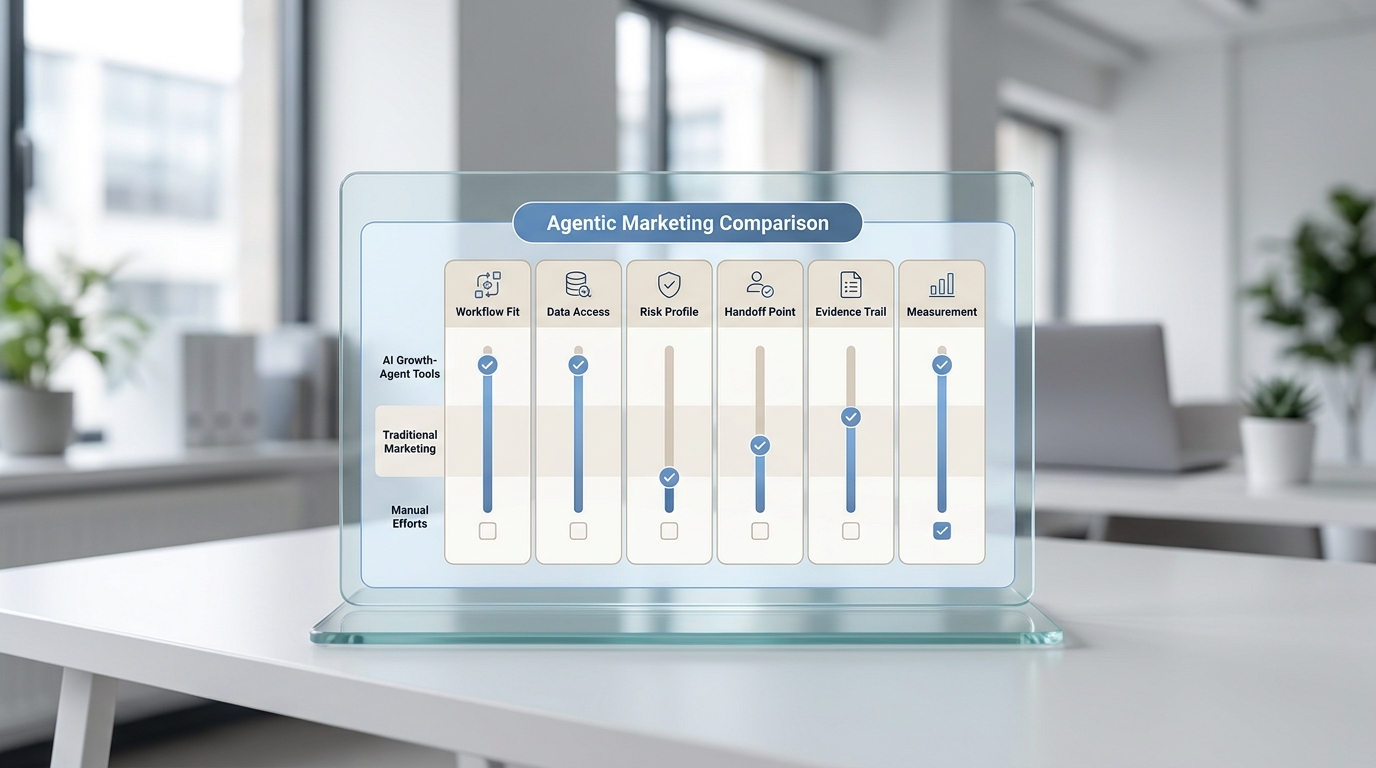
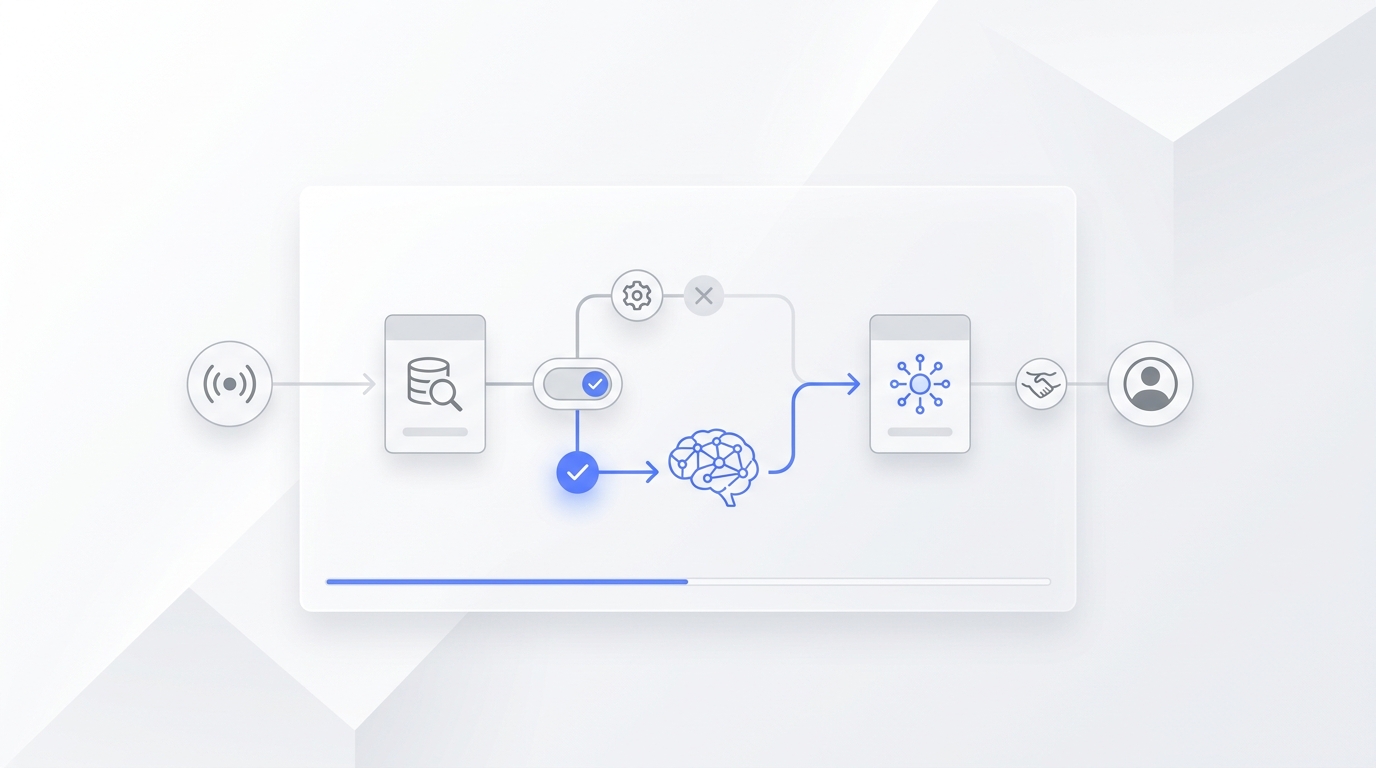
Evaluate an AI growth agent by the workflow it can run, the data it can use, the actions it is allowed to take, the handoff it creates for humans, the evidence trail it leaves, and the KPI it improves.
Start with this six-part scorecard:
| Evaluation area | What to inspect | Strong signal | Red flag |
|---|---|---|---|
| Workflow fit | The exact job the agent owns | One narrow workflow with a clear trigger and outcome | "Automates growth" without naming the workflow |
| Data access | The records and channels the agent can read | Live access to the inbox, CRM, calendar, knowledge base, or conversation history it needs | Demo-only context or pasted examples |
| Action rights | What the agent can draft, write, send, schedule, or escalate | Permissions are separated by risk | The agent can change customer-facing work without approval rules |
| Human handoff | When the agent stops and who takes over | Escalations include customer context, summary, source record, and next step | Exceptions land in a generic inbox |
| Evidence trail | How humans audit what happened | Every action is logged with source context and outcome | The agent produces output with no review path |
| Measurement | How the pilot proves value | One KPI close to revenue, such as qualified leads or booked appointments | Activity metrics such as messages generated |
If an AI growth agent tool cannot explain those six areas, it is not ready to own a growth workflow yet.
What an AI growth agent actually is
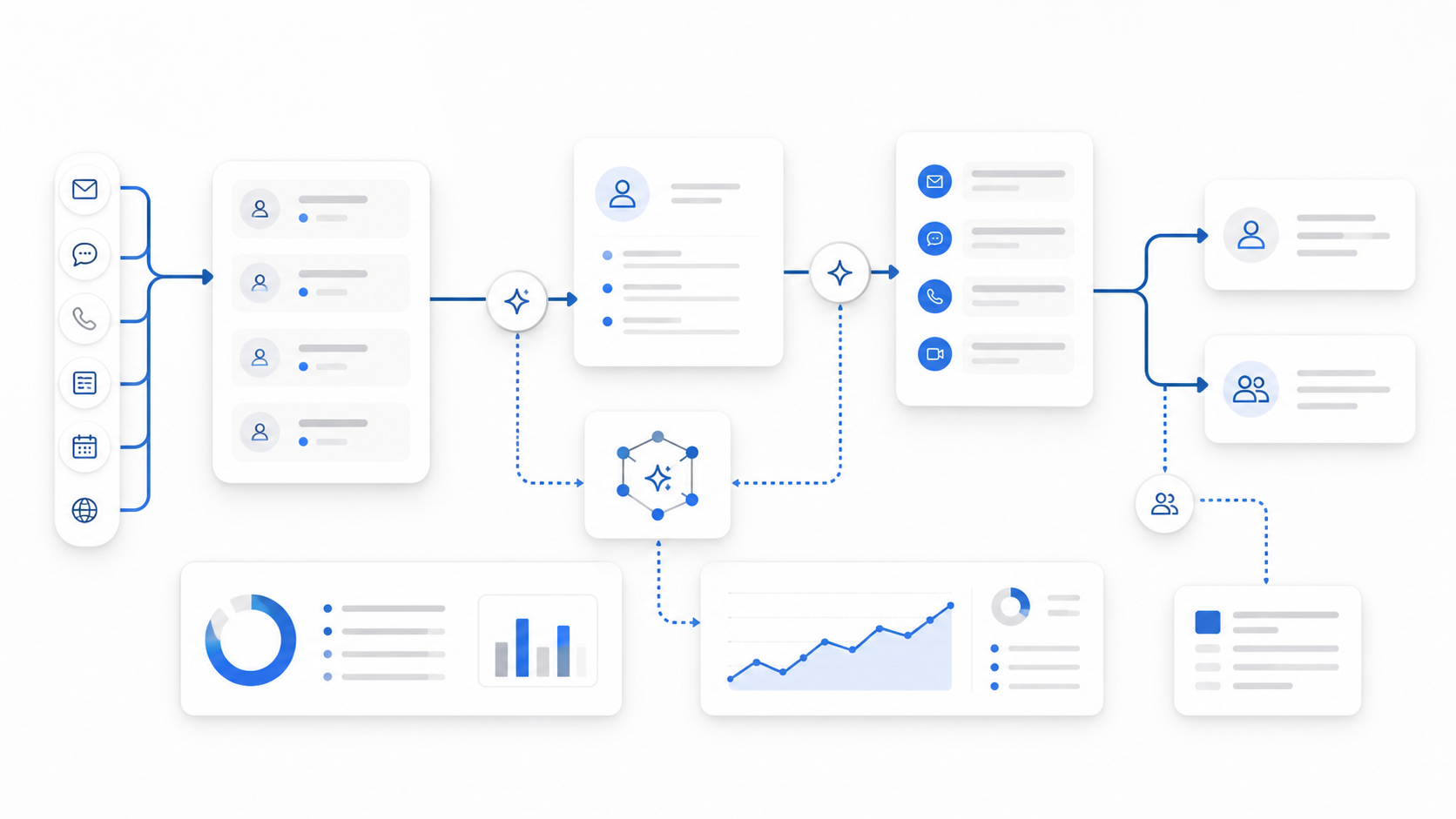
IBM defines AI agents as systems that can autonomously perform tasks by designing workflows with available tools. The key idea is not just chat. It is goal-directed work: the agent uses context, calls tools, takes steps, and works within human-defined goals and rules.
For growth teams, that usually means an AI growth agent can move a lead, customer, account, campaign, or workflow from one state to another.
Examples:
- A missed call becomes a qualified lead summary and callback task.
- A booking request becomes a proposed appointment or human handoff.
- A stale lead becomes a reactivation draft for review.
- A target account becomes a sourced research brief.
- A campaign plan becomes a checklist of assets, owners, and launch risks.
- A week of customer conversations becomes a report with drop-off points and next actions.
That is different from a normal AI assistant. An assistant helps a person work faster. An AI growth agent owns a bounded next step.
The distinction matters because many AI growth agent tools are useful only when the workflow is clear. If the workflow is vague, the tool will create more output without improving the funnel.
Step 1: choose the growth workflow before the tool
Do not begin with a vendor list. Begin with the workflow that leaks the most value.
For service businesses, good first workflows include:
- missed-call response;
- appointment request qualification;
- quote or intake routing;
- after-hours lead capture;
- post-service follow-up;
- review request routing;
- FAQ handling before booking;
- dormant lead reactivation;
- customer message triage across phone, SMS, email, chat, and WhatsApp.
For larger GTM teams, good first workflows may include:
- account research before SDR review;
- lead enrichment and routing;
- CRM hygiene for one lifecycle stage;
- campaign QA before launch;
- partner or customer expansion research;
- weekly pipeline and campaign summaries.
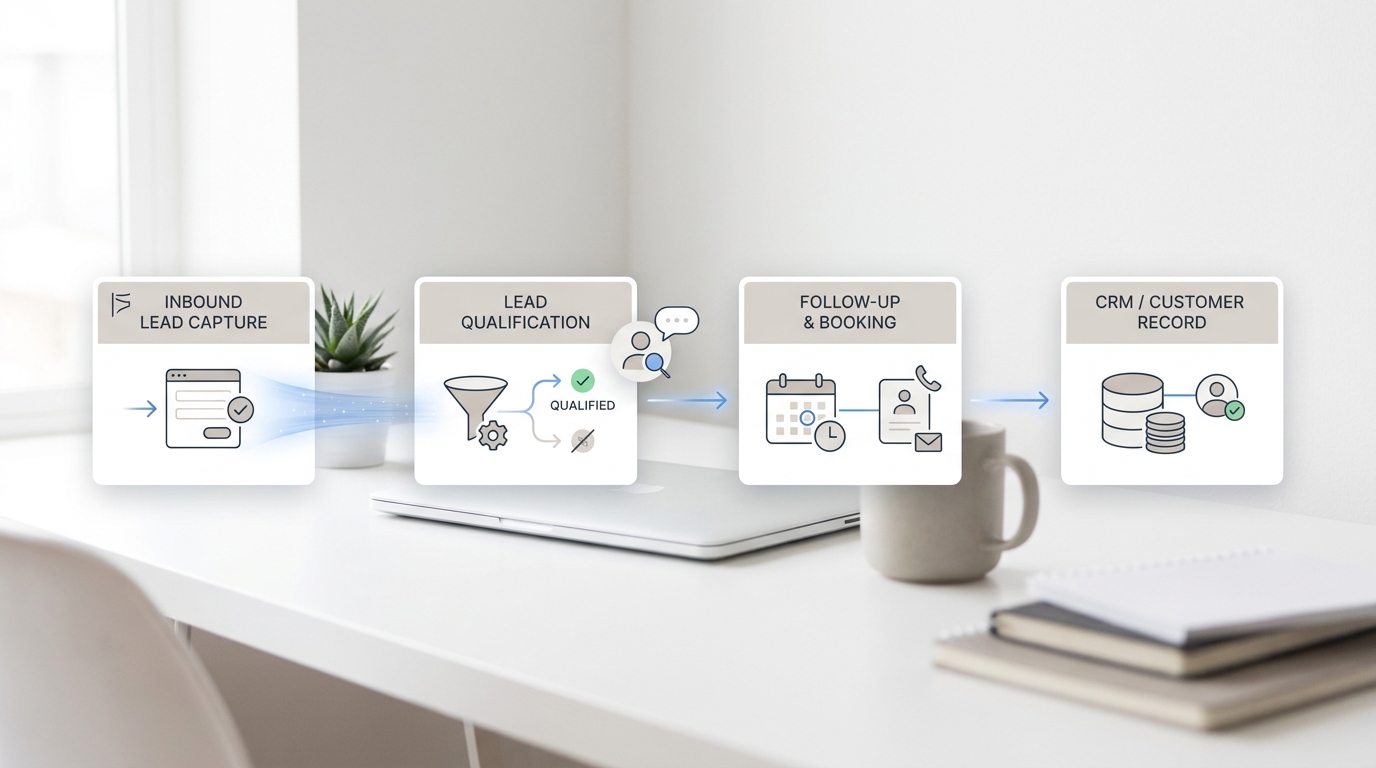
The best first workflow has a visible trigger, a clear owner, and a measurable outcome. "Use AI for growth" is too broad. "When a new prospect calls after hours, capture the service need, ask the approved qualification questions, create a summary, and route urgent cases to the owner" is narrow enough to test.
Step 2: map the trigger
Every AI growth agent needs a trigger. The trigger decides when the agent starts work.
Common triggers include:
- missed call;
- inbound SMS or WhatsApp message;
- website chat;
- form submission;
- new CRM record;
- lifecycle stage change;
- stale lead;
- no-show;
- abandoned booking request;
- new order or support ticket;
- weekly reporting deadline.
Ask each vendor to show the trigger in the product, not in a slide. You should be able to answer:
- Can we limit the trigger by channel, location, customer type, or business hours?
- Can we pause the trigger quickly?
- Can the agent ignore low-quality or duplicate events?
- What happens if two triggers fire for the same customer?
- Where is the triggered workflow logged?
If the trigger is hard to control, keep the AI growth agent in draft-only mode until you trust the path.
Step 3: inspect the data layer
An AI growth agent is only as useful as the context it can reach.
For an inbound service workflow, the agent may need:
- caller or customer identity;
- conversation history;
- service type;
- location;
- business hours;
- pricing or policy limits;
- calendar availability;
- knowledge base answers;
- customer status;
- owner or team routing rules.
For an outbound or account workflow, it may need:
- CRM fields;
- account ownership;
- segment or ICP criteria;
- approved messaging;
- enrichment sources;
- recent activity;
- suppression lists;
- compliance rules;
- campaign status.
The evaluation question is not "does it use AI?" The question is "can it see the data required to make this specific decision?"
This is where simple AI growth agent tools often break. They can generate a polished response, but they cannot see the live record that determines the right next step. When that happens, the agent asks customers for information you already have, writes vague summaries, or routes work to the wrong place.
Step 4: separate action rights by risk
Do not treat all agent actions as equal. Reading a record is not the same as texting a customer. Drafting a reply is not the same as changing an appointment.
Use this action-rights ladder:
| Permission level | What the AI growth agent can do | Best first use |
|---|---|---|
| Read | Summarize calls, records, messages, or reports | Discovery, reporting, QA |
| Draft | Prepare a reply, task, note, or follow-up | Work that needs human approval |
| Write | Update structured fields or status | Low-risk records with clear rules |
| Send | Email, text, call, or chat with a customer | Approved templates and bounded conversations |
| Schedule | Create or change appointments | Trusted calendar rules and confirmation logic |
| Escalate | Route exceptions to a human | Urgent, sensitive, uncertain, or high-value cases |
The right AI growth agent tool lets you separate these permissions. A safe pilot might let the agent read, draft, and escalate before it can send or schedule. A mature workflow might allow sending within approved rules while still requiring review for price, legal, medical, refund, or policy-sensitive topics.
NIST's AI Risk Management Framework is useful here because it frames AI evaluation around managing risk to people, organizations, and society, not just technical performance. In practical SMB terms, the more customer-facing or irreversible the action is, the more review and rollback you need.
Step 5: design human handoff before launch
Human handoff is not an edge case. It is part of the workflow.
Before you test an AI growth agent, define when it must stop:
- the customer is angry or confused;
- the customer asks for a discount, refund, or exception;
- the request is urgent;
- required data is missing;
- the customer asks a compliance-sensitive question;
- the agent confidence is low;
- the lead value is high;
- the customer asks for a human.
Then define the handoff package. A useful handoff includes:
- customer name and contact details;
- channel and timestamp;
- transcript or source message;
- short summary;
- qualification fields;
- urgency;
- proposed next step;
- owner;
- status;
- reason the agent escalated.
If the handoff lacks context, humans still have to investigate from scratch. That is not automation. That is a delayed notification.
Step 6: require an evidence trail
AI growth agent tools should make work easier to audit.
For every completed action, a human should be able to see:
- what triggered the agent;
- what source data it used;
- what it decided;
- what it wrote, sent, scheduled, or escalated;
- which customer or account record was affected;
- what happened next;
- how to correct the workflow.
This matters for two reasons. First, it helps the team debug the agent. Second, it helps the business decide whether the pilot is worth expanding.
Evidence does not need to be a developer log. For an SMB, useful evidence is often a call recording, transcript, summary, owner, customer status, channel label, and next step inside the normal inbox or customer record.
Step 7: compare tool categories honestly
Not every AI growth agent tool is built for the same job.
| Tool category | Best fit | Watch out for |
|---|---|---|
| Customer-conversation agents | Missed calls, intake, qualification, booking, FAQs, follow-up, and handoff | Must have strong knowledge base, routing, escalation, and conversation history |
| CRM or customer-platform agents | Mature teams already operating inside a CRM suite | Setup, data hygiene, and governance may be heavy for small teams |
| Prospecting and enrichment agents | Account research, lead lists, outbound prep, CRM enrichment | Weak fit if the biggest loss is inbound response speed |
| Content operations agents | Briefing, repurposing, approval, distribution, and reporting | Content output does not prove qualified pipeline |
| Automation connectors with AI steps | Moving data between apps and adding summaries or routing | Useful plumbing, but not always enough for messy customer conversations |
| Custom agent builders | Technical teams with unique systems and engineering support | Often too much setup for non-technical operators |
Broad platforms such as Salesforce Agentforce and HubSpot Breeze show how major CRM vendors are packaging agents around customer engagement, data, and workflows. Automation platforms such as Zapier emphasize app connections and workflow automation. Those can be strong fits when the team already has the systems and operators to manage them.
For service businesses, the first AI growth agent tool should usually be closer to the customer conversation. If calls, texts, chats, and booking requests are where leads go cold, solving that front door may create more practical leverage than adding another campaign workspace.
Step 8: score the pilot before you buy
Use this simple 20-point scorecard for every finalist.
| Area | 0 points | 1 point | 2 points |
|---|---|---|---|
| Workflow clarity | Vague use case | Defined but broad | One narrow workflow |
| Trigger control | Unclear trigger | Trigger exists but is hard to limit | Trigger is specific and pausable |
| Data fit | Demo-only context | Some live fields available | Required live context is available |
| Permissions | Agent overreaches | Permissions need cleanup | Read, draft, write, send, schedule, and escalate rights are clear |
| Handoff | Informal escalation | Handoff exists but lacks context | Handoff is logged with useful context |
| Evidence trail | Hard to audit | Partial logs | Source data, action, owner, and outcome are visible |
| Measurement | Activity metrics only | Several possible KPIs | One primary outcome tied to the workflow |
| Rollback | Hard to unwind | Manual fallback | Simple pause and revert path |
| Setup effort | Requires technical work you cannot support | Manageable with vendor help | Team can launch and maintain it |
| Expansion path | No clear next workflow | Expansion possible but vague | Next workflow is obvious after pilot success |
Interpret the score:
- 17-20: strong pilot candidate;
- 13-16: good candidate if the weak areas are fixable;
- 9-12: narrow the workflow before buying;
- 5-8: keep the agent in draft or approval mode;
- 0-4: fix the process or use simpler automation first.
This scorecard keeps the evaluation grounded. A large platform should not beat a better-fit AI growth agent just because it has more features. A smaller tool should not win if it cannot show data access, action controls, and measurement.
The 30-day AI growth agent pilot plan
Do not evaluate AI growth agent tools with a demo alone. Run a limited pilot.
Week 1: map the workflow
Choose one workflow. Document the current baseline:
- missed calls;
- first response time;
- booking requests;
- qualified leads;
- callback completion;
- no-show recovery;
- owner follow-up hours;
- handoff quality;
- current conversion from inquiry to next step.
Name the trigger, data sources, allowed actions, handoff rules, and one primary KPI.
Week 2: configure the agent
Connect only the channels and systems needed for the workflow. Load the knowledge base. Write approved response rules. Define escalation conditions. Test messy examples before launch:
- missing customer details;
- conflicting appointment times;
- vague service requests;
- angry messages;
- duplicate customers;
- after-hours urgency;
- questions the knowledge base cannot answer.
Week 3: run with review
Let the AI growth agent handle normal cases, but review the evidence trail daily. Look for:
- wrong assumptions;
- missing data;
- weak summaries;
- failed handoffs;
- confusing customer replies;
- overconfident answers;
- records written to the wrong place.
Keep corrections specific. "Be better" is not useful. "When the caller asks for emergency service, collect address, issue type, and callback number, then escalate to the on-call owner" is useful.
Week 4: decide
Compare the pilot against the baseline.
Use one primary KPI and a few guardrail metrics:
| Pilot measure | Why it matters |
|---|---|
| Qualified conversations captured | Shows whether the agent preserves real demand |
| First response time | Shows whether the workflow moves faster |
| Bookings or callbacks created | Connects the workflow to revenue-adjacent outcomes |
| Handoffs completed | Shows whether humans receive usable context |
| Correction rate | Shows how often humans need to fix outputs |
| Customer complaints or confusion | Prevents automation from hiding experience problems |
| Owner review time | Confirms the agent reduces work instead of shifting it |
The decision should be one of four options: keep, adjust, expand, or stop.
Where Solvea fits
Solvea is relevant when the AI growth agent workflow starts with customer conversations.
The current Solvea product is a business phone with an AI receptionist, shared customer inbox, summaries, and team follow-up across mobile and PC. Its product surface includes AI phone answering, an omnichannel inbox, a no-code AI Agent Builder, knowledge base, contact management, analytics, outbound calling, and integrations with tools such as Google Calendar, Google Sheets, HubSpot, Slack, Freshdesk, Zendesk, Shopify, email, WhatsApp, LINE, and live chat.
That makes Solvea a practical fit when the growth problem looks like this:
- leads call when the team is busy;
- customers text, email, chat, and call across different channels;
- booking requests need qualification before they become appointments;
- after-hours conversations need a next step;
- customer history needs to stay visible to the team;
- the owner needs analytics on response time, resolution, drop-offs, and handoffs.
Solvea is not the first tool to evaluate if your main need is enterprise campaign orchestration, media buying, or a custom engineering platform. It is strongest when the first growth workflow is inbound capture, qualification, booking, follow-up, and human handoff.
If that is your use case, review Solvea's AI Agent Builder, AI Receptionist, omnichannel inbox, analytics, and integrations. For a broader buying lens, read the AI growth agent comparison checklist and the AI GTM agents strategy guide.
Demo questions for every AI growth agent vendor
Bring the same questions to every demo:
- What exact workflow will the AI growth agent own in the first 30 days?
- What event triggers the workflow?
- Which systems can the agent read?
- Which fields or channels are excluded on purpose?
- What can the agent draft, write, send, schedule, or escalate?
- What happens when required data is missing?
- How does a human take over?
- Where can we review transcripts, summaries, actions, and outcomes?
- How do we pause the workflow?
- What KPI should improve during the pilot?
- What guardrail metrics should not get worse?
- What setup work must our team maintain after launch?
The best demo is not the smoothest happy path. It is the one that shows normal exceptions and recovery.
Your AI Receptionist, Live in Minutes.
Scale your front desk with an AI that never sleeps. Solvea handles unlimited multi-channel inquiries, books appointments into your calendar automatically, and ensures zero missed opportunities around the clock.
FAQ
What is an AI growth agent?
An AI growth agent is an AI system that can move a growth workflow from trigger to outcome. Depending on the workflow, it may qualify leads, route messages, update records, draft follow-up, book appointments, prepare account research, or summarize performance.
What are AI growth agent tools?
AI growth agent tools are products that let teams deploy AI agents inside growth workflows. They may focus on customer conversations, CRM workflows, prospecting, content operations, automation, reporting, or custom agent building.
How should an SMB choose an AI growth agent?
An SMB should choose an AI growth agent by starting with one workflow close to revenue, then checking trigger control, data access, permissions, human handoff, evidence trail, measurement, setup effort, and rollback.
What is the safest first AI growth agent workflow?
For many service businesses, the safest first workflow is inbound capture: missed calls, appointment requests, qualification questions, customer FAQs, and follow-up routing. These workflows are visible, close to revenue, and easier to audit than broad campaign automation.
How do AI growth agent tools differ from marketing automation?
Marketing automation usually follows fixed rules. AI growth agent tools can use context, reason through a goal, call connected tools, decide the next step, and hand work to a human when the situation falls outside approved rules.
What metrics should an AI growth agent pilot track?
Track one primary KPI such as qualified leads captured, bookings created, callbacks completed, or first response time. Add guardrails for handoff quality, correction rate, customer confusion, and owner review time.
Final recommendation
Run your AI growth agent evaluation like an operations test, not a software beauty contest.
Pick one workflow. Name the trigger. Confirm the data. Set the action boundary. Design the human handoff. Require an evidence trail. Choose one KPI. Test messy examples. Keep the AI growth agent tool that can operate safely after the demo ends.
If your first workflow is customer conversations, lead qualification, appointments, or missed follow-up, Solvea is worth evaluating as the conversation-first AI growth agent for service businesses. Start with the no-code AI Agent Builder, then compare the pilot against your current response and booking baseline.