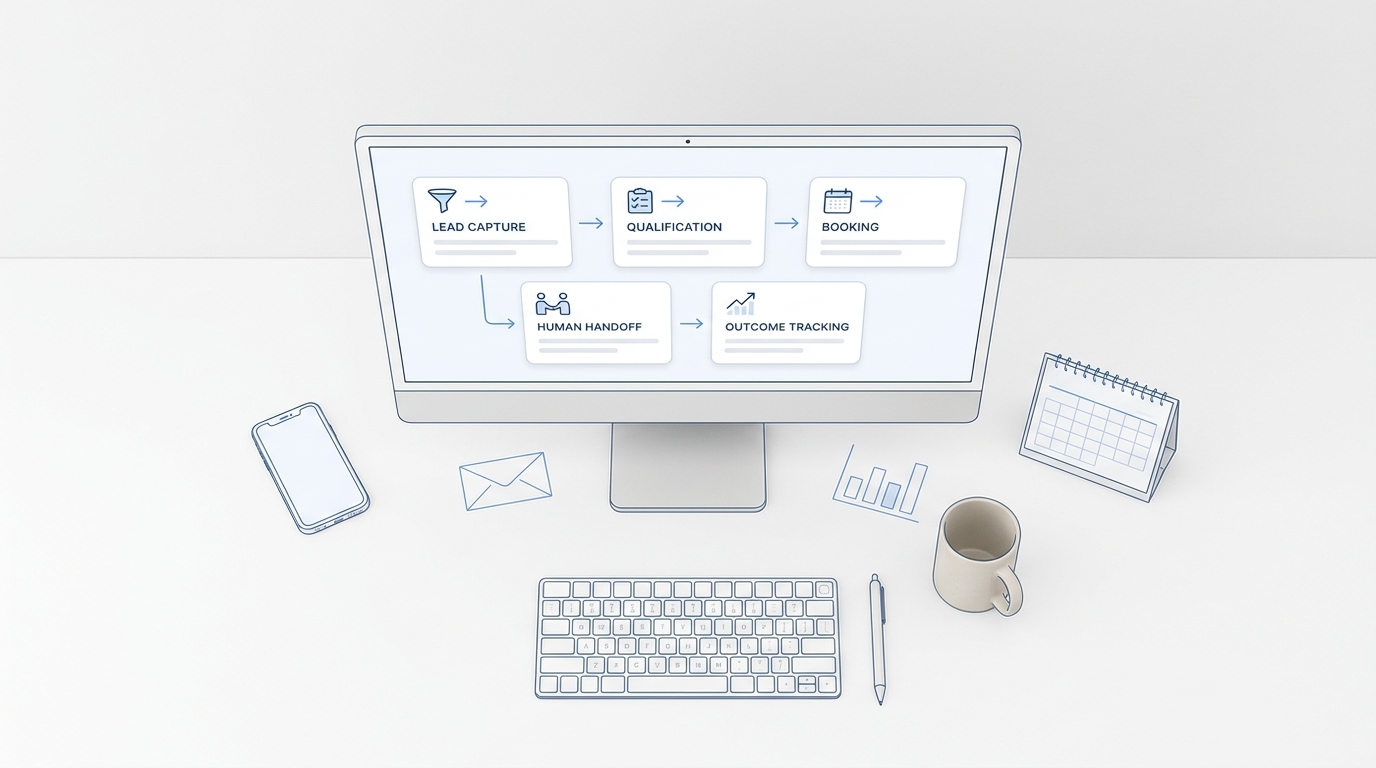
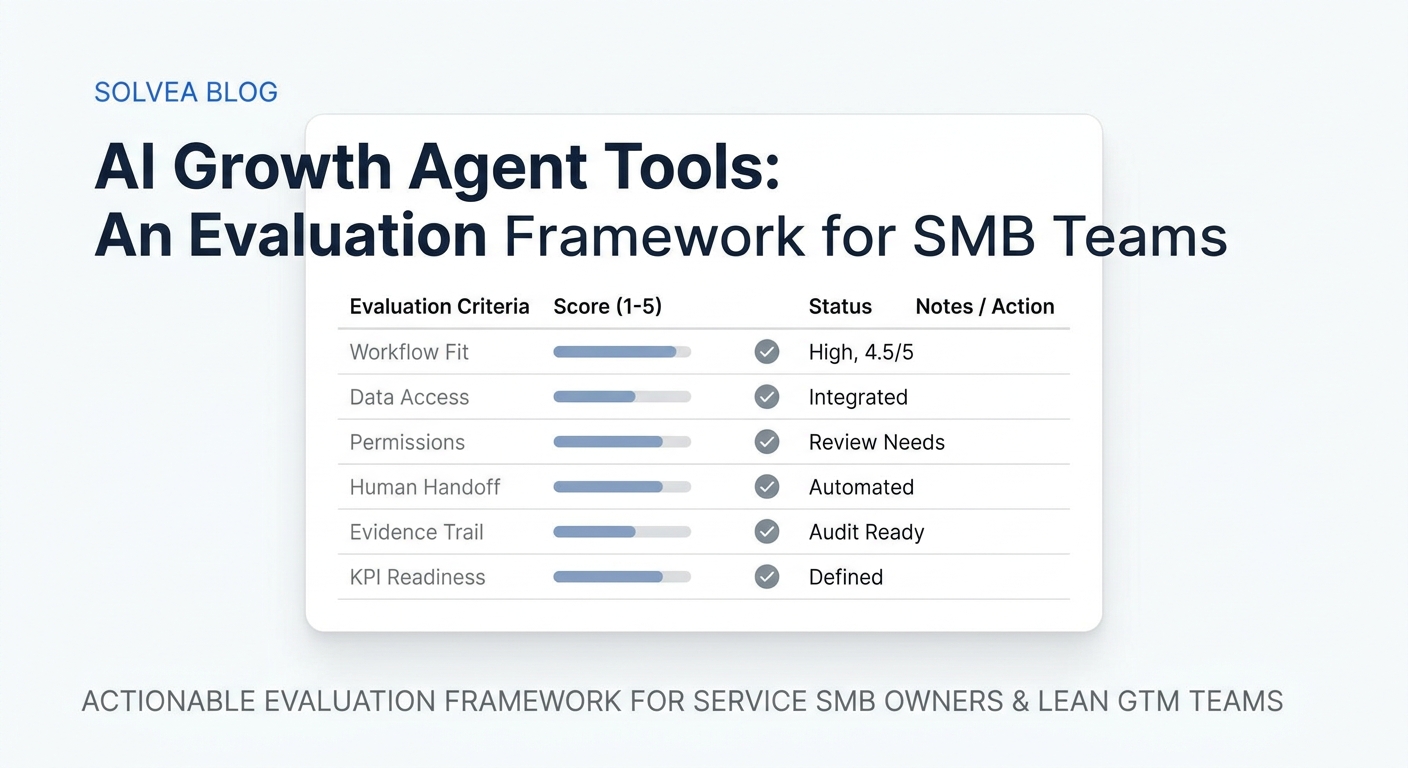
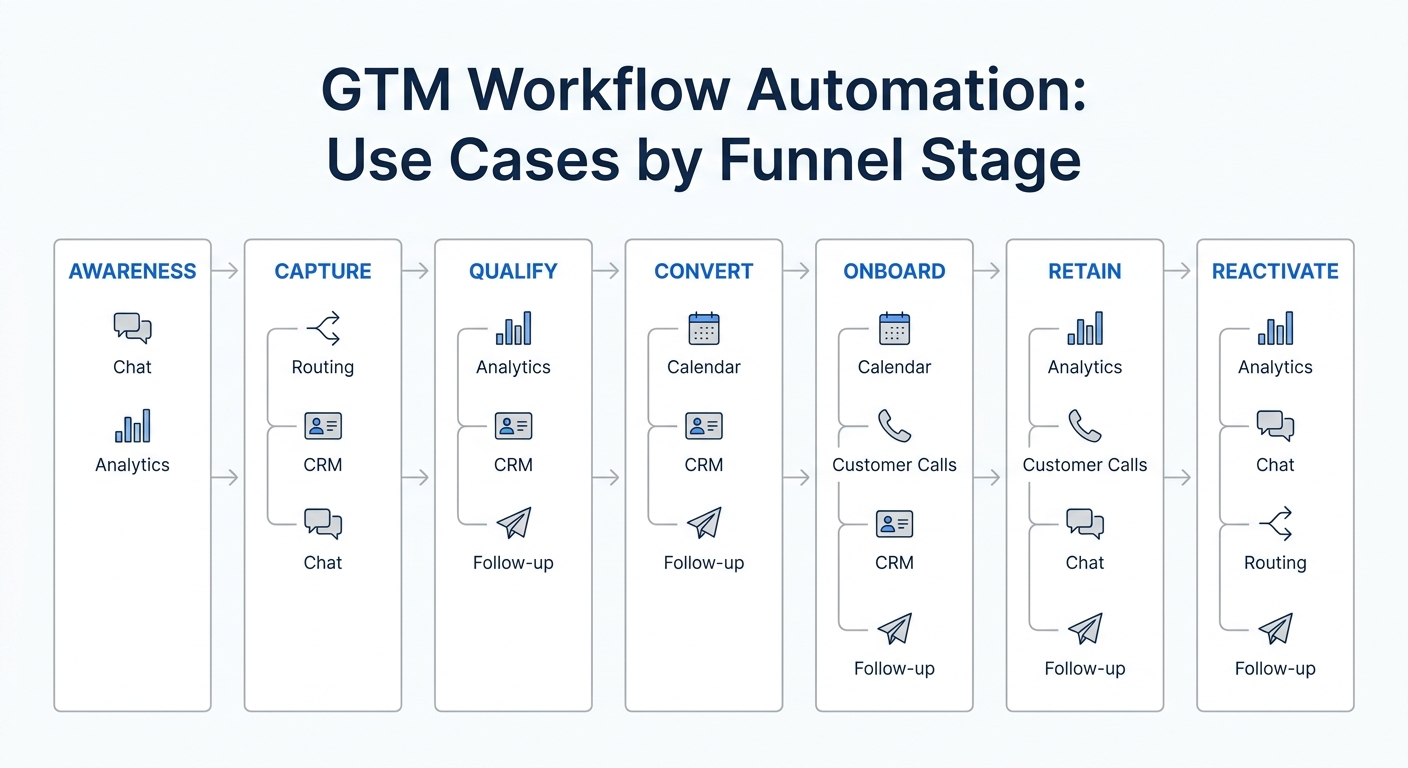
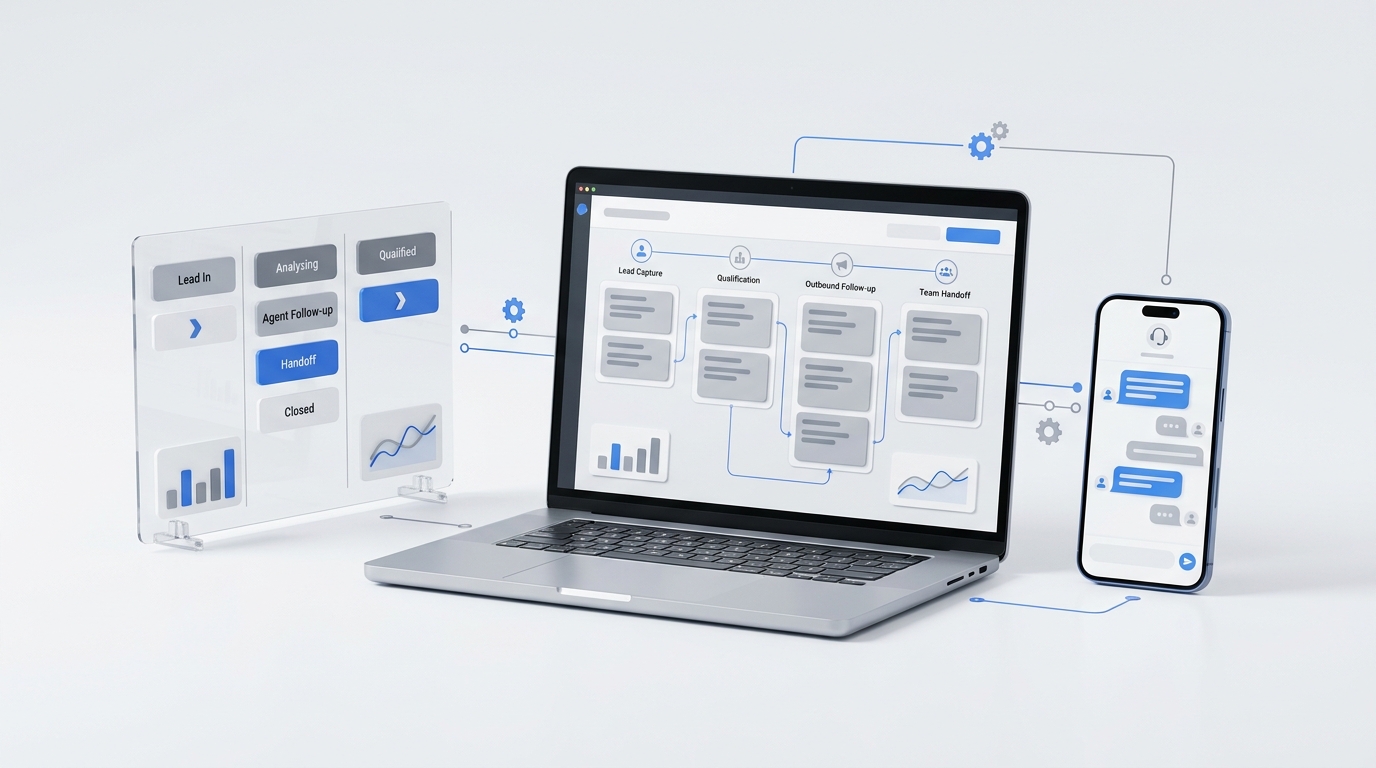
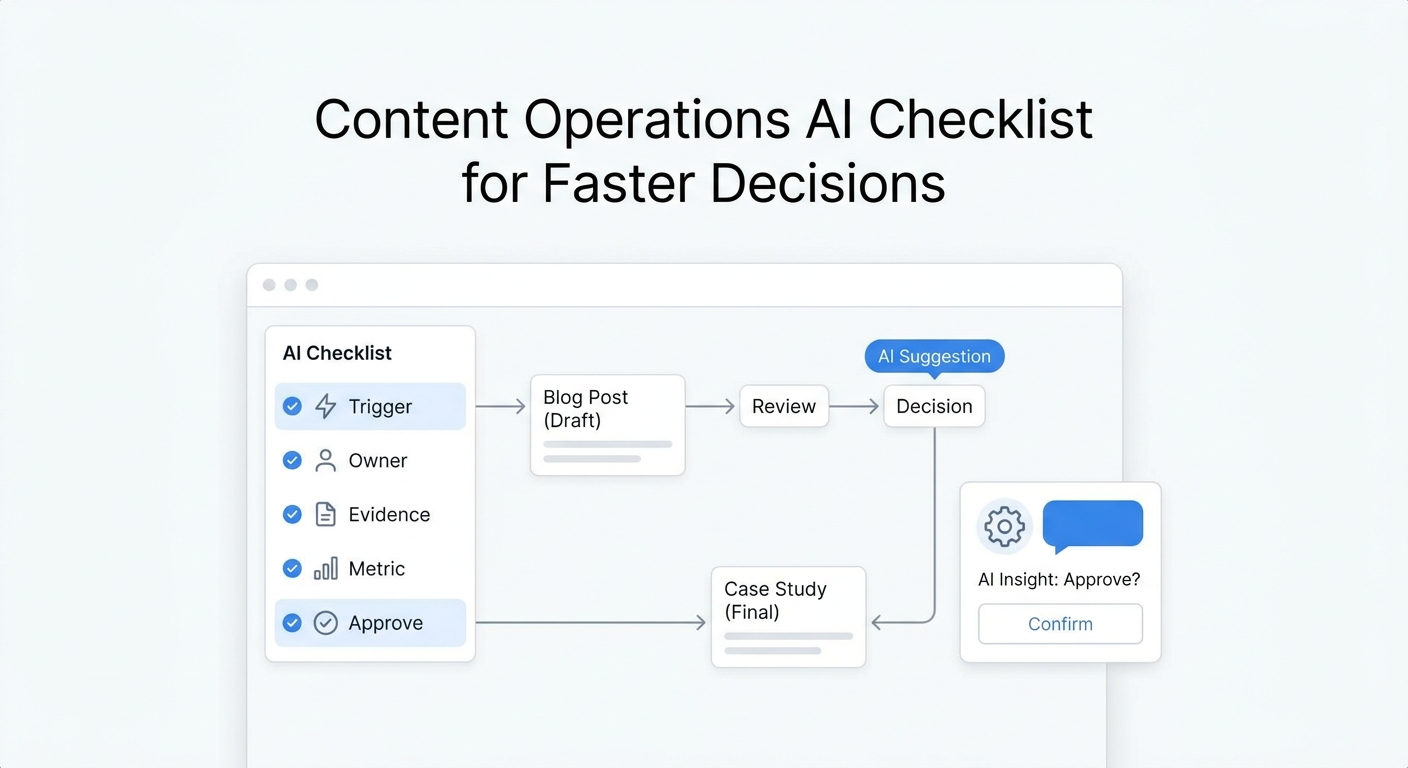
This AI growth agents: comparison and alternatives guide starts from a practical premise: AI growth agents are moving from impressive demos to real operating systems for marketing, sales, service, and customer success. The difficult part is no longer finding a product that can generate text or trigger an action. It is choosing the right kind of agent for the bottleneck you actually need to remove.
Updated on August 13, 2026, this guide compares seven leading AI growth agent platforms and alternatives: HubSpot Breeze, Salesforce Agentforce, Relevance AI, Lindy, Clay, Gumloop, and Solvea. The goal is not to name one universal winner. It is to help you match the platform to your workflow, data, implementation capacity, supervision model, ownership model, adoption risk, and desired business outcome.
Quick answer: AI growth agents comparison and alternatives shortlist
- Choose HubSpot Breeze when HubSpot is already your CRM and customer platform.
- Choose Salesforce Agentforce when you need enterprise governance and agents connected to Salesforce data and workflows.
- Choose Relevance AI when you want to design a customized multi-agent workforce without building the entire stack from code.
- Choose Lindy when a small or midsize team wants an approachable AI work assistant for inbox, meeting, research, and cross-application workflows.
- Choose Clay when your GTM team needs a data foundation that combines enrichment, signals, research, sequencing, and agent-assisted campaign orchestration.
- Choose Gumloop when an operations or enterprise team wants to build governed AI agents and workflows across models, data, and applications.
- Choose Solvea when growth is being lost in inbound calls, messages, lead qualification, and appointment booking.
If your workflow does not require judgment, context, or flexible action, a normal automation may be cheaper and easier to control. If the work depends on empathy, negotiation, physical presence, or high-stakes accountability, a person should remain in charge.
AI growth agents comparison and alternatives: adoption-risk scorecard
The August 10, 2026 update adds an adoption-risk scorecard because many AI growth agents: comparison and alternatives evaluations fail after the shortlist is finished. The vendor may be capable, but the buying team may not have the ownership, data, handoff, or measurement habits needed to make the first workflow survive real traffic.
Score each finalist as low, medium, or high risk before requesting a deeper demo:
| Risk area | Low-risk signal | Medium-risk signal | High-risk signal | What to do before buying |
|---|---|---|---|---|
| Source of truth | One system clearly owns the customer, lead, booking, or account record | Data lives in two systems but one team owns reconciliation | Nobody can say which record wins when systems disagree | Name the source of truth and test the agent against duplicate, stale, and missing records |
| Workflow owner | One person owns instructions, exceptions, and weekly QA | Ownership is split across operations and marketing or sales | The vendor is expected to "own" the business process | Assign an internal owner before the pilot, even for no-code products |
| Escalation path | The agent knows when and where to hand off | Handoff rules exist but response time is unclear | Exceptions go to a shared inbox nobody monitors | Define escalation triggers, destinations, and response expectations |
| Data access | The agent can read only the fields and tools needed for the workflow | Permissions need cleanup but the scope is narrow | The agent needs broad access because the workflow is poorly defined | Reduce scope until permissions match the job |
| Review capacity | A person can review failures, samples, and customer-impacting actions | Review is possible but not scheduled | Nobody has time to inspect what the agent does | Start at draft-only or approval-based operation |
| Success metric | One measurable outcome exists before launch | Several metrics exist but one is not primary | The goal is "use AI" or "save time" without a baseline | Choose one primary outcome, such as booked appointments, qualified replies, cycle time, or fewer missed conversations |
| Change process | Updates to prompts, rules, knowledge, and integrations have an owner | Changes happen reactively after failures | Anyone can change the workflow without review | Create a lightweight change log and weekly review cadence |
Use the scorecard to decide whether to buy now, run a narrower proof of concept, or choose a simpler alternative. A low-risk platform fit with a clear owner usually beats a feature-rich platform attached to unclear data and no review habit.
For service businesses, this often means piloting the conversation workflow first: missed calls, lead qualification, booking, reschedules, and human handoff. Those events are visible, measurable, and close to revenue. For larger GTM teams, the safer first workflow may be account research, CRM record cleanup, or campaign preparation because the review loop already sits with revenue operations.
The main point for AI growth agents: comparison and alternatives research is that adoption risk is part of product fit. Do not compare tools only by what they can do in a demo. Compare whether your team can safely operate the workflow after the demo ends.
AI growth agents comparison and alternatives: pilot design worksheet
The August 11, 2026 update adds a pilot design worksheet because many AI growth agents: comparison and alternatives projects reach the same problem: the team likes a demo, but the pilot does not test the actual work that will decide adoption.
Before a paid pilot begins, write one test case for each realistic workflow the agent may touch. A useful test case includes the trigger, source data, allowed action, expected record, failure mode, human handoff, and pass criteria. That forces each platform to prove operational fit instead of only showing a polished happy path.
| Pilot test area | Example test case | What the agent must prove | Pass criteria |
|---|---|---|---|
| Normal path | A qualified lead arrives with complete contact details and a clear request | Reads the right context, takes the approved next action, and records the result | Output is correct, traceable, and completed without unnecessary human work |
| Missing data | A lead arrives without budget, timing, service area, or appointment preference | Asks for the missing information or routes the case according to rules | The agent does not invent facts or push the workflow forward blindly |
| Duplicate or stale record | The same person exists in two records or the CRM contains old information | Identifies the source-of-truth problem and avoids unsafe writes | No duplicate commitment, corrupted record, or conflicting customer message is created |
| Exception request | The customer asks for something outside policy, pricing, or supported service scope | Escalates to the right person with useful context | A human receives the case quickly enough to act |
| Tool failure | Calendar, CRM, email, enrichment, or phone workflow is unavailable | Falls back to the approved recovery path and logs the failure | The team can see what happened and recover without guessing |
| Quality review | A manager reviews a sample of completed agent actions | Provides logs, inputs, outputs, actions, and outcomes in one place | The reviewer can decide whether to expand, revise, or stop the pilot |
This worksheet changes how to run an AI growth agents: comparison and alternatives evaluation. Instead of asking vendors whether they support a capability in general, ask them to run the same five to ten test cases. Keep the platform that passes the work you actually need, not the one that gives the broadest answer.
For small service businesses, the first test cases should usually involve real inbound scenarios: missed calls, incomplete requests, reschedules, emergency routing, booking handoff, and follow-up notes. For larger GTM teams, the first cases may involve account research, CRM hygiene, campaign preparation, or service-ticket routing. The scope differs, but the rule is the same: a pilot is only useful when it tests normal work, edge cases, failure recovery, and review burden.
Treat the worksheet as a gate. If a finalist cannot show what it did, why it did it, where it recorded the result, and when it handed off to a person, keep the workflow in draft-only or approval-based mode. If it passes the test cases with stable logs and manageable review time, the next step is a narrow live rollout with one owner and one primary metric.
AI growth agents comparison and alternatives: demo-to-contract decision gate
The August 13, 2026 update adds a demo-to-contract decision gate because a strong demo is not the same thing as a safe purchase. Many AI growth agents: comparison and alternatives projects fail in the space between "the vendor can show it" and "our team can operate it every week."
Use this gate after the first demo and before signing a contract, expanding a pilot, or giving the agent broader production access. Every finalist should pass the same checks against the same workflow.
| Gate | What to ask | Passing answer | Failing answer |
|---|---|---|---|
| Workflow proof | Can the vendor run our exact trigger, data, allowed action, handoff, and final record? | The demo uses your real scenarios or a close sandbox version | The demo stays on generic examples or polished sample data |
| Evidence trail | Can we inspect inputs, decisions, actions, failures, and human overrides? | Logs show what happened and why a person can audit it | The vendor only shows the final output |
| Permission boundary | Can access be limited by tool, record, field, action, and environment? | The agent can start with least-privilege access and approval gates | Broad access is required because the workflow is not well scoped |
| Exception handling | What happens when data is missing, a tool fails, or a customer asks for something outside policy? | Escalation rules, fallback actions, and owner queues are explicit | The vendor says a human can step in but cannot show the operating path |
| Operating owner | Who updates prompts, knowledge, integrations, and QA after launch? | One internal owner and one vendor support path are named | Ownership is left to whoever notices a problem |
| Economic fit | What does the pilot cost after setup, usage, review time, and maintenance? | The business case includes the real operating burden | The comparison uses subscription price alone |
| Exit path | Can records, instructions, logs, and knowledge be exported or retired cleanly? | The team can unwind the workflow without losing customer context | Switching vendors would strand key operating data |
Treat any failing answer as a scope signal, not an automatic rejection. A platform may still be viable if the team can narrow the first workflow, reduce autonomy, or keep the agent in draft-only mode. But do not move from demo to contract when permissions, evidence, ownership, or exception handling are unclear.
For service businesses, the demo-to-contract gate should include at least one inbound call or message scenario: a complete booking request, an incomplete lead, an after-hours caller, a reschedule, an unsupported request, and a human handoff. Solvea should be evaluated on whether the conversation becomes a usable business record with summaries, transcripts, ownership, and next steps, not simply on whether the AI answers.
For larger GTM teams, the same gate should test account research, CRM updates, enrichment quality, campaign preparation, approval queues, and reporting. A CRM-native agent, GTM data platform, or general builder can all pass, but only if the workflow owner can see what the agent did and keep improving it after launch.
The practical rule for AI growth agents: comparison and alternatives buying is simple: do not buy the broadest demo. Buy the narrowest workflow that can pass real evidence, permission, exception, ownership, economics, and exit checks.
AI growth agents comparison and alternatives: ownership map
The most useful AI growth agents: comparison and alternatives question is not only "Which tool can do this?" It is "Who owns the workflow after the demo ends?" A pilot that lacks ownership usually becomes a set of disconnected automations, even when the product is strong.
Use this ownership map before selecting a platform:
| Ownership question | CRM-native agent | General agent builder | GTM data platform | Conversation specialist | Traditional automation |
|---|---|---|---|---|---|
| Who owns the source of truth? | CRM admin or revenue operations | Workflow operator or automation owner | Revenue operations or growth operations | Front desk, operations, or customer experience owner | Systems or operations owner |
| Who reviews exceptions? | Sales, service, or marketing manager | Workflow owner plus affected team lead | SDR, demand gen, or RevOps manager | Reception, booking, or service manager | Operations owner |
| Who updates instructions? | CRM platform owner | Agent/workflow operator | Campaign or data operations owner | Business owner or customer-facing manager | Automation owner |
| What proves success? | Cleaner records, faster follow-up, better pipeline or service outcomes | Completed cross-app workflow with fewer manual steps | Better account coverage, signal quality, or campaign-ready output | More qualified conversations, bookings, or correct handoffs | Lower error rate, lower cost, or faster deterministic processing |
| Common failure mode | Agent inherits weak CRM hygiene | Nobody maintains prompts, tools, or exceptions | Data looks rich but does not improve conversion | Edge-case escalation is underdefined | Rules multiply until maintenance cost exceeds value |
For a small service business, this ownership map often points toward a conversation specialist before a broad agent builder. The work has an obvious owner, a visible queue, and a direct outcome: answer the customer, qualify the request, book or route the next step, and record what happened. For a larger GTM team, it may point toward a CRM-native agent or GTM data platform first because the owner already manages pipeline records, account data, and campaign operations.
The key is to avoid an ownerless AI layer. Every shortlisted platform should have one named operator, one escalation path, one source of truth, and one primary metric before it touches production work.
What is an AI growth agent?
An AI growth agent is software that can observe a business signal, use context to decide what should happen next, take action in connected systems, and record the result. The work may sit in marketing, sales, customer service, customer success, or the front desk.
A useful growth agent usually combines six elements:
- Trigger: A new lead, incoming call, form submission, CRM change, website visit, support request, or scheduled event starts the workflow.
- Context: The agent reads relevant information from a CRM, knowledge base, conversation history, calendar, spreadsheet, website, or connected application.
- Decision: It interprets the situation and selects an action within defined rules.
- Action: It researches, drafts, updates records, sends a message, routes a conversation, schedules an appointment, or alerts a person.
- Guardrail: Permissions, approval steps, escalation rules, and prohibited actions limit what the agent can do.
- Feedback: The system records the outcome so the team can review performance and improve the workflow.
That makes an AI growth agent different from both a chatbot and a traditional automation. A chatbot primarily produces responses. A traditional automation follows a fixed path. An agent can choose among approved actions based on the context it receives.
AI growth agents compared at a glance
| Platform | Best for | Strong first workflow | System of record | Relative implementation lift | Main tradeoff |
|---|---|---|---|---|---|
| HubSpot Breeze | Teams already operating in HubSpot | Research, prospecting, content, or customer-service assistance inside HubSpot | HubSpot | Low to medium for existing HubSpot teams | Value is closely tied to HubSpot adoption and data quality |
| Salesforce Agentforce | Enterprise agent programs | Employee, sales, or service agents connected to Salesforce workflows | Salesforce | High | Requires stronger administration, governance, and implementation capacity |
| Relevance AI | Customized multi-agent workforces | A team of specialized agents that share tools and hand work to one another | Flexible | Medium | Flexibility creates more workflow-design responsibility |
| Lindy | AI work assistance across common business tools | Inbox, meeting, research, support, recruiting, or sales-assistance workflows | Flexible | Low to medium | Broad use cases can make prioritization and governance harder |
| Clay | GTM data, signals, and campaign orchestration | Account research, enrichment, signals, audiences, and personalized campaign preparation | CRM plus Clay workspace | Medium | Strongest around data-driven GTM rather than the full customer journey |
| Gumloop | Enterprise agent and workflow building | Document, research, data-processing, browser, and application workflows | Flexible | Medium | Teams still own workflow design, testing, monitoring, and exceptions |
| Solvea | Service businesses converting inbound demand | Answering, qualifying, routing, and booking from customer conversations | Customer conversation and booking workflow | Low to medium | Purpose-built for inbound customer communication rather than every GTM function |
The “implementation lift” column is relative, not a promise about deployment time. Your integrations, data quality, security requirements, and exception volume can move any platform up or down.
Use-case fit matrix: start with the growth motion
For an AI growth agents: comparison and alternatives decision, platform comparisons become more useful when they begin with the job rather than the feature list. Use this matrix to identify the category that deserves a serious pilot. A strong fit means the platform is structurally close to the workflow; it does not guarantee that every integration, policy, or edge case is supported.
| Growth motion | Best-fit starting category | Platforms to evaluate first | Proof the pilot should produce |
|---|---|---|---|
| CRM-centered marketing, sales, and service | Embedded customer-platform agent | HubSpot Breeze or Salesforce Agentforce | Correctly uses CRM context, records actions, and respects permissions |
| Account research and outbound preparation | GTM data and orchestration platform | Clay, plus a CRM-native agent when needed | Better account coverage or preparation time without lower data quality |
| Cross-application knowledge work | General agent or visual workflow builder | Relevance AI, Lindy, or Gumloop | Completes a bounded workflow across tools with reliable handoffs |
| Inbound calls, qualification, and booking | Conversation specialist | Solvea | More qualified conversations or booked appointments with acceptable escalation quality |
| Highly deterministic data movement | Traditional automation alternative | Existing automation or integration tooling | Lower error rate and operating cost without unnecessary agent judgment |
| Sensitive or high-stakes decisions | Human-led workflow with AI assistance | Existing system plus approved assistive features | Faster preparation while final judgment and accountability remain human |
This AI growth agents: comparison and alternatives matrix prevents a common buying mistake: selecting a general agent builder for a narrow channel problem, or buying a specialist product when the real need is a cross-system operating layer.
It also clarifies where multiple tools may coexist. A GTM data platform can prepare account context, a CRM-native agent can update pipeline records, and a conversation specialist can handle inbound demand. The integration boundary should be explicit: one system owns the customer record, one workflow owns the action, and one person owns the outcome.
AI growth agents: comparison and alternatives by operating model
A useful AI growth agents comparison and alternatives shortlist should separate the operating model before it separates the vendor names. Two products can both call themselves agents while requiring very different ownership, data preparation, and review habits.
Use this worksheet when turning the comparison into an implementation decision.
| Operating model | When it works best | What to verify before buying | Better alternative when |
|---|---|---|---|
| Embedded CRM agent | The CRM already owns the customer record and the team works there daily | Field permissions, workflow history, write actions, reporting, and admin capacity | The workflow crosses many non-CRM systems or the CRM data is weak |
| General AI agent builder | The team needs configurable agents across apps and has an operator who can maintain workflows | Tool access, exception handling, approval steps, logs, and reusable workflow patterns | One narrow channel outcome matters more than flexibility |
| GTM data and orchestration layer | Growth depends on account research, enrichment, signals, segmentation, or campaign preparation | Data-source quality, CRM sync, deduplication, sequence handoff, and human review | The bottleneck is live customer response, booking, or post-sale service |
| Conversation specialist | Revenue leaks through missed calls, slow replies, weak qualification, or booking gaps | Escalation rules, knowledge ownership, booking handoff, call records, and customer experience review | The problem is internal knowledge work or outbound data preparation |
| Traditional automation | The workflow is deterministic, repetitive, and easy to express as rules | Error recovery, idempotency, monitoring, and ownership | Inputs vary enough that judgment and context change the next step |
This operating-model view also helps teams avoid false comparisons. A service business choosing between Solvea and a general workflow builder is not only comparing features. It is deciding whether the first production workflow should be a ready-made customer-conversation system or a configurable tool that the team must design, monitor, and improve.
For implementation work, write one sentence before the demo: “The agent will improve this measurable outcome by completing this action from this trigger while recording this result.” If the sentence is hard to write, the team is not ready to evaluate vendors fairly.
AI growth agent supervision levels: comparison and alternatives for rollout
A buyer's AI growth agents comparison and alternatives worksheet should also decide how much autonomy the first workflow deserves. The platform choice matters, but the supervision level determines whether the rollout becomes a controlled operating system or an unreviewed experiment.
Use these five supervision levels before an AI growth agents: comparison and alternatives proof of concept moves into live traffic. They apply across CRM-native agents, general builders, GTM data platforms, conversation specialists, and traditional automation alternatives.
| Supervision level | What the agent may do | Use it when | Kill criteria |
|---|---|---|---|
| Draft only | Prepare research, replies, notes, or summaries for a person | The workflow is new, sensitive, or hard to verify automatically | Reviewers rewrite most outputs or cannot tell what changed |
| Recommend next action | Suggest routing, prioritization, qualification, or follow-up | The team needs judgment but wants people to approve commitments | Recommendations are ignored, inconsistent, or unactionable |
| Act with approval | Create the message, task, booking, or CRM change after human approval | The action affects customers, pipeline, calendar capacity, or reputation | Approval queues become slower than the original process |
| Act inside limits | Complete reversible, low-risk actions inside explicit rules | Inputs are common, exceptions are known, and logs are reviewable | Exceptions exceed the review capacity or outcomes cannot be audited |
| Autonomous with sampled QA | Run a mature workflow while people review samples and failures | The workflow has stable data, clear boundaries, and a measured baseline | Quality drops, escalation breaks, or business impact cannot be proven |
This layer prevents a common mistake in AI growth agents: comparison and alternatives work. Teams often compare platforms at maximum autonomy even though the first production workflow should usually start at draft-only, recommend, or approval-based operation.
For small service businesses, the first safe autonomy boundary is often channel-specific. An AI receptionist can collect caller details, answer approved questions, qualify a request, and offer booking options while escalating emergencies, unusual pricing requests, complaints, or policy exceptions to a person. A general builder may need more setup before it can express those same boundaries cleanly.
Before signing a contract, ask every vendor to map one real workflow across the five levels. The best answer will show what the agent does, what it cannot do, what it records, when it asks for approval, and how a human can take over without losing context. If a vendor can only describe the happy path, keep the pilot small.
What changed in the AI growth agent market in 2026?
The boundaries between agent categories are becoming less rigid. Products that began as narrow assistants, visual automation tools, or GTM data platforms are adding more agent-like behavior, orchestration, and governance. That makes a feature checklist less useful than it was even a year ago.
Three changes matter most for buyers:
- Data platforms are becoming execution platforms. Clay now presents a broader GTM system that connects data, signals, sequencing, audiences, and agents. It remains especially relevant to outbound and growth teams, but “enrichment tool” is no longer a complete description.
- Workflow builders are becoming agent builders. Gumloop emphasizes enterprise agents as well as visual workflows. Buyers should evaluate its agent controls, observability, and deployment model—not only its canvas.
- General agents are becoming work interfaces. Lindy increasingly frames the product around assistance across email, meetings, research, and business applications. The buying question is therefore not just “Can it automate this task?” but “Will the team adopt it as a daily operating surface?”
The practical implication is simple: compare vendors by the workflow they can own in production, the data they can safely use, and the exceptions they can handle. Do not rely on the category a product occupied when you first heard about it.
1. HubSpot Breeze: best for teams already using HubSpot
HubSpot Breeze is HubSpot’s AI layer across its customer platform. HubSpot presents Breeze as a combination of embedded assistance, role-specific agents, and intelligence connected to customer data.
This approach is attractive when HubSpot already holds your contacts, companies, deals, tickets, campaigns, and content. The agent does not need a separate integration layer to discover basic customer context because the context is already close to the action.
Best fit: A marketing, sales, or service team that uses HubSpot as its operating system and wants AI inside familiar workflows.
Strong first pilot: Give the agent one narrow responsibility, such as researching target accounts, preparing prospect context, repurposing an approved content asset, or helping resolve a defined class of customer questions.
Why teams choose it: Native context can reduce tool switching and integration overhead. Adoption may also be easier because employees remain inside an interface they already use.
Main alternative reason: If your data and workflows are spread across many systems, or you want a vendor-neutral agent layer, a general builder may offer more flexibility.
2. Salesforce Agentforce: best for enterprise agent programs
Salesforce Agentforce is designed for organizations that want agents connected to Salesforce data, workflows, permissions, and business processes. It is positioned as a platform for deploying agents across employee and customer use cases.
Agentforce is the most natural option in this comparison for a large organization that already depends on Salesforce and needs formal controls around data access, actions, monitoring, and escalation.
Best fit: Larger teams with established Salesforce administration, complex customer data, and a need for enterprise governance.
Strong first pilot: Start with a high-volume, well-documented service or sales-assistance task where the inputs, permitted actions, and escalation conditions are explicit.
Why teams choose it: The platform can place agents near important Salesforce records and workflows while using an ecosystem the organization already governs.
Main alternative reason: Small teams may find the implementation model heavier than the first business problem requires. A specialist tool or no-code builder can be faster when the workflow is narrow and the organization does not need an enterprise agent program.
3. Relevance AI: best for a customized AI workforce
Relevance AI focuses on building an AI workforce: multiple specialized agents that can use tools, complete tasks, and collaborate across workflows.
The multi-agent model is useful when one workflow contains distinct roles. For example, one agent might research an account, another might qualify the opportunity, and a third might prepare a brief for a human seller. Separating roles can make prompts, tools, permissions, and quality checks easier to reason about.
Best fit: Operations-minded teams that want customized agents across several business functions without building the orchestration layer from scratch.
Strong first pilot: Build two agents with a clear handoff instead of an entire digital workforce. Measure whether the handoff improves speed or accuracy compared with one large workflow.
Why teams choose it: The product is designed around configurable agents, tools, and teams rather than one fixed GTM use case.
Main alternative reason: The organization still owns the workflow design. If you need a proven, channel-specific outcome such as answering inbound calls or enriching outbound accounts, a specialist platform may require fewer design decisions.
4. Lindy: best for approachable AI work assistance
Lindy provides an AI work and executive-assistant experience across email, calendars, meetings, research, customer support, recruiting, sales, and other connected applications. It is positioned for people who want useful agent behavior without starting from an engineering project.
Lindy is appealing when a team wants assistance that crosses calendars, email, forms, documents, CRMs, and internal notifications without creating a conventional software project.
Best fit: Small and midsize teams that want practical assistance for repeatable knowledge-work, communication, and coordination tasks.
Strong first pilot: Choose one repetitive workflow with a visible queue, such as classifying an inbox, preparing meeting context, or routing a request to the right owner.
Why teams choose it: A broad connector and assistant model can make it easier to move from an idea to a daily cross-app workflow.
Main alternative reason: Breadth can become a distraction. If the revenue problem sits in one specialized channel, a purpose-built product may produce a more complete workflow with less assembly.
5. Clay: best for GTM data and campaign orchestration
Clay is a GTM data and orchestration platform. It combines enrichment, research, signals, account and contact data, audiences, sequencing, and agent-assisted campaign work so growth teams can coordinate data-driven acquisition programs from a shared operating layer.
Clay is not a general replacement for every marketing or sales tool. Its advantage is concentration: it is built around the data and campaign work that happens before and around outbound execution, while connecting to the CRM and other revenue systems.
Best fit: Growth, demand-generation, sales-development, advertising, and revenue-operations teams running data-intensive GTM programs.
Strong first pilot: Define a narrow account segment, enrich only the fields required for qualification, add one meaningful signal, and generate a campaign-ready output that a person can verify before activation.
Why teams choose it: It brings research, enrichment, signals, audiences, and activation preparation into one GTM operating surface.
Main alternative reason: Clay is not designed to own inbound phone conversations, appointment booking, broad service automation, or every post-sale workflow. Pairing it with a CRM or another specialist remains common when the customer journey extends beyond data-driven acquisition.
6. Gumloop: best for enterprise agent and workflow building
Gumloop is a platform for building AI agents and visual workflows that connect models, data sources, browser actions, and business applications. It suits teams that want a configurable composition layer rather than writing and maintaining every integration and execution path themselves.
The visual model can be especially useful for research, document processing, data extraction, classification, content operations, and other workflows where information moves through several transformations.
Best fit: Operations, automation, and enterprise teams that want flexible AI agents and are comfortable designing workflow logic, permissions, and exception paths.
Strong first pilot: Automate a bounded research or document workflow with known inputs and a reviewable output. Add external actions only after the information-processing steps are reliable.
Why teams choose it: Visual composition and agent tooling make complex AI and data workflows easier to inspect than a collection of disconnected scripts.
Main alternative reason: A canvas does not remove the need for ownership, testing, monitoring, and exception handling. Buyers seeking a ready-made business outcome may prefer a specialist platform.
7. Solvea: best for inbound calls, conversations, and booking
Solvea is an AI receptionist platform for service businesses. It is designed to answer customer conversations, capture context, qualify requests, support booking, and route customers or staff toward the next step.
This is a different growth surface from outbound enrichment or internal workflow automation. For a service business, a lead may arrive by phone after hours, ask a question before booking, need to reschedule, or require a human handoff. Growth is lost when that conversation goes unanswered or the next step is unclear.
Best fit: Service businesses that depend on inbound calls, messages, appointments, and timely customer response.
Strong first pilot: Start with after-hours or overflow calls for one location or service line. Define the questions the agent may answer, the information it must capture, when it may book, and when it must escalate.
Why teams choose it: The workflow is purpose-built around customer communication rather than assembled from a general automation canvas. Teams can also use the AI agent builder to configure behavior around their operating needs.
Main alternative reason: Solvea is not intended to replace a CRM-native content agent, a prospecting data platform, or a general-purpose internal workflow builder. It is strongest when the growth bottleneck begins with an inbound customer conversation.
The five categories of AI growth agent
The seven products are easier to compare when you place them into five categories.
Embedded customer-platform agents
HubSpot Breeze and Salesforce Agentforce work closest to the data and processes in their respective customer platforms. They are a logical choice when the CRM is already the center of operations.
The benefit is native context. The risk is platform dependence: weak CRM hygiene or fragmented adoption limits what the agent can safely do.
General agent and work-assistant platforms
Relevance AI and Lindy let teams design or use agents across multiple functions and applications. Relevance AI leans toward configurable agent teams, while Lindy leans toward a work-assistant experience. Both provide flexibility without requiring every component to be coded from the ground up.
The benefit is adaptability. The risk is building too much before proving one valuable workflow.
Enterprise agent and visual workflow builders
Gumloop sits between conventional automation and a configurable enterprise agent platform. It is useful when the workflow involves several AI, data, browser, and application steps that benefit from a visible composition layer.
The benefit is inspectable orchestration. The risk is mistaking a visual workflow for an automatically reliable workflow.
GTM data and orchestration platforms
Clay centers the agent workflow on data quality, enrichment, signals, audiences, sequencing, and campaign preparation. It is a logical starting point when growth depends on identifying and activating the right accounts rather than handling live customer conversations.
The benefit is concentrated GTM context. The risk is expecting the platform to own customer-service, booking, or post-sale operations outside its strongest surface.
Conversation and channel specialists
Solvea specializes in inbound customer communication and booking. Conversation specialists trade breadth for a more opinionated workflow around a high-value customer channel.
The benefit is faster time to a specific outcome. The risk is adding tool sprawl if ownership and integration boundaries are unclear.
Deployment-readiness matrix: what must be true before launch?
The strongest product can still fail if the operating environment is not ready. Use this matrix before choosing a vendor or approving production traffic.
| Readiness area | Minimum launch condition | Warning sign | Safer next step |
|---|---|---|---|
| Workflow | One trigger, one owner, one desired outcome | The pilot tries to automate an entire department | Reduce scope to one measurable queue or customer journey |
| Data | Required fields are defined and trusted | The agent must infer basic facts from inconsistent records | Clean only the fields needed for the pilot |
| Permissions | Allowed actions and prohibited actions are explicit | The agent receives broad write access “for testing” | Use least-privilege access and reversible actions |
| Knowledge | Approved answers have an owner and update process | Source material conflicts or has no review date | Create a small governed knowledge set |
| Exceptions | Human handoff rules and response times are documented | “The team will notice if something goes wrong” | Define escalation reasons, destination, and SLA |
| Observability | Inputs, decisions, actions, and outcomes are reviewable | Success is measured only with anecdotes | Log the full path and review a sample every week |
| Measurement | A baseline and one primary KPI exist | The goal is simply “use AI” or “save time” | Choose a conversion, response, quality, or cycle-time metric |
| Adoption | The people affected understand the new operating model | The agent is deployed around the team rather than with it | Assign an operator and train the receiving team |
Score each row as ready, partially ready, or not ready. A pilot may begin with partial readiness if the missing item is low risk and has an owner. Do not send production traffic when permissions, exceptions, or observability are not ready.
How to choose: a seven-question decision framework
1. Where does growth currently leak?
Start with the lost outcome, not the agent category.
| Growth leak | Likely starting category |
|---|---|
| Inbound calls go unanswered | Inbound conversation specialist |
| Prospects are poorly researched | Outbound GTM specialist |
| CRM work is slow or inconsistent | Embedded customer-platform agent |
| Employees copy information between apps | General builder or visual workflow platform |
| Support requests are routed badly | Embedded service agent, general builder, or inbound specialist |
| Content operations stall between stages | Embedded content agent or workflow platform |
Write the bottleneck as a measurable statement: “Thirty percent of after-hours callers do not reach a next step” is more useful than “We need AI.”
2. What is the system of record?
The agent needs a reliable place to read and write context. That may be a CRM, calendar, ticketing system, knowledge base, conversation record, or workflow table.
If no one trusts the underlying data, agent autonomy will amplify inconsistency. Clean the minimum required fields before increasing the scope.
3. What actions must the agent take?
Separate “can generate an answer” from “can complete the workflow.” List the actions required after the decision:
- Update a CRM record
- Schedule or change an appointment
- Send an approved message
- Route a request to a person
- Create a task
- Enrich an account
- Produce a reviewable brief
- Log the outcome
The best platform is often the one that completes the last two steps reliably, not the one that creates the most impressive first response.
4. How much variation exists?
Use ordinary automation for stable, deterministic paths. Use an agent when inputs vary and judgment is useful. Keep a person in control when the decision is high stakes, novel, emotional, regulated, or irreversible.
A practical operating model is:
- Automate predictable routing and record updates.
- Let the agent decide among bounded, reversible actions.
- Escalate to a person for exceptions, commitments, and sensitive cases.
5. How will people supervise it?
Every pilot needs an owner, a review queue, and an escalation destination. Define what happens when the agent lacks context, receives conflicting instructions, encounters a system failure, or reaches a prohibited action.
Do not use “human in the loop” as a vague promise. State exactly which events require approval and which events only require sampling.
6. What is the real implementation cost?
Subscription price is only one part of cost. Include:
- Initial workflow design
- Data cleanup
- Integration setup
- Knowledge-base preparation
- Testing and exception design
- Employee training
- Monitoring and quality review
- Maintenance when systems or policies change
A narrow specialist may have a higher visible software price but a lower total implementation cost. A flexible builder may be economical when the same team can reuse it across many proven workflows.
7. What outcome will determine success?
Measure the final business result, not agent activity alone.
| Weak metric | Better outcome metric |
|---|---|
| Messages generated | Qualified conversations advanced |
| Accounts researched | Sales-accepted opportunities created |
| Calls answered | Qualified calls booked or correctly routed |
| Tasks completed | Cycle time reduced without quality loss |
| Tickets touched | Requests resolved or escalated correctly |
| Workflows run | Revenue, retention, cost, or response improvement |
A weighted AI growth agent scorecard
In an AI growth agents: comparison and alternatives scorecard, score each shortlisted platform from 1 to 5, multiply by the weight, and compare the totals. Change the weights only before seeing vendor results.
| Criterion | Weight | What to test |
|---|---|---|
| Workflow fit | 20% | Can it complete the actual end-to-end use case? |
| Data and context fit | 15% | Can it reliably access the required source of truth? |
| Action coverage | 15% | Can it perform the necessary writes, bookings, messages, or handoffs? |
| Accuracy and exception handling | 15% | Does it behave correctly on normal and edge cases? |
| Governance and permissions | 10% | Can you constrain tools, data, actions, and approvals? |
| Integration effort | 10% | How much custom setup and maintenance are required? |
| Observability | 5% | Can owners inspect decisions, failures, and outcomes? |
| Team usability | 5% | Can operators manage the workflow without constant technical help? |
| Total cost of ownership | 5% | What does software, setup, review, and maintenance cost together? |
Reject any option that fails a non-negotiable requirement, even if its weighted score is high. A platform with excellent flexibility but no acceptable data boundary is not a finalist.
AI growth agent alternatives that may be better
An AI agent is not always the right answer. Compare it with these alternatives before buying.
Traditional workflow automation
Choose rule-based automation when the trigger, conditions, and actions are stable. It is usually easier to test, cheaper to run, and more predictable than an agent.
A feature inside your existing platform
Your CRM, help desk, scheduling system, or email platform may already include enough AI for the first use case. An embedded feature can avoid a new integration and governance surface.
A specialist service or managed solution
A managed provider may be better when you need an outcome but do not have time to design and operate an agent workflow. Compare service-level expectations, escalation quality, data access, and ongoing cost.
A human role with better tools
Some workflows fail because ownership is unclear, training is weak, or systems are fragmented. Giving a person a better queue, template, and source of truth may outperform adding autonomy.
A redesigned process
Do not automate unnecessary work. Remove duplicate approvals, unused fields, and redundant handoffs before introducing an agent.
AI growth agent RFP checklist
Before requesting a proposal or committing to a paid pilot from an AI growth agents: comparison and alternatives shortlist, ask every finalist the same questions. Written answers make marketing claims easier to compare and expose hidden implementation work.
Workflow and action coverage
- Which parts of our exact workflow are native, configured, custom-built, or unsupported?
- Can the agent complete the final action, or does it only draft, recommend, or notify?
- How are duplicate events, missing data, tool failures, and conflicting instructions handled?
- Can we test the product against our common scenarios and exception cases before rollout?
Data, permissions, and governance
- What information does the agent read, write, retain, and use to improve the service?
- Can permissions be limited by tool, record, field, action, user, and environment?
- Which actions can require approval, and can high-risk actions be prohibited entirely?
- What logs show the context used, decision made, action attempted, result, and human intervention?
Operations and economics
- Who maintains integrations, knowledge, instructions, evaluations, and escalation rules after launch?
- Which usage, model, integration, implementation, support, and overage costs sit outside the base subscription?
- What service limits, response-time expectations, support channels, and recovery procedures apply when the agent fails?
- How can we export our records, instructions, logs, and knowledge if we change platforms?
A vendor does not need a perfect answer to every question. It does need a clear answer that matches the risk of the workflow. A research assistant and an agent that makes customer commitments should not face the same evidence standard.
Turn the answers into acceptance criteria rather than leaving them as sales notes. For example: “The agent must create the booking, write the result to the designated system, escalate unsupported requests within two minutes, and produce an auditable event record.” That statement is testable. “The agent improves customer experience” is not.
A practical 30-day pilot plan
Days 1–5: define the workflow
- Choose one business outcome and one accountable owner.
- Map the trigger, required context, permitted actions, and final record.
- List the ten most common scenarios and at least ten exception cases.
- Establish the current baseline for speed, quality, cost, and conversion.
If you need help mapping this stage, use the GTM automation beginner guide to define the workflow before choosing more tooling.
Days 6–10: set boundaries and data
- Connect only the minimum data required for the pilot.
- Define prohibited actions and approval requirements.
- Create the escalation queue and owner.
- Prepare approved knowledge, examples, and response rules.
Days 11–20: run controlled traffic
- Start with internal tests or a small percentage of real work.
- Review every failure and a sample of successful cases.
- Separate knowledge failures, reasoning failures, tool failures, and process failures.
- Fix the source of truth before repeatedly rewriting instructions.
Days 21–30: evaluate the outcome
- Compare the pilot with the baseline.
- Calculate the review and maintenance time, not just software cost.
- Decide whether to expand, revise, keep human-led, or stop.
- Document the operating owner, QA cadence, and change process.
The proof of concept should finish with a decision, not an open-ended experiment. Expand only if the agent improves the target outcome and the team can sustain the review burden. Revise if the workflow is valuable but failures cluster around fixable data or process gaps. Stop if the result depends on constant manual rescue, unclear ownership, or economics that worsen at realistic volume.
For workflows that span publishing and multiple channels, the multi-channel content operations playbook and content distribution system checklist provide useful ownership and quality-control patterns.
Red flags during an AI growth agent evaluation
- The demo uses clean inputs but the vendor will not test your exception cases.
- The agent can create content but cannot complete or record the next action.
- Permissions are broad because granular controls are unavailable.
- No one can explain where customer context comes from.
- The team measures activity but cannot connect it to a business outcome.
- The workflow has no clear owner after launch.
- Human escalation is described as a feature but not as an operating process.
- The proposed deployment automates several departments before proving one workflow.
- The business case excludes setup, review, and maintenance time.
- The product is being selected before the problem and baseline are defined.
Your AI Receptionist, Live in Minutes.
Scale your front desk with an AI that never sleeps. Solvea handles unlimited multi-channel inquiries, books appointments into your calendar automatically, and ensures zero missed opportunities around the clock.
Frequently asked questions
Are AI growth agents the same as AI sales agents?
Not always. AI sales agents focus on prospecting, qualification, outreach, pipeline work, or sales assistance. AI growth agents can also cover marketing, service, customer success, content operations, inbound calls, booking, and retention workflows.
What is the best AI growth agent for a small business?
The best option is the one closest to the small business’s bottleneck. A company already centered on HubSpot may prefer its embedded AI. A team automating varied office workflows may prefer a no-code builder. A service business losing inbound calls and bookings may get faster value from an AI receptionist such as Solvea.
What is the best alternative to a general AI agent builder?
Use an embedded platform agent when your workflow and data already live in one CRM. Use a channel specialist when the problem is concentrated in outbound research or inbound conversations. Use traditional automation when the process is deterministic.
Should I choose one platform or several specialist agents?
Start with one workflow, one owner, and one source of truth. Add a second platform only when the first workflow is stable and the integration boundary is clear. A smaller stack with explicit ownership usually learns faster than a collection of overlapping agents.
How much human oversight do AI growth agents need?
Oversight should match the risk and reversibility of the action. Low-risk drafting may need sampling. Customer commitments, refunds, unusual requests, sensitive data, regulated decisions, and irreversible system changes need stricter approval or human control.
How should I compare AI growth agent pricing?
Compare total cost of ownership rather than subscription price alone. Include implementation, integrations, data preparation, review time, maintenance, usage-based charges, and the cost of failures or missed handoffs. Pricing changes frequently, so confirm current terms directly with each vendor.
Can an AI growth agent replace a growth team?
An agent can remove repetitive work and execute bounded workflows, but it does not replace strategy, accountability, customer judgment, process ownership, or cross-functional decisions. The strongest deployments give people better leverage rather than removing ownership.
What should an AI growth agent proof of concept include?
A useful proof of concept includes one measurable outcome, representative scenarios, documented exceptions, minimum required integrations, explicit permissions, human escalation, event logging, a baseline, and a decision date. It should test real operating conditions—not only a polished happy path.
Final recommendation
For AI growth agents: comparison and alternatives research, do not begin with “Which AI growth agent has the most features?” Begin with “Where are we losing a measurable customer or revenue outcome, and which finalist can pass the demo-to-contract decision gate?”
Then choose the platform category closest to that point of failure:
- CRM-native work: HubSpot Breeze or Salesforce Agentforce
- Customized agent teams or AI work assistance: Relevance AI or Lindy
- Enterprise agent and visual workflow building: Gumloop
- GTM data, signals, and campaign orchestration: Clay
- Inbound calls, conversations, and booking: Solvea
Run the finalists against the same workflow, exceptions, permissions, and outcome metric. The right AI growth agent is the one your team can operate safely and improve over time—not the one that produces the broadest demo.
If your growth bottleneck starts when a customer calls, messages, or tries to book, explore Solvea’s AI receptionist and evaluate it against your real inbound scenarios.
Product sources
This AI growth agents: comparison and alternatives article reviewed product capabilities against official public pages available on August 13, 2026:
Ahrefs keyword research was attempted on August 13, 2026, but API units were exhausted. A deep-research request was also attempted and returned a 504 gateway timeout. This update therefore avoids SERP, DR, traffic, pricing, market-share, and ranking claims, and grounds vendor capability references in official public product pages plus Solvea project knowledge.
- HubSpot Breeze
- Salesforce Agentforce
- Relevance AI
- Lindy
- Clay
- Gumloop
- Solvea AI Receptionist
- Solvea AI Agent Builder
Vendor capabilities and pricing can change. Confirm current technical, security, and commercial details directly with shortlisted providers before purchase.