GTM automation sounds like something only a revenue operations team can manage. For a small service business, it can start with one practical rule: when a potential customer reaches out, the next step should happen without anyone relying on memory, sticky notes, or a late callback.
That may mean answering a missed call, collecting the service need, checking whether the request fits your business, booking an appointment, notifying the right teammate, and saving the outcome in one place. Those steps are not just admin work. They are the path from customer intent to revenue.
This GTM automation beginner guide explains how to choose your first workflow, what to automate, what to keep human, which tools belong in a simple stack, and how to launch a measurable lead-to-booking workflow in 30 days.
What is GTM automation?
GTM automation is the use of software, rules, and AI to move prospects and customers through repeatable go-to-market steps. Those steps can include lead capture, response, qualification, booking, routing, follow-up, onboarding, and customer retention.
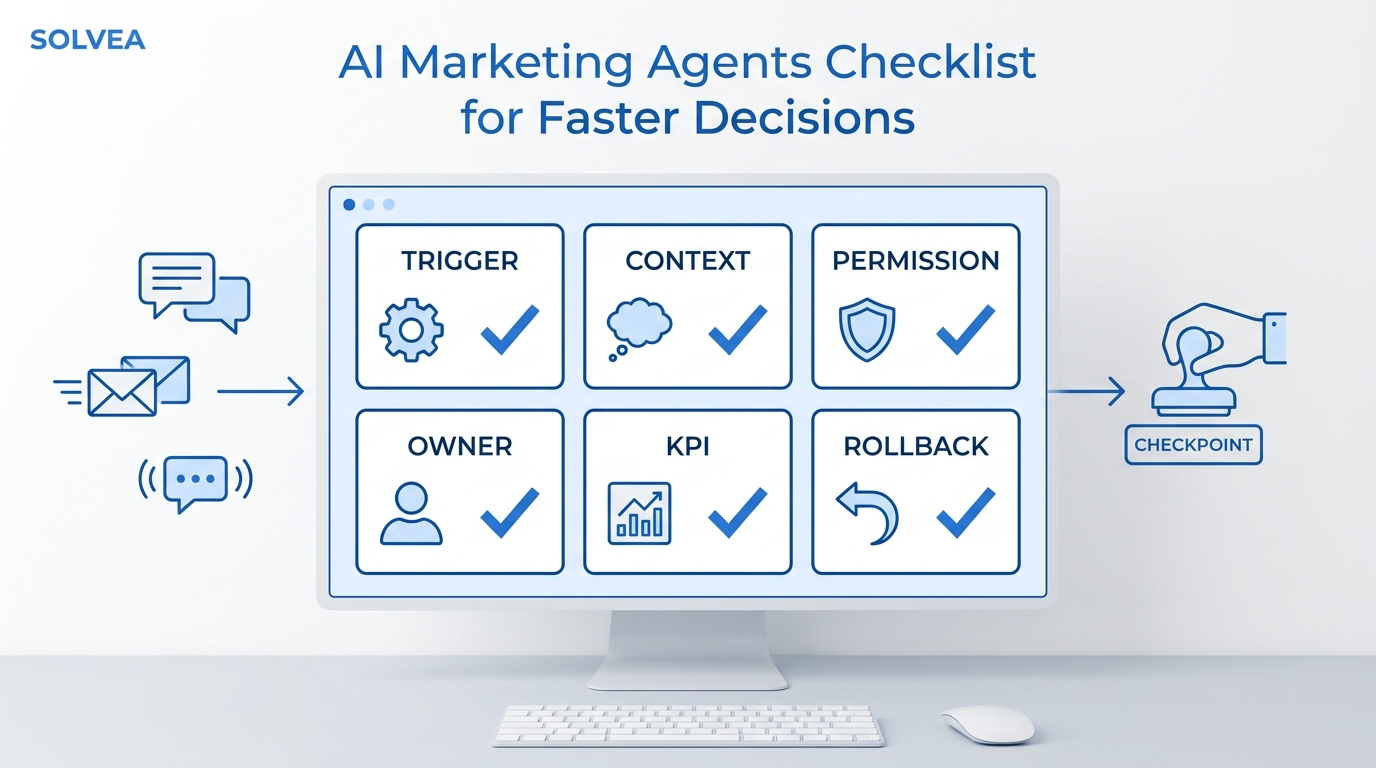
A simple GTM automation workflow has three parts:
- Trigger: Something happens, such as an inbound call, missed call, website form, chat message, quote request, booked appointment, or no-show.
- Decision: The system checks context, such as service requested, location, urgency, lead source, customer status, or appointment availability.
- Action: The system responds, asks the next question, books, routes, updates a record, sends a reminder, or alerts a person.
The goal is not to automate your whole go-to-market strategy. Your audience, offer, positioning, pricing, service area, and close process still require human judgment. Automation handles the repeatable execution around those decisions so leads do not fall between tools or people.
Why service businesses should start with one workflow
Many service businesses do not lose demand because no one is interested. They lose demand in the handoff between moments:
- A call goes to voicemail while the team is with another customer.
- A form inquiry sits unanswered until the next morning.
- A staff member collects a name but misses the key qualification question.
- A qualified lead says they want to book but never receives a time.
- A teammate follows up without seeing the earlier conversation.
- The owner cannot tell which channel produced booked work.
GTM automation closes those gaps by making the next step consistent. A good beginner workflow helps the business respond quickly, collect the same information every time, preserve context, and measure whether the inquiry became a booking.
For Solvea's core audience of service-based SMBs, the best first target is usually a phone-first or message-first lead path. That is where missed calls, slow replies, and inconsistent follow-up create visible revenue leakage.
GTM automation: beginner guide checklist
Before you choose tools, make sure the workflow is worth automating. A good first GTM automation project has these traits:
| Check | What to look for | Why it matters |
|---|---|---|
| Frequent | The same type of inquiry happens every week | Repetition gives automation enough value to justify setup |
| Predictable | The required questions and next steps are known | Clear rules make testing easier |
| Measurable | You can define a successful outcome | Measurement prevents vague automation projects |
| Low risk | Mistakes can be routed to a person | Beginners need safe failure paths |
| Revenue-linked | The workflow affects bookings, consultations, quotes, or follow-up | GTM automation should support growth, not just tidy operations |
If the workflow is rare, sensitive, heavily negotiated, or poorly understood by the team, document it first and automate later.
The basic GTM automation funnel
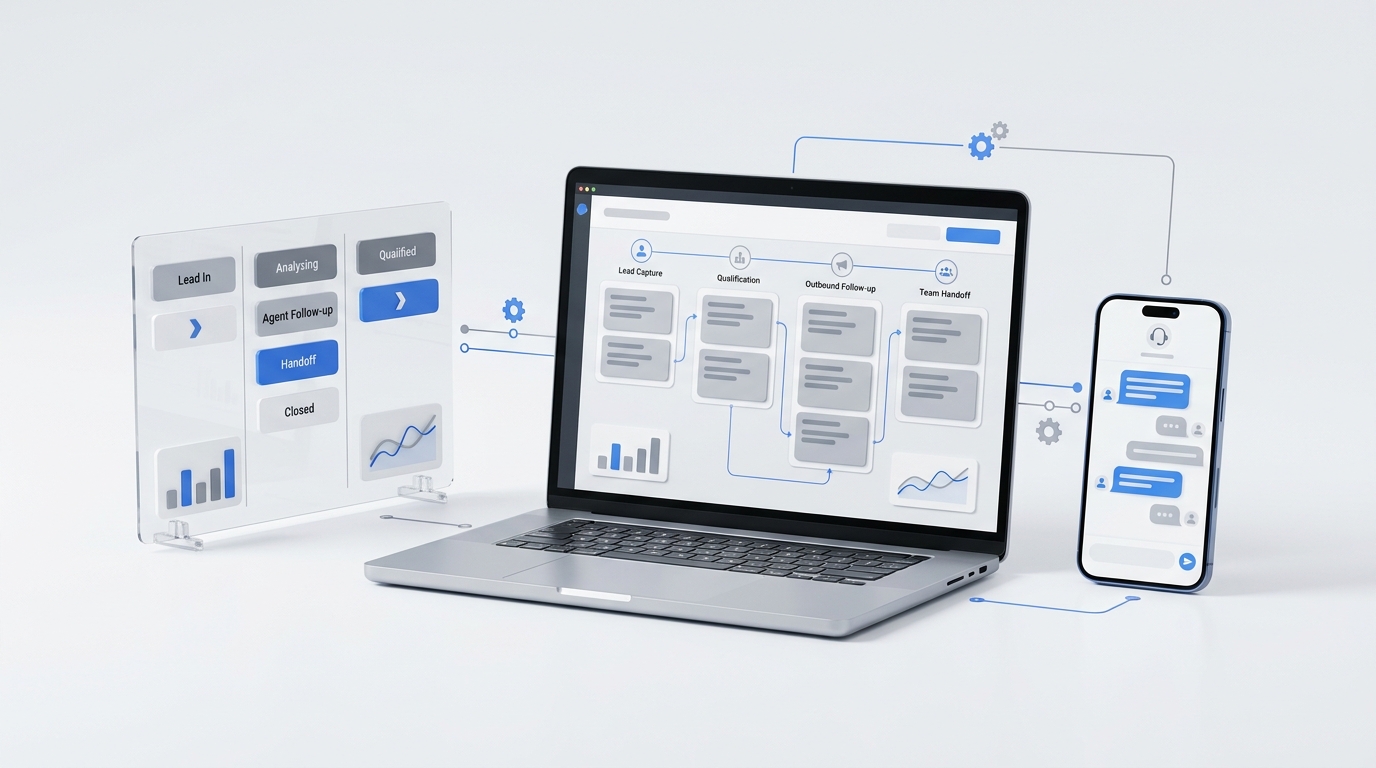
A beginner GTM automation workflow should map one customer journey from entry point to outcome. For a service business, the funnel often looks like this:
| Stage | Customer action | Business objective | Useful automation |
|---|---|---|---|
| Capture | Calls, texts, chats, or submits a form | Record the inquiry | Answer, acknowledge, and create a lead record |
| Respond | Explains the problem or request | Keep the conversation moving | Provide an immediate, relevant reply |
| Qualify | Shares service, location, timing, and fit details | Decide the best next step | Ask consistent questions and apply routing rules |
| Convert | Requests an estimate, consultation, or appointment | Secure commitment | Book a time or create a human callback task |
| Handoff | Needs specialist help or reaches a decision point | Preserve context | Send a summary to the right teammate |
| Follow up | Has not booked, attended, or decided | Prevent avoidable drop-off | Send reminders or create follow-up tasks |
| Measure | Completes or leaves the workflow | Improve the system | Track source, stage, outcome, and conversion |
This map keeps the project grounded. Without it, teams often buy software first and then try to force their process into whatever the software makes easy.
A beginner GTM automation stack
Your first stack needs capabilities, not a long vendor list. Most small teams can begin with five layers.
1. Lead capture
Lead capture is where demand enters the system. Common entry points include:
- phone calls;
- SMS or messaging;
- website forms;
- live chat;
- social or advertising lead forms;
- referral and marketplace inquiries.
Start with the channels that already produce meaningful opportunities. Adding new channels before you can handle the current ones usually creates more leakage, not more growth.
2. Conversation and response
The response layer acknowledges the lead and begins the interaction. It may be a staff member, an automated text, a chat workflow, or an AI receptionist that answers missed customer calls, captures what the caller needs, summarizes the conversation, and sends the next step to the team.
The response should match intent. Someone calling for urgent service needs a different path from someone asking a general question. A beginner GTM automation workflow should separate common requests, urgent requests, unsupported requests, and requests that need a person.
3. System of record
Choose one place where lead status and customer context are stored. This might be a CRM, field-service platform, practice-management tool, inbox, or structured database.
Without a system of record, automation can make the customer experience faster while making internal reporting more confusing. Every workflow should know where to write:
- contact details;
- lead source;
- requested service;
- qualification answers;
- owner or assignee;
- next step;
- final outcome.
4. Scheduling and handoff
Scheduling turns interest into a committed next step. Your GTM automation can show available times, create an appointment, send confirmation, or route the lead to someone who can finish the booking.
Human handoff matters just as much. Define the situations where the workflow should stop and involve a teammate, such as unusual requests, sensitive conversations, high-value opportunities, policy exceptions, or questions outside the approved knowledge base.
5. Measurement
The reporting layer tells you whether the workflow helps. Begin with operational metrics you can act on:
- response coverage;
- time to first response;
- qualification completion rate;
- qualified lead rate;
- booking rate;
- appointment show rate;
- human handoff rate;
- lead-to-customer conversion rate.
Do not track every possible event at launch. Track the few stages that reveal where demand is being lost.
How to build your first GTM automation workflow
The safest approach is to automate one journey end to end. The steps below turn this GTM automation beginner guide into a working implementation plan.
Step 1: Choose one revenue outcome
Avoid goals such as "automate marketing" or "use AI." Choose an outcome tied to a customer action.
Good beginner outcomes include:
- book more consultations from inbound calls;
- capture after-hours service requests;
- qualify estimate requests before a salesperson responds;
- reduce unreturned web inquiries;
- improve appointment confirmations;
- revive leads that requested help but never booked.
Write the outcome in a sentence:
When a new residential HVAC lead calls after hours,
capture the service need and ZIP code,
then book an available estimate or create a priority callback task.
That sentence defines the trigger, customer segment, data needed, and business outcome.
Step 2: Document the current path
Follow one real inquiry from entry to outcome. Write down every step, tool, person, delay, and decision.
Ask:
- Where does the inquiry begin?
- What information is required?
- Who decides whether the lead is a fit?
- What causes the process to stall?
- What should happen when no one is available?
- What counts as success?
The best first GTM automation target is usually a frequent, predictable path with a visible failure point.
Step 3: Define the minimum data
Collect only what the next step needs. For many service workflows, that means:
- name and contact details;
- requested service;
- service location;
- preferred timing;
- urgency;
- qualification answer or fit status;
- lead source;
- communication preference or consent where applicable.
Too many questions increase friction. Too few questions create weak handoffs. Test whether every field changes routing, prioritization, booking, or follow-up. If it does not change the next step, it may not belong in the first version.
Step 4: Write the rules in plain language
Do not begin inside an automation builder. First write rules that a new employee could understand.
WHEN a new inbound call arrives
IF the request matches a supported service area
THEN collect the service type and preferred appointment time
IF an appointment is available
THEN book it and send confirmation
ELSE create a callback task with the conversation summary
IF the request is urgent or outside policy
THEN route to the on-call person
Plain-language rules expose missing decisions before software hides them.
Step 5: Build one complete happy path
Create the simplest version that works when everything goes as expected. Connect the trigger, response, qualification, booking, record update, and confirmation.
Do not add every exception yet. First prove that a normal lead can move through the full journey and that the team can see the result.
Step 6: Add failure paths and human escalation
Now test what happens when:
- required information is missing;
- no appointment is available;
- the customer changes topics;
- the request is outside your service area;
- the system cannot update the CRM;
- the customer asks for a person;
- the conversation is sensitive or urgent.
Every important failure needs a safe destination. That may be a retry, a queue, a notification, or immediate human handoff.
Step 7: Test with real scenarios
Use examples from actual customer conversations, not idealized scripts. Test clear requests, vague requests, interruptions, corrections, edge cases, and unsupported services.
Confirm that:
- the response is accurate;
- the required fields are captured;
- duplicate records are avoided;
- bookings use the correct calendar and time zone;
- the handoff includes enough context;
- customers receive the promised confirmation;
- failures are visible to the team.
Step 8: Launch narrowly and measure
Start with one channel, location, service line, or schedule window. A narrow launch makes issues easier to find and limits operational risk.
Review the workflow weekly. Look for the stage with the largest drop-off, then improve that stage before expanding the automation.
A 30-day GTM automation launch plan
Use this timeline if you are building your first workflow without a dedicated operations team.
| Timeframe | Work to complete | Exit criteria |
|---|---|---|
| Days 1-3 | Pick one revenue outcome and one entry channel | The team agrees on the workflow goal |
| Days 4-7 | Map the current path and identify failure points | You can describe the trigger, data, owner, and outcome |
| Days 8-12 | Define fields, routing rules, and escalation points | The workflow can be written in plain language |
| Days 13-18 | Build the first happy path | A normal lead can move from inquiry to next step |
| Days 19-23 | Add failure paths, notifications, and record updates | Missing data, no availability, and handoff cases are covered |
| Days 24-27 | Test with real examples and team review | The team trusts the output and knows where to intervene |
| Days 28-30 | Launch narrowly and set the weekly review cadence | Source, stage, and outcome are visible in reporting |
This 30-day plan is intentionally narrow. It is better to launch one dependable workflow than to create a large automation map no one can debug.
Build your first-workflow lab
A GTM automation beginner guide should help you make a decision, not just understand the concept. Use this lab to pick one workflow, write the first version, and decide whether it is ready to launch.
1. Pick three candidate workflows
List three workflows that already happen in the business. Do not choose ideas that require a new channel, new offer, or new service policy.
| Candidate workflow | Entry point | Desired outcome | Common failure |
|---|---|---|---|
| Missed-call recovery | Phone | Qualified callback or booking | Caller never gets a timely response |
| Web inquiry follow-up | Form | Consultation booked | Lead waits until the next business day |
| Appointment confirmation | Booking | Customer shows up prepared | Customer forgets, cancels late, or asks basic questions |
Score each candidate from 1 to 5:
| Score factor | 1 means | 5 means |
|---|---|---|
| Frequency | Happens rarely | Happens every week or every day |
| Delay cost | Slow response barely matters | Slow response can lose the lead |
| Rule clarity | The team disagrees on next steps | The next step is obvious |
| Data availability | Required details are usually missing | Required details are easy to collect |
| Exception safety | Mistakes create serious risk | Mistakes can be safely handed to a person |
Choose the highest-scoring workflow unless the team cannot clearly define the owner, success event, or fallback path.
2. Write the workflow contract
Before building in software, write a one-page workflow contract.
| Contract field | What to write |
|---|---|
| Owner | The person accountable for weekly review |
| Trigger | The exact event that starts the workflow |
| Included leads | Which customers, services, locations, and channels are in scope |
| Excluded leads | What should not be handled by automation yet |
| Required data | The minimum fields needed for the next action |
| Routing rules | What happens for qualified, unqualified, urgent, unclear, and unsupported requests |
| Customer promise | What the customer is told will happen next |
| Human handoff | When, why, and to whom the workflow escalates |
| Success event | The single event that proves the workflow worked |
| Failure alert | How the team sees and recovers from broken steps |
If the contract has blank fields, the workflow is not ready. Fill the policy gap before connecting tools.
3. Decide what stays human
Beginner automation gets stronger when boundaries are explicit.
| Workflow moment | Automate when | Keep human when |
|---|---|---|
| First response | The answer is predictable and low risk | The request is sensitive, emotional, or outside policy |
| Qualification | Fit rules are clear | The customer needs judgment or negotiation |
| Booking | Calendar rules are reliable | The service requires custom scoping |
| Follow-up | The next message is standard | The lead has an unresolved objection |
| Handoff | The escalation reason is structured | Ownership or authority is unclear |
| Reporting | Events are consistently captured | The team has not agreed on stage definitions |
This table protects customer experience. The goal of GTM automation is not to replace judgment. It is to keep predictable work moving and give people better context when judgment is needed.
4. Run the launch gate
Use this go/no-go check before the workflow touches real customers.
| Launch gate | Pass condition |
|---|---|
| Trigger clarity | The workflow starts from one defined event |
| Data quality | Required fields can be captured reliably |
| Message approval | Customer-facing replies are reviewed and accurate |
| Record update | The system of record receives source, stage, owner, and outcome |
| Handoff context | A teammate receives summary, reason, owner, and deadline |
| Failure visibility | Broken integrations, missing data, and no availability create alerts |
| Scenario QA | Real examples pass happy path, edge case, and escalation tests |
| Measurement | The success event appears in reporting |
If one gate fails, fix it before launch. If several gates fail, narrow the workflow until it becomes testable.
Example: inbound lead-to-booking automation
Consider a local service company that receives calls while technicians and office staff are occupied.
The manual process is inconsistent: some callers leave voicemail, some call a competitor, and some receive a callback without the right context.
A beginner GTM automation workflow could be:
- An inbound call triggers the workflow.
- An AI receptionist answers and asks why the customer is calling.
- The system captures the customer's contact details, service need, location, and preferred time.
- Qualification rules confirm whether the request matches the company's services and coverage area.
- Qualified leads receive an available appointment or consultation time.
- Complex, urgent, or unsupported requests are routed to a person.
- The lead record receives the source, summary, qualification result, and next action.
- The customer receives confirmation, while the team receives a concise handoff.
- Reporting records whether the inquiry became a booking.
This is GTM automation because it connects acquisition, sales response, conversion, and measurement. It is also manageable for a small team because the workflow has one audience, one primary outcome, and clear escalation points.
If missed calls are the main leak in your funnel, compare this workflow with the broader customer-experience patterns in Solvea's guide to CX automation.
What not to automate first
A reliable GTM automation beginner guide also needs boundaries. Avoid starting with processes that are rare, unstable, or heavily dependent on judgment.
Keep a human involved when the interaction includes:
- legal, medical, financial, or safety-sensitive decisions;
- unusual pricing or contract exceptions;
- emotional complaints or reputation risk;
- complex diagnosis or technical troubleshooting;
- high-value negotiations;
- unclear policies or incomplete knowledge.
You should also avoid automating a broken process. If the team disagrees about qualification, ownership, or follow-up, software will reproduce that inconsistency at greater speed.
Common GTM automation mistakes
Automating too much at once
Large workflow maps create more dependencies and make testing harder. Start with one result, then expand after the path is stable.
Choosing tools before the process
A feature-rich platform cannot decide your offer, service area, escalation policy, or definition of a qualified lead. Define those first.
Ignoring the system of record
If conversations, bookings, and follow-ups live in separate places, the team loses context and reporting becomes unreliable.
Removing humans instead of improving handoffs
The strongest workflows automate predictable work and make human work better. A teammate should receive the customer's need, relevant details, prior responses, and recommended next step.
Measuring activity instead of outcomes
Message volume and task counts are useful, but they do not prove the workflow is helping. Tie the workflow to stage movement: captured lead, qualified lead, booked appointment, completed appointment, customer, or lost reason.
Beginner tracking template
You do not need complex analytics to start. Track the fields that help you improve the workflow.
| Field | Example | Why it matters |
|---|---|---|
| Entry channel | Phone, SMS, form, chat | Shows where demand enters |
| Lead source | Organic, referral, ad, existing customer | Helps measure channel quality |
| Service requested | Consultation, repair, quote, booking | Supports routing and capacity planning |
| Fit status | Qualified, not fit, unknown | Shows whether automation is attracting the right leads |
| Next action | Booked, callback, handoff, nurture | Shows whether the workflow created movement |
| Owner | AI, front desk, salesperson, technician | Clarifies accountability |
| Outcome | Booked, completed, won, lost, no response | Connects automation to revenue motion |
| Failure reason | No availability, unsupported service, missing info | Shows what to improve next |
Review these fields weekly. If the workflow captures many leads but few bookings, improve qualification or scheduling. If many leads require handoff, update the knowledge base, routing rules, or service-area logic. If outcomes are missing, fix record updates before expanding the workflow.
Weekly review cadence
Publishing the workflow is the midpoint, not the finish line. Set a 30-minute weekly review with the workflow owner and the people who receive handoffs.
Review four lists:
- Successful journeys: Leads that reached the intended next step.
- Drop-offs: Leads that started the workflow but did not complete the next step.
- Exceptions: Cases that required a person, failed update, unavailable calendar, or policy decision.
- Customer friction: Messages that confused customers or caused repeated questions.
Then make one change for the next week. Good beginner changes include rewriting one question, adding one routing rule, changing a handoff owner, fixing a field mapping, or narrowing the workflow scope.
Avoid changing every part of the workflow at once. If response copy, qualification rules, handoff logic, and reporting all change in the same week, you will not know which change improved the result.
When to use AI in GTM automation
AI is most useful when the workflow involves conversation, summarization, classification, or flexible responses. For service businesses, that often means:
- answering common inbound questions;
- collecting structured details from natural conversation;
- summarizing calls for the team;
- routing urgent or unsupported requests;
- drafting follow-up messages;
- keeping customer context available for the next interaction.
AI should not be the owner of every decision. Treat it as the front layer for repeatable interactions and the assistant layer for human follow-up. The business still needs clear policies, approved answers, escalation rules, and outcome tracking.
Solvea supports this pattern by giving service teams an AI receptionist for phone-first customer interactions, plus customer context and follow-up workflows across channels like calls, SMS, email, WhatsApp, and live chat.
How to know your first workflow is working
Your first GTM automation workflow is working when three things are true:
- Customers get a faster next step. They receive an answer, booking option, confirmation, or callback path without unnecessary waiting.
- The team gets better context. Handoffs include the customer need, source, qualification details, and recommended action.
- The owner can see outcomes. Reporting shows where leads entered, what happened next, and where drop-off still exists.
Do not judge success only by whether the workflow runs. Judge it by whether it removes a visible growth bottleneck.
Your AI Receptionist, Live in Minutes.
Scale your front desk with an AI that never sleeps. Solvea handles unlimited multi-channel inquiries, books appointments into your calendar automatically, and ensures zero missed opportunities around the clock.
Frequently asked questions
What is the easiest GTM process to automate first?
Start with a frequent inbound process that has predictable questions and a clear next step. Lead response, basic qualification, appointment booking, after-hours inquiry capture, and missed-call recovery are common first candidates for service businesses.
Do I need a CRM before starting GTM automation?
You need a dependable system of record, but it does not need to be complicated. Choose one place to store identity, source, stage, owner, next action, and outcome before connecting several workflows.
What is the difference between GTM automation and marketing automation?
Marketing automation usually focuses on campaign execution, lead capture, segmentation, and nurture. GTM automation is broader because it connects marketing with qualification, sales response, booking, onboarding, service delivery, retention, and reporting.
What is the biggest beginner mistake in GTM automation?
The biggest mistake is automating before the team agrees on the workflow contract. If the trigger, owner, rules, handoff, fallback, and success event are unclear, automation will make the confusion faster. Write the process first, then build.
How should I choose GTM automation tools?
Choose tools by responsibility. You need a way to capture demand, respond, decide, store context, complete the next action, and measure outcomes. A small team should prefer fewer tools with clear ownership over a larger stack with disconnected records.
How often should I review a GTM automation workflow?
Review exceptions weekly while the workflow is new. Make a monthly keep, improve, expand, pause, or retire decision once the workflow is stable. This cadence keeps GTM automation tied to customer outcomes instead of letting unused rules accumulate.
Start small, then compound
The best GTM automation beginner guide is not a giant software architecture. It is a disciplined first workflow.
Pick one customer journey. Define the trigger, data, rules, action, human handoff, and outcome. Launch it narrowly. Measure the stage where demand still drops. Then expand from a stable base.
For service businesses, a strong first project is often inbound lead-to-booking automation: answer the customer, capture the need, qualify the request, book or route, and preserve the context. If that is your first workflow, an AI receptionist can become the front layer that turns missed calls and slow replies into measurable next steps.