Real estate calls rarely arrive at a convenient time. An agent may be showing a property, meeting a seller, driving between appointments, or handling another client when a new buyer calls. A brokerage may have office coverage during the day but still receive listing questions in the evening. Property teams also need more than a name and phone number: they need to know which property the caller means, what the person wants, and who should follow up.
An AI receptionist for real estate can help turn that first conversation into a structured next step. The useful version is not simply a voice that says, “Someone will call you back.” It captures the context an agent needs, supports viewing coordination within defined rules, keeps the conversation visible, and transfers sensitive or high-value questions to a person.
This guide explains how to design that workflow without giving the AI responsibilities that belong to licensed professionals or your team.
What does an AI receptionist do for a real estate team?
An AI receptionist can answer missed and after-hours calls, respond to approved property and office questions, collect lead details, record viewing preferences, summarize the conversation, and route the next action to the right team member.
A well-configured workflow can help with:
- New buyer and renter inquiries
- Seller and landlord inquiries
- Listing-specific questions
- Open-house and campaign responses
- Viewing requests
- Requested callbacks and reminders
- Property management routing
- General office FAQs
The AI should not decide whether someone qualifies for financing, interpret contracts, advise on offers, make fair-housing judgments, or replace a licensed professional. Its role is to make the first response faster and the handoff clearer.
The real problem is not the missed call—it is the broken handoff
Traditional message taking often creates a second round of work. A receptionist captures a name, number, and short note. The agent calls back without enough context, asks the same questions again, and may still need to identify the listing or find an available viewing time.
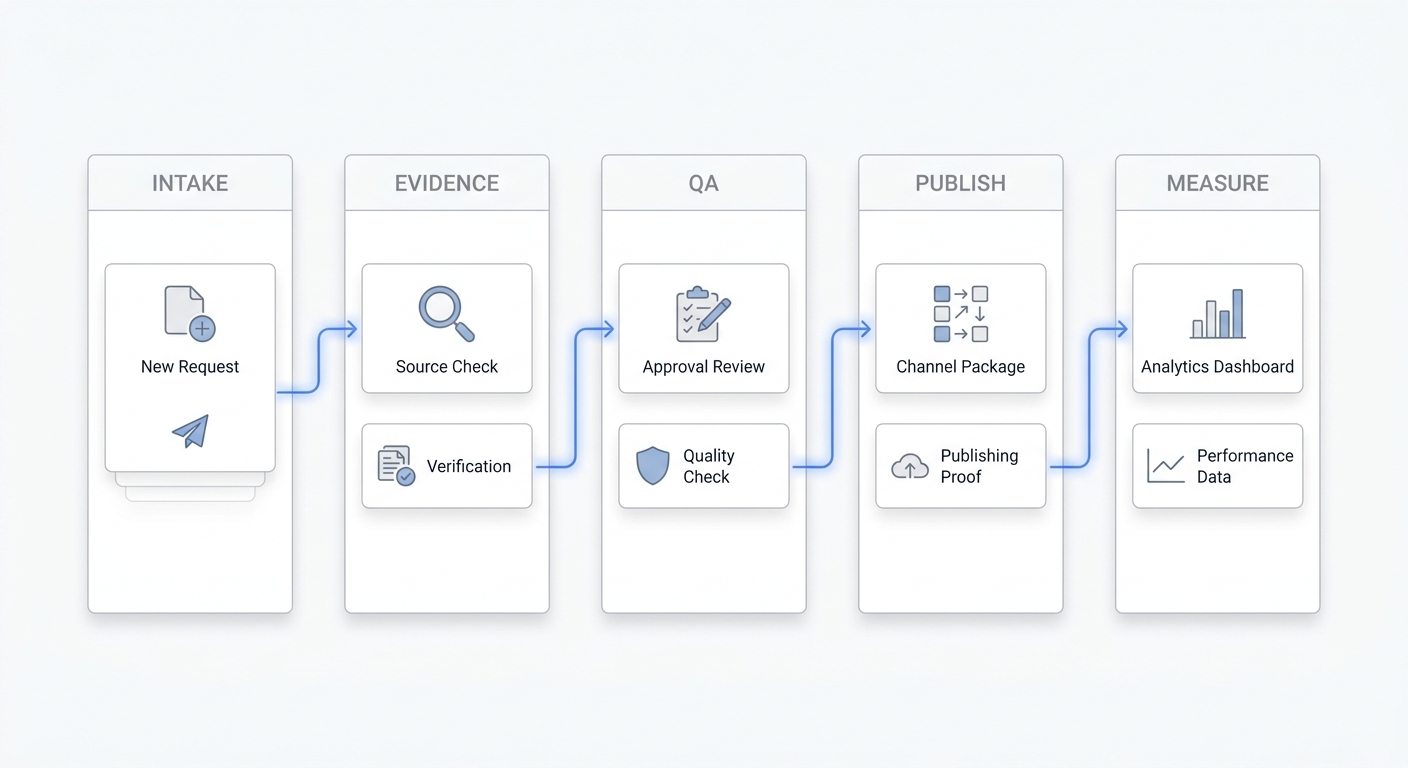
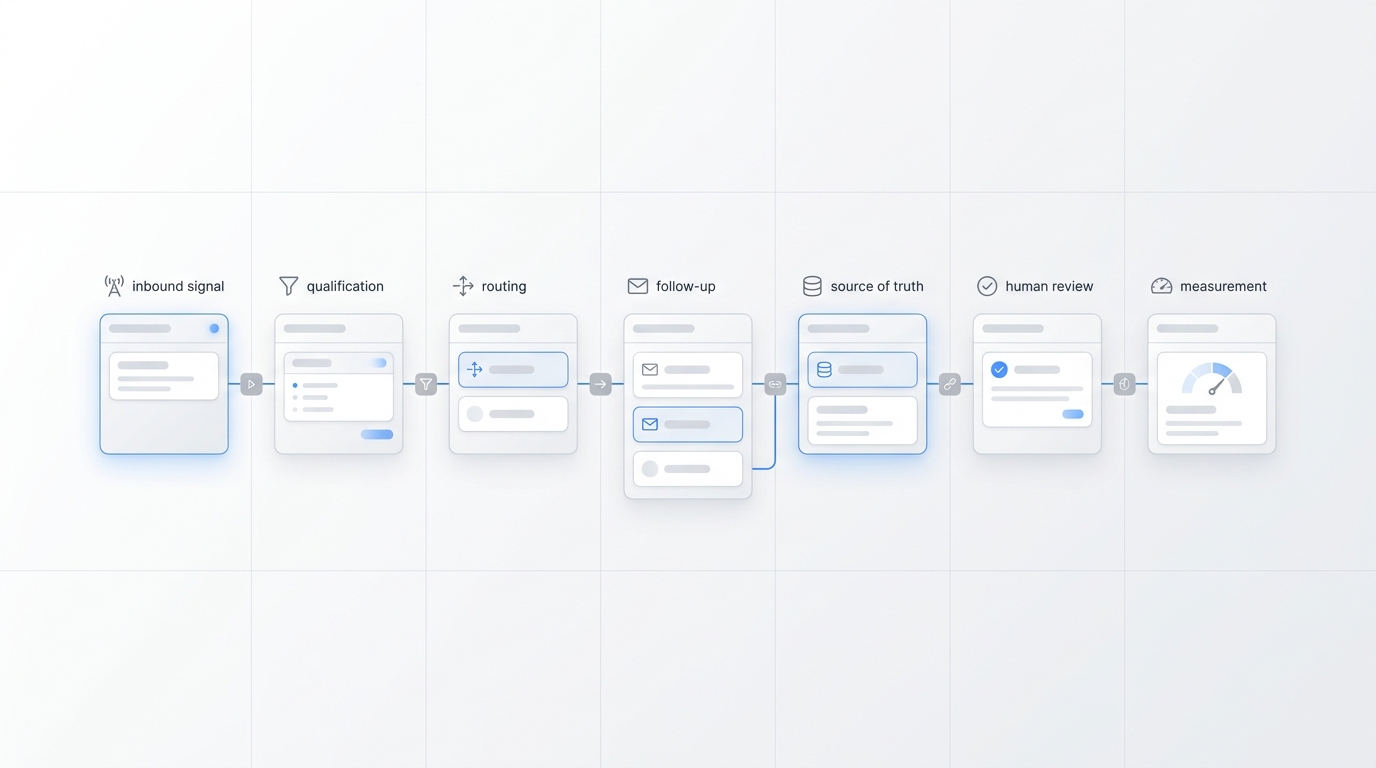
The better goal is a connected lead flow:
- Answer the inquiry.
- Identify the caller’s intent.
- Capture the property and contact context.
- Record the requested next step.
- Assign ownership.
- Keep the conversation history available for follow-up.
That structure matters because speed alone does not create a good customer experience. A fast answer that loses the details still leaves the team with a manual recovery job.
A six-step inbound-to-viewing workflow
1. Answer with clear identity and scope
The opening should tell the caller which business they reached and that they are speaking with an AI assistant. It should quickly offer common paths, such as asking about a property, requesting a viewing, reaching an agent, or contacting property management.
Avoid a long scripted introduction. The caller usually wants to know whether the team can help with a specific property or next step.
2. Identify the inquiry type
The first useful question is often not “What is your budget?” It is “What can we help you with today?”
Possible intent categories include:
- Buying or renting
- Selling or listing a property
- Scheduling or changing a viewing
- Asking about a specific listing
- Reaching an existing agent
- Property management or maintenance
- General office information
Intent classification helps prevent a buyer lead, tenant maintenance request, and existing-client call from entering the same undifferentiated queue.
3. Capture only the details the team will use
An effective real estate answering service should collect structured information, not interrogate the caller. Design the intake around the next action.
| Inquiry | Useful intake fields | Suggested next step |
|---|---|---|
| Specific listing | Name, contact details, property address or listing reference, question, viewing preference | Route to listing owner or showing workflow |
| Buyer or renter search | Preferred area, property type, general timing, requested callback channel | Assign to the appropriate team member |
| Seller or landlord | Property location, reason for contacting, preferred callback time | Route to listing or valuation team |
| Existing client | Agent name, property or transaction reference, reason for calling | Route to current owner with history |
| Property management | Property address, resident or owner status, issue type, urgency | Follow the approved management escalation path |
Do not collect sensitive information merely because the system can ask for it. Every field should have a clear operational purpose and an appropriate storage policy.
4. Treat viewing scheduling as a rules-based workflow
“Schedule a viewing” can mean several different things:
- Capture preferred dates and times for an agent to confirm
- Offer available slots from a connected calendar
- Place a tentative hold
- Confirm an appointment automatically
- Coordinate across a listing agent, showing agent, occupant, or property manager
Your AI receptionist should describe the next step accurately. If the system only collects preferences, it should say the request has been recorded—not that the viewing is confirmed.
Automatic confirmation should happen only when the relevant calendar, availability, appointment type, duration, location, buffer, and approval rules are configured. Exceptions such as occupied properties, unavailable listings, same-day requests, or access instructions should go to a person.
Solvea supports connections with calendars and business tools through its integrations, but each team should verify its exact workflow before promising instant confirmation.
5. Assign a clear owner
A lead is not handled simply because the phone was answered. Someone must own the next action.
Ownership rules can be based on:
- Listing or property
- Office or service area
- Inquiry type
- Existing agent relationship
- Language
- Schedule or on-call rotation
- Buyer, seller, renter, or property-management workflow
The handoff should include the conversation summary, contact details, property context, requested next step, and any promised follow-up window. A shared omnichannel inbox and contact history can help the team see whether someone has already responded.
6. Close the loop with approved follow-up
Some callers ask for a callback. Others may need a reminder, a confirmation message, or an update after the team checks availability. This is where inbound answering and outbound calling can work together.
Keep follow-up bounded to approved situations, such as:
- Returning a requested call
- Confirming a viewing request or appointment
- Reminding an opted-in prospect about a scheduled event
- Following up on information the person requested
- Reconnecting when the business has a documented, lawful basis to do so
The business remains responsible for consent, calling windows, do-not-call obligations, and other applicable rules. AI does not remove those responsibilities.
AI receptionist vs basic real estate answering service
The difference is not whether a human or AI picks up the phone. The practical difference is how much useful work happens before the handoff.
| Capability | Basic message taking | Connected AI receptionist workflow |
|---|---|---|
| Answer missed calls | Yes | Yes |
| Capture name and number | Yes | Yes |
| Identify inquiry type | Sometimes | Configurable structured intake |
| Connect the caller to a property | Often manual | Can capture address or listing reference |
| Record viewing preferences | Sometimes in notes | Can store structured request details |
| Use approved FAQs | Script dependent | Can use a maintained knowledge base |
| Keep phone, text, email, and chat context together | Usually separate | Possible in one shared inbox |
| Assign the next owner | Manual dispatch | Configurable routing and ownership |
| Support requested follow-up | Separate process | Can connect inbound and approved outbound workflows |
The right choice depends on your team. A basic service may be enough if you only need overflow coverage and message delivery. A connected workflow becomes more valuable when property context, scheduling, team ownership, and multi-channel follow-up are the real bottlenecks.
What should the AI answer—and what should it escalate?
The safest design starts with an approved knowledge base and a clear escalation map.
Good questions for approved answers
- Office hours and location
- Service areas
- Public listing details that your team has approved
- Viewing-request process
- Open-house times
- General application or document process descriptions
- How to contact a specific team or office
- What information the team needs for a callback
Questions that need human judgment
- Offers, negotiations, and pricing guidance
- Financing, affordability, or eligibility
- Contracts, disclosures, taxes, and legal questions
- Representation or agency relationships
- Fair-housing and protected-class topics
- Complaints and disputes
- Emergencies or safety issues
- Sensitive personal information
- Anything outside the approved knowledge base
The U.S. Department of Housing and Urban Development explains that the Fair Housing Act protects people from housing discrimination based on race, color, national origin, religion, sex, familial status, and disability. Your intake should help route legitimate property needs—not screen or prioritize people using protected characteristics. See HUD’s Fair Housing Act overview.
How to set up an AI receptionist for a real estate office
Step 1: Map the calls you already receive
Review a representative sample of calls, messages, and voicemails. Group them by intent and identify the cases that consume the most staff time or suffer the most frequent handoff failures.
Start with a narrow workflow, such as missed listing inquiries and viewing requests, rather than automating every possible conversation at once.
Step 2: Create an approved knowledge layer
Add office information, service areas, team routing, listing FAQs, viewing policies, escalation contacts, and other facts the AI may use. Assign an owner and review date to important content so old property or process information does not remain active indefinitely.
Solvea’s knowledge base is designed to help teams control the information used in customer answers.
Step 3: Define the minimum intake
For each inquiry type, decide which fields are required, optional, or prohibited. Keep the conversation short enough that callers will complete it.
A useful test is simple: if the agent will not use a field during follow-up, remove it.
Step 4: Configure scheduling boundaries
Document appointment types, calendars, durations, locations, buffers, lead times, approval requirements, and exceptions. Decide when the AI can confirm a slot and when it may only collect preferences.
Step 5: Build routing and escalation rules
Assign owners for new buyer leads, seller inquiries, active listings, existing clients, property management, and urgent cases. Include a fallback owner so leads do not remain unassigned when the primary person is unavailable.
Step 6: Test real exceptions
Do not test only the happy path. Include:
- An unavailable or withdrawn listing
- A caller who already has representation
- A same-day viewing request
- A renter with an urgent maintenance issue
- A financing or legal question
- A complaint
- A caller who refuses to provide details
- A request that falls outside the knowledge base
Review the answer, summary, routing, ownership, and follow-up behavior for each scenario.
How to measure whether the workflow is working
Avoid judging the system only by call volume. Measure whether it creates better next steps.
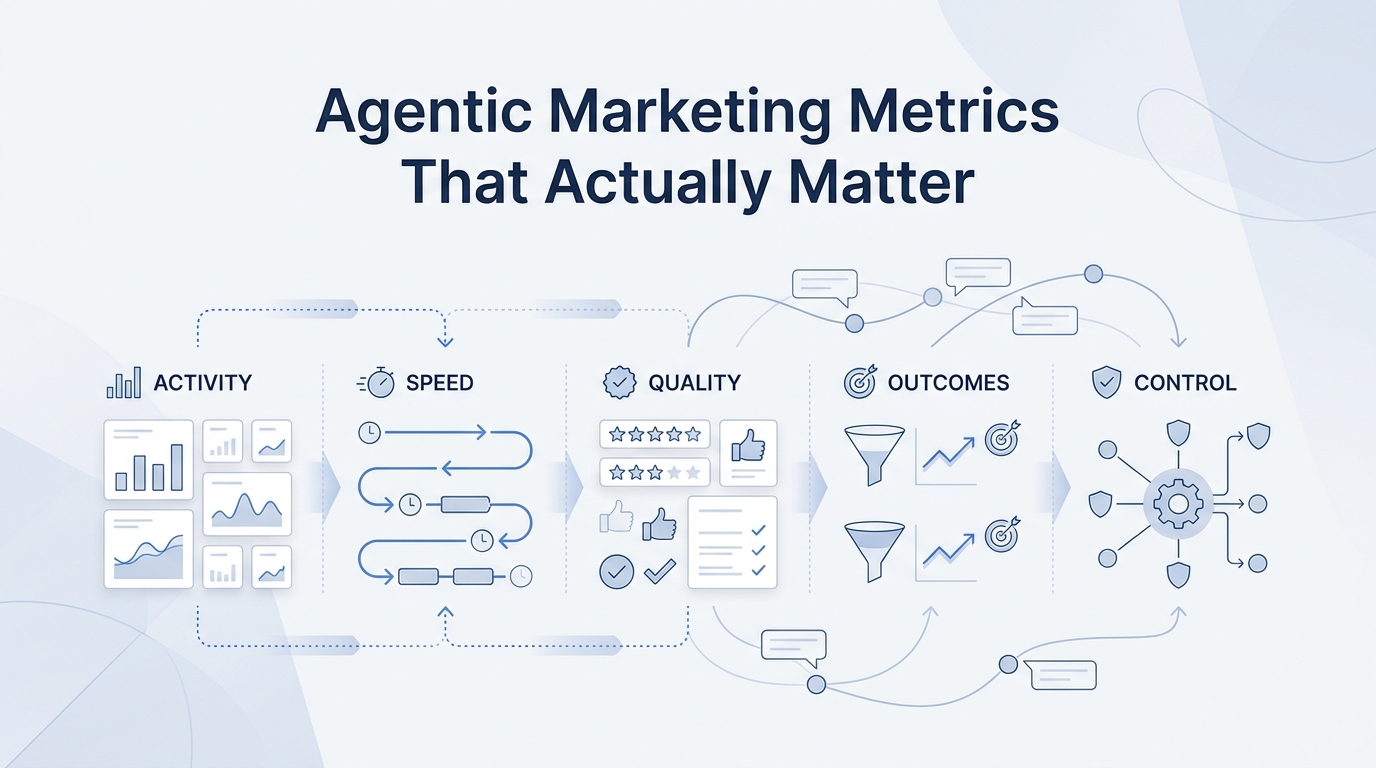
Useful operating metrics include:
- Percentage of missed calls that receive an answer
- Percentage of inquiries with usable property context
- Viewing requests captured
- Time from inquiry to human follow-up
- Unassigned lead count
- Duplicate follow-up rate
- Escalation rate by inquiry type
- Knowledge-base fallback or unanswered-question rate
- Appointment requests versus confirmed appointments
- Lead outcomes by source and workflow
Conversation analytics can help teams inspect patterns, but the most important metrics should reflect the outcome your brokerage is trying to improve.
A practical evaluation checklist
Before choosing an AI receptionist for real estate, ask:
- Can it capture the property or listing connected to the inquiry?
- Can we configure different intake flows for buyers, sellers, renters, and existing clients?
- Does it distinguish a requested viewing from a confirmed appointment?
- Can our team control the knowledge used in answers?
- Can it route exceptions to a person with full context?
- Can multiple agents see ownership and conversation history?
- Which calendars, CRMs, and communication channels are supported?
- Can we review summaries, transcripts, outcomes, and unanswered questions?
- How are consent and outbound follow-up rules configured?
- Can we test the workflow before sending all calls to it?
The best workflow gives every inquiry a visible next step
An AI receptionist for real estate should do more than answer the phone. It should help the caller move from a property question to an organized next step while keeping the team in control.
Start with the calls you currently miss. Capture only useful context. Be precise about whether a viewing is requested or confirmed. Assign a clear owner. Escalate decisions that require human judgment. Then use the conversation history to improve the workflow over time.
Solvea brings an AI receptionist, shared inbox, contact history, knowledge, integrations, and follow-up tools into one customer-conversation system. You can explore Solvea and build a real-estate lead flow around your team’s actual coverage and handoff rules.
Your AI Receptionist, Live in Minutes.
Scale your front desk with an AI that never sleeps. Solvea handles unlimited multi-channel inquiries, books appointments into your calendar automatically, and ensures zero missed opportunities around the clock.
Frequently asked questions
Can an AI receptionist schedule property viewings?
It can capture preferred dates and times. It may also offer or confirm eligible slots when a supported calendar integration, current availability, and scheduling rules are configured. If those conditions are not met, the AI should describe the interaction as a viewing request that needs confirmation.
Can an AI receptionist qualify real estate leads?
It can collect approved intake details about the property, inquiry type, location, timing, and requested next step. It should not make lending, legal, fair-housing, representation, or transaction decisions.
Does an AI receptionist work after hours?
Yes, an AI receptionist can support missed and after-hours call coverage according to the business’s routing, knowledge, and escalation settings.
Can it answer questions about a listing?
It can answer from current, approved listing information available to the system. Questions that require interpretation, negotiation, disclosure, or professional judgment should go to an agent.
Can it follow up with real estate leads?
It can support approved workflows such as requested callbacks, appointment reminders, and follow-up with opted-in leads. The business remains responsible for consent, do-not-call requirements, and applicable laws.
Does it replace agents or office staff?
No. It handles repetitive first-response, intake, and coordination tasks so agents and staff can focus on advice, negotiation, relationships, and decisions that require human judgment.
Can multiple agents share the same lead history?
A platform with a shared inbox and contact management can keep calls, messages, summaries, ownership, and follow-up context visible to multiple team members.
What is the best first workflow to automate?
For many teams, the best starting point is missed and after-hours listing inquiries. The intent is clear, the intake fields are easy to define, and the team can measure whether more inquiries reach an assigned next step.