A showing request script should not be a rigid call-center monologue. In real estate, the caller may be excited, rushed, driving by a property, comparing several listings, or calling after work. The script needs to help the receptionist move quickly while still collecting enough information for the agent to act.
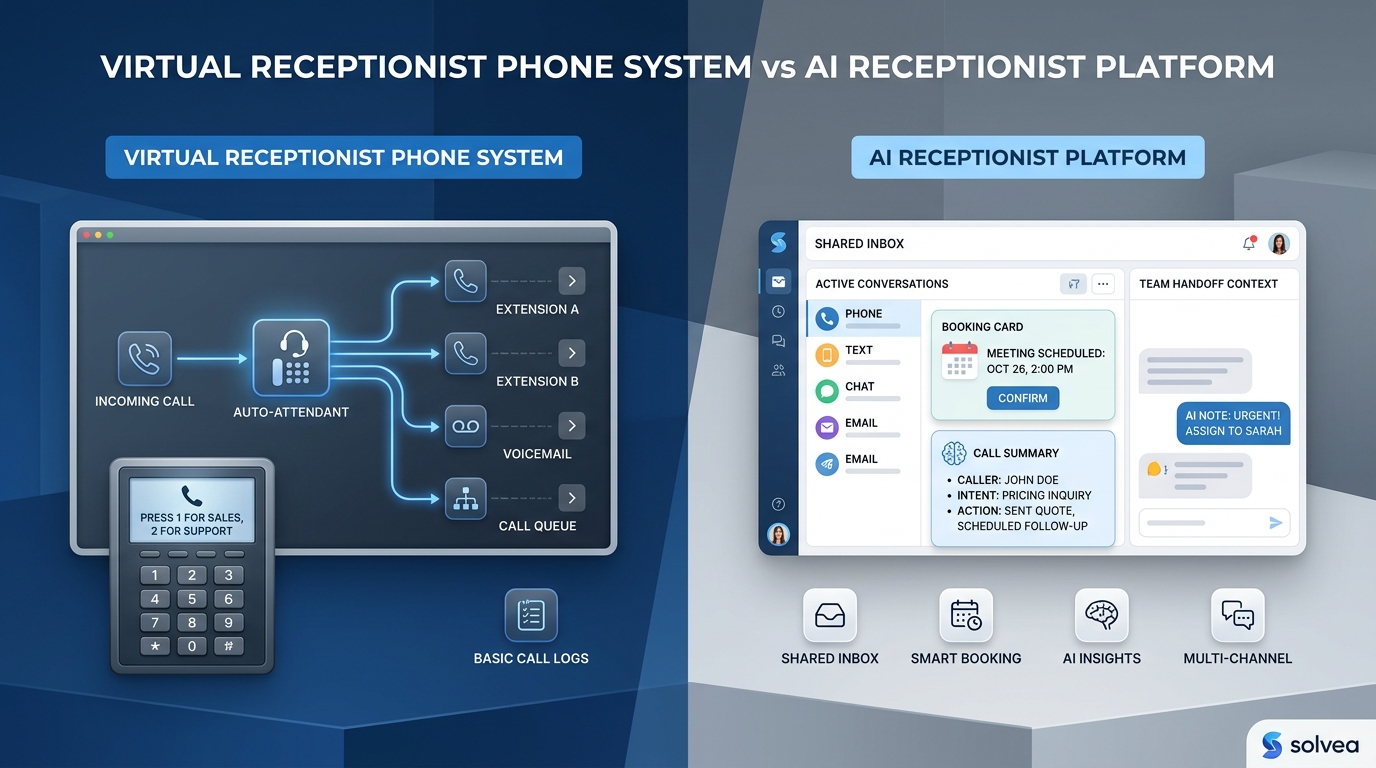
For Solvea, the script is best treated as a decision path for an AI receptionist. It defines what the AI should listen for, which questions are required, when it can offer an appointment window, and when the request must move to staff. The words can vary naturally, but the workflow stays consistent.
The best showing request scripts do three things. They acknowledge the property request immediately, gather the minimum viable details, and close with a clear next step. That is what turns an inbound phone call into a showing request the team can actually confirm.
Use the script as a routing map
| Call signal | Script response |
|---|---|
| Specific property and flexible time | Collect details and offer approved showing windows if direct booking is allowed. |
| Same-day urgency | Capture urgency, ask for alternate windows, and alert the assigned agent or front desk queue. |
| After-hours inquiry | Collect the request, set confirmation expectations, and offer next approved windows if available. |
| Pricing, access, or negotiation question | Collect the question and escalate instead of improvising an answer. |
The script should not try to solve every real estate question. Its job is to identify the showing intent and move the call into the right path. A caller asking to tour a property needs a different route than a caller asking whether the seller will accept an offer, whether pets are allowed, or whether the agent can unlock the door in fifteen minutes.
Solvea can use the script to classify intent, ask the next best question, and produce a clean handoff. That handoff matters because agents do not need a transcript first. They need the property, requested time, contact details, urgency, and any question that requires human judgment.
Opening line for a property showing call
The opening should be short and useful: 'I can help with a showing request. Which property would you like to see, and when were you hoping to visit?' This confirms intent and collects the two most important fields before the conversation branches.
If the caller starts with a vague request like, 'I want to see the house,' the script should ask for the address, listing name, or neighborhood. If they saw the property online but cannot remember the address, the AI receptionist can collect nearby details and route the request for staff lookup rather than pretending it has enough information.
The opening should also avoid sounding like the appointment is already guaranteed. A safer phrase is, 'I can help start the showing request,' followed by approved windows or a confirmation path. That wording keeps the caller engaged without promising access before rules are checked.
Scenario one: standard showing request
A standard request is specific and flexible. The caller names one property, provides a preferred window, has valid contact details, and does not ask questions that require an agent. For this scenario, the script can move quickly from property to timing to confirmation.
Suggested flow: 'Which property are you interested in?' 'What day or time works best?' 'Are you looking to buy or rent?' 'How many people will attend?' 'What is the best phone number or email for confirmation?' If the team allows direct booking, Solvea can then offer approved showing windows.
The close should be precise: 'I have the request for [property] on [time]. The team will confirm by [channel], and if that time is not available, they will offer the nearest option.' If direct booking is enabled, the close can state that the appointment is booked and explain the reschedule path.
Scenario two: same-day or urgent request
Same-day calls need a sharper script because the request may expire quickly. The caller might be nearby, in town for a few hours, or trying to compare homes before making a decision. The script should capture urgency without interrupting every agent for every casual inquiry.
Useful questions are: 'Are you nearby now, or planning for later today?' 'If that exact time is not available, what other windows could work?' 'Is this the only property you want to see, or are there others?' These answers help staff decide whether to treat the request as urgent or standard.
Solvea should mark same-day requests clearly in the handoff. The summary should include requested time, alternate windows, whether the caller is nearby, contact path, and any access constraint. If the team has a same-day cutoff, the script should explain that staff will review the request and offer the closest approved option.
Scenario three: after-hours showing request
After-hours callers still expect acknowledgment. They may have found the listing at night and want to reserve a spot before the next day. A voicemail creates uncertainty; a live AI receptionist can collect the request and set expectations immediately.
The after-hours version can say: 'I can take the showing request now and send it to the team for confirmation. Which property would you like to see, and what times work tomorrow or later this week?' If approved next-day windows exist, Solvea can offer them. If not, it should create a priority callback task.
This script should be careful with promises. It can confirm that the request was received, but it should not confirm access unless the rules allow it. The caller should know what happens next and how the team will reach them.
Scenario four: caller asks for agent judgment
Many showing calls include questions the front desk should not answer. The caller may ask whether the seller will negotiate, whether the home has hidden issues, whether they can bring a contractor, whether an occupied property can be shown immediately, or whether the agent can make an exception.
The script should acknowledge the question and collect it exactly: 'I can note that for the agent. To make sure the right person follows up, which property is this about and what is the best number to reach you?' That keeps the conversation moving without inventing an answer.
Solvea can then route the request with the question visible at the top. This is more useful than a generic missed-call alert because the agent sees both the showing request and the judgment issue that needs attention.
Fields every showing script should capture
The required fields should be small enough to complete on a phone call: property address or listing name, preferred date and time, alternate windows, buyer or renter status, attendee count, contact details, and whether the caller has already been working with an agent. For rental teams, add move-in timing if it affects availability.
Optional fields can be collected only when they matter. A luxury listing may need pre-qualification. An occupied home may need notice. A multi-property tour may need routing. A virtual showing may need time zone and platform preference. The script should not ask every caller every possible question.
This is where an AI receptionist should behave like a trained front desk. Solvea can ask the core fields, branch only when the caller's answers require it, and avoid creating friction for simple showing requests.
Language for unavailable times
A showing request often starts with a time the team cannot support. The script should avoid a flat 'no.' A better line is: 'I can help get the closest available option. If that exact time is not open, what other windows today or tomorrow would work?' This keeps the lead engaged.
If the listing requires staff approval, the script can say, 'That property needs confirmation from the team before the time is final. I can send the request now with your preferred windows.' The caller hears progress rather than rejection.
Solvea can also offer alternatives that the team approves: a later showing, virtual tour, callback from the listing agent, or cancellation waitlist. The script should only offer paths the team is prepared to fulfill.
Handoff format for agents and coordinators
A showing request handoff should be scannable. Put the property, requested time, urgency, caller name, phone or email, buyer or renter status, attendee count, alternate windows, and unresolved questions in the summary. The transcript can sit below it, but the summary should carry the decision.
The best handoff also includes a route reason. For example: 'Direct booking eligible,' 'same-day review needed,' 'agent judgment question,' or 'property lookup required.' That tells the coordinator what to do next without rereading the entire conversation.
When Solvea sends this information consistently, agents spend less time calling back to collect basics. They can confirm, decline, offer alternatives, or take over the conversation with context already in hand.
Test the script with real call outcomes
After the script goes live, review outcomes rather than only call volume. Look at captured requests, confirmed showings, attended showings, no-shows, reschedules, agent corrections, and how often calls were escalated unnecessarily. These metrics reveal whether the script is too loose or too strict.
Listen for caller confusion. If people repeatedly ask whether the appointment is confirmed, improve the closing language. If agents keep asking for information the script missed, add that field. If simple callers abandon because the script asks too much, remove nonessential questions.
A showing request script should get sharper every week. Solvea gives the team a consistent front-desk path, but the business still owns the rules. The combination is what helps real estate teams answer faster while keeping agents in control of the appointments that matter.
Keep the script natural on the phone
A written script can look tidy and still fail in a real phone call. Callers interrupt, change topics, forget addresses, or answer with a story instead of a field. The AI receptionist should use the script as a guide, not as a fixed sequence that restarts whenever the caller gives information out of order.
For example, if the caller gives the property, preferred time, and phone number in one sentence, Solvea should not ask those questions again. It should confirm the details and move to the missing fields. This makes the interaction feel like a trained receptionist who is listening, not a form that happens to speak.
The team should also approve fallback language for uncertainty. If the AI cannot identify the property, if the caller asks for something outside policy, or if availability is unclear, the script should gracefully move to staff review. Natural conversation matters, but clear boundaries matter just as much.
Your AI Receptionist, Live in Minutes.
Scale your front desk with an AI that never sleeps. Solvea handles unlimited multi-channel inquiries, books appointments into your calendar automatically, and ensures zero missed opportunities around the clock.
Frequently asked questions
What is a showing request script?
A showing request script is the set of questions and response paths a receptionist uses when someone calls to tour or view a property.
Should an AI receptionist sound scripted?
No. The script should define the decision path, required fields, and escalation rules. The conversation should still sound natural and adapt to the caller's words.
What should the script ask first?
Start with the property the caller wants to see, preferred timing, whether they are buying or renting, contact information, and whether anyone else will attend.
How can Solvea use a showing request script?
Solvea can answer calls, recognize showing intent, ask the approved questions, book eligible requests, and send agents concise summaries for anything that needs human review.
When should the script escalate?
Escalate same-day access issues, multi-property tours, pricing or negotiation questions, agent-specific requests, VIP leads, unclear identity, and requests outside approved showing rules.