Appointment Booking Automation ROI: Faster Replies, Fewer No-Shows
If your team is evaluating appointment booking automation, the real question is not whether automation sounds efficient in theory. The question is whether faster replies, fewer dropped inquiries, and tighter reminder workflows will create measurable return in your booking funnel.
For appointment-based businesses, that answer is usually yes, but only if the workflow starts in the right place. Most revenue loss does not come from the calendar tool itself. It comes from missed calls, slow first response, incomplete intake, buried reschedule requests, and no-show prevention handled too late or too manually.
That is why appointment booking automation should be evaluated as an operations ROI decision, not just a scheduling-software decision.
This guide explains where the return usually comes from, how to estimate it without relying on inflated assumptions, and where Solvea fits for operators who want booking capture connected to follow-up instead of another disconnected scheduler.
The keyword basis for this article uses the preserved Solvea appointment-cluster planning snapshot for appointment booking automation, which recorded 50 monthly US searches on July 14, 2026. Product framing is based on approved first-party Solvea materials reviewed in local project context on July 19, 2026.
Where appointment booking automation creates ROI
The ROI from appointment booking automation usually comes from four places:
| ROI driver | What improves | Why it matters |
|---|---|---|
| Faster first response | more inquiries reach the next step while intent is still high | delayed follow-up quietly lowers booking conversion |
| Missed-call recovery | more inbound demand gets captured instead of going cold | many service teams lose demand while serving current customers |
| Reminder and confirmation workflows | fewer bookings disappear before the appointment happens | no-shows waste staff time and capacity |
| Lower front-desk repetition | less manual work on routine scheduling tasks | staff can focus on live customers and exceptions |
Most teams already feel these problems. The mistake is treating them as separate operational annoyances instead of one connected booking-workflow leak.
The cost of slow replies is usually hidden
Operators often measure no-shows because they are visible on the calendar. They measure missed calls less consistently, and they rarely quantify delayed reply time at all.
That is a problem because appointment booking automation often pays back before the reminder flow ever starts.
Think about a typical service-business path:
- A customer calls or messages to ask about an appointment.
- The team is busy and does not reply quickly.
- The customer moves on, forgets, or books elsewhere.
- The lost booking never shows up as an explicit failure in the reporting.
The opportunity is not only to automate slot selection. It is to keep the inquiry alive while the buyer is still ready to act.
Solvea's current positioning around an AI appointment setter, AI receptionist, and customer conversations in one place is relevant here because the value starts before the calendar confirmation. It starts when the business can capture intent, collect context, and move the request forward without losing it between channels.
No-show reduction is part of the ROI story
The other major source of return is fewer missed appointments.
A booking is not fully monetized when it lands on the calendar. It becomes real revenue when the customer actually shows up. That is why appointment booking automation should include confirmations, reminders, and reschedule handling instead of stopping at first capture.
External appointment-reminder research has consistently found that reminders can reduce missed appointments, even though exact results vary by setting and workflow. The important operator takeaway is simple: if confirmations and reminders still depend on inconsistent staff follow-up, you are leaving preventable leakage in the system.
That matters most for:
- medspas and wellness clinics
- salons and barber shops
- dental and medical-office intake
- law-firm consultations
- home-services estimates
- real-estate showings
These businesses do not just lose a single slot when someone no-shows. They lose staff time, calendar capacity, and often the next-best booking that could have filled the same window.
A simple ROI model for appointment booking automation
You do not need aggressive assumptions to evaluate appointment booking automation. Start with a basic model:
| Input | Example question |
|---|---|
| Monthly booking inquiries | How many calls, texts, forms, or chats turn into appointment requests each month? |
| Missed or delayed inquiries | How many of those wait too long for a reply or go unworked after hours? |
| Average booking value | What is one booked consult, appointment, showing, or estimate worth to the business? |
| No-show volume | How many confirmed bookings do not happen each month? |
| Staff time on scheduling admin | How many hours go into reminders, callbacks, reschedules, and routine booking questions? |
Then estimate return with three conservative buckets:
| Return bucket | Formula logic |
|---|---|
| Recovered bookings | missed or delayed inquiries recovered x booking value |
| Prevented no-show loss | avoided no-shows x booking value |
| Staff time returned | scheduling admin hours reduced x internal hourly value |
This is the right way to evaluate appointment booking automation because it connects the system to business outcomes instead of feature lists.
Example break-even logic
Here is a simple decision model operators can adapt:
| Scenario | Conservative estimate |
|---|---|
| Recovered bookings per month | 4 |
| Average booking value | $150 |
| Monthly revenue recovered | $600 |
| Avoided no-shows per month | 2 |
| No-show value preserved | $300 |
| Staff hours saved per month | 8 |
| Internal admin value per hour | $20 |
| Monthly labor leverage | $160 |
| Total monthly value created | $1,060 |
The point is not that every business will match these numbers. The point is that appointment booking automation can break even quickly when even a small amount of lost demand or repetitive admin work is recovered.
If your business has higher-value bookings, frequent after-hours demand, or a front desk already stretched thin, the upside grows from there.
What to automate first if ROI is the goal
The highest-return first step is usually not the most complex workflow. It is the one that leaks demand most often.
For many teams, the best first automation target is one of these:
| Workflow | Why it is high ROI |
|---|---|
| Missed-call and after-hours capture | protects demand that otherwise disappears |
| Appointment confirmations and reminders | reduces preventable no-shows |
| Reschedules and cancellations | recovers staff time and calendar utilization |
| Basic pre-booking FAQs | removes friction before the customer commits |
| Consult or estimate intake | speeds up handoff for high-value bookings |
This is where appointment booking automation becomes measurable fast. If you try to automate every edge case on day one, you make the project harder to prove. If you start with the highest-leak path, the business sees the result sooner.
Why disconnected schedulers often underperform
Traditional scheduling tools are useful when customers are already ready to pick a time slot on their own. But a lot of service businesses lose bookings before that clean self-serve moment happens.
Common failure points look like this:
- the first contact arrives by phone, not a web form
- the customer needs a quick answer before booking
- staff are busy when the inquiry arrives
- the request needs qualification before confirmation
- the customer switches from call to text or email mid-process
This is why appointment booking automation cannot be judged on calendar UX alone. The real return comes from connecting response speed, qualification, follow-up, and reminders into one workflow.
Where Solvea fits
Solvea fits best when appointment booking automation is part of a broader service-business workflow, not just a static booking page.
Approved first-party positioning supports that fit through:
- AI receptionist coverage for missed calls and overflow
- AI appointment setter framing around booking capture
- integrations for connecting calendars, CRMs, and downstream tools
- customer conversations in one place for shared visibility across follow-up
- an automated scheduler for workflow continuity beyond first contact
That matters because many operators do not need another isolated scheduler. They need appointment booking automation that responds faster, keeps context, and helps the team follow through consistently.
What good operators measure in the first 90 days
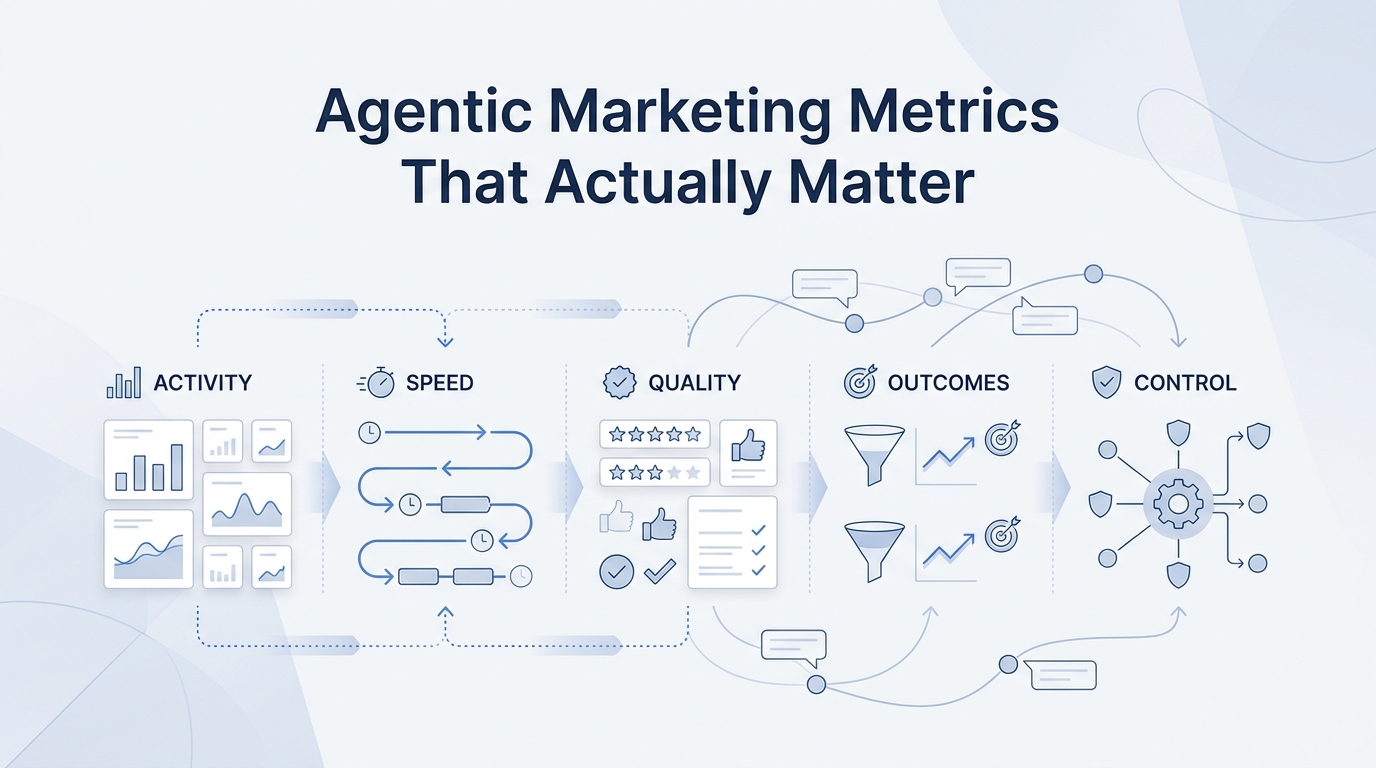
If you deploy appointment booking automation, measure the rollout with operational numbers the team already understands:
| Metric | Why it matters |
|---|---|
| First-response speed | shows whether inbound demand is being handled faster |
| Inquiry-to-booking rate | shows whether more captured demand converts |
| Missed-call follow-up rate | shows whether lost demand is being recovered |
| Confirmation completion rate | shows whether reminders are reaching customers |
| No-show rate | shows whether booking attendance improves |
| Staff time spent on scheduling admin | shows whether the workflow is reducing front-desk load |
This gives you a clean review loop. Faster replies should show up first. No-show improvement and labor leverage usually follow after the reminder and reschedule workflow tightens.
Common buyer objections
"We already have scheduling software."
That does not mean you already have appointment booking automation.
If your current scheduler only helps after the customer reaches a booking page, you may still be losing demand before that step or after it. ROI comes from fixing the whole workflow leak, not just the calendar surface.
"We cannot justify a big systems change."
Then do not make one.
The cleanest rollout is usually to keep the calendar workflow your team already trusts and add automation where revenue leakage is already visible: missed calls, delayed replies, reminders, and reschedules.
"We are not sure no-shows are a big enough problem."
That is exactly why you should measure them next to reply speed and missed-call recovery. No-shows alone may or may not justify the change. In many service businesses, the bigger return comes from demand captured earlier in the funnel, while reminder workflows add a second layer of payback.
Final takeaway
The ROI case for appointment booking automation is strongest when the business loses bookings before or after the calendar event, not only at the moment of scheduling.
Faster replies keep demand alive. Missed-call capture recovers opportunities that would otherwise disappear. Confirmations and reminders help reduce preventable no-shows. Reschedule handling and shared follow-up reduce front-desk drag.
That is why operators should evaluate appointment booking automation as a revenue-protection and workflow-efficiency tool, not just a scheduling feature.
If your team wants to measure the return from faster response, fewer no-shows, and lighter scheduling admin, Measure the booking lift with Solvea.
Your AI Receptionist, Live in Minutes.
Scale your front desk with an AI that never sleeps. Solvea handles unlimited multi-channel inquiries, books appointments into your calendar automatically, and ensures zero missed opportunities around the clock.
FAQ
What is appointment booking automation ROI?
Appointment booking automation ROI is the business return created when automation helps recover more bookings, reduce preventable no-shows, and cut repetitive scheduling work.
How do I calculate ROI from appointment booking automation?
Start with recovered bookings, avoided no-shows, and staff time saved. Multiply each by its business value, then compare the total with the cost of the workflow.
Can appointment booking automation reduce no-shows?
It can help when the workflow includes confirmations, reminders, and clean reschedule handling. Exact results depend on the business and process, so it is better to measure your own baseline than assume a fixed reduction rate.
Is appointment booking automation different from scheduling software?
Yes. Scheduling software focuses on calendar selection and booking pages. Appointment booking automation covers the wider workflow around response speed, intake, reminders, follow-up, and cross-channel handoff.