Go to market automation is easy to measure badly.
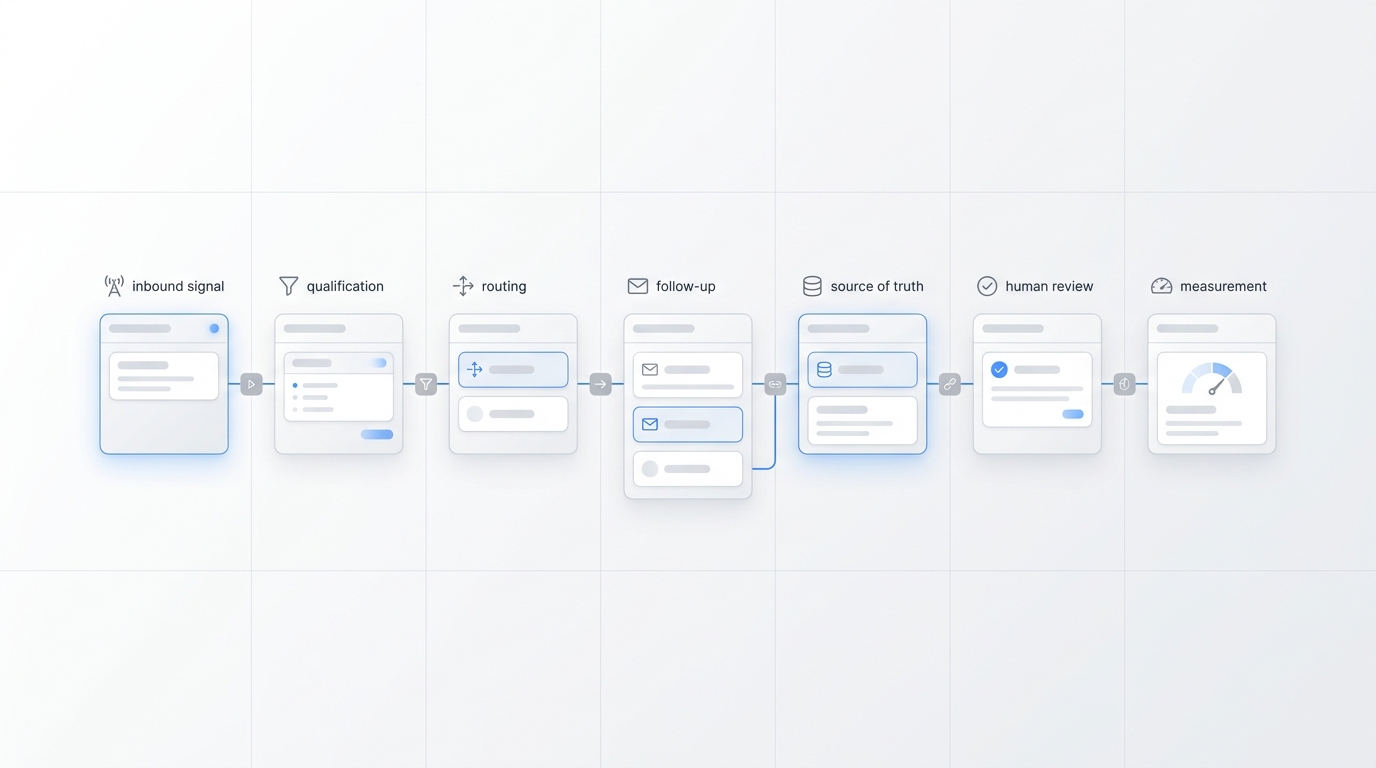
A team can automate emails, route leads, summarize calls, trigger follow-up tasks, generate campaign ideas, update CRM fields, and still miss the real question: did the right buyer move to the right next step with enough context for the team to act?
That is the difference between measuring automation activity and measuring go to market automation performance.
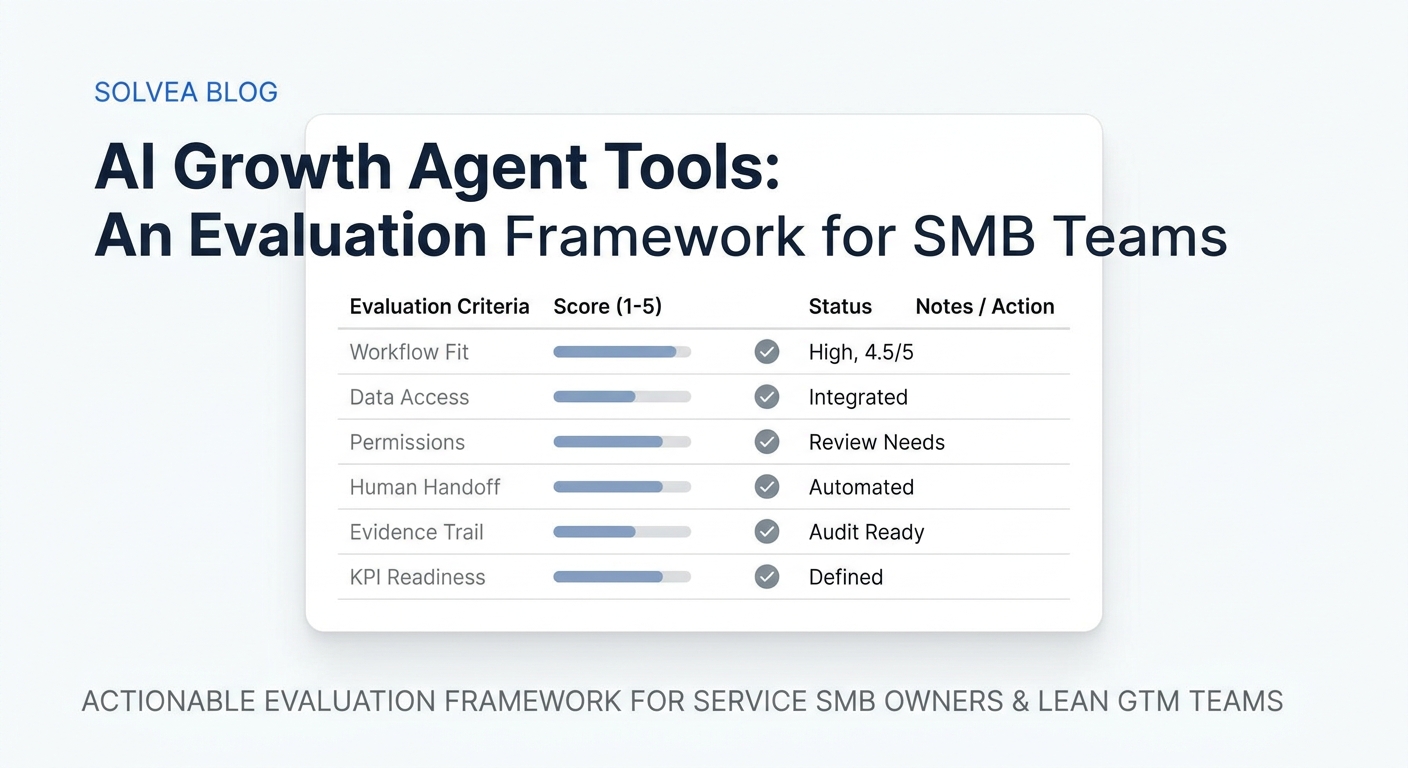
This guide is for SMB owners, lean growth teams, and operators evaluating go to market automation tools. It focuses on the metrics that show whether automation is creating qualified demand, improving response speed, preserving context, and influencing conversions without creating hidden cleanup work.
Quick answer: the go to market automation metrics to track
Track go to market automation with four metric layers: visibility, workflow quality, business outcomes, and control.
| Layer | What it proves | Metrics to track |
|---|---|---|
| Visibility | The workflow or article can be found | indexed URL status, organic clicks, impressions, CTR, average position |
| Workflow quality | Automation is handling the right work | eligible workflow volume, first-response time, data completeness, handoff acceptance, correction rate |
| Business outcomes | Automation is moving qualified demand | qualified signups, booked calls, callbacks, pipeline created, assisted conversions |
| Control | Automation is safe enough to expand | escalation rate, unresolved exceptions, duplicate actions, sensitive-topic handoffs, rollback events |
The practical rule: do not scale go to market automation because activity is up. Scale it when qualified next steps increase and control metrics stay healthy.
The mistake: treating activity as impact
Most go to market automation dashboards start with the easiest numbers.
| Easy metric | Why it is weak alone | Better question |
|---|---|---|
| Automated messages sent | More messages can create more noise | Did the buyer reply, book, sign up, or continue? |
| Leads touched | Every lead can be touched without being qualified | Which leads became qualified conversations? |
| Tasks completed | A completed task may not matter to revenue | Which workflow outcome changed? |
| Time saved | Saved time can reappear as review or cleanup | Did owner review time drop without hurting quality? |
| Tool usage | Usage proves adoption, not trust | Are users correcting less and accepting more handoffs? |
| Content published | Publishing is not the same as demand capture | Did the URL earn clicks, key events, or assisted conversions? |
These numbers can be useful diagnostics. They should not be the executive scorecard. A go to market automation guide should force one sharper question: what changed for the customer, the team, or the pipeline?
Metric 1: indexed URL status
For content-led go to market automation, visibility comes before conversion.
If an article or landing page is not indexed, it cannot earn durable organic clicks. If it earns impressions but no clicks, the title, meta description, intent match, or ranking position may be weak. If it earns clicks but no qualified signups, the content or conversion path may be wrong.
Google Search Console's Performance report shows clicks, impressions, CTR, and average position for Google Search results. Use those metrics to understand whether a URL is getting search visibility before judging its downstream conversion value.
For each article URL, track:
| Metric | Source | What it tells you |
|---|---|---|
| Indexed status | Search Console URL inspection or indexing report | Whether the page is eligible to appear in search |
| Organic clicks | Search Console Performance report | Whether searchers are choosing the result |
| Impressions | Search Console Performance report | Whether Google is testing the page for queries |
| CTR | Search Console Performance report | Whether the result earns clicks when shown |
| Average position | Search Console Performance report | Whether ranking limits click potential |
This matters for this article's measurement horizon too. Organic clicks and indexed URL count should be judged first, then qualified signups and assisted conversions from the article URL.
Metric 2: eligible workflow volume
Automation metrics become misleading when the denominator is wrong.
Eligible workflow volume is the number of events that match the rules automation is allowed to handle. It keeps the team from pretending every lead, visitor, call, or account should be automated.
Examples of eligible go to market automation events:
- missed calls from new prospects;
- after-hours appointment requests;
- website chat questions with buying intent;
- demo or quote requests from target-fit accounts;
- free trial users who reach a meaningful activation step;
- unworked leads older than a defined threshold;
- article visitors who click into pricing, product, demo, or app download paths;
- CRM records missing a specific field required for routing.
Use this table before launching the workflow:
| Field | Example |
|---|---|
| Trigger | New missed call, form fill, article CTA click, CRM stage change |
| Eligible event | New prospect, target region, serviceable use case, no open duplicate |
| Required data | contact details, need, urgency, source, owner, next step |
| Allowed action | reply, summarize, qualify, assign, book, create task, escalate |
| Stop condition | missing required context, sensitive topic, low confidence, policy issue |
Go to market automation should start with a bounded workflow. "Automate follow-up" is too broad. "Capture after-hours appointment requests, ask three qualifying questions, summarize the transcript, and route accepted leads to the right owner" is measurable.
Metric 3: trigger-to-first-useful-response time
Speed is one of the clearest benefits of go to market automation, but only when the response is useful.
Measure the time from trigger to first useful response. The trigger might be a call, SMS, chat, form, calendar request, product action, or CRM stage change. The first useful response is the moment the buyer receives a relevant answer, qualification question, booking option, next-step confirmation, or human handoff.
| Channel | Trigger | First useful response |
|---|---|---|
| Phone | missed or inbound customer call | AI answer, callback task, or owner escalation |
| SMS | new customer message | relevant reply or qualification question |
| Chat | visitor asks a product or service question | answer from approved knowledge or human handoff |
| Form | demo, quote, or trial request | confirmation, routing, or missing-field request |
| Content | article CTA click | product page, signup, demo, or tracked next action |
| CRM | lead enters a stage | assignment, enrichment, or next-step task |
Do not reward instant wrong answers. Pair speed with correction rate, escalation quality, and next-step completion.
Metric 4: qualified conversation capture rate
Go to market automation should preserve demand that would otherwise get lost.
For service businesses, this often means calls, texts, chats, and appointment requests that arrive while the team is busy. For B2B teams, it may mean demo questions, trial questions, integration questions, pricing questions, or content-driven signups.
Qualified conversation capture rate measures how many automated interactions produce enough information for a next step.
| Field | What to capture |
|---|---|
| Who | name, company, phone, email, customer status |
| Need | service request, product question, use case, urgency |
| Fit | location, segment, plan interest, account type, qualification signal |
| Source | call, SMS, chat, form, article URL, campaign, CRM stage |
| Next step | booking, callback, quote, demo, trial help, escalation |
| Owner | person, team, queue, or system responsible |
| Evidence | transcript, message, source URL, form fields, CRM record |
If the automation captures only a name and a vague summary, it should not count as qualified. Good go to market automation leaves enough context for a human or system to continue without restarting the conversation.
Metric 5: data completeness before action
Automation fails when it acts before the required data exists.
Define the required fields before launch. For an appointment workflow, those fields may include service type, location, preferred time, customer contact, business hours, and calendar rules. For a content-assisted signup workflow, the fields may include landing page, article URL, CTA click, signup status, source channel, and whether the user reached a product action.
Score each automated record:
| Completeness level | Definition | Action |
|---|---|---|
| Complete | All required fields are present | Continue the workflow |
| Usable | One non-critical field is missing | Continue with monitoring |
| Incomplete | Required context is missing | Ask, enrich, or hand off before action |
Track incomplete records by source. If chat creates complete records but forms create weak records, fix the form. If phone summaries miss urgency, fix the agent script or required questions. If article signups lack source attribution, fix analytics tagging before judging the article.
Metric 6: handoff acceptance rate
Human handoff is not a failure. It is a control point.
Handoff acceptance rate measures how often the receiving person can use the handoff without starting over.
| Handoff quality | What it looks like |
|---|---|
| Accepted | Owner understands the context and takes the next step |
| Reworked | Owner can proceed after correcting or adding information |
| Rejected | Owner cannot use the handoff and restarts the conversation |
A useful handoff includes the customer, source, timestamp, transcript or record, summary, urgency, qualification fields, proposed next step, owner, and escalation reason.
This metric finds hidden work. If the system says "lead needs follow-up" but does not explain what happened, who owns it, or why the lead matters, the handoff is weak.
Metric 7: automated next-step completion
The strongest go to market automation workflows complete a step, not just a note.
Examples:
- a missed call becomes a qualified callback task;
- an appointment request becomes a confirmed booking or proposed time;
- a pricing question becomes a routed sales conversation;
- a trial issue becomes an activation task;
- a content visitor becomes a qualified signup;
- a stale lead becomes a reviewed reactivation draft;
- a customer issue becomes a routed ticket with summary and owner.
Track:
| Metric | Formula |
|---|---|
| Next-step completion rate | automated interactions with completed next step / eligible automated interactions |
| Assisted next-step rate | automated interactions that contributed to a later conversion / eligible automated interactions |
| Dead-end rate | automated interactions with no useful next step / eligible automated interactions |
If go to market automation increases replies but dead-end rate stays high, the workflow is not finished.
Metric 8: human correction rate
Automation quality is proven by how often humans need to fix the output.
Track corrections by type:
| Correction type | Example |
|---|---|
| Wrong summary | AI misunderstood the buyer request |
| Missing field | required contact, service, account, or source data is absent |
| Bad routing | lead went to the wrong owner or queue |
| Unsafe answer | automation answered something that should be escalated |
| Tone issue | reply sounded off-brand or confusing |
| Duplicate action | workflow created duplicate tasks, replies, or records |
Review correction examples, not just percentages. A small number of serious corrections can matter more than a larger number of harmless edits.
Use this decision rule:
| Pattern | Action |
|---|---|
| repeated missing fields | change intake questions or required fields |
| repeated bad routing | fix ownership rules or CRM logic |
| repeated unsafe answers | narrow permissions and add escalation rules |
| repeated vague summaries | improve transcript-to-summary requirements |
| rare minor edits | keep monitoring |
Metric 9: qualified signups
Qualified signups are stronger than raw signups.
A raw signup means someone entered the funnel. A qualified signup means the signup meets the business definition of useful demand.
For a B2B product, that definition might include business email, relevant industry, target team size, correct region, completed onboarding step, product action, pricing visit, or demo intent. For a service business, it might include service need, location fit, contact details, urgency, and a requested next step.
Keep these metrics separate:
| Metric | Meaning |
|---|---|
| Signup volume | how many people created an account or submitted a lead |
| Qualified signup count | how many signups met the qualification definition |
| Qualified signup rate | qualified signups / total signups |
| Qualified signup source | article URL, search query, channel, campaign, or referral path |
More signups are not automatically better. If go to market automation increases total signups while qualified signup rate falls, the workflow may be attracting, qualifying, or routing the wrong demand.
Metric 10: assisted conversions from the article URL
This task's measurement plan includes assisted conversions from the article URL. That is the right metric for top-funnel content because a practical guide often influences the journey before the final conversion.
Google Analytics 4 key events can mark business-critical actions, and GA4 reports and explorations can show how users trigger those actions across channels. For SEO content, pair GA4 with Search Console so you can separate search visibility from downstream behavior.
For this article, measure:
| Measurement | Source |
|---|---|
| indexed URL status | Search Console URL inspection or indexing reports |
| organic clicks | Search Console Performance report |
| impressions and average position | Search Console Performance report |
| product-page click-through | GA4 landing page and path analysis |
| qualified signups | GA4 key event plus backend qualification |
| assisted conversions | GA4 attribution/path exploration or CRM source history |
Do not force last-click attribution to tell the whole story. A buyer may discover a go to market automation guide, return through branded search, visit pricing, and sign up later. The article still assisted if it appeared before the meaningful action.
Metric 11: control health
Automation that cannot be controlled should not scale.
Control health measures whether the workflow can be paused, reviewed, corrected, and expanded safely. NIST's AI Risk Management Framework is useful background here because it organizes AI work around governing, mapping, measuring, and managing risk. In a practical go to market automation pilot, that means permissions, evidence, review, and rollback matter as much as speed.
Track:
| Control metric | Why it matters |
|---|---|
| escalation rate | shows how often automation reaches its boundary |
| unresolved exception count | shows where workflows are breaking |
| rollback events | shows whether actions had to be undone |
| duplicate action rate | prevents repeated messages or records |
| sensitive-topic handoffs | keeps legal, pricing, medical, refund, and policy issues under review |
| customer confusion reports | catches experience problems early |
| owner review time | shows whether automation actually reduces work |
High escalation is not always bad. It may mean the agent is recognizing uncertainty. High escalation plus low handoff quality is the problem.
A 10-metric dashboard for go to market automation
Start with a dashboard that shows sequence, not noise.
| Metric | Layer | Owner | Review cadence |
|---|---|---|---|
| Indexed URL status | Visibility | SEO owner | weekly after publish |
| Organic clicks | Visibility | SEO owner | weekly |
| Eligible workflow volume | Workflow quality | growth ops | weekly |
| Trigger-to-first-useful-response time | Workflow quality | channel owner | daily or weekly |
| Qualified conversation capture rate | Workflow quality | sales or service owner | weekly |
| Data completeness | Workflow quality | ops owner | weekly |
| Handoff acceptance rate | Workflow quality | receiving team | weekly |
| Human correction rate | Workflow quality/control | workflow owner | daily or weekly |
| Qualified signups | Business outcome | growth owner | weekly |
| Assisted conversions | Business outcome | marketing ops | monthly |
Coverage and speed tell you whether automation is running. Quality tells you whether the output is usable. Outcomes tell you whether it matters. Control tells you whether it is safe to expand.
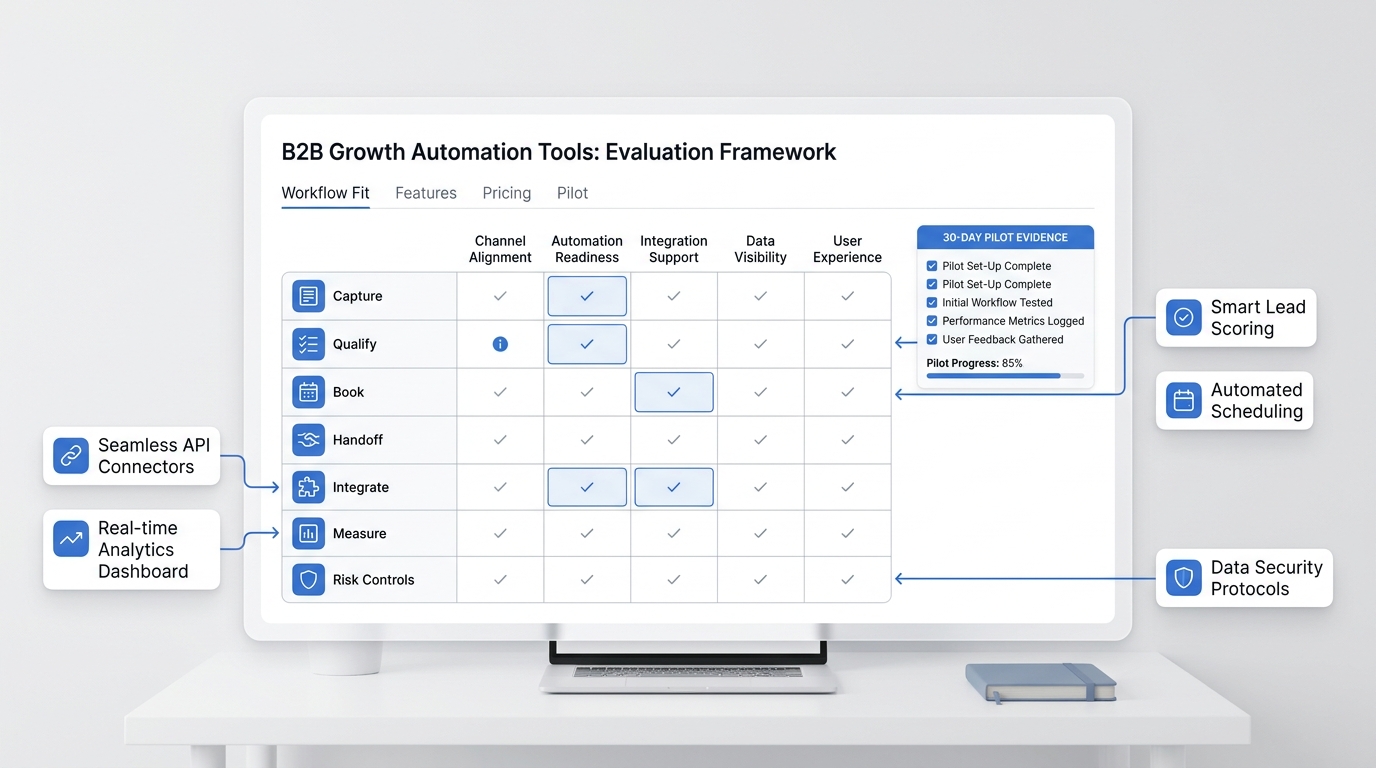
A 14-day pilot plan
Use a short pilot before expanding go to market automation across channels.
Days 1-2: choose one workflow
Pick one workflow close to revenue. Good examples include missed-call response, appointment qualification, demo request routing, trial activation follow-up, quote request enrichment, or content-to-signup measurement.
Write the trigger, eligible events, required fields, allowed actions, escalation rules, and primary KPI.
Days 3-5: configure and test
Connect only the systems required for the workflow. Load approved answers, knowledge base content, calendar rules, routing rules, and source tracking.
Test messy examples:
- missing contact details;
- duplicate customer records;
- vague buyer requests;
- after-hours urgency;
- questions the automation should not answer;
- appointment conflicts;
- low-fit leads;
- article clicks that do not become signups;
- qualified signups that return through a different channel.
Keep version one narrow. It is easier to expand a controlled workflow than repair a broad one after it touches customers.
Days 6-10: run with daily review
Review transcripts, summaries, routing decisions, completed next steps, article-source attribution, and correction types every day.
Ask:
- Did the workflow have the right context?
- Did it ask for missing data?
- Did it route correctly?
- Did it stop when it should?
- Did the next owner know what to do?
- Did the buyer move closer to a qualified next step?
- Did the article URL appear before any meaningful action?
Days 11-14: decide keep, adjust, expand, or stop
Compare the pilot against baseline behavior.
| Decision | When to choose it |
|---|---|
| Keep | quality and control are acceptable, but expansion is not ready |
| Adjust | the workflow works, but one metric needs repair |
| Expand | quality, outcome, and control metrics are all strong |
| Stop | corrections, unsafe actions, or weak outcomes make the workflow unready |
The best pilots usually produce a small number of concrete fixes. That is the point. Go to market automation improves when the workflow learns from real exceptions.
Where Solvea fits
Solvea is relevant when go to market automation starts with customer conversations.
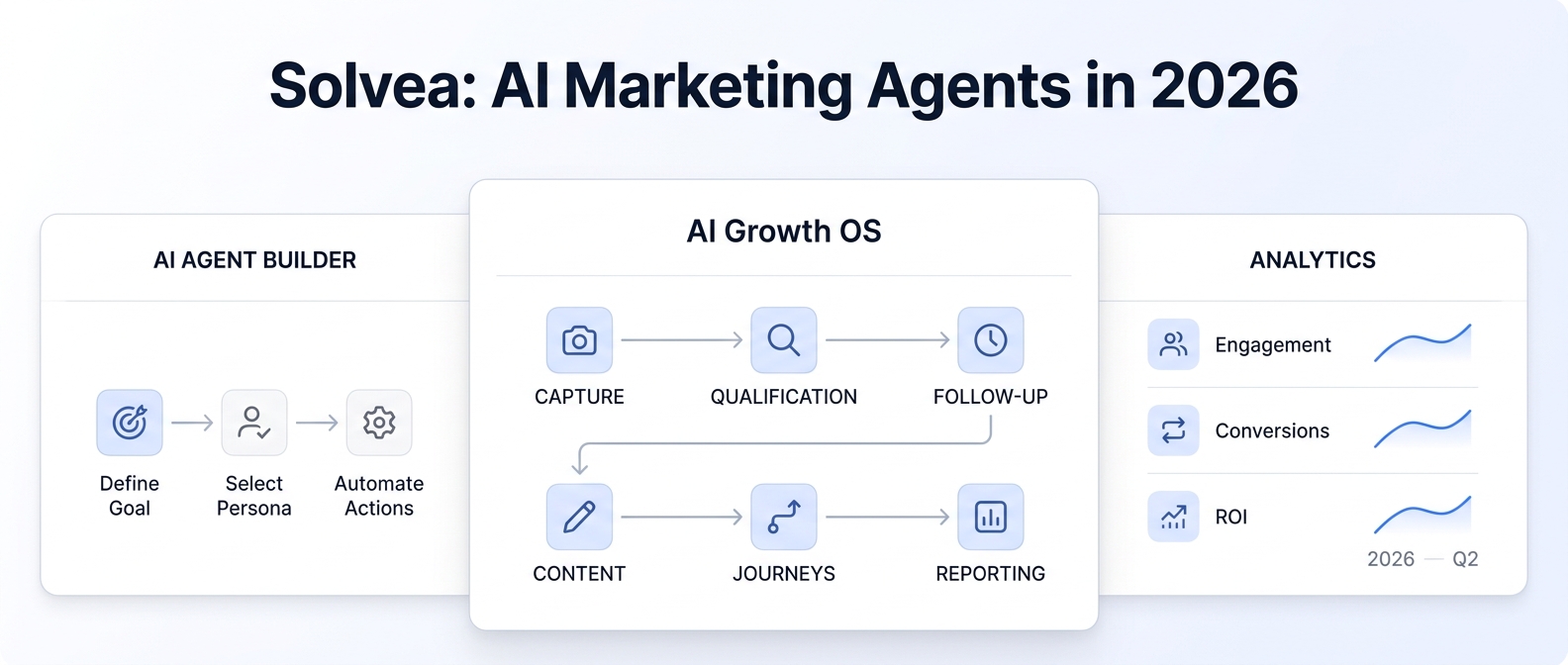
The current Solvea site describes a business phone and helpdesk with AI answering, call context, summaries, transcripts, SMS, email, live chat, and team follow-up across mobile and PC. Solvea also describes an AI Agent Builder, analytics, integrations, knowledge base, live translation, contact management, and customer history.
That makes Solvea a practical fit when the automation problem is close to the front door:
- missed calls are not becoming qualified callbacks;
- after-hours inquiries are not getting captured;
- SMS, email, chat, and calls are split across tools;
- customer history disappears when a teammate is unavailable;
- booking requests need qualification before a human steps in;
- owners need visibility into response time, drop-offs, handoffs, and outcomes.
For this use case, review Solvea's AI Agent Builder, analytics, and integrations. For adjacent internal reading, see B2B growth automation metrics, agentic marketing metrics, AI growth agents comparison, the GTM automation beginner guide, and the go-to-market automation comparison.
Solvea is not the first tool to evaluate if the main problem is enterprise ad orchestration, broad data warehousing, or custom engineering infrastructure. It is strongest when the growth leak is customer response, qualification, booking, follow-up, and handoff.
Your AI Receptionist, Live in Minutes.
Scale your front desk with an AI that never sleeps. Solvea handles unlimited multi-channel inquiries, books appointments into your calendar automatically, and ensures zero missed opportunities around the clock.
FAQ
What is go to market automation?
Go to market automation is the use of software, workflow rules, and AI agents to move prospects, customers, campaigns, or accounts from one growth step to the next. Good automation has clear triggers, required data, allowed actions, handoff rules, and measurable outcomes.
What is the most important go to market automation metric?
The most important go to market automation metric is the one tied to the workflow outcome. For acquisition workflows, that may be qualified signups, booked demos, qualified conversations, callbacks completed, or pipeline created. Activity metrics matter only when paired with quality, outcome, and control metrics.
How do you measure go to market automation from SEO content?
Use Search Console to track indexed status, organic clicks, impressions, CTR, and average position. Use GA4 or backend data to track article CTA clicks, key events, qualified signups, and assisted conversions from the article URL.
What go to market automation tools should measure qualified signups?
Any go to market automation tool that touches acquisition should measure qualified signups. Raw signup volume shows entry into the funnel. Qualified signup metrics show whether the workflow is attracting and routing demand that matches the business.
How do you know when go to market automation is ready to scale?
Go to market automation is ready to scale when the workflow has enough eligible volume, faster useful response, high handoff acceptance, low serious correction rate, visible qualified outcome lift, and clear controls for exceptions, review, and rollback.
Final recommendation
Measure go to market automation like a workflow, not like a content machine.
Start with one revenue-adjacent workflow. Define the trigger. Count only eligible events. Track indexed URL status, organic clicks, response speed, qualified capture, data completeness, handoff acceptance, next-step completion, correction rate, qualified signups, assisted conversions, and control health.
If the workflow starts with customer conversations, Solvea is worth evaluating. Use the AI Agent Builder, analytics, and integrations to test whether automation can capture the right demand, route it with context, and create a qualified next step your team can actually use.