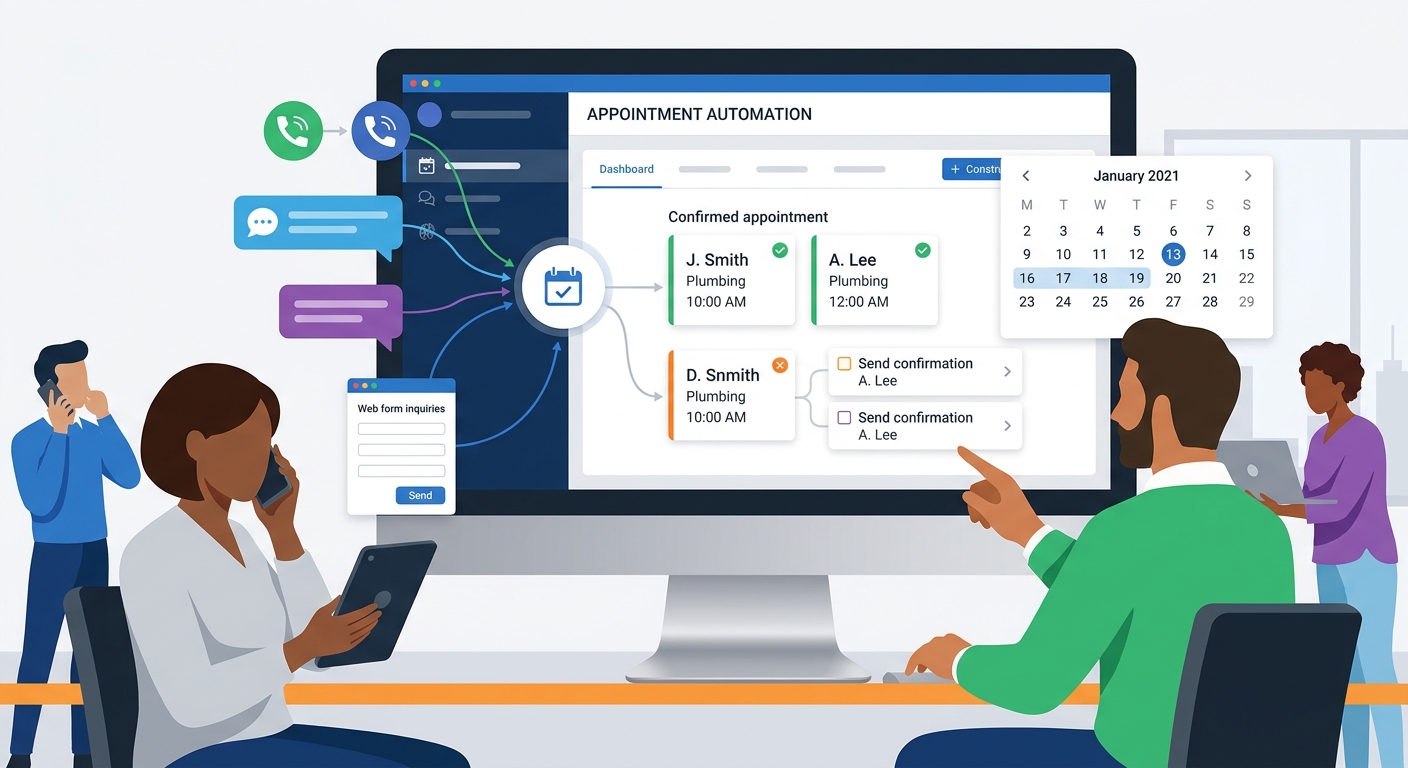
Medspa waitlist automation can fill open slots, but only if it respects the realities of the schedule. A cancellation is not automatically useful to every client. The opening may require a specific provider, device, room, treatment length, preparation window, or client eligibility.
A good waitlist workflow helps the front desk recover capacity without creating a rush of mismatched replies. Solvea can support that workflow by answering calls after waitlist offers, collecting client responses, and routing exceptions that need staff review.
The goal is a cleaner calendar, not a louder inbox. Waitlist automation should make openings easier to fill and easier to manage.
Define who belongs on each waitlist
| Waitlist type | Eligibility rule |
|---|---|
| Service-specific | Client wants the same service and meets preparation needs. |
| Provider-specific | Client is willing or required to see that provider. |
| Time-sensitive | Client can accept short notice and has flexible availability. |
| Series recovery | Client needs a missed series visit back on cadence. |
| Consultation waitlist | Client is ready for the consult and matches the appointment format. |
Do not build one universal waitlist. A client waiting for a facial, an injectable consult, a laser series visit, or a provider-specific appointment cannot all use the same opening. Eligibility should be based on service, provider, timing, preparation, and client readiness.
The front desk should be able to explain why a client received an offer. If the reason is not clear, the match rule is too loose. Loose rules create fast replies but also more cleanup work.
Match openings to the right clients
When a slot opens, the system should check appointment type, duration, room or device, provider, notice window, and any preparation requirements. A same-day laser opening may be useless to a client who needs prep time. A provider-specific consult should not be sent to clients who asked for someone else.
Match quality matters more than blast volume. Sending fewer, better offers usually creates less chaos than sending every opening to a large list. Staff should not have to manually sort ten replies for one slot.
Solvea can help when clients call back after an offer. It can identify the offered slot, collect whether the client can take it, and route questions that affect eligibility.
Use one-action waitlist messages
A waitlist message should make the next action obvious. The client needs to know what opened, when it is available, how quickly they need to respond, and whether the slot is first-confirmed or pending staff review.
Avoid long messages with multiple choices. A clear offer is easier to answer and easier for automation to process. If the client needs a different time, the workflow can collect new windows separately.
The message should not imply the slot is held forever. If the front desk is offering the opening to more than one client, say that confirmation depends on availability. This prevents frustration when the slot is already filled.
Connect phone replies to the waitlist queue
Many clients will call instead of replying by text or email. If those calls go to voicemail, the opening can expire before staff hear the response. Waitlist automation needs phone coverage as much as messaging.
Solvea can answer the call, identify that it is about a waitlist offer, confirm whether the client wants the slot, and collect any questions. If the client asks about treatment fit, preparation, pricing, or provider choice, the AI receptionist can route the question to staff.
The handoff should show the original opening, client response, deadline, and reason for any review. That keeps the waitlist from becoming another manual inbox.
Set deadlines and confirmation rules
Waitlist offers need deadlines. Without a response window, clients may reply after the slot is filled and staff have to manage disappointment. The workflow should know when an offer expires and when to move to the next client.
Confirmation rules should also be clear. Is the first client to accept confirmed automatically? Does staff need to review eligibility? Is a deposit required? Does the original appointment type need preparation? The answer should be built into the workflow before offers go out.
Solvea can communicate the next step during calls. It can confirm that the request was received, explain that staff will finalize if needed, and collect backup windows if the slot is no longer available.
Use waitlists to recover treatment-series gaps
Waitlists are especially useful for treatment series. If a client misses a visit, an earlier opening may help bring the plan back on cadence. But the match must account for treatment type, provider, and timing rules.
Create a separate series-recovery waitlist so these clients are not mixed with general consultation demand. The goal is not just to fill an empty slot; it is to protect an active plan.
When Solvea receives a call from a series client, it should capture the series context and requested timing. Staff can then decide whether the opening keeps the client on track or needs provider review.
Avoid overbooking staff with waitlist replies
A poorly designed waitlist can create a sudden burst of replies that the front desk cannot process. Limit the number of offers, stagger outreach when needed, and make the response path easy to categorize.
Track how many offers are sent per filled slot. If the team needs too many messages to fill one opening, the list may not be qualified. If many clients reply with questions, the offer language may be unclear.
Automation should reduce pressure on staff. If waitlist messages create more work than the recovered slot is worth, tighten the rules before expanding the program.
Measure waitlist recovery quality
Track openings filled, time to fill, response rate, wrong matches, staff corrections, no-shows after waitlist fills, and client complaints. These metrics show whether the waitlist is truly helping the schedule.
Review a few failed matches each week. Did the client lack prep time? Was the provider wrong? Was the message unclear? Did staff confirm too late? Each failure can improve the match rule.
A high-quality waitlist should feel calm. The right clients get relevant offers, staff see clean responses, and open slots are recovered without frantic coordination.
Keep human review for sensitive cases
Some waitlist opportunities should not be automated fully. VIP clients, medical questions, high-value services, provider-specific requests, and uncertain eligibility should route to staff before confirmation.
The workflow should still be fast. Solvea can capture the client interest, collect availability, and send the handoff with the reason review is needed. Staff can then confirm with confidence instead of starting from scratch.
This balance keeps waitlist automation useful without making it reckless. The system handles repeatable matching, and the team owns judgment.
Keep waitlist offers fair and predictable
Clients should understand how waitlist offers work. If offers are first-come, first-confirmed, say so. If staff review is required, say that too. Ambiguity can create frustration when a client replies quickly but does not receive the slot.
The rules should also protect staff from favoritism concerns. A clear match order based on service, provider, timing, and readiness is easier to defend than manually choosing who gets every opening. The front desk can still make exceptions, but the default process should be consistent.
Solvea can reinforce that consistency by using approved language when clients call about an offer. It can explain whether the slot is still pending, collect acceptance, or route the request when staff need to decide.
Use waitlist data to improve the service menu
Waitlist patterns can reveal demand that the standard calendar does not show. If many clients are waiting for the same provider, service, or time window, the medspa may need more dedicated capacity or a different booking rule.
If many waitlist offers fail because clients are not prepared, the issue may be service education. If offers fail because clients cannot respond fast enough, the notice window may be unrealistic. If staff correct many matches, the eligibility rules need work.
Reviewing waitlist data turns automation into planning insight. The team can adjust service blocks, provider schedules, reminder language, and Solvea intake questions based on what clients actually accept or decline.
Build different waitlists for different urgency levels
Some clients want the first available opening, while others only want a better version of an existing appointment. Treating both groups the same creates poor matches. Urgency should be part of the waitlist record, along with service and provider fit.
Create simple urgency groups: same-day flexible, this-week preferred, provider-specific, series recovery, and general future opening. Each group should receive different offers and deadlines. This keeps high-intent clients from being buried under casual interest.
Solvea can collect urgency during calls by asking whether the client can take short notice, which days work, and whether the opening must be with a specific provider. The answers make waitlist matching more precise.
Prevent waitlist messages from becoming spam
Waitlist automation can damage trust if clients receive too many irrelevant offers. Limit outreach to openings that match the client profile, and stop or slow messages when clients decline repeatedly. Relevance is more important than volume.
The front desk should also know when a client has been offered multiple openings without accepting. That may mean the client is no longer interested, needs a different service, or should be moved to a lower-priority list.
A disciplined waitlist feels helpful. Clients hear about openings they can actually use, and staff avoid the noise of broad messages that create more confusion than booked appointments. The team should also review declined offers weekly, because repeated declines often reveal that the client belongs in a different segment or no longer wants the original service. Updating the list keeps future offers relevant. If the same clients decline repeatedly, the medspa can pause them, ask for updated preferences, or move them to a general nurture path instead of continuing to send urgent slot offers. That keeps the waitlist respectful and preserves client trust while the team still recovers valuable appointment capacity. The best waitlist workflow feels selective, timely, and useful rather than noisy or random to the client, especially when multiple providers and service categories share the same appointment booking and scheduling calendar workflow process.
Your AI Receptionist, Live in Minutes.
Scale your front desk with an AI that never sleeps. Solvea handles unlimited multi-channel inquiries, books appointments into your calendar automatically, and ensures zero missed opportunities around the clock.
Frequently asked questions
What is medspa waitlist automation?
It is a workflow that matches open appointment slots to qualified clients and helps the front desk fill cancellations faster.
Should waitlist offers go to everyone?
No. Offers should go only to clients who match the service, provider, timing, preparation, and eligibility rules for the opening.
How does Solvea help with waitlists?
Solvea can answer calls after waitlist offers, collect acceptance or new timing, and escalate questions that need staff review.
What should a waitlist message include?
Include the service or appointment type, available time, response deadline, and one clear action to accept or ask for help.
How do you avoid waitlist chaos?
Use strict match rules, send limited offers, confirm quickly, and track staff corrections so the rules improve over time.