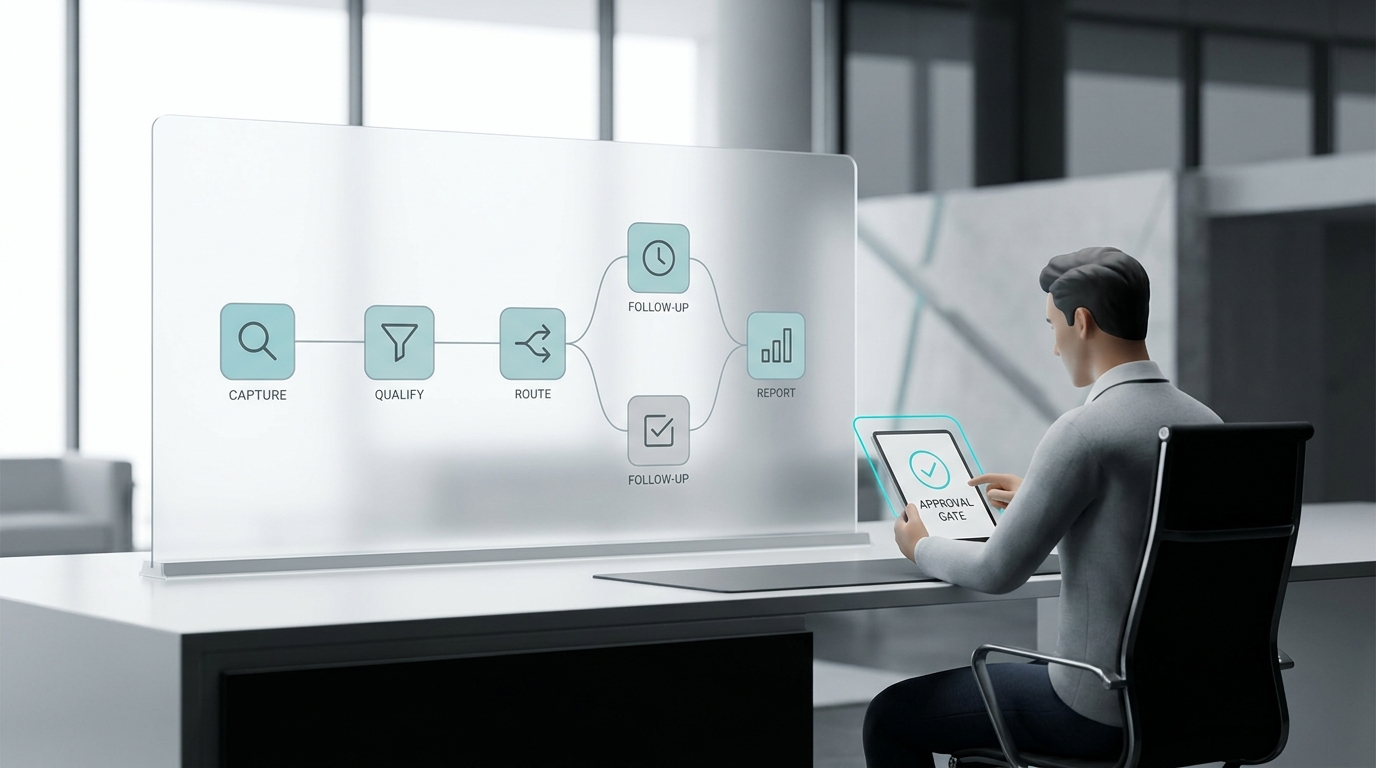
An AI inbox triage workflow should do more than summarize conversations. It should help a manager open the queue, see what happened, verify what the AI handled, decide what needs a person, and assign the next follow-up without making the customer repeat the story.
That is the difference between an inbox that stores messages and an inbox that runs customer follow-up. A summary is useful, but it is only one layer. Staff still need the transcript or message history, customer context, ticket status, handoff reason, owner, response channel, and final outcome.
This guide shows a practical AI inbox triage workflow for service businesses: how to move from AI summary to transcript review, next-action decision, staff ownership, and follow-up.
Quick Answer: What Is an AI Inbox Triage Workflow?
An AI inbox triage workflow is the operating process for reviewing AI-handled customer tickets, checking the AI summary against the conversation record, deciding whether the ticket is resolved or needs staff follow-up, assigning an owner, and replying on the right channel.
In Solvea, the current Inbox overview describes tickets as structured records that include conversation history, handling process, and final outcome. The inbox also helps staff review AI-handled interactions and continue work on tickets that require human follow-up. The Agent overview explains that a Solvea agent can understand customer intent, retrieve knowledge, use connected tools and channels, execute workflows, and escalate to a human when needed.
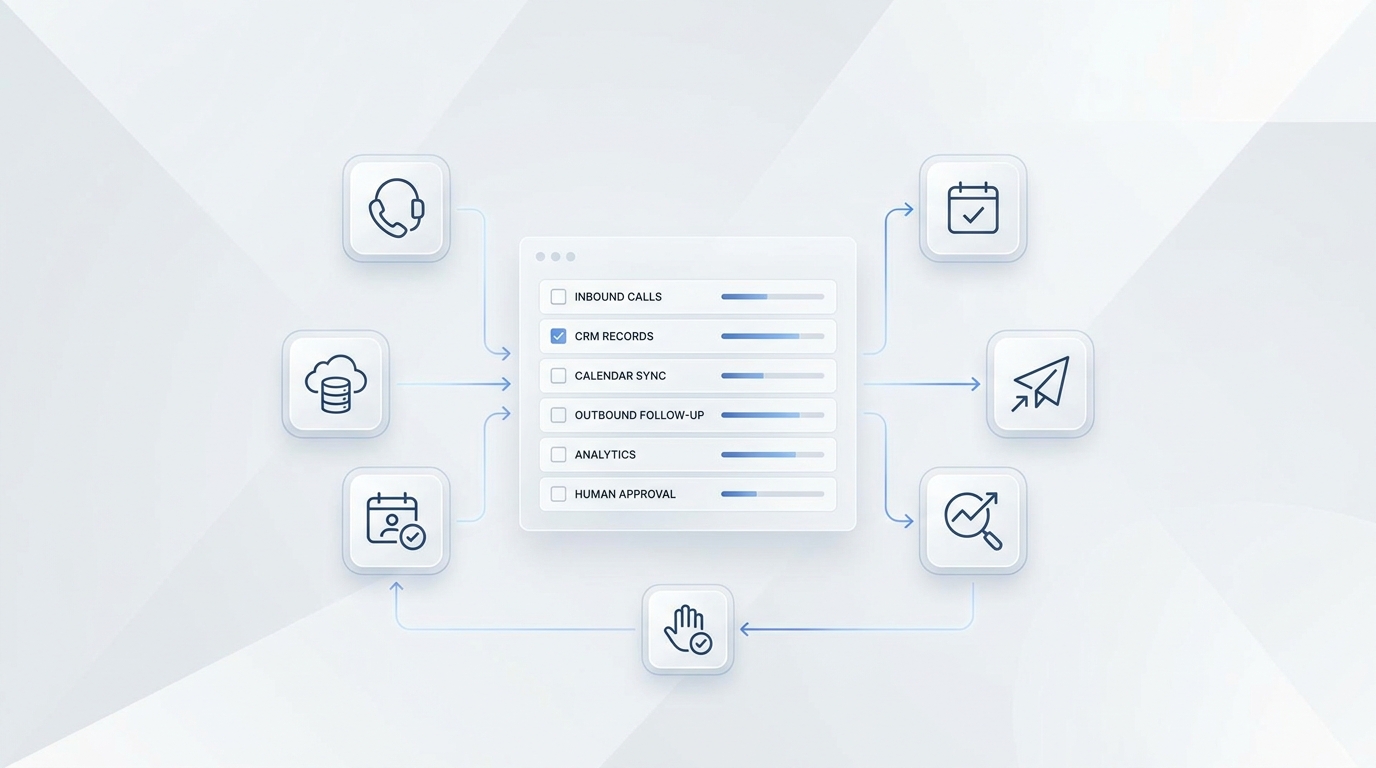
Put those together and the AI inbox triage workflow looks like this:
| Step | Manager action | Staff output |
|---|---|---|
| 1. Open the queue | Filter tickets by status, channel, read status, date, or customer | A focused set of tickets to review |
| 2. Read the AI summary | Check sentiment, final solution, and concise conversation overview | A quick understanding of what happened |
| 3. Verify the record | Review transcript, message history, recording, and customer profile where available | Confidence that the summary matches the conversation |
| 4. Classify the next action | Decide resolved, reply, transfer, retry, update knowledge, or escalate | A clear triage outcome |
| 5. Assign ownership | Set the human owner or queue based on issue type and channel | Accountability for follow-up |
| 6. Reply or continue | Use SMS, email, live chat, or another available channel | Customer receives the next response |
| 7. Close the loop | Add notes, mark status, and record the final outcome | A reviewable ticket history |
The goal is not to inspect every message manually. The goal is to make every AI-handled ticket reviewable enough that a person can act quickly when a person is needed.
Why AI Summaries Are Not Enough
AI summaries reduce reading time, but they should not become the only evidence a manager sees. A good AI inbox triage workflow treats the summary as the first screen, not the final decision.
Here is why:
| Summary-only review risk | What to verify before staff follow-up |
|---|---|
| The summary may omit a small but important detail | Transcript, message history, or recording |
| The customer may have changed the request mid-conversation | Chronological message order |
| The AI may have answered a routine part but missed an exception | Final customer reply and handoff reason |
| The customer may sound satisfied in summary but still need action | Sentiment, next step, and final outcome |
| The right follow-up channel may differ from the original channel | Customer profile and available contact details |
Solvea's Read Tickets documentation supports this review pattern. Phone ticket details can include call recording, an AI-generated call summary, and a speech-to-text transcript with timestamps and speaker labels. Livechat and email tickets show full message history in chronological order. Each ticket also includes basic customer information and actions such as internal notes and related tickets.
That is the practical rule: use the AI summary to get oriented, then use the transcript or history to confirm the decision.
The AI Inbox Triage Workflow In One View
Use this workflow as the daily operating model.
1. Start With Ticket Status
The first filter is status. In Solvea's ticket views, current status options include:
| Status | What it means for triage |
|---|---|
| Processing | The AI agent is still handling the request. Do not interrupt unless your policy says the ticket is urgent. |
| Agent Transfer | The ticket needs human support. Review these first. |
| Undelivered | A message failed to deliver and may require retry or channel checks. |
| Unread | A fast way to find tickets staff have not reviewed yet. |
This is where the AI inbox triage workflow becomes manageable. Instead of opening every conversation, a manager can start with transferred, undelivered, unread, or time-sensitive tickets.
2. Narrow By Channel
Channel changes the review behavior. A phone ticket may include recording and transcript context. An email ticket may include a longer written thread. Live chat may require fast continuation before the session closes.
Solvea's inbox docs describe tickets by channel, including inbound call, outbound call, livechat, and email. The broader Solvea site also describes a shared customer inbox across mobile and PC with calls, texts, emails, WhatsApp, AI summaries, owners, and next steps.
Use channel as an operating filter:
| Channel | What to check first | Common next action |
|---|---|---|
| Phone | Summary, recording, transcript, callback number, urgency | Call back, assign owner, or mark resolved |
| Subject, sender, thread history, attachments or policy context | Reply from support inbox or route internally | |
| Live chat | Latest message, session state, customer details | Continue chat if open or create follow-up |
| Messaging/SMS | Customer identity, request, delivery state | Send concise follow-up or move to phone/email |
Do not let channel become a separate queue with separate rules. The AI inbox triage workflow should normalize every channel into the same question: what happened, what is the next action, and who owns it?
3. Read The AI Summary
The AI summary should answer three manager questions:
- What did the customer want?
- What did the AI already do or say?
- What still needs a person?
Solvea's Handle Tickets documentation says AI Summary can automatically summarize long conversations into customer sentiment, the final solution provided, and a concise conversation overview. That is exactly the summary layer a manager needs before opening the full transcript.
Do not stop there. If the summary says the issue is resolved, check the last customer message. If the summary says the customer needs a callback, check whether the phone number is present. If the summary says the AI provided a solution, check whether the solution came from approved knowledge.
4. Verify The Conversation Record
This is the quality-control step. It keeps staff from following up with the wrong promise or incomplete context.
Use this verification checklist:
| Check | Pass condition |
|---|---|
| Customer identity | Name, phone number, email, or related customer profile is present when needed |
| Request type | The ticket clearly shows booking, quote, service issue, order question, billing, policy, or complaint |
| AI answer | Staff can see what answer the AI gave or what workflow it attempted |
| Transcript/history | The transcript or message history supports the summary |
| Missing information | Any missing field is visible before assignment |
| Handoff reason | Staff know why a person is needed |
| Last customer state | The final customer message does not contradict the summary |
This step is especially important for phone calls. A transcript with timestamps and speaker labels gives the human owner a way to audit the call without replaying the whole recording every time. For livechat and email, chronological history helps the owner see whether the customer already clarified the issue.
5. Choose The Next Action
Every ticket should leave triage with one next-action label. Avoid vague labels like "pending" if nobody knows what is pending.
Use a practical action model:
| Next action | Use when | Example staff instruction |
|---|---|---|
| Resolved by AI | The AI answered correctly and no follow-up is needed | Mark final outcome and close or archive according to your process |
| Staff reply needed | The customer asked for help that requires a person | Reply by email, SMS, live chat, or callback |
| Transfer to agent | The AI is still processing but should hand off | Use the ticket action to move it to human support |
| Retry delivery | The response did not reach the customer | Check channel settings, retry, or switch channel |
| Knowledge update | The AI lacked an approved answer | Add or revise the source in the knowledge base |
| Manager review | The issue involves exception, complaint, refund, safety, or policy judgment | Assign to manager with transcript and summary |
This action label is the heart of the AI inbox triage workflow. It tells staff what to do, not just what happened.
6. Assign The Owner
Owner assignment should be specific. "Someone follow up" is not ownership.
Create owner rules by request type:
| Request type | Primary owner | Backup owner | Notes |
|---|---|---|---|
| Booking or reschedule | Front desk or booking coordinator | Manager | Include service, preferred time, contact, and any conflict |
| Quote or lead | Sales or estimator | Owner/operator | Include scope, location, urgency, and callback route |
| Service support | Support lead or dispatcher | Manager | Include issue summary and prior troubleshooting |
| Billing or refund | Billing owner | Manager | Do not promise outcome unless approved |
| Complaint | Manager | Owner/operator | Include sentiment, request, transcript, and desired resolution |
| Knowledge gap | Operations or AI admin | Manager | Include question, failed answer, and source needed |
Solvea's customer conversation pages describe owners, statuses, next steps, and a shared inbox for follow-up. Use those fields as the operating surface for the staff queue. The article does not need to claim a particular routing configuration; the workflow should simply make ownership explicit before the ticket leaves triage.
7. Reply On The Right Channel
The channel should match the customer's available contact information and the work needed.
Solvea's Handle Tickets documentation says staff can reply by SMS when the customer's phone number is available, email when the customer email is available, and livechat when the livechat session is still open. Email replies can use the support inbox, CC/BCC, subject, and body. Livechat can continue directly in the chat window when the session is still open.
Use this rule of thumb:
| Follow-up need | Preferred channel |
|---|---|
| Quick acknowledgement | SMS or live chat when available |
| Longer explanation or record | |
| High-context issue | Phone callback plus ticket note |
| Open live chat session | Continue chat directly |
| Failed delivery | Use a verified alternate channel |
The AI inbox triage workflow should not force every ticket into one channel. It should preserve the customer's context and choose the channel that fits the next action.
What Staff Should See Before They Follow Up
A useful handoff packet lets a human continue without rereading everything.
Use this packet format:
| Field | What to include |
|---|---|
| Customer | Name, phone, email, and related tickets when available |
| Channel | Where the request started and where the reply should happen |
| Summary | The AI-generated overview, checked against the transcript or history |
| Sentiment | Calm, confused, urgent, upset, or needs manager review |
| Request | One sentence that describes the customer's goal |
| AI action | What the AI answered, collected, booked, routed, or could not complete |
| Missing fields | Anything staff still need before replying |
| Handoff reason | Why human follow-up is needed |
| Owner | Primary person or queue plus backup when useful |
| Next step | The exact reply, callback, review, retry, or knowledge update |
If a staff member cannot act from the packet, the triage step is not done.
Example: From After-Hours Call To Staff Follow-Up
Here is a service-business scenario.
- A customer calls after hours asking whether a same-day appointment is possible.
- The AI agent asks for name, phone number, service type, preferred time, and location.
- The AI checks approved knowledge and any connected workflow it is allowed to use.
- The request needs human approval because the customer asks for an exception.
- The inbox ticket shows the AI summary, recording, transcript, customer profile, and handoff reason.
- The manager filters for Agent Transfer tickets the next morning.
- The manager checks the transcript, confirms the request, assigns the booking coordinator, and adds the next action.
- Staff reply by phone or SMS using the contact details in the ticket.
- The final outcome is recorded so the next person can see what happened.
That is a complete AI inbox triage workflow: summary, verification, decision, owner, response, and outcome.
Connect Inbox Triage Back To The Knowledge Base
Triage is not only a queue process. It is also a feedback loop for improving the AI.
Solvea's Knowledge overview describes the Knowledge Base as the agent's brain. It supports knowledge from document uploads, web page imports, and automatic synchronization. If staff keep seeing the same handoff reason, that is often a knowledge-base signal.
Create a weekly review:
| Repeated triage finding | Knowledge-base action |
|---|---|
| AI could not answer a service question | Add or update the service FAQ |
| AI routed policy questions to staff too often | Clarify approved policy language |
| AI collected the wrong fields | Add an intake checklist or prompt rule |
| Staff corrected the same summary issue | Add a review note and test scenario |
| Customers asked about pricing details | Link to approved pricing guidance instead of improvising |
| Complaints escalated without context | Add complaint-handling and manager-routing rules |
For a deeper upload plan, link the inbox workflow to the broader AI knowledge base guide. The practical operating cycle is: review tickets, identify missing knowledge, update the source, test the AI answer, and monitor the next week of handoffs.
Daily Manager Checklist
Use this checklist to review the queue without getting stuck in every conversation.
- Filter for Agent Transfer, Undelivered, and unread tickets.
- Sort by creation date, channel, or urgency policy.
- Open the AI summary and identify the customer goal.
- Check the transcript, recording, or message history for important details.
- Confirm the final customer message and any missing information.
- Choose one next action: resolved, reply, transfer, retry, knowledge update, or manager review.
- Assign the owner and backup where needed.
- Reply on the right channel or leave an internal note for the owner.
- Record the final outcome when the issue is done.
- Add repeated knowledge gaps to the knowledge-base update list.
This is intentionally simple. A repeatable AI inbox triage workflow should be easy enough for a manager to run every morning and consistent enough for staff to trust.
QA Tests Before Customers Depend On The Workflow
Run these tests before relying on the inbox process for real customer follow-up:
| Test | Expected result |
|---|---|
| AI resolves a routine FAQ | Ticket shows summary, source-backed answer, and final outcome |
| Customer asks for a person | Ticket moves to human support with contact details and reason |
| Phone caller leaves partial details | Staff can see missing fields before callback |
| Email thread continues after a call | Staff can see the related customer context where available |
| Live chat session remains open | Staff can continue in chat when possible |
| Message delivery fails | Ticket appears as delivery issue or retry-needed work |
| Customer asks outside the knowledge base | AI does not guess; ticket captures the knowledge gap |
| Manager reopens the ticket next day | Summary, transcript/history, owner, status, and next action are still clear |
The workflow is ready when a staff member can pick up a transferred ticket and respond without asking the customer to start over.
What To Measure
Measure the inbox, not just the AI answer.
Useful metrics include:
| Metric | Why it matters |
|---|---|
| Transferred tickets by reason | Shows where AI needs better knowledge or clearer stopping rules |
| Undelivered tickets | Reveals channel or contact-data issues |
| Time to first human follow-up | Shows whether staff ownership is working |
| Tickets reopened after AI resolution | Flags weak answers or unclear outcomes |
| Repeated knowledge gaps | Prioritizes the next knowledge-base updates |
| Channel mix | Shows where customers prefer to follow up |
| Owner workload | Prevents one person from becoming the hidden bottleneck |
Avoid turning measurement into a vanity dashboard. The point is to find the next operational fix: clearer knowledge, better owner rules, safer escalation, or faster follow-up.
Your AI Receptionist, Live in Minutes.
Scale your front desk with an AI that never sleeps. Solvea handles unlimited multi-channel inquiries, books appointments into your calendar automatically, and ensures zero missed opportunities around the clock.
FAQ
What is the first step in an AI inbox triage workflow?
Start by filtering tickets by status and channel. Transferred, undelivered, unread, and time-sensitive tickets should usually be reviewed before routine resolved tickets.
Should staff trust AI summaries?
Staff should use AI summaries as a starting point, then verify important details against the transcript, message history, recording, customer profile, or final customer message.
When should an AI-handled ticket go to a human?
Route a ticket to a human when the customer asks for a person, the AI lacks approved knowledge, the message fails to deliver, the issue involves an exception or complaint, or the next step requires staff judgment.
What should be included in the handoff packet?
Include customer identity, channel, summary, sentiment, request, AI action, missing fields, handoff reason, owner, and exact next step.
How does a knowledge base improve inbox triage?
A stronger knowledge base gives the AI better approved answers and reduces avoidable handoffs. Repeated ticket review gaps should become knowledge-base updates, test scenarios, or clearer escalation rules.
Build The Workflow Before The Queue Gets Busy
An AI inbox triage workflow turns AI-handled conversations into accountable staff work. The summary tells you what happened. The transcript or message history confirms it. The owner field creates accountability. The follow-up channel closes the loop.
If your team is reviewing AI-handled conversations in Solvea, start with the Inbox overview, connect it to the Knowledge Base overview, and keep pricing as the conversion path for teams ready to review tickets in Solvea Inbox.