> ## Documentation Index
> Fetch the complete documentation index at: https://solvea.cx/docs/llms.txt
> Use this file to discover all available pages before exploring further.
# Handle Tickets
> Learn how to respond, manage, and resolve tickets efficiently with multi-channel replies and AI-assisted tools.
## Ticket Actions
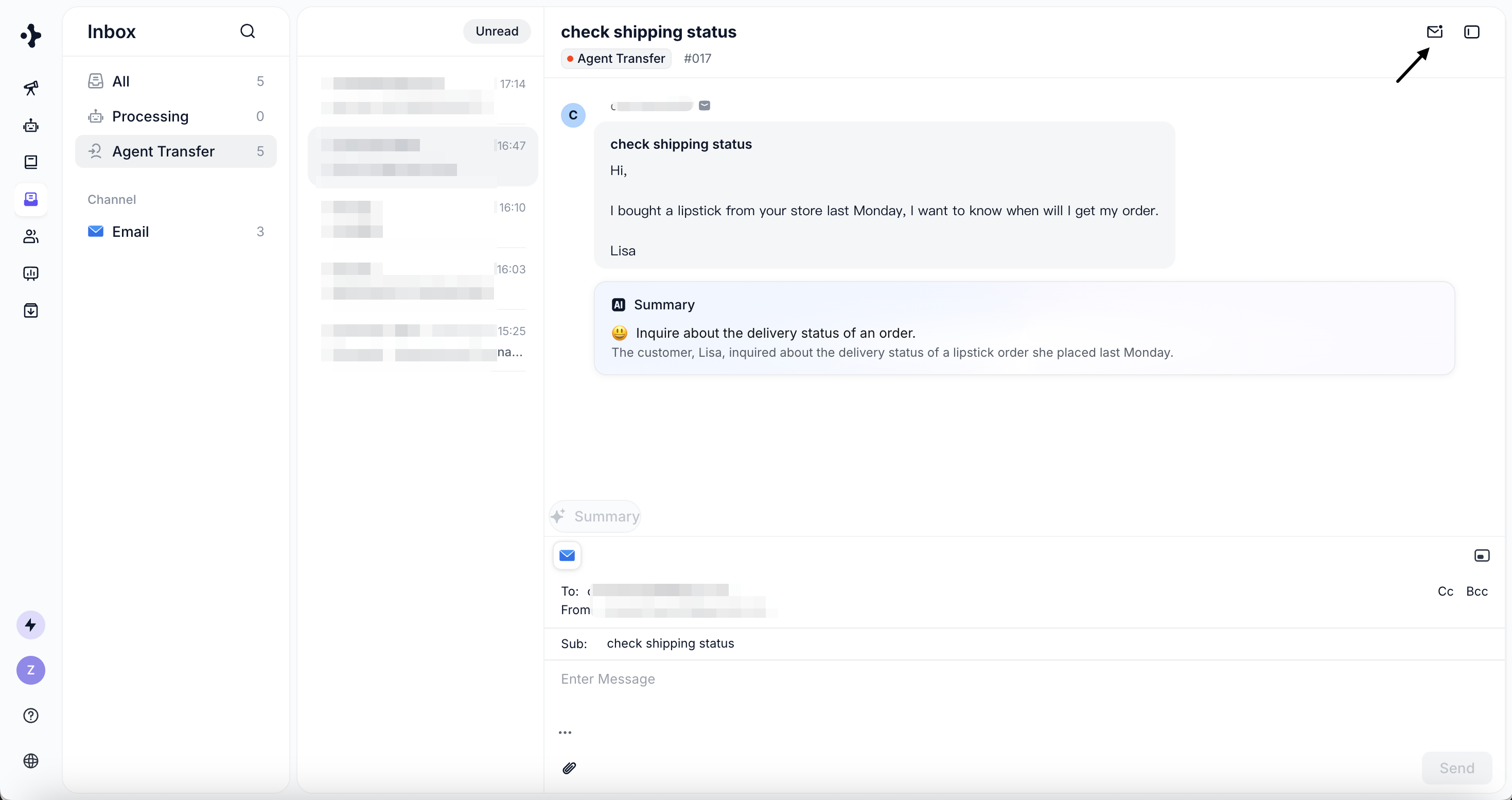
* **Mark as Unread**\
Re-flag a ticket for later handling and return it to the Unread list.
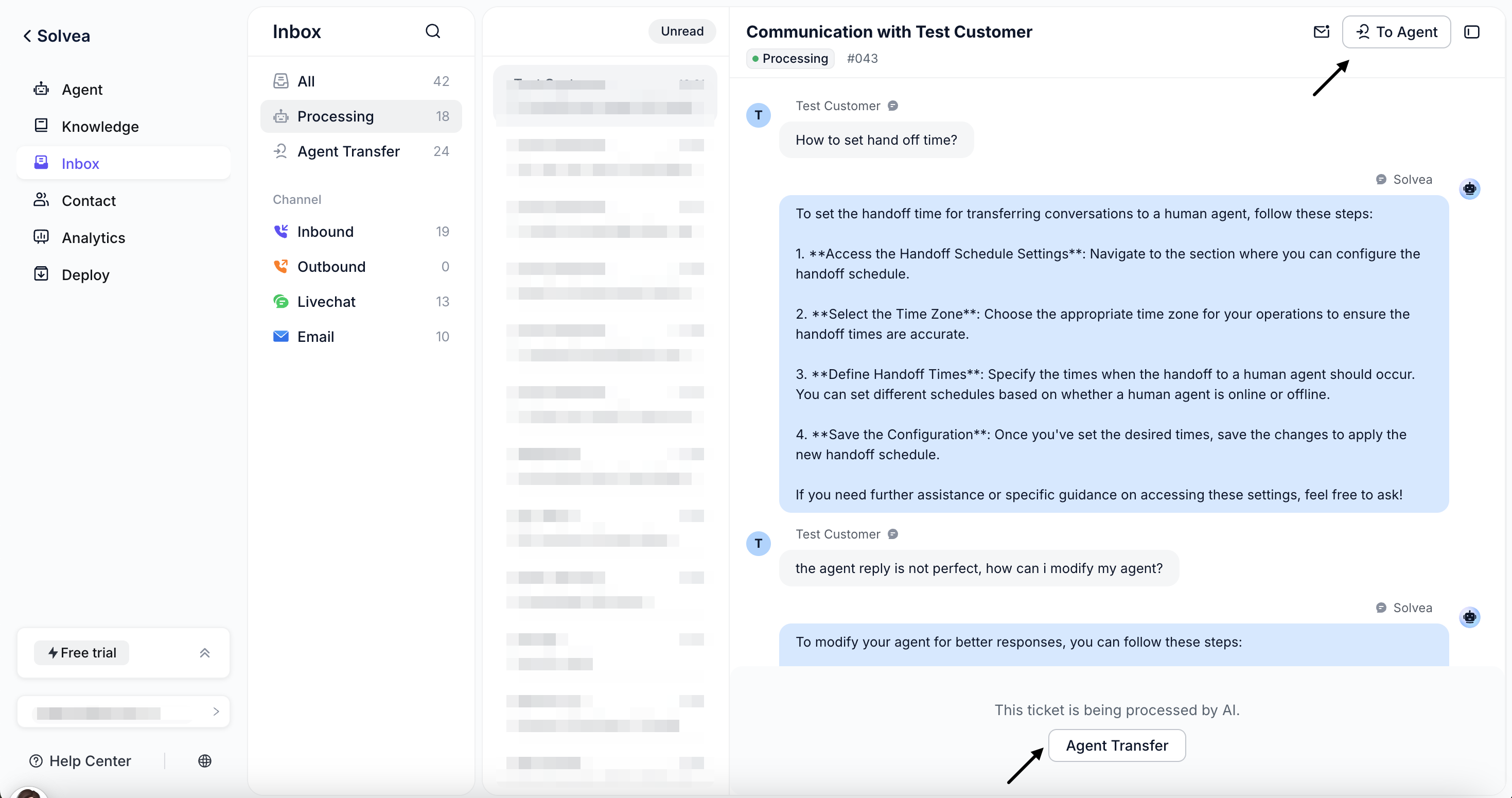
 * **Transfer to Agent**
For the AI Processing tickets, you can click **"To Agent"** button, to transfer the ticket to Human Agent.
* **Transfer to Agent**
For the AI Processing tickets, you can click **"To Agent"** button, to transfer the ticket to Human Agent.
 ## Ticket Reply
You can reply using any available channel based on the customer’s contact information:
If customer's phone number is available
* From: the phone number that received the call
* To: customer’s phone number
* Enter the SMS content to send.
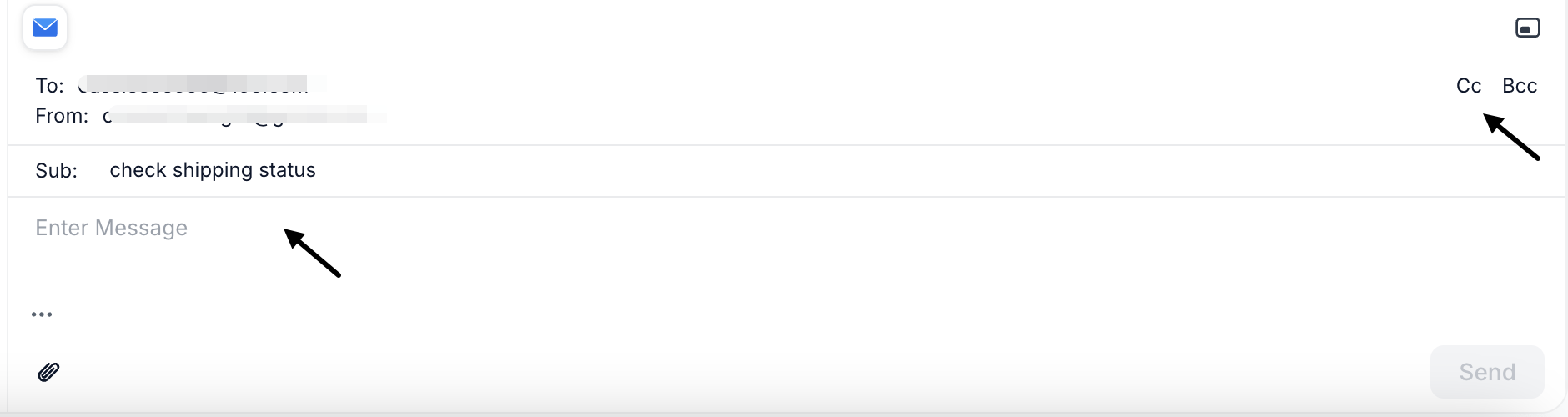
If customer's email address is available
* From: the support inbox that received the message
* To: customer’s email
* Set CC and BCC
* Customize subject and email body
## Ticket Reply
You can reply using any available channel based on the customer’s contact information:
If customer's phone number is available
* From: the phone number that received the call
* To: customer’s phone number
* Enter the SMS content to send.
If customer's email address is available
* From: the support inbox that received the message
* To: customer’s email
* Set CC and BCC
* Customize subject and email body
 If the Livechat session is still open.
* Continue the conversation directly in the chat window
* Enter the chat content to send.
## AI Assistance
### AI Summary
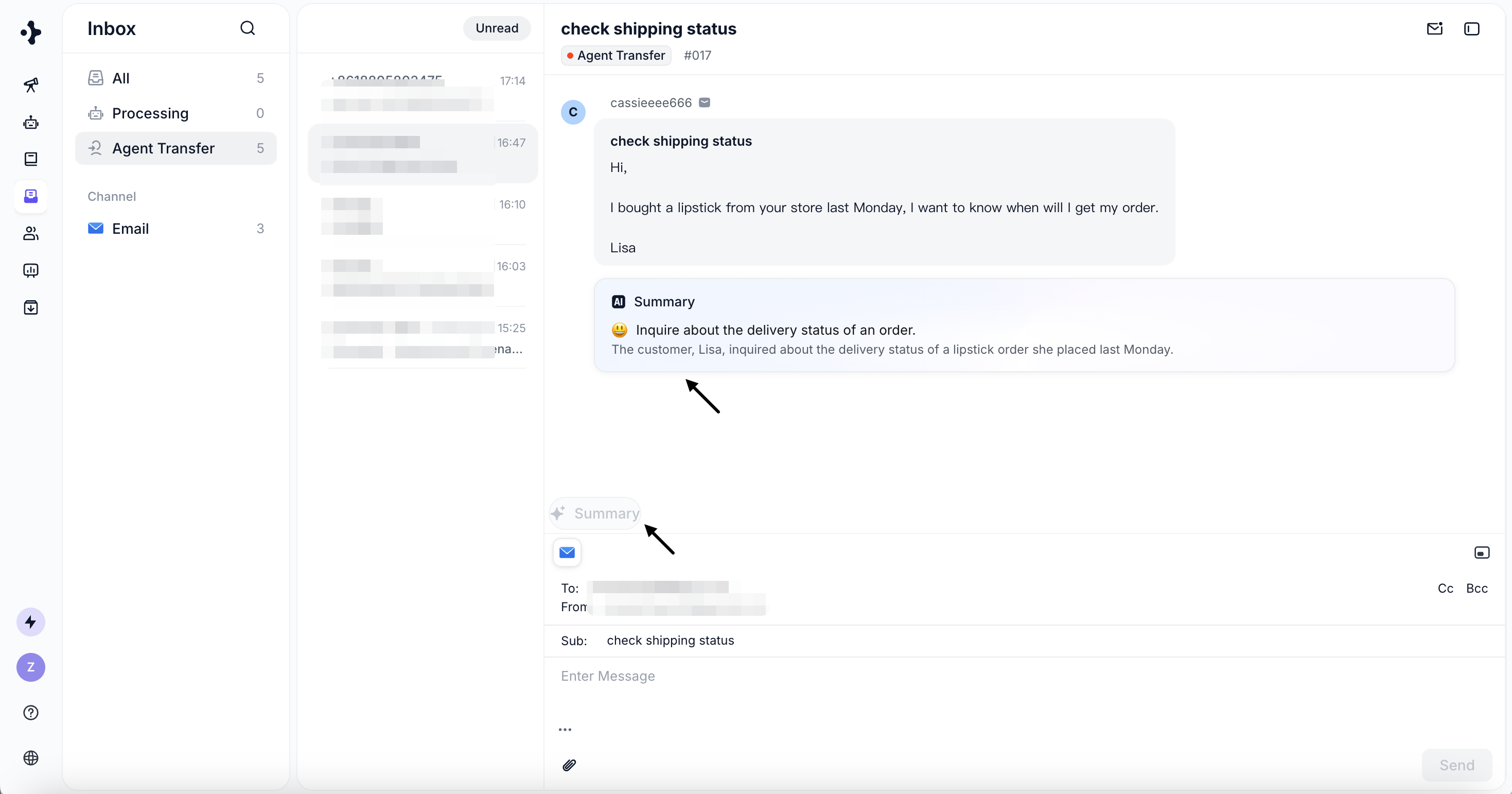
Automatically summarize long conversations into:
* Customer sentiment
* The final solution provided
* A concise conversation overview
If the Livechat session is still open.
* Continue the conversation directly in the chat window
* Enter the chat content to send.
## AI Assistance
### AI Summary
Automatically summarize long conversations into:
* Customer sentiment
* The final solution provided
* A concise conversation overview