An AI receptionist for restaurants is useful only if it understands the pressure of service. The phone rings while the host is seating a four-top, the kitchen is asking about an allergy note, a delivery driver is waiting, and a guest wants to know whether you still have patio tables tonight. If that call goes to voicemail, the guest may not call back.
The right setup answers routine calls, captures reservation details, handles approved menu FAQs, routes takeout and delivery questions, sends confirmations when configured, and hands complex requests to a person before the experience feels cold. This guide shows how to evaluate an AI receptionist for restaurants, what to load into the knowledge base, and how to test the workflow before forwarding real rush-hour calls.
If you want a restaurant-specific starting point, Solvea's restaurant AI receptionist page describes workflows for reservations, menu FAQs, takeout and delivery support, SMS confirmations and reminders, Google Calendar and Sheets sync, no-code setup, and human handoff.
Quick Answer: What Should an AI Receptionist for Restaurants Handle?
An AI receptionist for restaurants should cover the repeatable front-desk work that interrupts service, while leaving judgment calls to your team.
| Call moment | AI receptionist should do | Human should own |
|---|---|---|
| Reservation request | Capture guest name, phone, party size, date, time, seating preference, occasion, and notes | Exceptions, VIPs, private dining, and capacity overrides |
| Menu FAQ | Answer from approved menu, hours, policy, allergen, and dietary notes | Unclear allergen risk, complaints, comp requests, or kitchen judgment |
| Takeout or delivery question | Explain approved ordering channels, pickup timing rules, delivery zones, and order-status paths | Refunds, missing items, substitutions, and guest recovery |
| Rush-hour overflow | Answer instantly, set expectations, collect details, and route exceptions | Live floor decisions and high-touch hospitality |
| Confirmation | Send or trigger the approved confirmation workflow when the phone setup supports it | Manual follow-up for special requests or uncertain bookings |
| Call record | Save transcript, summary, guest details, and next action | Review edge cases and update rules after service |
That division is the difference between a generic phone bot and an AI receptionist for restaurants that protects the guest experience.
Why Restaurant Calls Are Different
Restaurant calls are short, context-heavy, and badly timed. A guest may ask whether there is room for six at 7:30, whether the tasting menu can accommodate a nut allergy, whether a delivery order is still coming, or whether the patio is open after rain. The caller expects the answer to sound like your restaurant, not like a script.
The hard part is not answering the phone. The hard part is answering with the right boundaries.
Your AI receptionist for restaurants needs to know:
- Current hours, holiday hours, and last seating rules.
- Reservation rules, seating types, party-size limits, deposits, cancellation policy, and waitlist process.
- Menu items, common substitutions, dietary notes, and what must be escalated.
- Takeout, delivery, pickup, catering, and private-event rules.
- When to offer alternatives, when to collect a callback, and when to transfer or alert a person.
- Which records need to land in your calendar, spreadsheet, or guest follow-up queue.
Before you compare vendors, define those rules in plain language. A warm voice is helpful, but a clear workflow is what keeps service from breaking during the dinner rush.
The Reservation Workflow
A restaurant reservation call should end with either a confirmed booking, a clear alternative, or a clean handoff. A vague message is not enough.
Use this reservation flow as a baseline:
- Greet the caller in the restaurant's voice.
- Ask for name and callback number.
- Capture date, time, party size, seating preference, and occasion.
- Check availability or follow your approved availability rule.
- Offer the best available slot or approved alternatives.
- Confirm the reservation details.
- Trigger the confirmation workflow when configured.
- Log the booking, transcript, and any special notes.
- Route large parties, VIP notes, private dining, or unclear requests to a person.
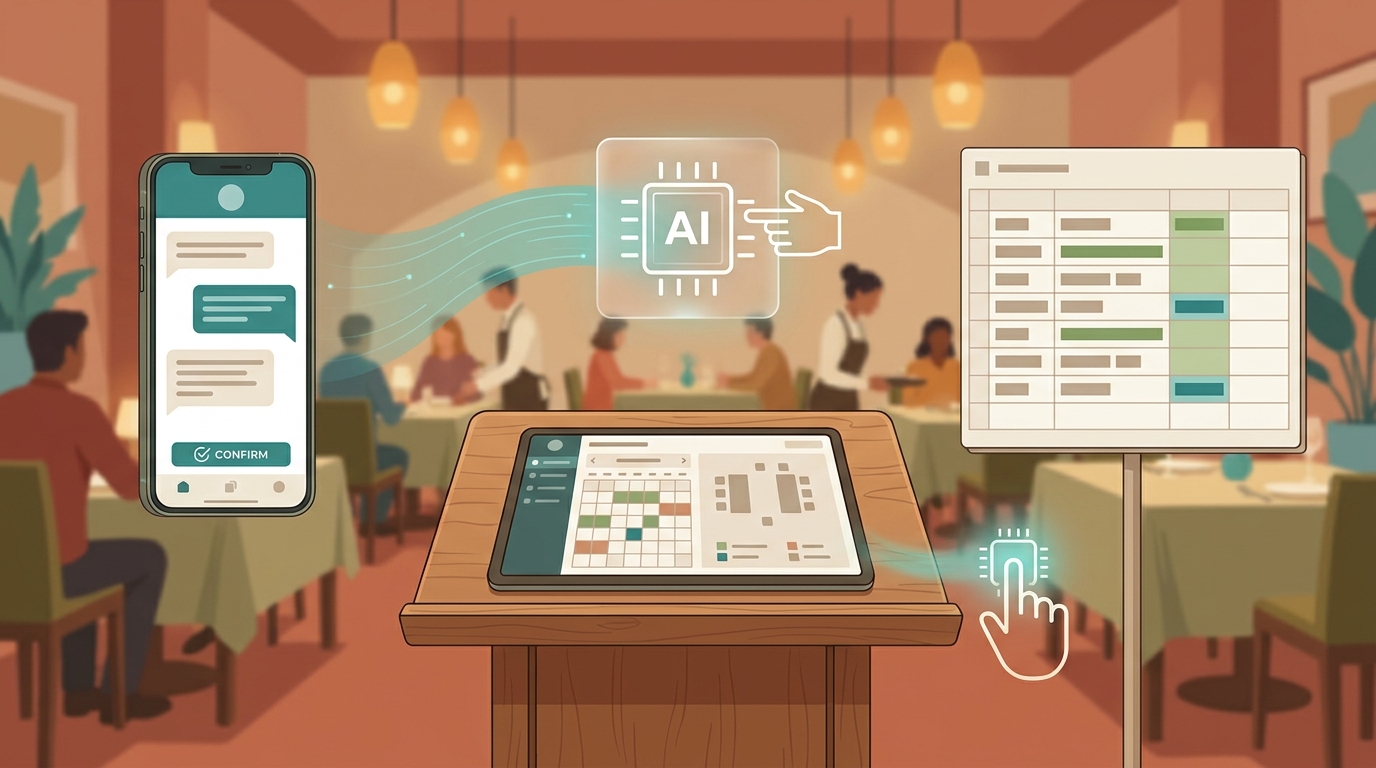
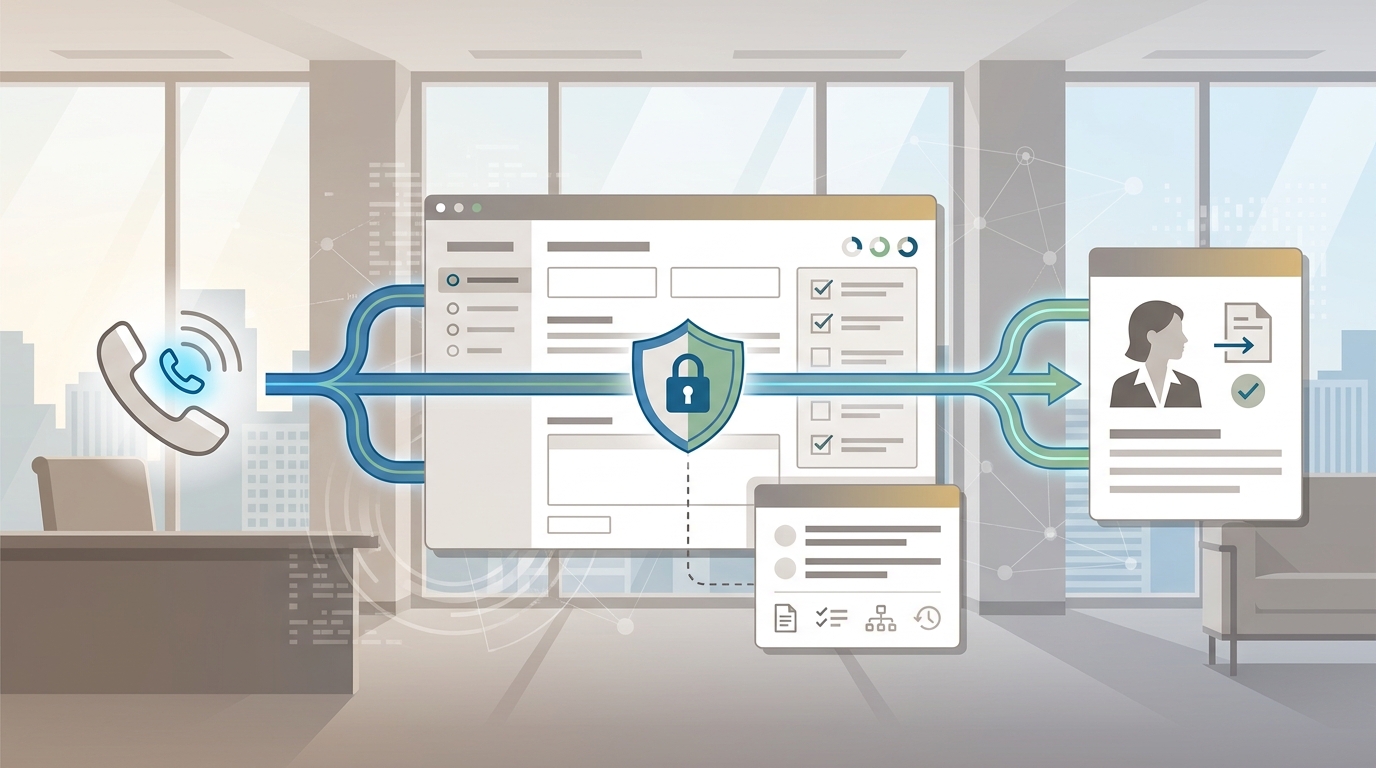
For Solvea, the restaurant page describes a flow where restaurants can connect a missed-call path or dedicated AI number, train the AI on menu, pricing, FAQs, dietary options, policies, and event details, then add bookings to Google Calendar and save call records to Google Sheets. The Google Tool docs also describe Google Calendar actions for creating, updating, deleting, and checking events, plus Google Sheets read/write use cases for booking records and appointment lists.
That matters because many restaurant teams do not need another inbox. They need reservation calls to become structured records the host, manager, or owner can actually use.
Your AI Receptionist, Live in Minutes.
Scale your front desk with an AI that never sleeps. Solvea handles unlimited multi-channel inquiries, books appointments into your calendar automatically, and ensures zero missed opportunities around the clock.
Menu FAQs, Allergies, and Takeout Questions
Menu calls are easy to underestimate. They look simple until a guest asks about ingredients, substitutions, cross-contact, spice level, prep time, parking, corkage, or whether a dish will travel well for takeout.
An AI receptionist for restaurants should answer only from approved information. It should not guess.
| Caller question | Safe AI response pattern | Escalate when |
|---|---|---|
| "Are you open tonight?" | Answer from current hours and holiday rules | Hours are unpublished, recently changed, or weather-affected |
| "Do you have gluten-free options?" | Share approved menu notes and offer to flag the reservation | The guest asks for medical certainty or cross-contact guarantees |
| "Can I order takeout?" | Explain approved ordering channel, pickup rules, and timing language | The caller asks for refund, missing item, or custom exception |
| "Can you seat a party of 12?" | Capture details and route according to large-party policy | The party exceeds auto-booking limits |
| "Can I bring a cake?" | Answer from approved outside-food or corkage policy | Policy is unclear or manager approval is required |
| "Where is my delivery?" | Direct the caller to the approved delivery or order-status process | The order needs refund, remake, or guest recovery |
For menu and policy content, load practical detail. Do not just upload a PDF menu and hope the AI infers the rules. Write the answers a host would use: "We can mark that preference on the reservation," "Please call the restaurant for manager approval," or "For severe allergies, we need a staff member to confirm before the visit."
That kind of boundary keeps the AI receptionist for restaurants helpful without letting it improvise sensitive guest-service decisions.
Rush-Hour Call Rules
Rush hour is where the workflow earns trust. During lunch, dinner, weekend brunch, or pre-theater windows, your staff may not be able to stop and explain policy. The AI receptionist should absorb the repeatable work and escalate only what needs human judgment.
Set rules for:
- Same-day reservations.
- Parties above your auto-booking limit.
- Late arrivals and grace periods.
- Patio, bar, counter, private room, and high-chair requests.
- Guest complaints or upset callers.
- Lost items.
- Press, vendor, influencer, and partnership calls.
- VIPs and regulars who need a human touch.
Use a simple three-level routing model.
| Level | Examples | AI action | Human action |
|---|---|---|---|
| Auto-handle | Hours, location, standard reservation, menu basics, pickup channel | Answer, confirm, and log | Review summaries after service |
| Staff review | Large party, special event, seating exception, uncertain dietary question | Capture details and mark for review | Approve, modify, or call back |
| Immediate handoff | Upset guest, safety concern, VIP, private dining lead, urgent operational issue | Route or alert according to your rule | Take ownership immediately |
This is also where internal links between workflows matter. If no-shows are a problem, pair the AI receptionist with an appointment reconfirmation workflow. If the pain is call volume during service, define the same rules you would use for peak-hour scheduling: status, owner, next action, and when the system should stop automating.
What to Load Before Launch
The best AI receptionist for restaurants is only as useful as the restaurant knowledge behind it. Load the facts your staff repeats every shift.
| Knowledge area | What to include |
|---|---|
| Restaurant basics | Address, parking, entrance notes, hours, holiday schedule, service style |
| Reservation rules | Party-size limits, seating areas, deposit rules, cancellation rules, waitlist process |
| Menu | Current menu, specials rules, beverage notes, prep-time language, takeout suitability |
| Dietary policy | Approved allergen wording, vegan/vegetarian/gluten-free notes, escalation language |
| Takeout and delivery | Ordering channel, pickup window, delivery partners, order-status path, refund path |
| Events | Private dining, catering, minimums, lead forms, manager owner, response time |
| Confirmations | SMS or email wording, reminder timing, cancellation path, reschedule rule |
| Handoff | Who gets alerted, by what channel, and what details must be included |
Update this content whenever the menu, hours, phone setup, or reservation policy changes. The goal is not a clever script. The goal is a reliable front door.
How Solvea Fits a Restaurant Workflow
Solvea is relevant when the restaurant phone problem is bigger than voicemail. The product is positioned as a no-code AI receptionist that can answer calls, handle FAQs, support bookings, and connect workflows to the tools a small team already uses.
For restaurants, the source-backed workflow includes:
- Answering reservation and guest-question calls when staff are busy or after hours.
- Training the AI on menu, pricing, FAQs, dietary options, house policies, and event details.
- Capturing reservation details and adding bookings to Google Calendar.
- Saving call details, guest information, and transcripts to Google Sheets.
- Using confirmations and reminders where the current phone/SMS setup supports them.
- Routing complex requests, such as large parties or VIP inquiries, to a human.
- Launching without a custom engineering project.
If you need the broader concept before evaluating a vertical setup, start with AI Receptionist 101. To test calling, review the phone-number setup docs, which describe buying a Solvea number, importing a Twilio number, and the current trial phone-number option. For plan details, check Solvea pricing and the docs rather than relying on a saved screenshot or old sales copy.
Script Templates for Restaurant Calls
Use scripts as guardrails, not as word-for-word dialogue. The AI should sound natural, but these examples show the information it should collect.
Reservation Request
Guest: "Can I get a table for four tonight?"
AI receptionist:
- "I can help with that. What name should I put the reservation under?"
- "What time would you prefer, and are you flexible by 15 or 30 minutes?"
- "Do you prefer indoor, patio, bar, or first available seating?"
- "Is there any occasion or note the host should see?"
- "I have the details as four guests tonight under [name] at [time]. Would you like a confirmation sent to this number if available?"
Handoff rule: if the request exceeds your auto-booking limit, involves a private room, or includes sensitive dietary concerns, collect the details and route to the manager.
Menu FAQ
Guest: "Do you have vegetarian options?"
AI receptionist:
- "Yes. I can share the approved vegetarian options from our current menu."
- "If you have a specific dietary restriction or allergy concern, I can flag it for the team before you visit."
- "For medical allergy questions or cross-contact concerns, I will have a staff member confirm with you."
Handoff rule: never let the AI promise medical certainty, ingredient substitutions, or kitchen exceptions unless the restaurant has approved exact wording.
Takeout or Delivery
Guest: "Can I place a takeout order?"
AI receptionist:
- "I can explain the approved ordering options and pickup timing."
- "For live order changes, missing items, or refunds, I will route the request to the right team."
- "May I capture your name, phone number, and order question so the staff has the context?"
Handoff rule: let the AI answer process questions. Route refunds, remake requests, delivery delays, and guest recovery to a person.
Rush-Hour Overflow
Guest: "I have been calling and nobody picked up."
AI receptionist:
- "Thanks for waiting. The team may be in service, but I can help capture the request now."
- "Are you calling about a reservation, menu question, takeout or delivery, or something else?"
- "I will either confirm the next step or send the details to the team with your callback number."
Handoff rule: if the guest is upset, the AI should reduce friction, collect context, and alert a human rather than keep looping through FAQs.
A One-Week Test Plan
Do not launch an AI receptionist for restaurants on faith. Test it against real call patterns.
- Pull recent missed calls, voicemails, host notes, and common phone questions.
- Group them into reservation, menu FAQ, takeout/delivery, event, complaint, VIP, vendor, and wrong-fit calls.
- Choose a mix of easy and hard scenarios.
- Define the required fields for each scenario.
- Run the calls through the AI.
- Check whether the AI captured the right details, avoided guessing, and used the correct handoff rule.
- Review the Google Calendar and Sheets outputs if those tools are connected.
- Update the knowledge base and scripts.
- Run the same scenarios again.
- Forward a controlled slice of call volume only after the workflow is reliable.
This test plan is more useful than a polished demo because it shows how the system behaves when guests are unclear, impatient, or asking for something outside the normal path.
Buying Checklist
When comparing an AI receptionist for restaurants, ask practical questions.
| Question | Why it matters |
|---|---|
| Can it answer restaurant calls by phone, not just chat? | Most urgent reservation and takeout questions still happen by phone |
| Can it use your menu, policies, and event rules? | Generic answers create guest-service risk |
| Can it check or create calendar records? | A call needs to become a booking or follow-up action |
| Can it log transcript and guest details? | Managers need context after service |
| Can it route VIPs, large parties, complaints, and uncertain allergy questions? | Hospitality still needs human judgment |
| Can staff update content without developers? | Menus, hours, and policies change often |
| Can you test on real scenarios before forwarding all calls? | The workflow needs to survive service pressure |
The best fit is the tool your team will actually maintain. If menu updates require engineering help, the workflow will drift. If handoff rules are vague, staff will lose trust. If records do not land anywhere actionable, the AI receptionist becomes another message inbox.
FAQ
What is an AI receptionist for restaurants?
An AI receptionist for restaurants is a voice-capable front-desk agent that answers restaurant calls, handles approved FAQs, captures reservation details, supports takeout and delivery questions, logs conversations, and routes exceptions to staff.
Can an AI receptionist take reservations?
Yes, if it is connected to the right workflow and given clear booking rules. For example, Solvea's restaurant workflow supports reservation capture, Google Calendar booking sync, and Google Sheets call logging. Restaurants should still define limits for large parties, private events, VIPs, and special seating requests.
Should an AI receptionist answer allergy questions?
It can share approved menu and dietary notes, but it should not guess or make medical guarantees. For severe allergies, cross-contact concerns, or uncertain ingredient questions, the safer workflow is to capture the request and route it to staff.
Can it help during rush hour?
Yes. During lunch or dinner rush, an AI receptionist for restaurants can answer common calls, collect reservation details, explain approved policies, and route urgent exceptions. The key is to define what gets auto-handled and what gets handed to a person.
How do I test Solvea for my restaurant?
Start with a controlled test. Build a restaurant agent, load your menu and policies, review the docs, connect phone and calendar workflows if needed, and run real reservation, menu FAQ, takeout, delivery, and handoff scenarios before forwarding live call volume. Then try Solvea for your restaurant when the call flow matches your operation.
Try Solvea for Your Restaurant
An AI receptionist for restaurants should help your team stay present with guests, not replace hospitality. Start with the calls that are repetitive, costly to miss, and easy to structure: reservations, hours, menu FAQs, takeout and delivery routing, confirmations, and call logs.
If that is where your team is losing time, try Solvea for your restaurant and test the workflow against your real rush-hour calls.