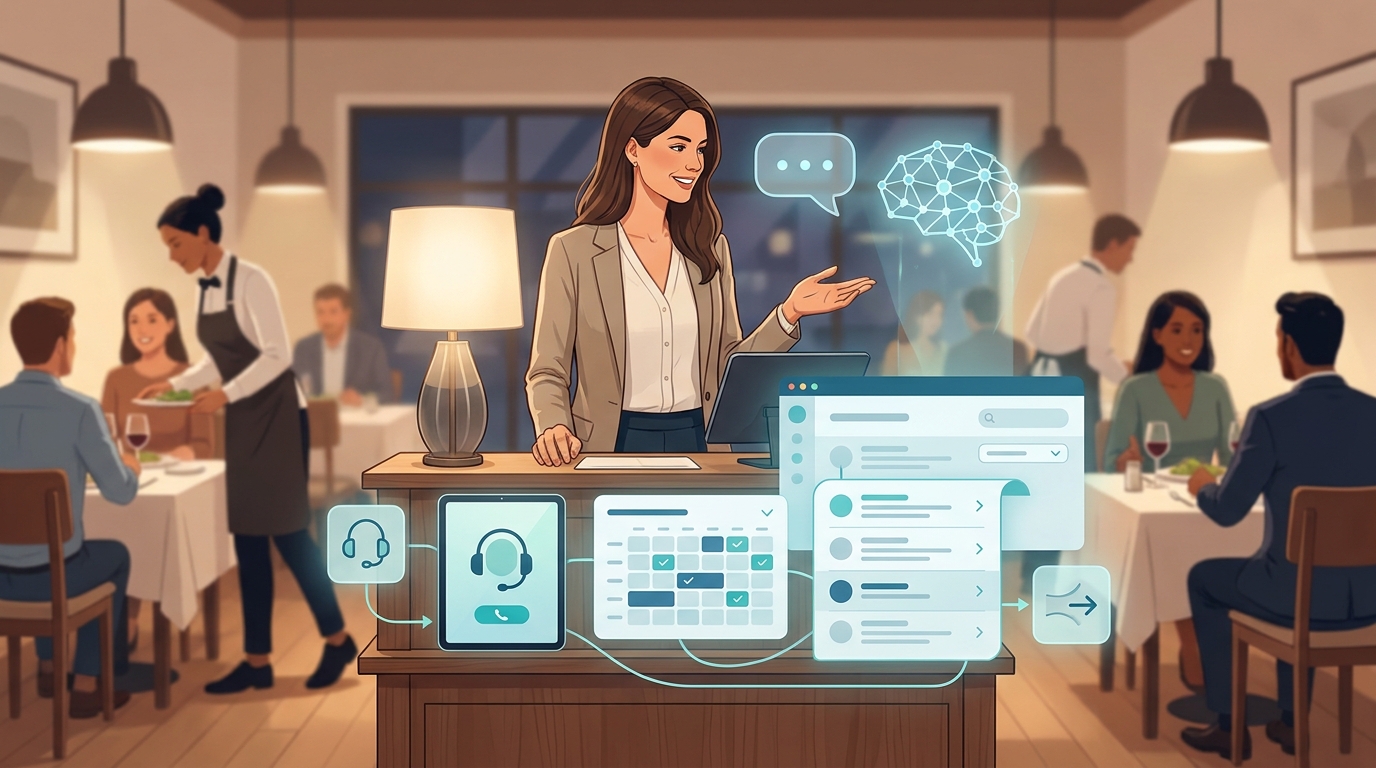
This AI receptionist FAQ is for buyers who are close enough to test an AI receptionist, but still need practical answers before they involve operations, IT, support, sales, or the owner.
The short version: an AI receptionist should answer routine questions, capture context, route urgent or complex requests, preserve call history, and make a trial easy to judge. The hard part is not deciding whether AI can talk to customers. The hard part is deciding what the AI is allowed to answer, which systems it can use, when it should hand off, and how you will measure whether the trial is worth continuing.
Use this AI receptionist FAQ to plan those decisions before you launch. It covers setup, free trial planning, phone numbers, SMS, live chat, email, integrations, knowledge base content, handoff rules, call logs, security review, vertical templates, ROI, and the first-week tests that help a team decide with evidence.
Start with a 7-day buyer pilot plan
Before the 50 questions, use this simple pilot plan to keep the trial measurable. It gives the AI receptionist a narrow job, clear source material, and specific pass/fail checks.
| Day | Buyer Task | What to Check |
|---|---|---|
| 1 | Pick one workflow, such as missed calls, appointment booking, product questions, order status, or lead qualification. | The AI receptionist has one clear goal instead of trying to replace every front-desk workflow at once. |
| 2 | Add the approved knowledge sources: website pages, FAQ files, service menus, policies, scripts, or product data. | The AI only answers from source material your team accepts. |
| 3 | Configure greeting, voice, answer timing, handoff number, and escalation messages. | Callers know who they reached, and complex requests can still reach a person. |
| 4 | Connect the practical tools you need, such as calendar, sheets, Shopify, logistics, email, or live chat. | The AI can complete the job instead of only collecting messages. |
| 5 | Test the 20 questions you hear most often. Include easy, edge-case, angry, and out-of-scope requests. | Answers are accurate, complete, on-brand, and handed off when they should be. |
| 6 | Review inbox records, call summaries, transcripts, transfer events, and analytics. | The team can audit what happened without replaying every interaction from memory. |
| 7 | Decide whether to expand, revise, or stop. | The decision is based on handled conversations, escalation quality, call coverage, and team time saved. |
That pilot plan is the practical lens for the rest of this AI receptionist FAQ.
Your AI Receptionist, Live in Minutes.
Scale your front desk with an AI that never sleeps. Solvea handles unlimited multi-channel inquiries, books appointments into your calendar automatically, and ensures zero missed opportunities around the clock.
AI Receptionist FAQ: Basics and Buyer Fit
Q1. What is an AI receptionist?
An AI receptionist is an AI agent that answers customer conversations for a business, usually across phone, SMS, live chat, or email. It can greet the customer, identify the request, answer approved questions, collect details, use connected tools, and hand off when a person should step in.
For most buyers, the job is not to make the AI sound impressive. The job is to cover repeatable front-desk or support conversations without losing the human path for exceptions.
Q2. How is an AI receptionist different from a chatbot?
A chatbot usually starts on a website or app and often handles typed questions. An AI receptionist is usually designed around front-desk work: phone answering, missed-call capture, SMS follow-up, live chat, email replies, call summaries, transfer rules, and operational handoff.
Solvea's deployment docs describe phone and SMS, live chat, and email as deployable channels, so the buyer question is not only "Can it chat?" It is "Can it answer where customers already contact us?"
Q3. What kinds of questions should an AI receptionist answer?
Start with questions that have stable answers and clear sources. Good first workflows include hours, location, booking steps, service menus, product availability, order status, return policy, lead intake, quote intake, account basics, and routing questions.
Do not begin with high-risk judgment calls. Medical advice, legal advice, emergency handling, angry complaints, custom pricing, refund exceptions, safety issues, and regulated compliance decisions need human review or very narrow scripts.
Q4. What should an AI receptionist not answer?
It should not invent facts, negotiate exceptions, promise outcomes, diagnose sensitive problems, or make decisions your staff would not delegate to a new hire. It should also avoid answering when the knowledge base is missing, stale, or contradictory.
The safer rule is simple: if the AI does not have approved source material, it should say it will send the request to the team or transfer the caller.
Q5. Who should be involved before we test one?
Include whoever owns the workflow. For a small business, that may be the owner and a receptionist. For a larger team, include support, sales, operations, IT, security, and the person responsible for the phone number or helpdesk.
You do not need a large committee to start. You do need one person who can approve the script, one who can approve the source material, and one who can judge whether the pilot actually reduced workload.
Q6. What should we decide before choosing a vendor?
Decide your first workflow, primary channel, required handoff path, must-have integrations, data-retention expectations, security requirements, and success metric. Also decide what would make the pilot fail.
This AI receptionist FAQ is built around those decisions because vendor demos can look similar until you ask how the product handles your phone number, inbox, transcripts, knowledge updates, tool access, and escalation rules.
Setup and Free Trial Questions
Q7. How long does setup usually take?
Setup time depends on the scope. A narrow missed-call or FAQ workflow can be tested quickly if you already have scripts and source documents. A multi-channel workflow with calendar, ecommerce, handoff, and analytics needs more review.
Solvea's quick-start docs describe a guided path: create an agent, build or configure it, connect tools, test and train, then deploy through channels such as phone, live chat, or email. Use that flow as a setup checklist rather than trying to configure everything at once.
Q8. Can I build an AI receptionist without writing prompts from scratch?
Yes. Solvea docs describe two useful paths: building with AI by describing your needs in plain language, and starting from templates for common scenarios. That matters for buyers who know the call flow but do not want to write a technical prompt.
Even with a template, review the greeting, identity, allowed answers, handoff rules, and knowledge sources. Templates speed up the first draft, but your team still owns the final behavior.
Q9. What should I prepare before starting a free trial?
Prepare your top questions, approved answers, website links, policy documents, service menu, product data, hours, phone routing rules, handoff number, and a list of out-of-scope topics. If you want the AI to book meetings or update records, prepare the tool access too.
The cleaner the source material, the cleaner the trial. A trial with vague source material mostly tests how well the AI guesses, which is not what you want.
Q10. Is there a free trial phone number?
Solvea's phone-number docs describe a 7-day free Twilio number for new users and options to buy a number or import a Twilio number. Treat the current docs and product UI as the source of truth when you start, because phone-number availability and billing details can change.
If your trial depends on call quality, test with real scenarios: business-hours calls, after-hours calls, missed calls, transfer attempts, noisy audio, repeat callers, and requests that should not be answered by AI.
Q11. Can I use my existing business phone number?
That depends on how your current number is managed. Solvea docs describe importing Twilio numbers and note that regular carrier numbers such as AT&T, Verizon, or T-Mobile numbers are not currently supported for direct import.
If your main number is not ready to move, start with a trial number, forward a small slice of traffic, or test after-hours coverage first. Do not move your primary number until routing, transfer, voicemail fallback, and reporting are clear.
Q12. Do I need a credit card to start?
Do not assume. Current pricing, trial, and payment requirements should be checked on the live pricing page and account flow at the time you sign up. This article avoids repeating card or plan-limit claims because those details are easy to change and should come from the current product source.
The better buyer test is whether you can complete a realistic trial path: create the agent, add knowledge, test calls, review inbox records, and decide whether to keep going.
Q13. How do I test whether the AI receptionist is ready?
Use the same quality checks a manager would use for a new team member: accuracy, relevance, completeness, tone, and escalation judgment. Solvea's testing and training docs describe testing by voice and chat, then refining before saving or publishing.
Run at least 20 trial questions. Include common, messy, and out-of-scope requests. A good pilot should prove not only that the AI can answer, but that it knows when not to answer.
Q14. What is the fastest safe launch path?
Start with one channel and one workflow. For example, after-hours missed calls, appointment intake, ecommerce order status, or lead qualification. Write the exact handoff rule for anything outside that workflow.
Then expand only after you review records from the first week. This staged path is safer than launching phone, SMS, email, live chat, booking, and ecommerce automation all at once.
Phone Numbers, SMS, Live Chat, and Email
Q15. Can an AI receptionist answer phone calls?
Yes. Solvea docs describe phone deployment and AI call records in the inbox. The buyer question is how the AI answers: greeting, voice, language, answer timing, transfer rules, and what happens when it cannot resolve the call.
Test this before launch with realistic calls, not only a perfect demo script. Phone calls include interruptions, background noise, incomplete information, and customers who change topics.
Q16. Can it send and receive SMS?
Solvea docs describe SMS configuration with phone numbers, and note that US long-code SMS requires Twilio A2P 10DLC registration. If SMS is part of your workflow, confirm number type, compliance steps, message templates, and opt-out handling before launch.
For the first pilot, SMS is often useful for confirmations, links, reminders, and follow-up details after a phone conversation.
Q17. Can it handle live chat on my website?
Yes. Solvea's live chat docs describe installing live chat through a Shopify app embed or a website script snippet. That lets buyers test an AI receptionist on web questions without changing the phone workflow first.
Use live chat for product FAQs, appointment questions, order status, support intake, and routing. Keep the same knowledge and handoff standards you would use for phone calls.
Q18. Can it answer email?
Solvea docs describe binding an email address through API, forwarding, or IMAP/SMTP authorization. Email is useful when customers send long requests, attachments, order details, or policy questions.
For email pilots, define which mailbox is in scope and what the AI should do with uncertain cases. Email feels less urgent than a phone call, but a wrong policy answer can still create operational risk.
Q19. Which channel should I launch first?
Launch the channel where repeatable volume and missed opportunities are highest. If you miss many calls, start with phone. If your website gets repetitive questions, start with live chat. If support backlog is email-heavy, start with email.
Do not pick the channel that is easiest to demo. Pick the channel that creates measurable work for the team today.
Q20. Can one AI receptionist cover multiple channels?
Yes, but you should still test channel-by-channel. A short phone answer, a live chat reply, an SMS follow-up, and an email response all have different expectations.
The same source knowledge can support multiple channels, but tone, length, handoff timing, and compliance review may differ.
Q21. What happens after hours?
You can design an after-hours workflow that answers routine questions, captures the reason for the call, collects contact details, sends follow-up instructions, or routes urgent requests to a person when appropriate.
The important part is to write the after-hours boundary. For example: answer hours, location, booking links, order status, and service questions; transfer urgent account, safety, legal, medical, or billing disputes.
Q22. Can the AI receptionist make outbound calls?
Solvea docs describe outbound AI calls and call records. Use outbound carefully. Appointment reminders, surveys, payment reminders, renewals, customer re-engagement, and sales outreach may each have different consent, timing, and compliance requirements.
If outbound calling is part of your plan, involve the person responsible for consent, opt-out, and do-not-call rules before you launch. This AI receptionist FAQ is not legal advice.
Knowledge Base and Integration Questions
Q23. What information does the AI receptionist need?
It needs the same approved information a front-desk or support employee would use: hours, locations, policies, product details, service descriptions, prices or pricing rules, booking rules, return rules, scripts, escalation contacts, and answers to common objections.
Solvea's knowledge docs describe adding sources such as files and website content. The useful buyer question is whether your sources are accurate enough to automate.
Q24. Can it learn from my website?
Solvea docs describe website sync through sources such as a sitemap. That helps when your website already contains hours, policies, product pages, service pages, and FAQs.
Before relying on website sync, remove stale pages and conflicting answers. The AI receptionist should not have to decide whether the old pricing page or the new pricing page is correct.
Q25. Can I upload files?
Solvea docs describe adding files such as PDF, Word, Excel, CSV, and TXT sources, with documented file-size limits in the knowledge-base flow. Use this for service menus, policy documents, onboarding sheets, product catalogs, warranty rules, and internal call scripts.
Name files clearly and keep them current. A file called "final_policy_v7_old" is a future support problem.
Q26. How often should I update the knowledge base?
Update it whenever the business changes: hours, pricing, services, staff availability, location rules, policies, product catalog, shipping rules, or escalation contacts. For a pilot, review knowledge after the first few days because test questions usually reveal missing material.
Solvea docs also describe syncing from platforms such as Shopify, Zendesk, and Salesforce, with platform-specific sync behavior. Confirm the exact sync schedule for the systems you connect.
Q27. Which integrations matter most?
The best integration is the one that lets the AI complete the first workflow. For appointment teams, that may be Google Calendar. For ecommerce, that may be Shopify and logistics tracking. For operations, that may be Google Sheets or email.
Solvea docs describe Google Calendar actions such as creating, updating, deleting, and checking availability, plus Google Sheets read/write actions. Start with the tool that removes the most manual handoff.
Q28. Can it work with Shopify?
Yes. Solvea's Shopify docs describe live chat, product knowledge sync, and order lookup by order number, including details such as tracking numbers, product details, purchase time, and shipping destination country.
For ecommerce buyers, that turns the AI receptionist from a generic FAQ bot into a post-purchase support assistant that can answer real order questions when the source data is available.
Q29. Can it work with Google Calendar and Google Sheets?
Yes. Solvea docs describe Google Calendar functions for availability and event management, plus Google Sheets functions for reading and writing spreadsheet data.
The buyer question is permissions. Give the AI access only to the calendar or sheet it needs for the pilot, and test what it writes before you allow live customer traffic.
Q30. What if the AI cannot find the answer?
It should admit that it cannot confirm the answer and route the request. A safe message is: "I do not want to give you the wrong information. I can send this to the team or transfer you."
This is one of the most important questions in any AI receptionist FAQ. The system is only trustworthy if it handles uncertainty in a way your staff can accept.
Handoff, Inbox, Call Logs, and Analytics
Q31. How does human handoff work?
Solvea's configuration docs describe handoff settings such as transfer phone number, handoff schedule, and handoff messages. That lets you define when a customer should move from AI to a person.
Use handoff rules for urgent requests, complaints, custom pricing, legal or compliance topics, emotional customers, account-sensitive issues, and anything the knowledge base does not support.
Q32. Can I decide when AI answers first?
Solvea's AI receptionist docs describe answer rules such as human-first, AI after delay, and AI first. This gives buyers a practical way to phase adoption.
For example, a team may start with AI after a delay so staff can answer when available, then let AI cover more calls once the team trusts the workflow.
Q33. Are calls recorded or summarized?
Solvea's inbox docs describe phone tickets with recording playback and download, AI summaries, speech-to-text transcripts, timestamps, and speaker labels. That matters because managers need evidence after a call, not only a notification that a call happened.
Before launch, decide who can access recordings and summaries, and how long they should be retained under your internal policy.
Q34. Where do tickets and conversations appear?
Solvea's inbox docs describe tickets by channel, including phone, live chat, and email histories. A shared inbox is useful because it keeps AI-handled and human-handled conversations in one review path.
For the pilot, assign one owner to review the inbox daily. That person should tag bad answers, missing knowledge, and handoffs that happened too early or too late.
Q35. Can staff take over a conversation?
Solvea inbox docs describe transferring to an agent. This is important because buyers rarely want a fully automated dead end. They want AI coverage with a clear route back to the team.
Write the takeover rule before launch. "Transfer angry callers" is too vague. "Transfer refund disputes, cancellation exceptions, safety concerns, VIP accounts, and any caller who asks for a person twice" is easier to test.
Q36. What analytics should we review?
Review total conversations, AI-handled conversations, AI resolution rate, transfer rate, missed calls captured, unanswered questions, common topics, and the reasons people still needed staff.
Solvea analytics docs describe conversation metrics and topic insights from human-transfer clusters. Those topic clusters are useful because they point to missing knowledge or workflows that should stay human.
Q37. How do we know whether the AI receptionist is improving?
Track fewer repeated manual answers, better missed-call capture, cleaner intake details, shorter response time, fewer avoidable transfers, and fewer staff corrections. Improvement should show up in both metrics and manager review.
In a trial, do not rely only on "the AI handled X conversations." Review a sample of transcripts and summaries so you can see whether those conversations were actually handled well.
Q38. What should we audit after the first week?
Audit wrong answers, partial answers, tone misses, missing knowledge, bad transfers, unhelpful summaries, tool errors, and customer questions that your team did not expect.
Then update the source material and test again. The best AI receptionist pilots treat the first week as training evidence, not as a one-time setup task.
Security, Pricing, Compliance, and ROI
Q39. What security evidence should I ask for?
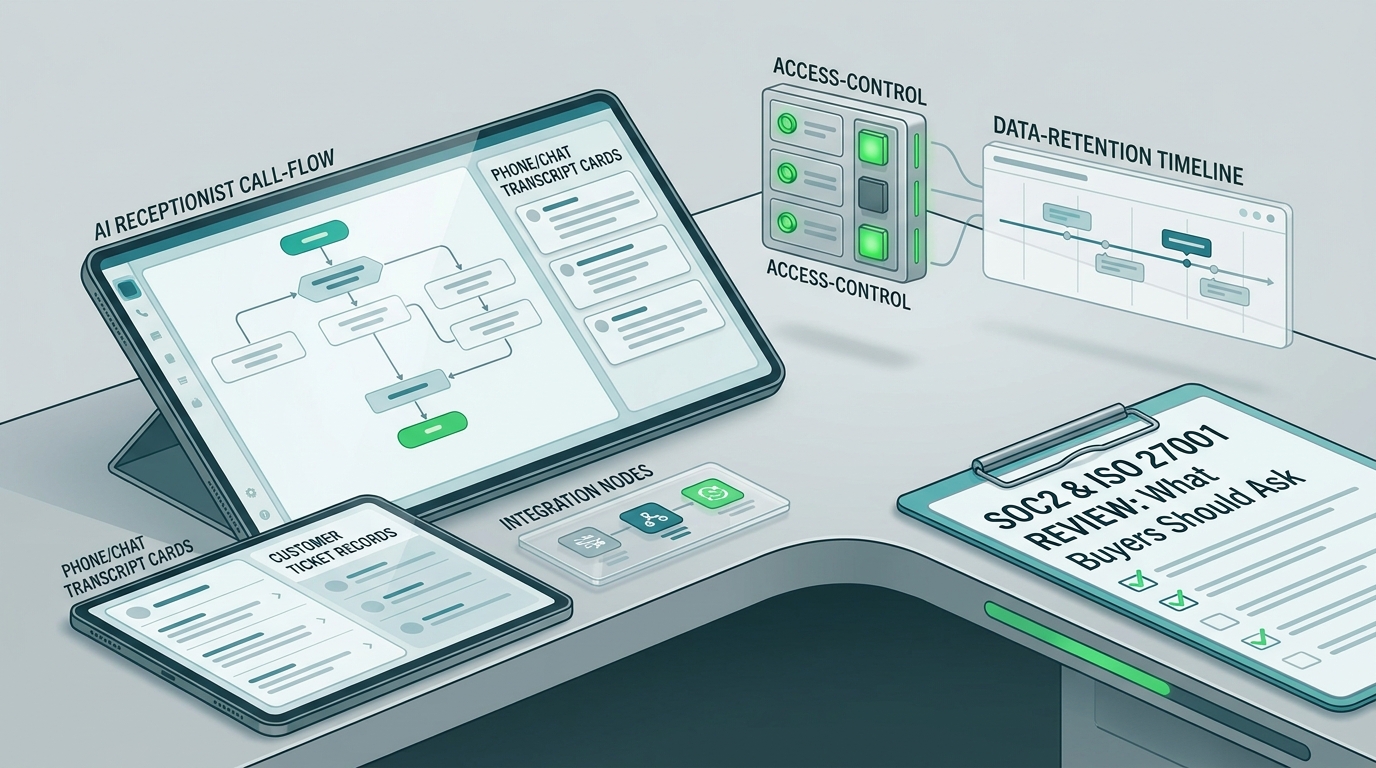
Ask for security documentation that matches your risk level: access controls, data handling, retention, subprocessors, encryption practices, and third-party assurance documents such as SOC 2 or ISO 27001 where available.
Solvea's public site links trust evidence, including SOC 2 and ISO 27001 resources. For any regulated workflow, have your security or legal reviewer confirm what evidence is required before customer data goes live.
Q40. Can an AI receptionist be used for healthcare, legal, or financial workflows?
It can support narrow administrative workflows only when the policy, consent, data handling, and escalation rules are approved for that environment. Do not let the AI give professional advice or make regulated decisions.
For sensitive industries, use the AI for intake, scheduling, routing, status updates, and approved FAQs. Send diagnosis, legal interpretation, financial advice, emergencies, and eligibility decisions to qualified staff.
Q41. How should I think about pricing?
Use the current pricing page and plans documentation as the source of truth. Plan names, included credits, usage rules, seats, and billing details can change, so do not budget from a blog article alone.
When comparing vendors, model your real usage: call minutes, SMS, chat replies, email replies, number costs, staff seats, integrations, and any overage or add-on fees.
Q42. How do credits or usage usually affect cost?
Solvea's usage docs describe different credit consumption by channel, including call minutes, email replies, chat replies, and SMS. That means two teams on the same plan may use credits very differently if one is phone-heavy and the other is chat-heavy.
For a trial, estimate the first workflow only. For example: after-hours calls per week, average call length, expected transfers, and follow-up messages.
Q43. How do I calculate ROI?
Start with current front-desk or support cost. Add missed-call loss, slow response cost, after-hours opportunity, repetitive questions, and manager time spent reconstructing calls. Then compare that with the AI receptionist's subscription, usage, setup, and review time.
The cleanest ROI test is not a broad promise. It is a before-and-after pilot: how many routine conversations were handled, how many needed transfer, how many required correction, and how much staff time changed.
Q44. What ROI claims should I distrust?
Distrust any claim that ignores your call volume, average handle time, channel mix, labor cost, escalation rate, and customer quality bar. A vendor case study can be useful, but it is not your forecast.
Use customer stories as proof that outcomes are possible, then use your pilot to decide whether the same pattern applies to your workflow.
Q45. What customer proof should I review?
Review customer stories that match your use case or channel. Solvea's customer stories page includes examples of teams using AI for customer service workload, support automation, ecommerce, logistics, and service operations.
Focus less on the biggest number and more on the mechanism. Did the AI reduce repetitive work, answer common questions, improve response speed, capture better context, or help agents focus on higher-value issues?
Vertical Templates and Launch Checklist
Q46. Are there industry templates for AI receptionists?
Solvea docs describe templates for common scenarios, and the broader product supports vertical use cases such as ecommerce, appointment-based services, and lead qualification. Templates are useful because they give buyers a starting structure for questions, tone, tools, and handoffs.
Still, a template is not a policy owner. Your team should review the final answers before the AI talks to customers.
Q47. What should a salon, spa, or barbershop template include?
Include services, durations, starting-price language, staff preferences, booking rules, cancellation policy, late policy, deposits, add-ons, consultation rules, and handoff triggers for complaints or special requests.
If you have appointment workflows, connect the calendar only after the AI can answer service and policy questions consistently.
Q48. What should an ecommerce template include?
Include product FAQs, shipping policy, return policy, warranty rules, order lookup instructions, Shopify product sync, logistics tracking, refund handoff rules, and scripts for angry or delayed-order customers.
If you connect Shopify, test real order-status questions with sample orders before live launch.
Q49. What should a real estate or lead-qualification template include?
Include lead source, buyer or seller intent, property interest, budget, timeline, financing status, desired location, showing availability, urgency, consent notes, CRM fields, and rules for agent handoff.
For outbound or re-engagement workflows, review consent and calling rules before launch. The AI receptionist can collect and organize context, but the business still owns compliance.
Q50. What is the final launch checklist?
Use this checklist before going live:
- One workflow is selected.
- Approved knowledge sources are uploaded or synced.
- Greeting, identity, voice, and answer timing are reviewed.
- Handoff number, schedule, and handoff messages are configured.
- Phone, SMS, live chat, email, or tool integrations are tested.
- Top 20 customer questions are answered correctly.
- Out-of-scope questions trigger handoff or safe fallback.
- Inbox records, summaries, transcripts, and analytics are reviewed.
- Pricing, usage, security, and compliance checks are assigned to the right owner.
- A weekly improvement owner is named.
That is the main point of this AI receptionist FAQ: the best buyers do not ask only whether AI can answer. They ask whether the workflow is sourced, measurable, auditable, and easy to improve.
Next Step
Use the 50 questions above to narrow your first workflow, then run a 7-day pilot with real calls, real source material, and real review. Keep this AI receptionist FAQ open during the pilot so each test call maps back to setup, knowledge, handoff, security, or ROI decisions. If the AI receptionist FAQ exposed gaps in your phone number, knowledge base, handoff, security, or ROI plan, fix those before you expand traffic.