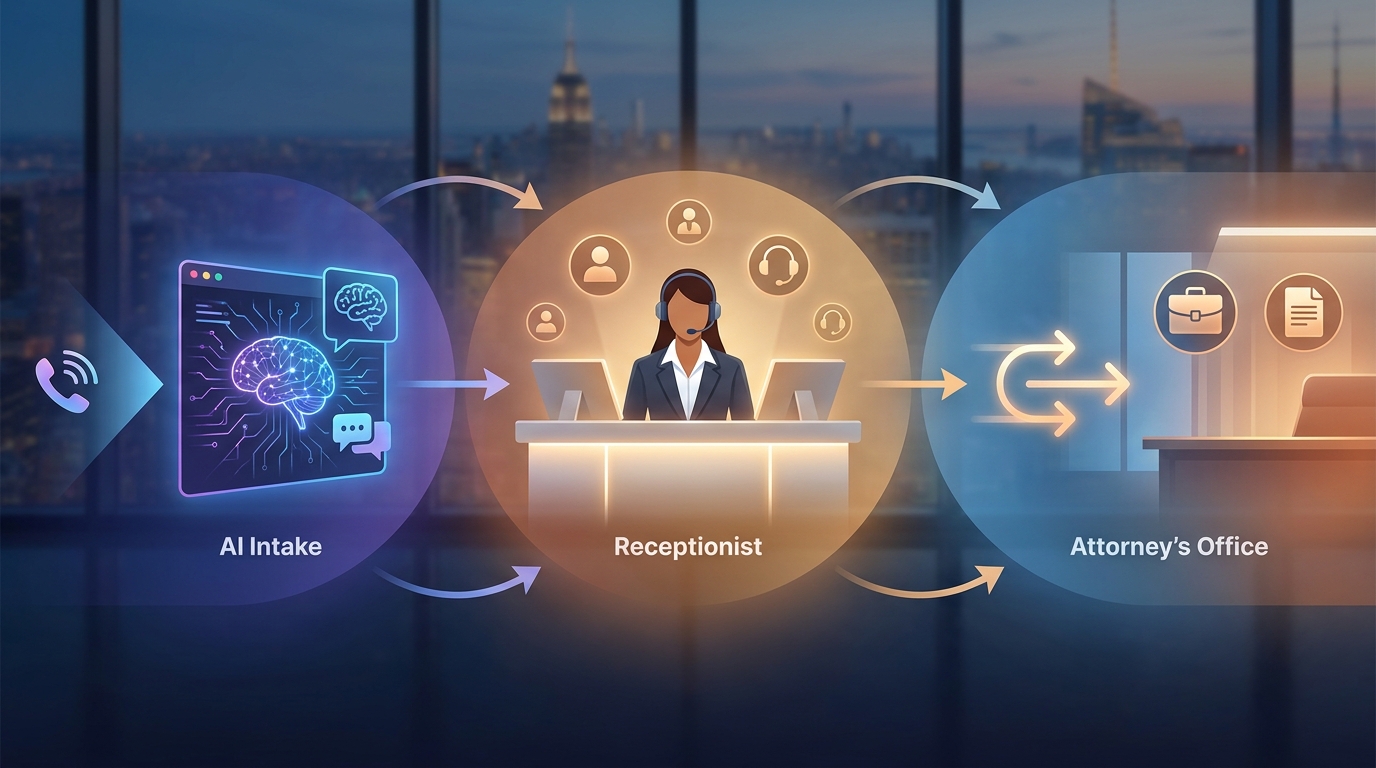
An AI receptionist for law firms should not be a generic phone bot with a legal-sounding greeting. For a small firm, the job is narrower and more important: answer every intake call quickly, capture the right facts, avoid giving legal advice, book the right consultation, and hand urgent or sensitive matters to a person.
That matters because prospective clients do not wait patiently after a missed call. They keep searching, call another firm, or fill out another contact form. A law firm AI receptionist gives the firm a structured first response when the front desk is busy, after hours, in court, or already on another call.
This guide shows how to use an AI receptionist for law firms without treating intake like a black box. You will get a practical intake call flow, evidence fields to capture, FAQ boundaries, consultation scheduling rules, and attorney handoff triggers your team can review before going live.
This is operational workflow guidance, not legal advice. Have a responsible attorney or compliance reviewer approve intake scripts, confidentiality language, call recording notices, solicitation rules, data handling, and jurisdiction-specific requirements before using any AI receptionist with real callers.
What an AI receptionist for law firms should handle
The most useful AI receptionist for law firms is not trying to replace legal judgment. It is handling the first layer of intake so staff and attorneys receive a cleaner record.
For most small firms, the first layer includes:
- Answering new-client calls when the team is unavailable.
- Identifying the caller type: new prospect, existing client, opposing party, vendor, court, referral source, or emergency contact.
- Capturing contact details and preferred callback time.
- Asking approved intake questions for the relevant practice area.
- Answering firm-approved FAQs about office hours, consultation options, location, accepted matter types, documents to prepare, and scheduling.
- Booking consultations into an approved calendar workflow.
- Saving a transcript, summary, and next action for review.
- Escalating urgent, emotional, conflicted, or legally sensitive matters to a person.
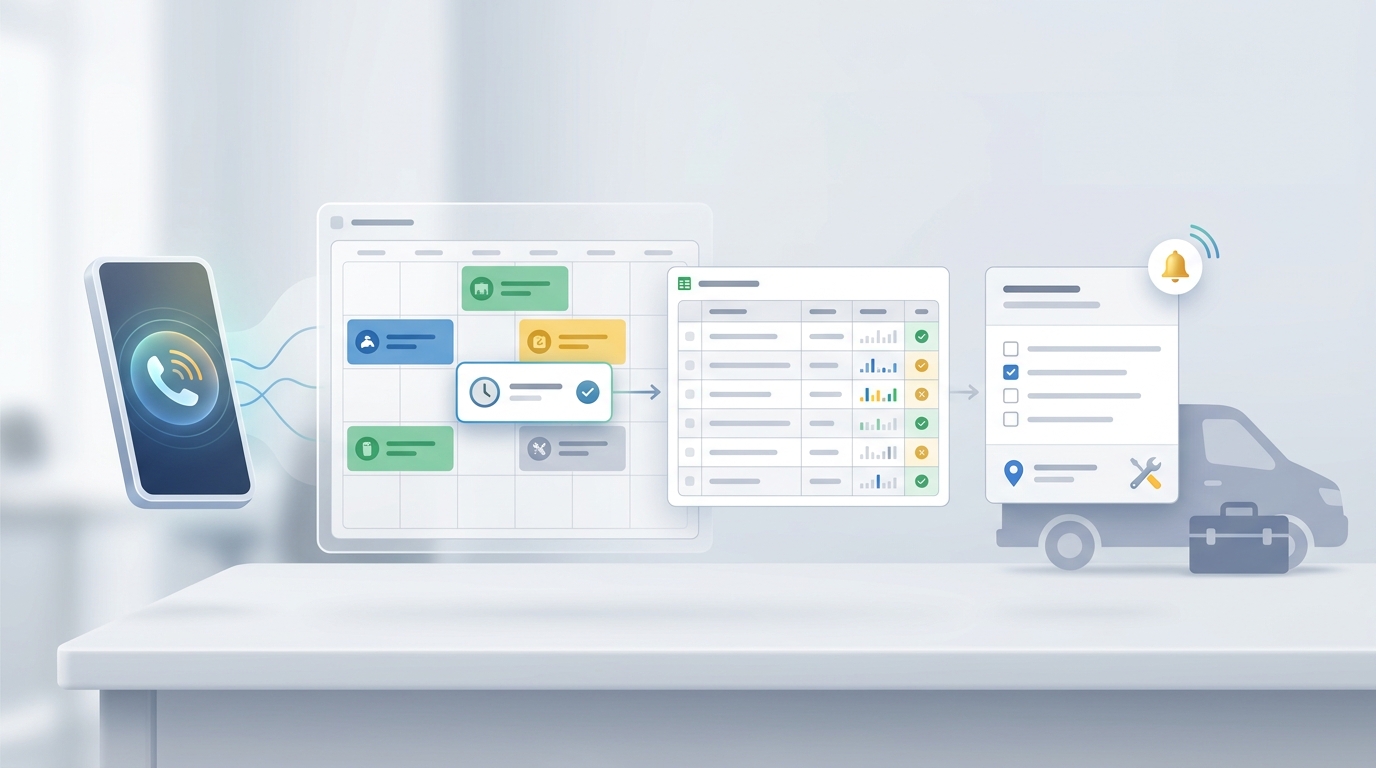
Solvea's law-firm page positions its AI receptionist around legal intake, custom practice knowledge, consultation scheduling, Google Calendar booking, Google Sheets logging, and attorney handoff. Those are the right building blocks for a law-firm workflow, but the firm still needs to define what the AI may say and when it must stop.
Where intake calls usually go cold
Most intake leakage is not one dramatic failure. It is a set of small delays:
| Intake moment | What can go wrong | AI receptionist workflow |
|---|---|---|
| First ring | Staff are on another call, in court, or away from the desk. | Answer immediately and identify caller intent. |
| Caller story | The caller gives a long, emotional, or unstructured explanation. | Capture a short summary and ask approved clarifying questions. |
| Practice-area fit | The caller is not sure whether the firm handles the issue. | Match against approved practice-area rules and avoid legal conclusions. |
| Consultation booking | The caller wants a time but staff cannot check the calendar. | Offer approved consultation slots or collect preferences for staff review. |
| Follow-up | Notes live in voicemail, email, or a sticky note. | Save contact fields, transcript, summary, urgency, and next action in one record. |
| Handoff | The caller needs judgment, reassurance, or urgent attention. | Route to an attorney or staff member based on escalation rules. |
This is why the practical use case is not "AI answers legal questions." It is "AI captures intake calls before they go cold and prepares the team to respond."
Intake fields every call should capture
Before turning on an AI receptionist for law firms, define the minimum evidence fields your team wants in every intake record. The goal is not to collect every possible detail on the first call. The goal is to prevent callbacks that start with "Can you repeat everything?"
| Field | Why it matters | Example prompt |
|---|---|---|
| Caller name | Identifies the person and record owner. | "May I have your full name?" |
| Preferred phone and email | Enables callback and consultation confirmation. | "What phone number and email should the firm use to reach you?" |
| Caller type | Separates prospects from existing clients, vendors, courts, and opposing parties. | "Are you calling about a new matter, an existing matter, or something else?" |
| Practice area | Helps route the call without giving legal advice. | "Which area is this closest to: family, injury, immigration, criminal defense, estate planning, business, or another issue?" |
| Jurisdiction or location | Helps staff decide whether the firm can review the matter. | "What city and state is this connected to?" |
| Deadline or event date | Surfaces urgency. | "Is there a court date, deadline, hearing, arrest, accident date, or appointment coming up?" |
| Opposing party names | Supports conflict-check preparation. | "Are there any other parties or companies involved that the firm should know for conflict review?" |
| Current representation | Avoids mishandling represented-party questions. | "Are you currently represented by another attorney for this matter?" |
| Desired outcome | Gives staff context for the consultation. | "What are you hoping the firm can help you do next?" |
| Documents available | Prepares the consultation. | "Do you have documents, notices, contracts, reports, or messages related to this issue?" |
| Urgency level | Drives callback priority. | "Does this need same-day attention, or is a scheduled consultation okay?" |
| Consent for follow-up | Supports communication preferences. | "May the firm contact you by phone, text, or email about this inquiry?" |
For sensitive practice areas, keep intake questions short. The AI should gather enough context for staff review, not conduct a full legal interview.
A safe intake call script
Use this as a starting script for an AI receptionist for law firms. Replace bracketed sections before publishing.
Thank you for calling [Firm Name]. I can help collect your information and route your call to the right person. I am not an attorney and cannot give legal advice, but I can help the firm understand your request and schedule the next step.

Are you calling about a new matter, an existing matter, or something else?
If the caller is a new prospect:
I can take a brief intake summary. What type of matter is this closest to: [approved practice areas], or something else?

What is your full name, preferred phone number, and email?

What city and state is this connected to?

Is there any deadline, hearing, court date, arrest, accident date, notice, or other time-sensitive event the firm should know about?

Are there any other people, companies, or opposing parties involved that the firm should know for conflict review?

Would you like me to look for an available consultation time, or would you prefer a callback from the intake team?
If the caller asks for advice:
I do not want to give you legal advice or the wrong information. I can capture your question and send it to the firm for attorney or staff review.
If the matter is urgent:
This sounds time-sensitive. I will mark it urgent and send the summary to the firm. If this is an emergency or you are in immediate danger, please contact emergency services or the appropriate authority now.
This script keeps the AI in an intake-support role. It also creates a clean boundary: collect facts, schedule, summarize, and escalate.
Your AI Receptionist, Live in Minutes.
Scale your front desk with an AI that never sleeps. Solvea handles unlimited multi-channel inquiries, books appointments into your calendar automatically, and ensures zero missed opportunities around the clock.
FAQ handling: what AI can answer and what it should route
An AI receptionist for law firms can answer FAQs when the answers come from approved firm content. It should not improvise legal conclusions, predict case outcomes, or interpret rights and obligations.
| Caller question | AI can answer if approved | Route to person |
|---|---|---|
| "What are your office hours?" | Yes. | No, unless caller needs urgent help. |
| "Do you handle divorce cases?" | Yes, if the practice-area list is approved. | If the caller describes complex facts or asks whether they have a case. |
| "How much is a consultation?" | Yes, if the firm has approved consultation pricing or policy language. | If exceptions, refunds, retainers, or fee disputes come up. |
| "Can you represent me?" | No final answer. | Always route for attorney or intake review. |
| "What should I do before court?" | No legal guidance. | Route and mark urgent if a date is near. |
| "Can I send documents?" | Yes, if approved intake instructions exist. | Route if documents are sensitive, voluminous, or linked to an imminent deadline. |
| "Can I talk to my attorney?" | Identify existing-client status and take a message. | Route according to firm policy. |
| "The police are here / I was arrested / I have a hearing today." | Do not advise. | Escalate immediately under urgent-call rules. |
If your firm is deciding which conversations should stay with AI and which require staff empathy or judgment, compare the broader AI receptionist vs human receptionist workflow.
Attorney handoff rules
The handoff rules are the heart of a law firm AI receptionist. They tell the AI when to stop answering and route the call.
Use these triggers as a starting point:
| Trigger | Why it needs handoff | What the AI should capture |
|---|---|---|
| Imminent court date, hearing, deadline, arrest, detention, eviction, protective order, or hospital issue | Time sensitivity and legal risk. | Caller details, deadline/event, location, summary, callback number, urgency. |
| Caller asks for legal advice | AI should not interpret law or strategy. | The exact question and related matter type. |
| Existing client requests attorney callback | Relationship and confidentiality risk. | Client name, matter, callback number, urgency, message summary. |
| Opposing party or represented person calls | Communication risk. | Name, role, matter reference, contact details, reason for call. |
| Caller is angry, distressed, confused, or repeatedly asking for a person | Experience and escalation risk. | Summary, emotion/sentiment, requested next step. |
| Conflict check details emerge | Staff should review before consultation. | Names of parties, companies, witnesses, and known case identifiers. |
| Fee, retainer, refund, or billing dispute | Sensitive commercial issue. | Account or matter reference, dispute summary, requested action. |
| Media, court, vendor, or attorney-to-attorney call | Caller type is not normal intake. | Caller role, organization, matter, callback details. |
Do not hide the handoff. A clear phrase works better: "I am going to send this to the firm for review so they can respond appropriately."
Consultation scheduling without overpromising
Consultation scheduling is where an AI receptionist for law firms can save staff time quickly. But the scheduling logic should be precise.
Define these rules before launch:
| Scheduling rule | What to configure |
|---|---|
| Consultation types | Free consult, paid consult, case review, document review, follow-up, emergency callback, or staff screening. |
| Practice-area mapping | Which consultation type applies to each practice area. |
| Calendar owner | Which attorney, intake coordinator, or shared calendar receives the booking. |
| Buffer windows | Minimum notice, same-day rules, after-hours rules, and no-show policy. |
| Required fields | Name, contact, practice area, jurisdiction, opposing party names, deadline, and summary. |
| Confirmation message | What the caller receives by text, email, or phone. |
| Reschedule/cancel rules | What AI may change and what staff must approve. |
Solvea supports a no-code setup, custom knowledge, and Google Calendar and Google Sheets workflows for law-firm intake. Use the Solvea docs for setup details, and keep the public law firm AI receptionist page as the internal link for this vertical workflow.
Intake scoring for follow-up priority
You do not need a complicated score on day one. A simple priority label is enough.
| Priority | Criteria | Next action |
|---|---|---|
| Urgent | Same-day deadline, arrest, hearing, court date, safety issue, active crisis, existing client emergency. | Immediate staff or attorney alert. |
| High | Good practice-area fit, clear contact details, near-term deadline, ready to schedule. | Book consultation or call back quickly. |
| Medium | Fit is possible but missing facts, documents, or jurisdiction details. | Intake coordinator review. |
| Low | Outside practice area, vendor, general FAQ, incomplete contact information. | Send to the right queue or provide approved referral instructions if the firm uses them. |
For more lead-routing detail, use the supporting AI lead qualification cluster after the basic law-firm intake flow is approved.
Implementation checklist
Use this checklist before publishing an AI receptionist for law firms into live intake.
Approve practice-area language. List what the firm handles, what it does not handle, and what must be phrased as "the firm can review" instead of "you have a case."
Approve the no-legal-advice boundary. The AI should state that it can collect information and route the request, not provide legal advice.
Approve confidentiality and data handling language. Review scripts against the firm's confidentiality obligations, technology policies, vendor agreements, and state-specific rules. ABA Model Rule 1.6, ABA Model Rule 5.3, and ABA Formal Opinion 512 are useful review prompts, but local rules and firm counsel should control.
Build the intake knowledge base. Upload practice areas, intake FAQs, consultation rules, document instructions, office hours, location, languages, payment/consultation policy, and escalation rules.
Connect calendar and logging. Decide whether the AI books directly, offers slots for staff approval, or collects scheduling preferences for staff review. Log each call summary in a shared intake tracker.
Test with real call scenarios. Run test calls for new prospects, existing clients, opposing parties, urgent deadlines, fee questions, court-date questions, emotional callers, and out-of-scope matters.
Review transcripts after launch. Tune the script weekly at first. Look for missed handoffs, vague summaries, unsupported answers, and repeated caller confusion.
Publish the human fallback. Make sure every caller has a path to staff review. The AI should not trap a caller in a loop.
What to measure
Measure the workflow as an intake system, not as a novelty.
| Metric | Why it matters |
|---|---|
| Missed calls answered | Shows whether coverage improved. |
| New matters captured | Shows whether the AI is creating usable intake records. |
| Consultations booked | Connects intake to revenue opportunity. |
| Handoff rate | Shows whether routing rules are too loose or too strict. |
| Urgent-call response time | Checks whether high-risk calls reach people quickly. |
| Incomplete records | Reveals missing prompts or caller drop-off. |
| Staff correction notes | Shows where the AI needs updated knowledge. |
Keep the first version simple. The goal is to answer calls, preserve context, and help the team follow up faster.
Is an AI receptionist for law firms a good fit?
An AI receptionist for law firms is a good fit when the firm already knows its intake criteria, consultation rules, and handoff boundaries. It is not a good fit if the firm expects AI to decide legal strategy, evaluate case merits, or replace attorney judgment.
Use AI for the parts that are structured:
- Answer the phone.
- Capture the lead.
- Ask approved intake questions.
- Book or request a consultation.
- Summarize the call.
- Alert the right person.
Use people for the parts that require judgment, empathy, legal interpretation, or professional responsibility review.
When you are ready to test this workflow, try Solvea for your law firm. You can also review pricing when you are comparing rollout options.
FAQ
What is an AI receptionist for law firms?
An AI receptionist for law firms is a phone and intake workflow that answers calls, collects approved intake details, handles basic firm FAQs, schedules consultations, summarizes conversations, and routes sensitive matters to staff or attorneys.
Can an AI receptionist give legal advice?
No. A law firm should configure the AI to collect information, share firm-approved administrative answers, and route legal questions to a qualified person.
What should a law firm include in the AI knowledge base?
Include practice areas, office hours, consultation types, intake questions, scheduling rules, document instructions, callback rules, escalation triggers, and approved FAQ answers.
When should the AI hand off to an attorney?
Hand off when a caller asks for legal advice, has an urgent deadline, is an existing client with a sensitive issue, mentions opposing parties, is upset, or needs any judgment beyond approved intake.
How does Solvea support law-firm intake?
Solvea's law-firm workflow supports custom legal knowledge, intake capture, consultation scheduling, Google Calendar booking, Google Sheets logging, and attorney handoff for review.
What should firms verify before launch?
Verify scripts, confidentiality language, recording notices, practice-area claims, consultation rules, data handling, integrations, and escalation procedures with the firm's responsible reviewer.