AI intake is useful for law firms only when the routing rules are stricter than the automation. Before a firm lets an AI receptionist answer, qualify, schedule, log, or route calls, the team needs a clear policy for what the AI may collect, what it must avoid, and when a human reviewer or attorney takes over.
That is the real buying question behind a secure AI intake law firm workflow. The issue is not whether AI can answer the phone. It is whether your intake system protects sensitive information, keeps prospective-client handling inside your firm's rules, creates reviewable records, and escalates before legal judgment is required.
This guide is a practical requirements checklist for law firms evaluating AI intake. It is not legal advice. Have your responsible attorney, ethics counsel, privacy reviewer, or security lead approve the final workflow before production calls are routed.
Secure AI intake law firm requirements at a glance
Before routing calls, require these controls in writing:
| Requirement | What to Verify Before Routing Calls |
|---|---|
| Intake scope | The AI can collect contact details, matter category, timing, location, and scheduling preferences, but does not give legal advice or decide representation. |
| Sensitive information limits | The first-pass script avoids unnecessary facts until conflict, jurisdiction, and reviewer rules are satisfied. |
| Prospective-client handling | The workflow captures names and involved parties for review without implying that an attorney-client relationship has started. |
| Transcript and recording controls | The firm knows whether calls are recorded, where transcripts live, who can access them, and how long they are retained. |
| Audit logs | Admins can review script changes, routing decisions, exports, user access, deletions, and handoff events. |
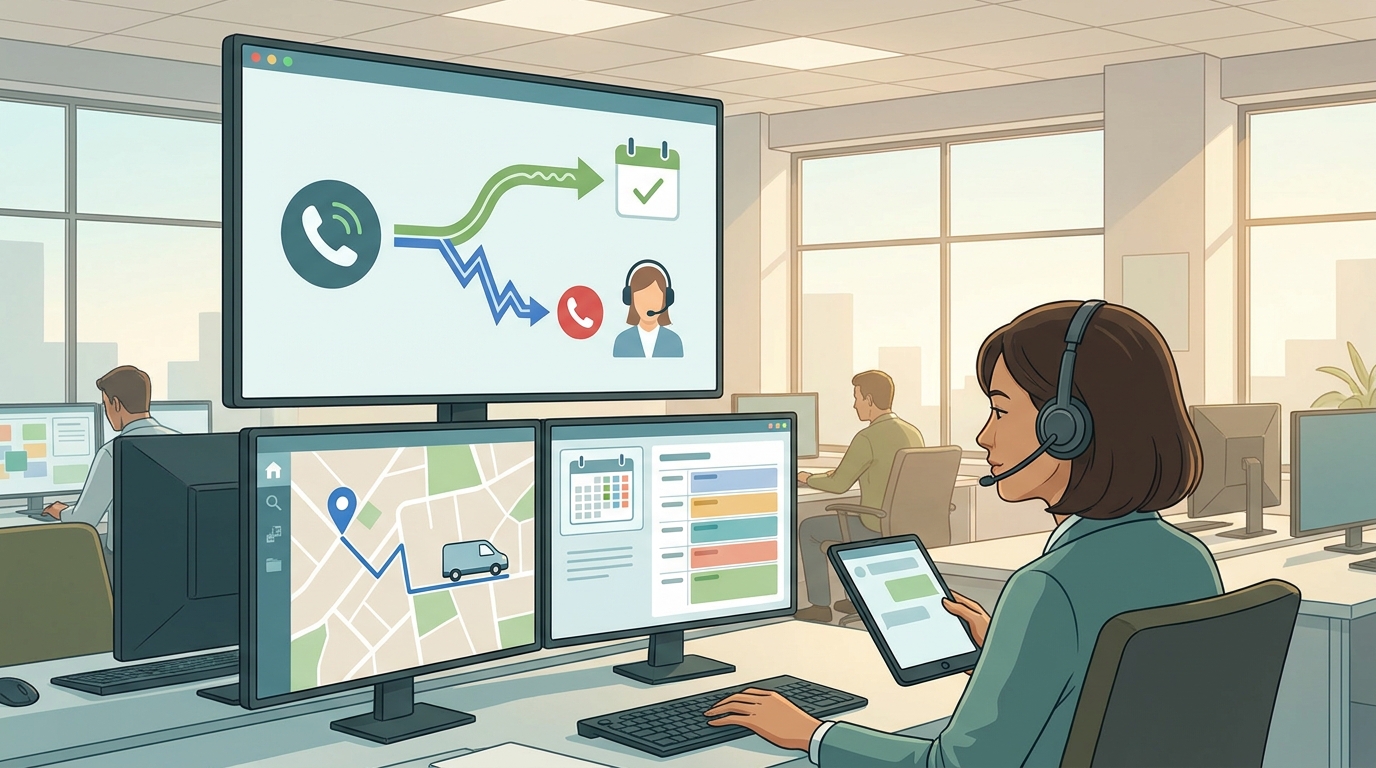
| Escalation rules | Urgent, emotional, complex, existing-client, conflict-sensitive, and uncertain calls route to a human reviewer or attorney. |
| Knowledge governance | The AI answers only from approved firm FAQs, practice-area information, and intake scripts. |
| Integration controls | Calendar, spreadsheet, CRM, or case-management syncs use least-necessary permissions and reviewable field mapping. |
| Pilot review | The firm tests realistic calls before going live and reviews transcripts, errors, missed escalations, and data capture quality. |
If a vendor cannot explain these controls, the firm is not ready to route calls through that system.
Why law-firm AI intake needs stricter rules than ordinary lead capture
Most service businesses need name, phone number, service need, and appointment time. Law firms often need more caution because the first call can include sensitive facts, adverse-party names, deadlines, prior counsel, court dates, and facts the caller believes are confidential.
For a secure AI intake law firm process, treat the AI receptionist as the front door to a controlled intake workflow, not as a legal decision-maker. The workflow should be able to:
- Identify the caller and best callback path.
- Classify the matter at a high level.
- Capture deadline and urgency signals.
- Gather involved-party names for review.
- Ask only approved intake questions.
- Schedule or request a consultation when appropriate.
- Log the transcript or summary for staff review.
- Escalate when the call leaves the approved intake lane.
The system should not:
- Tell callers what legal action to take.
- Predict outcomes.
- Decide whether a conflict exists.
- Promise representation.
- Give jurisdiction-specific advice.
- Ask for an unrestricted factual narrative before the firm has approved the intake sequence.
- Hide uncertain or risky calls instead of escalating them.
1. Define the intake boundary before writing the script
The first requirement is a plain-language boundary: what the AI may do and what it must not do.
A good boundary sounds like this:
The intake assistant may collect contact information, matter category, location, deadlines, involved-party names, and scheduling preferences. It may explain the firm's intake process using approved language. It may not provide legal advice, evaluate claims, promise outcomes, decide representation, or state whether a conflict exists.
That boundary should appear in the script, training materials, QA checklist, and escalation policy. It should also be reflected in the vendor configuration. If the platform cannot enforce the difference between intake and advice, it is not a secure AI intake law firm setup.
For ethics review, firms should compare the workflow against applicable professional conduct rules and state guidance. Useful starting points include ABA Model Rule 1.6 on confidentiality, Model Rule 1.18 on prospective clients, Model Rule 5.3 on nonlawyer assistance, and ABA Formal Opinion 512's discussion of generative AI responsibilities. State rules and opinions may differ, so the firm's reviewer should approve the final approach.
2. Minimize sensitive information on the first pass
Many intake teams are trained to ask for the full story. AI intake should be more deliberate.
Start with the minimum fields needed to route safely:
| Field | Why It Matters | Guardrail |
|---|---|---|
| Caller name and contact details | Follow-up and duplicate checking | Confirm spelling and preferred contact method. |
| Matter category | Routing by practice area | Use broad categories, not legal conclusions. |
| Location and jurisdiction signals | Determines whether the firm can evaluate next steps | Avoid giving jurisdiction advice. |
| Deadline or court date | Urgency routing | Escalate deadlines immediately. |
| Involved parties | Conflict-review input | Do not say whether a conflict exists. |
| Existing client status | Prevents wrong queue assignment | Route existing-client calls separately. |
| Preferred consultation time | Scheduling | Offer only approved calendar slots. |
Avoid asking for sensitive facts that are not needed for routing. For example, a personal injury firm may need accident date, location, and injury category before the first review. It may not need a full medical narrative during an automated first pass. A family law firm may need county, relationship status, and urgency, but should decide carefully how much detail the AI asks before a conflict and attorney review.
This is where a secure AI intake law firm workflow differs from a generic chatbot. It captures enough information to help the firm respond, while reducing unnecessary exposure.
3. Separate prospective-client capture from conflict review
The AI can collect names for conflict review. It should not perform or announce the legal conclusion.
Use wording like:
I will collect the names of people, companies, agencies, or other parties involved so the firm can review them before discussing the matter further.
Avoid wording like:
There is no conflict, so we can help you.
Conflict handling should be a workflow, not a sentence:
- The AI asks for names and entities involved.
- The record is logged with the matter category and caller details.
- A staff member or attorney reviews conflicts according to firm policy.
- Only an approved human reviewer decides whether the caller can move forward.
- The system records who reviewed the intake and what happened next.
This protects the firm from treating AI routing as a final conflicts decision.
4. Require transcript, recording, and summary controls
AI intake creates records. Those records are useful only if the firm understands them.
Before routing calls, ask:
- Are calls recorded, transcribed, summarized, or all three?
- Is caller consent needed for recording in the relevant states?
- Can recording behavior be configured by jurisdiction or call type?
- Where are recordings and transcripts stored?
- Are transcripts searchable?
- Who can view, export, edit, or delete transcripts?
- Are AI summaries clearly distinguished from verbatim transcripts?
- How long are records retained?
- Can the firm export records if it leaves the platform?
- Can records be deleted according to the firm's retention policy?
Do not rely only on a polished dashboard. A secure AI intake law firm process needs evidence. Review raw transcripts, summaries, call metadata, routing events, and exports during the pilot.
5. Make audit logs a purchase requirement
Audit logs matter because intake errors are rarely obvious from a lead list. You need to know how a call moved through the system.
Require logs for:
| Log Type | What It Should Show |
|---|---|
| Call event log | Time, channel, caller, queue, status, duration, and route. |
| Handoff log | Why the AI escalated, who received it, and whether it was accepted. |
| Script/version log | Who changed the intake script, when, and what changed. |
| Access log | Who viewed, exported, edited, or deleted records. |
| Integration log | What was sent to calendar, spreadsheet, CRM, or case-management tools. |
| Failure log | Missed calls, failed transfers, unavailable reviewers, API errors, and fallback actions. |
For a broader security lens, NIST's Cybersecurity Framework is a useful reference for thinking in terms of risk identification, protection, detection, response, and recovery. The article does not need to turn your intake team into a security department, but your vendor review should be evidence-based.
6. Define escalation before the first live call
Escalation rules are the most important operational control. The AI should know when to stop collecting and route the call.
Use a rule table like this:
| Trigger | AI Action | Human Follow-Up |
|---|---|---|
| Court date, filing deadline, service of papers, or expiring limitation concern | Mark urgent and route immediately. | Staff or attorney reviews same day according to firm policy. |
| Existing client asks for legal guidance | Identify and summarize request. | Route to responsible team, not new intake. |
| Caller asks "What should I do?" | State that the firm must review before advice is given. | Offer consultation path or callback request. |
| Potential conflict signal | Collect involved-party names only. | Reviewer performs conflict process. |
| Emotional distress or safety concern | Use approved empathy language and escalate. | Human team follows firm policy. |
| AI uncertainty | Stop improvising and route. | Intake lead reviews transcript. |
| High-value or VIP lead | Capture details and route with priority tag. | Attorney or senior intake reviewer follows up. |
| Complaint or billing issue | Do not debate. Summarize and route. | Firm handles as service issue. |
The safest fallback is simple: when unsure, escalate.
7. Control the knowledge base
AI intake should answer from approved firm material. It should not infer practice policies from the public web or general legal content.
Your knowledge base should include:
- Practice areas the firm handles.
- Practice areas the firm does not handle.
- Office hours and service areas.
- Intake eligibility questions by practice area.
- Required disclaimers approved by the firm.
- Consultation scheduling rules.
- Emergency and deadline routing rules.
- What the AI should say when it does not know.
- What the AI should never answer.
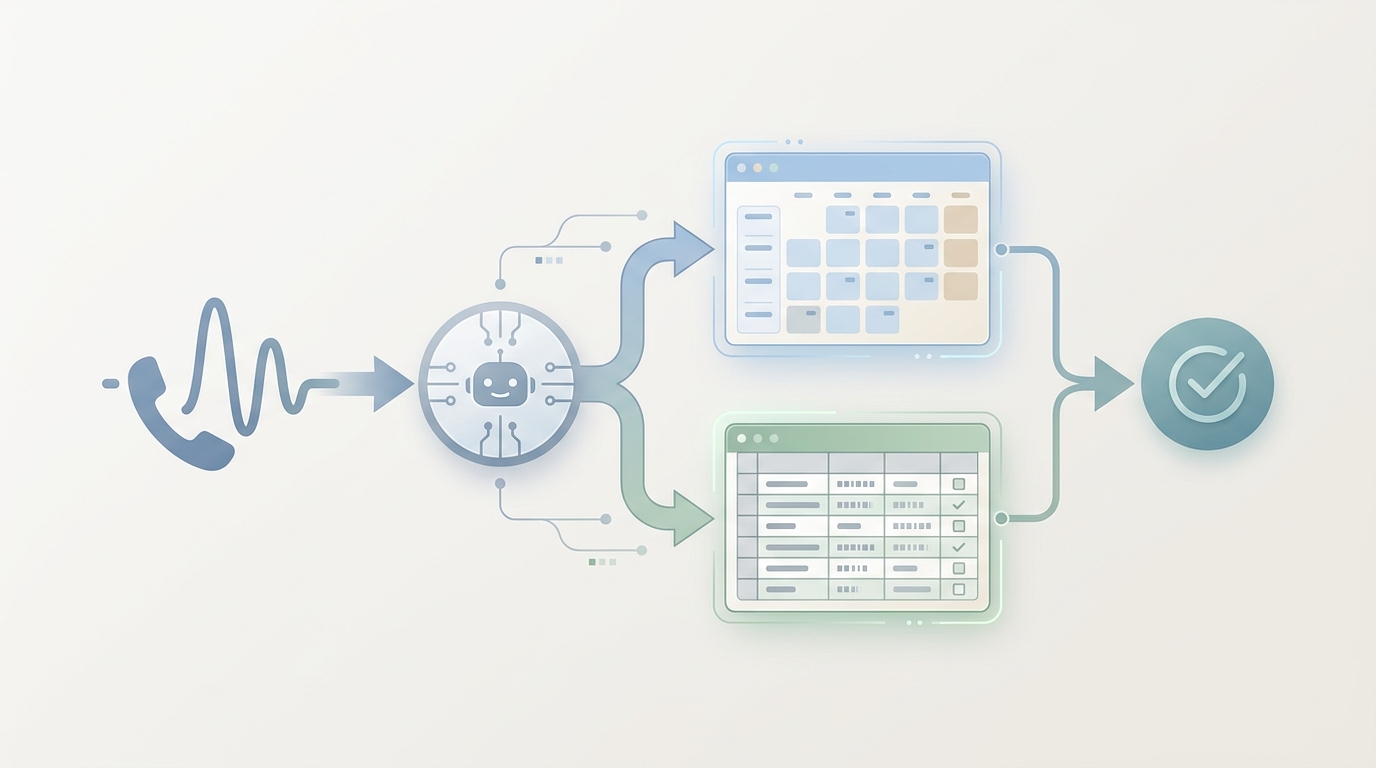
Solvea's law-firm page describes a custom legal knowledge base, automated intake and scheduling, Google Calendar booking, Google Sheets logging, real-time call transcript and case-detail capture, and attorney handoff for complex or urgent matters. Those are workflow claims a law firm can evaluate during a trial. The firm should still approve the exact script, data fields, routing policy, and reviewer process before production use.
8. Review integrations like data routes, not convenience features
Calendar and spreadsheet integrations are helpful because they reduce manual entry. They are also data routes.
Solvea's Google Tool documentation says Google Sheets can be used to access, edit, and update spreadsheet content, and Google Calendar can create, delete, update, and check availability for events based on permissions granted by the user. For a law firm, that means setup should be intentional:
- Use a dedicated intake calendar when possible.
- Limit spreadsheet fields to what intake reviewers need.
- Avoid storing unnecessary sensitive facts in a general shared sheet.
- Restrict who can access intake sheets.
- Confirm whether calendar descriptions include sensitive matter details.
- Decide whether transcripts should be stored in the intake platform, CRM, case-management system, or a separate controlled repository.
- Test what happens when an integration fails.
A secure AI intake law firm workflow is not just the AI conversation. It is the entire path from call to transcript to log to reviewer to follow-up.
9. Ask vendors the uncomfortable questions
Use this vendor checklist before routing real calls:
| Area | Questions to Ask |
|---|---|
| Data use | Do you use caller data, recordings, transcripts, summaries, or metadata to train models? Can that be disabled contractually? |
| Data location | Where are records stored and processed? |
| Access controls | Can we restrict user roles by office, practice area, or function? |
| Audit logs | Can we export access, script-change, routing, and deletion logs? |
| Retention | Can we set retention periods for recordings and transcripts? |
| Deletion | Can we delete records on request and receive confirmation? |
| Encryption | What encryption is used in transit and at rest? |
| Incident response | How are incidents detected, reported, and handled? |
| Subprocessors | Which third parties process calls, transcripts, storage, analytics, or AI inference? |
| AI behavior | How do you prevent the AI from giving legal advice or improvising outside approved sources? |
| Human handoff | What happens if an urgent call is escalated after hours and nobody answers? |
| Export | Can we export contacts, transcripts, summaries, logs, and configuration if we leave? |
| Admin review | Can we review and approve changes before they go live? |
| Compliance evidence | What security questionnaires, SOC 2 reports, DPAs, or enterprise documentation can you provide under NDA? |
If the vendor cannot answer these questions, do not treat the system as ready for sensitive legal intake.
10. Run a pilot before production routing
Do not launch a secure AI intake law firm workflow by forwarding every call on day one.
Run a controlled pilot:
- Build scripts for two or three high-volume practice areas.
- Add a no-legal-advice boundary.
- Add conflict-name capture.
- Add urgency and deadline escalation.
- Connect a test calendar and intake log.
- Run at least 20 realistic test calls.
- Include edge cases: deadlines, emotional callers, existing clients, adverse-party names, non-matters, billing issues, unclear facts, and "what should I do?" questions.
- Review transcripts and summaries line by line.
- Check whether sensitive facts were over-collected.
- Check whether the AI escalated too late, too often, or not at all.
- Approve the final script and routing map.
- Start with after-hours, missed-call, or overflow routing before full production routing.
The output of the pilot should be a signed-off intake policy, not just a feeling that the calls sounded good.
Where Solvea fits
Solvea is a no-code AI receptionist that can be configured for law-firm intake workflows. The current public law-firm page describes 24/7 intake, a custom legal knowledge base, consultation scheduling, Google Calendar booking, Google Sheets logging, call transcripts, case-detail capture, and seamless attorney handoff for complex legal inquiries or urgent matters.
That makes Solvea most relevant for firms that want to:
- Capture after-hours and missed-call leads.
- Standardize first-pass intake questions.
- Log calls and case details for review.
- Book consultations into Google Calendar.
- Use Google Sheets as a structured intake log.
- Escalate complex or urgent calls to attorneys or staff.
- Configure the AI without a custom engineering project.
For legal buyers, the next step is not to ask whether AI can replace intake staff. It is to ask whether your firm can configure a controlled, reviewable, secure AI intake law firm workflow that your attorneys and operations team are willing to approve.
If you need enterprise setup, script review, data-routing design, and handoff rules before routing legal calls, talk to Solvea about law-firm AI receptionist setup. You can also review the Solvea docs, the Google Calendar and Sheets tool documentation, and the current pricing page before planning a pilot.
Your AI Receptionist, Live in Minutes.
Scale your front desk with an AI that never sleeps. Solvea handles unlimited multi-channel inquiries, books appointments into your calendar automatically, and ensures zero missed opportunities around the clock.
FAQ
Is AI intake safe for law firms?
AI intake can be useful for law firms when it is limited to approved intake, scheduling, logging, and routing tasks. It should not provide legal advice, decide representation, resolve conflicts, or collect unnecessary sensitive information. A secure AI intake law firm setup needs attorney-approved scripts, transcript controls, access controls, audit logs, and escalation rules.
Can an AI receptionist protect attorney-client privilege?
Do not rely on a blanket privilege claim from any vendor. Privilege and confidentiality depend on the facts, jurisdiction, relationship, purpose of the communication, data handling, and firm supervision. Ask your reviewer to approve the workflow, vendor contract, recording policy, data use terms, and prospective-client language before launch.
What should AI collect during a first legal intake call?
Start with caller identity, contact information, matter category, location, important deadlines, involved-party names, existing-client status, and preferred callback or consultation time. Avoid full sensitive narratives until the firm has approved the conflict, privacy, and review process.
Should AI legal intake record calls?
Only if the firm has reviewed recording laws, consent wording, retention rules, access controls, and storage practices. If calls are recorded, the firm should know where recordings and transcripts live, who can access them, how long they are kept, and how they can be exported or deleted.
What is the most important routing rule?
When the AI is uncertain or the caller needs legal judgment, escalate. Secure intake is not about making the AI answer everything. It is about capturing enough information to route the call to the right human reviewer before risk increases.
What should a law firm test before going live?
Test urgency detection, no-legal-advice boundaries, conflict-name capture, existing-client routing, transcript accuracy, calendar booking, intake logging, data exports, deletion, admin access, and after-hours handoff. Review real transcript outputs before production routing.
What makes Solvea relevant for this workflow?
Solvea's law-firm page describes a no-code AI receptionist for legal intake, custom legal knowledge, consultation scheduling, Google Calendar booking, Google Sheets logging, transcripts, case-detail capture, and attorney handoff. Firms should evaluate those workflow capabilities against their own security, ethics, and intake requirements before routing live calls.