When a homeowner calls at 10:42 p.m. about water on the floor, no heat, a sparking panel, or a strange smell near the furnace, your first problem is not whether an AI receptionist can answer the phone. The real question is what your emergency service call triage AI should handle by itself, what it should book, and what it should escalate to a human immediately.
For home-service teams, the safest automation model is not "AI handles every emergency." It is a controlled triage workflow. The AI answers fast, collects the right facts, gives only approved safety language, creates a clean job record, books routine work, and escalates any life-safety, property-damage, high-urgency, or low-confidence call to an owner, dispatcher, or on-call technician.
This guide gives you the rules, scripts, booking logic, callback ownership, and test plan to set escalation rules in Solvea before you route urgent calls through an AI receptionist.
Quick Answer: What AI Should Answer vs Escalate
Use this as the starting policy for emergency service call triage AI.
| Caller intent | AI should answer? | AI should book? | AI should escalate? |
|---|---|---|---|
| Business hours, service area, maintenance plan, warranty process, routine FAQ | Yes | No, unless the caller asks to schedule | No |
| Routine repair request with no active damage or safety risk | Yes | Yes, into normal availability | No, unless confidence is low |
| Same-day request, active leak, no heat in extreme weather, no cooling for a vulnerable household, broken door that blocks access | Yes, with approved questions | Only if emergency slots are configured | Yes, to on-call or dispatcher |
| Gas smell, carbon monoxide alarm, fire, electrical shock, sparking panel, downed line, injury, trapped person, flooding that threatens safety | Only approved safety prompt and location capture | No | Yes, immediately; tell caller to contact emergency services or utility as appropriate |
| Angry caller, repeat callback, unclear issue, VIP customer, payment dispute, property manager escalation | Limited | No automatic booking unless approved | Yes |
The article's rule of thumb: AI can collect and route urgent information, but it should not make safety judgments, diagnose hazards, promise arrival times it cannot control, or leave a true emergency sitting in a routine appointment queue.
Why Emergency Calls Need a Different AI Workflow
Routine service calls are predictable. A caller asks for availability, price range, service area, warranty coverage, maintenance plans, or a new appointment. Your AI receptionist can answer from an approved knowledge base, confirm details, check availability, and create a booking.
Emergency calls are different because the caller may be stressed, the property may be actively getting worse, and the wrong next step can create risk. In public safety, the National Telecommunications and Information Administration describes AI in 9-1-1 settings as a decision-support tool that can assist with triage, call flow, translation, transcription, and routing. That framing matters for home services too: use emergency service call triage AI to support decisions and speed up routing, not to replace human judgment for high-risk situations.
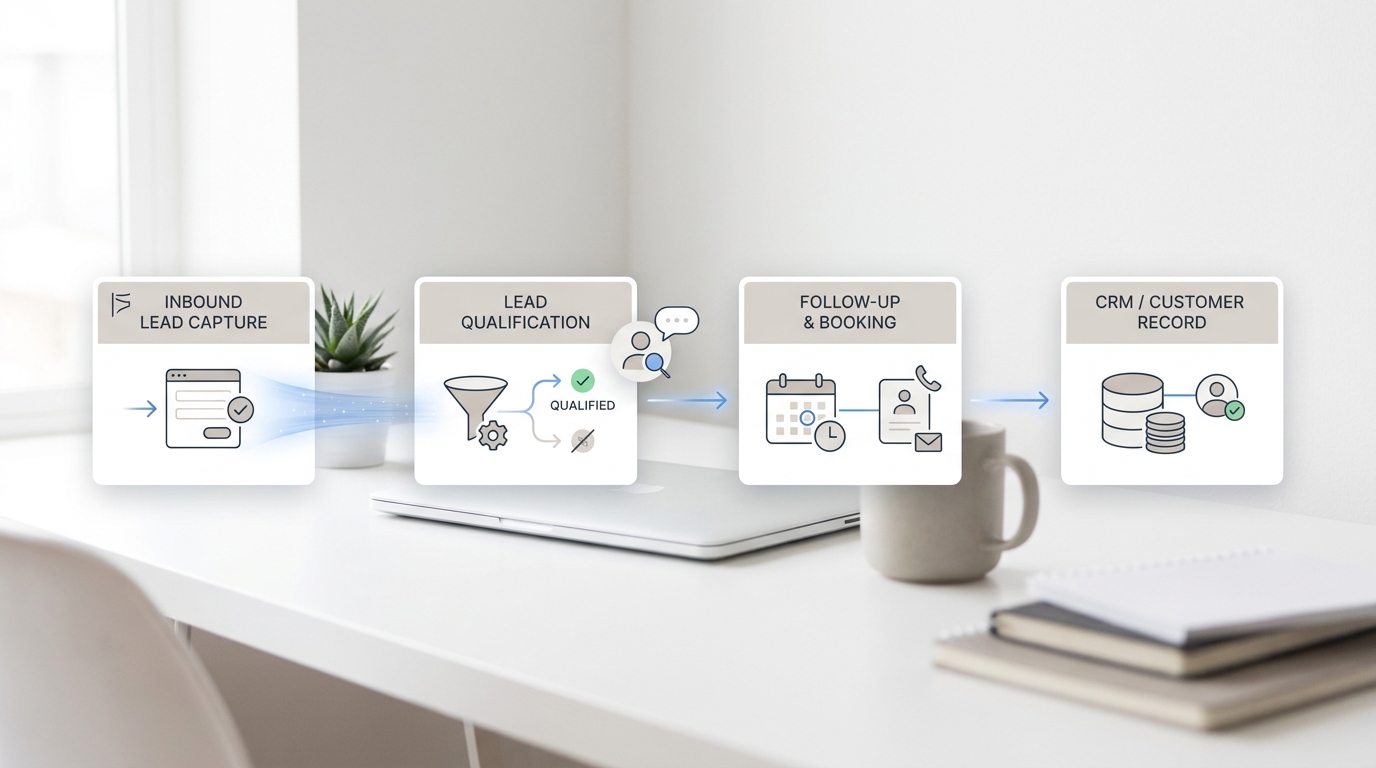
Solvea's home-services page supports the operational pieces this workflow needs: a 24/7 AI receptionist, appointment booking, customer FAQs, missed-call capture, Google Calendar and Google Sheets workflow sync, SMS confirmations, and human handoff for complex or emergency service calls. The Google Tool documentation also supports Google Sheets read/write and Google Calendar create, update, delete, and availability-check actions. Those are the building blocks for a triage workflow: call answered, urgency identified, job logged, calendar checked, and a human notified when required.
The Four Triage Tiers
Do not build one emergency bucket. Build four tiers so the AI can separate life safety from same-day revenue, routine service, and callback queues.
| Tier | Definition | Examples | AI action | Human owner |
|---|---|---|---|---|
| Tier 0: Life safety | Caller mentions immediate danger, injury, fire, gas, carbon monoxide, electrical shock, trapped person, or unsafe conditions | Gas odor, CO alarm, smoke, sparks, downed line, injury | Say approved safety prompt, collect name/address/callback if safe, escalate immediately | 911/utility plus on-call owner |
| Tier 1: True service emergency | Property damage or access issue is active, but the caller is not reporting immediate life danger | Burst pipe, active sewage backup, no heat in freezing weather, broken exterior door | Collect dispatch facts, send high-priority alert, request callback confirmation | On-call technician or dispatcher |
| Tier 2: Same-day priority | Needs quick response but can be scheduled through controlled emergency capacity | AC outage in high heat, water heater leak contained, garage door stuck open, pest intrusion | Offer emergency/same-day slots only if configured | Dispatcher or office lead |
| Tier 3: Routine | Service can wait for normal scheduling | Tune-up, quote, non-urgent repair, maintenance plan, general question | Answer, book, confirm, log | Normal scheduling queue |
For emergency service call triage AI, the escalation rule should be conservative: when the call sounds like Tier 0 or the AI is not confident, escalate.
Safety Language AI Can Use
Your AI should not improvise safety instructions. Write short, approved prompts and keep them tied to official guidance or your company's reviewed policy.
For life-safety wording, keep the script simple:
I want to help, but this may involve immediate safety risk. If anyone is in danger, if there is fire, injury, gas odor, carbon monoxide alarm, electrical shock, or another emergency, please contact 911 or your local emergency number now. If you are safe to continue, I can collect your address and callback number so our on-call team can follow up.
For gas-odor calls, public utility guidance commonly tells people to leave the building, avoid ignition sources, call 9-1-1 and the gas utility from a safe distance, and wait until emergency or utility personnel say it is safe to return. Link your internal script to a reviewed source such as your local utility's safety page. The Pennsylvania Public Utility Commission's gas emergency guidance is a useful example of the level of caution to mirror.
For carbon monoxide calls, the CDC describes carbon monoxide as an odorless, colorless gas that can cause sudden illness and death. If the caller mentions a CO alarm or symptoms like headache, dizziness, weakness, vomiting, chest pain, or confusion, your AI should stop normal booking and route the caller toward emergency help. Use the CDC's carbon monoxide basics as a source for approved internal wording.
For 9-1-1 situations, link your policy to 911.gov or local emergency guidance. The AI should not debate whether the caller's situation qualifies. If the caller says someone is in danger, escalate and tell them to contact emergency services.
Trade-Specific Escalation Triggers
Emergency service call triage AI needs more than the word "emergency." Callers may describe the problem casually, emotionally, or with incomplete language.
| Trade | Escalate immediately when caller says | Clarifying question AI can ask | Do not let AI do |
|---|---|---|---|
| Plumbing | Burst pipe, water everywhere, ceiling leaking, sewage backup, no water, water heater leaking near electrical | "Is water actively flowing right now, and is anyone in immediate danger?" | Diagnose source, tell caller to handle electrical hazards, promise exact arrival |
| HVAC | No heat in freezing weather, no cooling with elderly/infant/medical vulnerability, furnace smell, CO alarm | "Is anyone in the home medically vulnerable, and is there a carbon monoxide alarm or unusual smell?" | Tell caller it is safe to stay inside, troubleshoot combustion equipment |
| Electrical | Sparks, burning smell, shock, panel smoking, breaker hot, downed line | "Is anyone injured or in immediate danger?" | Instruct caller to touch equipment, reset panels repeatedly, approach downed lines |
| Restoration | Active flood, sewage, fire/smoke damage, storm damage with unsafe structure | "Is the property safe to remain in, and is water or smoke still active?" | Tell caller to enter unsafe areas |
| Garage door | Door stuck open at night, vehicle trapped, spring broken, door off track | "Is anyone injured, and is the opening unsecured?" | Tell caller to repair spring or force door |
| Pest control | Stinging insects inside, animal in living space, suspected infestation near infants or allergic person | "Is anyone having an allergic reaction or in immediate danger?" | Give medical guidance or guarantee same-night removal |
These triggers should live in the AI receptionist's knowledge base and in the human dispatch playbook. If the AI and the human team use different definitions of "urgent," calls will be routed inconsistently.
What AI Should Answer Without Escalation
AI is strongest when the caller needs clear, repeatable information. For most service businesses, the AI can answer:
- Service area and trade coverage.
- Business hours and after-hours process.
- Routine appointment availability.
- Maintenance plan basics.
- Warranty or callback process approved by the company.
- What information the company needs before dispatch.
- Whether the company handles a service type.
- Basic arrival-window expectations when they are written in policy.
- How the customer will receive confirmation.
- Rescheduling and cancellation rules.
That is where emergency service call triage AI protects the office: routine calls do not wake the on-call tech, but they still become booked jobs or clean callback records.
What AI Should Escalate Every Time
Escalation is not failure. It is the point of the workflow.
Escalate when:
- The caller asks for a human, manager, owner, dispatcher, or technician.
- The caller mentions 911, fire department, gas company, police, injury, shock, CO alarm, smoke, sparks, or being trapped.
- The caller says water, sewage, heat, electricity, or access is actively worsening.
- The caller is angry, frightened, confused, or repeating that nobody called back.
- The caller has a VIP account, property-management contract, warranty dispute, or payment dispute.
- The AI confidence is low after one clarification.
- The caller gives conflicting details.
- The booking would require moving existing jobs, overtime approval, or special equipment.
- The requested time is outside configured emergency capacity.
The escalation should include the transcript, caller name, phone, address, service type, urgency tier, reason for escalation, safety prompt used, photos/video link if collected, and the callback deadline.
Booking Rules for Urgent Calls
Do not let AI book emergency calls into a normal calendar just because a slot is open. Emergency booking needs separate rules.
| Rule | Why it matters |
|---|---|
| Keep emergency slots separate from routine slots | Prevents a real emergency from waiting behind tune-ups |
| Define trade and skill constraints | The wrong technician should not be booked for gas, electrical, or specialty work |
| Add drive-time and parts buffers | Emergency calls often need more time than routine jobs |
| Require confirmation from on-call owner for Tier 1 | The customer should not receive a false promise |
| Use same-day slots only for Tier 2 | Tier 0 and Tier 1 need human routing first |
| Log the source of the decision | Reviews are easier when the rule, transcript, and urgency reason are visible |
| Send SMS confirmation only after the rule is satisfied | A premature confirmation creates trust problems |
In Solvea, connect this logic to the tools your team already uses. Use Google Calendar for approved availability and Google Sheets for call logs, urgency tier, callback owner, and follow-up status. Then use SMS confirmation only after the appointment or callback promise is valid.
Callback Ownership: The Missing Rule
Many emergency workflows fail after the AI does the right thing. It identifies urgency, sends a notification, and then nobody owns the callback.
Define this before launch:
| Field | Example |
|---|---|
| Primary owner | On-call plumber, dispatcher, office owner |
| Backup owner | Second on-call tech or manager |
| Acknowledgment window | 5 minutes for Tier 1; next business opening for Tier 3 |
| Failed acknowledgment action | Notify backup owner and mark "missed escalation" |
| Customer promise | "An on-call team member has been alerted and will call you back as soon as possible." |
| Record field | callback_owner, callback_deadline, acknowledged_at, backup_notified |
Do not let the AI promise "a technician is on the way" unless your dispatch system can actually confirm it. Safer wording is:
I am marking this as urgent and sending it to the on-call team with your address, phone number, and the issue you described. If anyone is in immediate danger, please contact emergency services now.
Solvea Workflow: From Call to Escalation Rule
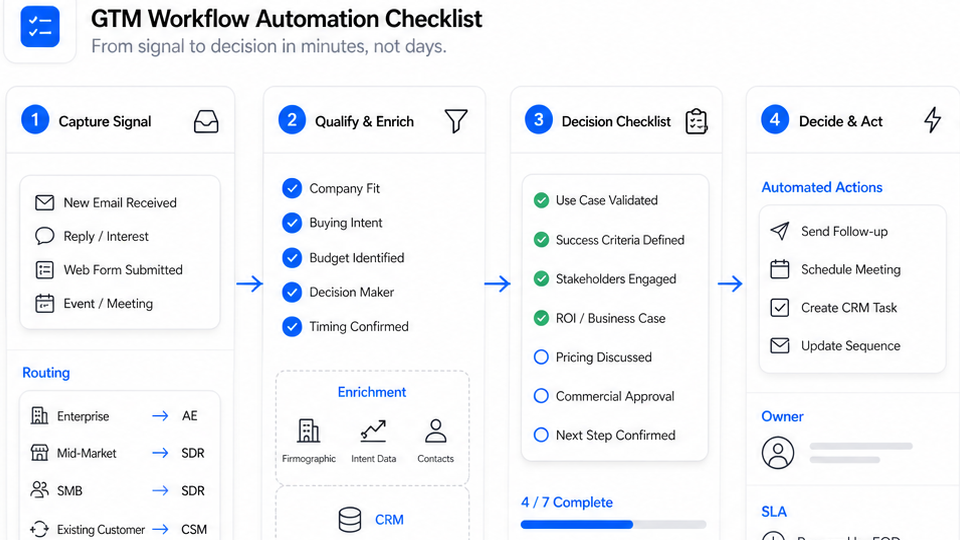
Here is the practical Solvea setup for emergency service call triage AI.
- Upload the approved service list, service areas, business hours, after-hours policy, FAQs, booking rules, and escalation triggers.
- Create triage tiers in the AI prompt: Tier 0, Tier 1, Tier 2, and Tier 3.
- Connect phone handling so missed calls or a dedicated AI number can be answered.
- Connect Google Calendar for approved appointment availability.
- Connect Google Sheets for structured call logs, urgency tier, transcript reference, owner, and callback status.
- Add SMS confirmation rules for routine bookings and approved callbacks.
- Add human handoff for emergency, low-confidence, angry, or explicit human-request calls.
- Review call recordings and transcripts weekly until the rule set is stable.
This is where the Solvea home-services AI receptionist fits best. It is not an emergency responder. It is the front-door workflow that captures calls, answers approved questions, books routine jobs, and escalates urgent work to people.
Copy-Ready AI Script Blocks
Use these as starting points for your internal configuration. Have your owner, dispatcher, insurer, or safety advisor approve final language before live use.
Opening
Thanks for calling [Company]. I can help collect details, answer approved service questions, book routine appointments, or alert the on-call team for urgent service issues. If anyone is in immediate danger, please call 911 or your local emergency number now.
Urgency Check
Before we schedule, I need to check urgency. Is there active water, fire, smoke, gas odor, carbon monoxide alarm, electrical sparking, injury, no heat or cooling affecting a vulnerable person, or another immediate safety concern?
Routine Booking
This sounds like a routine service request. I can check available appointment times and send a confirmation by text. What address should the technician visit?
Tier 1 Escalation
I am marking this as urgent and sending it to the on-call team. I will include your name, address, phone number, the issue, and the details you shared. If the situation becomes unsafe, contact emergency services immediately.
Low-Confidence Handoff
I do not want to route this incorrectly. I am going to send the details to a team member for review rather than continue automatically.
Callback Confirmation
I have logged your request and sent it to [owner role]. You should expect a callback according to our urgent-call process. If conditions become unsafe, call emergency services.
One-Week Test Plan
Before forwarding real after-hours calls, test the workflow.
- Pull 25 recent calls, missed calls, voicemails, web forms, and urgent texts.
- Tag each as Tier 0, Tier 1, Tier 2, or Tier 3.
- Write five hard scenarios for each trade you serve.
- Include stress cases: angry caller, unclear issue, gas smell, CO alarm, burst pipe, no heat, broken garage door, and payment dispute.
- Run every scenario through the AI.
- Score whether it used the right prompt, asked the right questions, avoided unsafe advice, logged complete details, and routed to the right owner.
- Confirm Google Calendar booking rules did not create a bad appointment.
- Confirm Google Sheets records include tier, owner, reason, and callback deadline.
- Review SMS confirmations for promises that sound too strong.
- Adjust the prompts and run the failed scenarios again.
Do not judge the workflow only by how natural the voice sounds. Judge it by whether the emergency service call triage AI routes the right calls to the right person with the right record.
Your AI Receptionist, Live in Minutes.
Scale your front desk with an AI that never sleeps. Solvea handles unlimited multi-channel inquiries, books appointments into your calendar automatically, and ensures zero missed opportunities around the clock.
FAQ
What is emergency service call triage AI?
Emergency service call triage AI is an AI receptionist workflow that answers urgent service calls, asks approved questions, separates routine requests from emergencies, books approved appointments, logs details, and escalates risky or high-priority calls to a human.
Can AI dispatch emergency home-service calls?
AI can support dispatch by collecting facts, identifying urgency, logging the job, checking approved availability, and alerting an on-call owner. It should not replace human judgment for life-safety, high-risk, low-confidence, or complex situations.
What should AI never handle alone?
AI should not handle calls alone when the caller mentions immediate danger, fire, gas odor, carbon monoxide, electrical shock, injury, a trapped person, unsafe structural conditions, an angry escalation, or an explicit request for a human.
Should AI tell callers to call 911?
If the caller reports immediate danger or a life-safety risk, the AI should use approved wording that directs them to emergency services or the relevant utility. The AI should not debate the danger level or provide improvised safety instructions.
How do I test emergency escalation rules in Solvea?
Create tiered rules, connect your calendar and call log, then run real call scenarios through the AI before launch. Inspect the transcript, urgency tier, owner assignment, callback deadline, booking result, and SMS confirmation for every test.
Final Recommendation
Set escalation rules before you turn on automation for urgent service calls. Let AI answer routine questions, collect details, book approved work, and log every call. Escalate life-safety issues, active property damage, angry callers, unclear situations, and any request that needs human judgment.
If you want to test emergency service call triage AI without rebuilding your dispatch process, start with the Solvea home-services setup, connect your approved FAQs and scheduling tools, and set the emergency escalation rules before forwarding after-hours call volume.