An AI knowledge base for service business support is useful only when it contains the same practical details your front desk, dispatcher, host, stylist, technician, or office manager already uses to answer customers.
If you upload a few generic FAQs and send the AI live, it may answer simple questions but fail when a customer asks about service limits, cancellation rules, pricing exceptions, after-hours requests, or when a person should step in. The better approach is to upload the first knowledge sources in a deliberate order: the facts customers ask for most, the policies staff must explain consistently, and the handoff rules that keep the AI from guessing.
This guide shows what to upload first, what to leave out at the beginning, and how to review answers before customers see them.
Quick Answer: What Should You Upload First?
For an AI knowledge base for service business workflows, upload these sources first:
| Priority | Upload first | Why it matters |
|---|---|---|
| 1 | Service menu | Defines what the business offers and what each service includes |
| 2 | Hours, location, and contact rules | Prevents wrong availability, office-hour, and callback answers |
| 3 | Frequently asked questions | Covers the routine questions customers ask before booking or buying |
| 4 | Policies | Keeps cancellation, rescheduling, deposit, refund, late-arrival, and warranty answers consistent |
| 5 | Pricing language and disclaimers | Helps the AI explain ranges, estimates, and quote limits without inventing final prices |
| 6 | Booking or intake fields | Tells the AI what to collect before a handoff or appointment request |
| 7 | Staff rules | Defines what the AI may say, what it must not say, and who owns each request |
| 8 | Escalation and handoff guidance | Tells the AI when to stop and route the conversation to a person |
| 9 | Test questions and approved answers | Lets you review answer quality before launch |
Solvea's Knowledge Base documentation describes the Knowledge Base as the agent's brain: the agent retrieves information from it to generate accurate, context-aware responses. The same docs say knowledge can be added through document uploads, web page imports, or automatic synchronization. That makes the upload order important. The AI can only retrieve what you have made clear, current, and safe to use.
Start With the Service Menu
The service menu is the first file for an AI knowledge base for service business setup because it defines the boundaries of the business. A customer usually asks about services before they ask about policies.
Do not upload only a price list or a brochure. Create a service menu that answers the operational questions a staff member would ask during a real conversation.
| Service-menu field | Example for a service business | Why the AI needs it |
|---|---|---|
| Service name | Standard cleaning, deep cleaning, move-out cleaning | Separates similar requests |
| Short description | What is included in the service | Prevents vague answers |
| Not included | Mold remediation, exterior windows, appliance repair | Stops overpromising |
| Typical duration | Usually 2-3 hours for a standard visit | Helps set expectations |
| Service area | City, ZIP codes, travel limits | Prevents unsupported bookings |
| Requirements | Customer must provide parking, gate code, access instructions | Reduces back-and-forth |
| Direct-book or review-first | Book online vs. staff quote required | Controls automation |
| Handoff trigger | Custom scope, urgent issue, unclear request | Tells the AI when to route |
The key is to write for retrieval, not marketing. A service page can say "premium care." A knowledge-base entry should say what the service includes, what it excludes, and what the AI should collect before staff review.
Add Hours, Location, and Availability Rules
Hours sound simple until the AI has to answer real customers:
- Are you open on holidays?
- Do you take same-day appointments?
- When is the last appointment of the day?
- Do you answer after hours?
- Which location handles my ZIP code?
- Can I walk in, or do I need an appointment?
Put these answers in one source before you upload deeper policy material.
| Knowledge item | What to include |
|---|---|
| Regular hours | Days, opening time, closing time, time zone |
| Holiday hours | Known closures and "team will confirm" language for uncertain dates |
| Service-area rules | Cities, ZIP codes, remote support limits, travel fees if applicable |
| Same-day rules | Whether same-day work is allowed, limited, or staff-reviewed |
| After-hours response | What the AI may answer and when staff will follow up |
| Emergency wording | Whether urgent requests go to staff, voicemail, emergency line, or a different process |
For evergreen blog content, avoid copying fragile dates like a temporary holiday closure unless you plan to update the article. In your own knowledge base, however, those temporary dates should be present, owned, and reviewed.
Your AI Receptionist, Live in Minutes.
Scale your front desk with an AI that never sleeps. Solvea handles unlimited multi-channel inquiries, books appointments into your calendar automatically, and ensures zero missed opportunities around the clock.
Upload FAQs as Question-Answer Pairs
FAQs are usually the easiest source to upload, but they are often too vague. A good AI knowledge base for service business answers should include the question, the approved answer, and the handoff rule.
Use a table like this:
| Customer question | Approved answer | Handoff trigger |
|---|---|---|
| Do you offer same-day appointments? | Same-day appointments may be available depending on location and schedule. The AI can collect service type, address, preferred time, and contact details. | Customer needs a guaranteed time, emergency service, or a staff quote |
| What is included in a standard visit? | Use the current service-menu description. | Customer asks about an excluded task or custom scope |
| How much does it cost? | Give approved starting-price or estimate language only. | Customer asks for a final quote, discount, package, or exception |
| Can I cancel? | Explain the approved cancellation window. | Customer requests a waiver, refund, or dispute review |
| Can I talk to a person? | Confirm that the team can follow up and collect the best contact method. | Always hand off when requested |
Include common variations of the same question. Customers do not ask in neat FAQ language. They say "Can someone come today?" instead of "Do you offer same-day appointments?" They say "How much am I looking at?" instead of "What is your pricing?"
Make Policies Easy for the AI to Repeat
Policies are where consistency matters most. If the AI explains one cancellation rule and a staff member explains another, the customer loses trust.
Upload policies in plain language, not as dense legal copy. Keep the official policy document if needed, but give the AI a customer-safe version it can repeat.
| Policy | Upload this first | Keep human-owned |
|---|---|---|
| Cancellation | Window, deadline, how to cancel, what happens next | Exceptions, disputes, fee waivers |
| Rescheduling | How far ahead, how often, what information is needed | Repeated changes, priority customers |
| Late arrival | Grace period, staff review rule, schedule impact | Exceptions and complaints |
| Deposit | When required and how the next step works | Refunds, card issues, special arrangements |
| Refund or adjustment | General review process | Final decision, legal or financial interpretation |
| Warranty or redo | What is covered, time window, documentation needed | Final approval |
| Safety or regulated requests | Approved routing language only | Advice, diagnosis, compliance decision |
The AI should not negotiate policy. It should explain the approved rule, collect the needed details, and route exceptions.
Add Pricing Language With Guardrails
Pricing content needs more care than most teams expect. A service business may have starting prices, ranges, minimum callout fees, travel fees, after-hours fees, custom quotes, packages, deposits, or seasonal changes.
For an AI knowledge base for service business pricing, upload the pricing logic before you upload a static sheet of numbers.
| Pricing field | What to write |
|---|---|
| Price type | Fixed, starting at, estimate, range, quote after review |
| Included items | What the price covers |
| Exclusions | What may cost extra |
| Variables | Size, distance, urgency, material, add-ons, staff level, time |
| Quote rule | When staff must confirm before the customer receives a final number |
| Disclaimer | "The team will confirm the final price after reviewing the details" when appropriate |
| Expiration | When a quote or promotion stops being valid |
Avoid teaching the AI to sound more certain than the business really is. "The final quote depends on scope and the team will confirm it" is often safer than an exact number when the customer's request is not yet clear.
Upload Booking and Intake Fields
If the AI will collect details before a booking, callback, quote, or ticket, upload the fields it must capture. This turns a conversation into useful work.
| Workflow | Fields to collect before handoff |
|---|---|
| Appointment request | Name, phone, email, service, preferred date/time, location, notes |
| Quote request | Service type, scope, address or service area, urgency, photos or documents if your process supports them, callback method |
| Support request | Customer identity, issue, order or appointment reference, what already happened, preferred follow-up |
| Policy exception | Policy involved, customer request, reason, deadline, contact details |
| Complaint | Summary, date, service, staff or location if known, requested resolution, urgency |
| Emergency-style request | Minimal details, urgent routing instruction, staff owner |
Solvea's Inbox documentation describes tickets as structured records with conversation history, handling process, and final outcome. It also notes that the inbox is where AI-handled interactions can be reviewed and continued when human follow-up is needed. That is why intake fields matter. The goal is not just an answer; it is a reviewable next step.
Define Staff Rules Before Edge Cases
Staff rules are internal instructions that help the AI behave like a careful front-desk assistant instead of an overconfident search box.
Upload staff rules in a direct format:
| Rule type | Example |
|---|---|
| Allowed answers | The AI may answer hours, location, service descriptions, approved FAQs, and policy summaries |
| Do-not-answer topics | The AI must not give legal, medical, financial, regulated, or custom professional advice |
| Tone | Friendly, direct, calm, and brief |
| Certainty rule | If the source does not answer the question, say the team will confirm |
| Price rule | Use approved pricing language only; never invent discounts or final quotes |
| Booking rule | Book only direct-book services; route custom or unclear services |
| Complaint rule | Acknowledge, collect details, and route to staff |
| Data rule | Do not ask for sensitive information unless the workflow and channel are approved |
Solvea's Agent documentation says an agent can understand customer intent, retrieve knowledge from the knowledge base, use connected tools and communication channels, execute task workflows, and escalate to a human agent when needed. Staff rules make those behaviors practical for your business.
Write Escalation and Handoff Guidance
Escalation guidance tells the AI when to stop. This is one of the highest-value uploads because it reduces bad guesses.
| Escalate when the customer asks about... | AI should do this | Staff should receive |
|---|---|---|
| A policy exception | Explain that the team will review it | Policy, request, customer details, urgency |
| A final quote | Collect scope and route | Service, variables, address or context, deadline |
| A complaint | Acknowledge and route | Summary, service date, desired outcome |
| A refund or payment dispute | Capture and stop | Payment topic, request, account reference if approved |
| A sensitive or regulated topic | Use approved routing language only | Escalation reason and safe contact path |
| Missing knowledge | Say the team will confirm | The unanswered question and attempted category |
| A human | Hand off without friction | Customer request and preferred follow-up |
Use a handoff message like this:
I have the details and I am sending this to the team for review. I will include your request, contact information, and the reason this needs a person so you do not have to repeat everything.That kind of message sets the right expectation. The AI is not stuck; it is routing.
What Not to Upload First
More content is not always better. Early knowledge bases become unreliable when teams upload everything before deciding what the AI is allowed to use.
Wait before uploading:
- Outdated brochures, old price sheets, expired promotions, and seasonal pages without review dates.
- Internal notes that are not written for customer-facing answers.
- Long contracts without a plain-language customer answer.
- Sensitive customer data that the AI does not need for the workflow.
- Staff-only commentary, complaints, or private messages.
- Documents with conflicting policies.
- Full historical transcripts before you have a process for extracting clean FAQs and handoff rules.
If two sources disagree, fix the source conflict before launch. Do not expect the AI to infer which policy is current.
Format Each Source for Better Answers
You do not need a developer to structure an AI knowledge base for service business use. You do need consistent formatting.
Use this pattern for each source:
| Field | What to write |
|---|---|
| Title | "Cancellation Policy" or "Deep Cleaning Service" |
| Owner | Person or team responsible for keeping it current |
| Last reviewed | Date the source was checked |
| Customer-safe answer | The wording the AI may use |
| Internal note | Optional, but clearly marked as not customer-facing |
| Handoff trigger | When the AI should route |
| Related source | Link to the service, booking, policy, or pricing source |
Short, specific sections work better than one large document. A well-structured service menu plus clear policy tables is easier to audit than a long PDF full of mixed marketing copy, staff notes, and old exceptions.
Test Answers Before Customers See Them
Before launch, test the AI knowledge base for service business questions with real scenarios. Do not test only easy FAQs.
| Test question | What a good answer should prove |
|---|---|
| Are you open this Saturday? | Uses current hours and does not guess holiday exceptions |
| How much will this cost? | Uses approved pricing language and routes final quotes |
| Can you come today? | Collects service, location, urgency, and routing details |
| What is included in this service? | Pulls from the service menu, not generic wording |
| Can I cancel without a fee? | Explains approved cancellation rules and routes exceptions |
| I am angry about my last visit. | Acknowledges and routes, without arguing or overpromising |
| I need something outside your normal service area. | Applies location rules and offers staff review if appropriate |
| Can you make an exception for me? | Captures the request and routes to a person |
| I have a medical, legal, or financial question. | Uses approved routing language and does not advise |
| Can I speak with someone? | Hands off cleanly and captures contact preference |
| Your answer is wrong. | Records the correction and creates a knowledge-gap review |
| I changed my mind twice in one request. | Clarifies once, then routes if the request remains unclear |
Review the transcript, the final answer, the handoff summary, and the ticket fields. If the AI answer is wrong, update the source, not just the prompt. If the AI answer is technically correct but unhelpful, rewrite the customer-safe answer in plain language.
A One-Day Upload Plan
If you are starting from scratch, do not wait for a perfect knowledge library. Build a useful first version in one day:
- Export or write your top services with inclusions, exclusions, and direct-book rules.
- Add hours, location, service area, contact paths, and after-hours handling.
- Write 20 customer FAQs from missed calls, inbox questions, reviews, and staff memory.
- Add cancellation, rescheduling, late-arrival, deposit, refund, and complaint policies.
- Add pricing guardrails: ranges, estimate language, variables, and quote handoff.
- Add booking, quote, support, complaint, and policy-exception intake fields.
- Write staff rules for what the AI may answer and what it must route.
- Create 12 test questions and approved answer expectations.
- Test the AI internally before routing live customer traffic.
- Review the first real conversations and add missing sources.
This first upload does not need to answer every possible question. It needs to answer the common questions correctly and route the risky ones clearly.
How Solvea Fits This Workflow
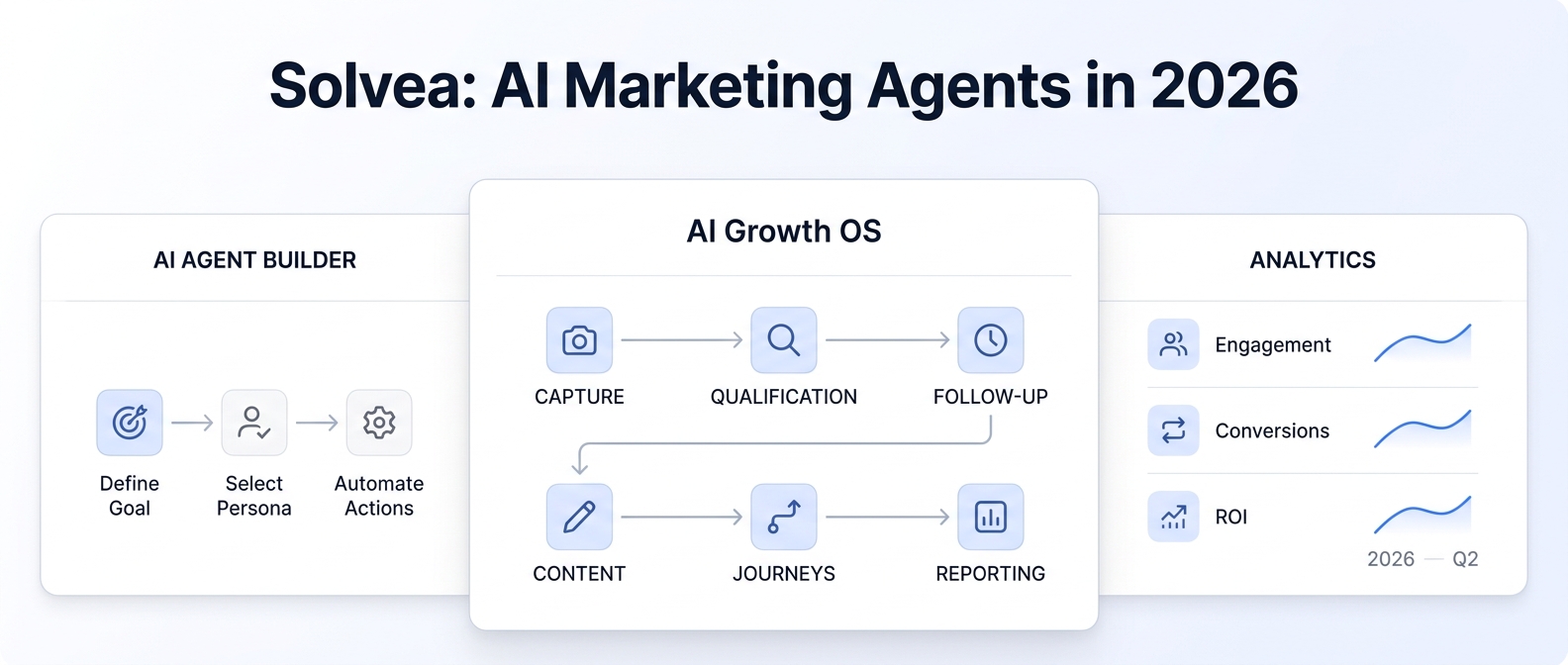
Solvea is built around this kind of setup: a role-based AI receptionist retrieves relevant knowledge, uses connected channels and tools, follows task workflows, and escalates to a human agent when needed.
For this article, the source-backed workflow is:
- Use the Knowledge Base as the source for approved answers.
- Add knowledge through document uploads, web imports, or synchronization.
- Keep the knowledge structured so the agent can retrieve it precisely.
- Use agent instructions and handoff rules to define what the AI should do.
- Review AI-handled interactions in the inbox when follow-up is needed.
That makes Solvea a practical place to build an AI knowledge base for service business owners who want AI answers without a developer. Start with the Knowledge Base overview, review how agents use knowledge, and connect the inbox workflow so unanswered or sensitive requests become human follow-up instead of risky guesses.
FAQ
What is an AI knowledge base for service business?
An AI knowledge base for service business is a structured set of approved service details, FAQs, policies, pricing language, hours, staff rules, and handoff guidance that an AI receptionist can retrieve when answering customer questions.
What should I upload first to an AI knowledge base?
Upload your service menu, hours and location rules, FAQs, policies, pricing disclaimers, booking or intake fields, staff rules, escalation guidance, and test questions before sending real customer traffic to the AI.
Should I upload pricing?
Yes, but upload pricing with guardrails. Include whether prices are fixed, estimated, starting at, or quote-based, and define when staff must confirm the final price.
Should the AI answer every customer question?
No. The AI should answer from approved knowledge and hand off when the request needs judgment, policy exceptions, sensitive advice, final quotes, refunds, complaints, or information that is not in the knowledge base.
How do I know if my knowledge base is ready?
It is ready for a limited launch when the AI can answer common questions accurately, explain policies consistently, avoid unsupported claims, collect the right intake fields, and create clear handoffs for anything it should not answer.
Upload Your First Knowledge Base
An AI knowledge base for service business operations does not need to be huge on day one. It needs to be clear, current, and safe for the AI to use.
Start with the sources your staff already trust: service menu, FAQs, policies, pricing language, hours, booking fields, staff rules, and escalation guidance. Then test the answers before customers see them.
When you are ready, use Solvea's Knowledge Base overview to upload your first knowledge base, connect it to your agent workflow, and route review-needed conversations through the inbox. You can also compare current packaging on the pricing page when you are ready to set up your account.