The phone rings while your front desk is helping someone in person. A new customer wants to book an appointment, but they are not sure which service they need. Five minutes later, another caller asks about pricing. Then someone calls after hours and leaves a voicemail with only a first name.
That is where a customer service script matters.
A good chat script for customer service is not only useful for website chat. The same structure can guide phone calls, SMS replies, live chat, and AI receptionist conversations. The goal is simple: greet the customer, understand the request, collect the right details, take the next step, and avoid making the customer repeat themselves.
This article focuses on phone front desk scripts for an AI receptionist. The templates are written for businesses that receive customer calls, booking requests, support questions, and routine front desk inquiries. Solvea fits naturally into this workflow because its AI receptionist is designed to handle customer inquiries across phone, live chat, email, and SMS from one setup, with tool integrations for actions such as booking or routing when configured.
Chat script for customer service
A chat script for customer service is a structured conversation guide. It helps a business respond in a consistent way when a customer asks for help.
For a human team, the script may be a written checklist. For an AI receptionist, the script should work more like an instruction set. It tells the AI what to ask, what to confirm, what information it can use, and when to send the conversation to a human.
A useful customer service script should define:
- The opening greeting
- The customer's likely intent
- The details to collect
- The approved information source
- The action to complete
- The escalation rule
- The closing confirmation
This keeps the conversation short, clear, and useful.
Best chat script for customer service
The best chat script for customer service is not the longest one. It is the one that helps the customer reach the right outcome with the fewest steps.
For an AI receptionist, a strong script usually follows this flow:
- Greet the customer.
- Ask what they need.
- Identify the request.
- Collect only the required details.
- Use approved business information.
- Complete the task if possible.
- Confirm what happened.
- Escalate when the request needs a human.
Here is the base version:
Thank you for calling [Business Name]. How can I help today?
I can help with that. May I have your name and the best phone number to reach you?
To make sure I route this correctly, are you calling about [Intent]?
Thanks. I will [Action].
You are all set. [Confirmation]. Is there anything else I can help with?
This script works because it is flexible. It can support appointment booking, pricing questions, support requests, after-hours messages, and human handoff.
Customer service chat script for phone calls
A customer service chat script becomes a phone script when the wording is shorter and easier to hear out loud.
Website chat can handle longer messages. A phone caller needs a faster rhythm.
Use this phone-first version:
Thanks for calling [Business Name]. How can I help?
I can help with that. May I have your name?
What is the best phone number for updates?
What service or question is this about?
Thanks. Let me check that for you.
Here is what I found: [Approved Answer].
Would you like me to [Next Step]?
Use this script when the caller has a general customer service question and the AI receptionist needs to collect basic context before answering.
Phone front desk greeting script
The greeting should sound natural. It should not feel like a menu.
Thanks for calling [Business Name]. How can I help today?
If your business receives many different types of calls, use a slightly guided version:
Thanks for calling [Business Name]. I can help with appointments, questions, messages, and routing. How can I help today?
For Solvea, this greeting can be used as the first instruction for the AI receptionist. The rest of the workflow can then depend on the caller's intent, such as booking, support, pricing, or handoff.
Sample chat support script
Use this sample chat support script when the caller needs help but the exact issue is not clear yet.
I can help. Could you briefly tell me what happened?
Thanks. When did this start?
Is this affecting an existing appointment, order, account, or service request?
May I have the name and phone number connected to the request?
I will send this to the right team with the details you shared.
This script is useful for front desk support because it gathers enough information without trying to solve every issue on the spot.
Chat support script for appointments
Appointment calls need structure. If the receptionist misses one detail, the team may need to call the customer back.
I can help you book that. What service would you like to schedule?
May I have your name and phone number?
What day or time works best for you?
Let me check availability.
I have [Date] at [Time] available. Would you like me to reserve that?
You are booked for [Service] on [Date] at [Time]. We will use [Phone or Email] for updates.
If the AI receptionist is connected to a calendar, it can check availability before confirming the appointment. Solvea's documentation describes tool and channel deployment, so this type of script should be paired with the right calendar or business system when booking needs to happen in real time.
Chat support script for rescheduling
Rescheduling should start with verification.
I can help with that. May I have the name on the appointment?
What phone number or email was used for the booking?
I found your appointment for [Date] at [Time].
What new day or time would work better?
I have [New Date] at [New Time] available.
Should I move the appointment to that time?
Your appointment has been updated to [New Date] at [New Time].
If the business has cancellation fees or notice rules, the AI should only mention them when they are included in the approved knowledge base.
Customer service chat script for pricing
Pricing calls can become messy if the receptionist guesses. The safest script uses approved information only.
I can help with pricing. Which service are you interested in?
For [Service], the approved starting price is [Price].
The final price may depend on [Approved Factor].
Would you like me to book a consultation or send your details to the team?
If the price depends on custom work, use this version:
That service usually requires a custom estimate.
I can collect the details and send them to the team.
What are you looking to have done?
What is the best number for a callback?
This avoids unsupported claims and keeps the AI receptionist within the business's actual policy.
Live chat script for customer service
A live chat script for customer service should be shorter than email and more complete than a phone greeting.
Hi, thanks for reaching out to [Business Name]. What can I help with today?
I can help with that. Could you share your name and the best contact detail?
Thanks. I am checking the approved information now.
Here is the answer: [Approved Answer].
Would you like help with the next step?
This version works well on a website because the customer can read the answer and respond at their own pace.
Solvea can be relevant here because its AI receptionist is not limited to phone. Solvea can support different channels such as phone, live chat, email, and SMS. That means a business can keep the same service logic across the front desk call and the website chat flow.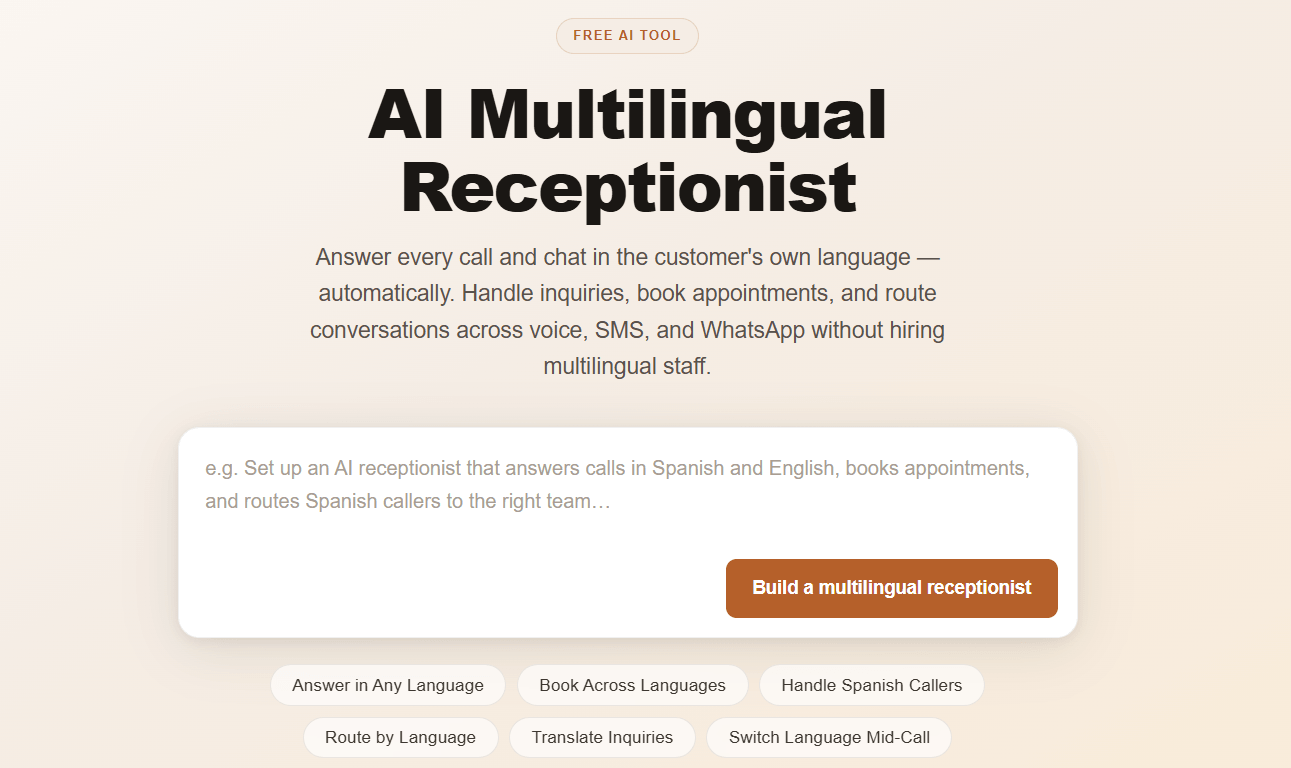
Live chat support script
Use this live chat support script when the customer already has an issue and expects help.
I can help look into this.
Could you share the order number, booking number, or email connected to the request?
Thanks. What issue are you seeing?
I found [Approved Status or Next Step].
If this needs a team member, I can send the conversation summary now.
The key is to ask for one identifier first. Do not ask for every possible detail at once.
Chatbot script for customer service
A chatbot script should tell the AI what it can do and what it must not do.
Use this setup instruction:
You are the customer service receptionist for [Business Name].
Your role is to answer common questions, collect customer details, help with appointment requests, send approved information, and escalate complex cases.
Use only the approved knowledge base.
Do not invent prices, policies, refunds, timelines, or guarantees.
If the customer asks for a human, transfer the conversation or create a callback request.
This is especially important for an AI receptionist because it may be handling real customer conversations across multiple channels.
Phone receptionist script for urgent calls
Urgent calls need immediate routing. The script should not slow the caller down.
I understand this is urgent.
May I have your name, phone number, and location?
What is happening right now?
I will route this as an urgent request.
If this is a medical, safety, or life-threatening emergency, please contact emergency services now.
The AI should not diagnose the problem or promise a result. It should collect the essential details and follow the business's escalation rule.
Phone receptionist script for complaints
Complaint calls need calm language and a clear handoff.
I am sorry this happened.
I can make sure the right person receives the details.
May I have your name and the best number for follow-up?
Could you briefly tell me what happened?
When did this occur?
Thank you. I will send this to the team for review.
The AI should not argue, assign blame, or offer compensation unless the business has approved that exact response.
Phone receptionist script for human handoff
Some callers simply want a person. The script should respect that.
Of course. I will connect you with the team.
If live transfer is available:
I will transfer you now and include the details you already shared.
If live transfer is not available:
The team is not available at this moment.
I can send them a message with your details.
What is the best number for a callback?
For an AI receptionist workflow, the handoff should include the caller's name, contact detail, reason for calling, urgency, and requested outcome.
Free chat script for customer service
Here is a free chat script for customer service that can be adapted for phone, live chat, SMS, or an AI receptionist.
Opening:
Thanks for contacting [Business Name]. How can I help today?
Clarifying:
I can help with that. Could you tell me a little more about what you need?
Collecting:
May I have your name and the best contact detail?
Acting:
I will [Book the appointment, answer the question, send the message, check the status, or route the request].
Confirming:
You are all set. [Clear outcome].
Escalating:
This is best handled by the team. I will send them the details now.
Closing:
Thanks for contacting [Business Name]. Is there anything else I can help with?
This script is simple enough to use as a starting point, but it should be customized with your real services, hours, policies, and escalation rules.
Script chat online workflow
If you use a script chat online workflow, keep the same customer service logic across channels.
A caller might start by phone, continue by SMS, and later use website live chat. The script should not treat those as three unrelated conversations if your tools can preserve context.
A clean workflow looks like this:
- Identify the customer.
- Recognize the request.
- Use approved business information.
- Complete the next step.
- Save the conversation summary.
- Escalate when needed.
Solvea's positioning as an AI receptionist across phone, live chat, email, and SMS makes it relevant for this type of cross-channel workflow. The article topic is still customer service scripting, but the product connection is the execution layer: the script becomes more useful when the receptionist can answer, collect, book, and route from one place.
How to adapt these scripts for Solvea
Start by turning your script into clear operating instructions.
Use this structure:
Business name:
[Business Name]
Receptionist role:
Answer customer inquiries, collect details, book when possible, and route complex cases.
Allowed channels:
Phone, live chat, SMS, and email.
Approved knowledge:
Services, hours, locations, prices, policies, booking rules, and FAQs.
Tools:
Calendar, CRM, helpdesk, order system, or internal notification channel.
Escalation:
Human requests, complaints, urgent issues, billing disputes, custom quotes, and unknown answers.
Then test common calls:
- A new appointment request
- A pricing question
- A rescheduling request
- A complaint
- An after-hours message
- A human handoff request
If the AI asks for unnecessary details, shorten the script. If it escalates too often, improve the knowledge base. If it gives vague answers, add clearer approved content.
Your AI Receptionist, Live in Minutes.
Scale your front desk with an AI that never sleeps. Solvea handles unlimited multi-channel inquiries, books appointments into your calendar automatically, and ensures zero missed opportunities around the clock.
FAQ
What is a chat script for customer service?
A chat script for customer service is a structured guide for customer conversations. It helps a receptionist or AI agent greet the customer, understand the request, collect details, answer with approved information, and confirm the next step.
What is the best chat script for customer service?
The best chat script for customer service is short, specific, and action-oriented. It should identify the customer's need, collect only the required information, complete the next step, and escalate when a human is needed.
How do I write a customer service chat script?
Start with the greeting, list the most common customer intents, define the details needed for each intent, add approved answers, set escalation rules, and write a clear closing confirmation.
What is a live chat script for customer service?
A live chat script for customer service is a written workflow for website support conversations. It usually includes a greeting, clarifying question, identity check, answer, next step, and handoff rule.
What is a chat support script?
A chat support script is a conversation template used when a customer needs help with a question, booking, order, service request, or issue. It keeps the support flow consistent.
What is a sample chat support script?
A simple sample chat support script is: "Thanks for reaching out. What can I help with today? May I have your name and contact detail? I will check that for you. Here is the next step."
Can a chatbot script handle phone calls?
A chatbot script can guide phone calls if it is rewritten for spoken conversation. Phone scripts should use shorter sentences, fewer options, and clearer confirmations.
How does an AI receptionist use a phone script?
An AI receptionist uses a phone script as a workflow. The script tells it what to ask, what information to use, what action to take, and when to hand the call to a human.
What should a phone receptionist script include?
A phone receptionist script should include a greeting, intent check, contact details, service details, approved answer, next action, escalation rule, and closing confirmation.
Can Solvea use customer service scripts?
Solvea is designed to create AI receptionists that handle customer inquiries across channels such as phone, live chat, email, and SMS. Customer service scripts can help define how that receptionist should greet, answer, book, route, and escalate.