AI receptionist cost is not just a monthly software line item. For a small business, the real comparison is the cost of a front desk that can only cover certain hours versus the cost of answering calls, chats, emails, and SMS when customers actually reach out.
Use this worksheet to compare three numbers:
- What a human front desk costs for the hours you staff today.
- What missed calls and after-hours gaps may be costing you.
- What AI receptionist coverage would cost once you add subscription, usage, setup, and human review time.
If you want to test the AI side before building a full budget, start with the Solvea Free Plan and run the same call scenarios you would expect a receptionist to handle.
If you are still defining the category, start with AI Receptionist 101, then use this cost worksheet as the finance step in your buyer's guide review.
The quick AI receptionist cost formula
Use this formula before you look at any vendor pricing page:
Monthly coverage cost =
  human desk cost
+ missed-call opportunity cost
+ after-hours coverage cost
+ tool and phone costs
- work shifted to AI
For AI coverage, use this version:
Monthly AI receptionist cost =
  AI subscription
+ usage credits or overage
+ phone number and messaging costs
+ setup and knowledge-base maintenance
+ human review and escalation time
The cheapest option on paper is not always the lowest-cost option. A part-time receptionist may be affordable but unavailable after hours. A traditional answering service may answer calls but miss website chat, email, SMS, or scheduling rules. An AI receptionist can be cheaper than adding people when the goal is wider coverage, faster answers, and cleaner handoff records.
Step 1: Calculate your human front-desk baseline
Start with the labor cost you already understand. The U.S. Bureau of Labor Statistics lists a national median wage for receptionists and information clerks, but your local market, industry, experience level, and required hours can be higher or lower.
Use this table as your worksheet:
| Human desk input | Formula | Example |
|---|---|---|
| Hourly wage | Your local hourly rate | $17.90 |
| Weekly staffed hours | Hours per week | 40 |
| Annual wage | Hourly wage x weekly hours x 52 | $37,232 |
| Benefit and payroll load | Annual wage x benefit load | $11,207 at 30.1% |
| Annual desk cost | Annual wage + benefit load | $48,439 |
| Monthly desk cost | Annual desk cost / 12 | $4,037 |
The example uses the BLS receptionist median hourly wage and the BLS March 2026 private-industry benefits share of total compensation as a simple benchmark. Replace both assumptions with your own payroll data before making a hiring decision.
Now add costs that do not show up in the wage line:
| Cost line | What to include |
|---|---|
| Recruiting and onboarding | Job posts, interviews, background checks, manager time, training |
| Absence coverage | Lunch breaks, sick days, vacation, turnover gaps, overflow support |
| Tools | Phone system, texting, scheduling software, shared inbox, CRM, helpdesk |
| Management time | Coaching, QA, escalation review, schedule coverage |
| Limited hours | Nights, weekends, holidays, and peak periods you do not staff |
This is where the AI receptionist cost conversation becomes practical. You are not comparing AI against a perfect employee. You are comparing coverage models.
Step 2: Price your missed-call gap
Missed calls are not all equal. A delivery status call is not worth the same as a new-customer appointment request. Split calls by intent before you assign a value.
| Missed-call input | Formula | Example |
|---|---|---|
| Missed calls per month | From phone logs | 80 |
| Percent that are revenue opportunities | New leads, bookings, quotes, orders | 30% |
| Opportunity calls | Missed calls x opportunity percent | 24 |
| Close rate if answered | Your historical close rate | 25% |
| Gross profit per new customer | Average first purchase or appointment margin | $180 |
| Monthly missed-call cost | Opportunity calls x close rate x gross profit | $1,080 |
Use gross profit, not revenue, when possible. If you do not know the number yet, use a conservative placeholder and run low, middle, and high cases.
An AI receptionist does not need to convert every missed call to be useful. It only needs to capture enough missed demand to beat the cost of the coverage you add.
Step 3: Add after-hours and overflow coverage
A normal human desk is usually strongest during business hours. Customer demand is not always that neat.
Build a separate after-hours line:
| Coverage gap | What to count | How AI helps |
|---|---|---|
| After-hours calls | Calls outside staffed hours | Answers, captures intent, sends summary |
| Weekend calls | Calls when staff are unavailable | Books or collects preferred times |
| Lunch and break gaps | Calls during short desk gaps | Prevents voicemail loops |
| Peak overflow | Calls while the desk is already on a call | Handles FAQ, lead capture, routing |
| Website chat | Buyers who avoid phone calls | Answers from the same knowledge base |
| Email and SMS | Customers who reply outside business hours | Captures context for follow-up |
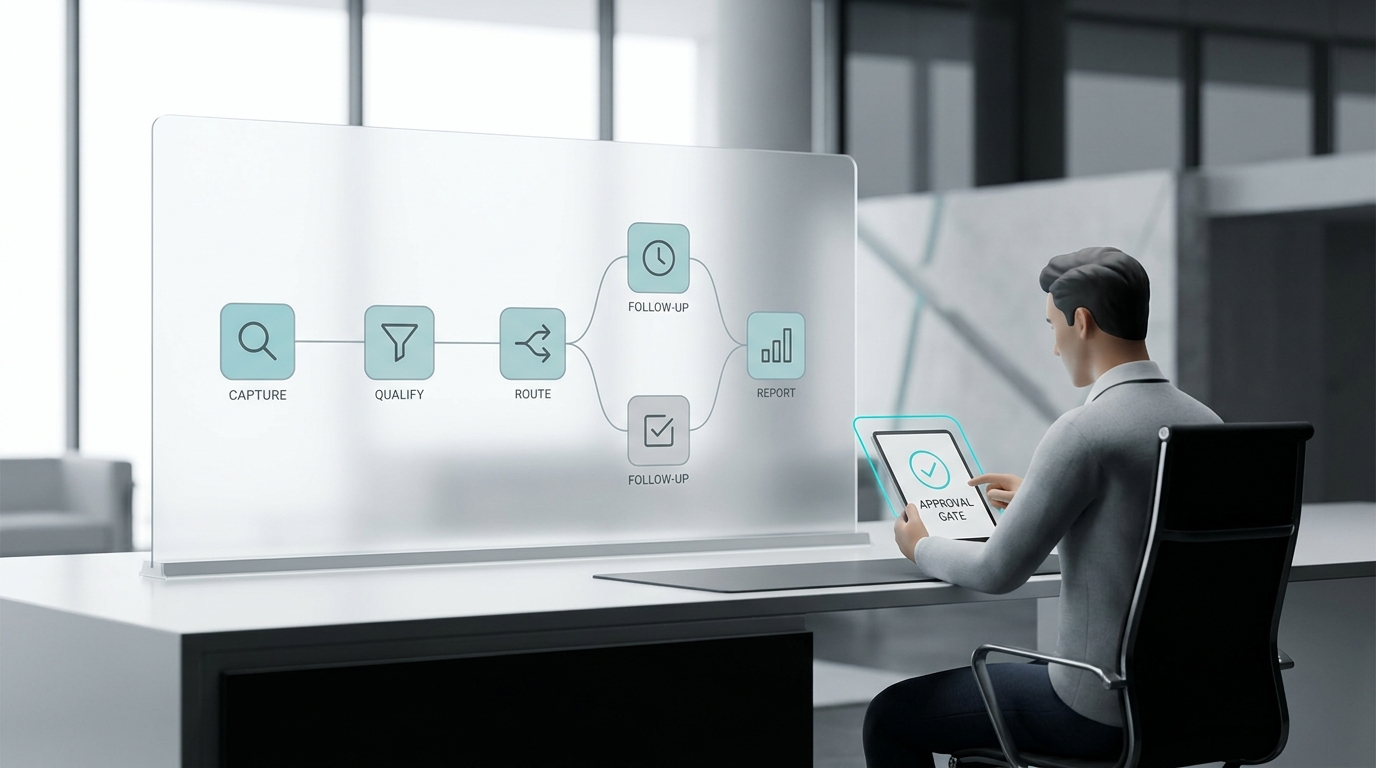
Solvea is built for this multi-channel coverage model: phone, SMS, email, and live chat can feed into one AI receptionist workflow, with docs for credits across phone calls, email replies, chat replies, and SMS.
Step 4: Estimate AI receptionist usage
For an AI receptionist, usage matters more than headcount. You need to estimate minutes, messages, and channels.
| AI usage input | What to enter | Solvea docs example |
|---|---|---|
| Phone minutes per month | Inbound and handled call minutes | 1 phone minute = 30 credits |
| Email replies | AI-written email replies | 1 email reply = 7 credits |
| Chat replies | AI live chat replies | 1 chat reply = 2 credits |
| SMS replies | AI SMS messages | 1 SMS = 7 credits |
| Human escalations | Calls or threads routed to staff | Use your hourly manager/staff cost |
| Knowledge updates | Monthly time to update FAQs, policies, menus, services | Use your admin hourly cost |
Solvea's current docs list a Free Plan for new accounts with 1,000 credits per month, 3 agents, a 50MB knowledge base, a 7-day free trial phone number, Email, Livechat, Shopify integration, and Google Calendar and Google Sheets. The docs also list a Basic Plan and Enterprise option. Because plan surfaces and account options can change, plug in the current price shown on the pricing page or in your account when you run the calculator.
Step 5: Compare three common scenarios
Use scenarios instead of one perfect forecast. That makes the AI receptionist cost decision easier to defend.
| Scenario | Human coverage | AI coverage | Best fit |
|---|---|---|---|
| Part-time desk plus AI overflow | Person covers high-touch hours | AI handles missed calls, FAQs, after-hours capture, chat, SMS | Businesses with relationship-heavy service but limited desk capacity |
| AI-first with human escalation | Staff review summaries and urgent cases | AI answers routine calls and messages first | Small teams that cannot justify a full-time receptionist |
| Full-time desk plus AI after-hours | Person owns front-desk experience | AI handles nights, weekends, overflow, and website chat | Busy local businesses with high call value |
If you already have a good receptionist, the point is not replacement. The stronger case is usually coverage expansion: fewer missed calls, cleaner handoffs, better after-hours capture, and less repetitive work.
A copy-and-paste calculator
Copy this into a spreadsheet and replace the assumptions.
| Line | Monthly formula | Your number |
|---|---|---|
| Human wage cost | Hourly wage x weekly hours x 52 / 12 | |
| Benefits and payroll load | Monthly wage cost x benefit load | |
| Desk tools | Phone, scheduling, inbox, CRM, helpdesk | |
| Backup coverage | Overtime, temp, answering service, manager coverage | |
| Missed-call cost | Missed opportunity calls x close rate x gross profit | |
| After-hours gap | After-hours opportunity calls x close rate x gross profit | |
| AI subscription | Current plan or quote | |
| AI usage | Minutes/messages beyond included usage | |
| AI setup amortized | Setup time or fee / months used | |
| AI human review | Escalations x review minutes x staff hourly cost | |
| Net difference | Human + gaps - AI coverage cost |
For a first pass, do not try to prove an exact ROI down to the dollar. Look for the break-even point:
Break-even captured opportunities =
monthly AI receptionist cost / gross profit per captured customer
If AI coverage costs $300 per month and a captured customer is worth $150 in gross profit, the AI needs to help capture 2 customers per month to break even. If your real AI receptionist cost is lower or your customer value is higher, the break-even point moves.
What to test during a free trial
Do not test an AI receptionist with generic questions only. Test it against the moments that create cost.
- Call after hours and ask for an appointment.
- Call while a staff member is already on another line.
- Ask a pricing, service, or policy FAQ from your website.
- Send a live chat message and an email with the same customer issue.
- Ask to reschedule, cancel, or confirm an appointment.
- Ask a question the AI should not answer and should hand off.
- Check whether the summary gives staff the next action without replaying the full call.
Solvea's no-code setup and docs are useful here because the trial should test your real knowledge base, calendar rules, channels, and handoff policy rather than a generic demo.
When a human receptionist still wins
AI receptionist cost should not be the only decision factor. Keep people in the workflow when calls require judgment, empathy, policy exceptions, or business risk.
| Situation | Recommended coverage |
|---|---|
| Angry customer, refund dispute, legal threat, safety issue | Human escalation |
| High-value buyer asking for custom terms | Human follow-up with AI summary |
| Routine hours, location, service, order, booking, or callback request | AI can usually handle or capture |
| After-hours lead that needs a next step | AI capture, book, or route |
| Sensitive account or regulated workflow | Human-approved script and escalation rules |
The best setup is usually not "AI or human." It is a front desk where AI handles repetitive coverage and people handle the moments where judgment matters.
Your AI Receptionist, Live in Minutes.
Scale your front desk with an AI that never sleeps. Solvea handles unlimited multi-channel inquiries, books appointments into your calendar automatically, and ensures zero missed opportunities around the clock.
FAQ
What is the average AI receptionist cost?
AI receptionist cost depends on plan price, call minutes, message volume, phone number needs, setup time, and human review time. Use your current plan or quote as the subscription line, then add usage and escalation assumptions.
Is an AI receptionist cheaper than hiring a receptionist?
Often, yes, when the goal is missed-call coverage, after-hours answering, FAQs, chat, SMS, and intake capture. Hiring can still be the better choice when your front desk needs constant in-person coordination, high-empathy service, or complex judgment.
How should I compare virtual receptionist pricing with AI receptionist pricing?
Compare the unit of coverage. Traditional virtual receptionist pricing may depend on minutes, calls, or packages. AI receptionist pricing should be evaluated by channels covered, included usage, knowledge-base maintenance, integrations, and escalation workflow.
What costs do businesses forget to include?
Commonly missed costs include benefits, payroll taxes, recruiting, turnover, training, lunch and vacation coverage, phone tools, after-hours gaps, missed leads, manager review time, and the cost of poor handoff notes.
Can I start without replacing my front desk?
Yes. Many teams should start with overflow and after-hours coverage. That lets you measure missed calls answered, appointments booked, qualified leads captured, and staff time saved before changing the daytime desk workflow.
Final CTA
The right AI receptionist cost is the one that covers profitable gaps without removing the human judgment your customers still need. Start by calculating your current desk cost, missed-call cost, and after-hours gap. Then test the same workflow with Solvea.