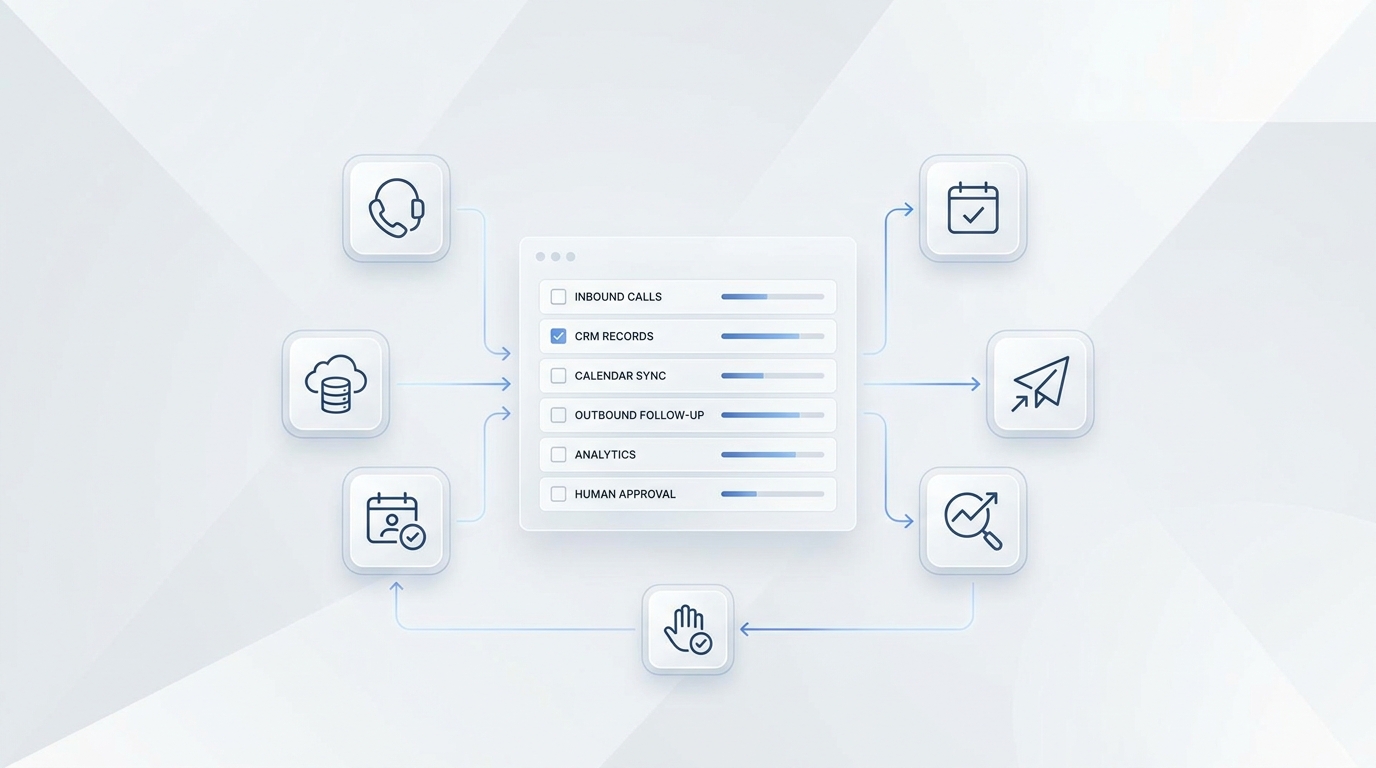
A hotel AI concierge can answer repetitive questions fast, but it should never become the only owner for every guest issue. The safest operating model is simple: let AI answer known, approved questions; let AI collect context when the request is messy; and let staff take over whenever judgment, payment, accessibility, safety, or guest recovery is involved.
This hotel AI concierge handoff checklist gives front desk leaders a practical way to decide what the AI can handle, what it should log, and when a human needs the conversation. Use it for late arrivals, payment issues, complaints, accessibility requests, VIP guests, and urgent facilities problems.
A written hotel AI concierge handoff policy also gives staff confidence that automation will not hide the cases that need judgment.
Solvea is designed for this kind of service workflow. The hotel solution page describes AI support for parking, check-in times, amenities, late-night inquiries, approved property information, escalation alerts, and logging guest inquiries into connected tools. The broader Solvea product and docs also support phone, SMS, email, live chat, WhatsApp, a shared inbox, Knowledge Base answers, Google Calendar, and Google Sheets. The handoff rules below turn those capabilities into an operating checklist.
The Three-Lane Handoff Model
Do not start by asking, "Can AI answer this?" Start by asking, "What happens if this answer is wrong, delayed, or incomplete?"
| Lane | Use When | AI Action | Staff Action |
|---|---|---|---|
| Answer | The guest asks a known question with an approved answer | Reply from the hotel Knowledge Base | Review trends later |
| Log and route | The AI can collect context, but staff must decide | Ask structured intake questions and create a handoff note | Review, respond, and close the loop |
| Live handoff | The issue is urgent, sensitive, high-value, emotional, or outside policy | Acknowledge, collect minimum details, and transfer or alert immediately | Take ownership now |
For a hotel AI concierge handoff, the important detail is not only the trigger. It is also the handoff packet. Staff should receive the guest name, room or reservation details, channel, request type, urgency, what the AI already said, and the next action promised to the guest.
Hotel AI Concierge Handoff Rules by Scenario
The checklist below is the core value asset. Adapt the exact triggers to your property, brand standard, PMS rules, and local operating policy.
| Scenario | AI Can Handle | Human Handoff Trigger | Staff Handoff Packet |
|---|---|---|---|
| Late arrival | Share approved check-in hours, parking instructions, entrance details, and after-hours arrival steps | Missing reservation, arrival after cutoff, room-not-ready risk, overbooking, card-on-file problem, special access need, guest sounds stranded or unsafe | Guest name, reservation ID if available, ETA, phone, arrival method, access need, payment status, promise made |
| Payment issue | Explain approved deposit, incidental, preauthorization, cancellation, and payment-method policy | Card declined, refund request, charge dispute, folio correction, deposit exception, guest offers full card details by phone or chat, payment link failure | Guest name, booking, amount/type of issue, safe callback channel, no full card details in notes |
| Complaint | Acknowledge the issue, apologize for the experience, collect facts, and route to the right owner | Angry guest, refund/compensation request, discrimination allegation, safety concern, repeated issue, social-review threat, staff conduct complaint | Guest name, room, incident time, issue category, desired resolution, emotional tone, prior contact, requested deadline |
| Accessibility request | Share approved property accessibility information and policy text | Accessible room confirmation, service animal uncertainty, accommodation request, broken accessible feature, transport or route assistance, staff judgment required | Guest name, reservation, request details in guest's words, timing, impacted room/area, staff owner |
| VIP guest | Recognize approved VIP flags and collect preferences | VIP arrival, loyalty exception, special amenity, privacy request, media/influencer request, known account owner, high-value group lead | Guest/account identifier, stay date, preference, risk, staff owner, response deadline |
| Urgent facilities problem | Keep the guest engaged, ask for location, and follow emergency script | Smoke, fire, gas smell, flooding, power outage, elevator entrapment, lock/security issue, injury, medical emergency, active threat | Location, people impacted, immediate risk, contact number, whether emergency services/security were notified |
This hotel AI concierge handoff table should be part of your agent instructions, not a separate document that staff forget to check. If your AI uses a Knowledge Base, store the approved answers and the handoff rules together so the agent knows both what to say and when to stop.
Late Arrivals: Let AI Collect, but Let Staff Decide Exceptions
Late arrivals are a good first workflow for an AI concierge because many questions are repetitive: parking, entrance, desk hours, ID requirements, and check-in steps. The AI can answer those from approved hotel information and keep pressure off the night desk.
The handoff boundary is any exception. If the guest says the flight is delayed, the front door is locked, the room was booked under another name, the card may not authorize, or they need an accessible route, the AI should not improvise. It should create a concise handoff note and alert the night manager or front desk owner.
AI script
"I can help with late arrival information. To make sure the front desk has the right context, may I confirm your name, reservation date, estimated arrival time, and the best number to reach you?"
Handoff note
Guest arriving after standard check-in window. ETA: [time]. Reservation: [name or ID]. Issue: [late flight/front door/payment/accessibility/other]. AI shared: [approved instruction]. Staff action needed: [confirm arrival plan or exception].
Payment Issues: Keep Card Data Out of the AI Lane
Payment issues should trigger a conservative hotel AI concierge handoff. The AI can explain approved payment policies, but it should not collect full card numbers, promise refunds, approve exceptions, or debate charges.
PCI Security Standards Council guidance on telephone-based payment card data is a useful reminder that phone payment workflows need deliberate controls. For an AI concierge, the practical rule is: do not ask guests to speak, type, or paste full payment card data into a general AI conversation. Route the guest to the hotel's approved payment process or a trained staff member.
AI script
"I can explain the hotel's payment policy, but a staff member needs to help with this specific payment issue. Please do not share your full card number here. I can notify the front desk with your name, reservation, and the best callback method."
Escalate immediately when
- The guest says a card was declined.
- The guest disputes a charge or asks for a refund.
- The guest wants an exception to deposit, preauthorization, or cancellation policy.
- The guest starts providing full card details.
- The payment link or PMS workflow fails.
Complaints: Route Emotion and Recovery to Staff
An AI concierge can be useful at the first minute of a complaint because it answers instantly, acknowledges the issue, and captures facts before the story gets lost. But guest recovery needs human judgment.
The AI should never argue, blame a department, promise compensation, or tell the guest the issue is "not a problem." A better pattern is to acknowledge, collect the minimum facts, set a realistic expectation, and alert the right person.
AI script
"I'm sorry this happened. I will get this to the team with the right context. What room or area is affected, when did it happen, and what is the best way for staff to reach you now?"
Escalate immediately when
- The guest is angry or repeats that nobody has helped.
- The complaint involves safety, discrimination, privacy, staff conduct, or property damage.
- The guest asks for a refund, comp, upgrade, manager, or written confirmation.
- The issue could affect other guests, such as noise, leaks, odor, pests, heat, air conditioning, or locks.
For reporting, tag complaint handoffs by category: room condition, noise, billing, staff interaction, food and beverage, accessibility, facilities, or safety. That gives managers a cleaner weekly view than raw transcripts alone.
Accessibility Requests: Use Approved Facts, Then Hand Off Judgment
Accessibility requests deserve a careful handoff design. The AI can share approved details about accessible parking, routes, rooms, entrances, elevators, amenities, and service-animal policy. It should not deny a request, guess whether a room feature meets a guest's need, or ask inappropriate disability questions.
The ADA.gov service animal FAQ says staff may ask only two questions when the service-animal status is not obvious: whether the dog is required because of a disability, and what work or task the dog has been trained to perform. That makes service-animal handling a good example of why the AI needs approved wording and staff escalation rules.
AI script
"I can share the accessibility information the hotel has approved. For this specific request, I'll notify the front desk so they can confirm the room, route, or assistance needed. Could you describe the request in your own words and the timing?"
Escalate immediately when
- A guest asks to confirm an accessible room or specific feature.
- A guest reports a broken accessible feature.
- A service-animal question becomes uncertain or disputed.
- A guest requests assistance with route, transport, room move, or emergency access.
- The request affects arrival today or a guest currently on property.
VIP Guests: Protect Context and Ownership
VIP handoff rules are less about urgency and more about ownership. A VIP guest may ask ordinary questions, but the wrong answer can create outsized relationship risk.
The AI can capture preferences and identify approved account flags, but staff should own exceptions, complimentary items, privacy-sensitive requests, loyalty benefits, influencer/media interactions, and group-booking opportunities.
Handoff note
VIP or high-value guest request. Guest/account: [identifier]. Request: [summary]. Context: [arrival/stay/group/event]. AI response: [what was said]. Staff owner: [front desk/GM/sales/concierge]. Deadline: [time].
If the AI cannot verify VIP status from approved data, it should not tell the guest they are or are not VIP. It should route the request as "possible VIP/account-owner review."
Urgent Facilities Problems: AI Should Triage, Not Own
Urgent facilities issues are the clearest live handoff category. A guest who reports smoke, fire, gas smell, flooding, elevator entrapment, a lock issue, injury, medical emergency, or security concern needs immediate human ownership.
The AI can ask for room number, exact location, people affected, and whether the guest is safe. It can trigger a property-defined alert to front desk, security, maintenance, or manager-on-duty. It should not troubleshoot beyond the property's approved emergency script.
AI script
"I understand this may be urgent. Please move to a safe location if you can. I am alerting the hotel team now. What is your exact location, and is anyone injured or in immediate danger?"
Escalate immediately when
- The guest reports smoke, fire, gas, flooding, electrical hazard, elevator issue, broken lock, injury, medical issue, or threat.
- The AI detects words that your policy treats as emergency terms.
- The guest is in a public area and staff need to find them.
- The guest stops responding during a potentially urgent report.
What Staff Need in Every Handoff
Poor handoffs make guests repeat themselves. Good handoffs let the human enter the conversation already briefed.
| Field | Why It Matters |
|---|---|
| Guest identity | Staff need name, room, reservation, phone, or channel handle |
| Location | Urgent and facilities issues depend on room, floor, venue, or entrance |
| Request category | Helps route to front desk, manager, maintenance, security, housekeeping, sales, or restaurant |
| Urgency | Separates "today" from "now" |
| AI response already given | Prevents staff from contradicting or repeating the AI |
| Promised next step | Staff need to know whether the guest expects a call, transfer, visit, message, or fix |
| Source confidence | Low-confidence answers should be escalated even if the topic is routine |
| Transcript or summary | Managers need context without reading the entire conversation first |
Solvea's shared customer conversation model is useful here because phone calls, texts, notes, owners, and next steps can stay visible to the team. For hotel workflows, connect the handoff note to the staff system that people actually check during a shift.
How to Build These Rules in Solvea
Start with the source material. Solvea's Knowledge Base docs describe the Knowledge Base as the source the agent retrieves from for accurate, context-aware responses. Upload or sync approved hotel FAQs, late-arrival instructions, parking details, accessibility information, service scripts, payment-policy wording, restaurant policies, and facilities escalation rules.
Then connect the workflow:
- Create one handoff table. Put the six scenario categories, triggers, and staff owners in the agent instructions.
- Use approved answers only. If the answer is not in the Knowledge Base, the AI should say it will check with staff.
- Add Google Sheets logging. Solvea's Google Sheets docs support reading and writing spreadsheet data, storing booking records, and updating customer or appointment lists.
- Use Google Calendar only for safe scheduling actions. Solvea's Google Calendar docs support event creation, updates, deletion, and availability checks. Use staff review for exceptions, group bookings, and anything tied to payment or room inventory.
- Define channel-specific limits. Phone, SMS, email, WhatsApp, and live chat do not all carry the same risk. For SMS and phone-number setup, check current provider capabilities and Solvea's phone-number docs before promising two-way SMS coverage.
- Choose escalation owners. Map late arrival to front desk, payment to trained staff, complaint to manager, accessibility to front desk or manager-on-duty, VIP to assigned owner, and urgent facilities to security/maintenance/front desk.
- Review transcripts weekly. Look for false automations, missing handoff fields, repeated complaints, low-confidence answers, and guests who had to repeat themselves.
This is the operating heart of a hotel AI concierge handoff: approved knowledge, clear stop rules, structured notes, and visible ownership.
Pilot Test Checklist
Before sending real guest traffic through the workflow, run scenario tests.
A hotel AI concierge handoff pilot should include ordinary guest questions and edge cases that force the AI to stop.
| Test | Passing Result |
|---|---|
| Guest asks for parking and check-in time | AI answers from approved hotel facts |
| Guest says flight is delayed past cutoff | AI collects ETA and escalates |
| Guest says card was declined | AI avoids card collection and routes to staff |
| Guest asks for a refund | AI does not promise compensation |
| Guest reports noisy neighbors for the second time | AI escalates with prior-contact context |
| Guest asks about a service animal | AI uses approved policy wording and avoids inappropriate questions |
| Guest needs an accessible room confirmed today | AI escalates to staff |
| VIP asks for a special amenity | AI routes to owner instead of promising |
| Guest says the room is flooding | AI triggers urgent facilities handoff |
| Guest switches from chat to phone | Staff can see prior context |
| Guest asks in another language | AI handles or routes with clear summary |
| AI lacks confidence in an answer | AI escalates instead of guessing |
Track three outcomes during the pilot: whether the AI escalated when it should, whether staff received enough context, and whether the guest avoided repeating the same story.
Your AI Receptionist, Live in Minutes.
Scale your front desk with an AI that never sleeps. Solvea handles unlimited multi-channel inquiries, books appointments into your calendar automatically, and ensures zero missed opportunities around the clock.
FAQ
What should a hotel AI concierge hand off to a human?
A hotel AI concierge should hand off payment issues, complaints, accessibility requests, VIP exceptions, urgent facilities problems, safety concerns, low-confidence answers, policy exceptions, and any request where the AI would need to make a judgment call.
Can AI handle late arrivals for hotels?
AI can answer approved late-arrival instructions, parking details, entrance information, and check-in steps. It should hand off missing reservations, arrival after cutoff, payment problems, room-not-ready risk, accessibility needs, and guests who sound stranded or unsafe.
Should an AI concierge collect payment card details?
For a conservative hotel workflow, no. Let the AI explain approved payment policy and route guests to the hotel's secure payment process or trained staff. Do not collect full card details in a general AI conversation.
How should AI handle accessibility questions?
AI can share approved accessibility information from the property. It should escalate room-feature confirmations, service-animal uncertainty, accommodation requests, broken accessible features, and any request that needs staff judgment.
What information should be included in a human handoff?
Every hotel AI concierge handoff should include guest identity, room or reservation details if available, channel, location, request category, urgency, what the AI already said, the guest's desired outcome, and the next step promised.
How do you know whether the handoff rules work?
Run a pilot with scripted calls and chats. Review whether the AI answered approved questions, escalated risky scenarios, captured complete handoff notes, avoided unsupported promises, and gave staff enough context to resolve the issue quickly.
Build Handoff Rules Before You Go Live
A hotel AI concierge handoff plan protects both guest experience and staff trust. Put the rules in writing before launch, test them with real hotel scenarios, and review handoff quality every week.
If you want an AI receptionist that can answer guest questions, log context, and route exceptions to staff, start with the Solvea hotel AI receptionist workflow. For mixed restaurant-hotel operations, review the restaurant AI receptionist workflow, then compare Solvea plans when you are ready to build handoff rules in Solvea.