Customers rarely think in channels. They call, text, email, or open chat depending on what is easiest at that moment. When they contact you again, they expect your team to remember the earlier conversation—and they expect the answer to stay the same.
That is difficult when customer messages live in separate tools and company knowledge lives in scattered documents. An agent may see the latest email but miss the earlier call. Another teammate may find an old policy in a shared drive. An AI receptionist may answer from one source while a human follows a different script.
A unified inbox and a customer support knowledge base solve different halves of this problem:
- The unified inbox preserves the conversation: who asked, where they asked, what happened, and what needs to happen next.
- The knowledge base preserves the answer: what is true, when it applies, which source is authoritative, and when the issue needs escalation.
Used together, they help a support operation reduce repeated questions, avoid contradictory replies, and hand work between AI and people without losing context.
What Is a Unified Inbox?
A unified inbox brings customer conversations from multiple channels into one workspace. Depending on the system, that can include phone calls, SMS, email, live chat, WhatsApp, and internal follow-up notes.
The point is not merely to put more notifications on one screen. A useful omnichannel inbox creates a shared operational record. Teammates can see the customer, recent interactions, ownership, status, summaries, and the next action without reconstructing the story from separate applications.
For example, a customer might:
- Call after hours to ask whether a service is available.
- Receive a text confirming that the request was captured.
- Email a photo the next morning.
- Chat with the business to confirm an appointment window.
If those interactions are separated, the customer may need to repeat the problem four times. If they are connected in a unified inbox, the next responder can continue the conversation instead of restarting it.
What Is a Customer Support Knowledge Base?
A customer support knowledge base is the governed source of information used to answer customer questions. It can contain service descriptions, policies, pricing rules, operating hours, appointment requirements, troubleshooting steps, escalation instructions, and approved response guidance.
The best knowledge bases are not just document libraries. They make information usable in the moment by organizing it into clear answer units with owners, conditions, source references, permissions, and review dates.
That matters for both human agents and AI receptionists. A responder should not have to guess which document is current, whether a policy applies in a particular location, or whether a request requires a specialist.
If you are still defining that foundation, start with our guide to building a customer support knowledge base. If your team currently relies on a short public question list, see the difference between a knowledge base and an FAQ page.
Why a Unified Inbox Alone Does Not Reduce Repeat Questions
A unified inbox gives the responder more history, but history is not the same as an approved answer.
Imagine that a customer asks whether a deposit is refundable. The inbox may show that the same customer asked two months ago. It may even show the response they received. But several questions remain:
- Was that response correct?
- Has the refund policy changed?
- Did it apply to the same service and location?
- Was the answer an exception approved by a manager?
- Should an AI receptionist repeat it automatically?
Without a governed knowledge source, a team can become very efficient at finding inconsistent answers. Searchable conversation history is helpful evidence, but it should not quietly become policy.
The unified inbox answers, “What happened with this customer?” The knowledge base answers, “What should we say now?”
Why a Knowledge Base Alone Does Not Reduce Repeat Questions
A knowledge base can provide the correct policy and still produce a poor customer experience if the responder cannot see the conversation around the question.
Suppose the knowledge base clearly explains how to reschedule an appointment. A customer who already called, sent a confirmation number by text, and received a partial answer by email should not be sent the generic rescheduling instructions again. The responder needs the approved process and the customer-specific context.
Without an inbox that connects channels and handoffs, teams often create these failure patterns:
- Two people answer the same request.
- Nobody answers because each person assumes another channel owner handled it.
- An AI gives a general answer after a human already approved an exception.
- A customer repeats identifying details every time the channel changes.
- Follow-up is delayed because the next action is buried in a call transcript or private mailbox.
The knowledge base makes answers consistent. The unified inbox makes the interaction continuous.
Unified Inbox vs Knowledge Base: Different Jobs, Shared Outcome
| Operational question | Unified inbox | Knowledge base |
|---|---|---|
| Who is the customer? | Shows identity and conversation history | Defines what customer data may be used |
| What did they ask before? | Preserves calls, messages, notes, and summaries | Stores approved answers to recurring questions |
| What is the current status? | Tracks ownership, state, and next action | Defines workflows and resolution criteria |
| What answer should we give? | Provides customer-specific context | Provides the authoritative answer and conditions |
| Has the rule changed? | Shows what was previously communicated | Tracks the current source, owner, and review date |
| Should AI answer automatically? | Shows channel and conversation state | Defines answerability, permissions, and escalation rules |
| What should a human do next? | Routes and records follow-up | Provides procedures, scripts, and exception paths |
The systems overlap at the moment of response. The inbox supplies context to the responder. The knowledge base supplies truth. The response should be generated only after both are available.
The Repeat-Question Reduction Loop
Reducing repeat questions requires more than deflecting customers to help content. It requires an operating loop that captures the question, answers it consistently, and improves the source when the answer is difficult to find.
1. Capture every interaction in the shared inbox
Calls, messages, emails, and chats should create or update one customer conversation record. The record needs enough information for the next responder to understand the request without asking the customer to begin again.
Useful fields include:
- Customer identity and preferred contact channel
- Conversation summary
- Original request and detected intent
- Current owner and status
- Commitments already made
- Files, recordings, or links supplied by the customer
- Required next action and due time
2. Identify the answerable question
Customer messages often contain several intents. “Can you move my appointment, and will I lose my deposit?” includes both a scheduling action and a policy question.
The responder—or the AI handling the first turn—should separate those intents before retrieving an answer. This makes it easier to use the correct knowledge, perform the right action, and escalate only the part that needs judgment.
3. Retrieve the approved knowledge
The system should look for the smallest reliable answer unit that matches the question and its conditions. A strong entry states not only the answer, but also where and when it applies.
For example, a deposit-policy entry might include:
- The approved policy statement
- Applicable services or locations
- Cancellation window
- Exceptions that require human approval
- Effective date
- Content owner
- Source document
This structure prevents a plausible but incomplete answer from being treated as universal.
4. Combine knowledge with conversation context
The reply should reflect both the approved rule and the customer’s situation. A generic policy paragraph may be accurate, but it can still feel repetitive if it ignores what the customer has already provided.
A better response confirms the known facts, answers the unresolved question, and explains the next step. For example:
I can see your appointment is scheduled for Thursday and that you asked to move it by text. Your deposit remains attached when the appointment is rescheduled within the policy window. I can help collect two preferred times for the team to confirm.
The exact wording will vary, but the pattern is stable: acknowledge context, apply trusted knowledge, and move the work forward.
5. Record the outcome and next action
Every answer should leave the inbox in a clearer state. Update ownership, status, summary, and follow-up. If a human makes an exception, record it as a customer-specific decision rather than silently turning it into a reusable policy.
6. Feed unresolved questions back into the knowledge base
The inbox is also a research source. Repeated searches with no useful result, frequent escalations, rewritten answers, and contradictory replies are signals that the knowledge layer needs work.
Review those signals regularly and decide whether to:
- Create a new knowledge entry
- Rewrite a vague answer
- Add conditions or examples
- Separate one large article into retrievable units
- Retire outdated information
- Add an explicit “do not answer” or escalation rule
This is how the unified inbox and knowledge base improve each other over time.
A Practical Workflow for AI Receptionists and Human Teams
The most reliable model assigns clear responsibilities to automation and people.
AI receptionist responsibilities
An AI receptionist can handle the first response, identify intent, collect required details, retrieve approved information, summarize the interaction, and route the conversation. It should answer only when the knowledge and permissions support a safe response.
Human team responsibilities
People should handle exceptions, judgment calls, sensitive situations, approvals, and cases where the available knowledge is incomplete or conflicting. They also own the business decisions that become new knowledge.
Shared system responsibilities
The inbox and knowledge base should preserve the connection between the answer and the conversation. A useful handoff includes:
- What the customer asked
- What information was retrieved
- What was already communicated
- Why the issue was escalated
- What decision is needed
- When the customer expects a response
That handoff is far more actionable than forwarding a raw transcript.
How to Design the Two Systems Together
Teams often implement an inbox and a knowledge base as unrelated projects. Designing them together produces better results.
Use the same intent taxonomy
If the inbox labels a conversation “billing,” but the knowledge base organizes the topic under “payments,” reporting and retrieval become harder. Create a shared taxonomy for common customer intents, products, locations, urgency, and lifecycle stage.
Separate policy from customer-specific decisions
Conversation notes can record what happened in one case. Knowledge entries should state the reusable rule. Keep exceptions attached to the customer record unless an authorized owner deliberately updates the policy.
Define answer confidence and escalation rules
Not every knowledge match should produce an automatic response. Set rules for missing conditions, conflicting sources, sensitive topics, high-impact decisions, and stale content. When the system cannot answer safely, the correct outcome is a clear handoff—not a confident guess.
Make freshness visible
Each important knowledge entry should have an owner, source, effective date, and review date. Responders need to know whether an answer is current. The inbox should also make it easy to flag an answer that appears outdated during a real customer conversation.
Measure resolution, not just message volume
Fewer incoming messages can be a useful sign, but it is not enough. A customer may stop replying because the experience failed. Track whether the two-system workflow produces complete and consistent resolutions.
Useful measures include:
- Repeat-contact rate for the same intent
- First-response time
- Time to resolution
- Reopen rate
- Duplicate-response rate
- Escalation rate by intent
- Knowledge searches with no useful result
- Answers corrected by a human
- Conversations transferred without a complete summary
- Customer satisfaction after resolution
A 10-Point Implementation Checklist
Use this checklist when connecting a unified inbox to a knowledge base:
- Map every customer communication channel.
- Define how contacts are matched across channels.
- Create one shared intent taxonomy.
- Identify the authoritative source for each high-volume question.
- Add owners, conditions, permissions, and review dates to knowledge entries.
- Define which questions AI may answer and which require escalation.
- Standardize conversation summaries and next-action fields.
- Preserve customer-specific exceptions in the inbox, not the policy layer.
- Review unresolved and corrected answers every week.
- Measure repeat contacts and resolution quality by intent.
How Solvea Connects the Inbox and Knowledge Layer
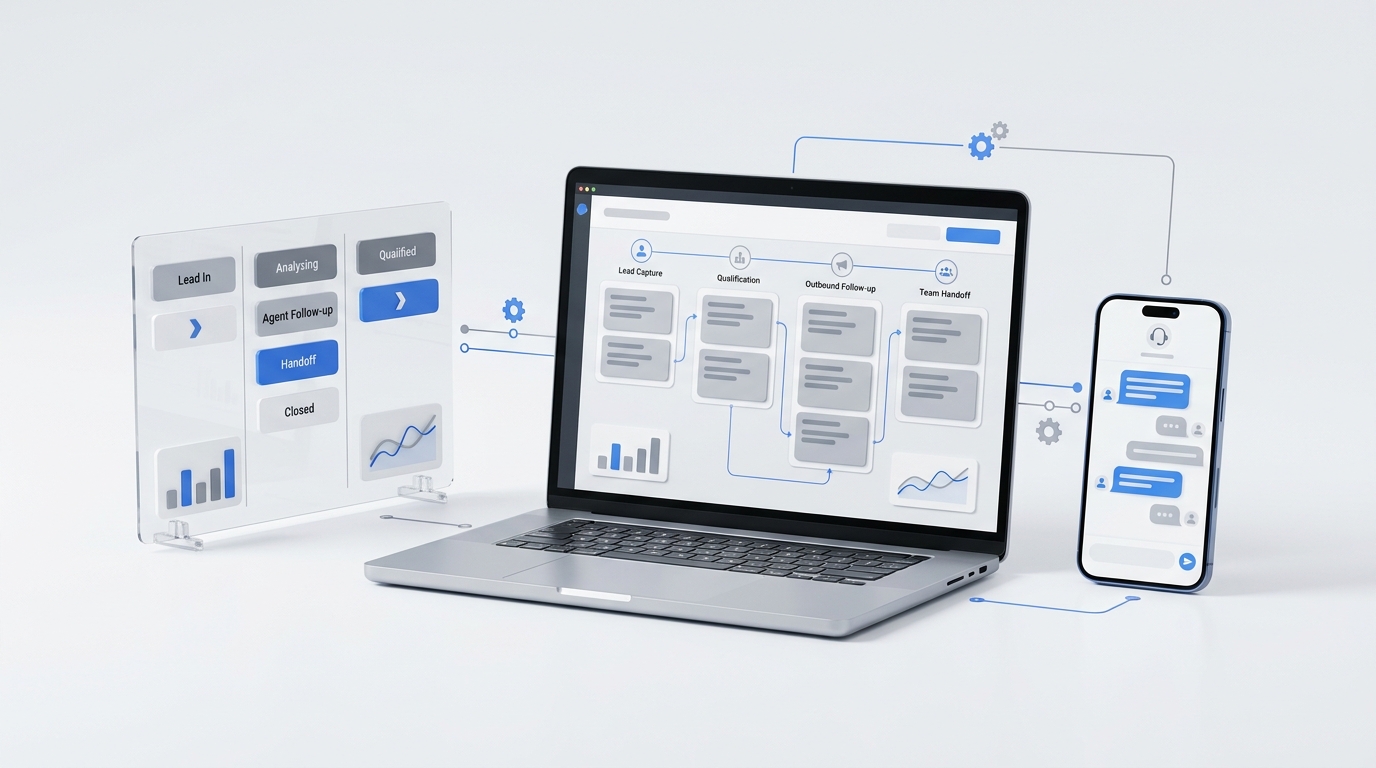
Solvea combines an AI receptionist with a shared customer inbox and a knowledge base. The omnichannel inbox brings voice, SMS, email, chat, and WhatsApp conversations into a shared workflow, while the knowledge base helps keep AI answers consistent across those touchpoints.
This structure supports a simple operating model: AI answers first when the request is covered, the team follows up with context when human judgment is needed, and the conversation record remains available across mobile and PC.
Explore Solvea’s omnichannel inbox and knowledge base to see how the two systems work together.
Your AI Receptionist, Live in Minutes.
Scale your front desk with an AI that never sleeps. Solvea handles unlimited multi-channel inquiries, books appointments into your calendar automatically, and ensures zero missed opportunities around the clock.
Frequently Asked Questions
Is a unified inbox the same as a help desk?
Not necessarily. A unified inbox combines conversations from multiple channels. A help desk may add ticketing, service-level rules, reporting, workflows, and other support-management features. The right definition depends on the product and the operating needs of the team.
Can a knowledge base replace a unified inbox?
No. A knowledge base supplies reusable answers and procedures, but it does not replace customer-specific conversation history, ownership, or follow-up tracking.
Can a unified inbox replace a knowledge base?
No. Conversation history shows what was said before, but it should not be treated as the authoritative source for current policies and approved answers.
How do these systems reduce repeat questions?
The inbox prevents customers from repeating context across channels. The knowledge base prevents teams from recreating or contradicting answers. Together, they make each new response aware of both the customer’s history and the current approved guidance.
What should an AI receptionist do when the knowledge base is incomplete?
It should collect the information needed for a handoff, explain that the request needs review, route it to the right person, and preserve a concise summary in the shared inbox. It should not invent a policy or present uncertain information as fact.
Build One Continuous Support System
A unified inbox without a knowledge base can organize inconsistent answers. A knowledge base without a unified inbox can deliver correct information without recognizing the customer’s journey.
Connect the two, and every response can start with the same essentials: what the customer already told you, what the business currently knows, and what needs to happen next.
That is the foundation for fewer repeated questions and more consistent customer support. Connect your inbox and knowledge in Solvea to give AI and human teammates the context they need to continue the conversation.