If you are comparing a knowledge base vs FAQ page for an AI receptionist, the short answer is simple: an FAQ page is a useful public content format, while a knowledge base is the governed source system an AI receptionist needs for reliable answers across phone, chat, SMS, and email.
An FAQ page can be one source inside that system. It should not be the entire system once your business has multiple services, locations, policies, exceptions, or customer channels.
The practical difference is not page design. It is whether your information has enough structure, ownership, context, and maintenance to support real conversations.
Your AI Receptionist, Live in Minutes.
Scale your front desk with an AI that never sleeps. Solvea handles unlimited multi-channel inquiries, books appointments into your calendar automatically, and ensures zero missed opportunities around the clock.
Knowledge base vs FAQ page: the quick comparison
| Question | FAQ page | Knowledge base |
|---|---|---|
| Primary purpose | Answer a short list of common public questions | Organize approved operational knowledge for customers, staff, and AI |
| Typical format | One page with expandable questions and answers | A collection of articles, policies, procedures, source documents, and topic groups |
| Best audience | Website visitors with predictable questions | Customers, support teams, operators, and AI agents across channels |
| Content depth | Brief and general | Detailed, conditional, and linked to related topics |
| Governance | Often owned like marketing copy | Requires owners, review dates, permissions, and update rules |
| Handling exceptions | Limited | Can document conditions, exclusions, escalation paths, and location-specific rules |
| AI use | Can be indexed as one source | Designed to provide multiple authoritative sources for retrieval |
| Live customer data | Not suitable | Still requires integrations with booking, CRM, order, or account systems |
The knowledge base vs FAQ decision becomes important when an AI receptionist must do more than repeat a few static answers. A caller may ask a short question, add a condition, change the subject, and then request an action. The AI needs information that remains coherent through that sequence.
What is an FAQ page?
An FAQ page is a public webpage that answers frequently asked questions in a compact format. It is ideal for questions such as:
- What are your business hours?
- Which areas do you serve?
- Do I need an appointment?
- What payment methods do you accept?
- How can I change a booking?
A good FAQ page reduces friction for website visitors. It can also give search engines and AI systems clear, crawlable statements about basic policies.
But the format creates natural limits. Answers are usually short. Related conditions may be spread across service pages, policy pages, PDFs, booking tools, and internal documents. The page may not show who owns each answer, when it was reviewed, or which version applies to a specific location.
That is why the difference between an FAQ and knowledge base is not that one has questions and the other does not. Knowledge-base articles can also use a question-and-answer structure. The difference is operational depth and control.
What is a knowledge base?
A knowledge base is an organized collection of approved information that people or software can retrieve when answering a question or completing a workflow.
For a service business, a customer support knowledge base might include:
- service descriptions and eligibility rules,
- business hours and holiday schedules by location,
- appointment preparation and scheduling policies,
- approved pricing language and quote boundaries,
- cancellation, refund, warranty, and guarantee policies,
- troubleshooting procedures,
- intake questions and lead-qualification rules,
- emergency and sensitive-case escalation instructions,
- staff-facing process documents,
- public help articles and selected website pages.
The strongest knowledge bases add governance around that content. Each important item has an owner, source of truth, review date, audience, and update process.
This structure matters because an AI receptionist does not only need a sentence that sounds plausible. It needs the approved answer for the right situation.
If you need the build process, use this guide to create a customer support knowledge base step by step. For the strategic case, see why AI receptionists need a knowledge base for customer support.
What AI receptionists actually use
An AI receptionist usually does not browse your FAQ page like a person and memorize it. The exact implementation varies by platform, but a common pattern is retrieval-augmented generation, or RAG.
IBM describes RAG as a method that grounds a model with information retrieved from external knowledge sources before it generates a response. In practical terms, the system searches the content available to it, selects relevant information, and uses that context to answer the customer.
For an AI receptionist, that operating loop typically includes five parts.
1. Approved source content
The system first needs approved material. That may include web pages, documents, help articles, policy files, scripts, and structured business information.
An FAQ page can be included. However, if it is the only source, the AI is limited to the scope and quality of that page.
2. Retrieval
When a customer asks a question, the system searches for the most relevant pieces of available knowledge. Clear topic boundaries, direct titles, consistent terminology, and complete conditions make retrieval easier.
This is a core reason the knowledge base vs FAQ page distinction matters. A long accordion page with unrelated answers may work for visual browsing but provide weaker context than focused knowledge articles with one clear purpose each.
3. Response instructions
Knowledge supplies facts. Instructions define behavior.
An AI agent builder can define tone, required intake questions, prohibited claims, handoff rules, and what to do when the answer is uncertain. Those instructions should complement the knowledge base rather than replace it.
4. Live system data
A knowledge base contains reusable business knowledge. It should not be treated as the source for changing customer-specific data.
Questions such as “Is my appointment confirmed?”, “Where is my order?”, or “Do you have availability at 3 p.m.?” require a live connection to the relevant system. That may be a scheduling platform, CRM, order system, ticketing tool, or another source connected through business integrations.
The safe architecture separates:
- Knowledge: policies, services, procedures, and approved explanations.
- Live data: current availability, account status, order state, and customer records.
- Behavior: instructions, permissions, intake flow, and escalation rules.
5. Escalation
No knowledge system eliminates the need for human judgment. The AI should recognize unsupported questions, conflicting information, sensitive requests, and exceptions that require staff review.
NIST's Generative AI Profile emphasizes lifecycle risk management, testing, monitoring, and defined controls. For a customer-facing AI receptionist, that translates into practical safeguards: approved sources, explicit boundaries, realistic testing, review of uncertain responses, and a clear human handoff path.
FAQ vs knowledge base: a real conversation example
Consider a home-services company with this FAQ answer:
“Yes, we offer emergency appointments. Call us for availability.”
That sentence may be enough for a website visitor. It is not enough for an AI receptionist handling the call.
The conversation may continue:
- Which service types qualify as emergencies?
- Are emergency visits available in every service area?
- Is the schedule different after hours?
- What information should the caller provide?
- Should safety hazards be transferred immediately?
- Can the AI book the visit or only collect details?
- Is there an approved way to discuss fees?
An operational knowledge article can include all of those conditions. It can specify the source owner, last review date, escalation trigger, approved wording, and related scheduling workflow.
The FAQ answer can then remain concise and customer friendly while the knowledge base supports the complete conversation.
When an FAQ page is enough
In a knowledge base vs FAQ evaluation, simplicity can be a valid advantage when the underlying customer questions are genuinely simple.
An FAQ page may be sufficient when all of the following are true:
- Your business offers a small number of straightforward services.
- Answers rarely vary by location, customer type, timing, or service condition.
- The AI only handles basic informational questions.
- The page has a clear owner and update process.
- High-risk, sensitive, and account-specific questions always go to a person.
Even in this situation, treat the FAQ page as controlled source material. Review it for vague statements, conflicting policies, outdated details, and missing escalation language before connecting it to an AI system.
When you need a knowledge base
The knowledge base vs FAQ balance changes when the conversation requires context, conditions, actions, or handoffs.
Choose a knowledge base when the AI receptionist must:
- answer questions across multiple channels,
- support more than one location or service line,
- explain policies with conditions or exclusions,
- qualify leads or collect structured intake information,
- distinguish public answers from staff-only procedures,
- support multilingual conversations,
- connect related topics during follow-up questions,
- use different escalation paths for different situations,
- stay aligned with policies that change over time.
This is where a dedicated knowledge base becomes an operating layer rather than a collection of website copy.
The best model: use both
The strongest answer to FAQ vs knowledge base is usually not either-or. Use the FAQ page as a concise public doorway and the knowledge base as the governed source behind customer conversations.
Layer 1: Public FAQ page
Publish short answers to the questions that most visitors ask before contacting you. Keep them easy to scan and link to deeper service or policy pages where appropriate.
Layer 2: Governed knowledge base
Store the complete approved answer, including conditions, examples, exceptions, source ownership, review timing, and escalation instructions.
Layer 3: Live business systems
Connect the AI to systems that hold current customer and operational data. Do not copy changing information into a static answer and expect it to remain correct.
Layer 4: Unified conversations
Use an omnichannel inbox so staff can see conversations and handoffs across channels. Shared knowledge is more useful when the team can inspect how it performs in real customer interactions.
This layered model preserves the simplicity of a public FAQ without forcing the AI receptionist to operate from thin content.
How to turn an FAQ page into an AI-ready knowledge base
You do not need to discard your existing FAQ page. Use it as an inventory and expand it methodically.
Step 1: Export every question and answer
Put each FAQ into a working table. Add the page URL, current owner, last review date, and the source used to verify the answer.
Step 2: Separate simple facts from conditional answers
Mark answers that vary by location, time, service, customer type, availability, or policy exception. These items need more than one general sentence.
Step 3: Create one authoritative topic per article
Group related questions under focused topics such as cancellations, service areas, emergency requests, appointment preparation, refunds, or warranties.
The KCS Practices Guide recommends creating and improving knowledge as part of the support workflow. That principle is valuable here: organize knowledge around real customer demand, then refine it as new questions and gaps appear.
Step 4: Add context and boundaries
For each topic, document:
- the direct approved answer,
- conditions and exclusions,
- examples,
- required intake questions,
- what the AI must not claim,
- when to escalate,
- related topics,
- the source owner and next review date.
Step 5: Separate knowledge from live data
Identify questions that require current information from another system. Mark the system of record and define what the AI is allowed to read or update.
Step 6: Test conversational variations
Do not test only the exact FAQ wording. Customers may ask the same question indirectly, combine two questions, use incomplete details, or change direction mid-conversation.
Test the AI receptionist with short questions, vague questions, follow-ups, contradictions, and requests outside its scope.
Step 7: Review real gaps
Use conversation history, staff feedback, and unanswered questions to improve the source content. Fix the knowledge itself instead of repeatedly patching individual responses.
Common knowledge base vs FAQ mistakes
Copying the website without reviewing it
Website content may be written for persuasion rather than precise support. It can omit conditions that staff routinely explain. Review every imported source before relying on it.
Combining too many topics on one page
A giant FAQ page may be convenient to publish but difficult to govern. Focused sources make ownership, updates, and retrieval clearer.
Hiding critical rules in long paragraphs
Use direct opening answers, descriptive headings, lists, conditions, and explicit escalation steps. Clear writing helps customers, staff, and retrieval systems.
Letting multiple sources disagree
If the FAQ page says one thing and a policy document says another, the AI may retrieve conflicting context. Choose an authoritative source and reconcile the rest.
Treating the knowledge base as a database
Do not store changing appointment availability or customer status as static knowledge. Retrieve that information from the live system that owns it.
Publishing without maintenance
A knowledge base is not finished at launch. Assign ownership, schedule reviews for high-impact content, and update sources when services, policies, hours, or systems change.
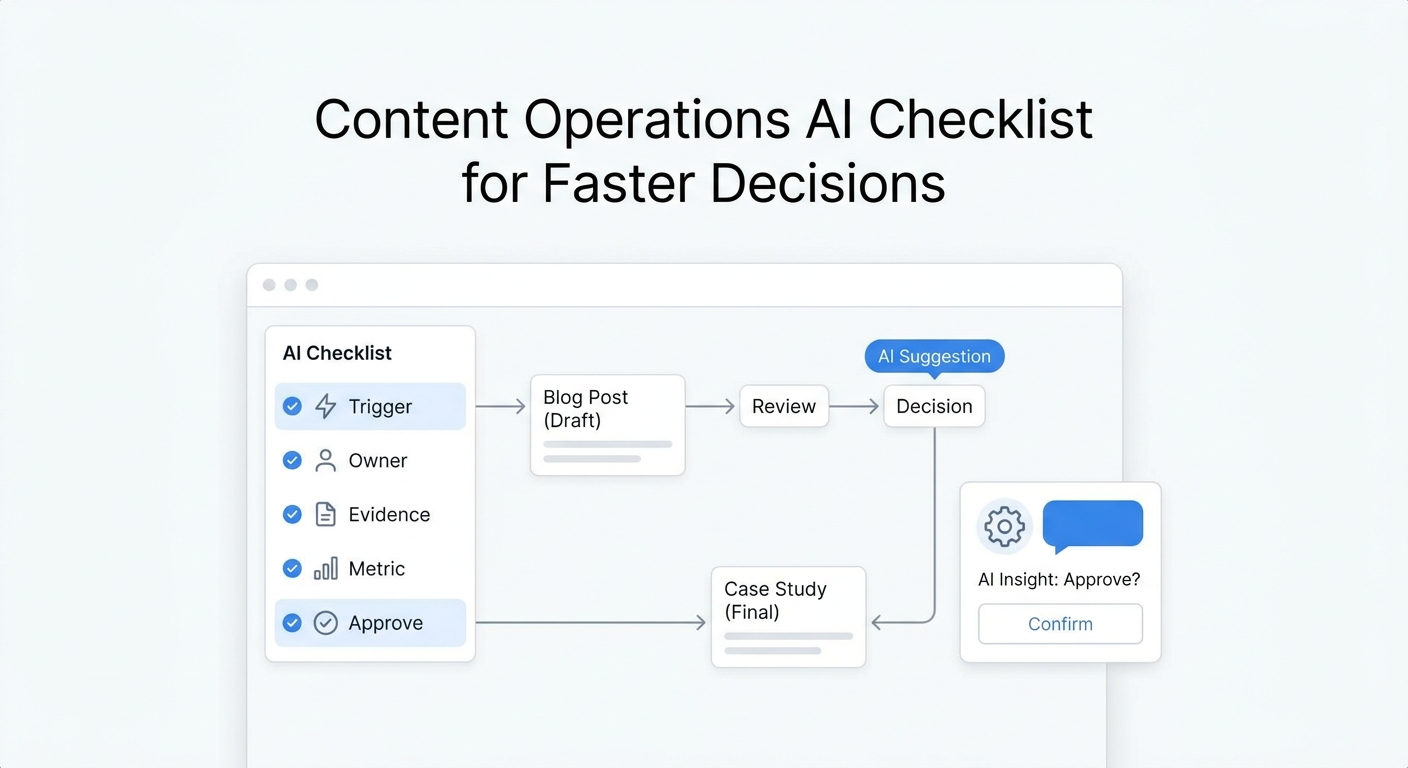
Knowledge base vs FAQ checklist
Use this checklist before connecting customer-facing content to an AI receptionist:
- Every important answer has an approved source.
- Conditional answers include their conditions and exclusions.
- Location-specific and service-specific rules are separated.
- Changing customer data comes from live integrations.
- Sensitive and unsupported requests have escalation paths.
- Staff-only instructions are separated from public content.
- Each high-impact topic has an owner and review date.
- Conflicting pages and documents have been reconciled.
- Tests include follow-ups, vague questions, and exceptions.
- Conversation gaps feed the next knowledge update.
The final answer: knowledge base or FAQ page?
For basic website self-service, an FAQ page can be enough. For an AI receptionist that handles real conversations across phone, chat, SMS, and email, a governed knowledge base is the stronger foundation.
The useful way to frame knowledge base vs FAQ page is this:
- The FAQ page presents a small set of public answers.
- The knowledge base organizes the complete approved information behind those answers.
- Live systems provide changing customer and operational data.
- Instructions and escalation rules control what the AI should do.
Solvea brings these layers together with an AI receptionist, shared knowledge, connected channels, and configurable workflows. Explore how to build an AI receptionist around approved business knowledge, or review Solvea pricing when you are ready to plan a rollout.