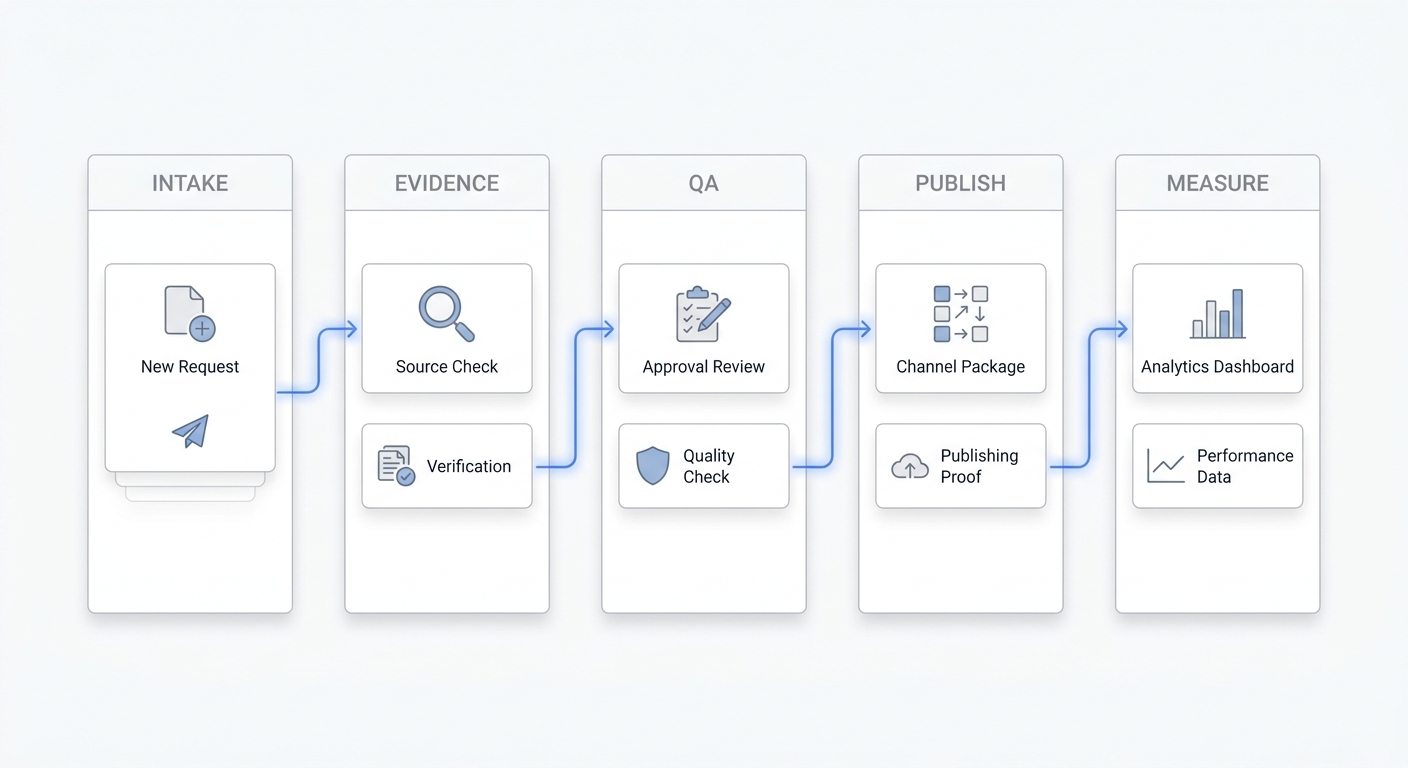
Real estate calendars break when every person keeps a private version of the truth. The buyer has a preferred window, the seller has restrictions, the listing agent has access notes, and the showing agent is already driving across town.
The fix is not a prettier calendar alone. Teams need a shared scheduling rule, clear ownership, and a repeatable way to confirm changes before someone arrives at the wrong property or misses a lead.
TL;DR
Field | Summary |
Core rule | Use one source of truth for property availability, agent availability, showing windows, and confirmations. |
Best first step | Separate fixed constraints from flexible preferences before offering times to buyers. |
Most common failure | Agents confirm from memory, text threads, or screenshots instead of a synced calendar. |
Automation fit | Automation helps most with intake, availability checks, reminders, and reschedule routing. |
Who it helps | Solo agents, ISA teams, listing coordinators, showing assistants, and multi-agent brokerages. |
For related workflows, see Solvea resources on AI appointment setter and AI receptionist.
Step 1: Define the Source of Truth
Pick one system that owns the final answer for availability. That may be your brokerage calendar, showing management system, CRM, or a shared Google or Outlook calendar. The important point is that no one confirms a showing from a stale text thread.
Google Calendar appointment schedules let teams publish bookable time windows from a calendar, while Microsoft Learn documents separate staff availability and service availability controls in Bookings. Those tools can work for simple teams, but real estate teams still need property-specific access notes, seller restrictions, and channel discipline: NAR's 2024 Member Profile reports that REALTORS use text (94%), phone (91%), and email (89%) with current clients, so the calendar has to stay ahead of several active communication channels.
Step 2: Split Fixed Constraints From Preferences
A real estate calendar has four layers. First are immovable constraints: seller blackout times, tenant notice requirements, lockbox access limits, and agent PTO. Second are operational constraints: drive time, open house blocks, inspection windows, and provider availability.
Third are buyer preferences, such as evenings or lunch breaks. Fourth are soft preferences, such as which agent should take the showing. If your team mixes those layers, every request becomes a negotiation.
Step 3: Standardize Showing Request Intake
Every showing request should collect the same fields: buyer name, phone, property address, preferred windows, agent, financing or pre-approval status if relevant, and whether the request is for a private showing, open house, second showing, inspection, or virtual tour.
Realtor.com and Zillow both let consumers request tours from listing pages, which means agents need a fast follow-up path after the portal inquiry lands. A shared intake format keeps portal leads from becoming one-off inbox tasks.
Step 4: Build a Confirmation Loop
Never treat a proposed time as confirmed until the calendar event, customer message, and internal notes all match. The event title should include the property address and showing type. The customer message should include date, time, meeting point, and reschedule path.
For seller-occupied homes, confirm the seller restriction before sending a buyer confirmation. For tenant-occupied homes, document the notice window and avoid promising same-day access when local rules or lease terms require notice.
Step 5: Protect Drive Time and Handoffs
Calendar coordination is also route coordination. If an agent has three showings across town, a fifteen-minute gap may be useless. Add travel buffers by area, not just by appointment type.
For handoffs, add a short private note: who has the key, where to park, who greets the buyer, and what happens if the buyer is late. The goal is to remove the hidden context that normally lives in one person's phone.
Step 6: Use Automation Where Back-and-Forth Is Predictable
An AI receptionist should not make judgment calls about deal strategy. It can, however, collect preferred windows, check approved availability, send confirmations, answer basic access questions, and escalate exceptions to the right agent.
Solvea fits that support role for real estate teams that miss calls while agents are in showings. It can capture the showing request, apply your calendar rules, and keep the prospect moving until a human needs to step in.
Your AI Receptionist, Live in Minutes.
Scale your front desk with an AI that never sleeps. Solvea handles unlimited multi-channel inquiries, books appointments into your calendar automatically, and ensures zero missed opportunities around the clock.
FAQ
What is the best way to coordinate real estate calendars?
Use one source of truth, define property-specific constraints, collect standard showing request fields, and confirm only after the calendar and customer message match.
Should real estate agents use Google Calendar or a showing platform?
Simple teams can start with Google Calendar or Outlook. Teams with listing access rules, buyer routing, and MLS integrations often need a showing-specific workflow.
How do I stop agents from booking over each other?
Require all confirmations to happen through the shared calendar or scheduling system, add buffers, and block tentative holds until they are resolved.
What calendar details should be visible to clients?
Clients need the date, time, property address, meeting point, agent contact, and reschedule path. Internal notes such as lockbox codes should stay private.
Can Solvea coordinate real estate calendar requests?
Solvea can capture calls and chats, ask for preferred windows, confirm approved times, and escalate unusual requests to the right agent.
Source References
- Google Calendar Help: Create an appointment schedule
- Microsoft Learn: Add staff and view staff details in Microsoft Bookings
- Microsoft Learn: Configure service availability in Microsoft Bookings
- National Association of REALTORS Research Group: 2024 NAR Member Profile Highlights
- Realtor.com: Find a Home and Schedule a Tour
- Zillow Help Center: Instant tour scheduling FAQ for landlords