When a customer calls a garage door company, the person answering does not need to diagnose a broken spring, identify a failed opener, or promise an arrival time before dispatch confirms it. The job is to capture the right details, identify immediate safety concerns, route the request correctly, and give the caller a clear next step.
That is what a practical garage door answering service script should do.
The best script is not one rigid speech. It is a structured call flow with a consistent opening, required intake fields, safety boundaries, and separate branches for doors stuck open, vehicles trapped inside, broken springs or cables, opener problems, new installations, commercial doors, existing jobs, and after-hours requests.
This guide gives garage door contractors a copy-ready framework for business-hours overflow and 24/7 call coverage.
What a garage door answering service script should accomplish
Every garage door call should end with an operational result. Before the call closes, your team should know:
- who is calling and the best way to reach them;
- where service is needed and whether the property is residential or commercial;
- whether the door is open, closed, partially open, off track, or otherwise unstable;
- whether a person, pet, vehicle, or business operation is trapped or exposed;
- what the caller can observe without touching the door, springs, cables, tracks, or opener;
- whether the request concerns repair, maintenance, installation, an estimate, a warranty, or an existing appointment;
- who owns the next step and when the caller should expect contact.
The answering workflow should classify and route the request. It should not turn a receptionist into a remote garage door technician.
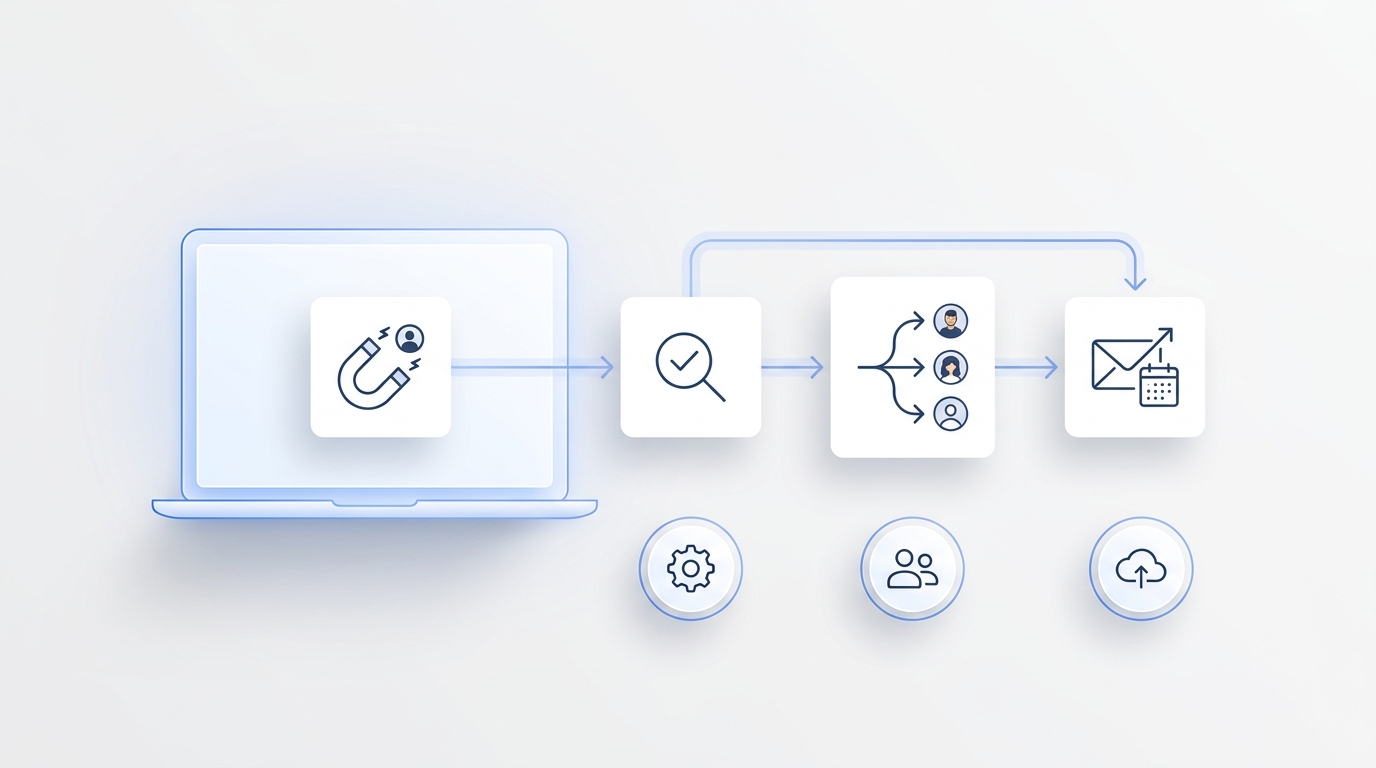
This matters when technicians are driving, working in a garage, or unavailable after hours. A structured workflow can preserve a complete service request, alert the approved on-call person, offer an eligible appointment window, and keep the conversation available for follow-up. For a broader coverage comparison, see after-hours lead capture for home services: AI vs voicemail.
Garage door call intake checklist
Use these fields as the minimum record for a new service call.
| Intake field | What to capture | Why it matters |
|---|---|---|
| Caller name | First and last name | Identifies the customer and supports follow-up |
| Callback number | Best mobile number and an alternate when available | Helps dispatch reach the caller if the call drops |
| Address for confirmations, estimates, and photo requests | Supports scheduling and documentation | |
| Service address | Street, city, state, ZIP, gate, parking, or access notes | Confirms service area and technician access |
| Property type | Single-family, multifamily, rental, HOA, warehouse, retail, or other | Routes residential and commercial workflows |
| Caller role | Owner, tenant, property manager, facilities contact, buyer, or authorized representative | Clarifies approval and communication authority |
| Door condition | Open, closed, partially open, crooked, off track, noisy, moving unevenly, or not moving | Establishes the observable situation without diagnosis |
| Immediate impact | Vehicle trapped, property unsecured, delivery blocked, business access affected, or routine inconvenience | Supports approved priority rules |
| Visible issue | Broken or loose component visible from a safe distance, unusual sound, damaged panel, remote failure, or unknown | Gives the technician useful context |
| Door details | Single or double door, approximate size, material, manual or automatic, opener brand if known | Helps prepare the correct service workflow |
| Safety signals | Door falling, hanging panel, exposed or loose cable, smoke, sparks, collision damage, or person trapped | Triggers emergency guidance and escalation |
| Request type | Repair, maintenance, opener, new installation, estimate, warranty, or existing job | Determines the branch and owner |
| Timing | When the issue started and whether it is changing | Helps prioritize follow-up |
| Previous work | Prior repair, installation date, invoice, warranty, or recurring issue | Connects the call to existing records |
| Preferred next step | Approved appointment window or callback preference | Moves the call toward a concrete outcome |
| Lead source | Search, referral, repeat customer, partner, ad, or vehicle branding | Supports marketing attribution |
The U.S. Consumer Product Safety Commission advises consumers to keep clear of a garage door while it is moving and not allow children to play with garage door controls. Your script should therefore ask for observations from a safe distance and avoid instructions that require the caller to operate, lift, restrain, or repair an unstable door.
Core garage door company phone script
Use this opening for most inbound calls:
“Thank you for calling [Garage Door Company]. My name is [Name]. I can collect the details and help arrange the right next step. May I have your name and the service address?”
Then establish the request:
“Is the door stuck open, stuck closed, partly open, off track, making an unusual sound, or are you calling about an opener, maintenance, or a new installation?”
Before routine qualification, check for immediate safety concerns:
“From a safe distance, is anyone trapped or injured? Does the door appear to be falling or hanging, or do you see smoke, sparks, collision damage, or a loose cable?”
If someone is injured or trapped in immediate danger, direct the caller to emergency services under company policy. If no immediate danger is present, continue:
“Thank you. Please do not touch the springs, cables, tracks, or any unstable part of the door. I’ll ask a few questions so the service team has a clear record.”
Collect the checklist fields, classify the request, and close with only the next step your company has approved:
“I have your request recorded for [service type]. The next step is [confirmed appointment / scheduling callback / on-call review]. You should expect [approved communication and time window].”
This phrasing is useful because it is calm, specific, and operational without pretending a diagnosis or dispatch decision has already been made.
Script for a garage door stuck open
A door stuck open may leave the property unsecured, but the receptionist still should not promise emergency service until eligibility and technician availability are confirmed.
“I understand the garage door is stuck open. Is everyone safely away from the door and its moving parts?”
Then ask:
- Is the door fully open, partly open, crooked, or hanging?
- Did it stop during movement, after an impact, or when the customer tried to open it?
- Is a vehicle underneath or near the door?
- Does the caller see a loose cable, separated roller, bent track, damaged panel, smoke, or sparks from a safe distance?
- Is the garage attached to the home or does it provide access to the business?
- Can the interior door to the home be secured without approaching the unstable garage door?
- Is there another safe entrance and exit?
- Is the customer within the company’s after-hours service area?
For eligible urgent review:
“I have marked the property as currently unsecured and recorded the door position. I will send the request to the approved on-call contact. The team will confirm whether service is available and provide the next update within [approved window].”
Do not instruct the caller to pull an emergency release, force the door down, clamp the track, or disconnect components. Those actions may not be appropriate for the condition being described.
Script for a vehicle trapped inside
A trapped vehicle is an important operational detail, but it is not automatically a life-safety emergency.
“I understand the vehicle cannot exit because the garage door will not open. Is anyone in immediate danger, or is this currently an access and scheduling problem?”
Capture:
- whether the vehicle is needed for work, a medical appointment, school, or another time-sensitive obligation;
- whether another safe vehicle or exit is available;
- the current door position;
- whether the opener runs, clicks, hums, or is silent;
- whether the customer observed a loud bang before the problem began;
- whether anything struck the door;
- whether the customer can see loose components without approaching them;
- the latest useful service window.
Close with an accurate commitment:
“I have recorded that a vehicle is trapped and noted your timing. The next step is [confirmed booking / priority scheduling callback / on-call review]. We will update you by [approved time].”
Avoid promising that a technician can release the vehicle immediately or that the repair will be completed in one visit.
Script for a suspected broken spring or cable
Customers may use the words “broken spring” after hearing a loud bang or seeing a gap, but the answering service should record the observation rather than confirm the diagnosis.
“Thank you for describing what you noticed. Please keep everyone away from the door and do not touch any spring, cable, bracket, or loose component. Is the door open, closed, or partly open?”
Ask:
- What did the caller hear or see?
- Where is the door now?
- Did the problem begin while opening, closing, or while the door was stationary?
- Is the opener still connected or attempting to move the door?
- Does the door look uneven, crooked, or unusually heavy?
- Is a vehicle or property access affected?
- Is the door residential or commercial?
- Is there a previous invoice, warranty, or installation record?
Use non-diagnostic language in the handoff:
“The caller reports [observable condition], which may involve the lifting or track system. A technician will inspect the door and confirm the cause, repair options, and price.”
The script should never tell a caller to lift a door with a suspected spring or cable problem, even with help.
Script for an opener or remote-control problem
Opener calls often range from a dead remote battery to a door-system problem. The receptionist can collect context without guiding the caller through mechanical or electrical work.
“I can help document the opener issue. Does the wall control or remote produce any sound or movement, and is the door currently fully closed?”
Capture:
- opener brand and approximate age if known;
- wall control, remote, keypad, or app involved;
- whether any control works;
- whether lights flash or the opener makes a sound;
- whether the door begins moving and reverses;
- whether the issue followed a power outage, storm, impact, or other event;
- whether the door can be secured;
- whether the customer wants repair, replacement, or a general assessment.
If your company has approved basic customer checks, place them in a technician-reviewed knowledge base. Do not improvise troubleshooting in the live script. A system such as Solvea can use a maintained knowledge base so approved answers stay consistent across calls.
Script for a door off track, crooked, or damaged by impact
Impact damage and an off-track door deserve a clear “do not operate” boundary.
“Please stop operating the door and keep people, pets, and vehicles away from it. From a safe distance, can you tell me whether the door is open, closed, partly open, crooked, or hanging?”
Ask:
- Was the door struck by a vehicle or object?
- Is any panel hanging or separated?
- Are rollers outside the track?
- Is the track visibly bent?
- Are cables loose or hanging?
- Is glass broken?
- Is the property exposed to weather or unauthorized entry?
- Is this a residential garage, apartment property, loading area, or storefront?
- Are there access restrictions for a service vehicle?
For the handoff:
“I have recorded the impact and the current door position. Please leave the door untouched. The service team will review the condition, priority, access, and technician availability before confirming the response.”
Do not promise that the existing panels, tracks, or opener can be repaired rather than replaced.
Script for new garage door or opener estimates
Estimate calls should qualify the opportunity without turning the receptionist into a salesperson who quotes an unapproved price.
“I can help arrange an estimate. Are you replacing an existing garage door or opener, adding a new opening, or comparing options for a future project?”
Capture:
- service address and property type;
- number of doors and approximate sizes;
- repair versus replacement interest;
- door material, insulation, windows, color, and style preferences;
- opener, keypad, battery backup, camera, or smart-control interest;
- HOA, historic, landlord, or property-management approval requirements;
- target timeline;
- whether the caller owns the property or can authorize the project;
- consultation availability and preferred communication method.
Close with the company’s estimating process:
“The next step is [an on-site consultation / a measurement appointment / a sales callback]. The specialist will confirm fit, product options, installation requirements, availability, and final pricing.”
Avoid quoting a complete project from a general phone description unless your company has an approved quoting workflow for that exact request.
Script for commercial overhead doors and loading areas
Commercial calls need a different operational record because access, business disruption, and authorized contacts matter.
“I’ll collect the site and access details so our commercial team can review the request. What is the business name, service address, and affected door or bay number?”
Then ask:
- Is the caller the owner, facilities manager, tenant, property manager, or authorized vendor?
- Is the affected asset an overhead door, rolling door, fire door, gate, dock door, or another system?
- Is the door blocking a loading bay, vehicle, inventory area, customer entrance, or secured perimeter?
- Is the door stable, or is any part hanging, falling, smoking, sparking, or visibly damaged?
- Are there site-specific safety rules, escorts, badges, keys, dock schedules, or restricted hours?
- Is a certificate of insurance, work order, purchase order, or vendor onboarding required?
- Is there an existing maintenance agreement, asset number, invoice, or warranty?
- Who can approve work and receive updates?
Close with the commercial process:
“I have recorded the affected door, operational impact, access requirements, and authorized contact. Our commercial team will review the request and respond within [approved window].”
Do not treat a fire-rated door, industrial gate, or loading dock as a standard residential call. Route it to the qualified team and preserve the asset details.
Script for warranty callbacks and existing appointments
Existing customers should not have to repeat the entire history.
“I can help connect this request to the existing service record. May I have the service address, customer name, and invoice, appointment, or warranty number if available?”
Capture:
- original customer and service address;
- invoice, estimate, warranty, or work-order number;
- installation or service date;
- what changed since the last visit;
- whether the door can be secured and safely left alone;
- photos or documents available;
- previous conversations and promised next steps;
- preferred callback method.
Do not confirm warranty eligibility during intake. Use:
“I will attach these details to the existing record. The service team will review the prior work, warranty terms, and current condition before confirming the next step.”
After-hours garage door answering service script
After-hours coverage should use fewer promises and clearer escalation rules.
“Thank you for calling [Garage Door Company]. Our office is currently closed, but I can document the issue and follow the approved after-hours process.”
Ask the safety question first. Then classify the call:
- someone is injured or trapped in immediate danger;
- the door is falling, hanging, smoking, sparking, or unstable;
- the property is unsecured because the door is stuck open;
- a vehicle or business operation is blocked;
- the door is stuck closed but the property remains secure;
- the request is routine maintenance, an estimate, or an existing-job question;
- the call is from a vendor, applicant, or solicitor.
For eligible urgent calls:
“I have recorded the door condition, impact, and safe observations. I will send this to the approved on-call contact. The team will confirm the response based on safety, service area, access, parts, and technician availability.”
For routine calls:
“I have recorded your request for the next business-day team. You should expect contact by [approved time].”
Never say “a technician is on the way” until dispatch is confirmed. Do not promise a same-night repair, exact fee, part availability, warranty coverage, or a one-visit resolution.
Practical garage door call priority matrix
Your company should approve the matrix before an employee or AI receptionist uses it.
| Call class | Examples | Handling rule |
|---|---|---|
| Immediate danger | Person trapped or injured, fire, smoke, sparks, door actively falling | Direct caller to emergency services under policy; alert approved internal owner |
| Urgent review | Door hanging or off track, property unsecured, collision damage, commercial bay blocked | Capture complete record and alert approved on-call coordinator |
| Priority scheduling | Vehicle trapped, door will not open, recurring reversal, loud bang with door closed | Offer approved priority slot or scheduling callback |
| Standard repair | Noisy operation, remote or keypad issue, weather seal, routine maintenance | Book an eligible appointment or standard callback |
| Sales | New door, opener replacement, upgrade, consultation | Qualify scope, authority, preferences, and estimate availability |
| Existing customer | Warranty concern, return visit, appointment update, invoice question | Match the record and route to the responsible owner |
| Non-service | Vendor, employment, marketing solicitation | Route to the designated inbox or politely decline under policy |
What the answering service should never promise
Keep these statements out of the script unless a qualified company representative has confirmed them:
- the exact cause of the failure;
- that a door is safe to operate, lift, restrain, or leave unsupported;
- instructions to touch springs, cables, tracks, brackets, rollers, or an unstable door;
- a final repair price without the approved estimating process;
- that a part is in stock or compatible;
- that the existing door, panel, opener, or track can be repaired instead of replaced;
- warranty or insurance coverage;
- an arrival time that dispatch has not accepted;
- a same-day or one-visit completion promise;
- a code, fire-rating, or compliance conclusion before qualified review.
These boundaries protect the customer experience and preserve a clean handoff for the technician.
How to adapt the script for an AI receptionist
An AI receptionist should use the same operating rules as a trained employee. The advantage is consistent coverage, structured records, and immediate routing when the office cannot answer.
Configure the workflow to:
- open with the company name and identify the assistant;
- capture name, callback number, email, and service address;
- ask the safety and door-stability questions early;
- classify residential, commercial, repair, sales, warranty, and existing-job calls;
- collect only the fields relevant to that branch;
- check approved service areas and calendar rules;
- book only eligible appointment types;
- escalate urgent calls to the correct on-call owner;
- send a confirmation by the customer’s preferred channel;
- store the summary and outcome for team follow-up.
Solvea supports phone answering, configurable agents, a business knowledge base, customer conversation history, analytics, and integrations. For the surrounding operating model, see which integrations matter for a home-services AI receptionist and the AI receptionist for home services solution page.
Example AI receptionist instructions
Use a policy block like this in your agent configuration:
You answer calls for [Garage Door Company]. Capture the caller’s name, callback number, service address, property type, current door position, visible condition, immediate impact, safety signals, request type, and preferred next step. Tell callers to stay away from a moving, hanging, off-track, or unstable door and not to touch springs, cables, tracks, brackets, or loose components. Do not diagnose, quote an unapproved price, confirm warranty coverage, promise parts, or claim a technician is dispatched unless the scheduling or dispatch system confirms it. Escalate only under the company’s approved rules.
Then create branch-specific instructions for stuck-open doors, trapped vehicles, opener issues, impacts, commercial doors, sales estimates, warranties, and after-hours calls.
How to connect intake, scheduling, and follow-up
A good script loses value if the record stops in an inbox. Connect the call flow to the tools that control the next action.
At minimum, define:
- which requests can book directly;
- which require a dispatcher or technician review;
- which calendar is authoritative;
- how service area and travel windows are checked;
- where residential and commercial records are stored;
- which calls trigger an immediate alert;
- who handles estimates, warranties, and existing jobs;
- what confirmation message the customer receives;
- how unanswered quotes and completed calls enter follow-up.
An omnichannel workflow can keep calls, texts, notes, and ownership together instead of forcing the team to reconstruct the conversation from voicemail. That also makes it easier to ask for photos, confirm appointment windows, and continue the same thread after a technician responds.
Metrics for a garage door answering workflow
Track outcomes that show whether the script is improving operations and revenue:
- percentage of inbound calls answered;
- qualified service requests captured;
- eligible appointments booked;
- urgent calls acknowledged within the approved window;
- contact records with complete address, callback number, and door condition;
- calls routed correctly on the first attempt;
- estimate consultations scheduled;
- quote follow-up completion;
- cancellations and no-shows;
- average time from call to confirmed next step;
- booked revenue by call source;
- calls that required a human correction because the script or knowledge base was incomplete.
Use recordings, summaries, and outcomes to find where callers get confused or where technicians repeatedly need missing details. The purpose is not to make the script longer. It is to ask the fewest questions needed for a safe, useful handoff.
For a broader financial framework, see home services AI receptionist ROI.
Rollout checklist
Before the script goes live:
- List every residential and commercial call type you accept.
- Define the safety phrases and emergency boundary.
- Approve the required intake fields for each branch.
- Document service areas, operating hours, and after-hours eligibility.
- Map each call class to a calendar, owner, or escalation path.
- Put approved service, product, warranty, and FAQ answers in the knowledge base.
- Test stuck-open, stuck-closed, off-track, impact, opener, sales, warranty, and commercial scenarios.
- Verify that the workflow never diagnoses or invents dispatch confirmation.
- Review call summaries with technicians and dispatchers.
- Update the script when services, staffing, pricing rules, or coverage areas change.
Your AI Receptionist, Live in Minutes.
Scale your front desk with an AI that never sleeps. Solvea handles unlimited multi-channel inquiries, books appointments into your calendar automatically, and ensures zero missed opportunities around the clock.
Frequently asked questions
What should a garage door receptionist ask first?
Ask for the caller’s name, service address, current door position, and whether anyone is injured, trapped, or near an unstable door. Then identify the operational impact and request type.
Can an answering service troubleshoot a garage door?
It can use company-approved, technician-reviewed responses, but it should not improvise mechanical or electrical troubleshooting. It should never instruct a caller to touch springs, cables, tracks, brackets, or an unstable door.
Which garage door calls should be escalated after hours?
Use the company’s approved policy. Common urgent-review categories include a falling or hanging door, collision damage, an unsecured property, or a blocked commercial operation. Immediate danger belongs with emergency services under policy.
Should the receptionist quote a repair price?
Only when the company has approved a specific quoting rule for that exact request. Otherwise, explain the inspection or estimating process and let the qualified team confirm the price.
Can an AI receptionist schedule garage door appointments?
Yes, when it has access to the approved calendar, service area, appointment types, durations, buffers, and escalation rules. It should not create a booking the calendar cannot support.
How long should the script be?
Keep the opening short and use conditional branches. A routine maintenance call should not receive every emergency question, while an unstable-door call should reach the safety boundary immediately.
Build a call flow your technicians can trust
A strong garage door answering service script does not try to replace technical judgment. It creates a reliable bridge between the caller and the team that can inspect, quote, schedule, and repair the door.
Start with a consistent opening. Ask the safety questions early. Capture the current door position, observable condition, operational impact, and exact next step. Separate residential, commercial, sales, warranty, and after-hours workflows. Then connect the conversation to scheduling, alerts, customer records, and follow-up.
If you want to turn this script into a configurable phone workflow, try Solvea free. Build the agent around your service area, hours, calendars, escalation rules, and approved knowledge so every call produces a usable next step.