Recording a professional voicemail greeting used to mean finding a quiet room, a decent microphone, and enough patience for several retakes. AI voicemail generators have changed that — you write a script, select a voice, and download a professional MP3, all from a browser. The whole process takes a few minutes.
This guide covers how these tools actually work, how to get the best results from them, and how to get your recording onto whatever phone system you use.
New to voicemail greetings? What Is a Voicemail Greeting? covers the types, elements, and when each applies.
How an AI Voicemail Greeting Generator Works
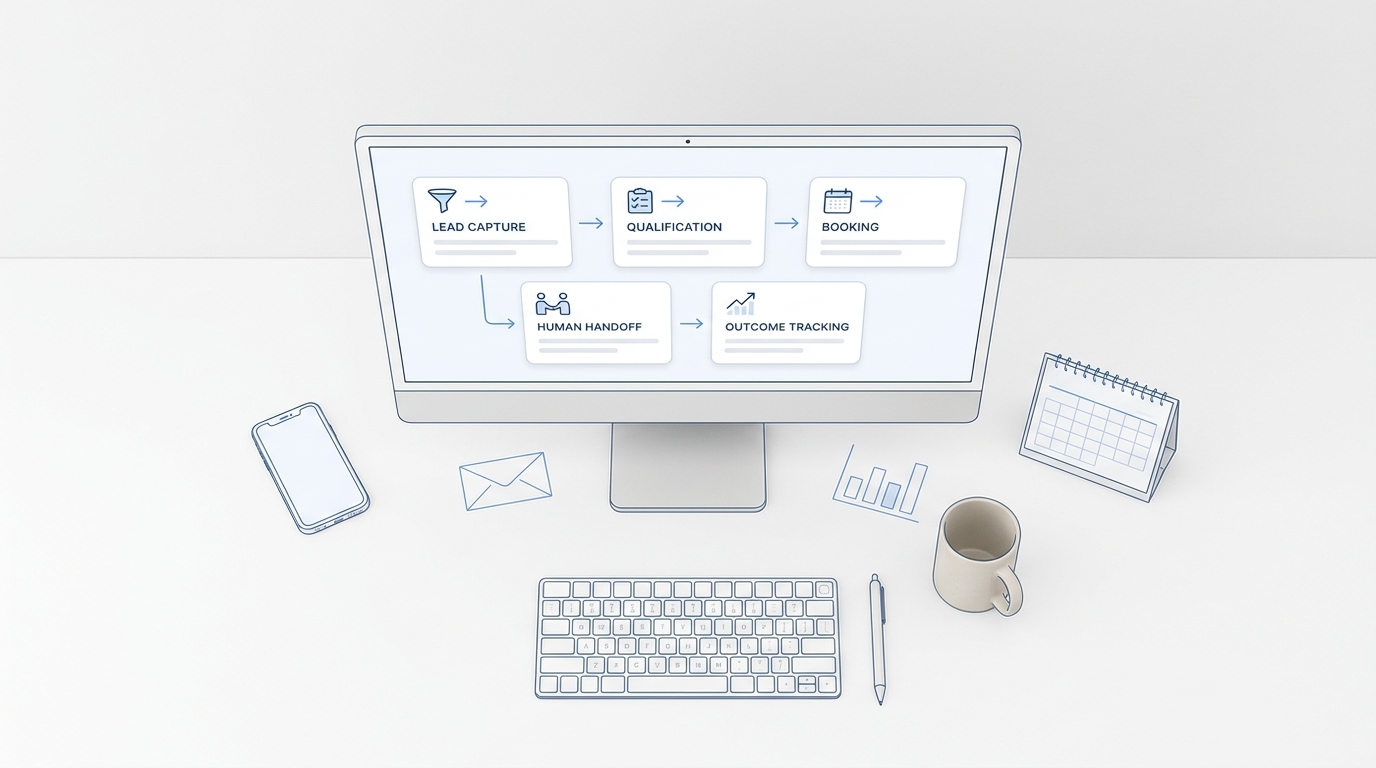
At its core, an AI voicemail generator combines two things: script generation and text-to-speech conversion. You provide inputs — your greeting type, your industry, your business name — and the tool produces a script tailored to your situation. You then select a voice from the available options, the engine converts the text to audio, and you download the file.
The key difference between a purpose-built voicemail generator and a generic text-to-speech editor is context. A generic TTS tool gives you a blank box and a voice picker. A purpose-built generator knows whether you're creating a business hours greeting or a holiday closure message, and generates a script that fits — with the right information, the right tone, and the right length. That context layer is what saves the rewriting.
Modern AI voice models are trained on large amounts of real speech, which is why the output sounds noticeably different from the robotic synthesis of ten years ago. Most callers won't identify a well-generated AI greeting as synthetic — particularly at the audio quality typical of a phone connection, where the bar for "natural enough" is lower than in face-to-face conversation.
How to Create an AI Voicemail Greeting — Step by Step
The process is similar across most tools. Here's what it looks like from start to finish.
Step 1: Choose your greeting type
Before you write or generate anything, decide which type of greeting you need: business hours, after-hours, holiday, out-of-office, or a department-specific message. This shapes the entire script — a holiday greeting includes a reopening date; an after-hours greeting states your hours; an out-of-office greeting gives a return date and a backup contact. Getting the type right first prevents the most common mistake, which is recording a business hours message that plays through a two-week absence.
Step 2: Generate or write your script
Most purpose-built generators let you choose an industry and enter your business details, then produce a draft script. Use that draft as a starting point, not a final answer. Read it out loud — it should sound like something you'd actually say, not something written for a brochure. Swap in specific details: a concrete callback window ("by 5 PM today" or "within one business day") rather than "as soon as possible," and the specific information you want callers to leave rather than just "a message."
For scripts to adapt or copy directly, voicemail greeting examples has 30+ organized by situation.
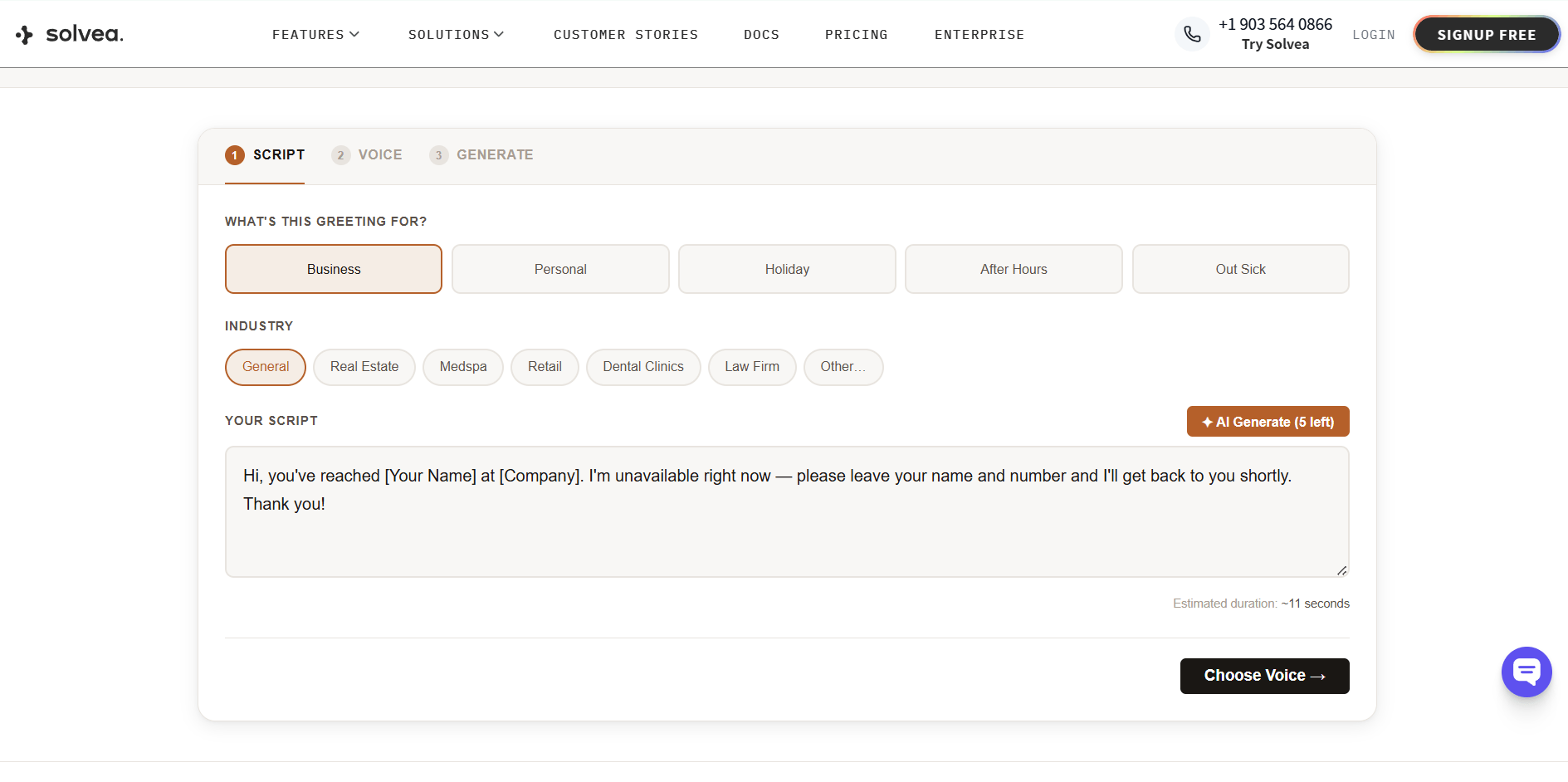
Step 3: Select a voice
Preview at least three voices before committing. The same script sounds meaningfully different across options — some are warmer, some more authoritative, some faster or slower. Most tools let you preview for free. Take the time to find one that matches your brand's tone, not just one that sounds "good" in isolation.
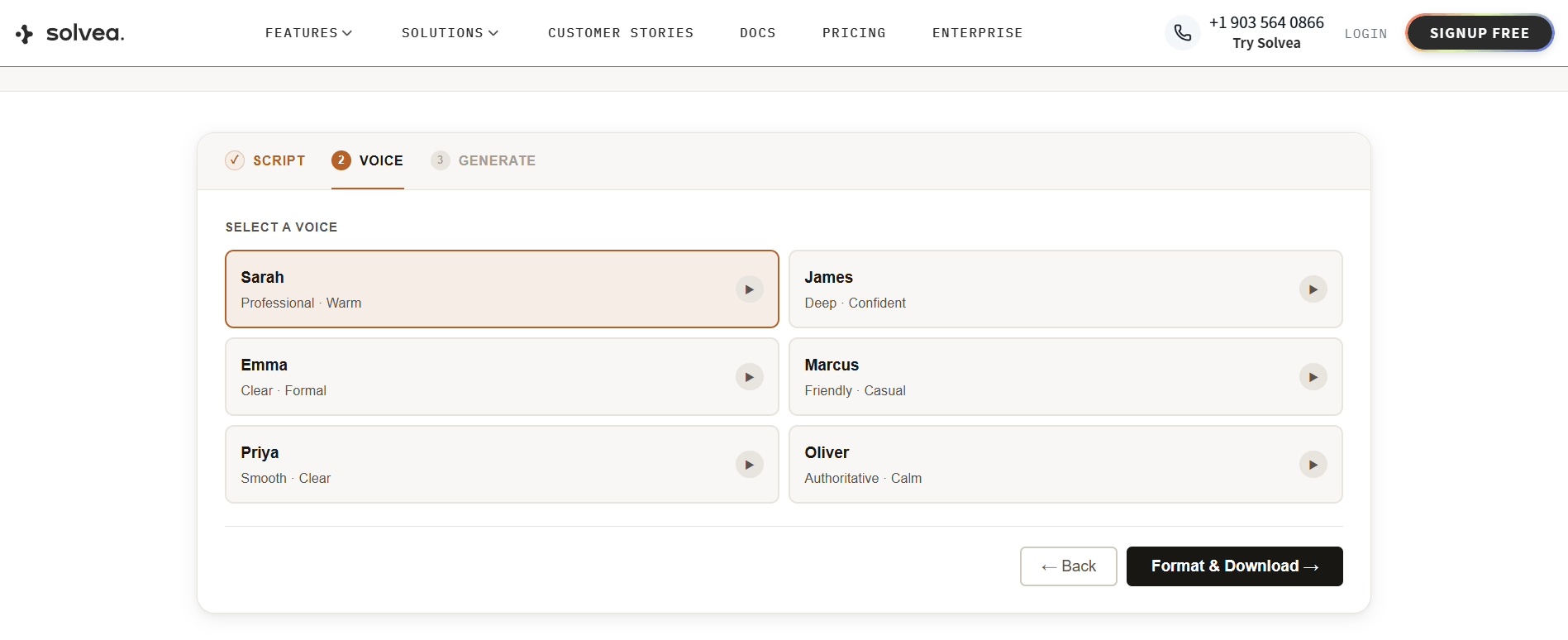
Step 4: Download and review
Generate the file, then listen to the full output before downloading. Check for pacing issues, unnatural emphasis, or any bracketed placeholder text you forgot to replace. Most generators let you edit and regenerate as many times as you need before downloading.
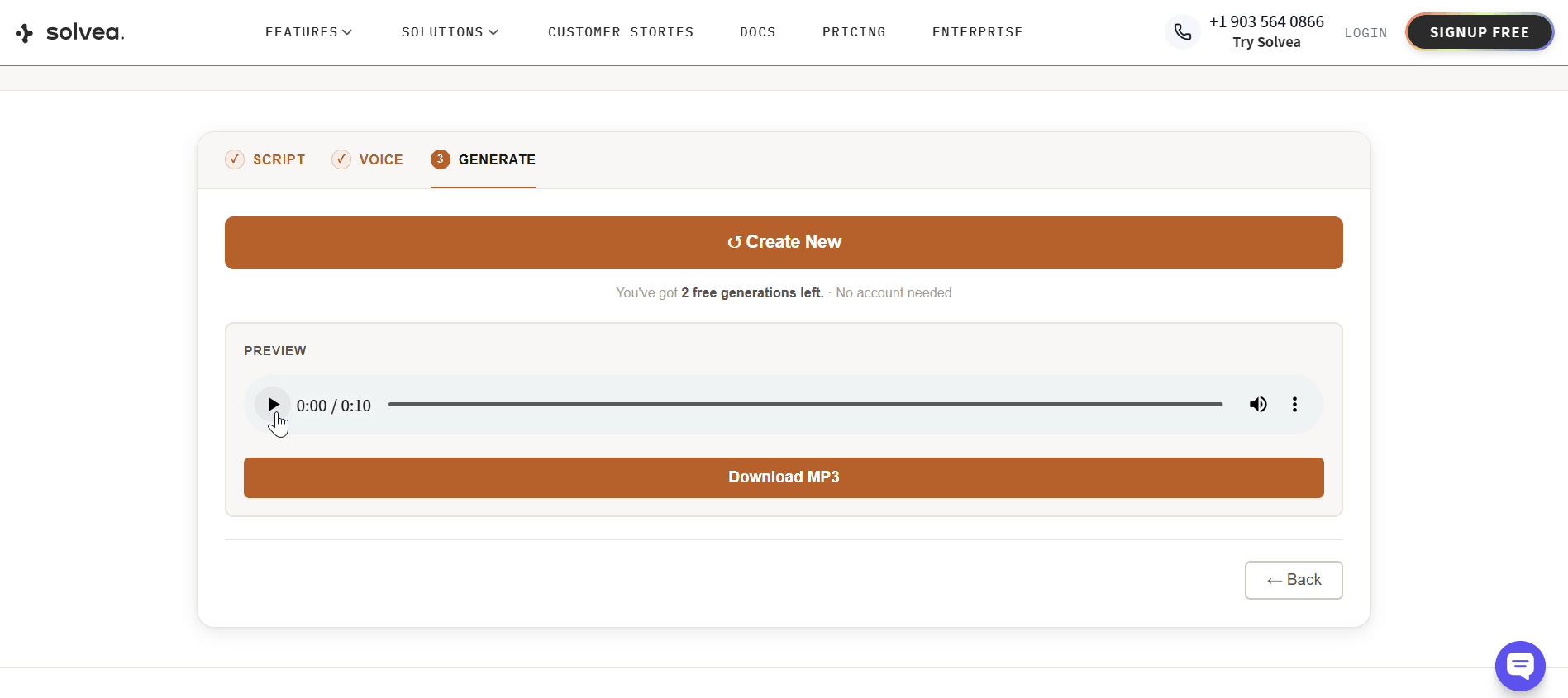
Step 5: Upload to your phone system
The section below covers the upload path for each major platform.
Writing a Script That Sounds Natural With AI Voice
AI voice models render your script almost literally — which means the quality of the output depends heavily on how you write. A few adjustments make a significant difference.
Control pacing with punctuation. AI voices treat punctuation as timing instructions. A comma produces a brief pause; a period produces a longer one; an em dash creates a slight breath. A script with no internal punctuation sounds rushed, even at a normal word count. Reread your script and add punctuation wherever a real speaker would pause — not for grammatical reasons, but for rhythm.
Write the way you speak, not the way you write. Sentences that read cleanly on a page often sound stilted when read aloud by an AI. Contractions help: "I'm unavailable" sounds more natural than "I am unavailable." Short sentences help: complex clauses with multiple embedded phrases tend to lose emphasis when rendered by a voice engine. Read your script out loud before pasting it into any tool — if it sounds awkward when you say it, it will sound awkward when the AI says it too.
Stay under 80 words. Most AI generators don't enforce a length limit — that's your responsibility. A greeting longer than 30 seconds starts losing callers before the beep. Eighty words, spoken at a natural pace, lands at about 25 seconds. Count your words before generating.
Avoid words the voice engine will mispronounce. Unusual proper nouns, acronyms read as words, and hyphenated compounds can produce unexpected pronunciation. If you're not sure how the engine will handle something, preview it and listen carefully. Most tools let you respell phonetically or add punctuation to guide pronunciation.
How to Upload Your Greeting to Any Phone System
Getting the MP3 is the easy part. Knowing where to upload it is often less obvious. Here are the exact steps for the most common platforms.
iPhone (native voicemail):
- Settings → Phone → Voicemail → Greeting → Custom → Record
- Play your MP3 through your speakers while recording
iPhone's native voicemail doesn't support direct MP3 upload — the workaround above works but reduces audio quality. If you use a VoIP app (RingCentral, Zoom Phone, etc.), upload through that portal instead for better results.
Android (varies by carrier):
- Open Phone app → Menu → Settings → Voicemail → Greeting
- Some carriers support direct MP3 upload; check your carrier's voicemail app
RingCentral:
Admin Portal → Phone System → Auto-Receptionist → Greeting & Hold Music → Upload
Zoom Phone:
Zoom web portal → Phone → Settings → Voicemail Greeting → Upload
Google Voice:
voice.google.com → Settings → Voicemail → Record a greeting → Upload
Most VoIP systems: Settings → Voicemail → Custom Greeting → Upload file. Accepted formats are typically MP3 or WAV.
Recommendations by Use Case
The right approach to an AI voicemail greeting depends on who you are and what the greeting needs to do. An individual's personal cell phone greeting and a multi-location dental practice's after-hours message have almost nothing in common — different scripts, different voices, different levels of setup complexity.
For Individuals
If you're setting up a greeting for a personal cell phone, a freelance line, or a solo professional number, your priorities are different from a business. You're not managing call volume or multiple greeting types — you need one recording that sounds like you, gets to the point, and gives callers a realistic expectation.
What to focus on:
- Keep it short. A personal greeting doesn't need to be longer than 15–20 seconds. Your name, that you're unavailable, and when you'll call back. Nothing else is required.
- Match your normal tone. If you're a designer or therapist or consultant, your greeting should sound like you would actually talk — not like a corporate voicemail. Choose a voice that feels personal rather than polished.
- One greeting is usually enough. Unless you travel frequently or have extended periods of unavailability, a single well-written greeting updated occasionally covers most situations. Don't over-engineer it.
- Voice cloning is an option worth considering. If your voice is part of your personal brand — you're a coach, a speaker, a therapist — ElevenLabs' voice cloning lets you create a recording that sounds exactly like you, from a short sample. The result is as personal as a self-recorded greeting, without the retakes.
Suggested script structure for individuals:
"Hi, you've reached [Your Name]. I'm unavailable right now — leave your name and number and I'll call you back [by end of day / within 24 hours]."
That's it. Add one sentence of context only if your situation genuinely calls for it (traveling, out until a specific date).
For Businesses
Business use introduces requirements that don't exist for individuals: multiple greeting types for different situations, industry-specific language that signals credibility, and output formats that work reliably across whatever phone system you're using. Getting these right matters because your greeting plays on every missed call — to every lead, client, and partner who doesn't reach you.
What to focus on:
- Set up at least two greetings from the start. A business hours greeting (for calls missed during the day) and an after-hours greeting (for evenings, weekends, and overnight) cover the majority of situations. Add holiday and out-of-office versions before you need them, not after.
- Use industry-specific language. A medical office greeting sounds different from a real estate agent's greeting — not just in tone, but in what information it includes (emergency routing, appointment scheduling language, specific call-to-action). A generator with industry templates produces this automatically; a generic TTS tool requires you to write it from scratch.
- Match the voice to your brand, not your preference. Choose a voice that fits how callers expect your type of business to sound. A law firm and a medspa call for different registers. Preview voices in the context of your actual script — the same voice can sound authoritative in one script and cold in another.
- Confirm compatibility with your phone system before generating. Most AI generators output MP3, which works with RingCentral, Zoom Phone, Google Voice, and most VoIP systems. iPhone native voicemail requires a workaround (see the upload section above). Check your system's accepted format before downloading.
- Plan for updates. Business greetings go stale faster than personal ones — holidays end, staff leave, hours change. Treat the generator as a tool you'll use a few times a year, not just once. Free tiers are often sufficient for occasional updates; a paid plan makes more sense if you're updating greetings regularly across multiple lines.
What a complete business greeting setup looks like:
Greeting type | When to record it | Key information to include |
Business hours | Before launch | Name, company, callback window, what to leave |
After-hours | Before launch | Hours, next business day callback, emergency contact if needed |
Holiday closure | Before each holiday | Holiday name, reopening date and time |
Out-of-office | Before any absence | Return date, colleague redirect |
Which Tools Are Worth Trying
Most tools marketed as "AI voicemail generators" are general text-to-speech editors with a voicemail template added. A smaller number are built specifically for the use case — with greeting type selection, industry templates, and phone-system-ready output. That distinction matters if you want to go from zero to a usable file without significant rewriting.
Tool | Best for | Free tier | Voices |
Solvea | Business use; industry templates | ✅ 3 free, no sign-up | 6 natural AI |
Narakeet | Multilingual greetings | ✅ limited minutes | 900+ / 100+ languages |
ElevenLabs | Maximum voice realism; voice cloning | ✅ limited characters | 5,000+ |
Murf AI | Teams; multi-line consistency | ❌ trial only | 120+ |
Quo | Existing Quo phone users | ✅ with plan | Standard |
A few notes on each:
Solvea (voicemail greeting generator) is purpose-built for business use, with greeting type selection and industry-specific templates for real estate, dental, legal, medspa, and retail. Output is royalty-free MP3, no sign-up required for the first three generations.
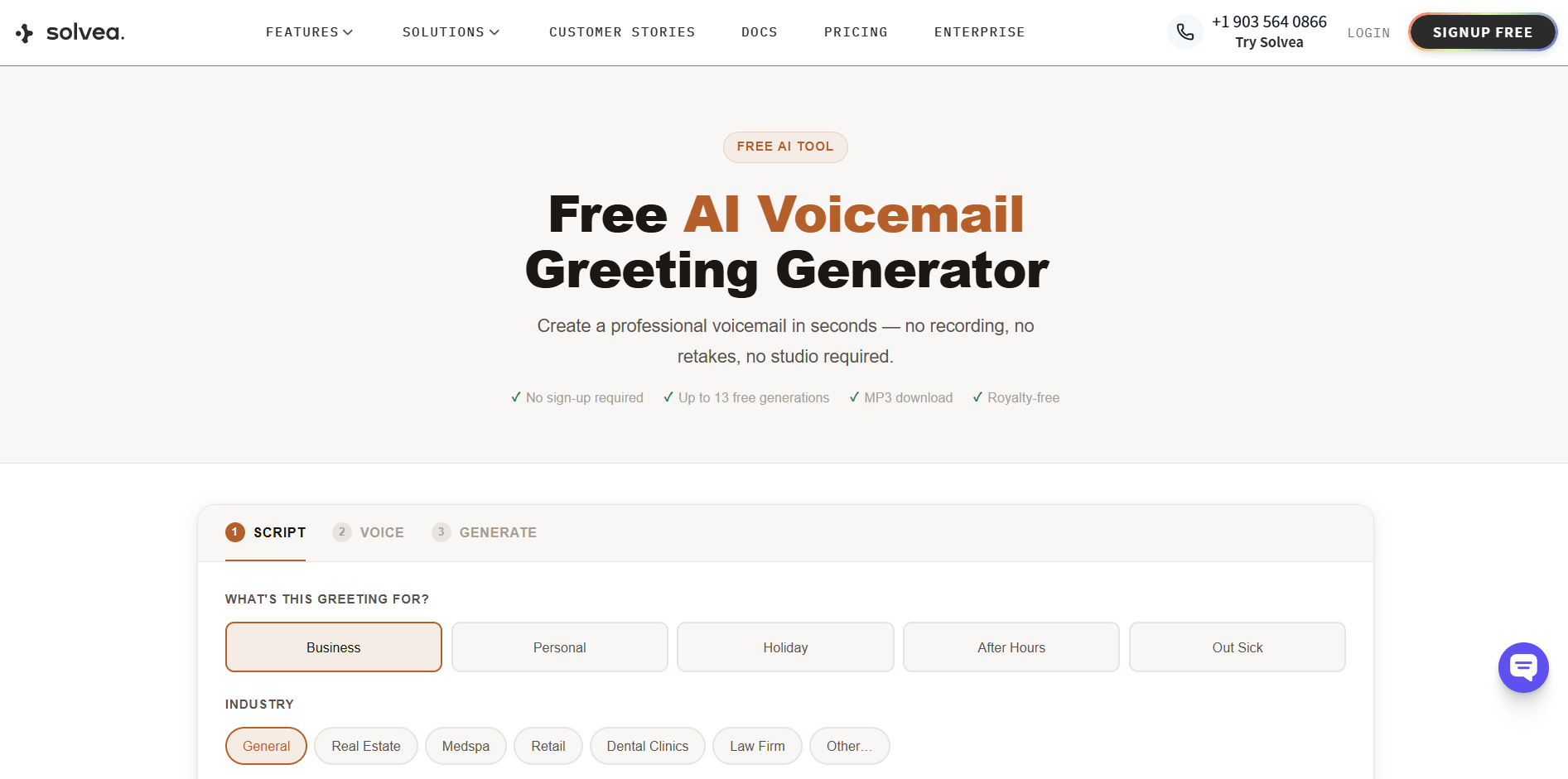
See how it works:
Narakeet is the strongest option if you need greetings in multiple languages — 100+ languages and 900+ voices. The interface is simple: paste, pick a voice, download. Voice quality is solid but less natural than premium alternatives.
ElevenLabs produces the most realistic voices available, including voice cloning. It's not designed for voicemail specifically, so you'll write your own script and manage the output format, but the audio quality ceiling is the highest of any tool on this list.
Murf AI offers fine-grained controls over pacing, pitch, and emotion — useful when you're standardizing greetings across a large team. More setup than a standalone generator; pricing starts after the trial.
Quo includes a built-in generator for users already on its phone platform. If you're using Quo for your business number, it's the most seamless option. As a standalone it's limited.
Putting It Together
AI voicemail generators have made professional-quality audio available to any business with a browser. The process is straightforward — choose your greeting type, write a script that reads naturally, select a voice, download, and upload to your system. The tools have different strengths: if you need industry-specific templates and a fast start, Solvea's free generator covers most business scenarios without a sign-up. If voice realism is the priority, ElevenLabs produces the most convincing output. If you need languages beyond English, Narakeet is the clear choice.
The recording session is optional now. The script is still your responsibility.
Your AI Receptionist, Live in Minutes.
Scale your front desk with an AI that never sleeps. Solvea handles unlimited multi-channel inquiries, books appointments into your calendar automatically, and ensures zero missed opportunities around the clock.
Frequently Asked Questions
What is an AI voicemail greeting generator?
An AI voicemail greeting generator combines script generation with text-to-speech: you provide inputs about your greeting type and business, the tool produces a script, converts it to a natural-sounding audio file, and outputs an MP3 you can upload directly to your phone system. No recording equipment or retakes required.
Are AI voicemail greeting generators free?
Several tools offer free tiers. Solvea allows three free generations with no sign-up. Narakeet offers limited free minutes per month. ElevenLabs has a free character allowance. Murf AI offers a trial period. For most businesses, a free tier from a purpose-built tool is sufficient for one or two greetings.
How realistic do AI voicemail greetings sound?
Modern AI voices are significantly more natural than early text-to-speech. The gap narrows further at phone audio quality, where the connection itself introduces some compression. Tools like ElevenLabs produce voices most callers won't identify as AI. Most purpose-built generators prioritize clarity over maximum realism — which is usually the right call for a voicemail context.
Can I use an AI-generated voicemail greeting for my business?
Yes. Most AI voicemail tools provide royalty-free commercial use for downloaded files. There are no copyright issues with using an AI voice for a business voicemail greeting. If you're using voice cloning or a premium voice model from a specific provider, check that tool's license terms directly.
What's the best AI voicemail greeting generator for small businesses?
It depends on what matters most. For a fast, no-setup option with business-specific templates, Solvea's free generator is a practical starting point — it outputs MP3 files compatible with all major phone systems and requires no sign-up for the first three generations. For maximum voice realism, ElevenLabs is the stronger choice.