AI Receptionist for Law Firms: Intake, Screening, and Follow-Up
If your firm is still relying on voicemail, a generic answering service, or scattered notes after missed calls, the real problem is not just coverage. It is whether your team can turn a new inquiry into a clean intake record, a clear next step, and a fast follow-up without losing context.
That is where an AI receptionist for law firms becomes useful. The strongest setup does more than answer after hours. It captures the caller's need, keeps the intake handoff structured, and gives staff one place to review what happened before they call back.
Solvea is built around that workflow. On current first-party pages reviewed on July 20, 2026, Solvea positions its AI receptionist around missed-call answering, summaries, transcripts, shared ownership, statuses, and cross-channel follow-up across phone, SMS, email, WhatsApp, LINE, and live chat. For firms that need faster intake coverage without turning every call into a dead-end voicemail, that makes the category much more practical than a phone-only bot.
What law firms actually need from an AI receptionist
Most firms do not need an AI tool that sounds impressive. They need a workflow that protects intake quality when the front desk is busy, the office is closed, or the right staff member is unavailable.
That usually means five things:
| Need | Why it matters for legal intake |
|---|---|
| Fast first response | Prospects calling multiple firms rarely wait for a slow callback. |
| Structured intake capture | Staff need names, matter type, urgency, and callback details in a usable format. |
| Screening boundaries | The system should gather facts and route correctly, not provide legal advice. |
| Shared follow-up visibility | Intake should stay with the firm, not disappear into one person's phone or inbox. |
| Clear escalation rules | Urgent, sensitive, or conflict-related matters should move to a human immediately. |
This is why the most useful AI receptionist for law firms is not just a call-answering layer. It is an intake and follow-up layer.
Intake, screening, and follow-up at a glance
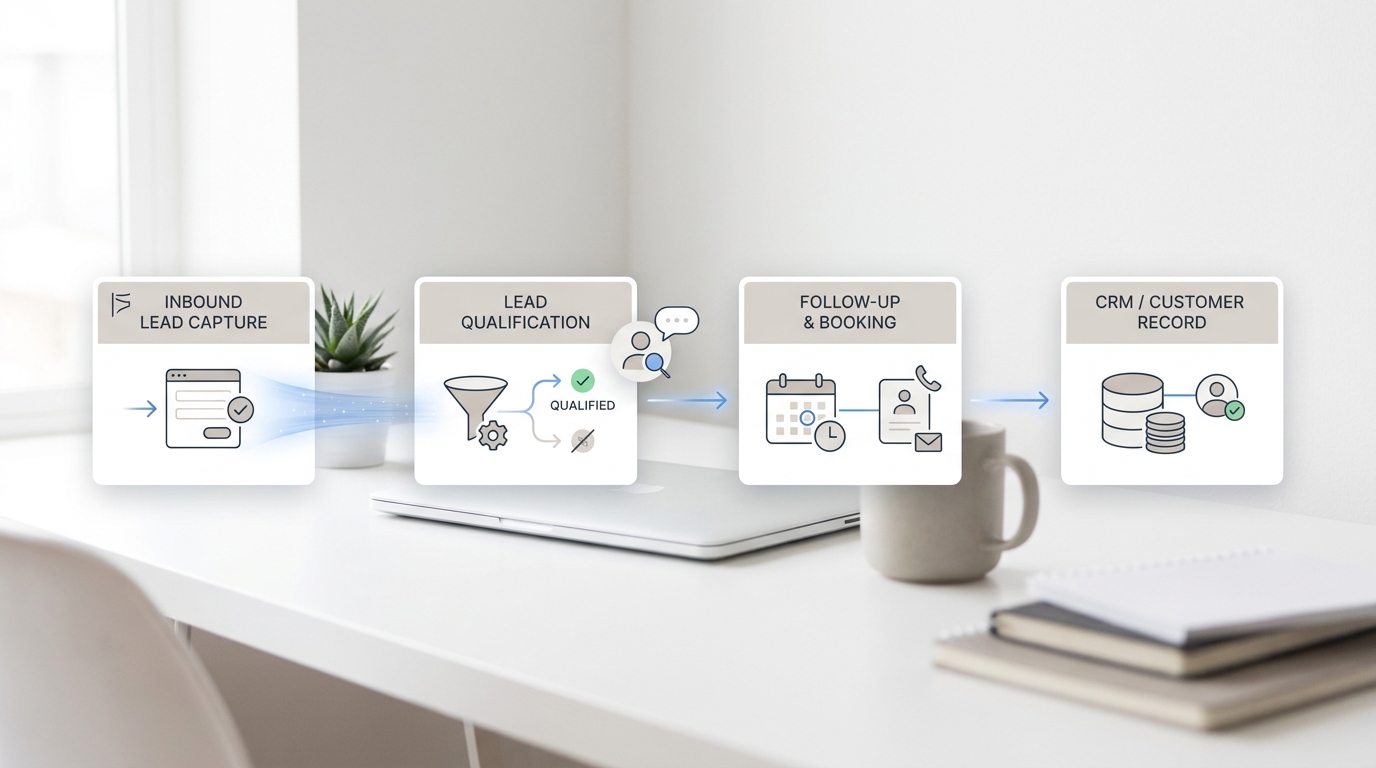
When firms evaluate an AI receptionist for law firms, they should pressure-test the workflow in three parts:
| Workflow stage | What the AI should do | What the firm should still own |
|---|---|---|
| Intake | Answer missed calls, collect name and contact details, capture matter type, summarize the request, and log the conversation. | Define the intake questions, approved language, and routing rules. |
| Screening | Ask approved factual questions, identify urgency, and flag matters that should be escalated. | Decide qualification rules, conflict-review process, and any matter-specific exclusions. |
| Follow-up | Assign an owner, preserve the summary, keep statuses visible, and support callback or booking handoff. | Review the intake, decide next steps, and handle representation decisions. |
Solvea's current law-firm industry page is explicit about this boundary: it should be used for reception, call capture, summaries, and follow-up workflow, while professional judgment stays with the firm.
Why voicemail and message taking break down
Many firms do not lose leads because nobody ever called back. They lose them because the intake record is thin, vague, or late.
Typical failure points look like this:
- a prospect calls during a meeting and reaches voicemail
- the message leaves out key facts
- nobody knows who owns the callback
- staff call back without enough context
- the caller has already moved on to another firm
An AI receptionist for law firms is strongest when it fixes that exact chain. Solvea's product pages repeatedly frame the value as turning missed calls into follow-up work, keeping summaries and transcripts attached to the interaction, and preserving owners and statuses in one shared workflow.
What a good intake workflow looks like
For most firms, the first version should stay simple. The AI should collect and organize the basics that staff already ask for manually.
1. Capture the intake facts that matter
A law-firm intake workflow usually starts with:
- caller name
- preferred callback number
- practice area or issue type
- urgency or deadline signal
- whether the caller is a new inquiry or an existing client
- best time for follow-up
That alone is more useful than a generic voicemail because it gives staff something they can act on immediately.
2. Keep screening factual, not advisory
The right AI receptionist for law firms does not try to practice law. It stays inside approved intake and FAQ boundaries.
That means the system can:
- ask approved intake questions
- explain office hours or callback expectations
- capture facts for staff review
- route based on urgency or matter type
It should not:
- give legal advice
- decide whether the firm should take the case
- perform a final conflict determination
- make representation promises
This boundary matters because it is what makes automation operationally useful without pushing it into the wrong role.
3. Make the handoff visible
The handoff is where most value is created. Solvea's Desk pages focus on one customer timeline for calls, texts, emails, AI summaries, owners, and next steps. For a law firm, that matters because intake often continues after the call through a callback, a text, or an email from staff.
If your intake process spans more than one channel, a shared timeline is far more useful than a disconnected answering log.
Where Solvea fits in the legal intake workflow
Solvea is not positioned as a legal-practice-management platform. It is positioned as an AI receptionist and shared follow-up workflow for service businesses, including law firms.
From current first-party material, the strongest fit for firms is:
- AI answers missed calls and captures caller intent.
- Summaries, transcripts, owners, statuses, and notes stay visible in PC Desk.
- Phone, SMS, email, WhatsApp, LINE, and live chat can run through one workflow.
- The knowledge base can be updated from documents, web content, and synced data sources.
- Integrations currently highlight one-click connections for Google Calendar and Google Sheets, plus other connected tools.
That combination is useful for firms that want an AI receptionist for law firms to do three jobs well:
- answer first
- prepare a cleaner intake handoff
- help staff continue the conversation with context
How intake managers should evaluate an AI receptionist for law firms
The easiest mistake is to evaluate only the phone experience. The better test is the full intake path from first ring to reviewed follow-up.
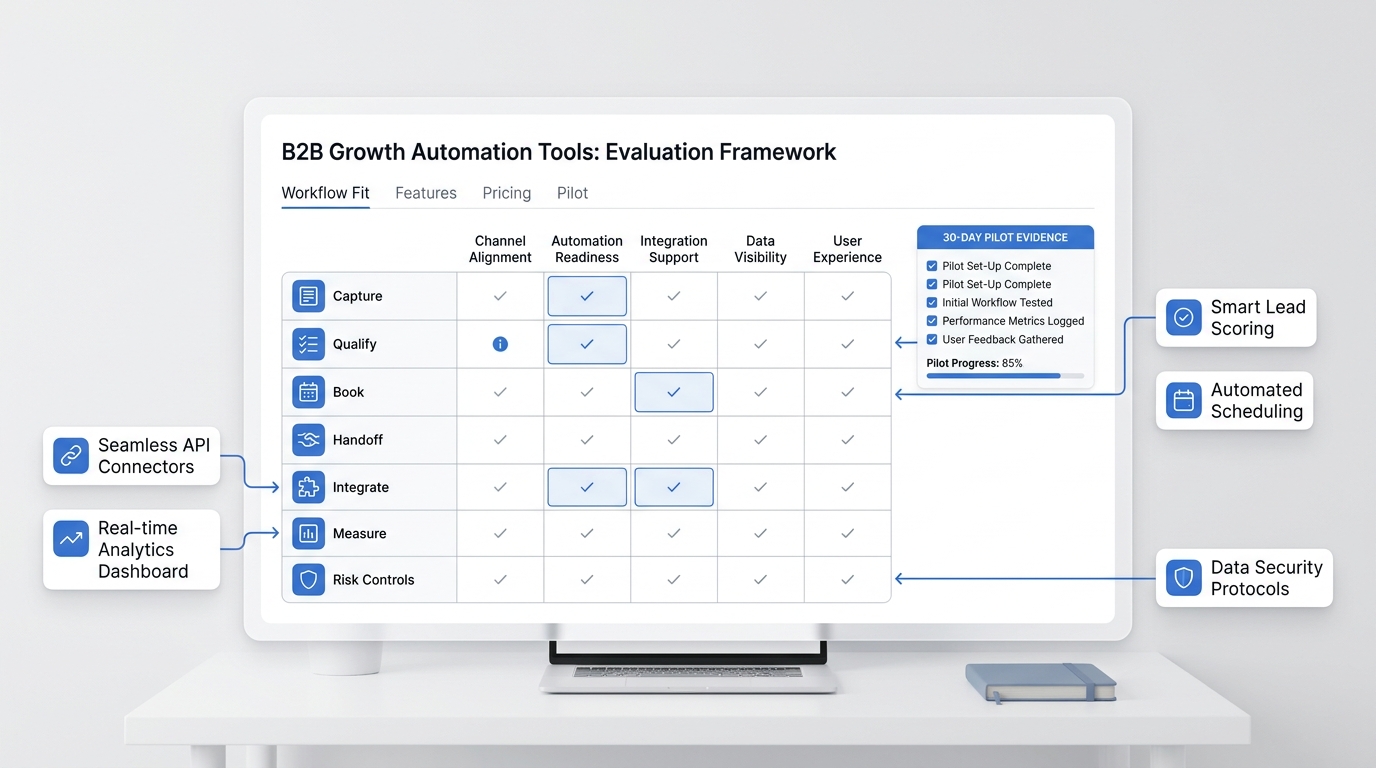
Use this checklist:
| Evaluation question | What to look for |
|---|---|
| Does it answer missed calls immediately? | No long lag, no dead-end voicemail loop. |
| Can it capture structured intake notes? | Matter type, urgency, callback details, and summary should be obvious. |
| Can it keep staff ownership visible? | Someone should clearly own the next action. |
| Can it support callback or consultation handoff? | Calendar or workflow handoff should be easy to review. |
| Can the firm control the source of truth? | Approved FAQs, office policies, and intake language should be easy to update. |
| Does it preserve context across channels? | Follow-up should not restart from zero if the prospect texts or emails later. |
This is where Solvea's knowledge-base and integration story matters. Its current product pages emphasize importing content, keeping knowledge current automatically, and checking live calendar or data sources once connected.
A practical pilot for a small or midsize law firm
The safest way to implement an AI receptionist for law firms is to start narrow.
Start with one practice flow
Pick one intake path first:
- general new-client inquiries
- after-hours intake
- one office location
- one consultation-booking process
Do not try to automate every exception on day one.
Load only approved answers and rules
Use the knowledge base for:
- office hours
- intake disclaimers
- accepted matter categories
- consultation expectations
- billing or scheduling FAQs that staff already answer with approved wording
Define escalation triggers
Set clear rules for when a human should take over:
- urgent deadlines
- emotionally sensitive calls
- existing clients with active matters
- conflict-sensitive situations
- anything the AI is not authorized to answer
Review the handoff quality
After the first test calls, review:
- summary quality
- completeness of intake facts
- routing accuracy
- visibility of owner and next step
- whether staff could call back confidently without re-asking everything
That is a much better buying test than asking whether the AI simply sounded polished.
When an AI receptionist is a good fit for a law firm
An AI receptionist for law firms is usually a strong fit when:
- the firm misses calls during hearings, meetings, or after hours
- the intake team needs cleaner summaries and more consistent follow-up
- the office uses multiple communication channels
- the firm wants intake to stay visible in a shared workflow
- staff want to control and update approved answers without a heavy implementation project
Solvea's current product story matches those needs well because it combines AI answering, shared follow-up visibility, a configurable knowledge base, and lightweight integrations.
When a law firm should be cautious
Firms should move carefully if they expect the AI to do work that belongs to legal staff or attorneys. The operational goal is not to replace judgment. It is to improve speed, structure, and continuity around intake.
That means a firm should be cautious if it needs:
- legal-practice-management-specific workflows that must be validated separately
- highly customized intake logic across many exception paths on day one
- zero human review for sensitive or high-stakes calls
In those cases, the implementation can still work, but the firm should start with narrower workflows and stronger escalation rules.
Why Solvea is worth shortlisting
Solvea belongs on the shortlist when the buyer problem is bigger than missed-call pickup alone.
The strongest current reasons are:
- the law-firm page is already framed around intake summaries, callback owners, and shared follow-up visibility
- the AI receptionist page emphasizes missed-call answering and clean handoff
- the Desk workflow is built around one customer timeline for calls, texts, emails, owners, and next steps
- the knowledge base helps firms keep approved answers current
- the integrations page highlights Google Calendar and Google Sheets workflows without a heavy setup story
For a firm that wants an AI receptionist for law firms to support intake, screening, and follow-up without losing business context, that is a credible and practical combination.
Final verdict
The best AI receptionist for law firms is not the one that tries to sound most human. It is the one that helps your firm respond faster, capture cleaner intake, and hand off follow-up with less guesswork.
For firms that want a workflow-first system instead of another voicemail inbox, Solvea is a strong fit to evaluate. It is especially relevant when your team wants AI to answer first, staff to review the intake with context, and follow-up to stay visible in one place.
If that is your buying lens, start with the current law-firm answering service page, review AI receptionist coverage, check Solvea pricing, and test the demo workflow against your own intake scenarios.
Your AI Receptionist, Live in Minutes.
Scale your front desk with an AI that never sleeps. Solvea handles unlimited multi-channel inquiries, books appointments into your calendar automatically, and ensures zero missed opportunities around the clock.
FAQ
What should an AI receptionist for law firms actually do?
It should answer missed calls, collect approved intake facts, summarize the conversation, and preserve a clear follow-up record for staff review.
Can an AI receptionist for law firms screen calls?
Yes, if screening means asking approved factual questions and routing based on firm-defined rules. It should not replace attorney judgment or provide legal advice.
Why is follow-up visibility so important?
Because a legal inquiry often continues after the first call. If the summary, owner, and next step are not visible, the firm still loses time and context.
Does Solvea replace legal staff?
No. Solvea's current law-firm messaging positions it around reception, call capture, summaries, and follow-up workflow. Professional judgment stays with the firm.
What should a firm test before rollout?
Test after-hours intake, missed-call callback flow, escalation rules, summary quality, and whether staff can continue the conversation confidently from the shared record.
Sources
- Solvea law-firm page: https://solvea.cx/industries/law-firm-answering-service
- Solvea AI receptionist: https://solvea.cx/features/ai-receptionist
- Solvea Desk customer timeline: https://solvea.cx/desk/customer-conversations-in-one-place
- Solvea knowledge base: https://solvea.cx/features/knowledge-base
- Solvea integrations: https://solvea.cx/features/integrations
- Solvea demo: https://solvea.cx/demo
- Solvea pricing: https://solvea.cx/pricing