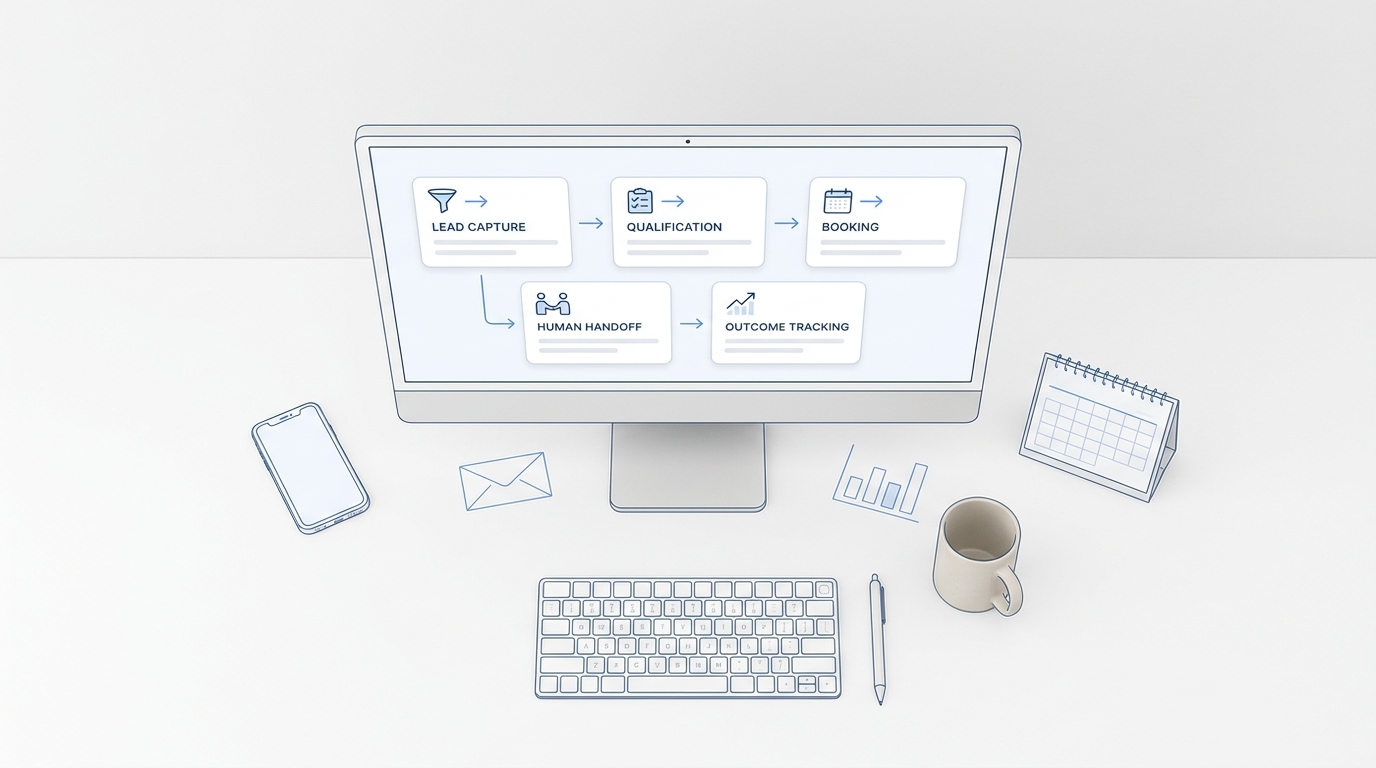
GTM automation gets easier when you stop trying to automate your entire go-to-market motion and build one dependable customer journey instead.
This beginner guide is a practical setup checklist for a small service business. It shows you how to choose the first workflow, define the data and ownership rules, connect customer channels, test exceptions, and launch in seven days without creating a fragile stack.
If you need the broader foundation first, read GTM Automation: A Beginner’s Guide to Your First Workflow. This guide starts where that article ends: implementation.
What is a minimum viable GTM automation system?
A minimum viable GTM automation system moves one type of customer inquiry from a clear trigger to a measurable business outcome.
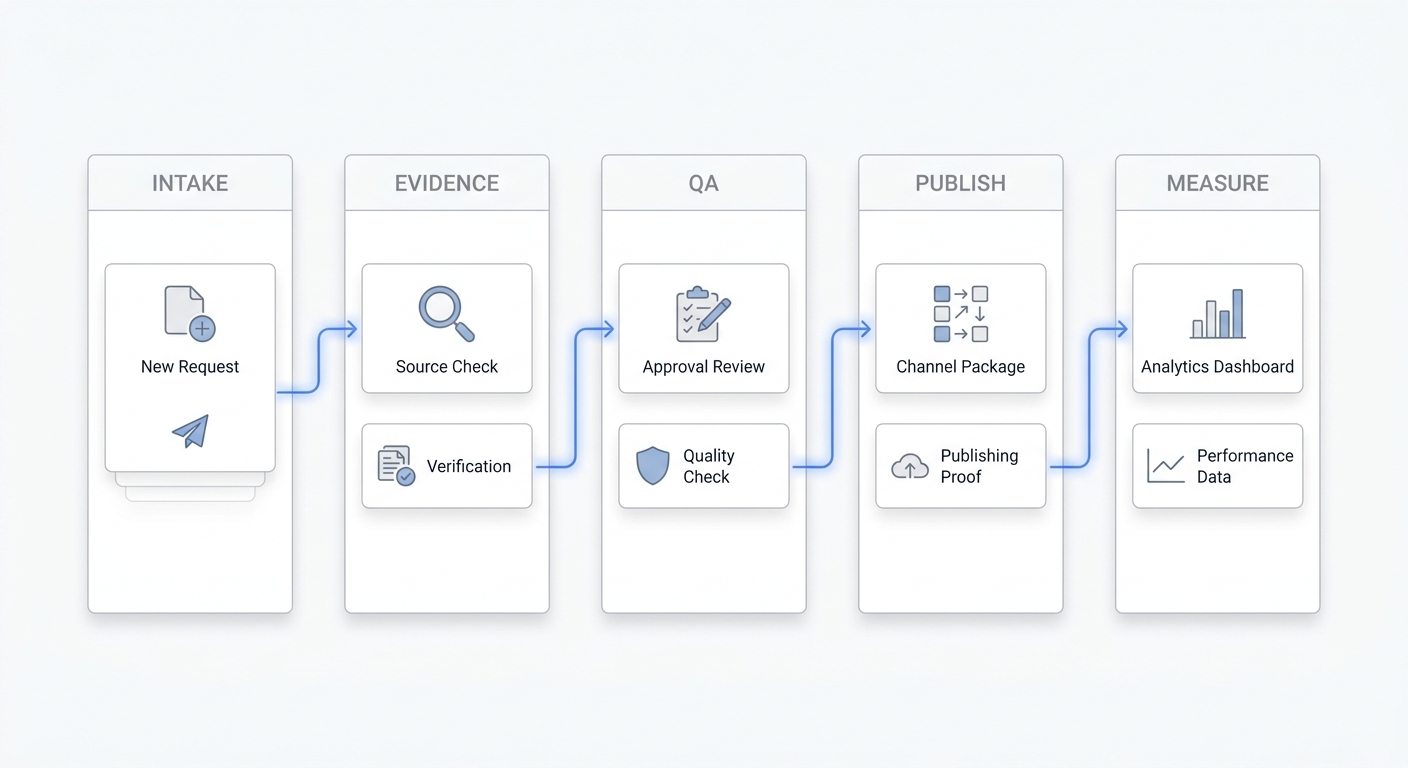
For a service business, that system often begins when someone calls, texts, submits a form, or starts a chat. It should then:
- capture the inquiry,
- send or deliver an appropriate first response,
- collect the information needed for the next decision,
- route the customer to booking or a human owner,
- record the outcome,
- create a follow-up action when the journey does not finish.
The system does not need dozens of tools. It needs a defined trigger, a reliable record, a small set of rules, and a clear owner when automation cannot finish the job.
Choose one journey before choosing tools
Your first workflow should be frequent enough to matter, predictable enough to document, and close enough to revenue that you can measure the result.
Good starting journeys include:
- missed call to callback or booking,
- form submission to consultation booking,
- new estimate request to qualification and owner assignment,
- appointment request to confirmation and reminder,
- after-hours inquiry to next-business-day follow-up.
Avoid starting with a journey that crosses every department, contains many sensitive exceptions, or depends on incomplete customer data.
Use this selection scorecard:
| Question | Score 0 | Score 1 | Score 2 |
|---|---|---|---|
| How often does the journey occur? | Rarely | Weekly | Daily |
| How repeatable are the steps? | Different every time | Some common steps | Mostly consistent |
| Is the outcome measurable? | Unclear | Partly | Yes |
| Is there a clear human owner? | No | Shared | One owner |
| Can you test it safely? | Difficult | Limited | Easy |
Choose the journey with the highest score. If two journeys are close, start with the one that has fewer exception paths.
The GTM automation setup worksheet
Write the workflow in plain language before opening an automation builder. A one-page worksheet prevents tool configuration from hiding process gaps.
| Field | What to define | Example |
|---|---|---|
| Outcome | The business result | Qualified appointment booked |
| Trigger | The event that starts the workflow | New inbound call is missed |
| Entry criteria | Who should enter | New prospect calling a tracked business number |
| Required data | Information needed to continue | Name, phone, service, location, preferred time |
| First action | Immediate customer-facing step | Send acknowledgment and ask the first question |
| Decision rules | Conditions that change the path | Service area, urgency, service type, availability |
| System of record | Where the current state lives | CRM or shared customer inbox |
| Automated owner | Tool or agent performing routine steps | Messaging workflow or AI receptionist |
| Human owner | Person responsible for exceptions | Front desk lead or service manager |
| Handoff rule | When automation must stop | Customer asks for specialist advice or reports an emergency |
| Completion event | What counts as success | Appointment confirmed in calendar |
| Failure event | What requires recovery | No response, invalid contact, calendar error, or failed sync |
| Measurement | Fields needed for reporting | Source, stage, owner, booking status, outcome date |
If any row is blank, the workflow is not ready to build.
Build the workflow in seven layers
1. Standardize the trigger
Pick one event that starts the workflow. Examples include a new form submission, an inbound call, a missed call, an incoming text, or a deal-stage change.
Do not combine unrelated triggers in the first version. A phone call and a download may both create leads, but the customer intent and appropriate response can be very different.
Also decide whether the same customer can enter the workflow more than once. Workflow platforms commonly distinguish between first-time enrollment and re-enrollment, so the rule should be intentional rather than accidental.
2. Define the minimum customer record
Every step should read from and write to one dependable record. For a beginner workflow, keep the required fields small:
- customer name,
- primary contact method,
- source,
- service or request type,
- location or service area,
- lifecycle stage,
- current owner,
- next action,
- outcome.
Use controlled values for fields that drive routing. For example, a service area should not appear as “North,” “north side,” “N,” and “northside.” Inconsistent values create branches that look correct but fail in production.
3. Write the first-response rule
The first response should confirm that the inquiry was received and move the customer one step forward.
For each channel, define:
- who or what responds,
- what context is available,
- the first useful question,
- when a human is notified,
- what happens if the customer does not respond.
Keep the message specific to the trigger. Someone who just called should not receive a generic marketing nurture message. Someone requesting an appointment should not be forced through questions you already collected on the form.
4. Add qualification without building a maze
Qualification should collect only the information needed to decide the next action.
For many service businesses, the first version can use three to five questions:
- What service do you need?
- Where is the work or appointment located?
- When do you need help?
- Is this a new request or an existing booking?
- What is the best way to continue?
Turn each answer into a routing rule. If an answer does not change the next step or improve the human handoff, consider removing it.
5. Assign an owner and a deadline
Automation should never create an unowned lead. Define a default owner, then add only the assignment rules you can maintain.
A simple order is:
- route by service or location,
- route by availability,
- fall back to a default queue or owner,
- alert a manager if the record remains unaccepted.
Assignment systems such as CRM lead rules evaluate conditions and send records to a user or queue. Whatever tool you use, include a fallback so a new lead cannot disappear because no condition matched.
6. Define booking and human handoffs
The workflow should make the next step obvious.
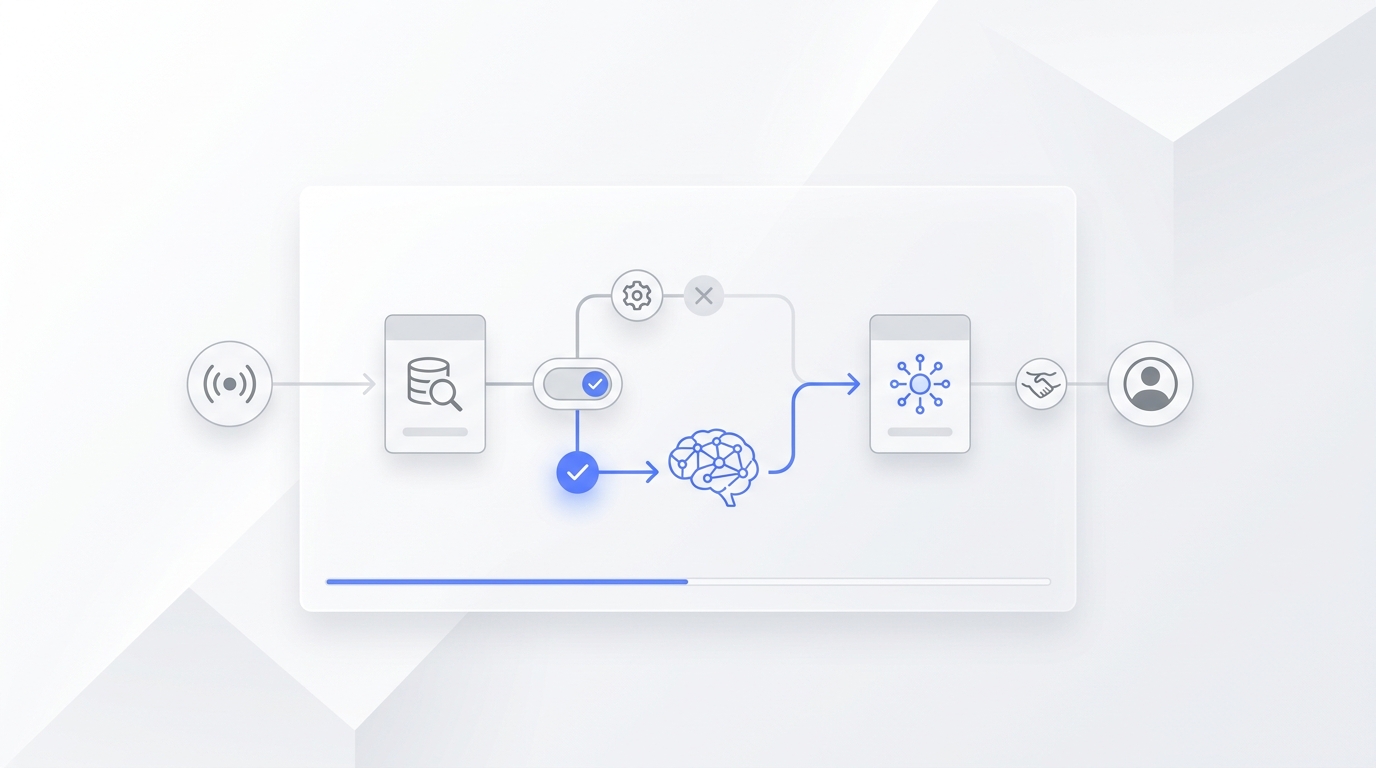
If the request is routine and the customer is ready, offer an available booking path. If the request needs judgment, pass the context to a person instead of restarting the conversation.
A useful handoff summary includes:
- customer name and contact,
- original channel and source,
- request summary,
- qualification answers,
- urgency,
- steps already completed,
- recommended next action.
For phone-led service businesses, an AI receptionist can handle the response and context-capture layer while keeping a human escalation path for exceptions.
7. Instrument the outcome
Do not wait until after launch to decide what to measure. Store the acquisition source and workflow outcome from the first test.
For links you control, use a consistent campaign naming convention. Google Analytics supports UTM campaign parameters such as utm_source, utm_medium, and utm_campaign so traffic can be identified in acquisition reporting.
At minimum, report:
- inquiries entering the workflow,
- inquiries receiving a successful first response,
- qualified inquiries,
- bookings or handoffs,
- completed outcomes,
- failures by reason,
- time spent waiting for a human.
The first useful conversion rate is:
completed workflow outcomes ÷ eligible inquiries
Pair that rate with the number and reason for failures. A conversion rate without failure visibility cannot tell you what to fix.
Your seven-day GTM automation rollout
Day 1: Choose the journey and baseline
Select one workflow, define the outcome, and count how many eligible inquiries entered that journey during a recent representative period. Record the current completion rate and the most common delay.
Day 2: Complete the worksheet
Document the trigger, entry criteria, required data, rules, owners, handoffs, completion event, and failure events. Resolve every blank before configuration.
Day 3: Build the happy path
Configure the simplest path from trigger to outcome. Use test records and a test calendar or destination when possible. Do not add every edge case yet.
Day 4: Add exceptions and alerts
Add the default owner, timeout, failed-sync alert, invalid-data path, customer opt-out handling, and human escalation rule. Make failures visible to a named person.
Day 5: Run scenario QA
Test the workflow with realistic inputs, not only ideal data. Confirm every action, record update, notification, and handoff.
Day 6: Launch narrowly
Turn on the workflow for one channel, location, service, or schedule window. Watch the first records from trigger to completion and keep a manual fallback available.
Day 7: Review and decide
Compare the live results with the baseline. Fix the largest failure point, document the change, and decide whether to expand, hold, or roll back.
Ten QA scenarios to run before launch
Use a test sheet with expected and actual results for each scenario.
| Scenario | Expected behavior |
|---|---|
| Complete, valid inquiry | Reaches booking or correct handoff |
| Missing name | Requests or flags missing information without losing the record |
| Invalid phone or email | Records the error and creates a recovery task |
| Duplicate inquiry | Updates or links the existing record according to policy |
| Customer outside service area | Gives the approved next step and records the outcome |
| No appointment availability | Offers the fallback path or alerts the owner |
| Customer requests a human | Stops automation and transfers context |
| Customer stops responding | Starts the approved reminder or follow-up task |
| Integration fails | Alerts the owner and preserves the customer record |
| Same customer re-enters | Follows the intentional re-enrollment rule |
Do not launch until you know who receives each failure alert and how quickly they are expected to act.
Common beginner mistakes
Connecting tools before defining ownership
An integration can move data without creating accountability. Every workflow needs a human owner for exceptions and an operational owner for maintenance.
Automating an unclear process
Automation repeats the rules you give it. If the team does not agree on qualification, assignment, or completion, the workflow will turn that disagreement into inconsistent customer experiences.
Using free-text fields for routing
Free text is useful for notes, not dependable branching. Use standardized fields for service, location, stage, owner, and outcome.
Treating silence as success
A workflow can run without producing a customer outcome. Track unfinished records, timeouts, and failed actions separately from completed steps.
Removing the human escape hatch
The goal is not to automate every conversation. The goal is to handle repeatable work quickly and deliver exceptions to the right person with context.
Expanding before the first workflow is stable
One reliable journey teaches you more than five partially working automations. Stabilize the trigger, data, owner, handoff, and reporting before adding channels or use cases.
What should you automate after the first workflow?
Expand to the next adjacent bottleneck. If the first workflow captures and qualifies inquiries, the next automation might handle reminders, reschedules, estimates, or post-appointment follow-up.
Use the same worksheet and QA process every time. This creates a repeatable operating system rather than a collection of disconnected automations.
For a broader governance model, use the content distribution system implementation checklist to define owners, handoffs, service levels, and review decisions across recurring workflows.
Your AI Receptionist, Live in Minutes.
Scale your front desk with an AI that never sleeps. Solvea handles unlimited multi-channel inquiries, books appointments into your calendar automatically, and ensures zero missed opportunities around the clock.
Frequently asked questions
How many tools do I need for GTM automation?
You need enough capability to capture the trigger, store the record, execute the next action, hand off exceptions, and measure the result. Those capabilities may live in one platform or several connected tools. Start with the smallest stack that can complete one journey reliably.
Should I automate phone calls, forms, email, or SMS first?
Start with the channel that creates the most frequent and valuable repeatable inquiry. If calls are your main conversion point, begin with call coverage and handoff. If forms create most new opportunities, begin with form response, qualification, and assignment.
What is the best first metric?
Measure the percentage of eligible inquiries that reach the chosen business outcome. Add first-response success, handoff time, and failures by reason so you can diagnose changes in that rate.
When should automation hand off to a person?
Handoff when the customer asks for a person, the request needs judgment, the workflow lacks required information, a sensitive exception appears, or an integration failure prevents the promised next step.
How often should I review a GTM automation?
Review closely during the first live week. After stabilization, use a recurring review based on workflow volume and business risk. Each review should end with a documented decision: expand, change, hold, or retire.
Build one workflow you can trust
Beginner GTM automation is not a software shopping exercise. It is the work of defining one customer journey clearly enough that routine steps happen consistently and exceptions reach a responsible person.
Choose one outcome. Complete the worksheet. Build the happy path. Add ownership and failure alerts. Run the ten QA scenarios. Launch narrowly for one week.
Once the workflow is dependable, you have a foundation you can expand without losing control of the customer experience.