Best AI Receptionist for Home Services in 2026: 5 Options Compared
The best AI receptionist for home services is not simply the one that answers the phone. It is the one that fits the way your company dispatches work, books jobs, handles existing customers, and follows up when the office is busy.
For a solo electrician, that may mean inexpensive 24/7 call capture. For an HVAC company with dispatchers and field crews, it may mean a shared inbox, clear ownership, and a complete conversation history. For a plumbing business handling urgent calls, it may mean dependable escalation and human backup.
We compared five AI receptionist platforms using the workflows that matter most to home-service companies: answering availability, intake, scheduling, transfers, integrations, team handoff, pricing clarity, and ease of launch.
Disclosure: Solvea publishes this guide and is included in the comparison. We link to each provider's public product and pricing pages, identify where each option is strongest, and do not claim that one platform is the best fit for every business. Product and pricing details were checked on July 27, 2026 and may change.
Quick comparison: best AI receptionists for home services
| Platform | Best for | Public starting price checked July 27, 2026 | Standout capability | Main consideration |
|---|---|---|---|---|
| Solvea | Field and office teams that need shared follow-up | Free for one person; Pro listed at $19.90 per seat/month | Calls, messages, summaries, owners, and statuses in a shared workspace | Confirm usage credits against expected call volume |
| Smith.ai | Businesses that want AI with human backup | Free tier; paid plans listed from $150/month for 75 calls | AI call handling backed by trained live agents | Per-call pricing can rise with volume |
| Goodcall | Businesses that want predictable caller-based pricing | Listed from $79/month per agent for 100 unique customers | Unlimited minutes and tokens within a unique-customer allowance | Multiple callers from one shared number can affect how usage maps to customers |
| Frontdesk | Teams that want voice, SMS, chat, CRM, and automation together | Listed from $20/month | Broad front-office automation bundle | Buyers should model credit usage, not only the base subscription |
| Dialzara | Cost-conscious teams that want minute-based phone coverage | Listed from $29/month | Straightforward entry pricing with scheduling and integration options | Overage minutes and add-ons need to be included in total cost |
Our picks by home-service use case
- Best for shared field-to-office follow-up: Solvea
- Best for AI plus live-agent backup: Smith.ai
- Best for unique-customer pricing: Goodcall
- Best for a broad automation bundle: Frontdesk
- Best for low-cost minute-based coverage: Dialzara
The right shortlist depends on what happens after a call is answered. A platform that collects a name and number may be enough for a solo operator. A multi-crew business usually needs routing, customer history, ownership, appointment context, and a reliable way for the next teammate to continue the conversation.
How we evaluated these platforms
We used eight criteria that reflect real home-services operations.
1. Call coverage
The receptionist should cover missed calls, overflow, and after-hours periods without forcing technicians to stop work. We favored platforms that clearly explain when the AI answers and what happens when it cannot complete a request.
2. Intake quality
Home-service calls are not interchangeable. A useful workflow distinguishes a new lead from an existing appointment, billing question, estimate request, warranty question, or urgent service issue. It should collect the service address, job type, contact details, and approved urgency indicators without attempting technical diagnosis.
3. Scheduling controls
Scheduling should respect service areas, job types, business hours, travel buffers, and team availability. A requested time should not be presented as confirmed unless the connected scheduling system actually confirms it.
4. Transfers and escalation
The platform should support a defined path for calls that need a person. That may include transferring during office hours, notifying an on-call manager, creating a follow-up task, or sending the caller to an approved emergency instruction.
5. Integrations
Calendar, CRM, field-service management, automation, and messaging connections determine whether captured information moves into the systems your team already uses. An integration name alone is not enough; test the exact trigger, field mapping, and update behavior you need.
6. Team handoff
A call summary is helpful. A summary with an owner, status, customer history, and next action is more useful. This becomes increasingly important when technicians, dispatchers, estimators, and office staff share responsibility.
7. Pricing model
AI receptionist pricing may be based on seats, calls, minutes, unique callers, agents, or credits. We compared the public entry point and the unit that drives additional cost. Buyers should model their own call pattern before choosing a plan.
8. Launch effort
The best system is one your team can configure and maintain. We looked for clear setup paths, knowledge controls, call-flow customization, and the ability to change routing without rebuilding the entire phone process.
1. Solvea: best for shared field-to-office follow-up
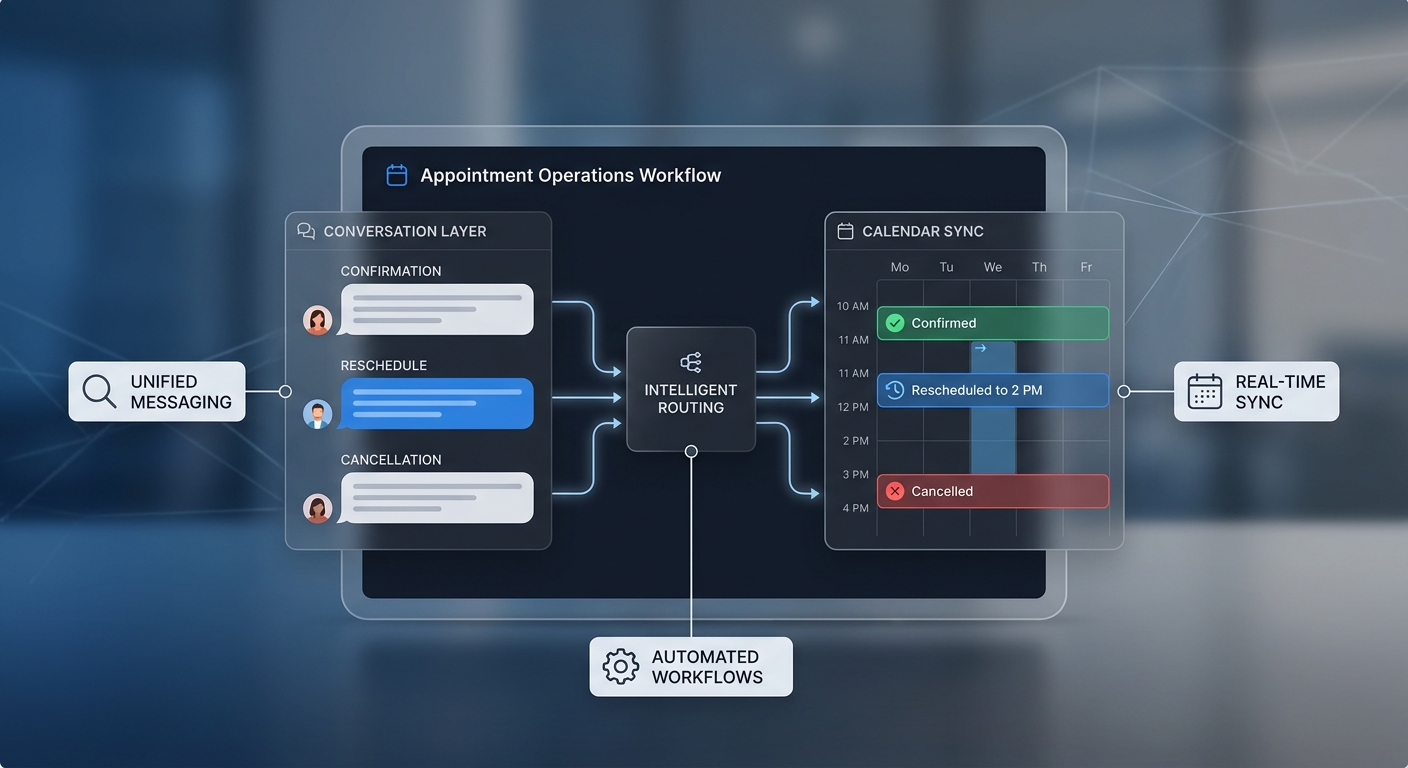
Solvea is the strongest fit in this comparison for home-service businesses that need the call and the follow-up to stay connected. The AI receptionist can answer inbound calls and collect context, while the shared workspace keeps calls, messages, summaries, transcripts, owners, and statuses visible to the team.
That operating model matters when the person who answers is not the person who finishes the job. A technician may need an estimate request routed to the office. A dispatcher may need to assign an existing-customer issue. An owner may need to see whether a high-value lead received a callback.
Solvea is especially relevant for companies that want phone coverage to connect with a broader customer-conversation workflow rather than end in an email notification.
Best features for home services
- AI answering for missed and after-hours calls
- Shared team inbox with conversation history
- Call summaries, transcripts, owners, and statuses
- Voice, SMS, email, WhatsApp, and live-chat support
- Calendar, CRM, spreadsheet, help-desk, and ecommerce integration options
- No-code agent configuration and knowledge controls
- Live call translation for multilingual customers
Pricing snapshot: Solvea's public pricing page listed a free plan for one person and Pro at $19.90 per seat per month when checked on July 27, 2026. The page also described included credits, so teams should compare expected usage as well as seat count.
Choose Solvea if: your field and office teams need one place to see what the caller asked, who owns the next step, and whether the conversation is resolved.
Consider another option if: human-agent backup inside the same answering service is a hard requirement.
For a deeper look at the workflow, read AI Receptionist for Home Services: Capture Every Call While Crews Are Busy.
2. Smith.ai: best for AI plus live-agent backup
Smith.ai combines AI receptionist coverage with access to trained live agents. That makes it a compelling choice for home-service companies that want automation for routine calls but value a human path for qualified leads or conversations the AI should not complete.
Its public materials emphasize 24/7 answering, intake, scheduling, lead qualification, CRM updates, and call summaries. The human-backup model can be useful when the cost of mishandling a complex call is higher than the cost of transferring it to a trained person.
Best features for home services
- 24/7 AI call handling
- Live-agent backup
- Lead intake and qualification
- Appointment scheduling
- CRM updates and integrations
- Call summaries and transcripts
Pricing snapshot: Smith.ai's AI Receptionist pricing listed a free plan with 25 included calls and paid plans beginning at $150 per month for 75 calls when checked on July 27, 2026. Higher-volume tiers reduce the effective per-call rate.
Choose Smith.ai if: you want AI efficiency but need a human safety net for certain callers or high-value opportunities.
Consider another option if: your primary goal is a shared multichannel workspace for dispatch, assignment, and ongoing team follow-up.
3. Goodcall: best for unique-customer pricing
Goodcall prices its voice AI around unique customers rather than call minutes or total call count. A caller using the same phone number multiple times in a month generally counts as one unique customer under the published definition.
That can be attractive for home-service companies with repeat callers, ongoing projects, or customers who call more than once while coordinating a job. Its public plans also include unlimited minutes and tokens within the plan's unique-customer allowance.
Best features for home services
- Inbound voice AI agents
- Lead capture and customer support workflows
- Unlimited minutes and tokens within plan limits
- Pricing based on unique customers
- Scalable allowances for growing operations
- Business-tool integration options
Pricing snapshot: Goodcall listed monthly plans from $79 per agent for 100 unique customers, with higher tiers for 250 and 500 unique customers, when checked on July 27, 2026. The page listed an additional charge for customers above the included allowance.
Choose Goodcall if: your team wants a pricing model tied to the number of distinct callers served rather than conversation length.
Consider another option if: you need pricing that maps directly to seats, minutes, or calls for accounting and forecasting.
4. Frontdesk: best for a broad automation bundle
Frontdesk packages its AI receptionist with additional front-office tools. Its public pricing page describes voice, chat, SMS, CRM, and automations in the platform, positioning it as more than a phone-answering product.
That breadth may suit a contractor or growing service company that wants to test several automated channels without assembling a separate tool for each one. It can also appeal to owners who want quick setup and a broader automation layer around lead capture.
Best features for home services
- AI voice receptionist
- SMS and chat capabilities
- CRM and automation tools
- Appointment and lead-capture workflows
- No per-seat or per-call fees in the published plan description
- Entry plan for small-business testing
Pricing snapshot: Frontdesk listed Basic at $20 per month and Business-in-a-Box at $99 per month, or $79 per month billed annually, when checked on July 27, 2026. The pricing page also referenced usage credits, so estimate the total cost using expected call and automation volume.
Choose Frontdesk if: you want a broad front-office automation bundle and prefer to start with a low base subscription.
Consider another option if: your priority is deep team ownership, status tracking, and a shared service history across field and office staff.
5. Dialzara: best for low-cost minute-based coverage
Dialzara offers AI receptionist plans with a low public entry price and minute-based usage. Its pricing materials describe call answering, transfers, calendar synchronization, CRM connections through automation tools or APIs, and optional SMS and website-chat products.
This structure can work for small contractors that know their approximate monthly call minutes and want a direct way to connect usage with cost. It is also useful for businesses that want to add phone coverage first and evaluate other channels separately.
Best features for home services
- 24/7 AI receptionist coverage
- Blind call transfers
- Google and Outlook calendar synchronization on eligible plans
- CRM connections through Make, Zapier, or API options
- Appointment scheduling workflows
- Optional SMS and website chat
Pricing snapshot: Dialzara's pricing page stated that AI receptionist plans started at $29 per month when checked on July 27, 2026. It also listed per-minute overage rates and separately priced add-ons.
Choose Dialzara if: you want an accessible starting price and are comfortable forecasting usage in minutes.
Consider another option if: you expect long or highly variable calls and want a pricing model that does not depend on call duration.
What features matter most for HVAC, plumbing, and other trades?
Different trades use similar phone infrastructure, but their call paths are not identical.
HVAC
Test whether the receptionist can distinguish a maintenance request, system-down call, estimate request, existing appointment, and membership question. It should collect the property address, system type if the caller knows it, and approved urgency indicators without diagnosing equipment.
If HVAC is your main trade, review the broader HVAC answering service workflow before configuring questions and routing.
Plumbing
The workflow should separate active water issues, drain problems, fixture requests, estimates, existing jobs, and billing questions. It should follow your approved escalation language and never give repair or shutoff instructions unless your business has explicitly supplied safe, reviewed wording.
Electrical
The receptionist should avoid troubleshooting. It can collect the caller's description, location, contact information, and whether the caller reports an immediate safety concern, then follow the company's approved emergency and handoff process.
Roofing, landscaping, and project-based services
These businesses often need strong estimate intake: address, project type, property context, preferred contact method, timing, and photo or document follow-up. The key is moving the inquiry into a visible sales process rather than leaving it as a call summary with no owner.
How to choose the right AI receptionist
Use a structured test rather than relying on a polished demo.
- Export 20 representative call reasons. Include new leads, existing customers, reschedules, estimates, billing, after-hours calls, spam, and calls that need a person.
- Define the required outcome for each call. Examples include book, request a time, transfer, notify, assign, create a task, or collect a message.
- Test service-area rules. Confirm how the system handles callers outside your coverage area or requesting unsupported job types.
- Test scheduling boundaries. Verify that requested and confirmed appointments remain distinct.
- Test handoffs. Make sure the right teammate receives the summary, caller details, owner, status, and next action.
- Test failure cases. Use interruptions, background noise, unclear addresses, repeat callers, and questions outside the knowledge base.
- Model total monthly cost. Include seats, agents, calls, minutes, customers, credits, phone numbers, transfers, add-ons, setup, and overages.
- Run a controlled pilot. Start with missed calls or after-hours coverage before routing every call through the new workflow.
Questions to ask vendors before you buy
- Can the receptionist distinguish new leads from existing customers?
- Can it check service areas before offering a next step?
- Does it request appointments or confirm them directly?
- Which calendars, CRMs, and field-service tools connect natively?
- What information is included in the handoff?
- Can we assign an owner and status to each conversation?
- What happens when the AI is unsure?
- Is human backup available?
- How are recordings, transcripts, and customer data retained?
- What usage unit drives overage charges?
- Can we test our real call scenarios before switching traffic?
Final verdict
Choose the platform that fits your operating model, not the longest feature list.
- Choose Solvea when shared conversation history, ownership, and field-to-office follow-up are central.
- Choose Smith.ai when live-agent backup is the deciding requirement.
- Choose Goodcall when unique-customer pricing matches how your callers behave.
- Choose Frontdesk when you want a broad voice, messaging, CRM, and automation bundle.
- Choose Dialzara when you want a low entry price and minute-based coverage.
For most growing home-service teams, the decisive question is what happens after the AI hangs up. If the answer is “the right person can immediately see the context, take ownership, and continue the conversation,” the receptionist is supporting the business rather than merely answering its phone.
Explore Solvea for home services to see how AI call coverage connects with team follow-up.
Your AI Receptionist, Live in Minutes.
Scale your front desk with an AI that never sleeps. Solvea handles unlimited multi-channel inquiries, books appointments into your calendar automatically, and ensures zero missed opportunities around the clock.
Frequently asked questions
What is the best AI receptionist for a small home-service business?
The best option depends on your call volume and follow-up process. A solo contractor may prioritize low entry cost and simple call capture. A company with dispatchers and multiple crews should prioritize routing, scheduling rules, shared history, ownership, and integrations.
Can an AI receptionist book home-service appointments?
Many platforms support calendar-based scheduling. Test whether the system respects service areas, job types, buffers, technician availability, and your distinction between a requested time and a confirmed appointment.
Is an AI receptionist better than voicemail for contractors?
An AI receptionist can collect structured details, answer approved questions, route requests, and create a next step while the caller is still engaged. Voicemail generally records an unstructured message for later review. The better choice depends on call complexity, risk, and your team's ability to follow up.
How much does an AI receptionist for home services cost?
Pricing varies by seats, calls, minutes, unique customers, agents, or credits. Public entry plans in this comparison ranged from free to $150 per month when checked on July 27, 2026, but the lowest base price is not necessarily the lowest total cost. Model your actual call pattern and include overages and add-ons.
Should an AI receptionist handle emergency home-service calls?
It can identify approved urgency signals, collect location and contact information, and follow a predefined escalation workflow. It should not diagnose equipment, give unreviewed safety instructions, or promise a response time that your team has not confirmed.