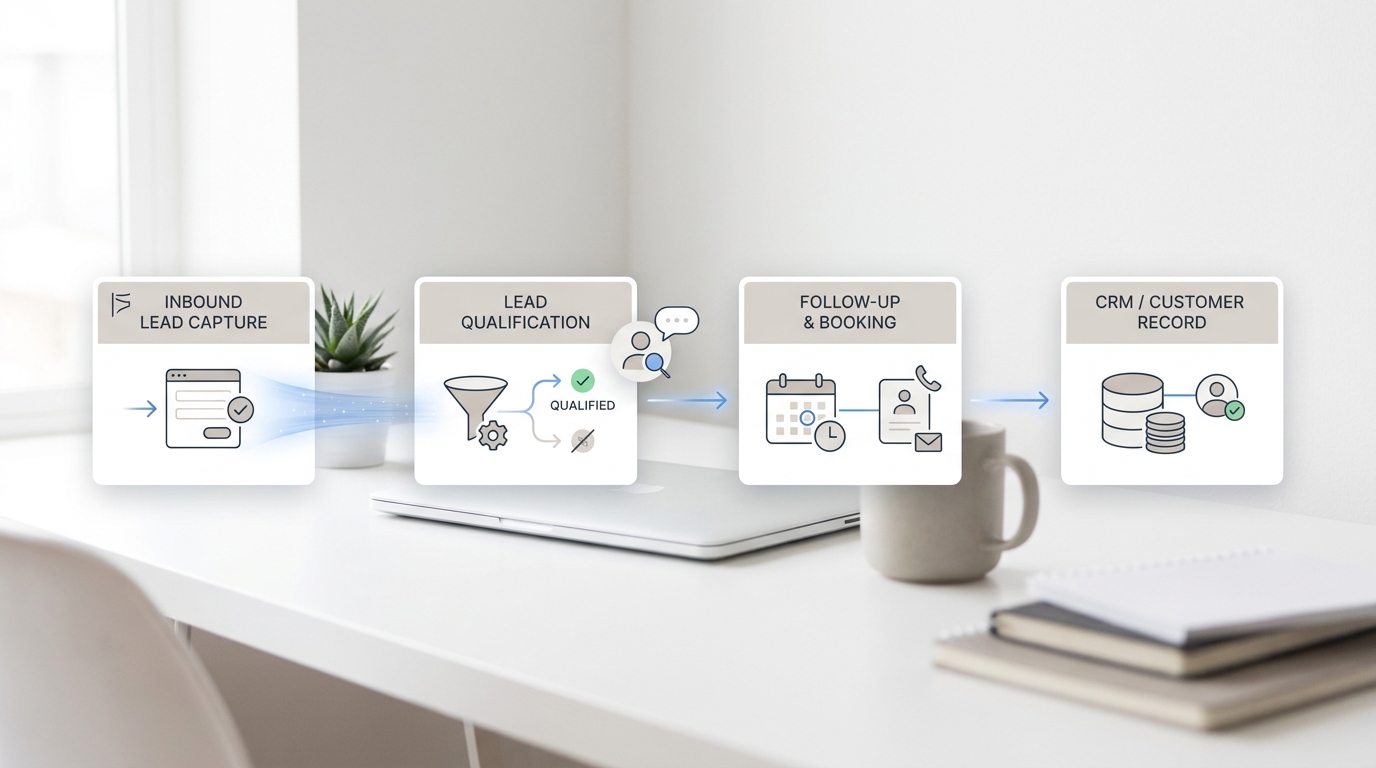
If your front desk misses calls when the team is busy, off-site, or off the clock, you do not just lose conversations. You lose booking momentum. An ai answering service is most useful when it fixes that exact operating gap: answer the customer, collect the right details, and move the appointment workflow forward before interest fades.
That is why appointment-based teams should not treat setup as a phone project alone. The strongest ai answering service setup connects call handling, booking logic, FAQs, calendar rules, and human follow-up in one workflow. Otherwise, you replace voicemail with another disconnected tool.
This guide shows how to set up an ai answering service for medspas, salons, dental clinics, law firms, real estate teams, home services, and other appointment-based businesses that need a practical rollout instead of a generic overview.
What an appointment-based business needs from an AI answering service
Before setup, define the real job. For most appointment-driven SMBs, an ai answering service needs to do five things well:
- answer missed or overflow calls immediately
- capture structured intake instead of free-form messages
- help move the caller toward a booking or qualified handoff
- keep context visible for whoever follows up next
- stay consistent across phone, SMS, email, chat, or WhatsApp when the customer switches channels
That last point matters more than many buyers expect. Customers do not stay in one lane. A caller may miss the front desk, then text, then reply to an email later. Solvea's product positioning is built around that continuity problem with AI receptionist, omnichannel inbox, and integrations features that keep voice and follow-up in one workflow.
Step 1: Map the calls you actually want the AI answering service to handle
Do not start by writing a script. Start by sorting call types.
Most appointment-based businesses have four buckets:
| Call type | Examples | Best next step |
|---|---|---|
| New booking intent | "I'd like to schedule a consultation" | collect service type, timing, contact details, and route into booking workflow |
| Existing appointment management | reschedule, confirm, cancel, late arrival | gather appointment identifier and move into calendar or staff queue |
| FAQ and policy questions | pricing range, hours, location, parking, prep instructions | answer from approved knowledge base if low risk |
| High-touch or exception cases | legal urgency, clinical questions, billing dispute, complaint | escalate to a person with context attached |
This is the first place many teams misconfigure an ai answering service. They ask it to "answer everything" before deciding what must stay human. A better rollout is narrower: automate repetitive intake and routine booking steps first, then widen coverage after testing.
Step 2: Write the booking rules before you write the call script
An ai answering service works best when the booking logic is clear before the AI ever answers a call.
For each service line, define:
- which appointment types can be requested automatically
- which services require pre-qualification
- which locations, staff members, or calendars are eligible
- what information must be collected before a handoff
- what counts as urgent and needs escalation
- what should happen after hours
Examples:
- A medspa may allow consult requests, botox follow-up questions, and reschedule requests through the ai answering service, but route medication or medical-risk questions to staff.
- A law firm may let the ai answering service collect practice area, urgency, and callback details, but keep legal advice and conflict-sensitive matters with a human intake team.
- A salon may let the ai answering service gather service type, stylist preference, and preferred time window, then queue a booking follow-up through the team inbox.
If those rules are fuzzy, the AI will sound vague too.
Step 3: Build a clean intake checklist for the AI answering service
Your ai answering service should capture the minimum useful information, not conduct a long interview.
For most appointment-based businesses, the core intake fields are:
- caller name
- best callback number
- preferred contact channel
- service or reason for visit
- preferred date or time window
- location or territory if relevant
- urgency or deadline
- existing customer or new lead
Add one or two business-specific fields only when they materially improve routing. For example:
- dental: insurance or treatment type
- home services: zip code and job type
- real estate: buying, selling, renting, or showing request
- medspa: service category and whether the caller is a new patient
This is where an ai answering service becomes more useful than voicemail. The goal is not only to "take a message." The goal is to hand the team something usable enough to act on quickly.
Your AI Receptionist, Live in Minutes.
Scale your front desk with an AI that never sleeps. Solvea handles unlimited multi-channel inquiries, books appointments into your calendar automatically, and ensures zero missed opportunities around the clock.
Step 4: Load FAQs and boundaries into a knowledge base
An ai answering service should answer routine questions consistently, but only from approved information.
Good FAQ topics include:
- business hours
- location details
- parking or arrival instructions
- accepted service areas
- cancellation window
- consultation process
- preparation instructions
- basic pricing framework if the business is comfortable publishing it
Topics that usually need guardrails or human escalation include:
- medical advice
- legal advice
- edge-case billing disputes
- exceptions to policy
- complaints that may affect retention or reputation
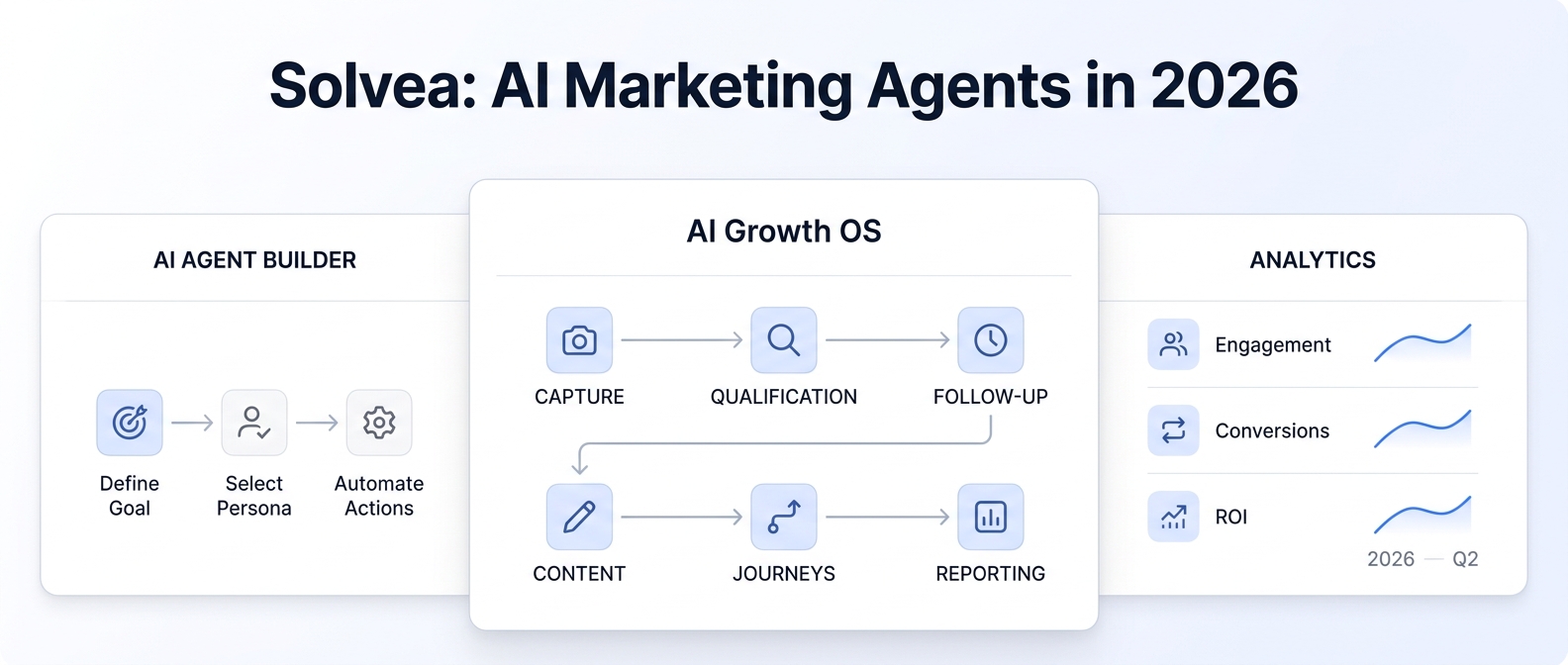
Solvea's knowledge base and no-code AI agent builder are relevant here because the setup problem is not only language quality. It is answer control. A good ai answering service should know what to answer, how to answer, and when not to answer.
Step 5: Connect the AI answering service to your calendar and team workflow
This step separates a useful rollout from a demo.
If your ai answering service only answers calls but does not connect to the tools your team already uses, staff still has to reconstruct the next step manually. For appointment businesses, the minimum useful setup usually includes:
- calendar visibility through Google Calendar or another scheduling workflow
- a shared inbox for follow-up ownership
- statuses or tags so the team can see what happened
- summaries or transcripts so the next teammate does not guess
- CRM, spreadsheet, or helpdesk sync if the team relies on them
Solvea's current integration docs list Google Calendar, Google Sheets, HubSpot, Slack, Freshdesk, and Zendesk, alongside email, WhatsApp, LINE, and web chat support. That matters because an ai answering service setup often succeeds or fails on handoff clarity, not only on call pickup.
If the team already uses a manual scheduler, route the AI's output into that workflow first. Full auto-booking can come later. Early rollout should reduce dropped intent before it tries to automate every edge case.
Step 6: Design after-hours and overflow behavior on purpose
One of the highest-value use cases for an ai answering service is after-hours coverage, but buyers often stop at "answer the phone when we are closed." That is too shallow.
Define separate behavior for:
- after-hours new appointment requests
- urgent existing-customer issues
- overflow during business hours
- lunch-break or on-site coverage
- holidays and special closures
For example, a home-services team may want the ai answering service to collect job type, address, and urgency after hours, then prioritize morning callbacks. A medspa may want consult requests collected overnight but clinical questions routed into a human review queue. A real estate team may want inquiry capture and showing preference collection outside business hours with next-day follow-up ownership already assigned.
Ahrefs data from July 16, 2026 also supports the operational value of this angle: after hours call answering service shows lower difficulty than the head term and clear page-one low-DR results, which suggests buyers are actively searching for implementation help around missed-demand coverage.
Step 7: Write handoff rules so staff knows exactly what happens next
The fastest way to waste an ai answering service is to make the AI clearer than the team workflow behind it.
Each completed interaction should produce:
- a short summary
- captured intake fields
- clear disposition such as new booking request, reschedule, FAQ resolved, or human escalation
- owner or queue destination
- expected next step
This is where Solvea's shared mobile and PC workflow matters. The platform is designed so conversations, summaries, transcripts, owners, and statuses live with the business instead of one employee's phone. For appointment-based SMBs, that reduces the common failure mode where one teammate hears the call and everyone else starts from zero later.
Step 8: Test the AI answering service with real scenarios before launch
Do not go live after one successful demo call.
Run a scenario checklist across at least these call types:
- New customer wants to book a standard appointment.
- Existing customer wants to reschedule.
- Caller asks two routine FAQ questions before booking.
- Caller has an urgent or disallowed request that should escalate.
- Caller hangs up and then follows up by text or email.
- After-hours caller requests service for the next day.
- Staff member opens the follow-up queue and tries to continue the conversation from the AI summary alone.
Your ai answering service is ready when the test proves three things:
- the AI captures enough detail to move work forward
- the team can trust the handoff
- the customer experience still feels coherent when channels change
Step 9: Launch with a narrow scope, then expand
The safest launch path for an ai answering service is phased:
| Phase | Recommended scope | Goal |
|---|---|---|
| Phase 1 | overflow calls and after-hours new inquiries | recover missed demand |
| Phase 2 | reschedules, confirmations, and routine FAQs | reduce front-desk load |
| Phase 3 | deeper intake logic by service line or location | improve routing quality |
| Phase 4 | selected outbound reminders or follow-up workflows | increase booking completion |
This phased approach matters because every appointment business has exception-heavy moments. A salon may be simple most days but chaotic before a holiday weekend. A law firm may have clean intake flows until an urgent matter arrives. A medspa may automate consult capture well but still need a person for clinical nuance. A mature ai answering service rollout grows from the stable cases outward.
Step 10: Measure the setup with booking metrics, not just call metrics
Do not judge your ai answering service only by answer rate.
Track:
- missed calls recovered
- qualified booking requests captured
- average follow-up time
- bookings created from after-hours or overflow calls
- FAQ resolution rate
- percentage of calls escalated to humans
- no-show, cancellation, or reschedule patterns if the workflow affects them
Solvea's first-party proof set gives useful context for why this matters. The company's knowledge base cites a medspa deployment with a 100% call answer rate and a 30% increase in patient bookings. Those are not universal guarantees, but they are a useful reminder that the business outcome is not "the AI answered." The real outcome is whether the ai answering service helps the team convert intent into scheduled revenue.
Common mistakes when setting up an AI answering service
Most rollout problems come from workflow design, not from the concept itself.
Watch for these mistakes:
- treating the ai answering service like a script generator instead of an intake workflow
- automating complex exceptions too early
- failing to define escalation boundaries
- leaving booking ownership unclear after the call
- skipping cross-channel continuity
- testing only one happy-path call before launch
If a business already struggles with missed calls, fragmented inboxes, or no shared follow-up process, the ai answering service should sit inside a broader response workflow. That is the stronger Solvea angle for this topic: one business number, AI call handling, and shared follow-up across voice, SMS, email, WhatsApp, LINE, and live chat instead of another isolated phone tool.
Why Solvea fits appointment-based deployment
For this use case, the strongest first-party fit is practical:
- AI receptionist for missed and overflow calls
- AI appointment setter and automated scheduler support pages aligned to booking workflows
- omnichannel inbox for voice plus follow-up continuity
- integrations for calendars and team tools
- industry pages for medspa, barber shop, home services, medical clinics, and law firms
- no-code control through AI agent builder and knowledge base
That combination fits appointment-based SMBs because the setup challenge is broader than answering calls. It is bookings, FAQs, and follow-up in one operational loop.
Final takeaway
The best ai answering service setup for an appointment-based business is not the one with the flashiest demo. It is the one that answers quickly, captures the right details, respects escalation boundaries, connects to calendars and team follow-up, and keeps context intact after the phone call ends.
If you want the fastest path to value, launch an ai answering service around your busiest missed-call workflow first. Then expand once the booking and handoff basics are reliable. That is how you turn call coverage into booked revenue instead of another queue to manage.
Launch a Solvea workflow around your busiest channel.
FAQ
How long does it take to set up an AI answering service for an appointment-based business?
The setup time depends on how clear your booking rules and escalation boundaries already are. Small teams that already know their intake fields, FAQs, and routing rules can usually stand up a first version of an ai answering service quickly, then expand it in phases.
What should an AI answering service collect before handing a lead to staff?
At minimum, collect name, callback number, preferred contact channel, service type, preferred date or time, and urgency. A good ai answering service should capture enough detail that the next teammate can act without replaying the whole interaction.
Should an AI answering service book appointments automatically?
Not always at first. Many appointment-based SMBs get faster value by using the ai answering service for intake, qualification, and follow-up preparation before they automate every booking step.
What is the biggest setup mistake with an AI answering service?
The biggest mistake is treating the ai answering service like a script instead of a workflow. If booking logic, escalation rules, and follow-up ownership are unclear, the AI will not fix the underlying process.