

Install Livechat on Shopify
For Shopify stores, Livechat can be installed through official Shopify authorization, with no manual code required.Step 1: Authorize Your Store
1
Connect
Click the Connet button to redirect to the Shopify platform.
2
Install
In Shopify, confirm authorization and install the app to complete the setup.
Step 2: Enable Livechat
1
Select
Select the Livechat instance you want to use for your Shopify store.
2
Embed
Go to Shopify Admin → Online Store → Themes.
- Click Customize.
- Open App Embeds.
3
Verify
Save the changes and verify that the Livechat widget appears on your storefront.
Install Livechat on an Website / App
You can install Livechat on any website or app by embedding the widget code.1
Copy
Copy the Livechat widget code snippet.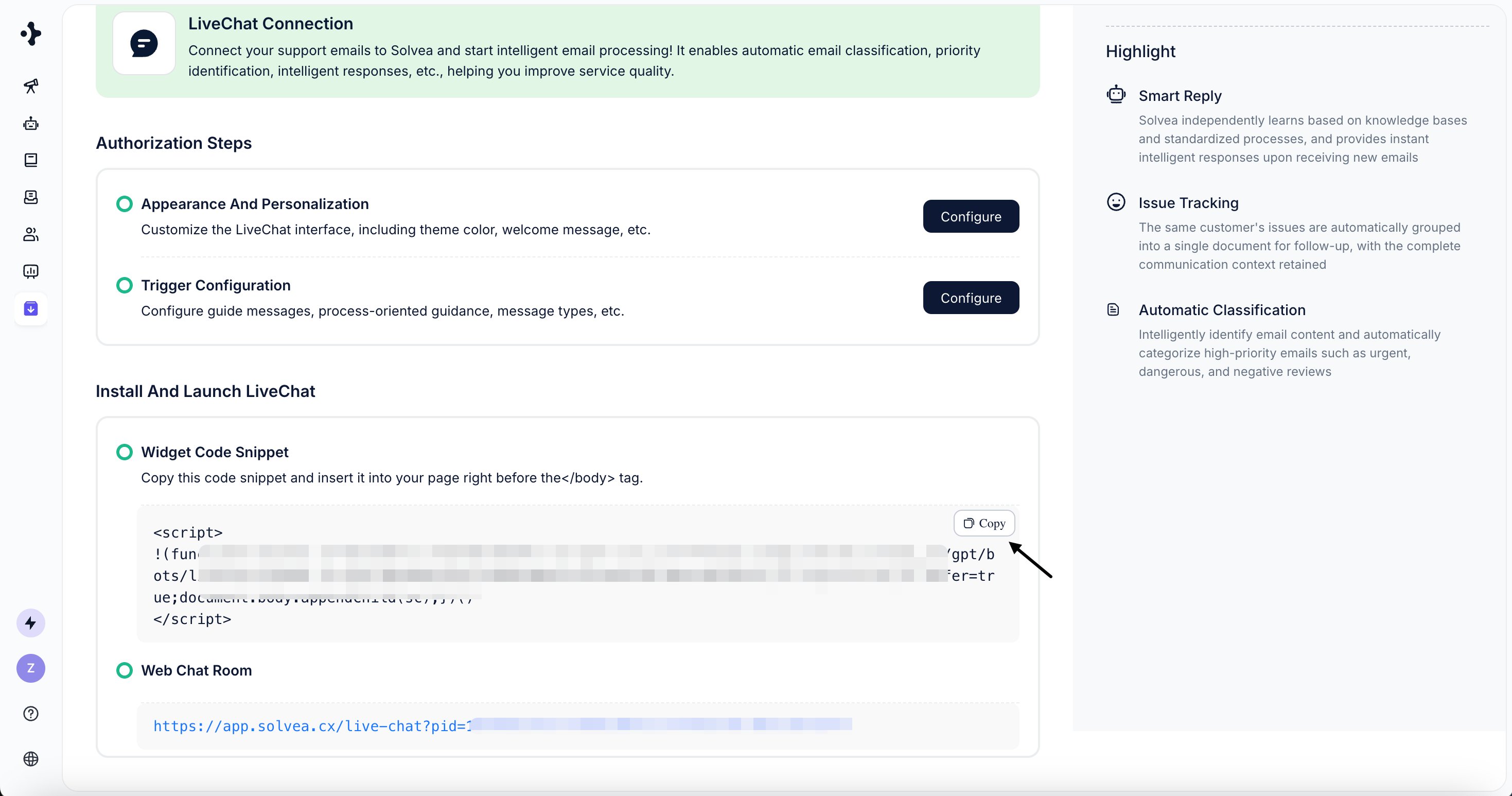
2
Paste
Insert the snippet into your page’s code, right before the closing 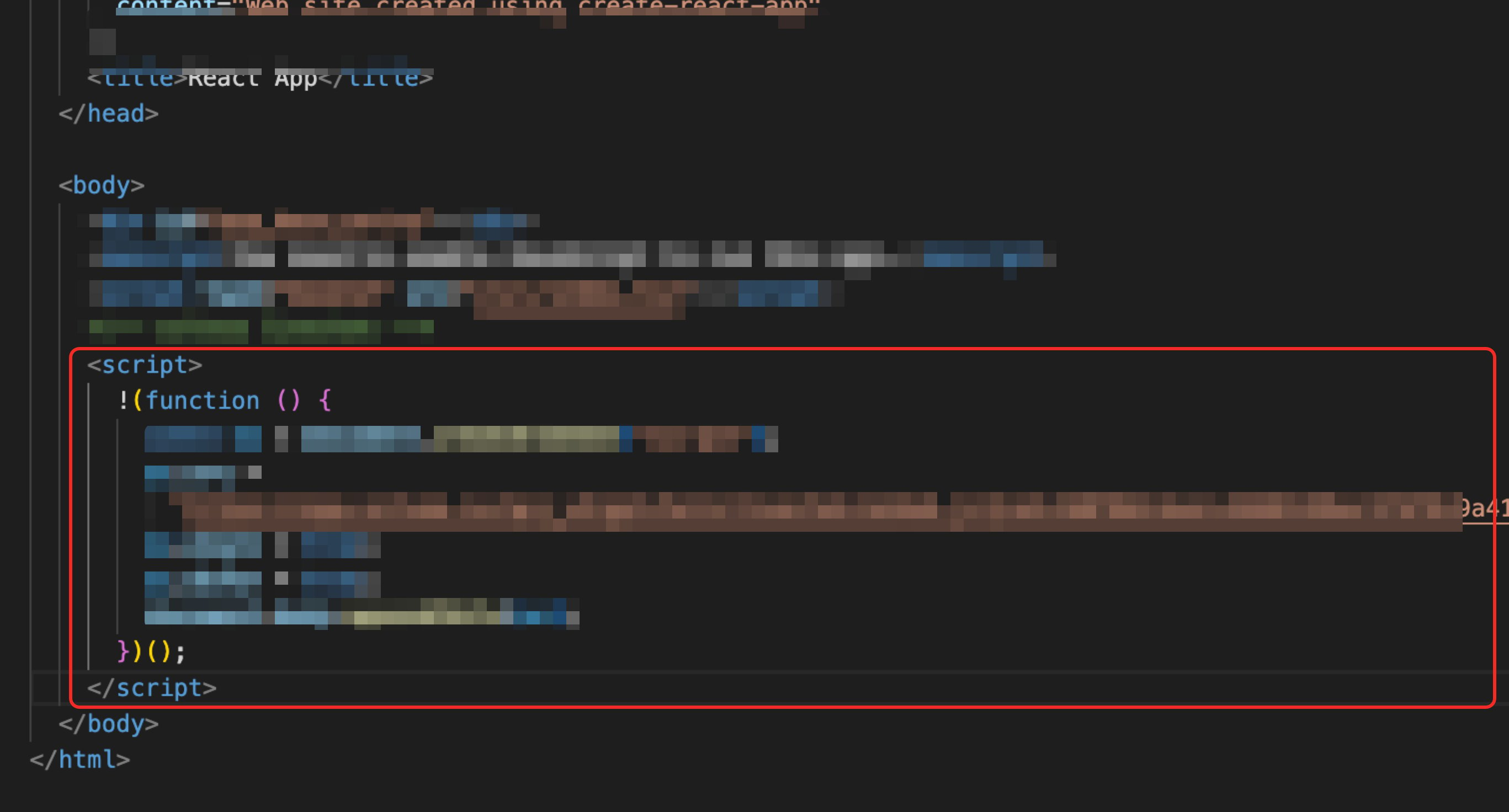
</body>tag .3
Publish
Save and publish the changes.