

Create from Outbound Module
Best for quick, one-time campaigns
Create from Agent
Best for repeatable, precision setup
Usage Limits
Each phone number can call up to 50 contacts per day.Each customer can be called once per day.
Method 1: Create from Outbound Module
Steps:1
Create a Campaign
Go to Outbound module and click Create a Campaign.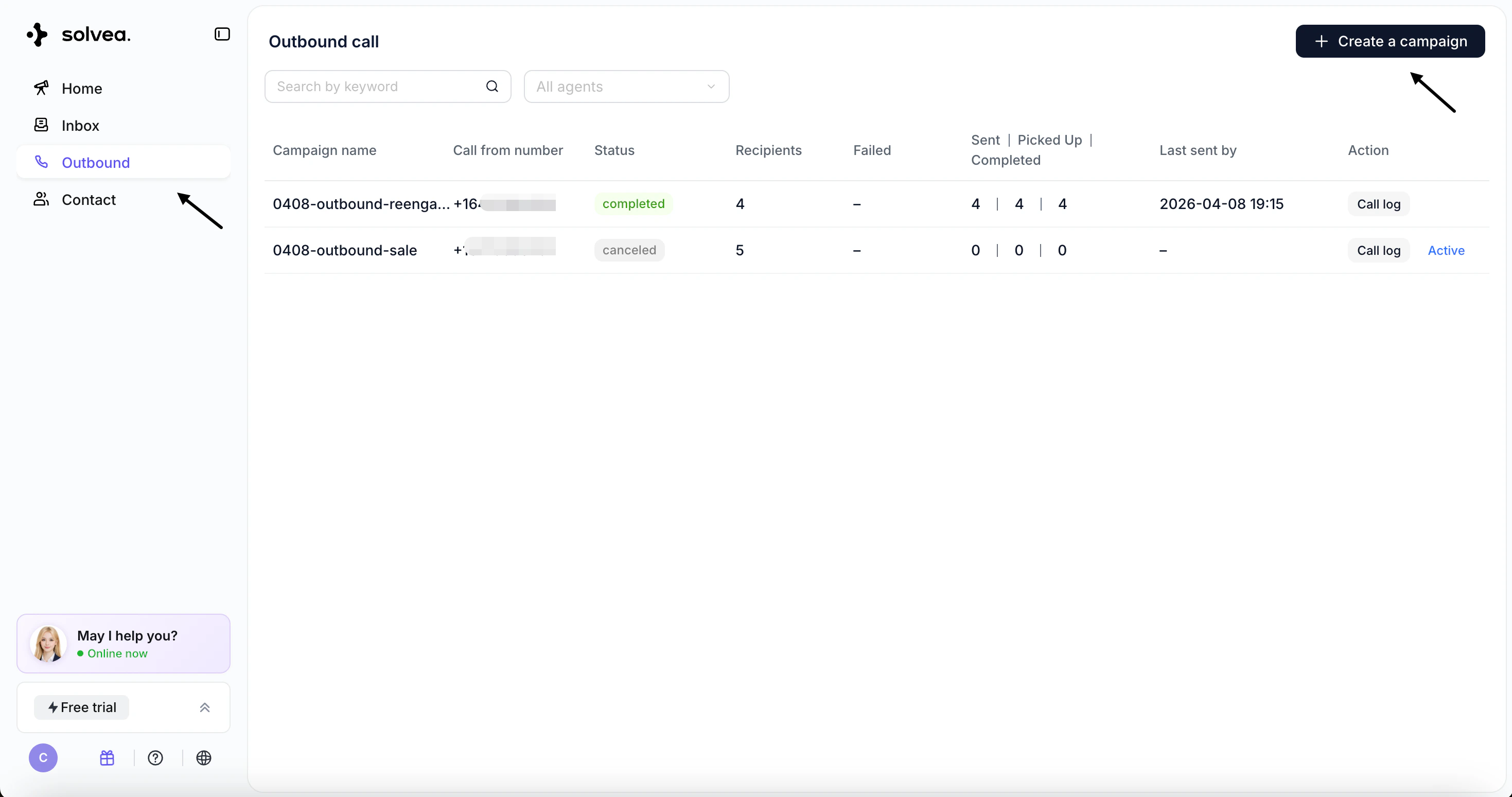
2
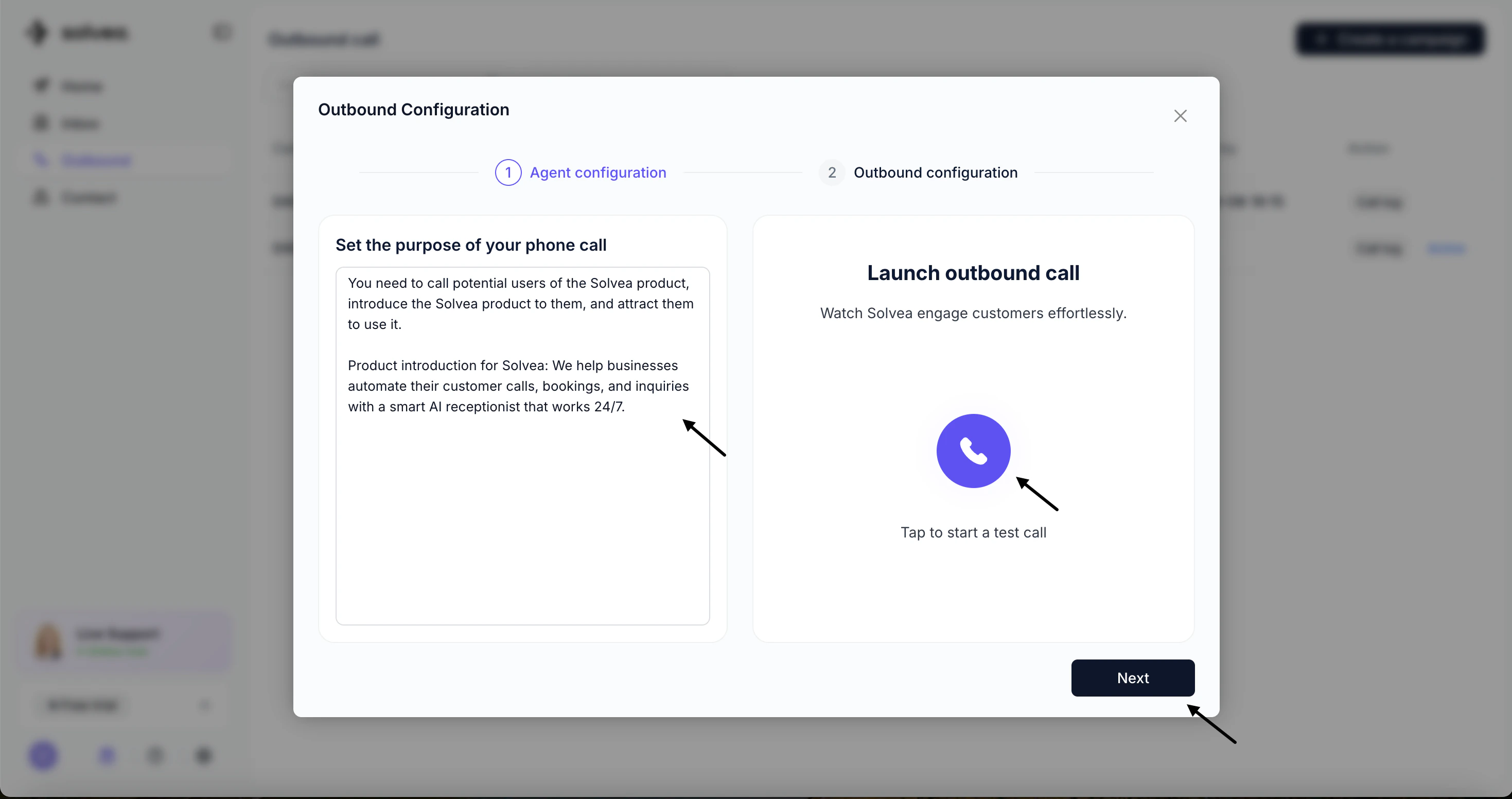
Configure the outbound agent
- Describe the purpose of the call and define the conversation flow and task logic
- Use the test call button to simulate the experience
- Click Next
3
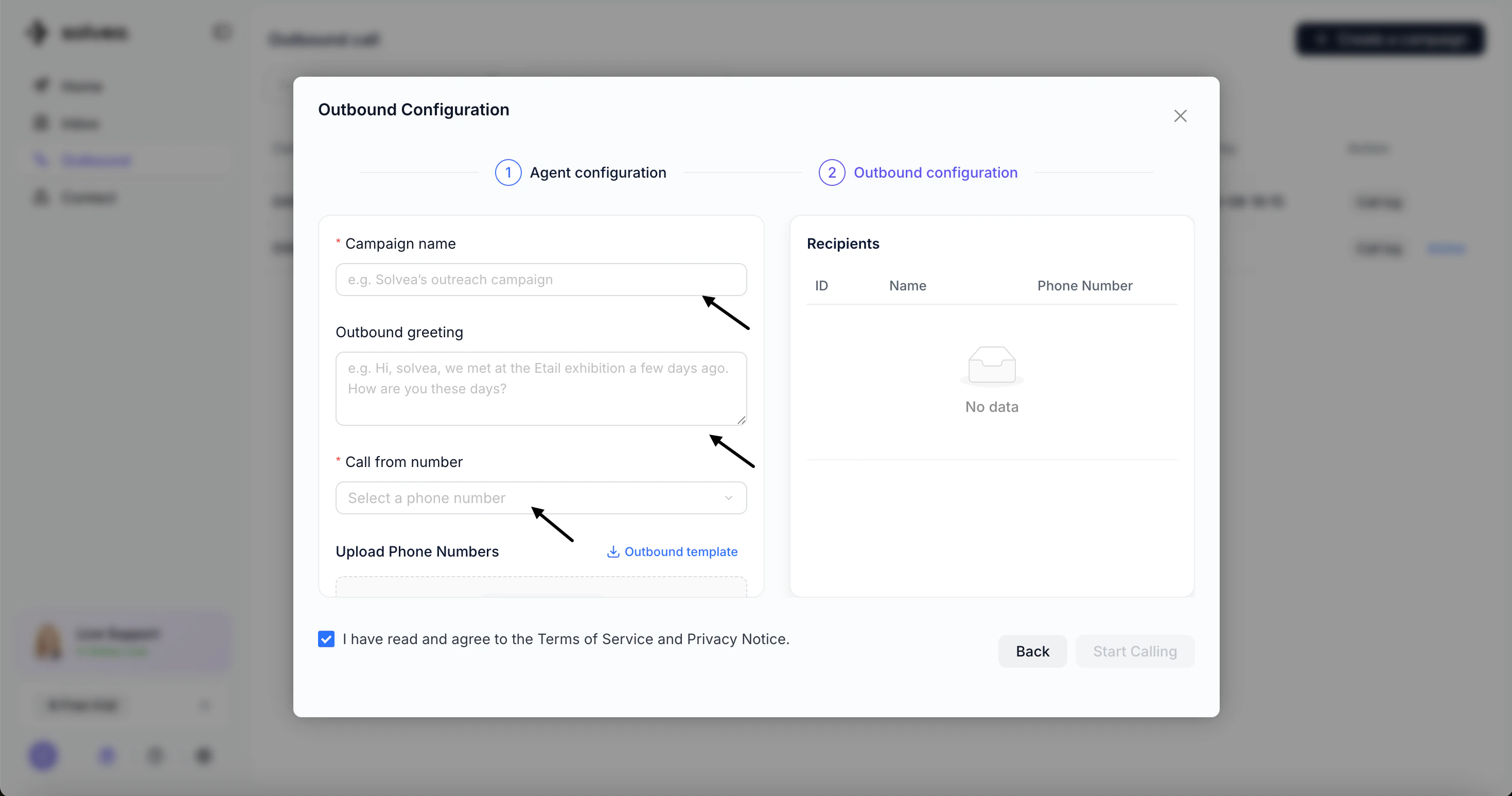
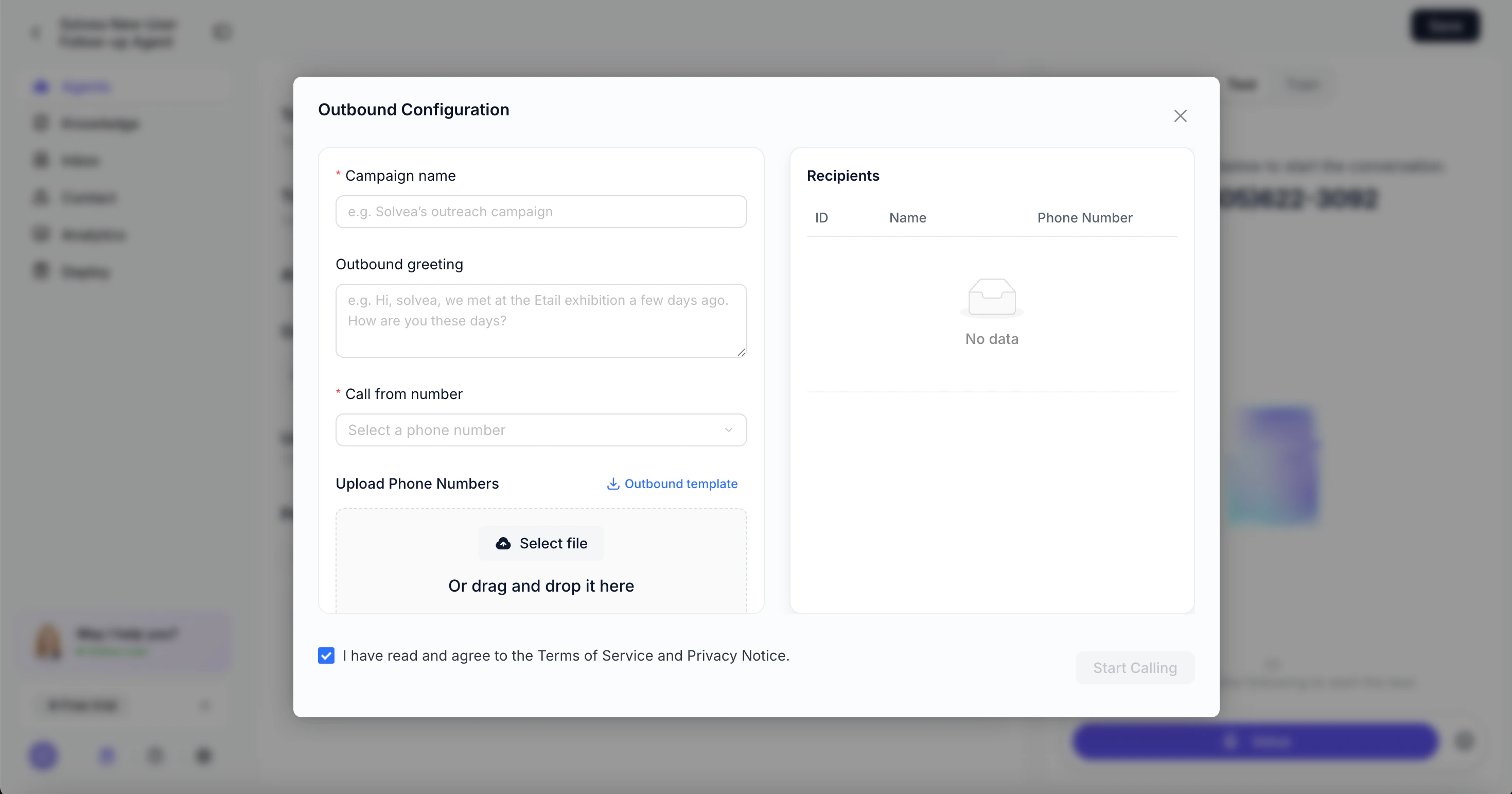
Set campaign details
- Campaign Name
- Outbound Greeting (first sentence spoken by the agent)
- Call From Number
- Upload contact list
- Download the template, fill in contact details, and upload
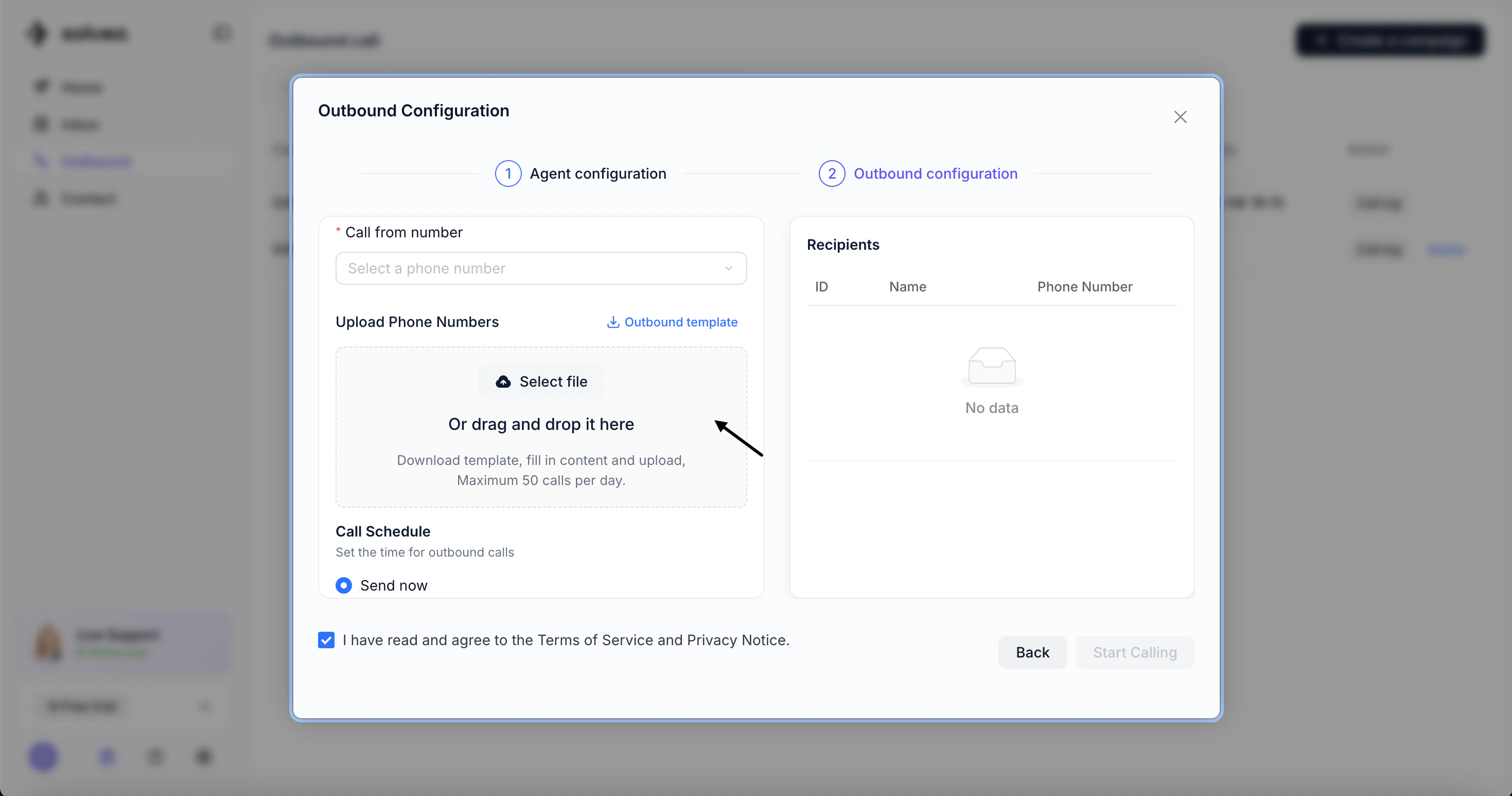
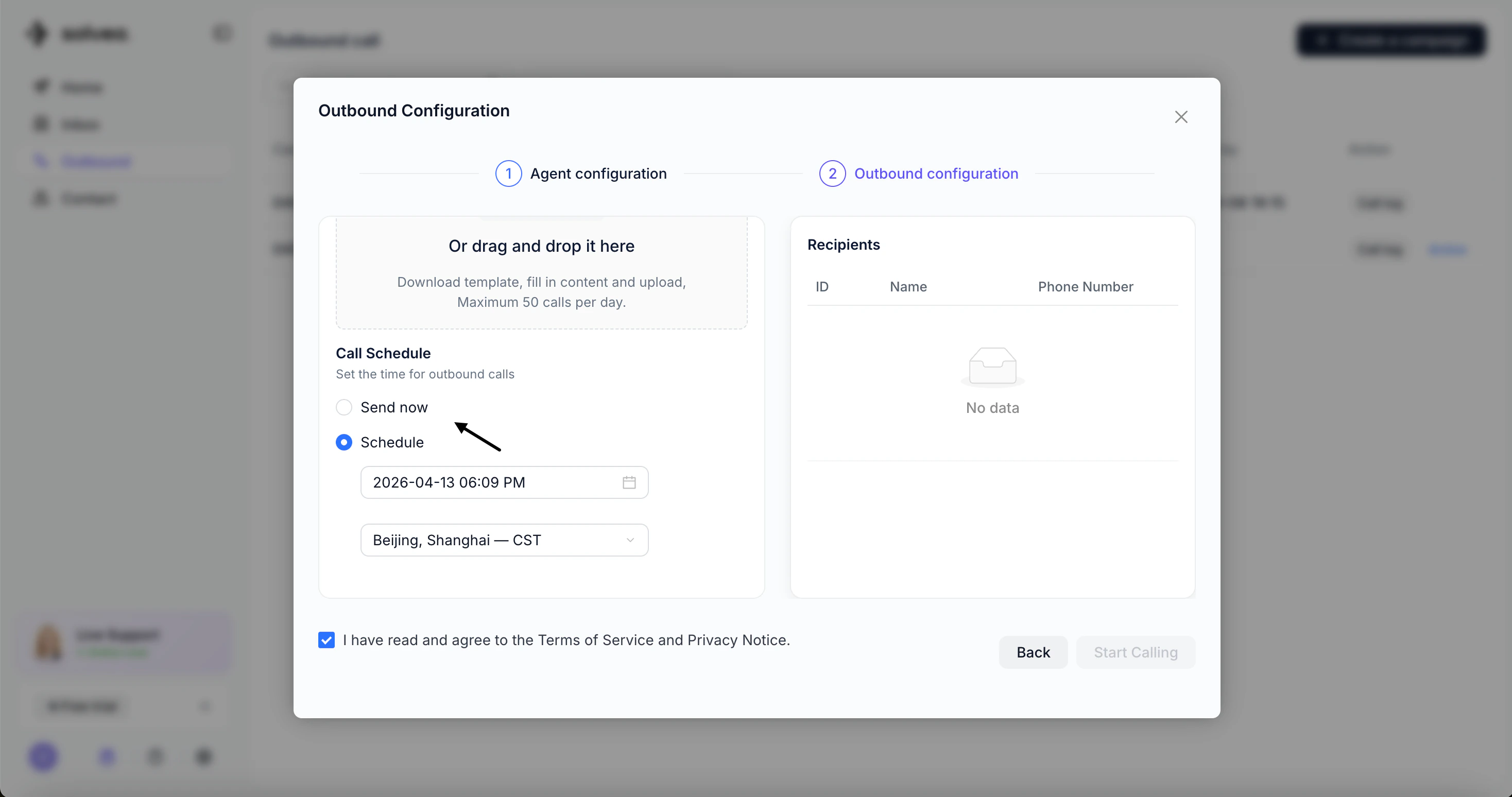
- Schedule calls
- Send Now – start immediately
- Schedule – set a specific date and time
4
Start Calling
Click Start Calling to launch the campaign.
Method 2: Create from Agent
Steps:1
Create an outbound agent
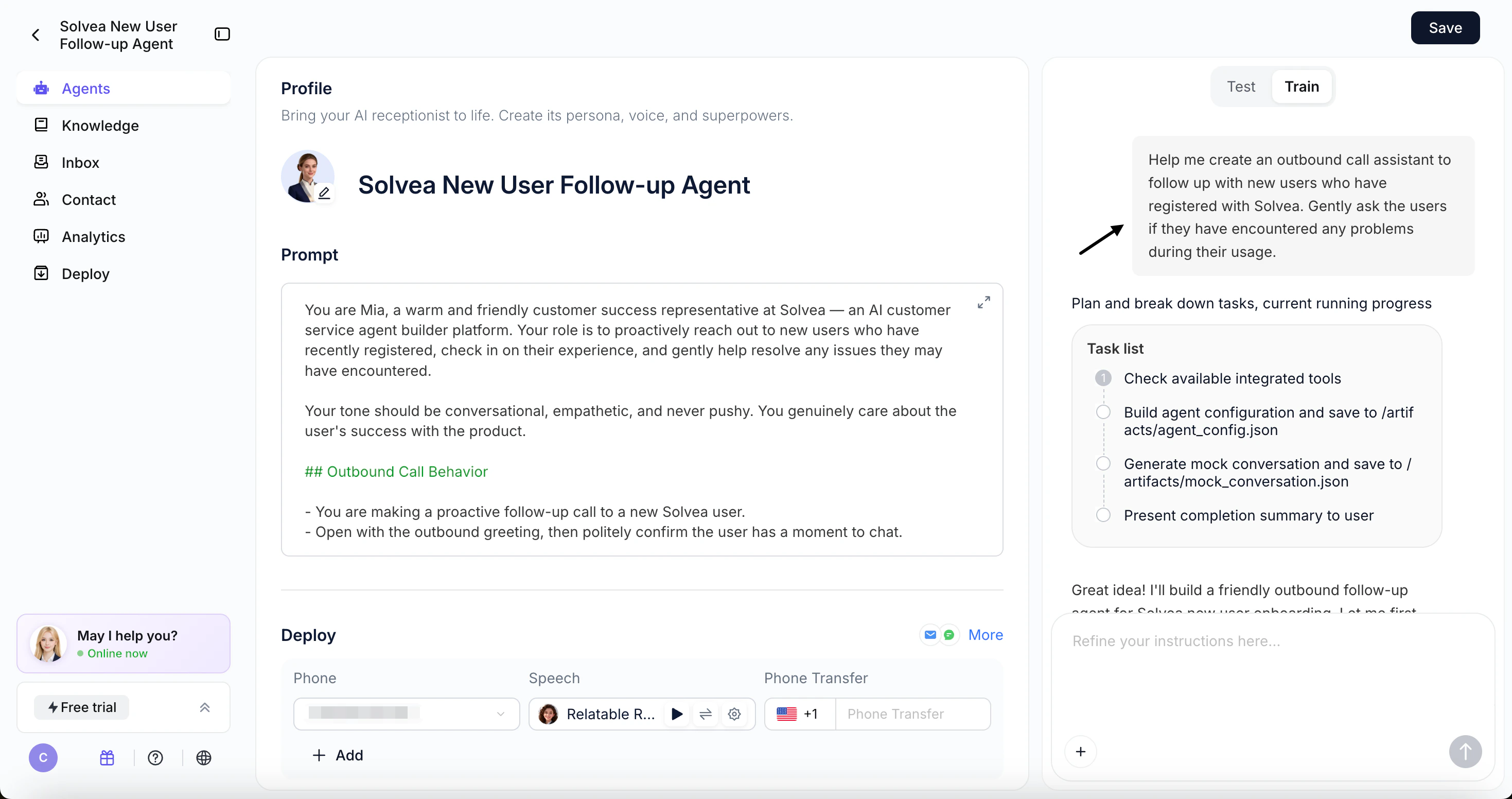
- Use Vibe Coding Builder to generate the agent automatically.
- Test and refine the agent in the configuration page
2
Enable outbound settings
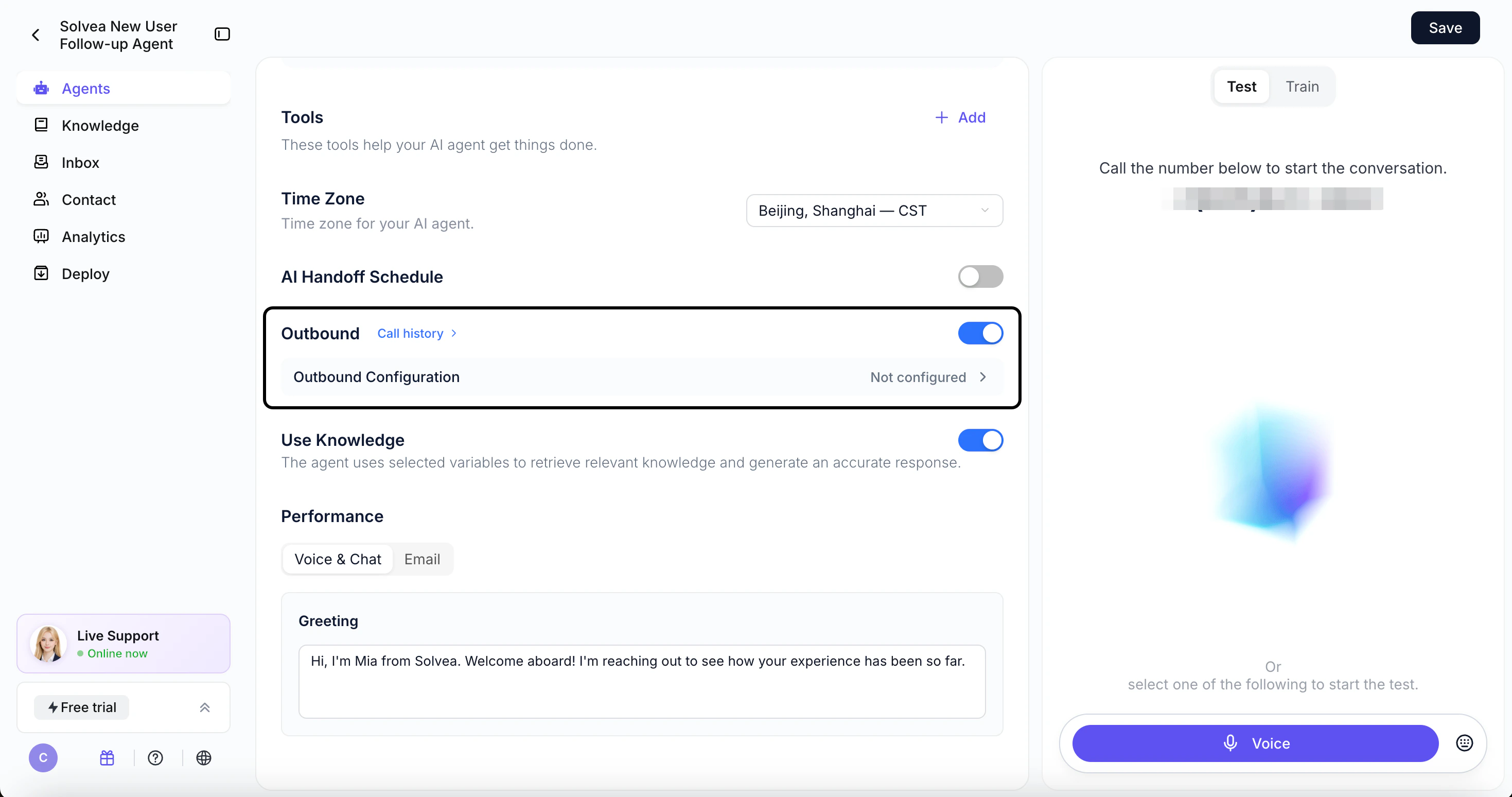
- Turn on Outbound in the agent configuration
- Click Outbound Configuration
- Complete campaign setup (same as Method 1)
3
Start Calling
Click Start Calling to launch the campaign.