Manage Folders
Folders help structure your Knowledge Base. A clear folder hierarchy significantly improves knowledge retrieval accuracy.Add Folders
-
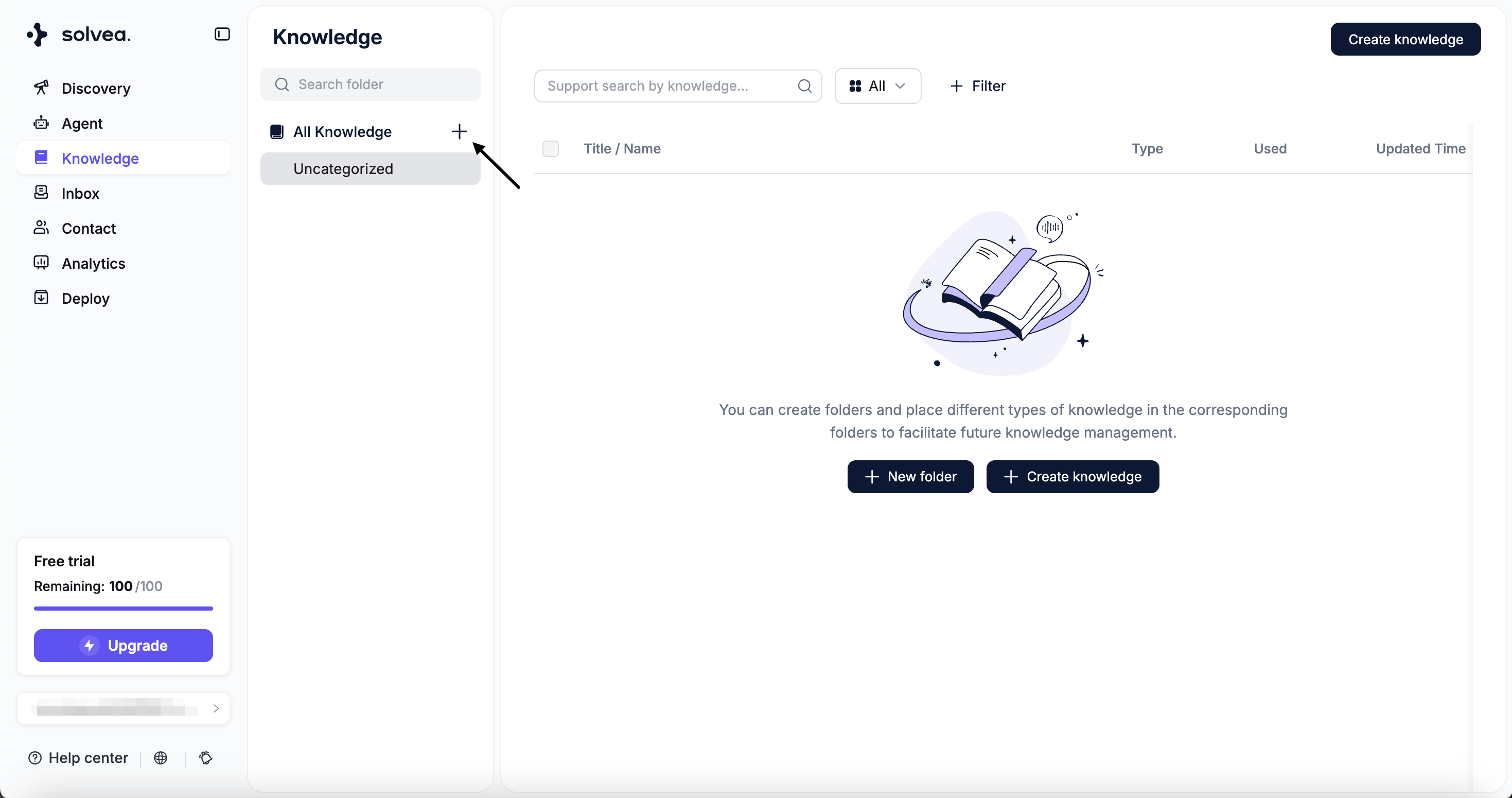
Click “+” to create a new folder.
-
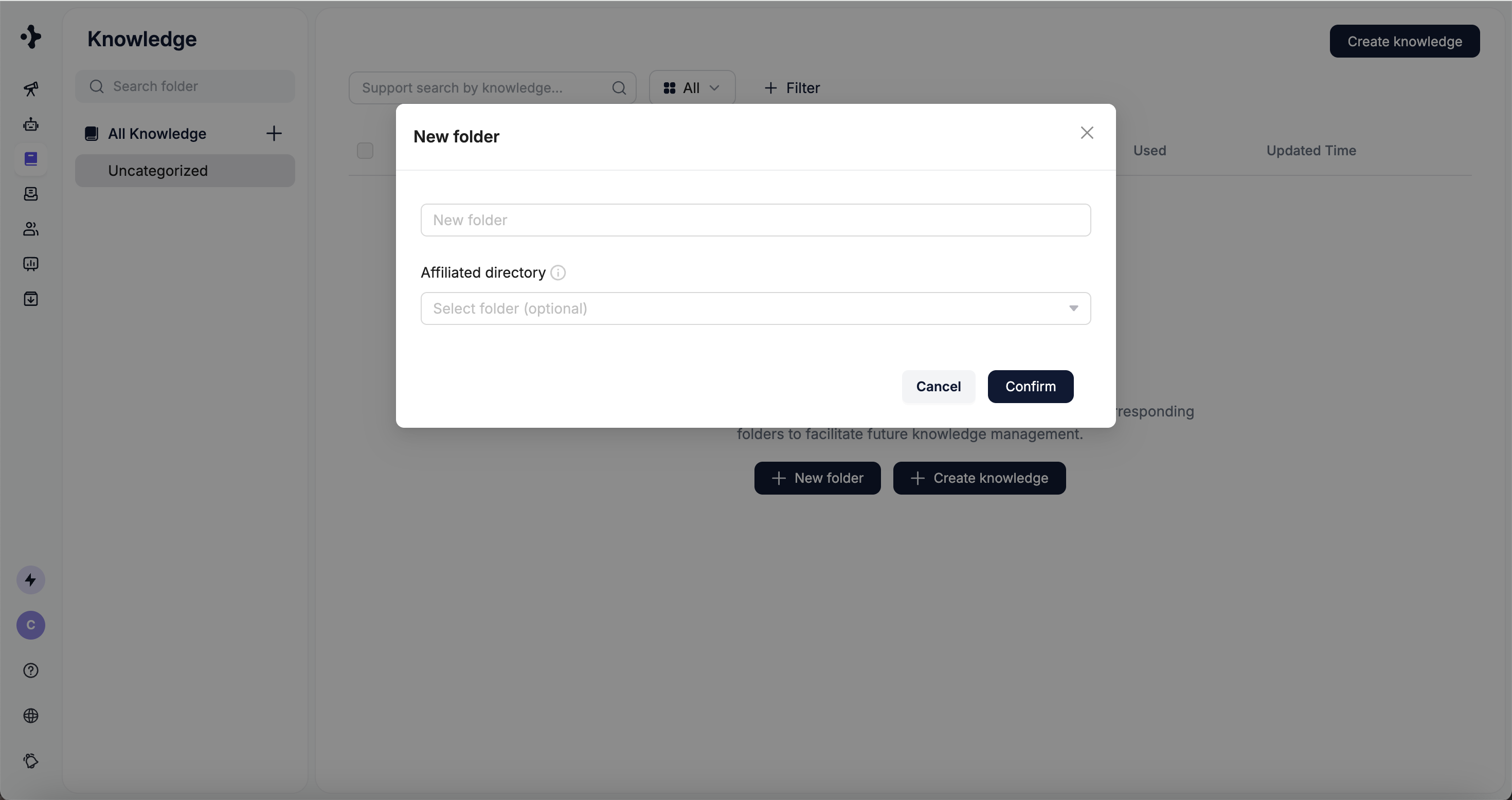
Set the folder’s name amd affiliated directory.
Edit Folders
-
Select a folder to: Create subfolders, Rename the folder and Delete the folder
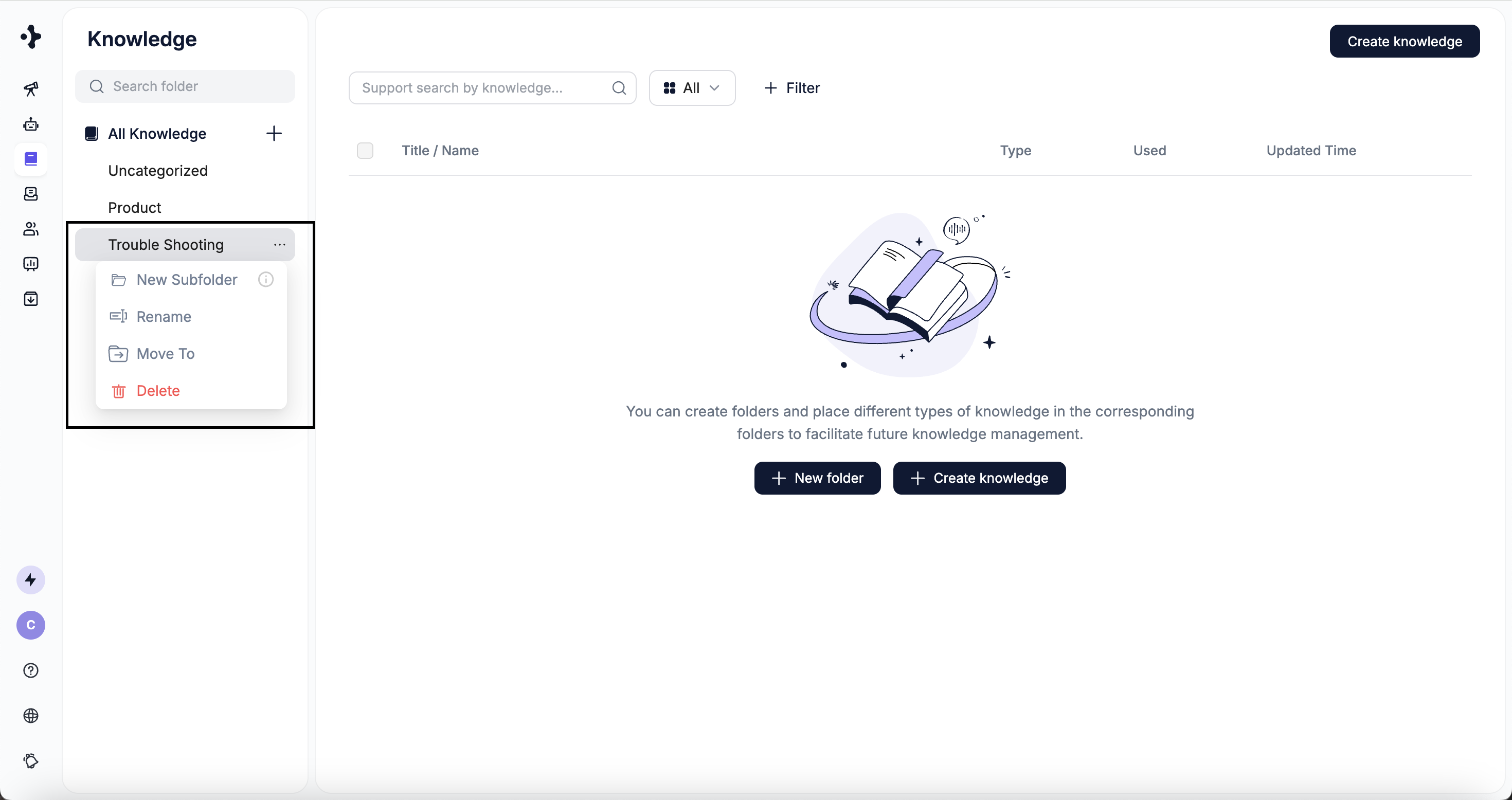
Folder nesting currently supports up to 3 levels.
Manage Knowledge
In Knowledge Base, you can select a knowledge item to:- Move it to another folder
- Update its content
- Delete it
1
Locate Knowledge
You can find knowledge using the following methods: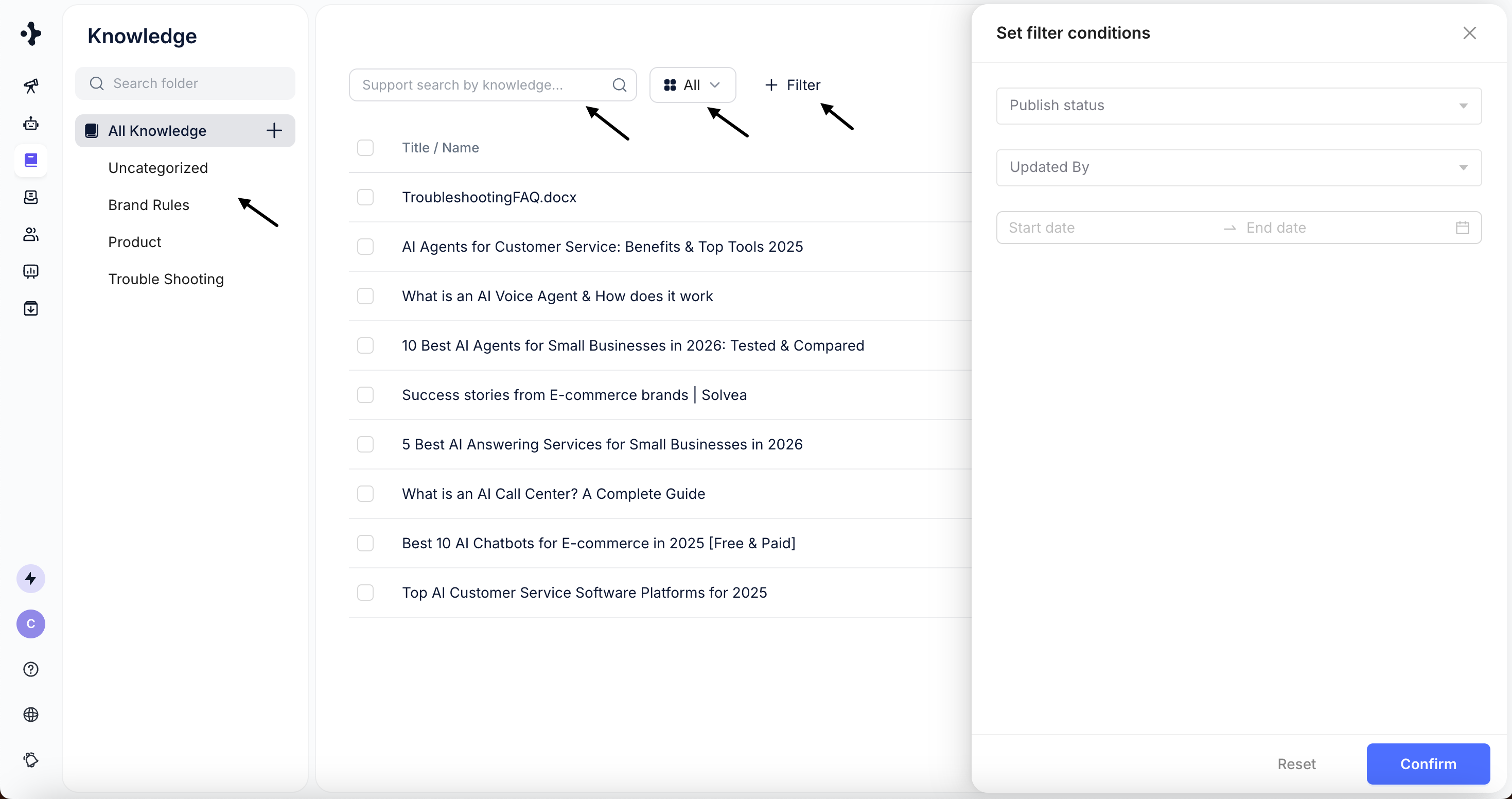
- Browse by folder
- Filter by knowledge type
- Search by title or content keywords
- Use filters (currently supports publish status and last updated time)
2
Edit Knowledge
Click on a knowledge item to view and edit its details.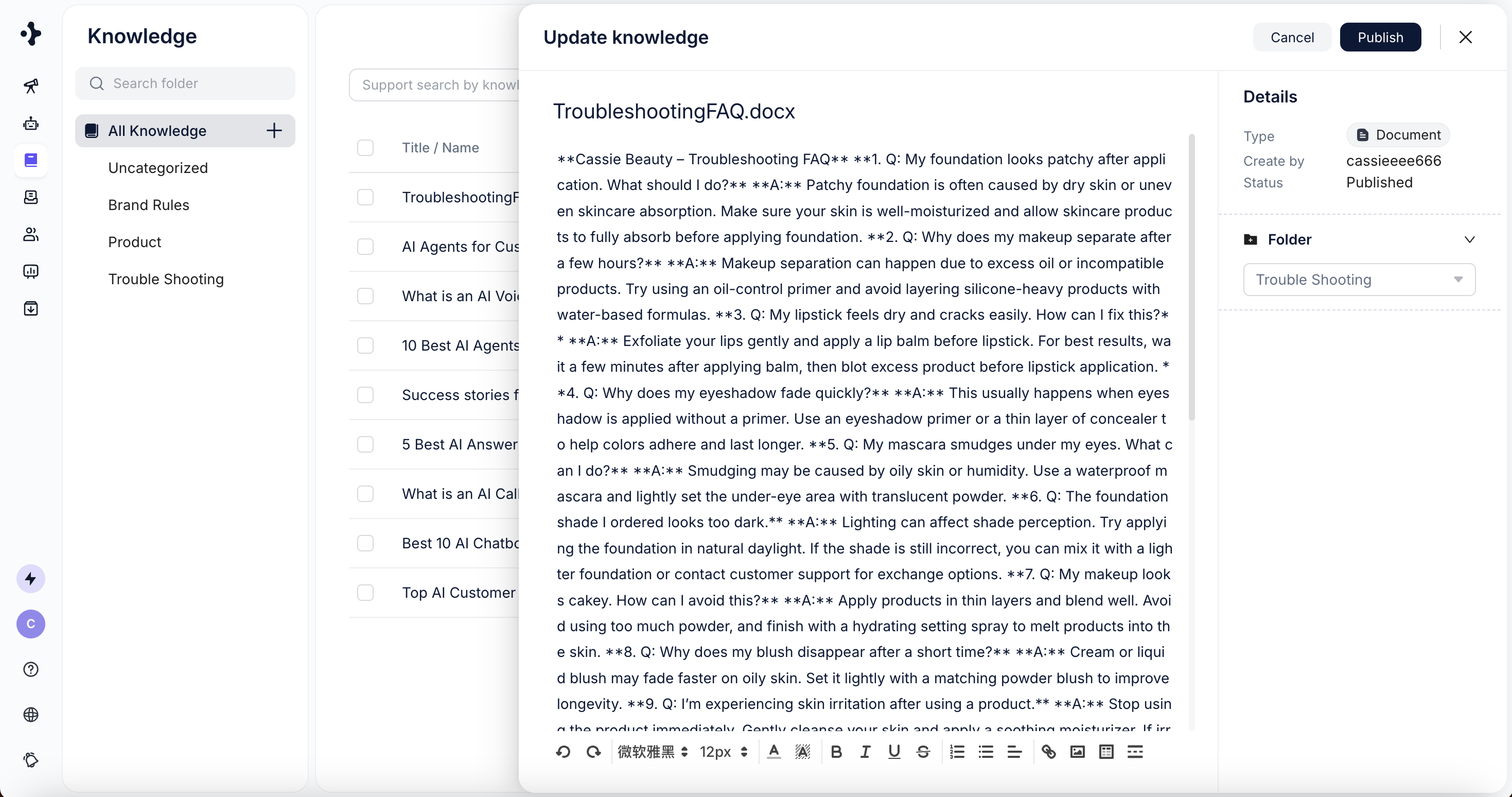
3
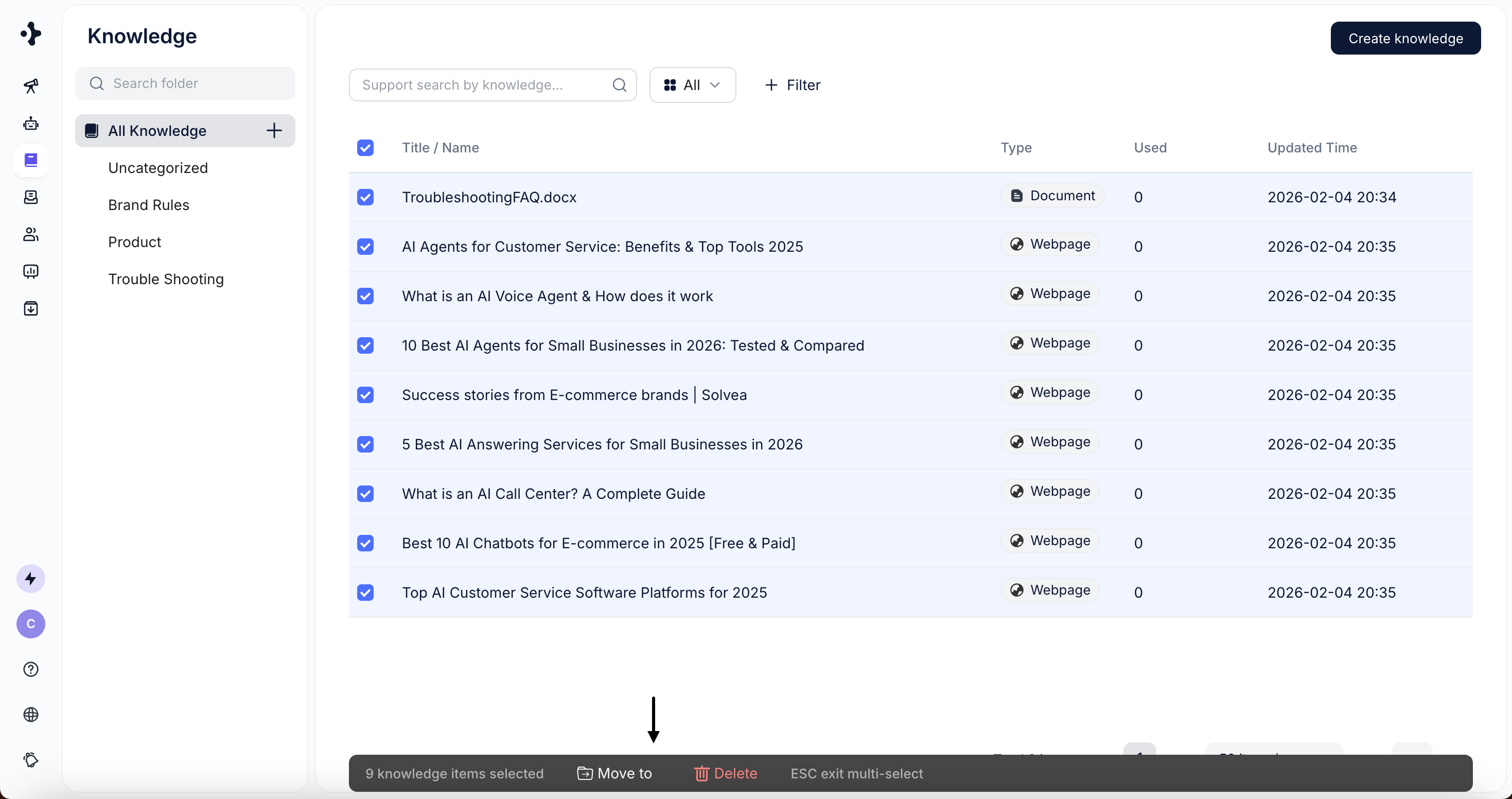
Batch Actions
- Select one or multiple knowledge items using the checkboxes
(supports “Select All” on the current page). - Perform batch actions such as:
- Move to folder
- Delete