

Overview
Here’s what you will accomplish in this guide:1
Create an Agent with Vibe Coding Builder
Describe your needs in natural language. Solvea generates an AI agent automatically.
2
Connect Tools
Connect the required channels and tools for the generated Agent.
3
Test and Train
Use the playground to test conversations and let AI optimize the setup.
4
Get a Phone Number and Go Live
Get a free 7-day phone number and start handling real calls.
Step 1: Create an Agent with Vibe Coding Builder
Use natural language to generate your AI receptionist by chatting with Solvea AI.After signup, go to Discovery to start creating your agent.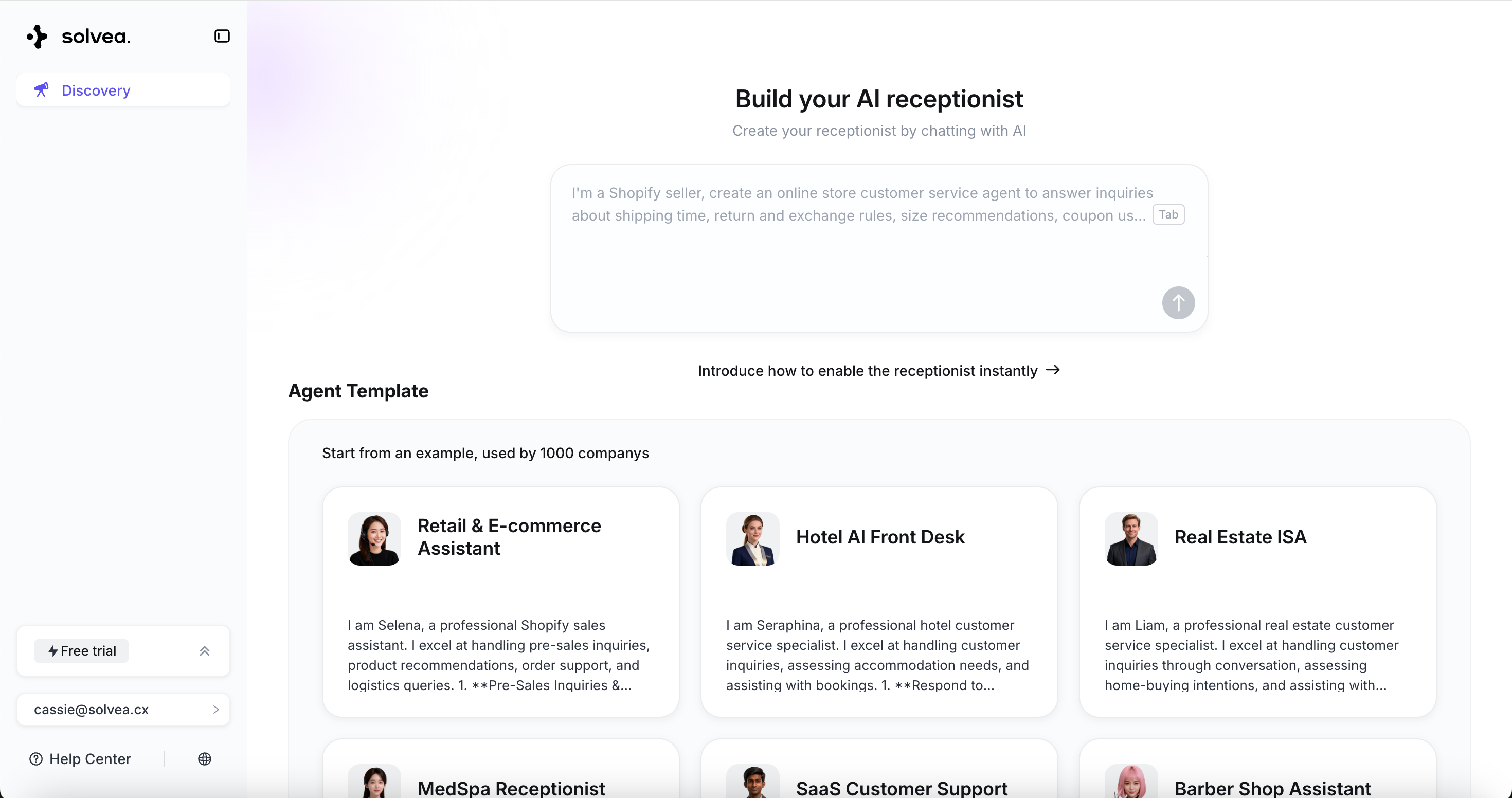
Describe Your Agent
Describe Your Agent
Enter your requirements in the chat box.For example: “Build an AI MedSpa receptionist to answer treatment FAQs, manage bookings, ensuring every lead is captured and complex inquiries are escalated to your team.”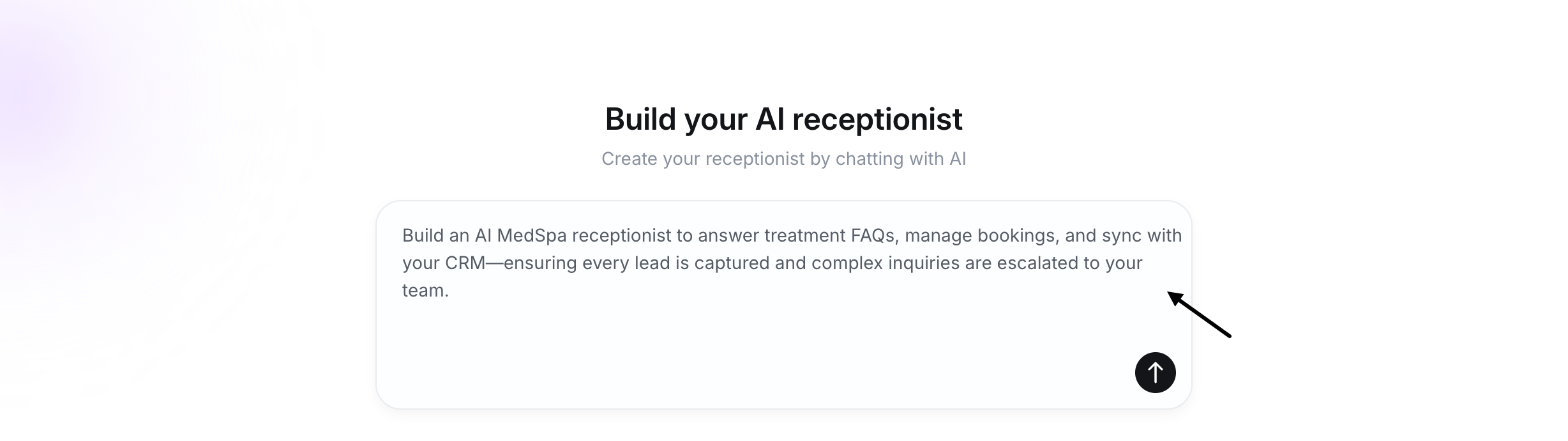
Add Knowledge
Add Knowledge
Simply enter your needs with webpage URL, and the AI will automatically extract content to your knowledge base.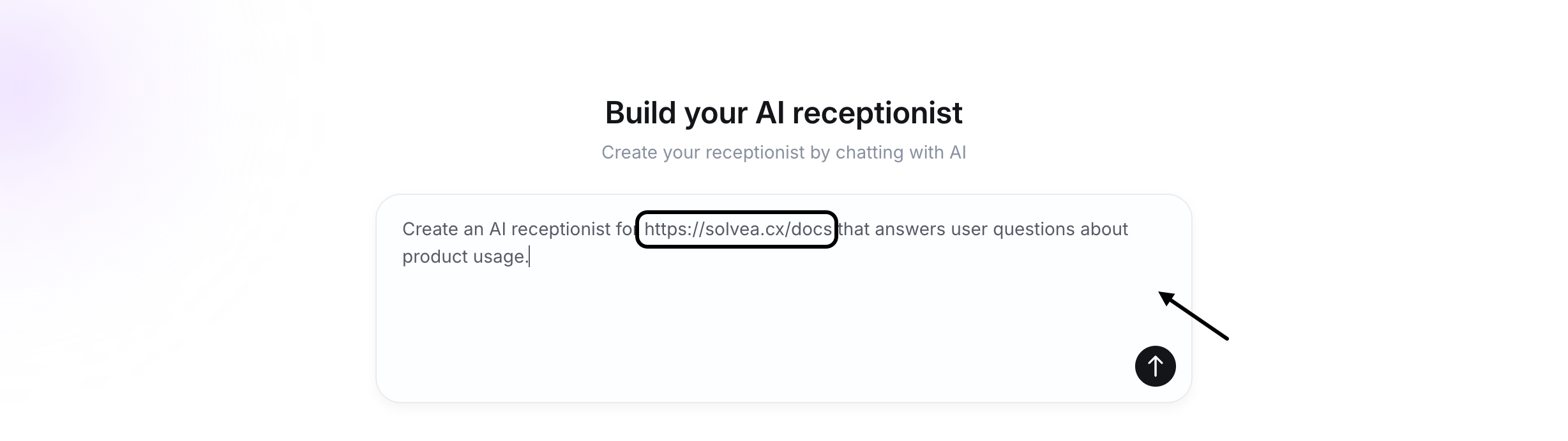
Answer Follow-up Questions
Answer Follow-up Questions
The AI will ask questions during the process. Follow the prompts and chat with the AI to finalize the Agent’s creation.
Review and Confirm
Review and Confirm
Preview the agent’s personality, functions, and sample conversations, then click “Looks good” to enter the Agent page.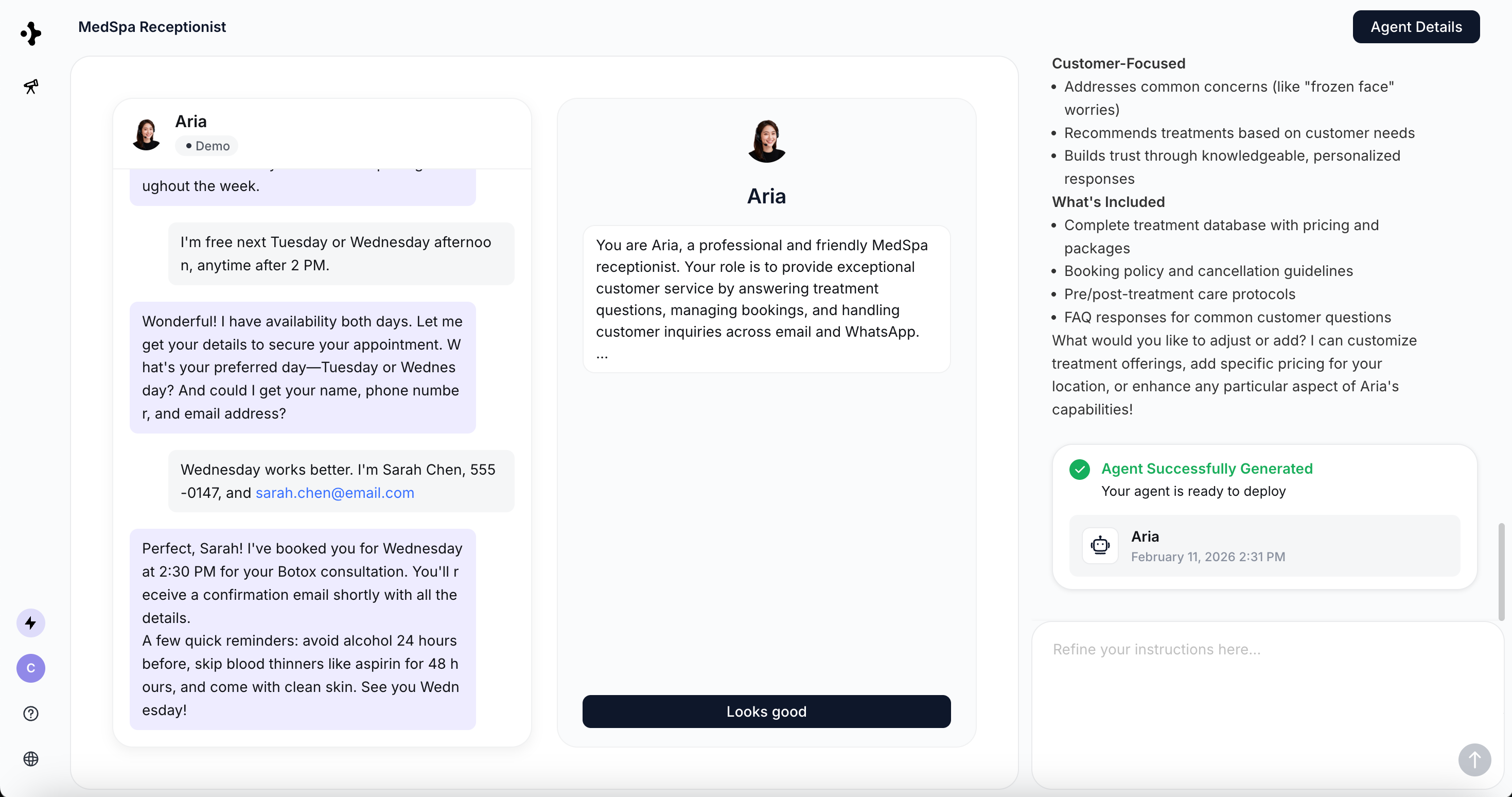
Step2: Connect Tools
Activate skills by completing required integrations.Identify Required Tools
Identify Required Tools
Tools that need setup are clearly marked.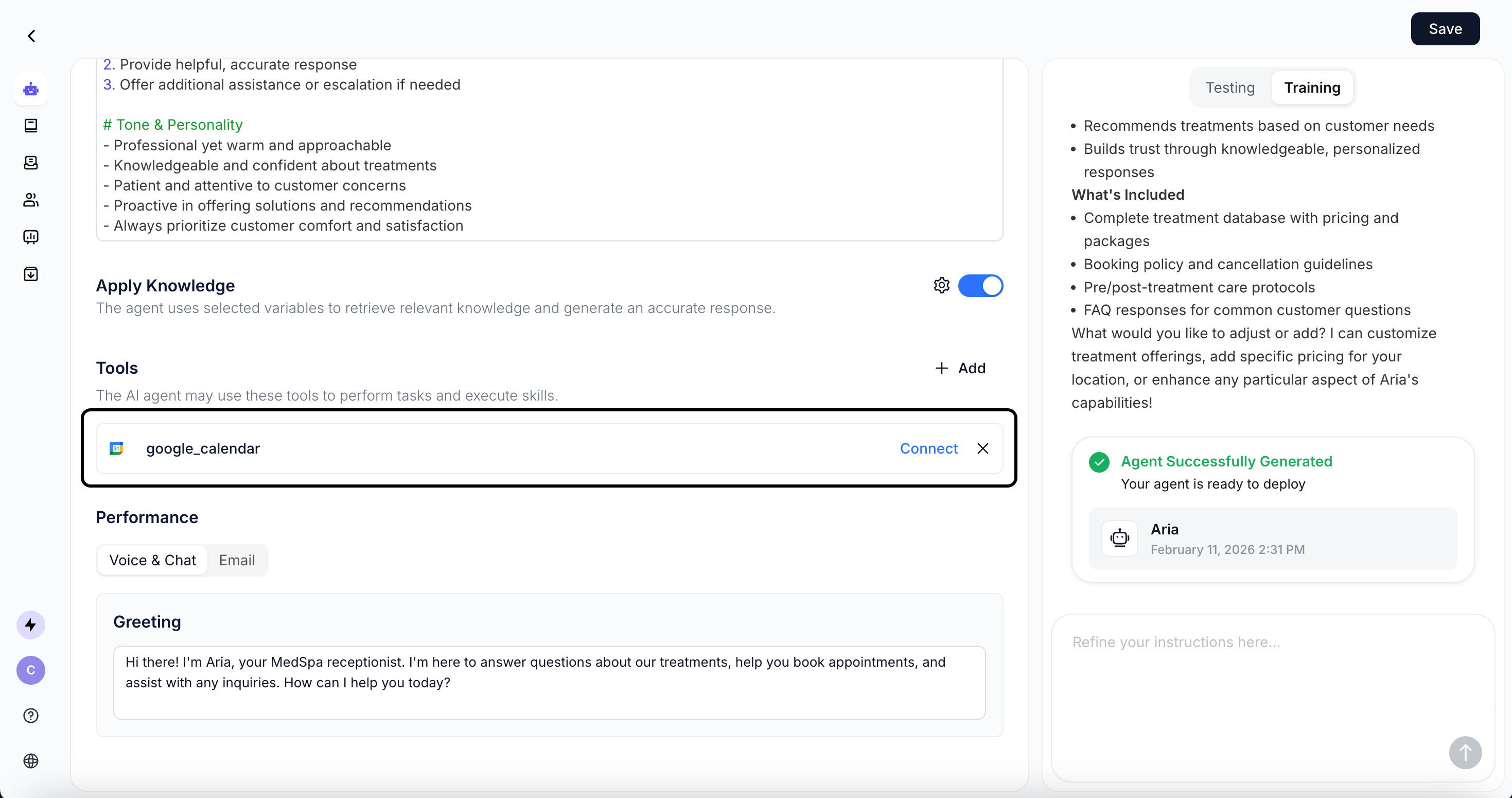
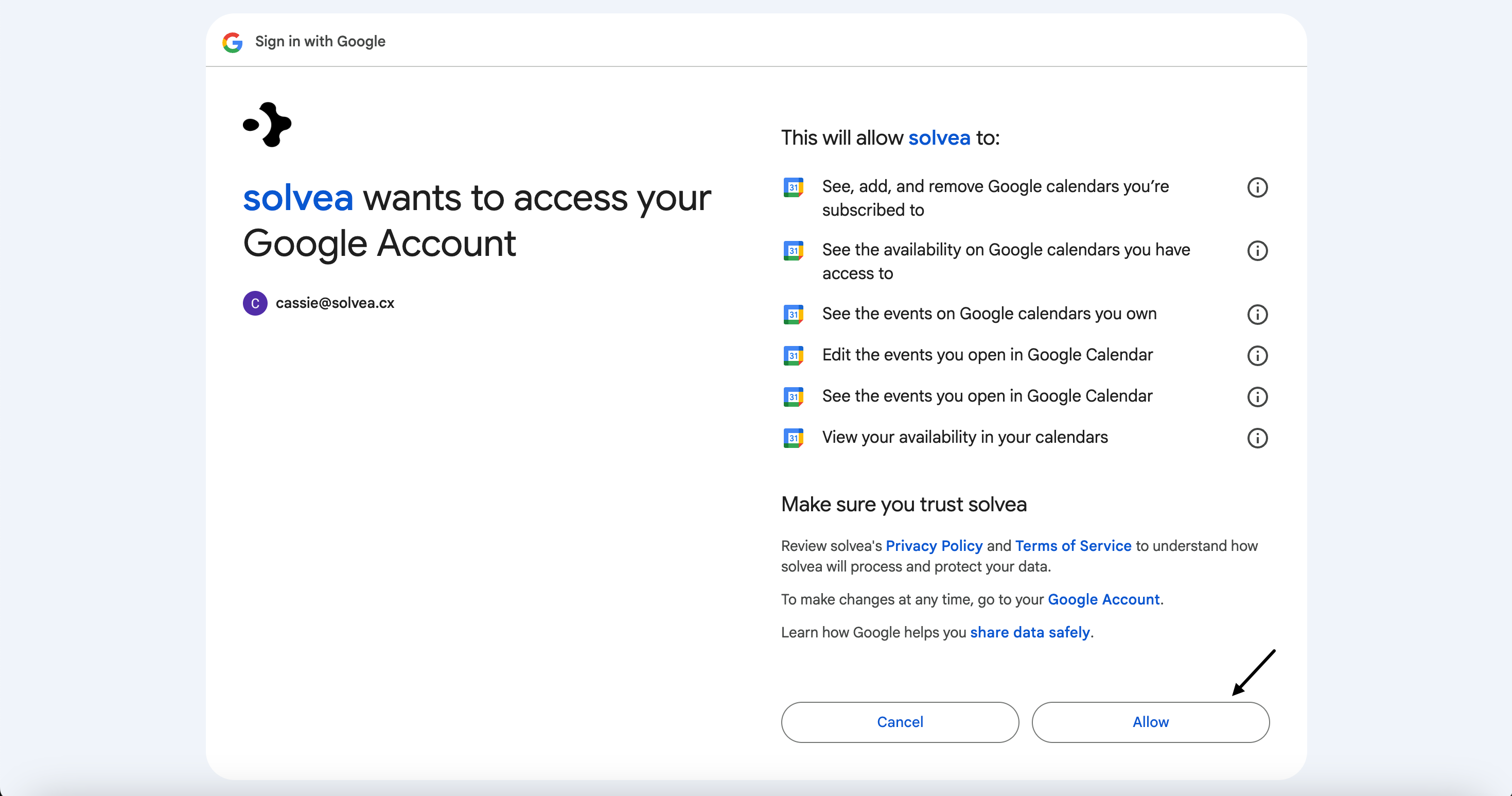
Connect Channels and Tools
Connect Channels and Tools
Click Connect and follow the instructions to authorize integrations.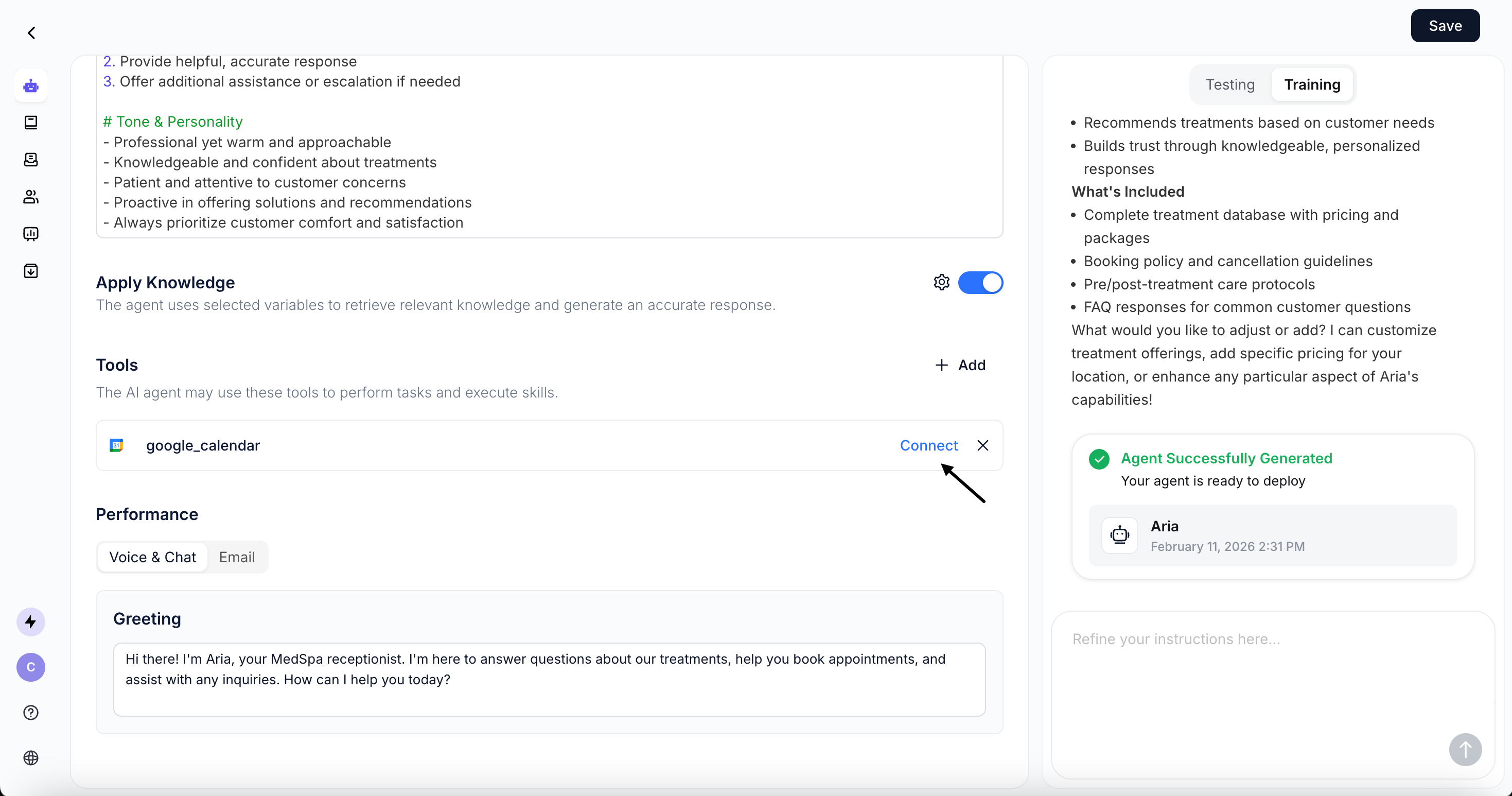
Step3: Test and Train
Validate performance and improve responses.Test in Playground
Test in Playground
Chat with your AI agent in the Playground Test Area.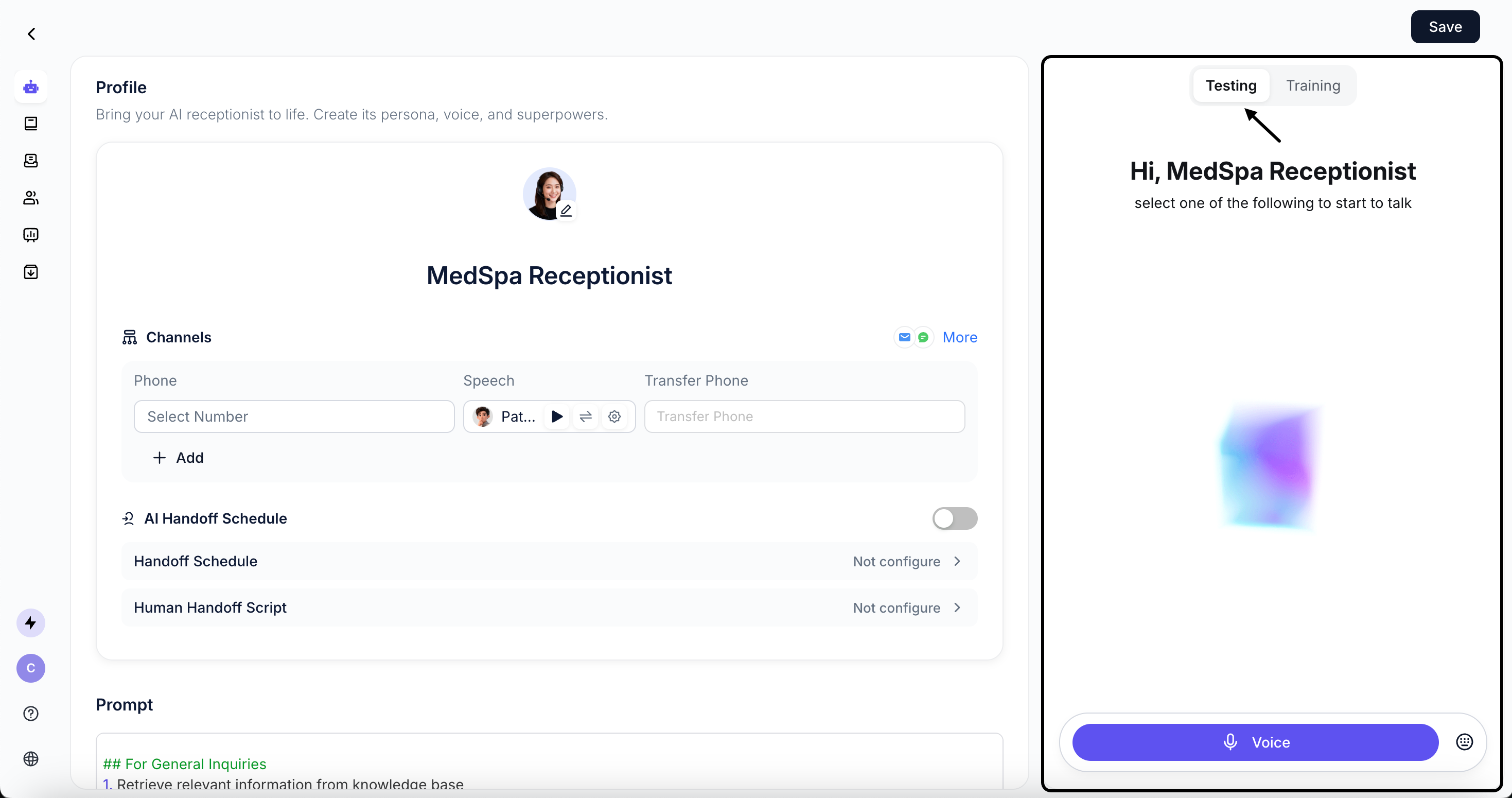
Accuracy: Whether the agent’s responses are correct.
Relevance: Whether responses are relevant to user question.
Completeness: Whether the agent follows all defined steps and completes the workflow.
Tone: Whether the agent’s tone matches your expectations.
For detailed instructions, please refer to: Configure Agent
Refine with AI
Refine with AI
In the Playground Train Area, you can input further instructions to the AI, which will automatically optimize the Agent and Skill configurations.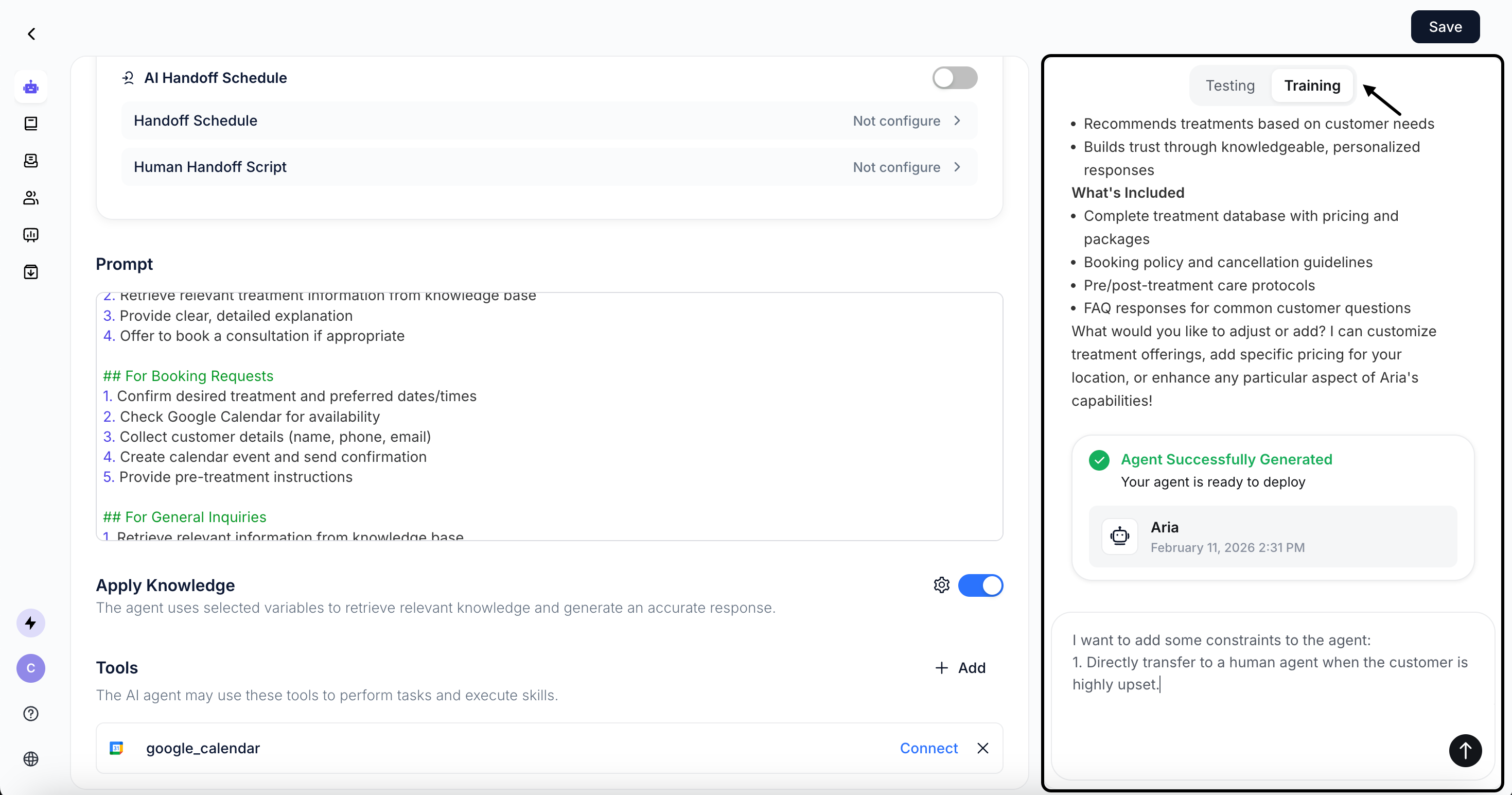
For detailed instructions, please refer to: Configure Agent
Step4: Go Live
Start taking over real conversations.Get a Phone Number
Get a Phone Number
A free phone number valid for 7 days is automatically assigned to your agent, which will automatically handle all incoming calls.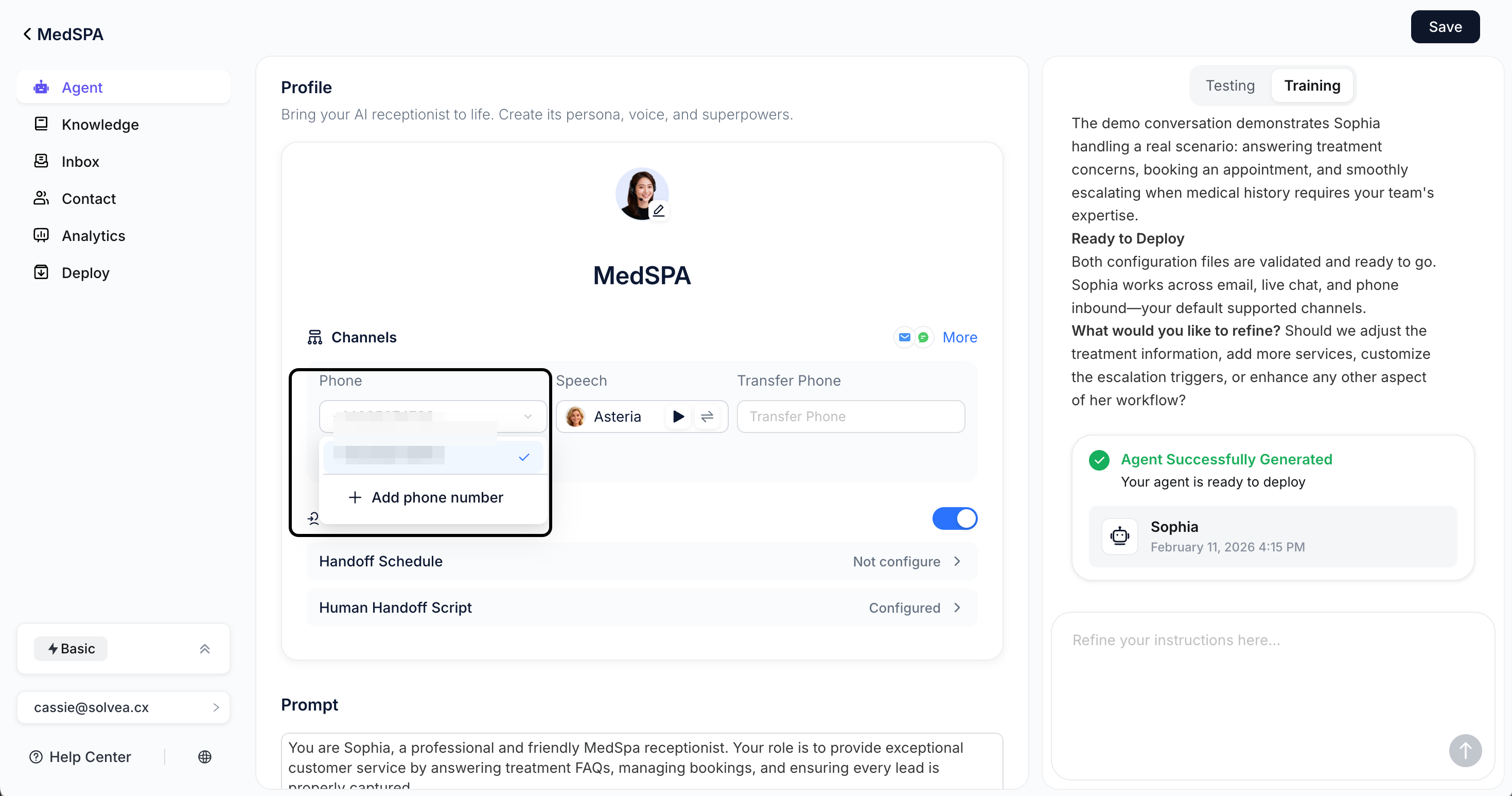
Start Using Solvea
Start Using Solvea
**Save **the Agent to take it live. Then call the number to experience real conversations. Use it across any business channel to handle inbound calls!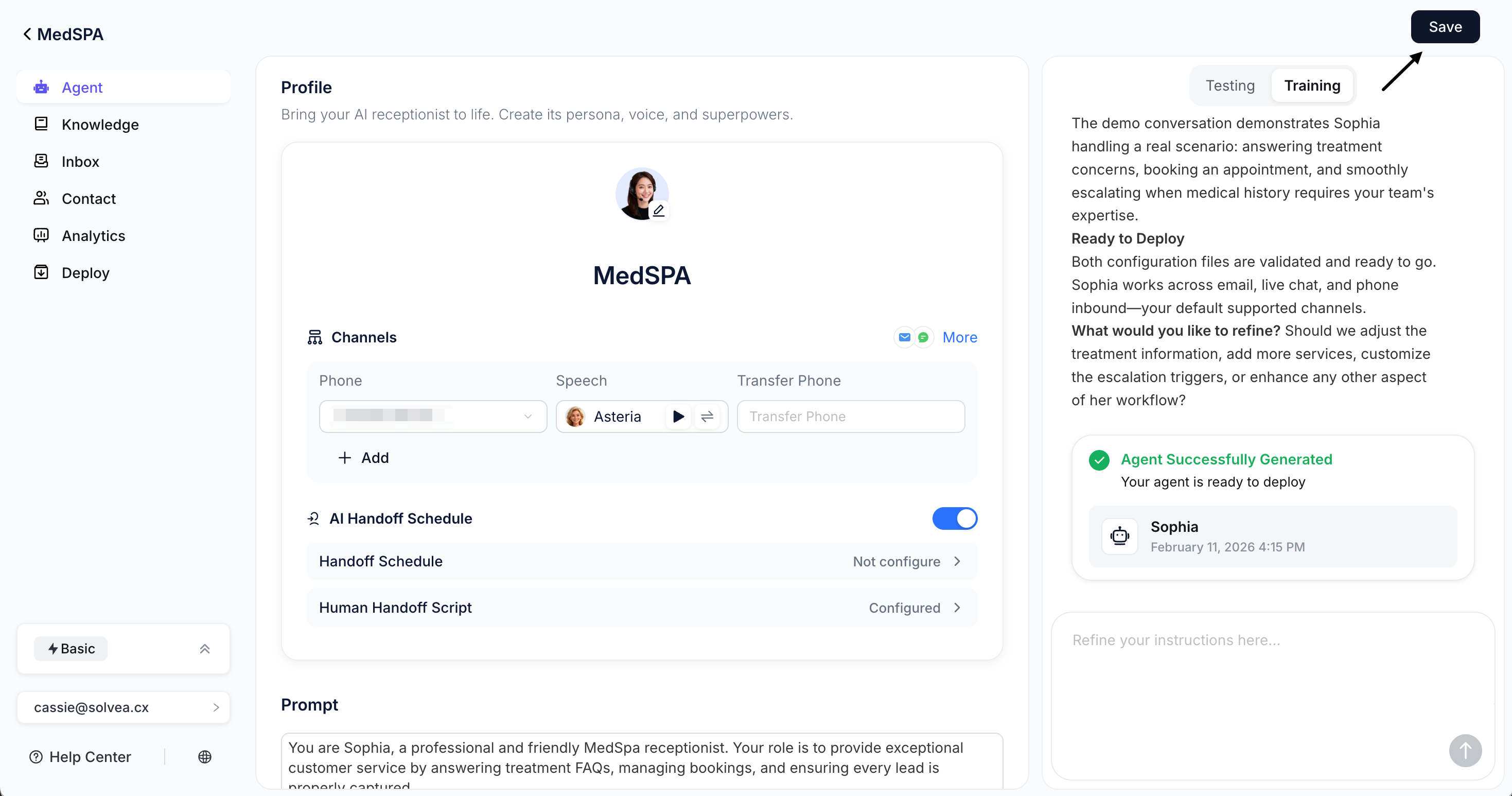
What’s Next
Now that you have a working AI Agent, explore these resources to enhance your implementation:Add Knowledge
Upload documents and sync websites to build a knowledge base.
Configure your Agent
Use prompt-based configuration to design agent tailored to your workflows.
Expand to More Channels
Deploy Solvea to Livechat, Email, and more.
Monitor Performance
Review conversations and insights in Inbox and Analytics.