

How Contact Work
Contact Module acts as the bridge between your Agent and your customers.When customers interact with your Agent, Solvea continuously builds and updates their contact profiles, allowing the Agent and human operators to respond with better context and accuracy.
How Customers Are Unified Across Channels
Solvea automatically merges customer records based on identifiers:- Phone: Same incoming phone number is treated as the same contact
- Livechat: Same email address or phone number is treated as the same contact
- Email: Same email address is treated as the same contact
If contacts from different channels share the same phone number or email address, they are automatically merged into a single contact profile.
Manage Contacts
Contact List
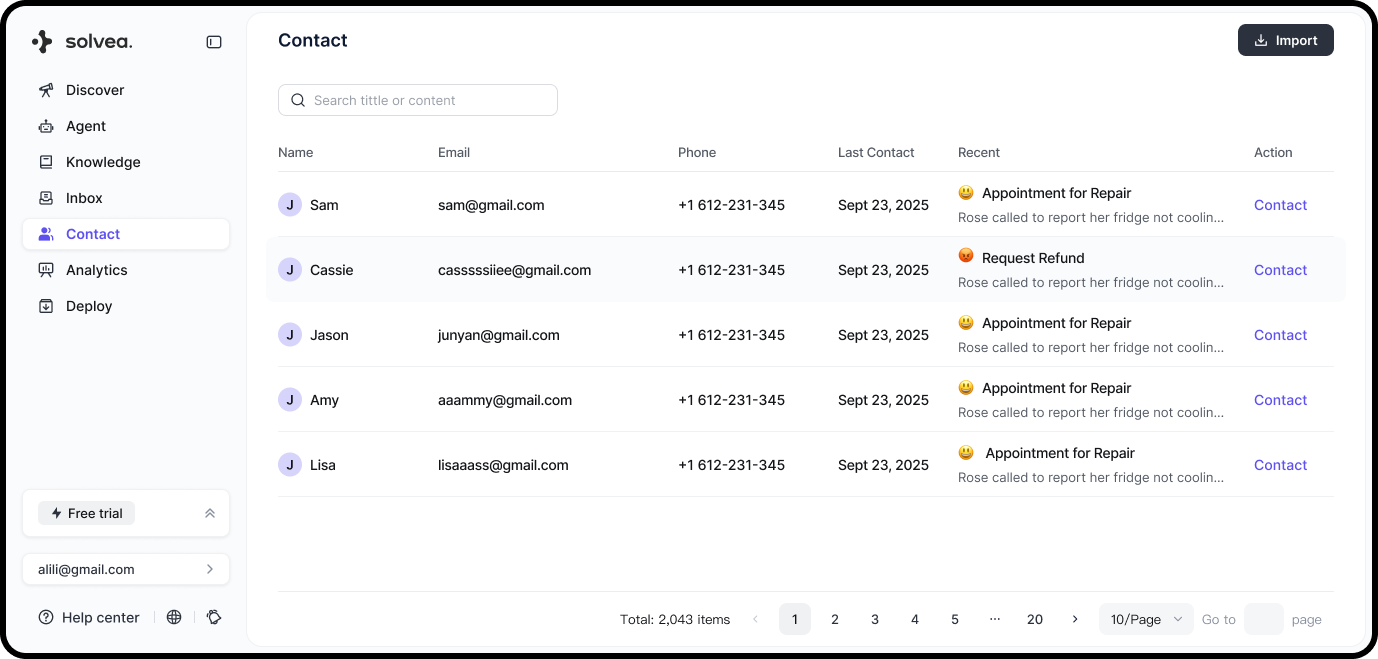
The contact list displays key customer information:- Name
- Phone number
- Last contact: Timestamp of the most recent customer message
- Recent demands: A summary of the latest ticket associated with the contact
Edit Contact Details
1
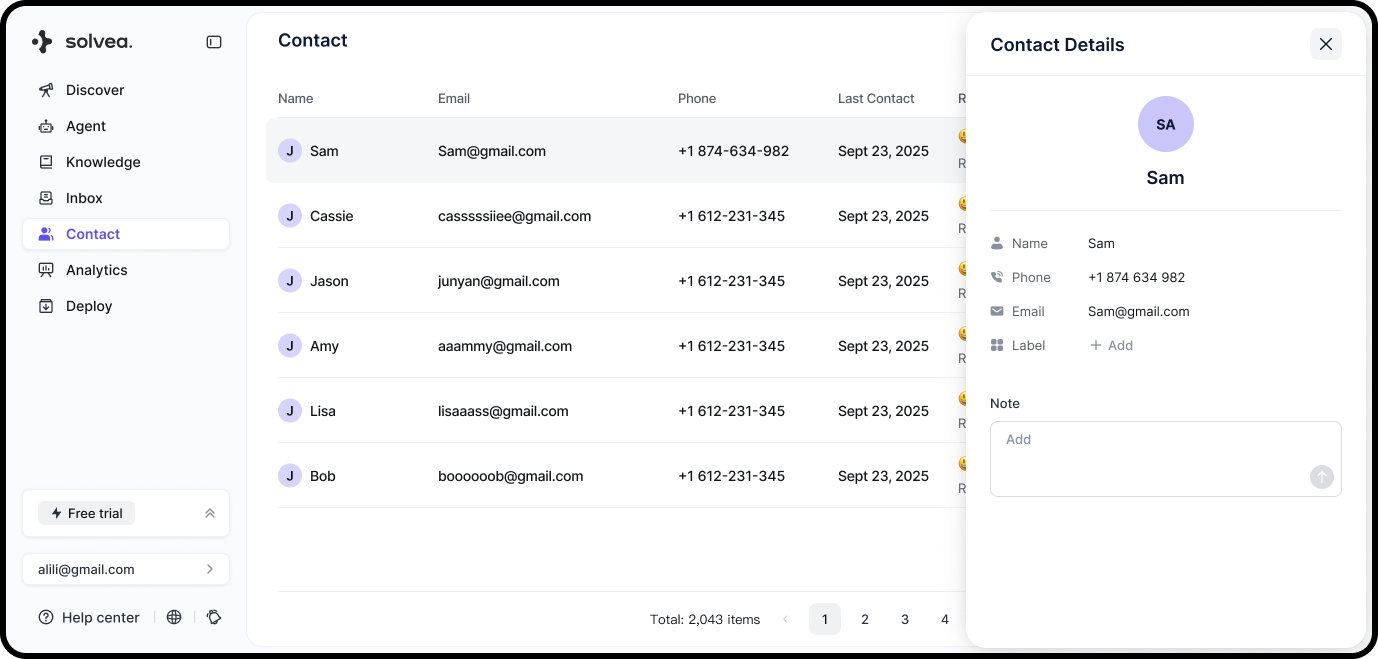
Click a contact card to open the contact profile.
2
In the profile view, you can edit or add:
- Name
- Phone number
- Classification (manual tags)
- Notes
Search Contacts
You can search contacts by:- Name
- Phone number
Contact Customers
You can quickly reach out to a customer directly from the Contacts module:1
Click Contact.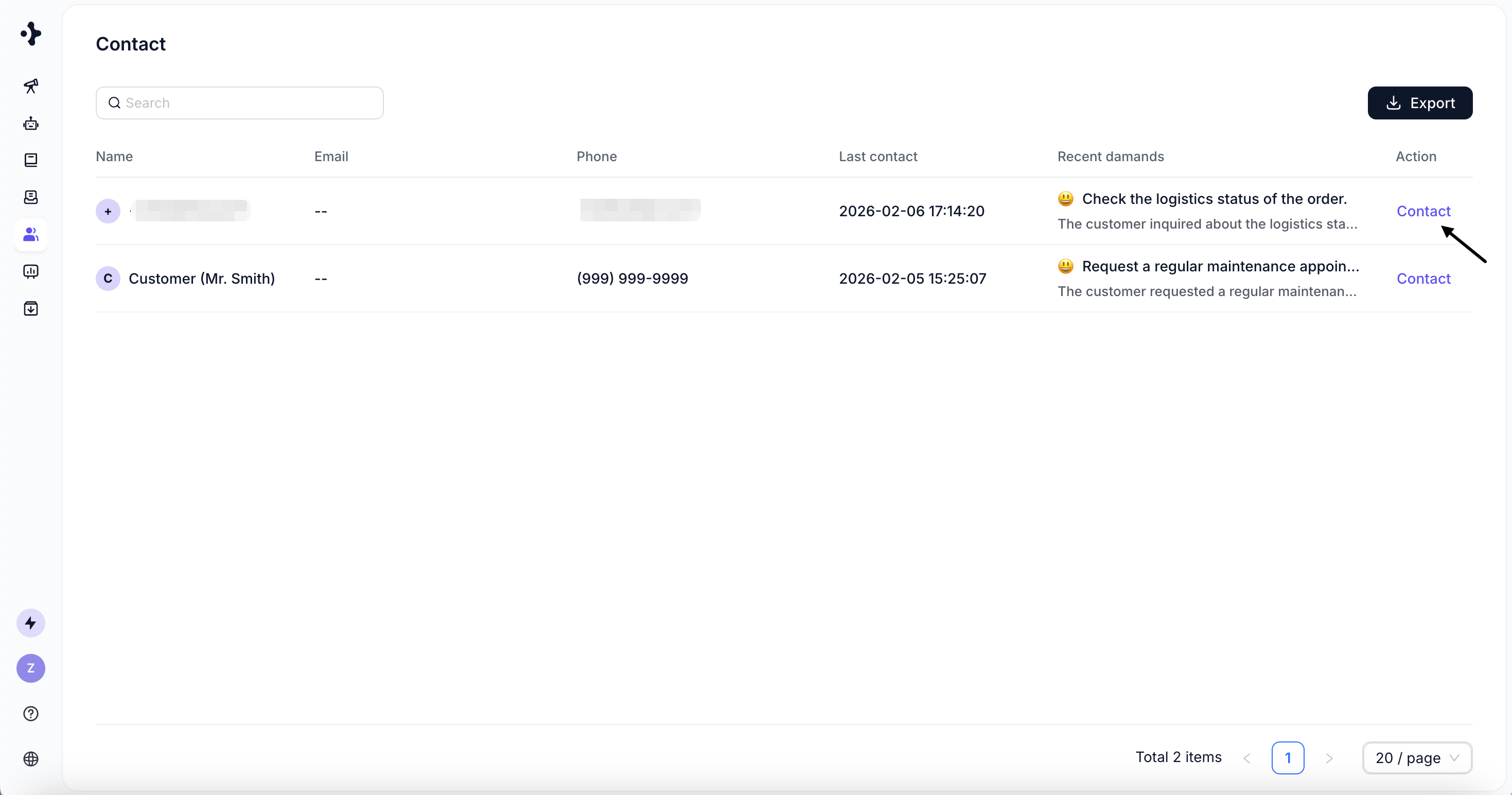
2
Jump to Inbox with the customer’s most recent ticket opened.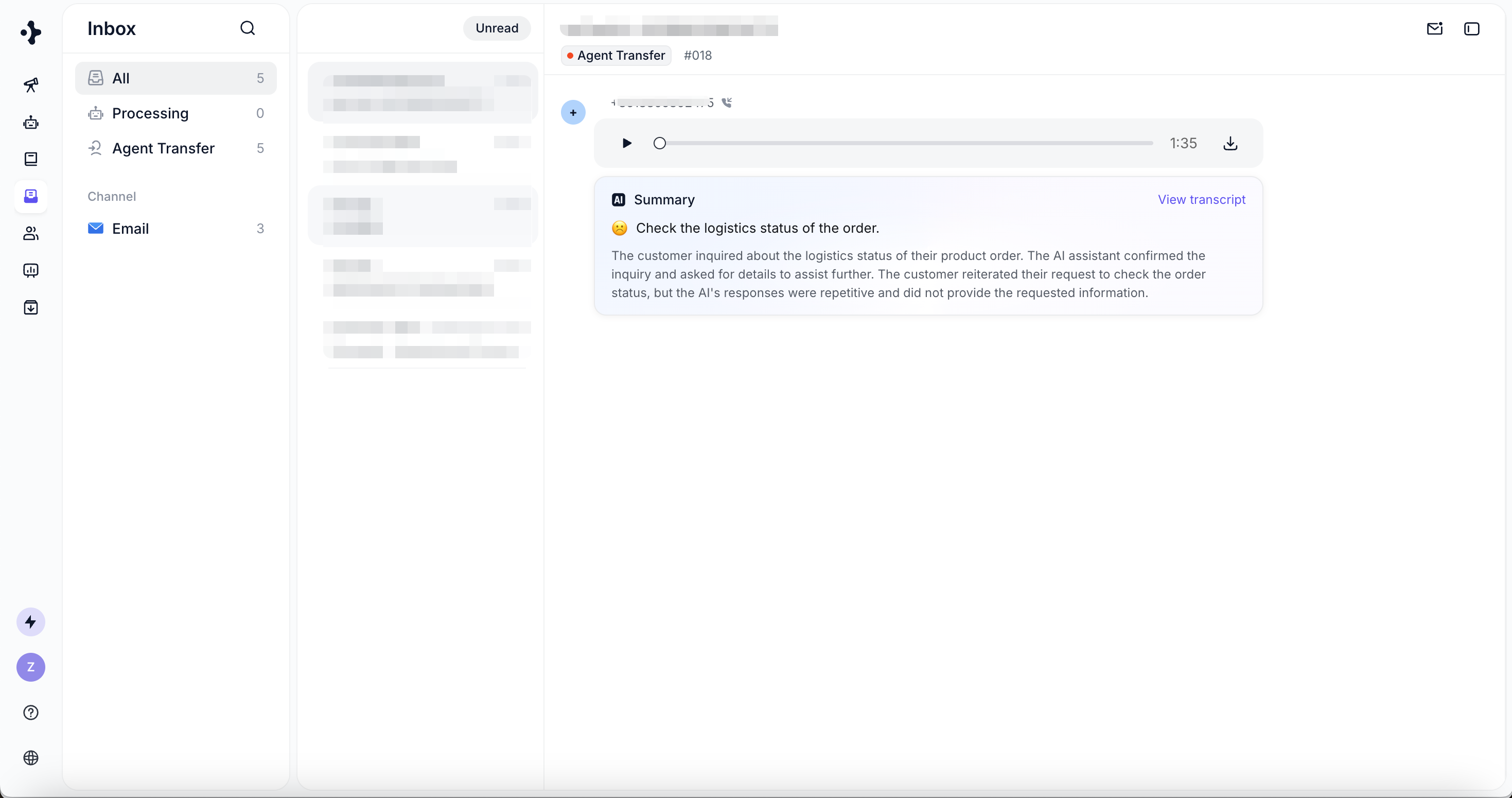
3
Choose an available channel to continue the conversation.
Export Contacts
You can export up to 5,000 contacts at a time.
This makes it easy to back up customer data or use it in external CRM and analytics tools.