Ticket Views
Inbox provides multiple views to help you focus on the right tickets.By status
- Processing: The AI Agent is still handling the request.
- Agent Transfer: The ticket needs human support.
- Undelivered: Messages that failed to deliver and may require retry or channel checks.
By channels
- Inbound Call: Tickets from incoming phone calls
- Outbound Call: Tickets from outgoing calls
- Livechat: Tickets from website or app Livechat
- Email: Tickets from connected mailboxes
By read status
You can also quickly filter Unread Tickets with one click.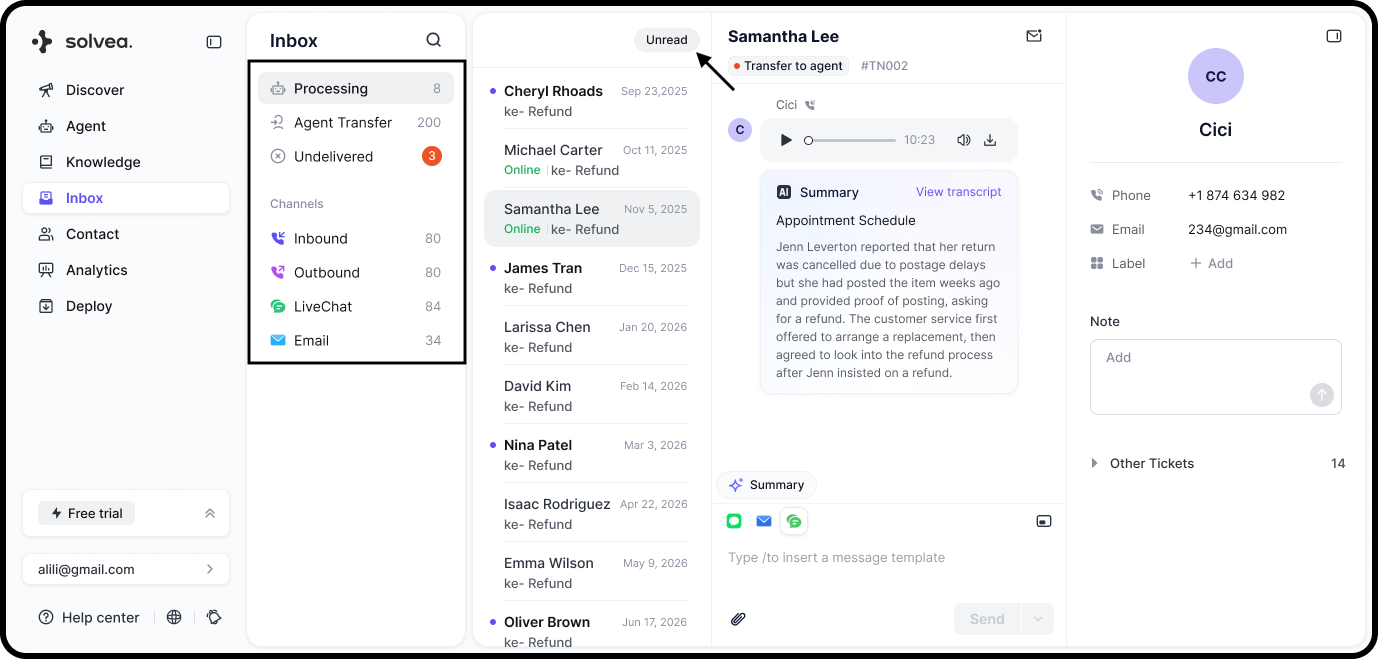
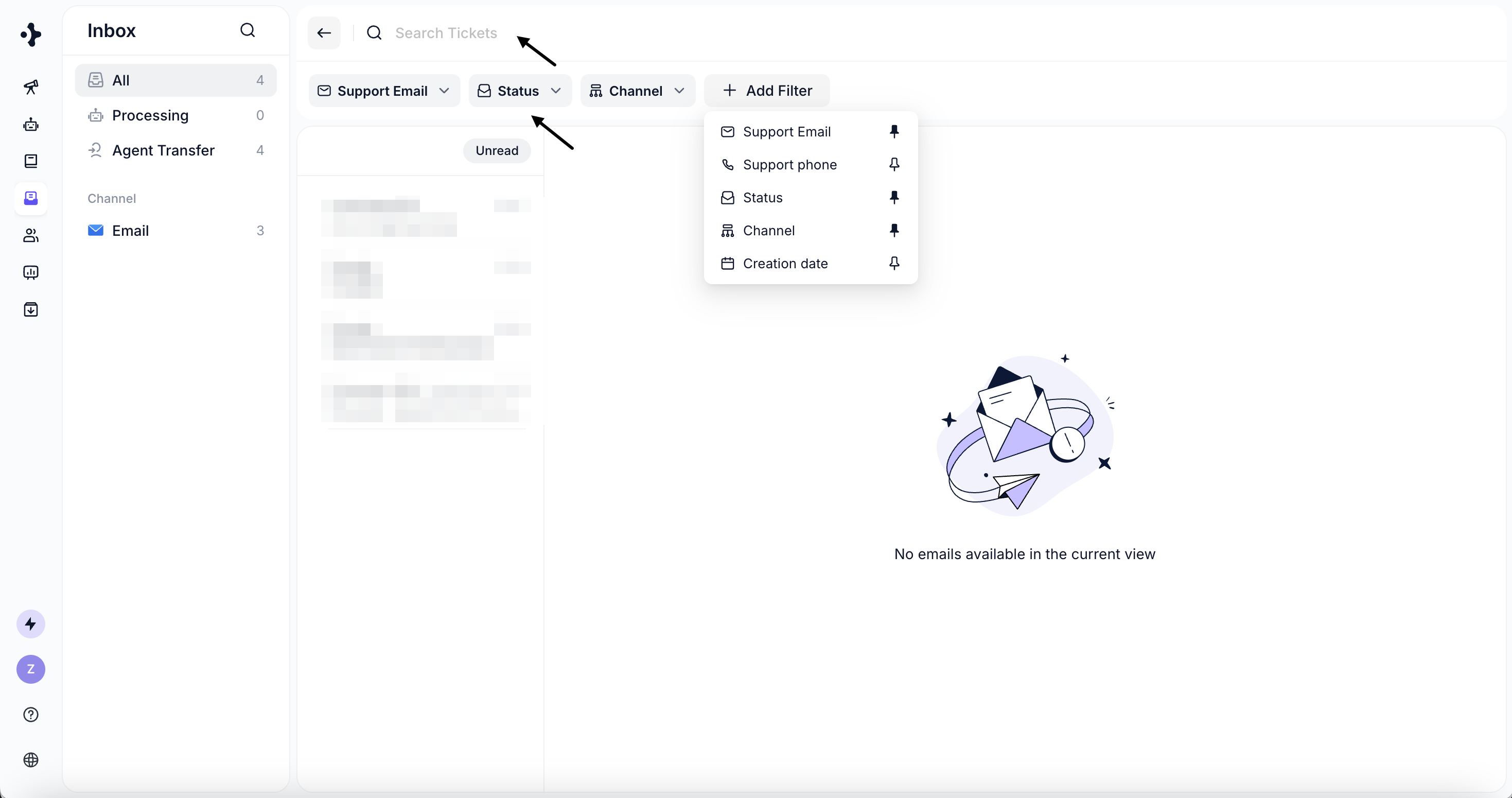
Search Tickets
You can locate tickets using:- Search: Customer email, phone number, ticket ID, subject, or message content
- Filters: Email, phone number, status, channel, and creation date
Conversation Details
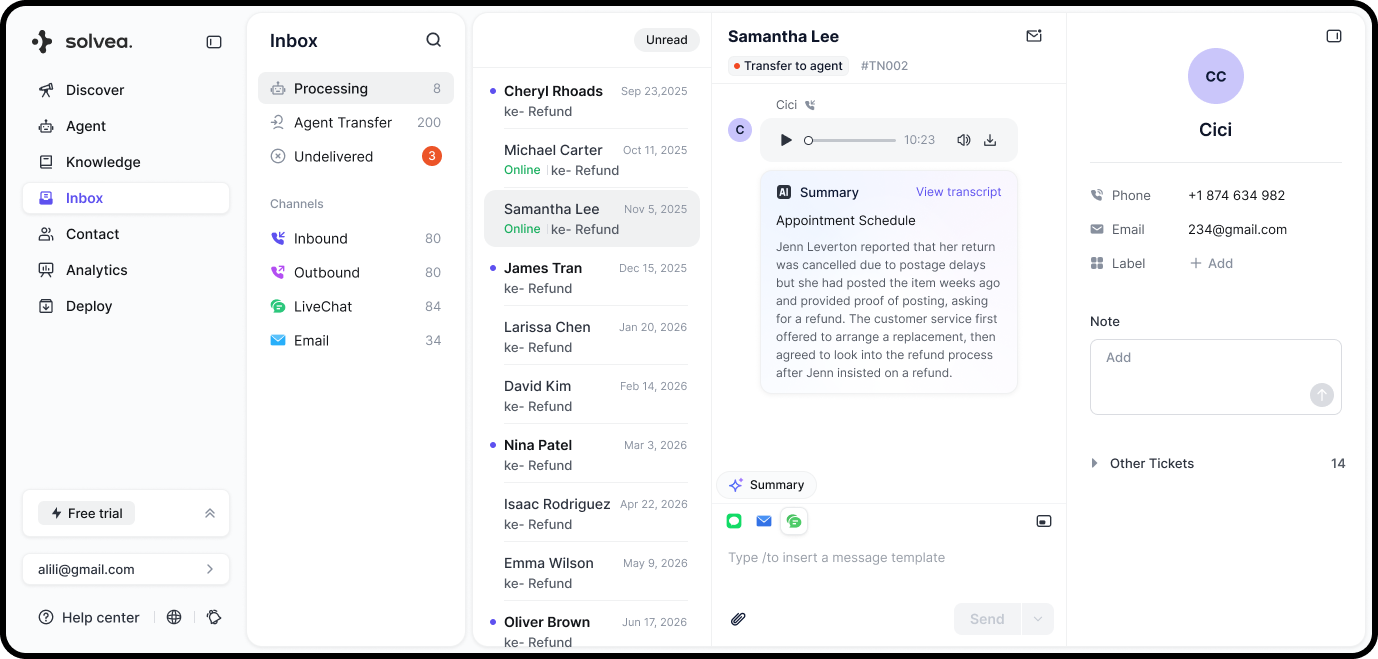
Ticket details vary by channel:- Phone
- Call recording (playback and download)
- AI-generated call summary
- Speech-to-text transcript with timestamps and speaker labels
- Livechat & Email
- Full message history displayed in chronological order
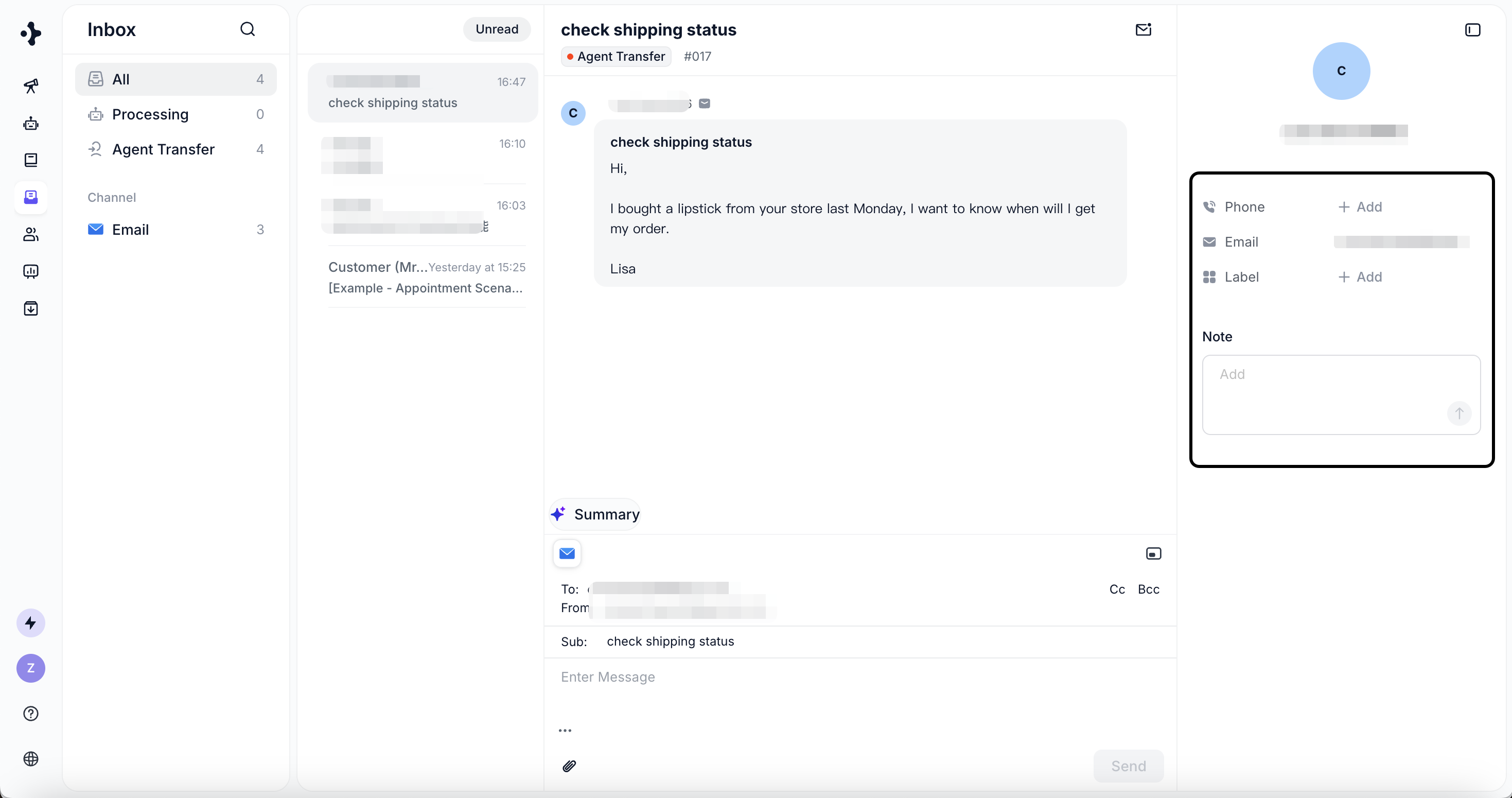
Customer Profile
Each ticket includes basic customer information:- Name
- Phone number
- Email address
- Add label
- Add internal notes
- View related tickets from the same customer