

You can purchase a phone number directly from Solvea, or import an existing Twilio number. We also provide every new registered user with a 7-day free Twilio phone number, allowing you to fully experience Solvea’s calling features and test the phone capabilities before making a purchase.
At this time, Solvea does not support connecting phone numbers from telecom carriers such as AT&T, Verizon, or T-Mobile.Support for traditional telecom carriers is under development — please stay tuned for updates.
Phone numbers can be added from two entry points: Agent module; Deploy module
Option 1: Buy a Phone Number
Solvea offers pre-configured phone numbers for $3/month, billed automatically after a payment method is added. Purchased numbers are ready to use out of the box and support:- Receiving inbound calls
- Sending and receiving SMS(coming soon)
1
Go to Deploy → Phone & SMS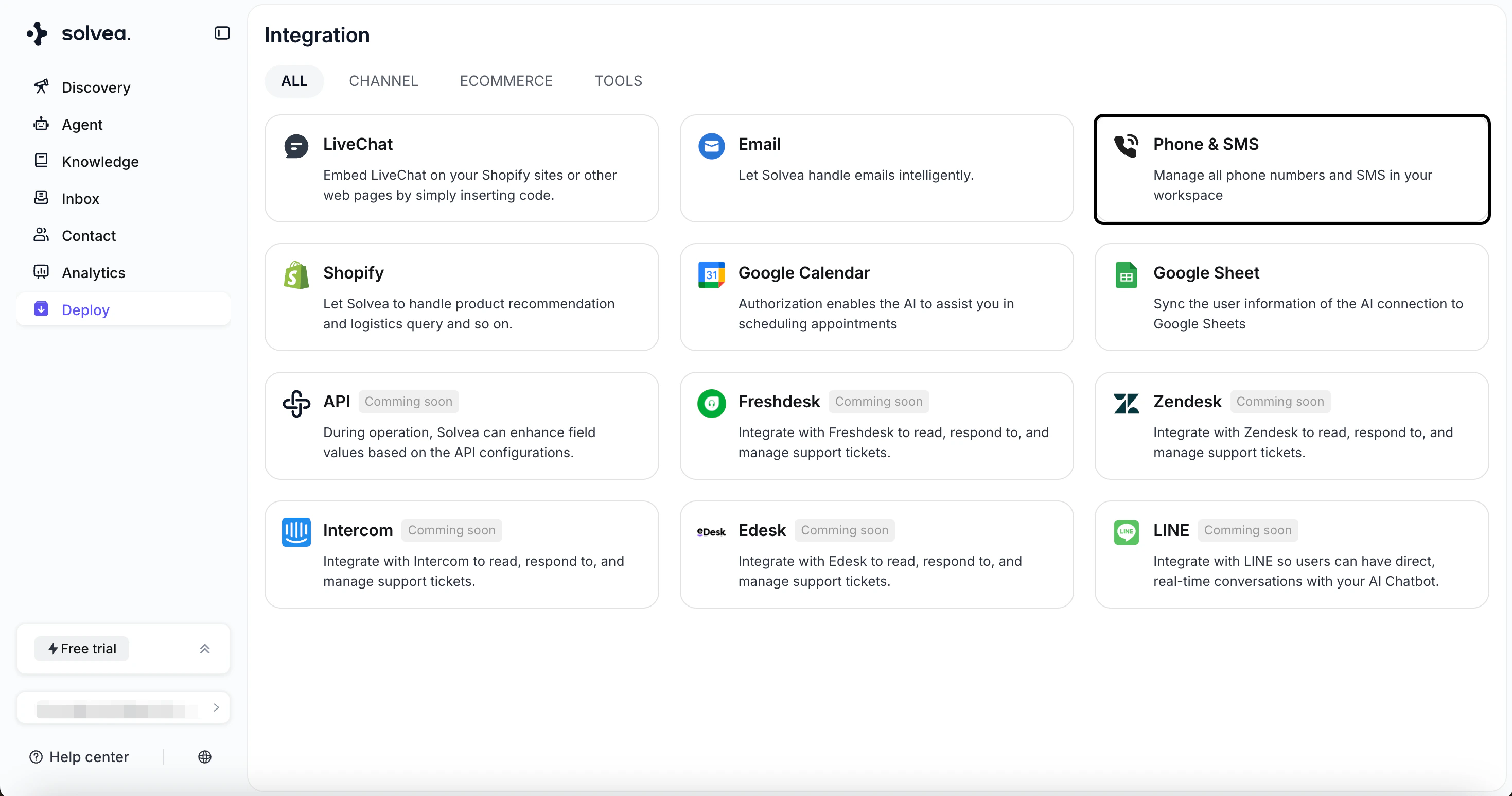
2
Click +Phone Number → Buy a Phone Number .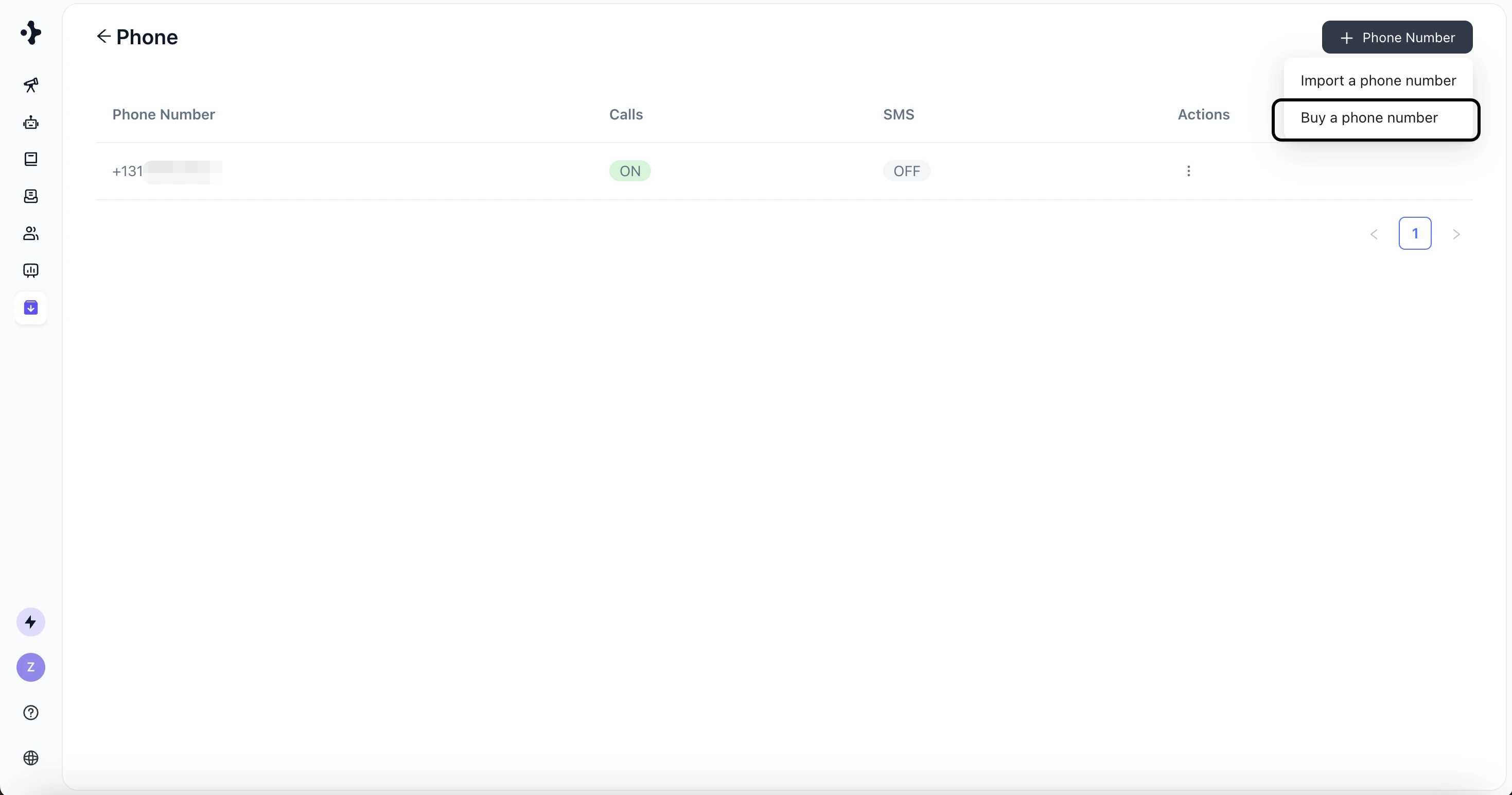
3
Select the country and choose a phone number.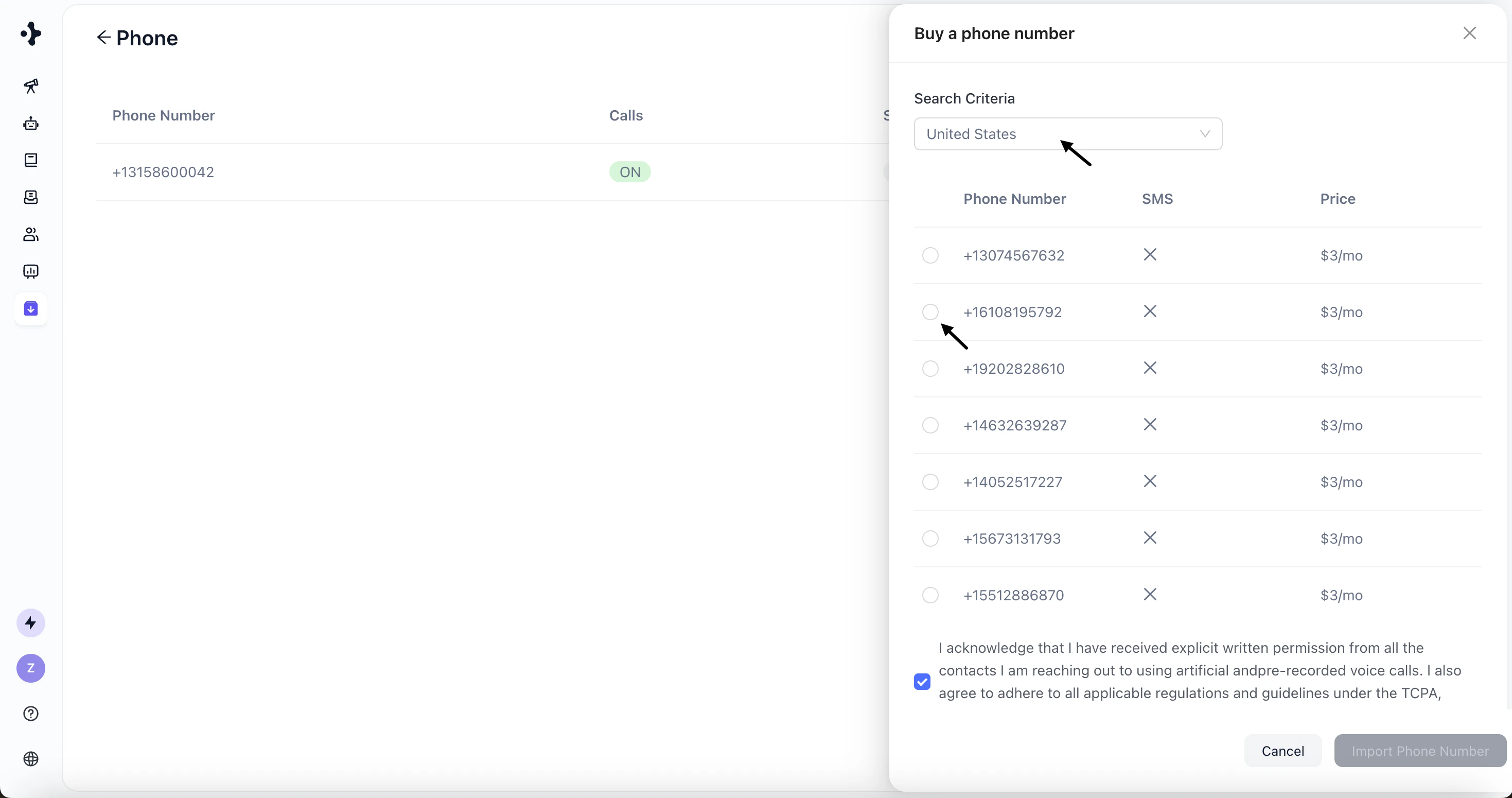
4
Review the purchase terms and confirm.
5
Click Import Phone Number.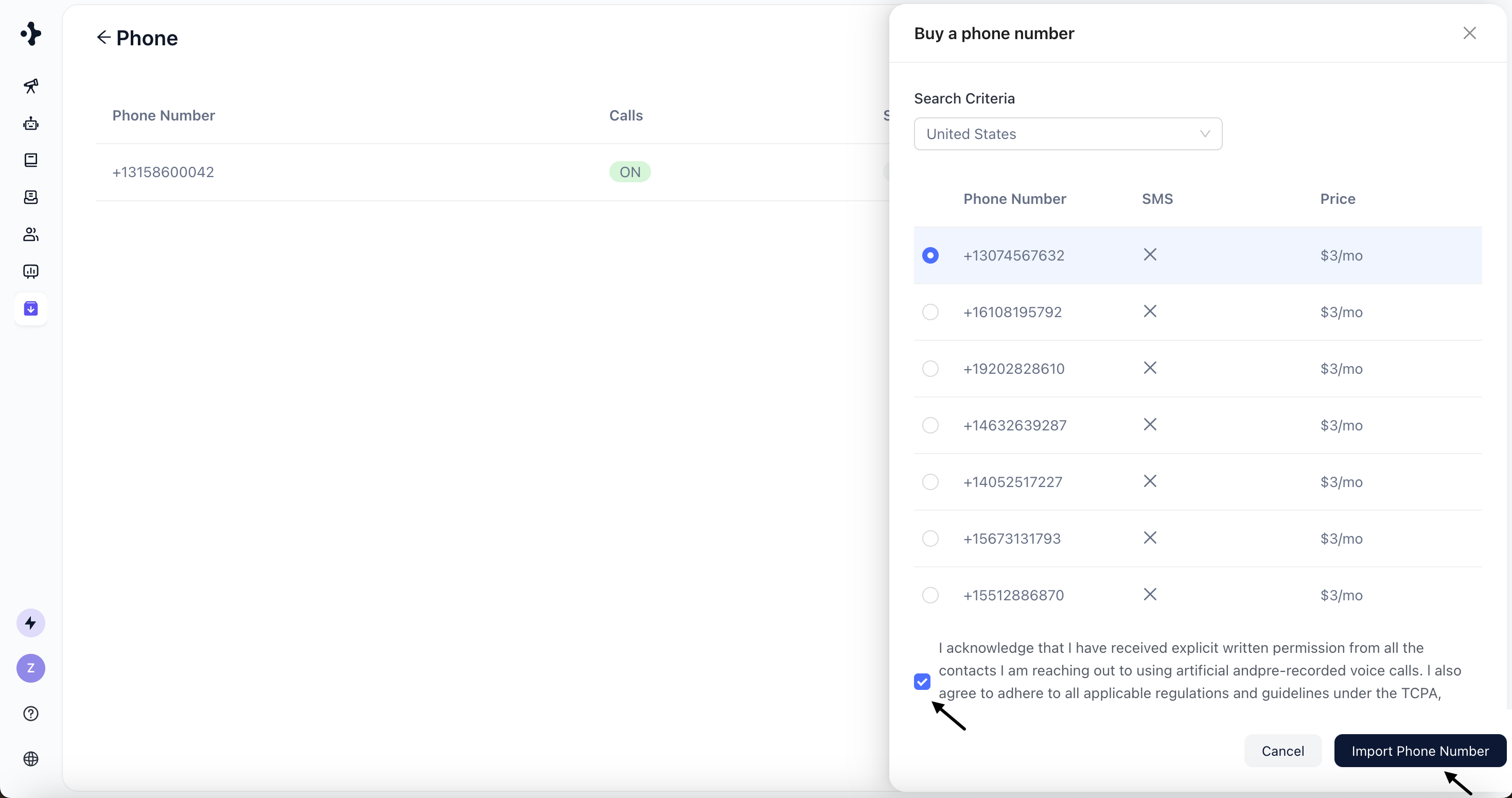
6
Add a credit card to complete payment.
Option 2: Import a Twilio Phone Number
If you already have a Twilio phone number, you can import it into Solvea. Steps:1
Click + Phone Number → Import a phone number.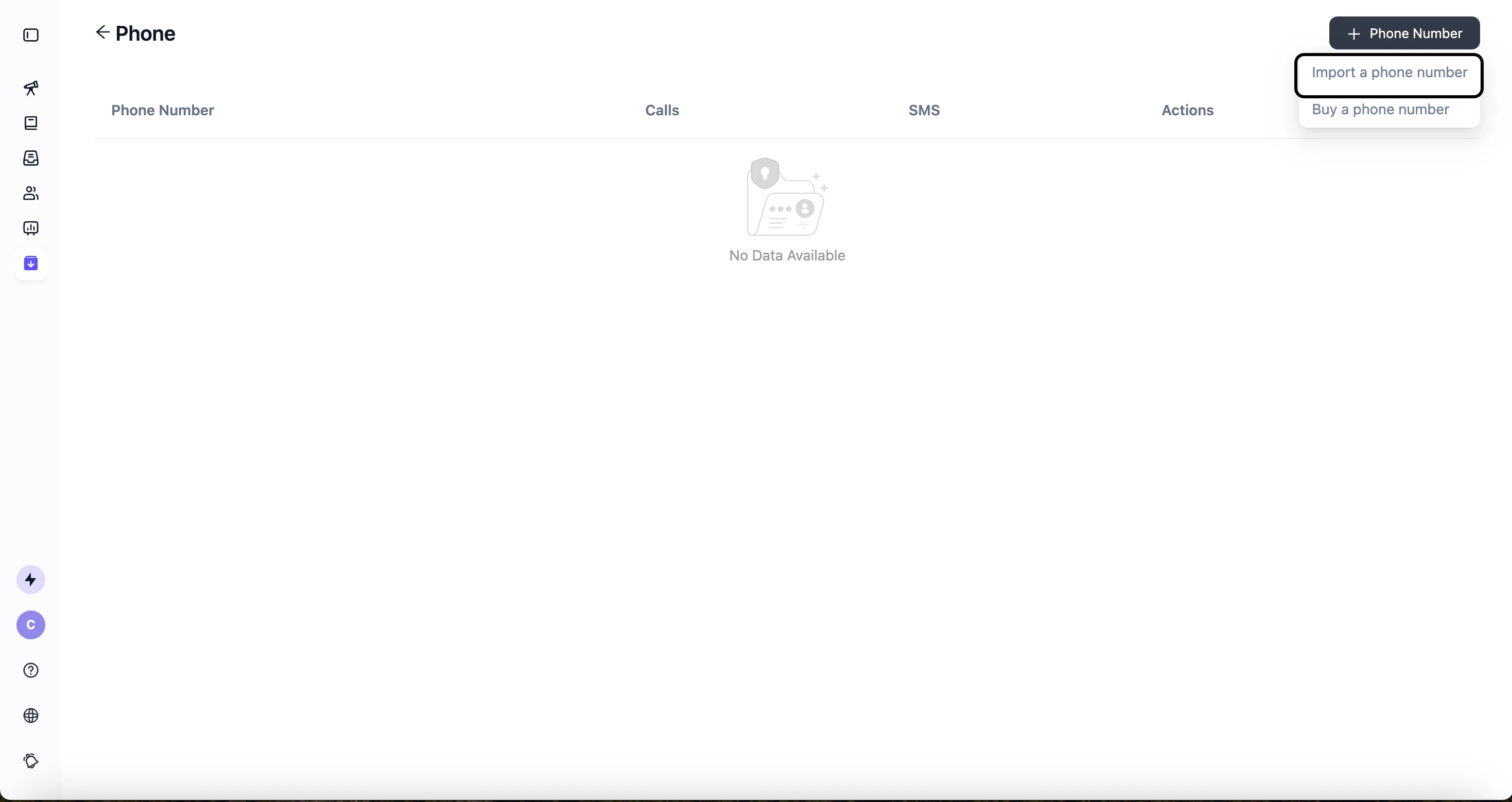
2
Select the country code and enter the phone number.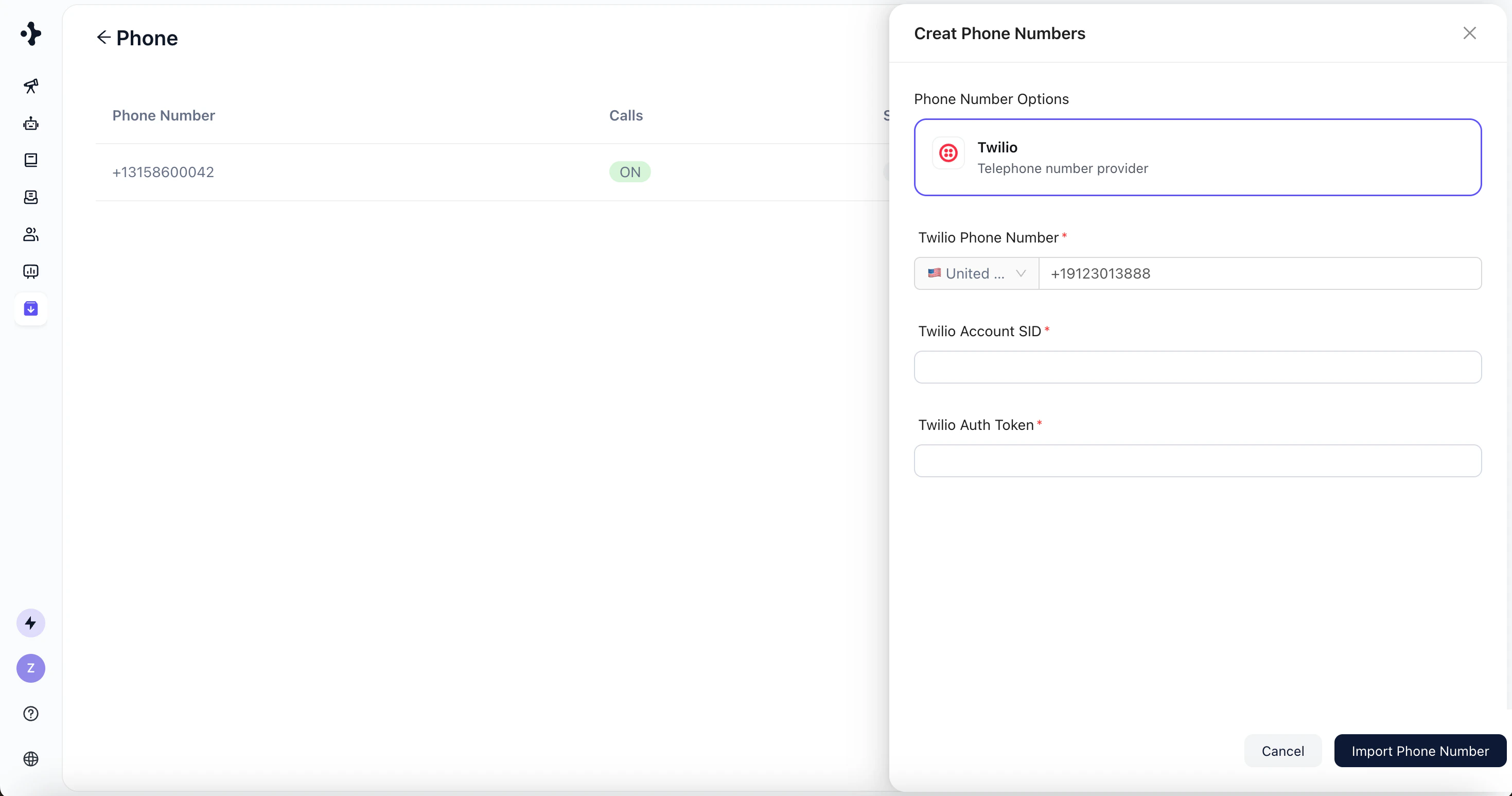
3
Provide the required Twilio credentials: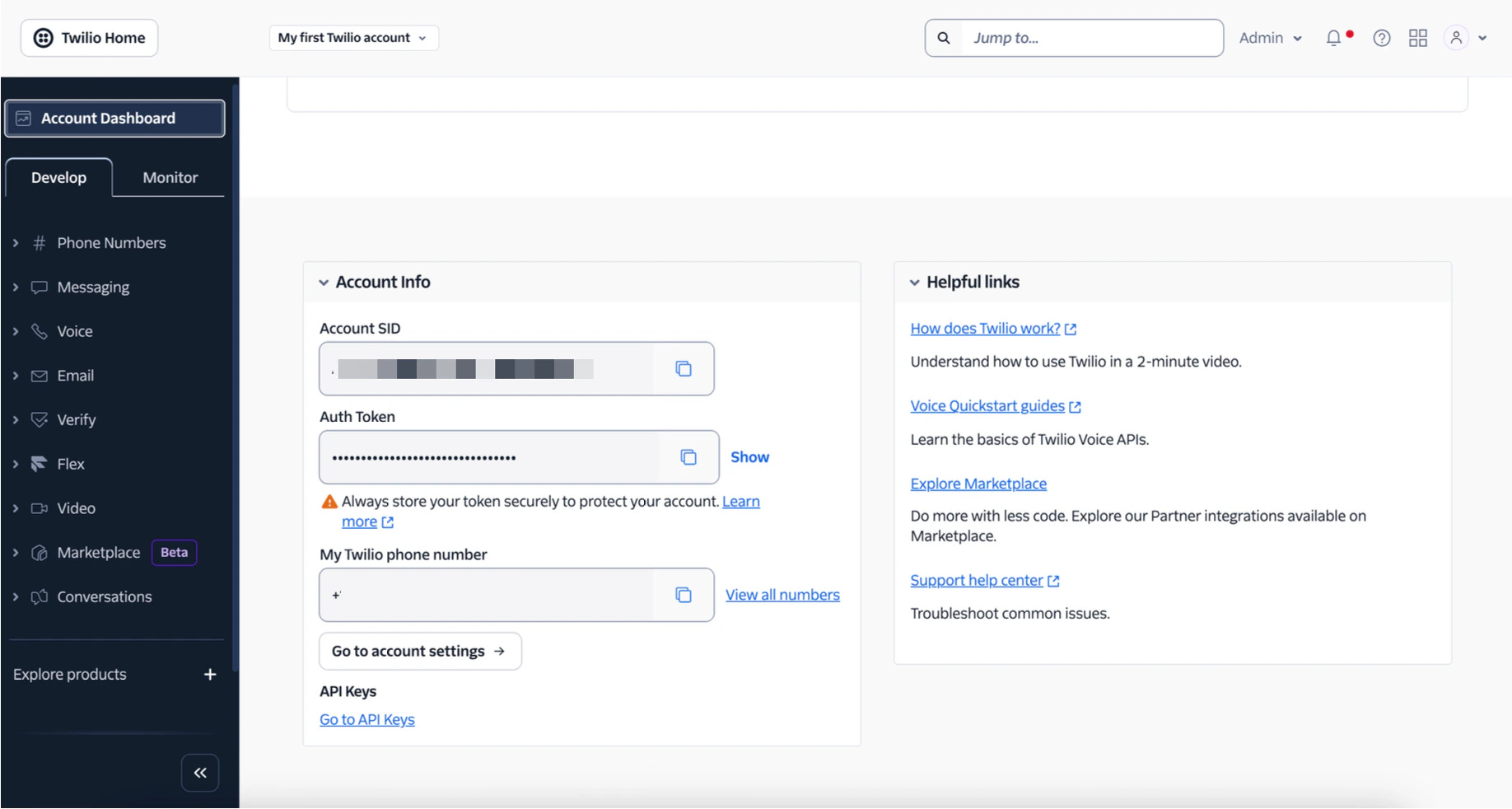
- Twilio Account SID – your Twilio account identifier.
- Twilio Auth Token – your authentication token.
4
Confirm to complete the import.