

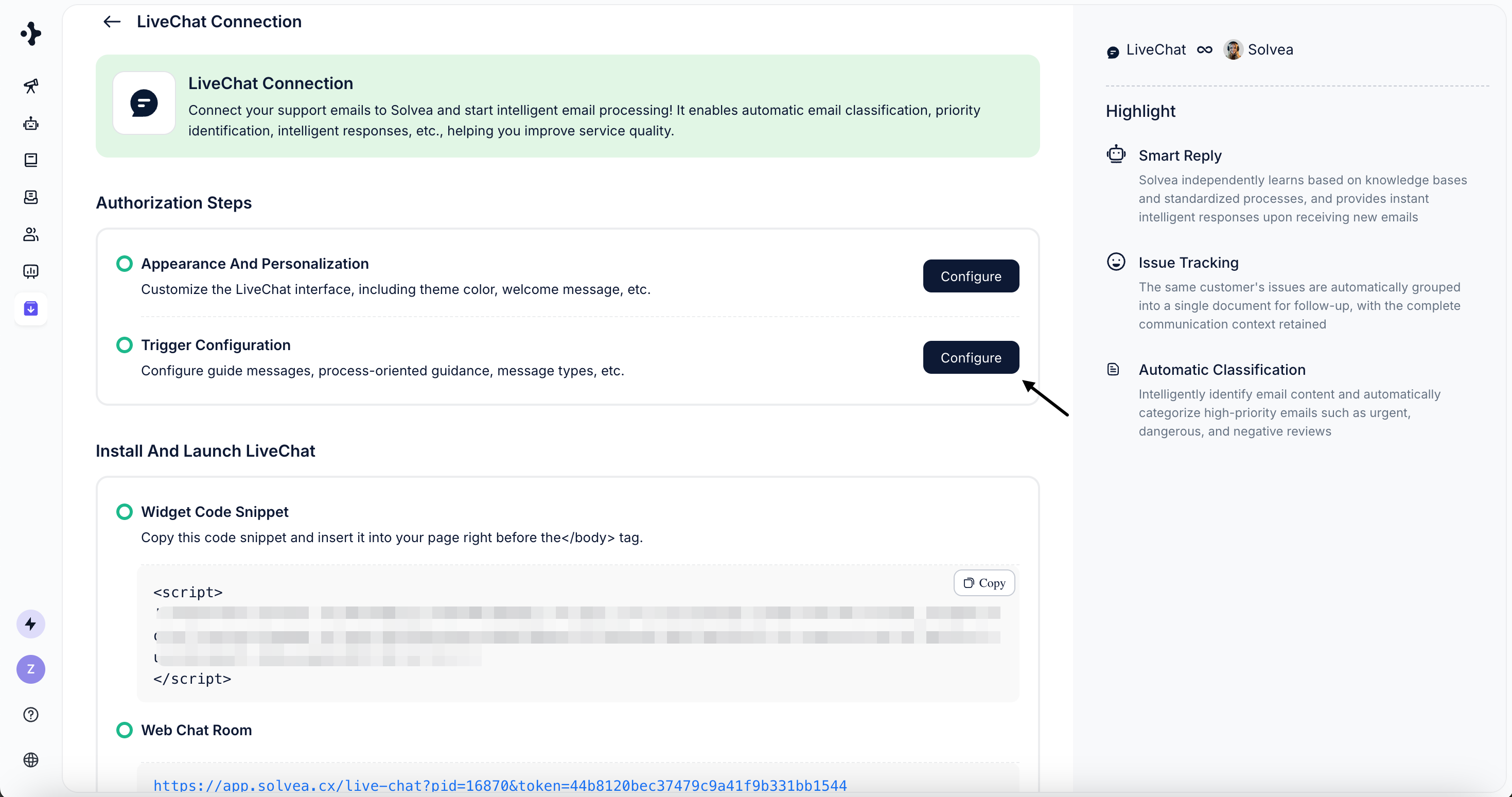
Welcome Message Trigger
Trigger: When a user opens LivechatAction: Automatically send a greeting message and trigger buttons to the user upon livechat entry.
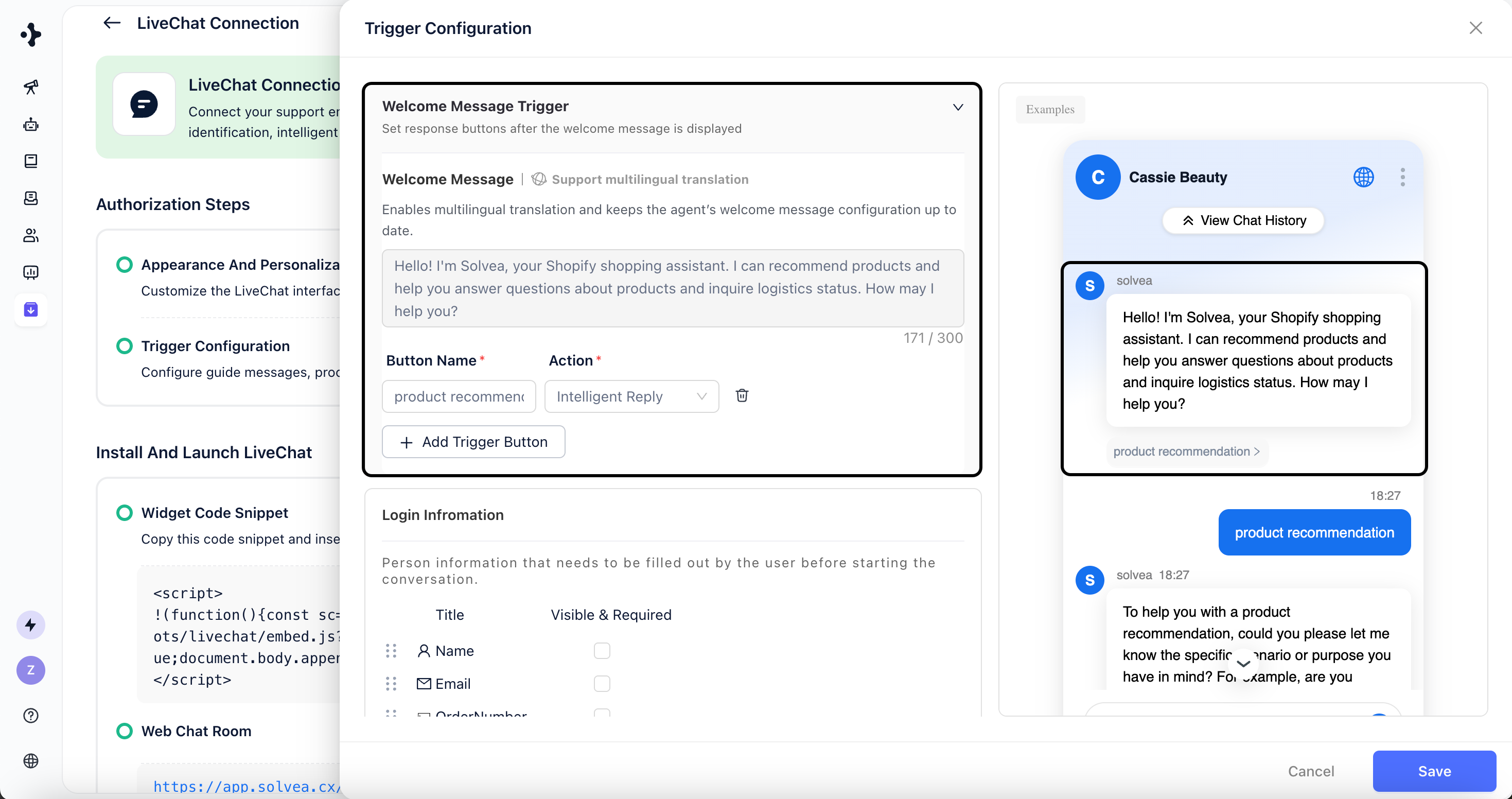
- Welcome Message
Define message shown when sending a greeting.
The Welcome Message and Agent Greeting use the same content, which needs to be edited in the Agent Module.
- Trigger Buttons
Add quick-action buttons displayed below the greeting.- Configure the button label and action
- Supported actions: Intelligent Reply; Redirect Link
Login Information
Trigger: When a user opens LivechatAction: Collect user information before the conversation starts. Setup guide:
- Select the types of user information you want to collect.
Collect Customer Satisfaction
Trigger: When a conversation endsAction: If the user sends no messages for 1 minute, the conversation will automatically close after 3 minutes, and a satisfaction survey will appear to collect 5-stars ratings and feedback. Setup guide:
- Enable or disable this feature as needed.
AI Pop-up
Trigger: When a user stays on specific pagesAction: Automatically displays a proactive greeting to encourage users to start a Livechat conversation.
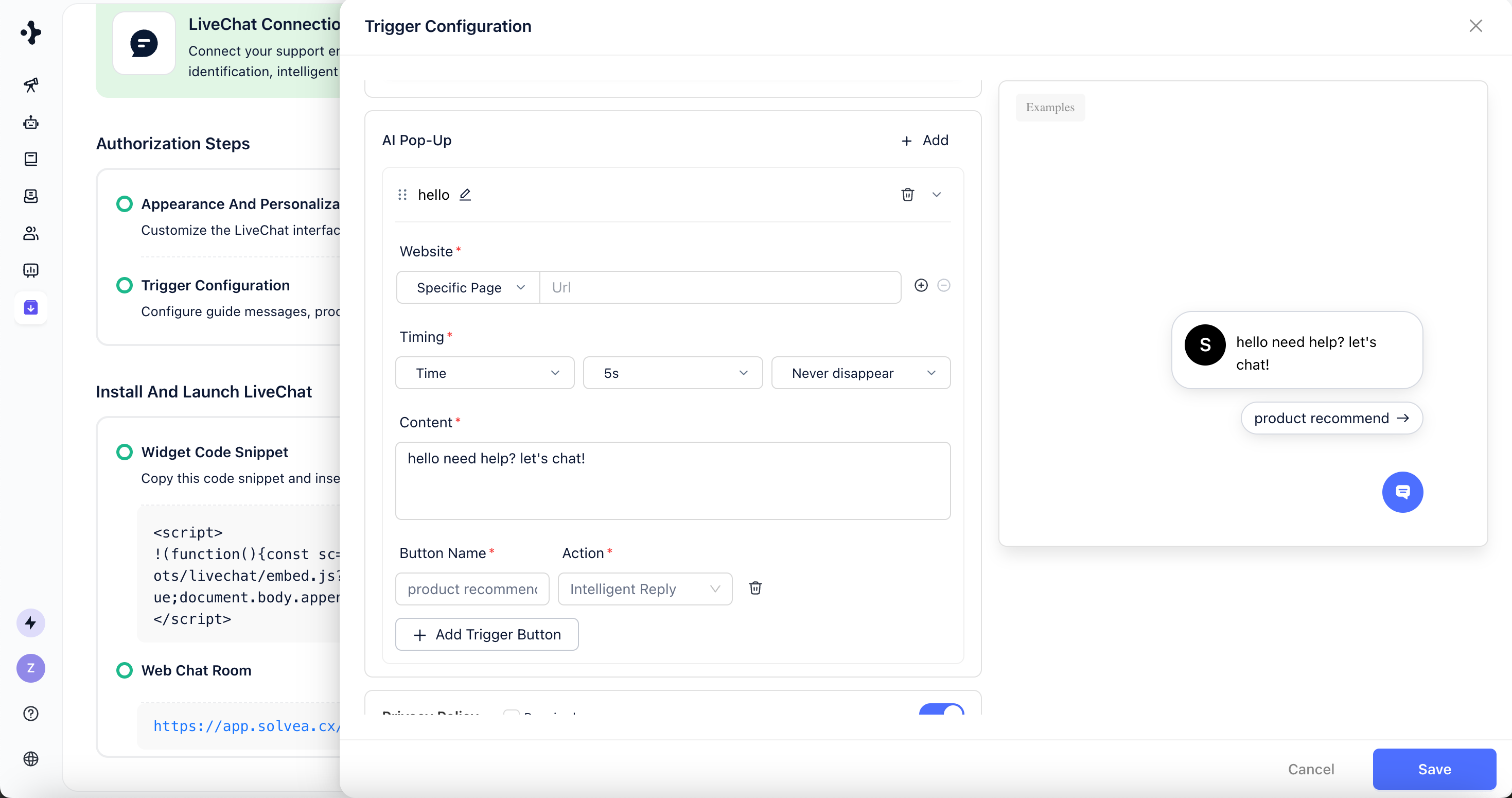
- Trigger Website Configuration
- All Pages: Trigger on all pages where Livechat is installed.
- Specific Pages: Trigger only on selected URLs.
- Trigger Timing
Configure when the proactive message appears and disappears.
Example: Show the interaction 5 seconds after the user enters the page and keep it visible. - Trigger Content
Define the message displayed in the proactive interaction. - You can click “+” to add multiple trigger interactions.
Triggers can be reordered by drag-and-drop.
Only the first matching trigger will be displayed on the same page.
Only the first matching trigger will be displayed on the same page.
Privacy Policy
Configure privacy-related settings for Livechat interactions.- Display a privacy notice or policy link to inform users how their data is collected and used.
- Enable user consent options where required to comply with local data protection regulations (e.g., GDPR).