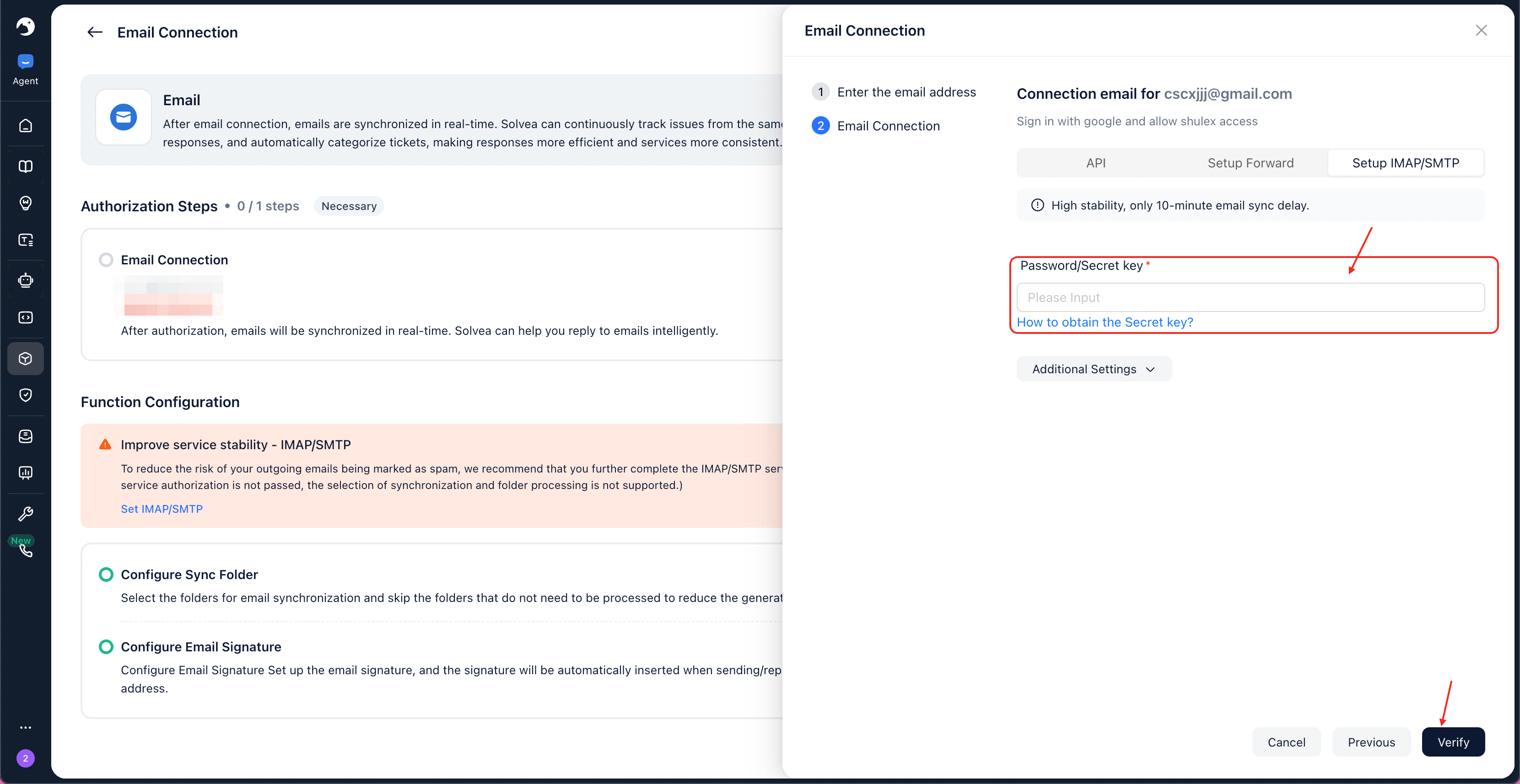
API Authorization
This is the easiest and most secure way to connect Gmail.1
Click Continue with Google.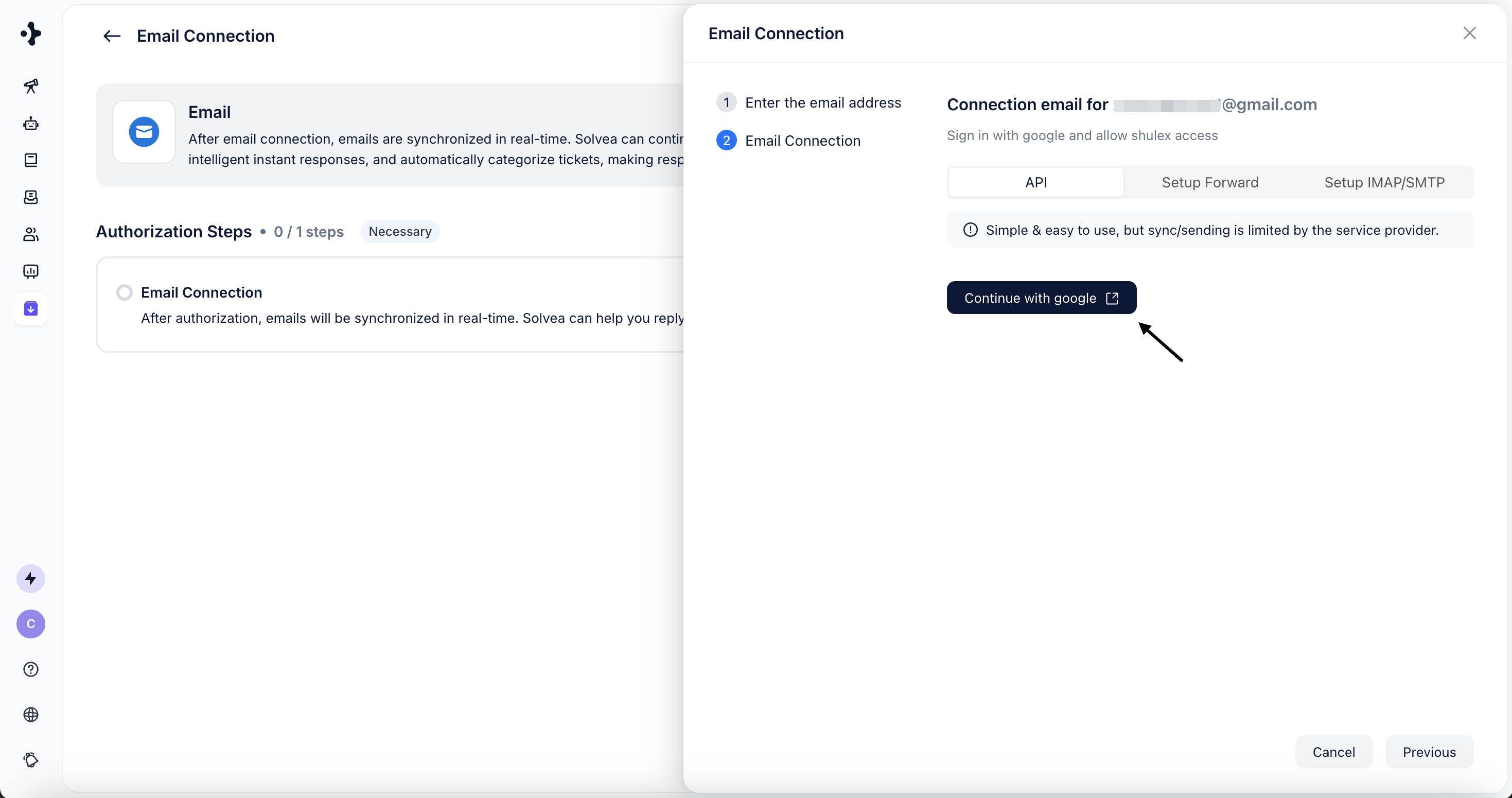
2
You will be redirected to Google’s authorization page.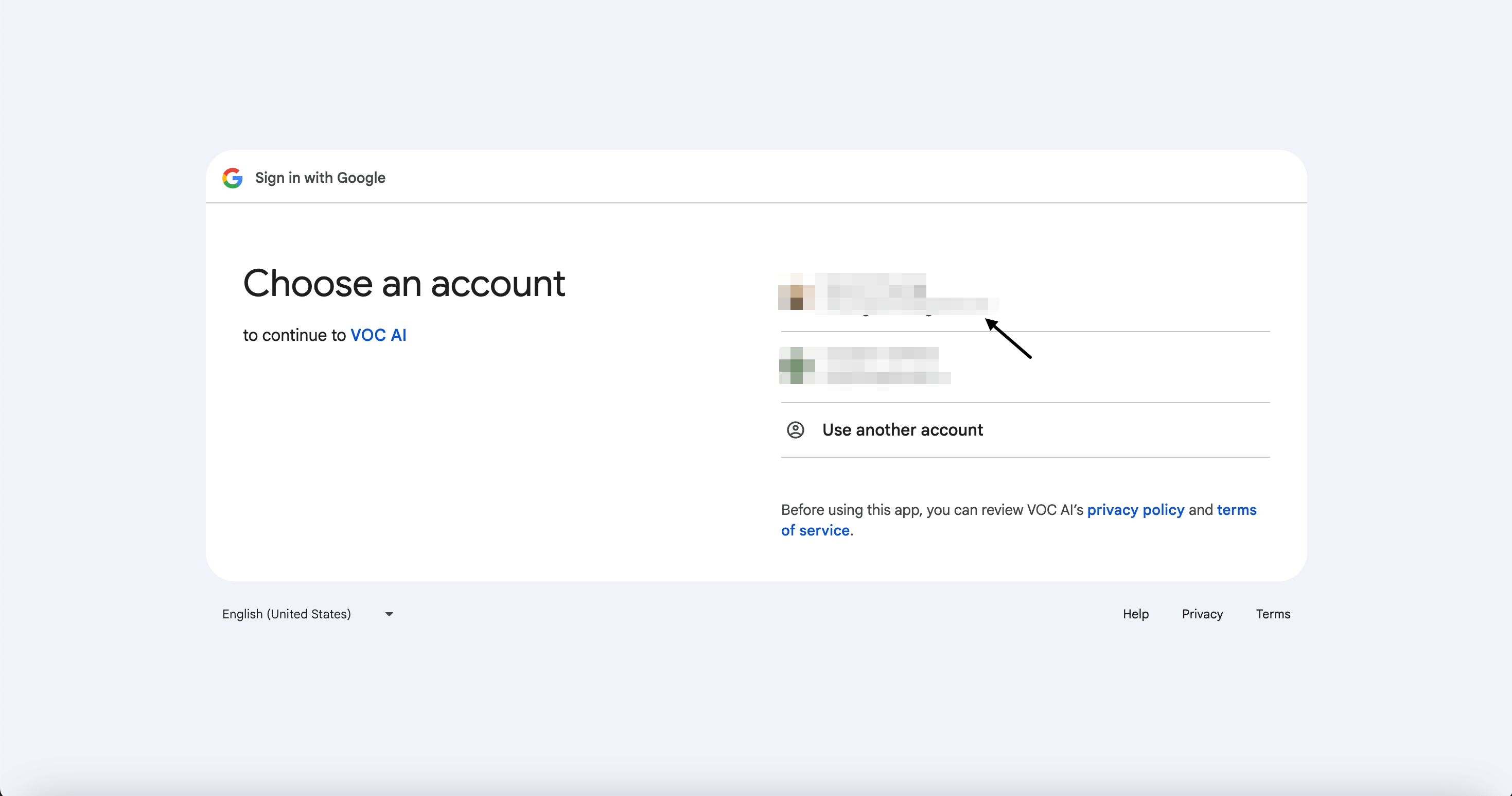
3
Complete the Authorization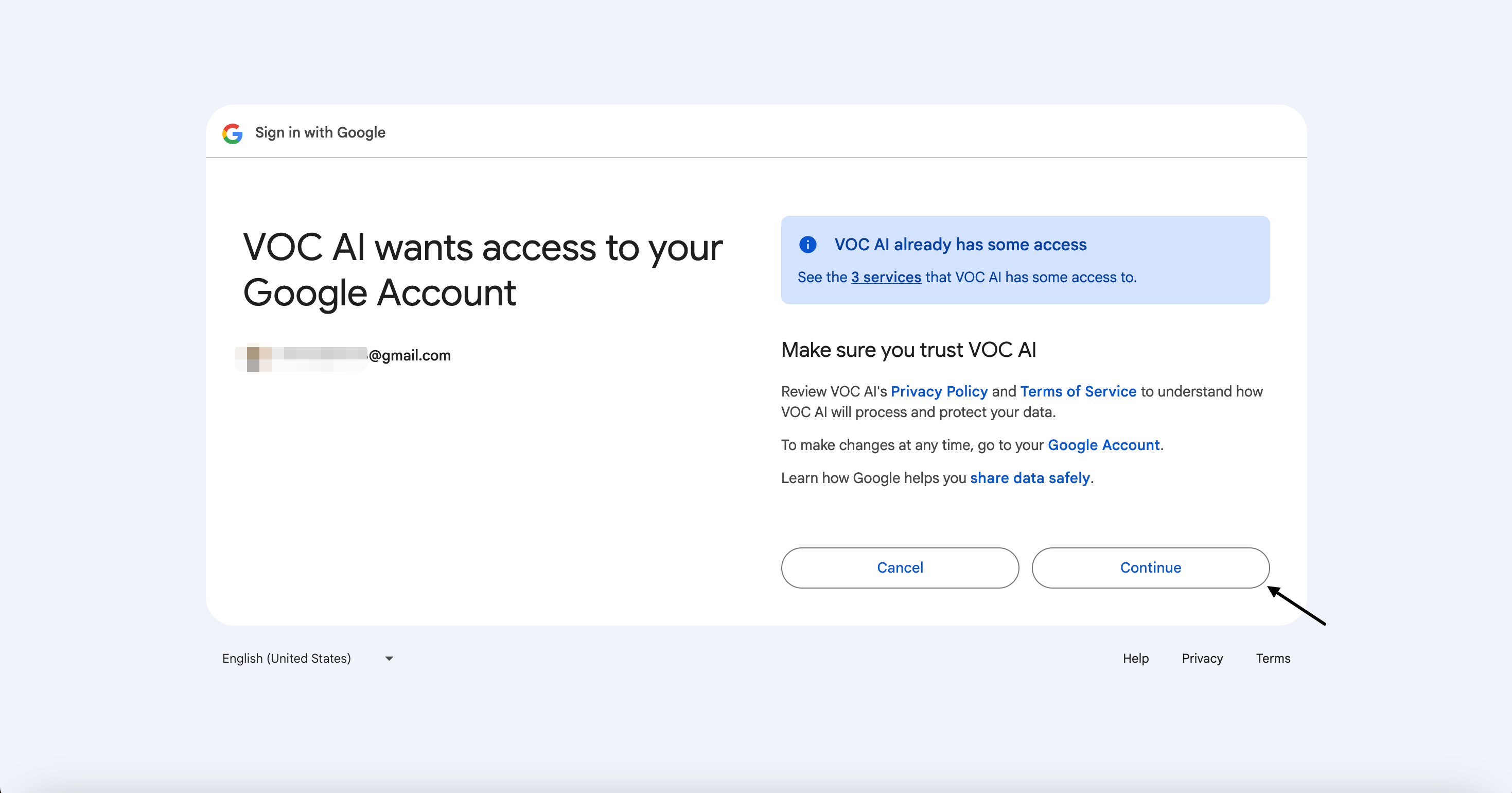
Forwarding Authorization
This method allows Solvea to receive emails via Gmail forwarding.1
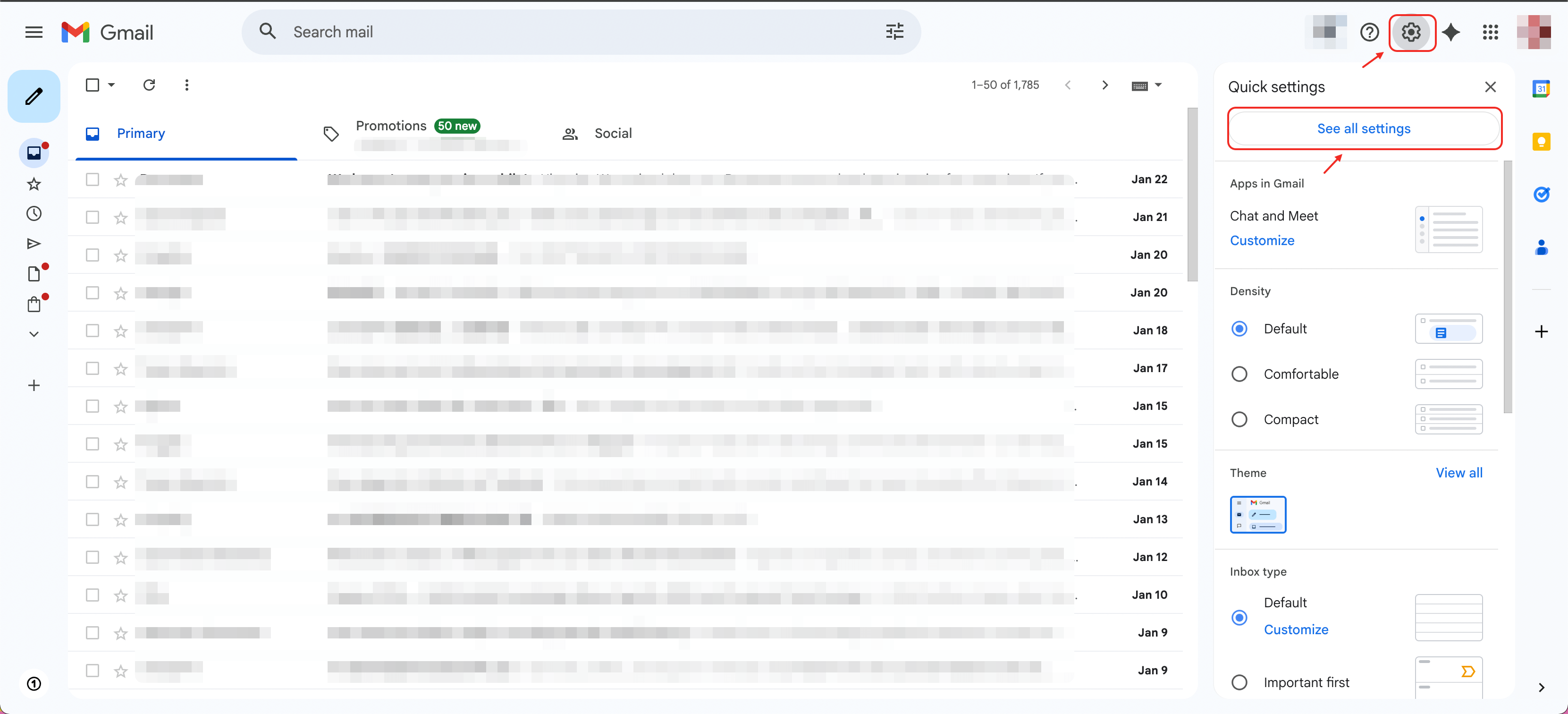
Open Gmail and go to Settings.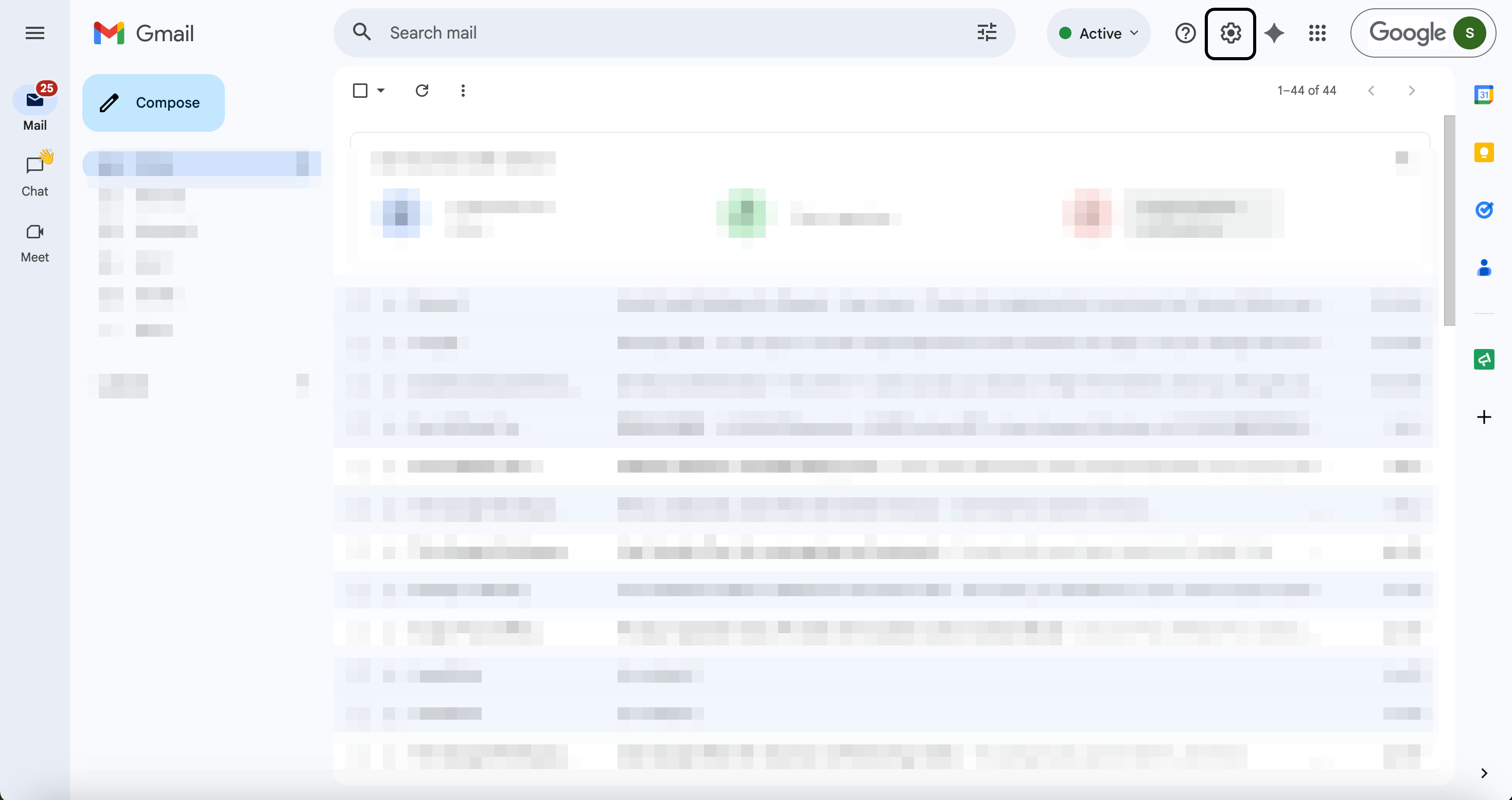
2
Click See all settings.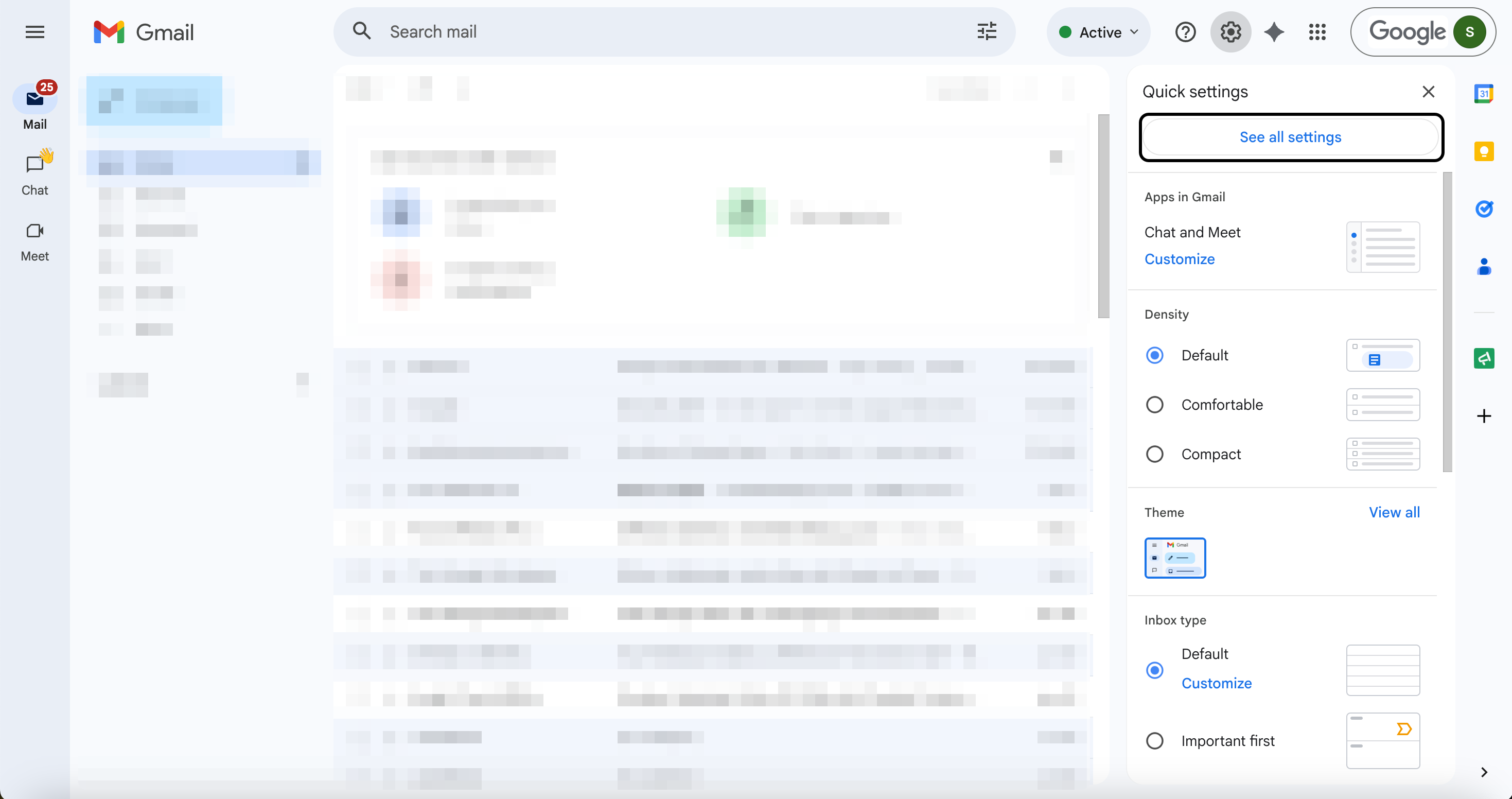
3
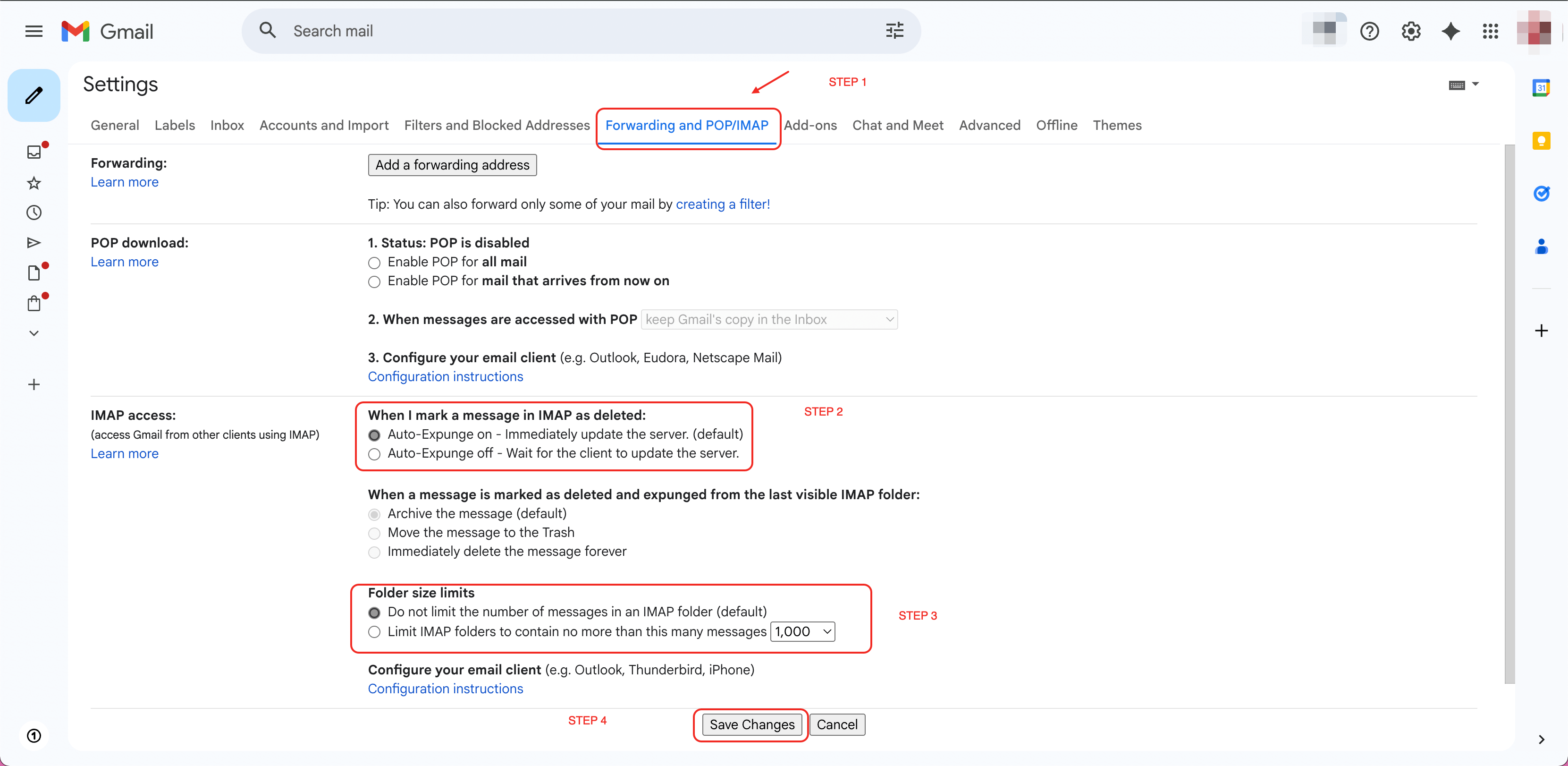
Navigate to Forwarding and POP/IMAP. Click Add a forwarding address.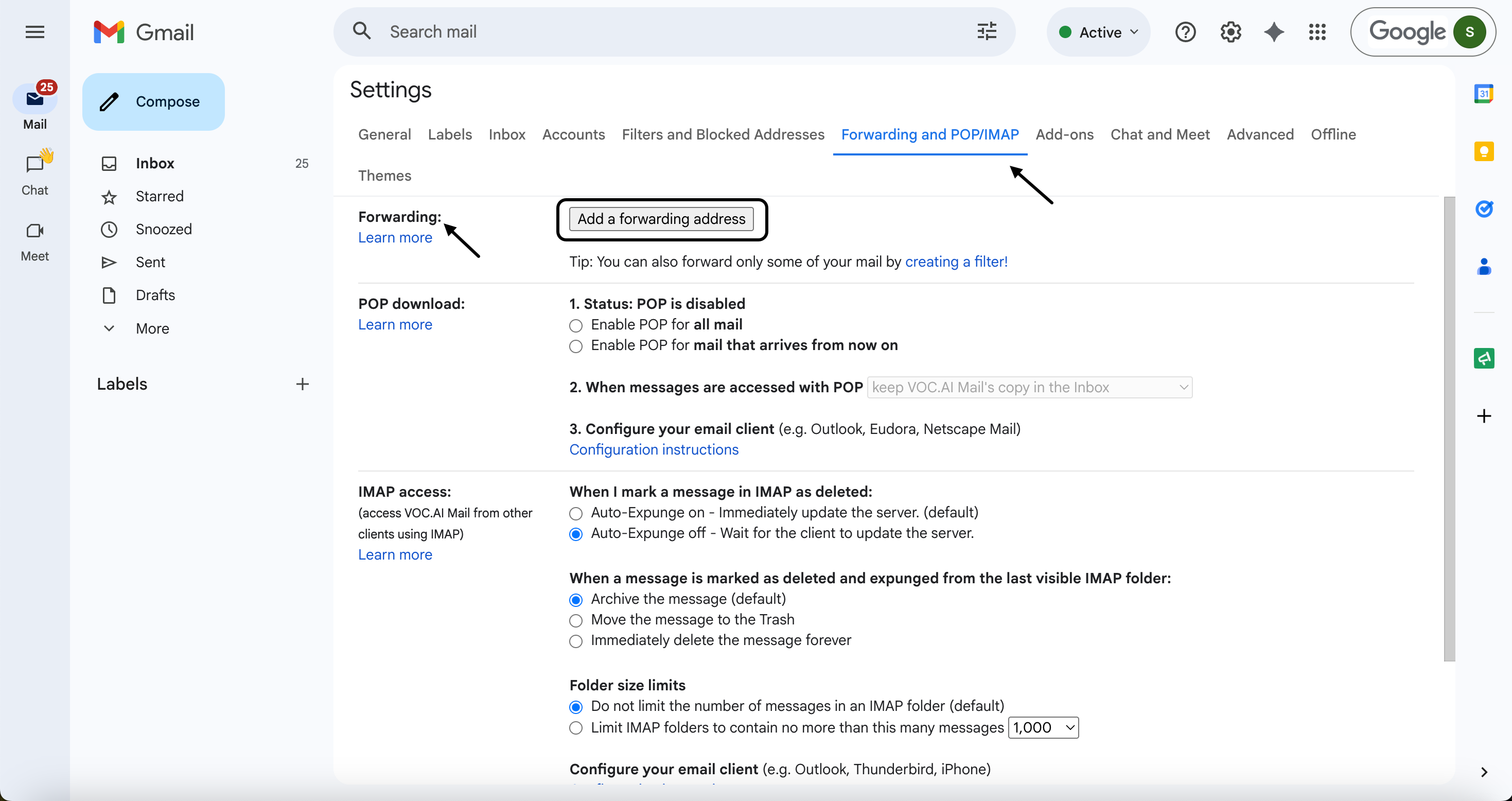
4
Copy the forwarding email address provided in Solvea and paste it into Gmail.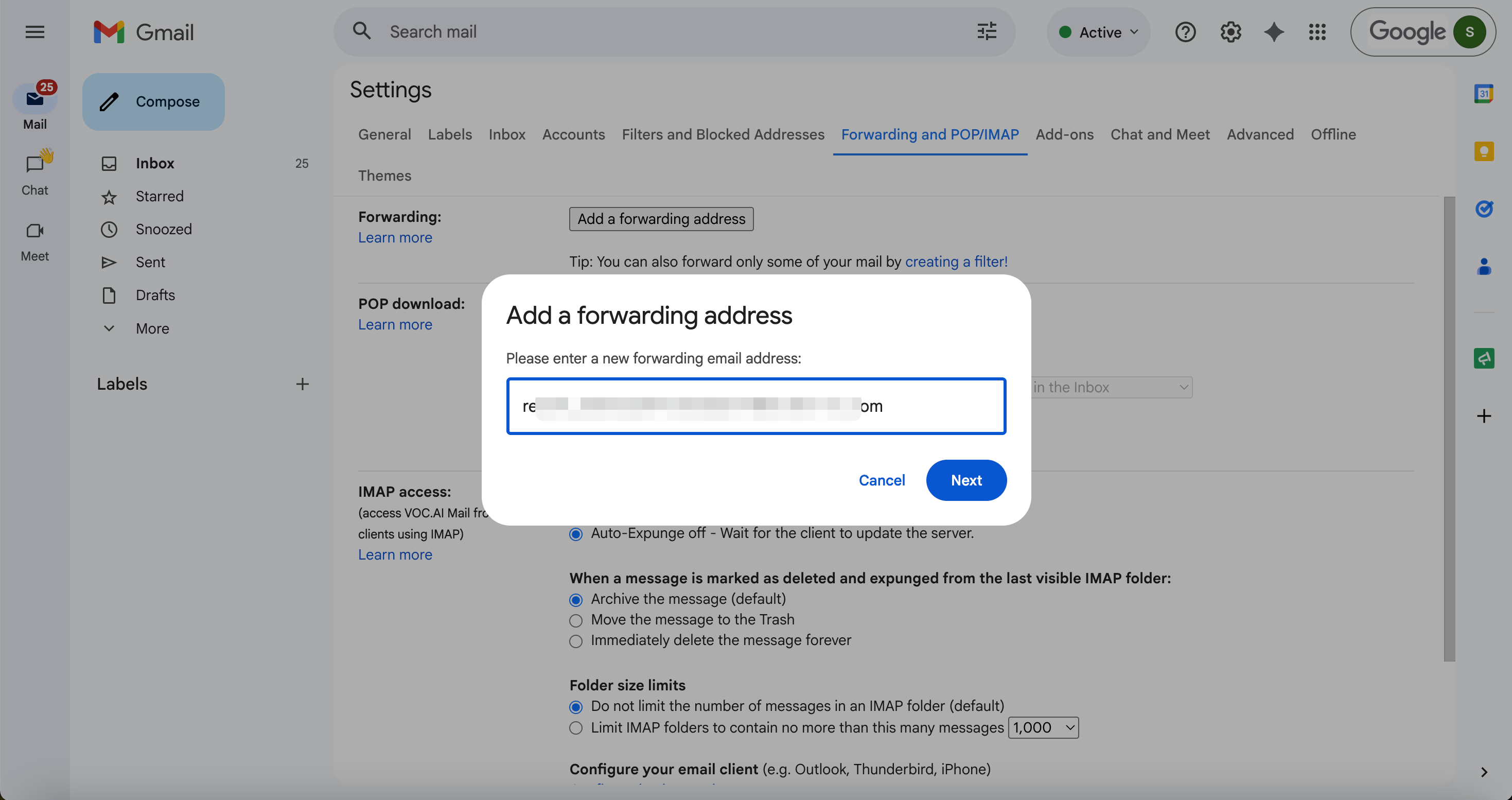
5
Return to Solvea page and click Verify to complete authorization.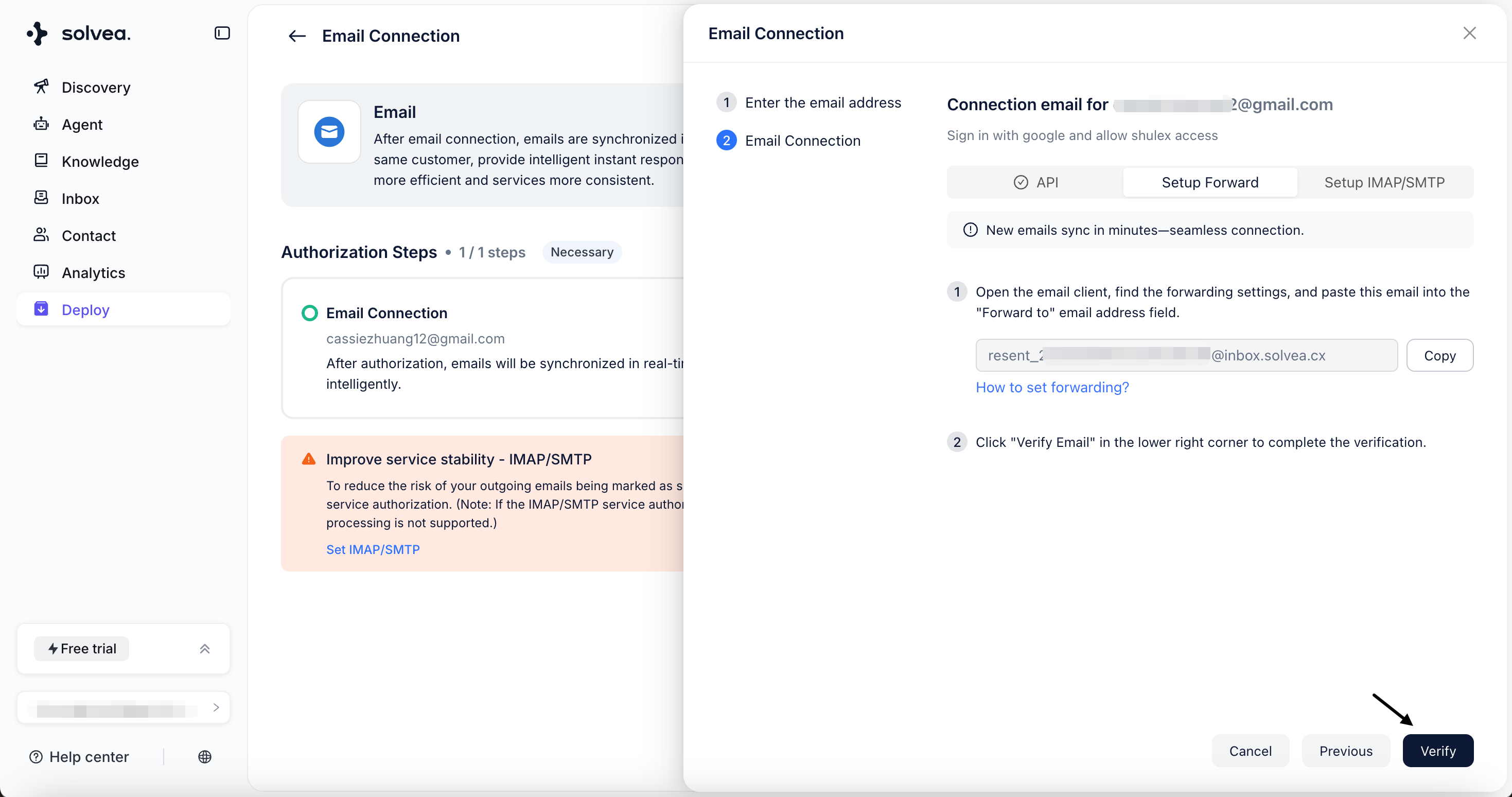
IMAP / SMTP Authorization
1
Enable IMAP in Gmail
-
Open Gmail and go to Settings → See all settings.
- Navigate to Forwarding and POP/IMAP.
-
Enable IMAP Access and Click Save Changes.
2
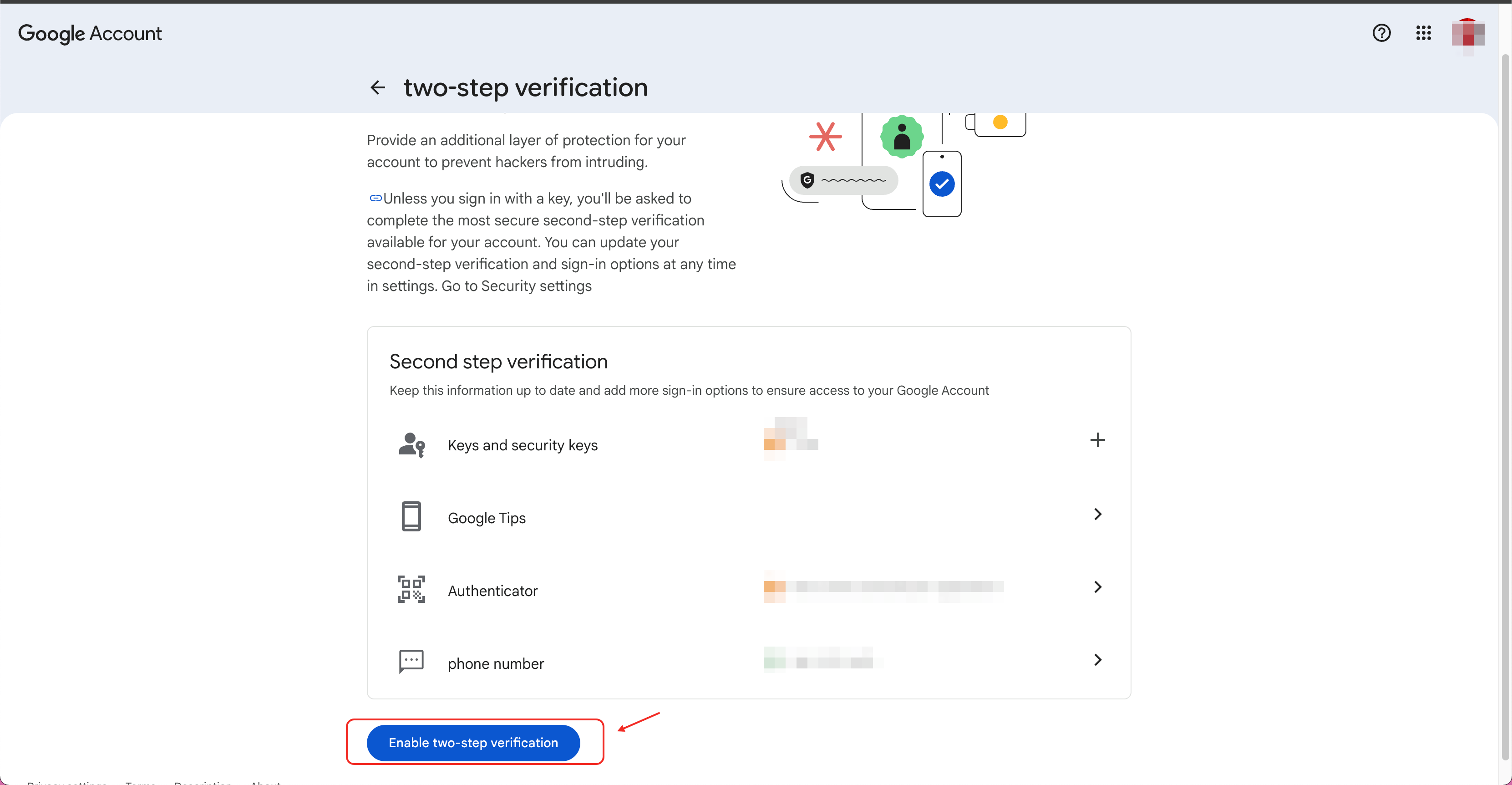
Enable Google Two-Step Verification
-
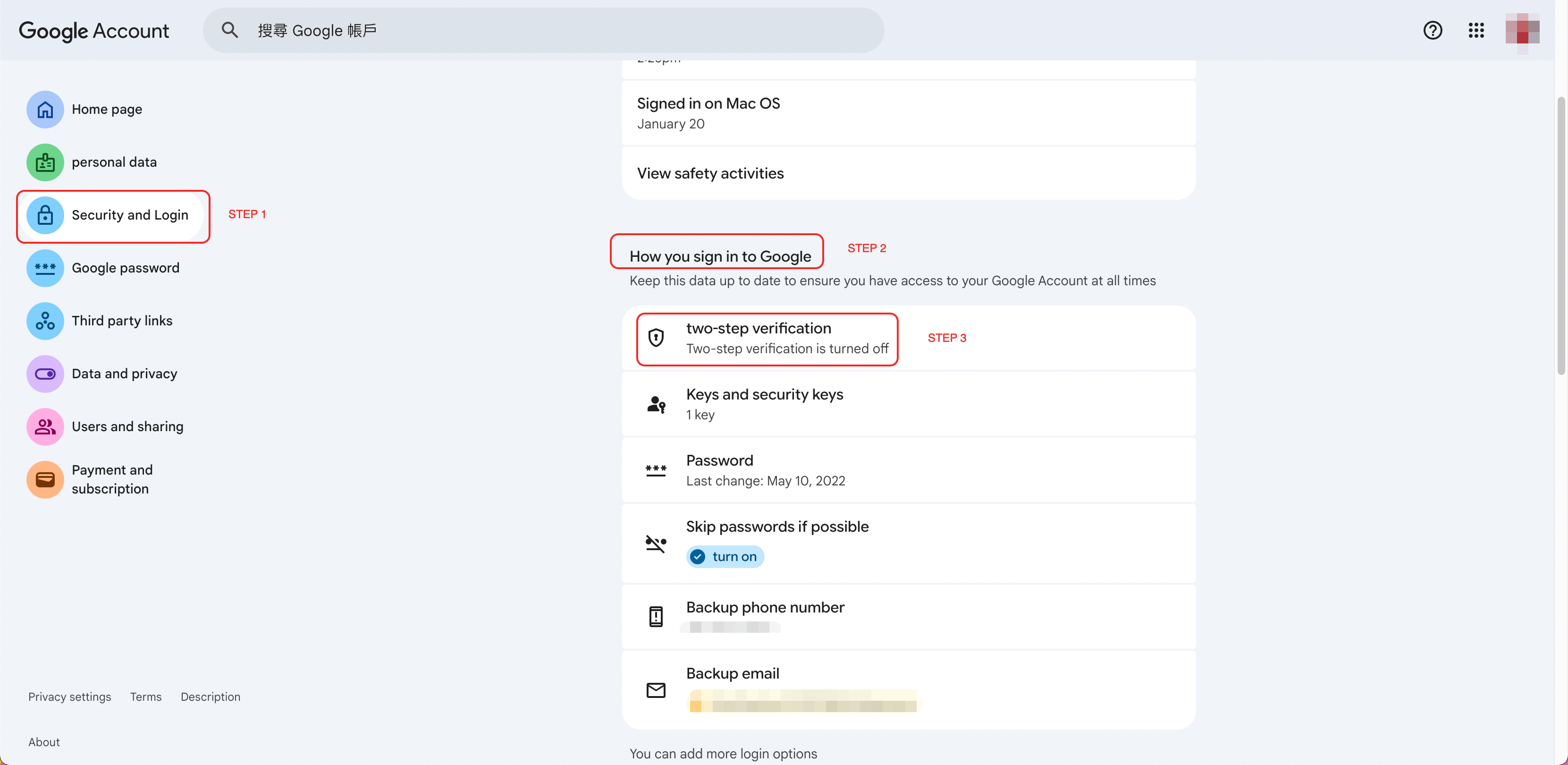
Go to your Google Account Security Center:
https://myaccount.google.com/ -
Open Security settings and find 2-Step Verification.
-
Enable two-step verification.
3
Generate an App Password
-
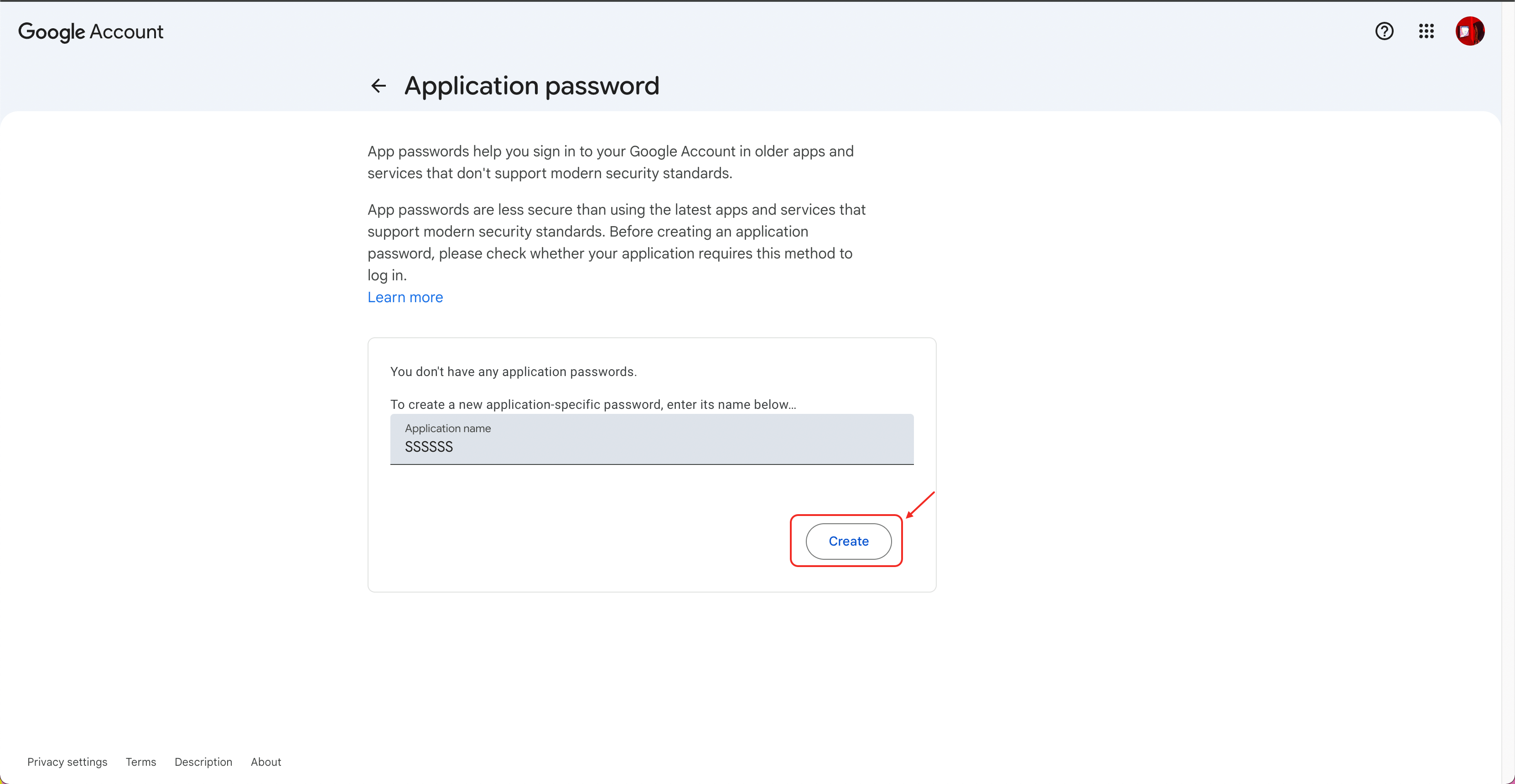
In the Security page, search for App Passwords, or visit:
https://myaccount.google.com/apppasswords -
Enter any name for the app and Click Create.
-
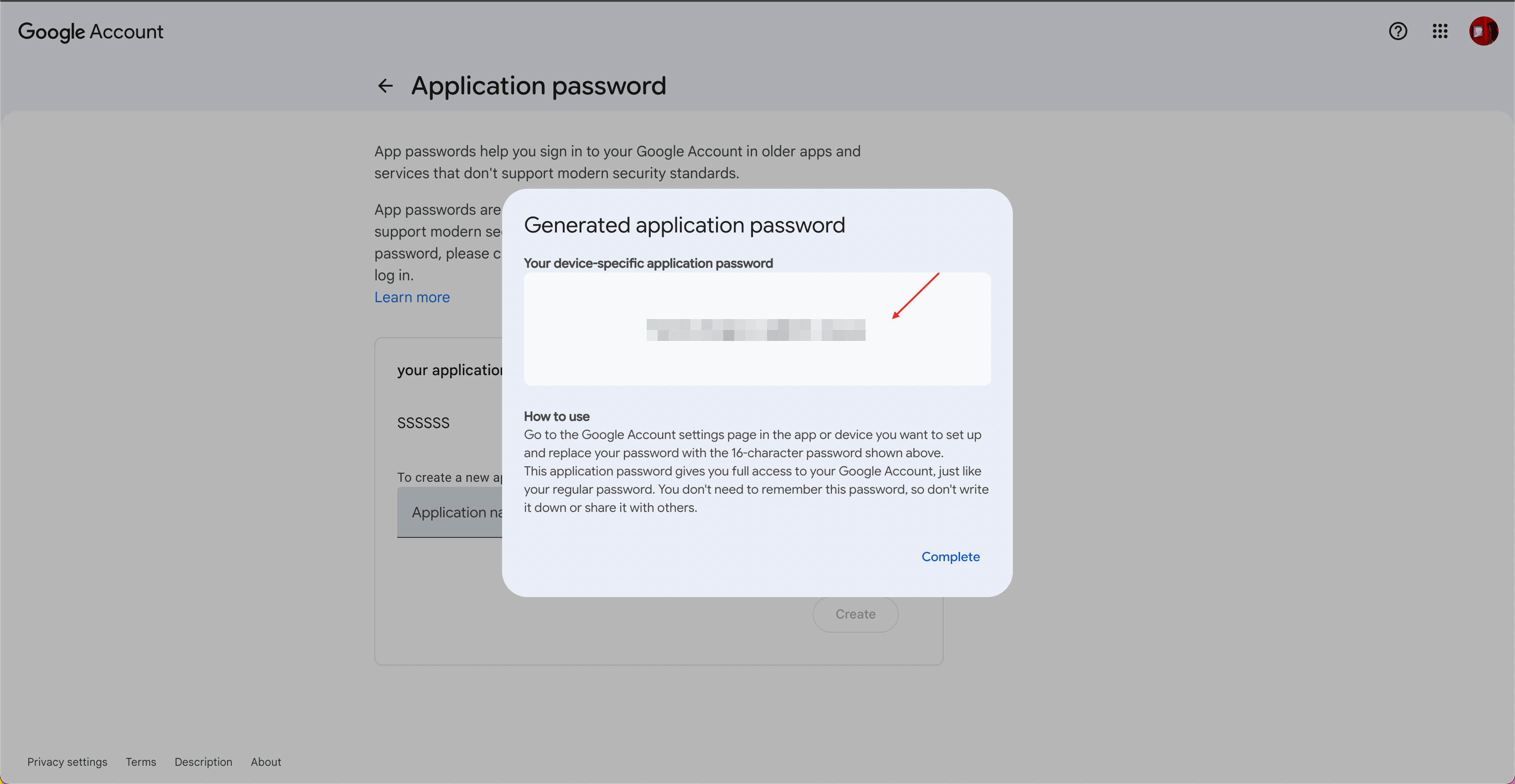
Copy the generated app password.
4
Complete IMAP / SMTP Setup
- Return to the Solvea email authorization page.
- Paste the generated App Password into the authorization field.
-
Click Verify to complete the setup.