Missed calls don't just mean unanswered questions — they mean lost revenue. For a solo contractor or a three-person dental office, one missed call on a busy afternoon can cost a real booking. That's the exact problem Rosie AI was built to solve.
Rosie is an AI phone answering service designed for small businesses. It picks up calls 24/7, answers common questions using your business data, books appointments, and sends you a summary after every conversation. No voicemail, no callback needed — at least in theory.
This article covers what Rosie AI actually does, where it falls short, what it costs, and the best alternatives worth considering if Rosie isn't the right fit.
TL;DR
What it is | AI phone answering service for small businesses |
Starting price | $49/month (Professional plan) |
Best for | Solo operators, home services, legal, real estate |
Limitations | Phone only, English/Spanish only, off-script conversations struggle |
Free trial | 7 days, all features included |
Best alternative | Solvea — phone + chat + email, starting at $30/month |
What Is the Rosie AI Receptionist?
Rosie AI is a phone-only answering service built for small businesses that live and die by inbound calls — home services, real estate, legal, medical, salons, and any solo operator who can't afford to let the phone ring to voicemail. It learns from your website and Google Business profile, then answers on your behalf using your actual business information.
Unlike traditional AI receptionists that require developer setup or complex call flow configuration, Rosie is built for non-technical owners. Point it at your website, answer a few questions about your business, and it starts handling calls the same day. No scripts to write from scratch, no code to touch.
Rosie is explicitly positioned as a voicemail replacement, not a full customer service platform. The promise is simple: every inbound call gets answered by an AI that sounds human, knows your business, and sends you a detailed summary afterward — so you stop losing leads while you're on a job, in a meeting, or asleep.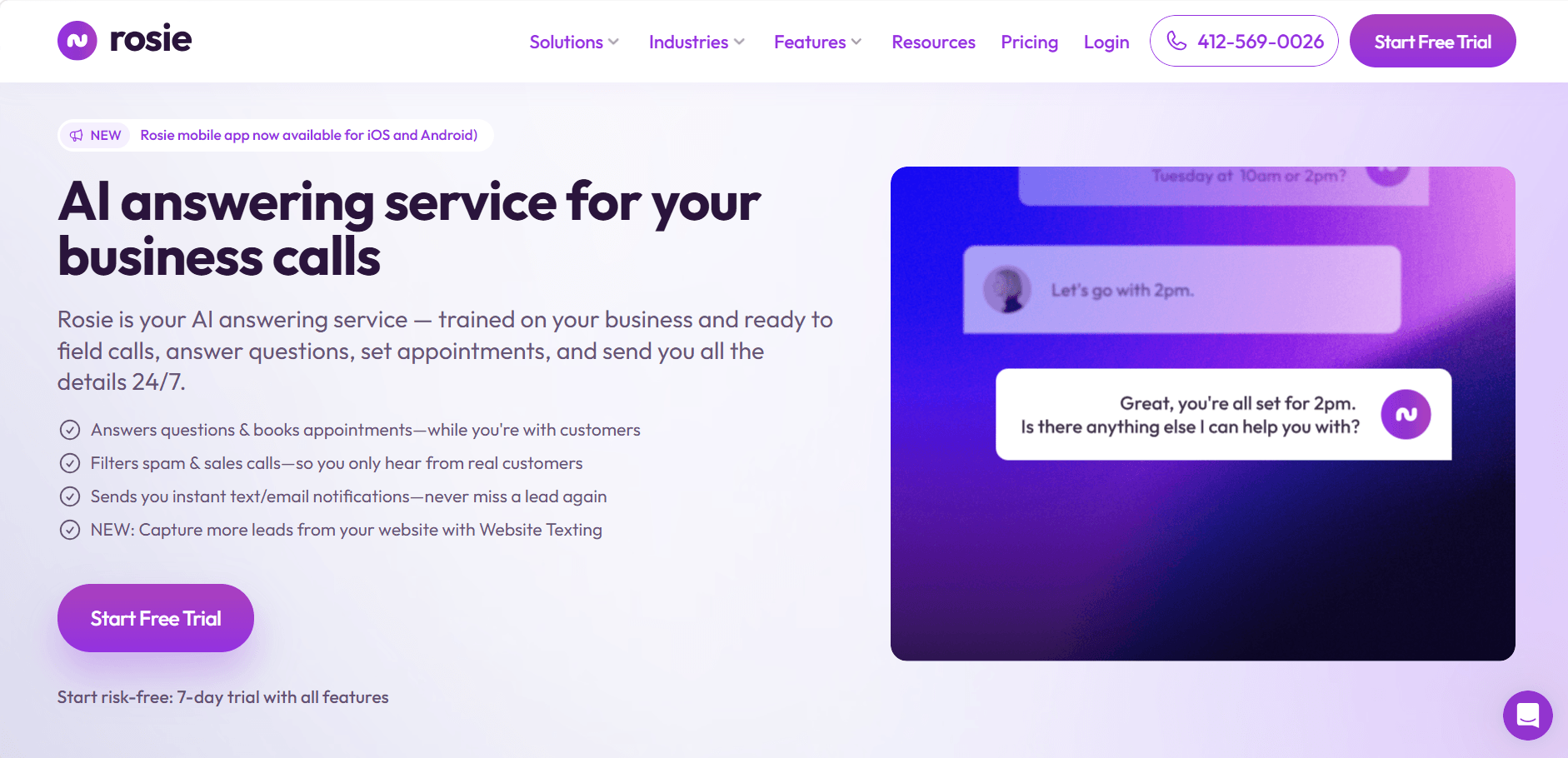
How the Rosie AI Receptionist Is Trained
What makes Rosie useful rather than generic is what it knows before your first real call arrives.
Website ingestion — Rosie reads your website automatically during setup. It pulls your services, service areas, hours, and any FAQ content it finds. A roofing company and a family law firm end up with very different agents from the same setup flow.
Google Business Profile — Rosie also syncs with your Google Business profile, which gives it accurate hours, location, and the types of questions your actual customers leave in reviews.
Custom question scripts — You define what Rosie asks callers. A plumber might want Rosie to collect the type of issue and location before anything else. A real estate agent might want it to qualify whether the caller is buying or selling. These intake questions are set up in plain English, no logic-builder required.
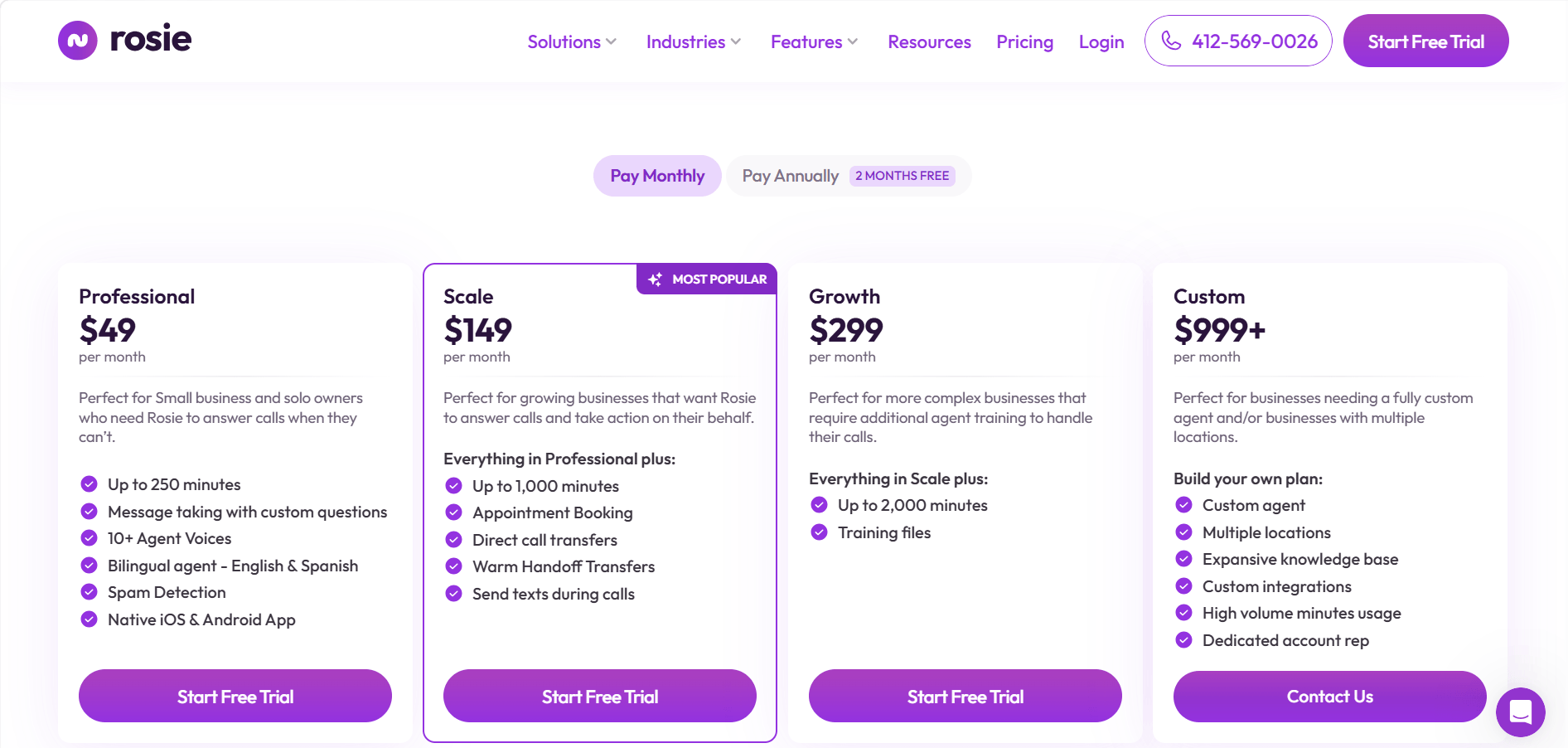
File uploads (Growth plan only) — On the $299/month Growth plan, you can upload PDFs and spreadsheets — detailed pricing documents, service catalogs, staff bios — so Rosie can answer questions your website doesn't cover.
How the Rosie AI Receptionist Handles Calls
Rosie's call handling flow works in three stages: intake, response, and handoff.
Intake — When a call comes in, Rosie picks up and greets the caller in a natural-sounding voice. It asks the intake questions you configured during setup — who the caller is, what they need, any details relevant to your business — and checks whether the call is legitimate or spam before going further.
Response — Rosie pulls from its trained knowledge to answer FAQs: hours, pricing, service area, availability. On the Scale plan and above, it can also check your calendar and book the appointment directly — no links sent to the caller, no back-and-forth. The appointment lands in Google Calendar or Calendly automatically.
Handoff — Immediately after the call ends, you get a push notification on your phone and an AI-generated summary: caller name, what they asked, what Rosie said, and a suggested priority for follow-up. On the Scale plan, Rosie can also transfer live calls to you if you're available and the caller's need requires a human.
Rosie has a free iOS and Android app, so you can review call summaries, update your availability, and adjust settings from anywhere. Bilingual support in English and Spanish is included on all plans. For broader tool connections — CRM logging, Slack notifications, lead routing — Rosie uses Zapier, which unlocks integrations with 8,000+ apps but adds a layer you need to configure separately.
Rosie AI Receptionist Pricing Plans
Rosie runs on flat-rate monthly plans. Compared to traditional answering services that bill per minute, this structure makes budgeting predictable.
Rosie AI Receptionist Reviews: What Users Actually Say
Where Rosie works well:
Rosie earns consistent praise for ease of setup and value against voicemail. Users describe onboarding as genuinely quick — point it at your website, configure a few scripts, and it's live the same day. Callers report the voice sounds natural and human enough that most don't immediately know they're talking to AI. Spam filtering is a frequently cited bonus that cuts down on wasted time.
Where Rosie struggles:
Off-script conversations are the most common complaint. When a caller asks something Rosie wasn't trained to handle — an unusual service request, a nuanced billing question, a multi-part inquiry — it tends to fall back to generic responses or loop the caller rather than escalating gracefully.
Complex scheduling is another weak point. If your business has multiple service types with different durations, multiple staff calendars, or buffer time requirements, Rosie's scheduling logic won't keep up. Language support beyond English and Spanish is also absent, which is a real gap for multilingual customer bases.
Solvea as a Rosie AI Receptionist Alternative for Multi-Channel Support
If your business already struggles with email response times or live chat coverage alongside missed calls, Rosie solves one-third of the problem. Solvea handles all three channels in one platform.
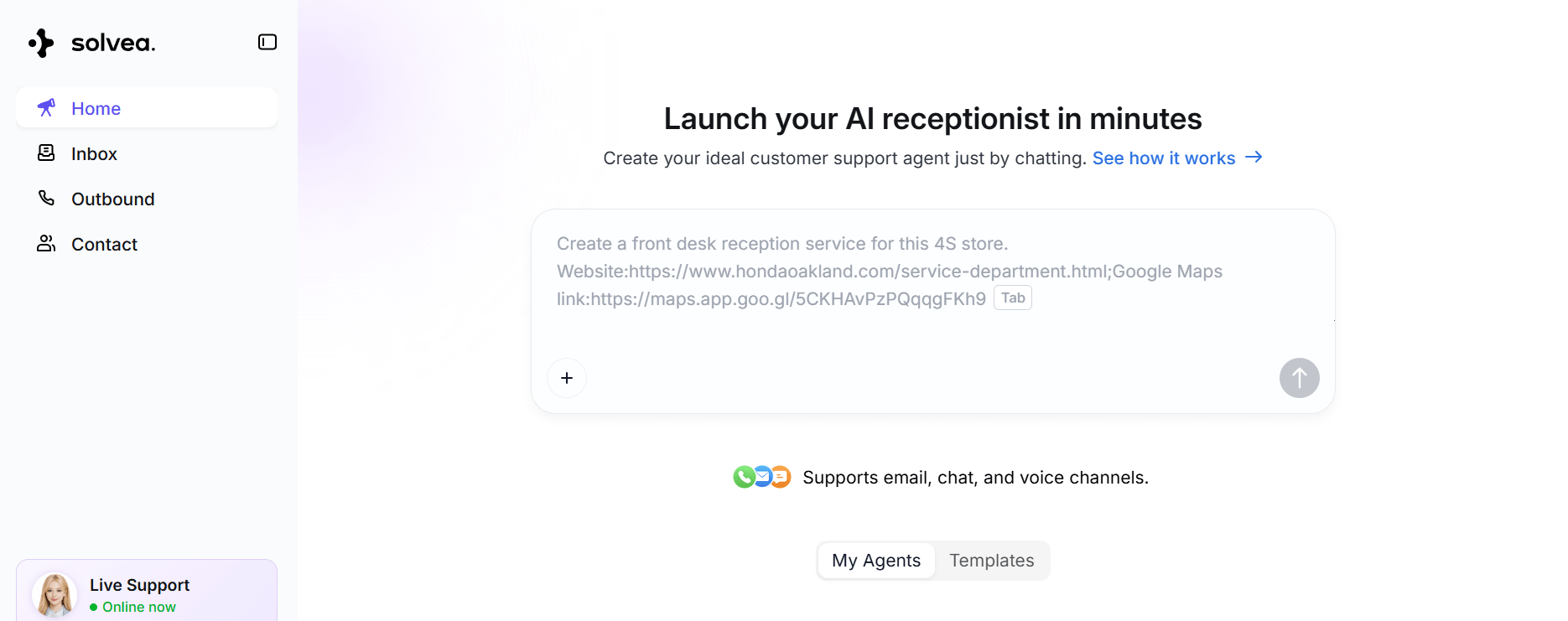
Solvea is an AI receptionist covering phone (inbound calls + SMS), live chat, and email — starting at $30/month. Setup takes under three minutes and requires no code. Like Rosie, it learns from your business data and handles common questions automatically. Unlike Rosie, it operates across every channel a customer might use, in multiple languages, without requiring Zapier to connect your existing tools.
A few meaningful differences worth knowing:
- Multilingual, not just bilingual. Solvea supports multiple languages across all three channels.
- Native integrations. Direct connections to Shopify, Zendesk, HubSpot, Slack, Google Calendar, and Google Sheets — no middleware needed for common workflows.
- Resolution rate. Solvea resolves 80% of customer inquiries without human involvement, compared to Rosie's primary focus on intake and handoff.
- Price. Solvea's Basic plan is $30/month. Rosie's entry plan is $49/month and requires the $149/month Scale plan for appointment booking.
Anker reduced manual customer service work by 70% after deployment. For businesses in retail, ecommerce, or any industry where customers arrive across multiple channels, Solvea pricing starts at $0 with a free plan and a 7-day phone trial included.
Conclusion
Rosie AI Receptionist is a practical, affordable tool for small businesses that primarily need phone coverage and have straightforward call handling needs. Against voicemail, it wins easily. Against platforms built for multi-channel, multilingual, and deeper integration requirements, its scope is narrow.
If phone-only coverage is what you need and your callers stay on-script, Rosie is worth testing with the free trial. If your customers also reach out via chat or email — or if you need more than two languages and direct CRM sync — it makes sense to evaluate platforms built for the full picture.
Your AI Receptionist, Live in Minutes.
Scale your front desk with an AI that never sleeps. Solvea handles unlimited multi-channel inquiries, books appointments into your calendar automatically, and ensures zero missed opportunities around the clock.
FAQ
Is Rosie AI Receptionist free?
Rosie offers a 7-day free trial with all features included and no credit card required. After the trial, plans start at $49/month. There is no permanent free tier.
What does the Rosie AI Receptionist do?
Rosie answers inbound phone calls 24/7, responds to FAQs using your business data, filters spam calls, and sends AI-generated call summaries after each conversation. Higher-tier plans add appointment booking directly into Google Calendar or Calendly, plus live call transfers.
Does Rosie AI support languages other than English?
Rosie supports English and Spanish on all plans. Multilingual support beyond these two languages is not currently available, which is a limitation for businesses serving diverse or international customer bases.
What industries use Rosie AI Receptionist most?
Rosie is most commonly used by home service businesses (HVAC, plumbing, cleaning), real estate agents, solo legal practices, and medical or wellness offices. Any service business where a missed call means a missed booking is a natural fit.
Is Rosie AI Receptionist good for multi-channel businesses?
No — Rosie is a phone-only product. If your customers contact you through live chat, email, or multiple channels, Rosie won't cover those touchpoints. Platforms like Solvea handle phone, email, and live chat from a single dashboard.