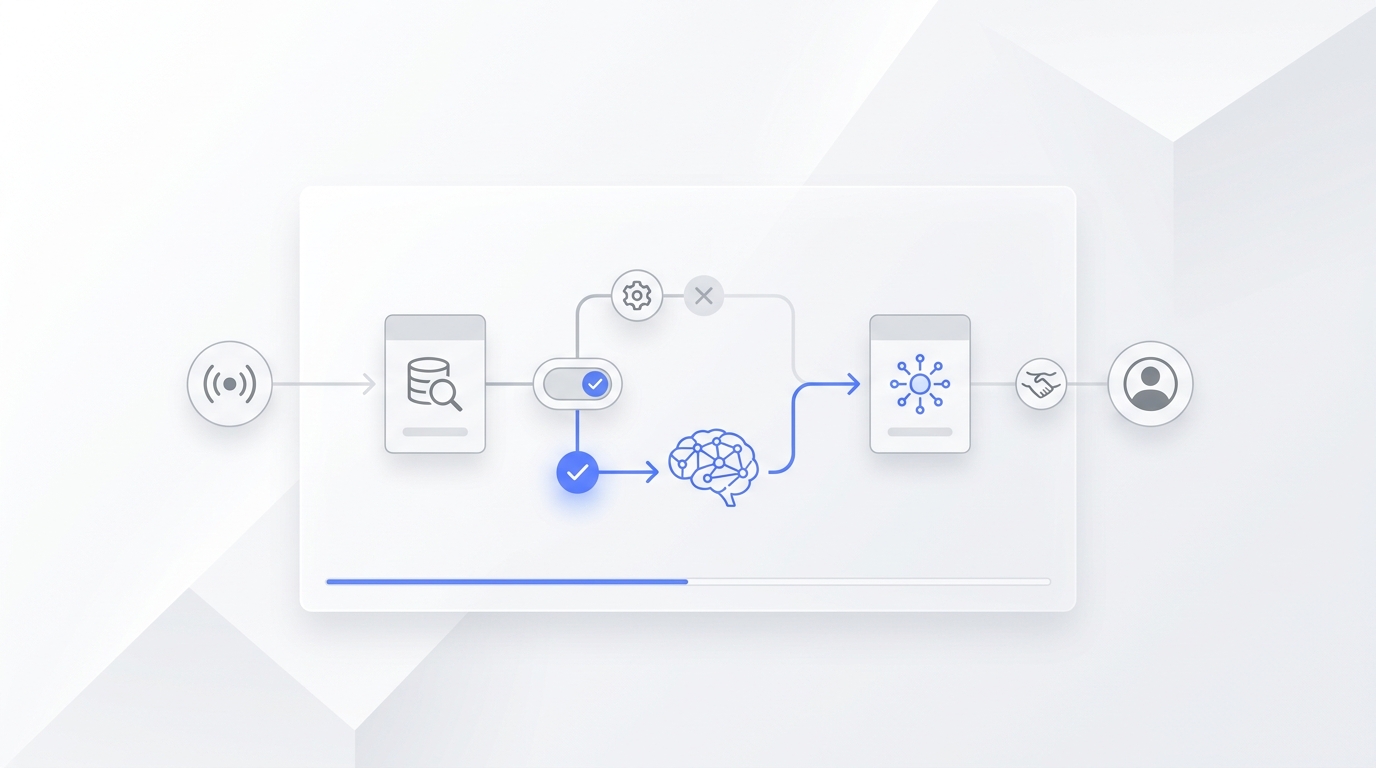
Summary: This article introduces OpenClaw, an open-source autonomous AI agent previously known as Moltbot and Clawdbot. It highlights OpenClaw's ability to execute complex, real-world tasks directly on users' local machines and integrate with various platforms. The document details its core capabilities, significant updates, community reception, and crucial security considerations. OpenClaw represents a pivotal shift in AI, moving beyond conversational interfaces to active task execution, emphasizing the need for careful management and robust security practices.
What Is OpenClaw and Why It Matters
Artificial intelligence is rapidly evolving beyond simple conversational interfaces. OpenClaw emerges as a truly groundbreaking open-source autonomous AI agent, fundamentally redefining how users interact with digital systems. It can automate a diverse range of tasks, from managing emails and scheduling calendars to orchestrating complex workflows and even executing code. These features have propelled OpenClaw into the global spotlight, sparking a viral phenomenon and garnering immense attention within the tech community as a harbinger of the next generation of personal AI.
Quick definition: OpenClaw is an open-source autonomous AI agent that runs on your own machine. It can execute real tasks for users (not just chat) via messaging apps and local access. This positions it as a powerful, actionable AI tool, moving beyond passive information retrieval to active task completion and digital collaboration.
Name history: The project's identity has evolved through strategic rebrands, reflecting its dynamic growth and the challenges of establishing a distinct presence. Initially launched as Clawdbot in late 2025, it briefly transitioned to Moltbot due to trademark considerations, before finally being solidified as OpenClaw in January 2026.
Founder's vision: OpenClaw is the creation of Peter Steinberger, an Austrian software developer and founder of PSPDFKit. His vision for OpenClaw is to create an AI agent capable of executing real-world tasks, moving beyond conversational interfaces to act as a highly advanced personal assistant. Steinberger's development philosophy emphasizes high productivity through the extensive use of AI tools.
What OpenClaw Actually Does — Core Capabilities
OpenClaw's foundational architecture is meticulously designed to empower it as a truly intelligent and proactive digital assistant. It bridges the gap between advanced AI reasoning and practical, real-world execution. Its core capabilities are not merely theoretical; they represent a robust framework that enables the AI to understand, plan, and execute tasks seamlessly across a user's digital environment, providing a comprehensive solution for personal and professional automation.
- Autonomous Task Execution: OpenClaw functions as a sophisticated digital personal assistant, interpreting natural language commands to perform a wide array of tasks. This includes reading/writing files, managing calendars, sending messages, running scripts, invoking tools, and coordinating multi-step workflows. This offers a high degree of automation and user empowerment.
- Platform Integrations: For seamless user interaction, OpenClaw integrates with popular messaging channels like WhatsApp, Telegram, Slack, Discord, and Signal. Users can conveniently control their AI agent from applications they already use daily.
- Local-First & Self-Hosted: A key differentiator, OpenClaw operates directly on the user's own device or server (Mac, Windows, or Linux). This local-first approach provides full data control and privacy, while leveraging powerful large language models like Claude, GPT, and Grok.
What’s New — Latest Official Updates & Performance Improvements
OpenClaw's development has accelerated significantly in early 2026, with the v2026.2.x series introducing transformative features that enhance reasoning, reliability, and security. These updates reflect the project's rapid evolution and its commitment to solving the most challenging aspects of autonomous AI agency.
OpenClaw v2026.2.9: The Reliability Milestone (Feb 9, 2026)
The latest release, v2026.2.9, focuses on "closing the loop" for long-running agents by addressing memory and scheduling reliability. This version includes over 40 fixes from more than 25 community contributors.
- Grok Web Search Integration: OpenClaw now features a native Grok (xAI) web search provider, enabling agents to leverage real-time information with high accuracy.
- Memory Persistence (Anti-Amnesia): A critical fix for "post-compaction amnesia" ensures that injected transcription writes preserve the session's parent chain. This allows agents to maintain long-term memory and context even after data compaction.
- Context Overflow Recovery: The agent can now gracefully recover from context overflows caused by oversized tool results. It utilizes pre-emptive capping and fallback truncation to ensure the session remains active and functional.
- Cron Reliability Overhaul: The scheduling system has been completely overhauled to harden delivery reliability. It features an isolated announce flow and improved recovery for flat parameters when LLMs omit job wrappers.
- Mobile & Plugin Expansion: This version introduces an alpha iOS node app with setup-code onboarding and new phone control plugins for Telegram and mobile OS controls.
OpenClaw v2026.2.6: Intelligence and Security Hardening
The v2026.2.6 update laid the groundwork for advanced model support and rigorous security standards, ensuring that the agent is both powerful and safe to use in diverse environments.
- Next-Gen Model Support: Native support has been added for Anthropic Opus 4.6 and OpenAI GPT-5.3-Codex (with forward-compatibility fallbacks), alongside integrations for xAI Grok and Baidu Qianfan.
- Voyage AI Memory: Integration with Voyage AI provides advanced embedding capabilities, significantly improving the agent's ability to retrieve relevant information from its memory.
- Web UI Token Usage Dashboard: To provide transparency and cost control, a new dashboard allows users to monitor token consumption across different models and tasks in real-time.
- Skill Code Safety Scanner: A major security addition, this scanner automatically audits third-party skill code for potential vulnerabilities or malicious patterns before deployment.
Detailed Feature Breakdown
This section offers a deeper dive into OpenClaw's most impactful features, highlighting how the agent's unique design principles translate into practical advantages for users.
- Clawdtalk: Persistent, Action-Oriented Communication Clawdtalk serves as OpenClaw’s native communication layer, enabling users to interact with the agent through messaging platforms rather than a traditional UI. Unlike simple chat interfaces, Clawdtalk is designed for task delegation and long-running coordination—allowing users to issue instructions, receive status updates, and approve actions asynchronously. This makes OpenClaw feel less like a chatbot and more like a background collaborator that stays active across conversations and time.
- Proactive Automation: A core distinction of OpenClaw is its capacity for proactive automation. It can invoke various tools and intelligently chain multiple tasks together, allowing users to delegate complex workflows like "organize my inbox and reschedule meetings" with minimal instructions.
- Multi-Model Intelligence: OpenClaw's architecture supports a diverse range of AI backends. This multi-model intelligence empowers users to strategically route different tasks to the most appropriate model, enhancing task accuracy and contextual understanding.
- Visibility & Control: The token usage dashboard and improvements in memory/session management provide users with greater insight and control, allowing them to monitor agent operations and associated costs.
- Expandability with Skills: OpenClaw fosters a dynamic ecosystem through its support for third-party extensions, or “skills.” These skills allow users to add specialized automation, though this powerful feature also necessitates careful security considerations.
How to Use OpenClaw: Setup and Extension
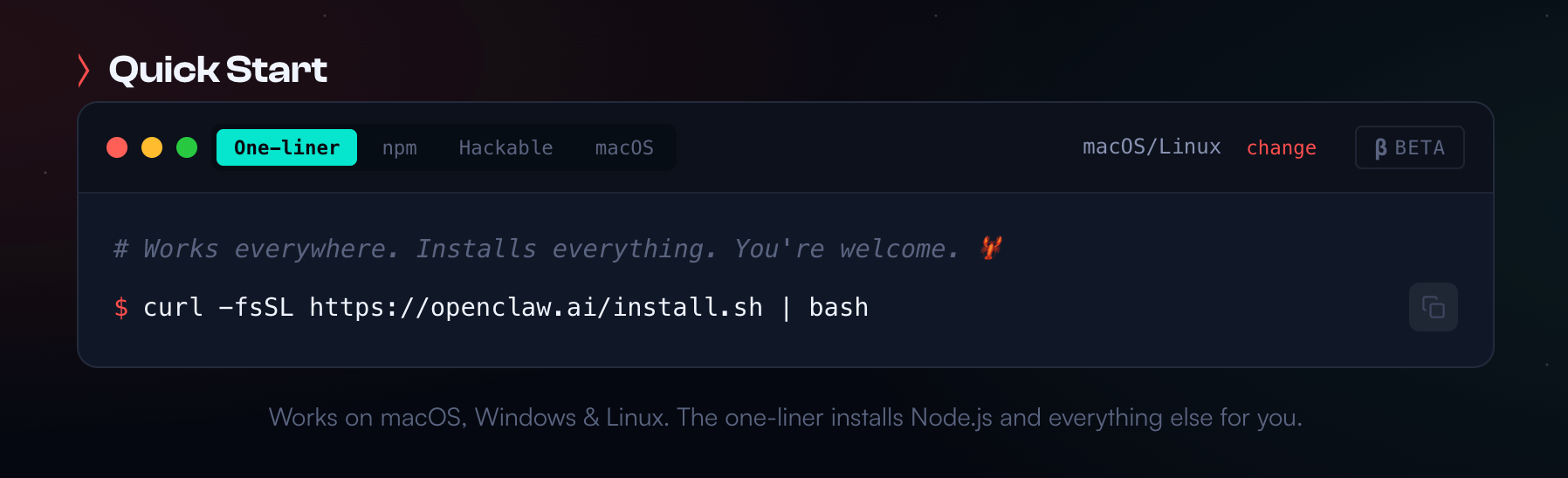
To use OpenClaw, users first download the appropriate version from the official website based on their operating system (macOS, Windows, or Linux) and complete the guided onboarding process. Once installed, OpenClaw runs locally and continuously in the background, acting as an execution layer that can receive instructions through a web interface or messaging platforms such as Telegram, WhatsApp, Slack, or Discord. Basic setup focuses on model selection, access configuration, and defining how the agent will be triggered.
Where OpenClaw becomes truly useful is through its plugin and extension ecosystem, which allows the agent to operate beyond simple task execution. The most widely used extension is the browser integration, typically via Google Chrome, which lets OpenClaw control a real browser session to navigate websites, extract content, fill forms, monitor dashboards, and interact with web-based tools. This browser capability is often the foundation for workflows like web research, content monitoring, data collection, and managing SaaS interfaces that do not offer APIs.
Beyond browser control, OpenClaw is commonly extended with messaging platform plugins, including Telegram, WhatsApp, Slack, Discord, and Signal. These plugins turn chat apps into command centers, allowing users to assign tasks, receive updates, and approve actions asynchronously. Many users rely on messaging plugins to manage long-running agents without needing to open a local UI.
OpenClaw also supports productivity and system-level plugins, such as calendar and email integrations for scheduling, reminders, and inbox management, as well as file system access for reading, writing, and organizing local documents. Some users combine these with automation skills to generate daily digests, summarize meetings, or trigger actions based on new files or messages.
In addition, OpenClaw can be extended with web search and data retrieval plugins, enabling agents to pull real-time information, monitor specific pages, or track updates across platforms like GitHub, forums, and news sources. These extensions are frequently used for research-heavy workflows and continuous information tracking.
Because plugins often operate with deep browser or system permissions, experienced users emphasize starting with a small set of trusted extensions and expanding gradually. In practice, OpenClaw is most effective when plugins are chosen to support clearly defined workflows—turning the agent into a focused automation tool rather than a general-purpose assistant.
Common Operational Issues in OpenClaw
While OpenClaw offers powerful automation, users frequently encounter specific operational challenges during daily use. These issues often stem from the complexity of coordinating local execution with external messaging platforms and large language models.
1. Messaging Integration and Notification Failures
Users often report difficulties with OpenClaw receiving messages or sending notifications back to chat platforms like WhatsApp, Telegram, and Slack. Agents may remain in a "pairing pending" state, or background tasks might execute without delivering results to the user.
Possible Solutions: Ensure correct configuration and, for WhatsApp, use the QR code method for session linking. Verify channel and group allowlists. Explicitly instruct the agent to use the message tool within its prompt to guarantee feedback delivery.
2. Tool Execution and Session Corruption
Operational stability can be compromised when OpenClaw executes tools. Issues include session corruption if a tool call is terminated mid-execution, rendering the session unusable. Additionally, agents may prematurely conclude tasks ("silent endings") without completing all planned steps in a multi-step workflow.
Possible Solutions: Implement robust error handling in agent prompts for long-running tasks. Regularly review agent logs for unexpected "DONE" states and refine prompts to ensure all intended steps are explicitly completed before task conclusion.
3. Context Management and Memory Quirks
OpenClaw users frequently face challenges managing the agent's "context window." Oversized tool results or lengthy conversations can lead to context truncation or overflow, causing the agent to lose coherence or forget long-term session details.
Possible Solutions: Optimize prompts for conciseness and break down complex tasks into smaller sub-tasks to reduce context load. Consider advanced large language models with larger context windows for memory-intensive operations. Periodically review and clear the agent's memory to maintain optimal performance.
Use Cases and Real User Experiences
The emergence of OpenClaw has been met with a diverse and overwhelmingly passionate response from both its rapidly growing user base and the broader technical community. Users across Reddit and X describe OpenClaw as powerful and promising, but also uneven and not yet polished. Many find it exciting for automating real tasks, while others hit configuration, cost, and behavior limits firsthand.
User-shared use cases:
- Running multiple long-lived AI agents as “employees”: One user shared that they created three separate OpenClaw agents — an engineer, a researcher, and a general assistant — all connected to Telegram. They assign tasks asynchronously (code review, research summaries, task breakdowns) and receive results later without active prompting. The user described the experience as delegating work instead of chatting.
- Automated content monitoring and daily digests: Another commonly shared setup involves using OpenClaw to crawl Reddit threads, GitHub trending repositories, and technical articles overnight, then push structured summaries to Discord or messaging apps. Users report this saves significant time, though reliability depends heavily on prompt design and model choice.
User Experiences:
- Practical automation but mixed results: Some users report real automation wins — like scraping data and feeding notifications into Discord — showing that OpenClaw can execute workflows end-to-end once tuned. However, what makes users disappointed is that it often fails to act autonomously, needing exact instructions and frequent manual corrections, which reduces its practical value for unattended use.
- Cost and performance trade-offs: Several community members note that running agents with strong models gets expensive quickly, and cheap models often deliver mediocre results. Users have to balance cost against responsiveness and reliability, making it hard to justify 24/7 operation for everyday tasks.
Security & Safety — Real Risks and Mitigations
Given OpenClaw's open-source nature and its inherent capacity for deep local system execution, addressing security and safety concerns is not merely important but absolutely paramount. The power to autonomously automate and interact with a user's environment, including file systems and applications, necessitates the implementation of robust safeguards and a clear, proactive understanding of potential vulnerabilities to ensure responsible deployment and user protection.
- Malicious Skills & Supply-Chain Risks: The open ClawHub registry, while fostering innovation, has unfortunately become a vector for security threats. Numerous third-party skills have been identified as malware or credential stealers, exploiting the fact that installed skills can operate with full local access. This poses significant supply-chain risks to user systems and data integrity.
- Security Advisory & Vulnerabilities: Critical vulnerabilities, including remote code execution (RCE) via malicious links, have been observed within the OpenClaw ecosystem. The community has responded with rapid patching efforts and the integration of advanced safety scanners in recent releases, demonstrating a proactive approach to system hardening and user protection.
- Official Warnings & Government Scrutiny: The potential for misconfigurations to expose systems to abuse has drawn attention from regulatory bodies. Industry organizations in countries like China have issued official warnings, emphasizing the critical need for hardened safeguards when deploying OpenClaw. This highlights the broader implications of autonomous AI agents with local access.
- Best Practices: Experts recommend several key practices to mitigate risks: sandboxing instances in isolated environments, diligently auditing skills before installation, isolating the agent from production networks, and rigorously managing permissions. These measures are crucial for maintaining a secure and reliable operational framework.
Conclusion — What This Means for the Future
OpenClaw reflects a clear shift in AI from conversation to execution. In real-world use, it functions less like a chatbot and more like a local agent layer—running persistent tasks, integrating with messaging platforms, and operating directly on users’ machines. Its value lies in delegation: users assign intent, and the system carries out work in the background.
At the same time, OpenClaw makes the limits of autonomous AI explicit. Effective use depends on careful configuration, cost management, and strict security controls. It is powerful but not turnkey. As the ecosystem evolves, OpenClaw’s importance may be in defining how autonomy, execution, and user responsibility coexist in the next generation of AI agents.
Your AI Receptionist, Live in Minutes.
Scale your front desk with an AI that never sleeps. Solvea handles unlimited multi-channel inquiries, books appointments into your calendar automatically, and ensures zero missed opportunities around the clock.
FAQ
- What is OpenClaw? OpenClaw is an open-source autonomous AI agent designed to execute real-world tasks directly on a user's local machine. Unlike traditional chatbots, it can interact with files, applications, and APIs to complete complex workflows autonomously.
- What is OpenClaw used for? It is used for personal and professional automation, such as managing emails, scheduling meetings, writing and executing code, and orchestrating multi-step digital tasks across various messaging platforms like Telegram and Slack.
- Is OpenClaw safe to use? While powerful, OpenClaw carries inherent risks due to its local system access. Users should exercise caution with third-party "Skills" (plugins), as some have been identified as malware. It is strongly recommended to run OpenClaw in a sandboxed environment, rigorously audit skills before installation, and manage permissions strictly to ensure secure operation.
- Is there any alternative to OpenClaw? Yes, there are several alternatives depending on the specific use case. The most notable alternatives are Anthropic Claude Code and ChatGPT. Claude Code is a formidable competitor focused on code intelligence and reasoning, though it typically operates as a cloud-based service with more restricted system access compared to OpenClaw. ChatGPT offers powerful data manipulation and problem-solving within a sandboxed environment, but lacks OpenClaw's deep local-first integration and autonomous execution across a user's entire machine. While these tools excel in specific reasoning tasks, OpenClaw distinguishes itself through its open-source, local-first architecture and broader cross-platform automation.