Shopify
After authorizing your Shopify store, you can sync product-related knowledge into a specified folder.Product knowledge synced from Shopify will be automatically updated daily.
Steps
1
Select the folder where the knowledge should be stored.
Click Add Knowledge → Shopify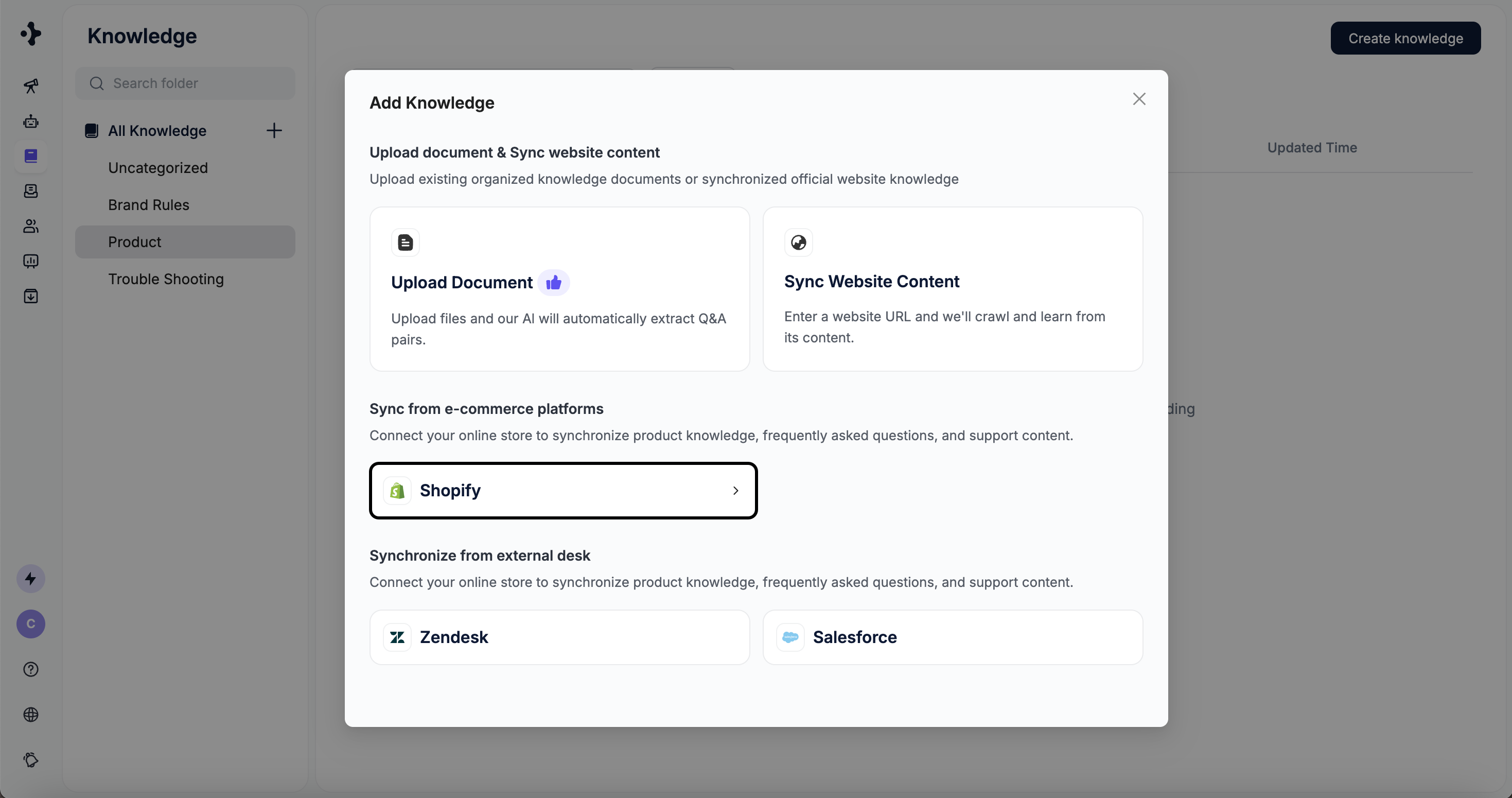
Click Add Knowledge → Shopify
2
You will be redirected to the Deploy module to complete the setup.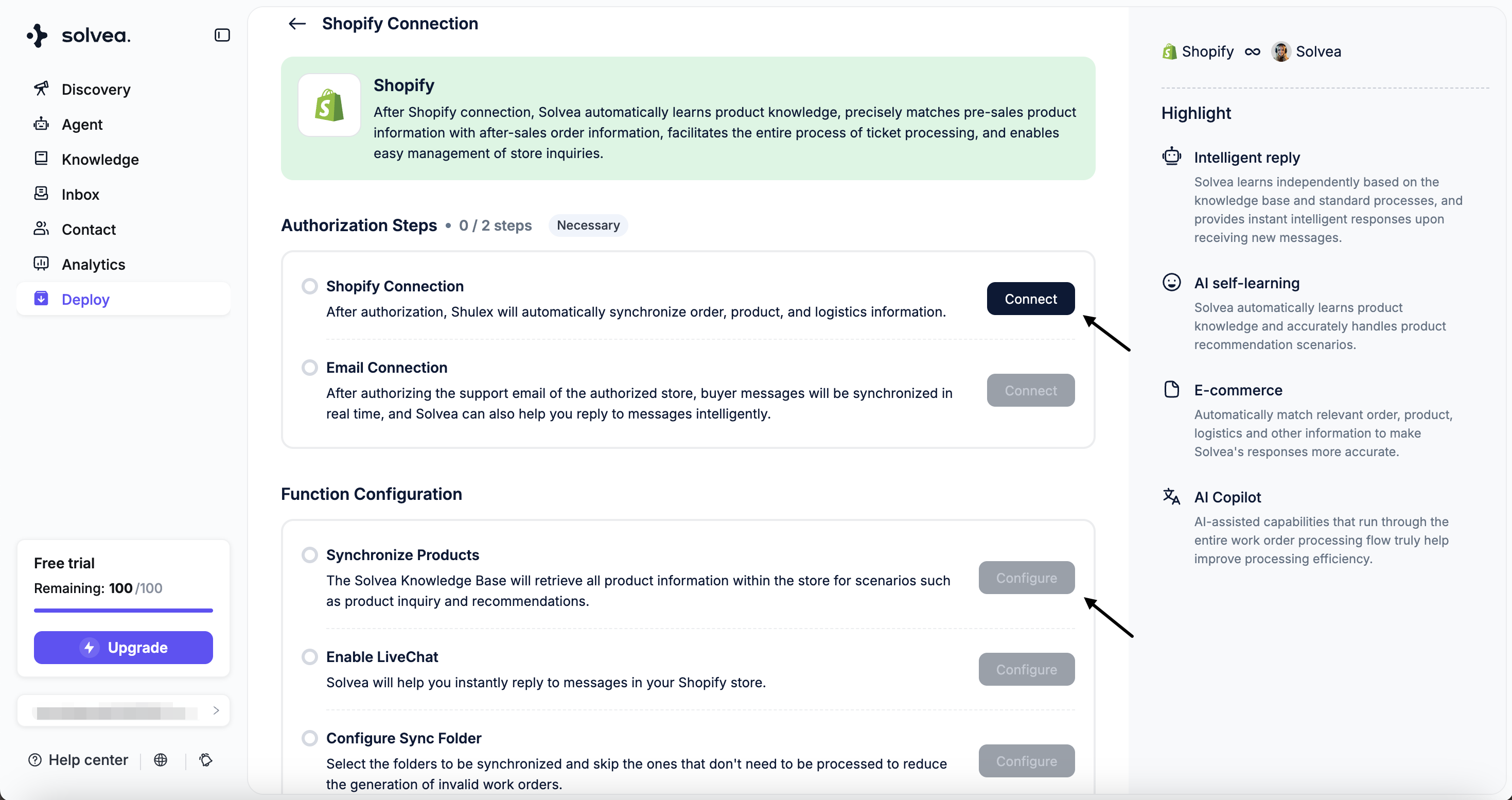
Zendesk
Sync articles from your Zendesk Help Center into the knowledge base.Knowledge synced from Zendesk will not be auto-synced daily. If there are updates, you will need to re-sync manually.
Steps
1
Select the folder where the knowledge should be stored.
Click Add Knowledge → Zendesk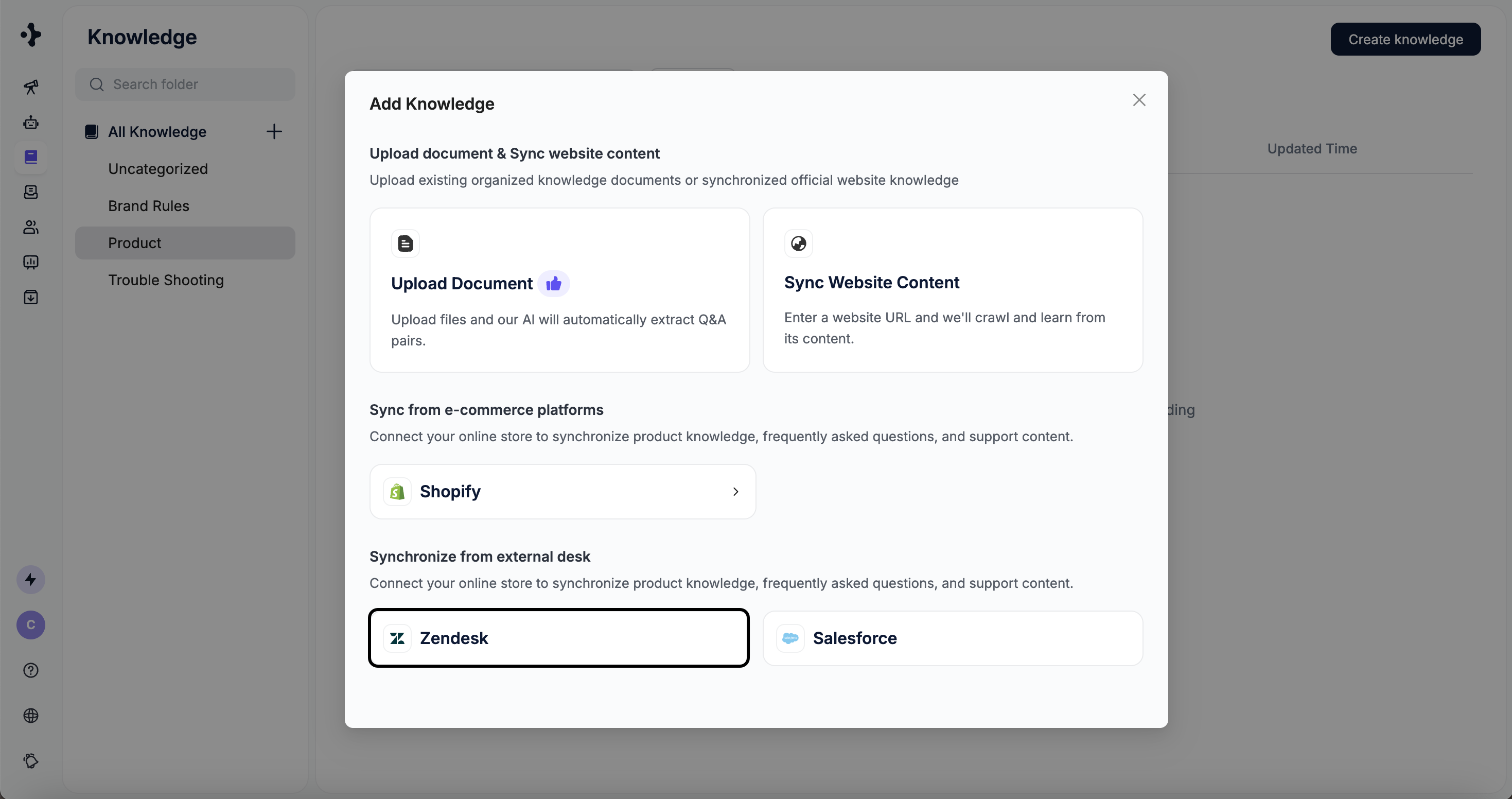
Click Add Knowledge → Zendesk
2
Enter your Zendesk domain.
3
Click Import to start importing content.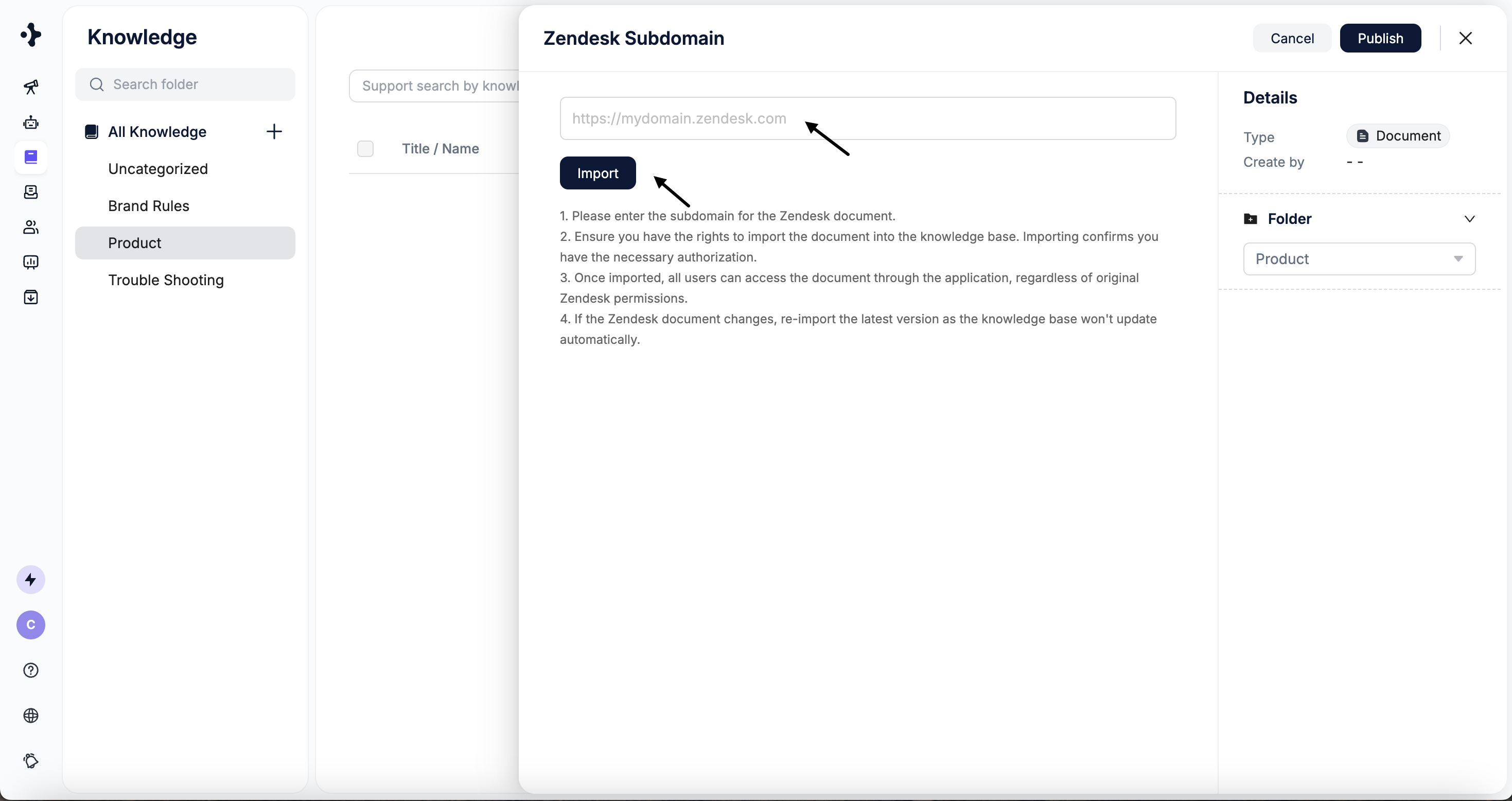
Salesforce
Import knowledge articles from Salesforce.Steps
1
Select the folder where the knowledge should be stored.
Click Add Knowledge → Salesforce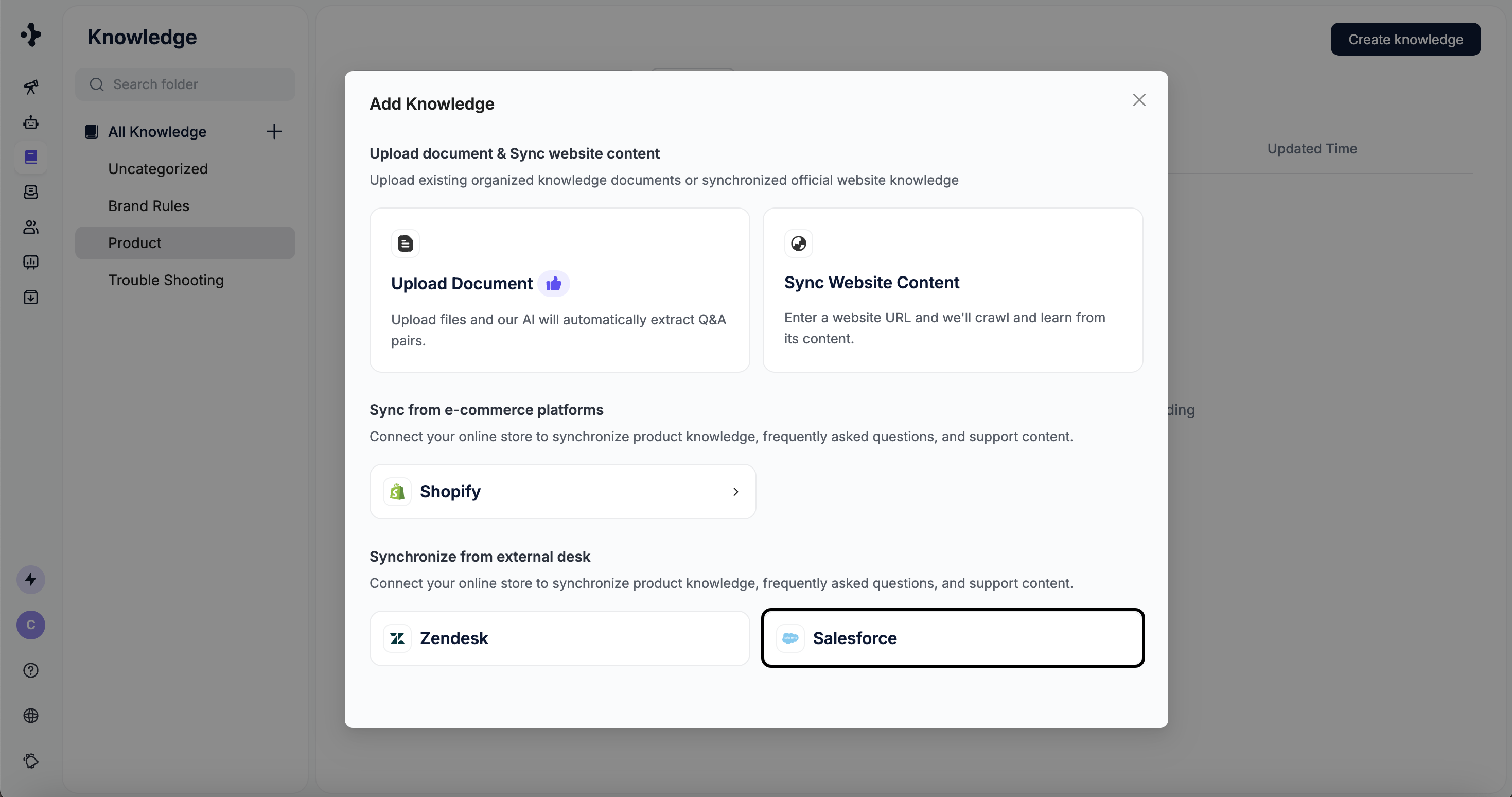
Click Add Knowledge → Salesforce
2
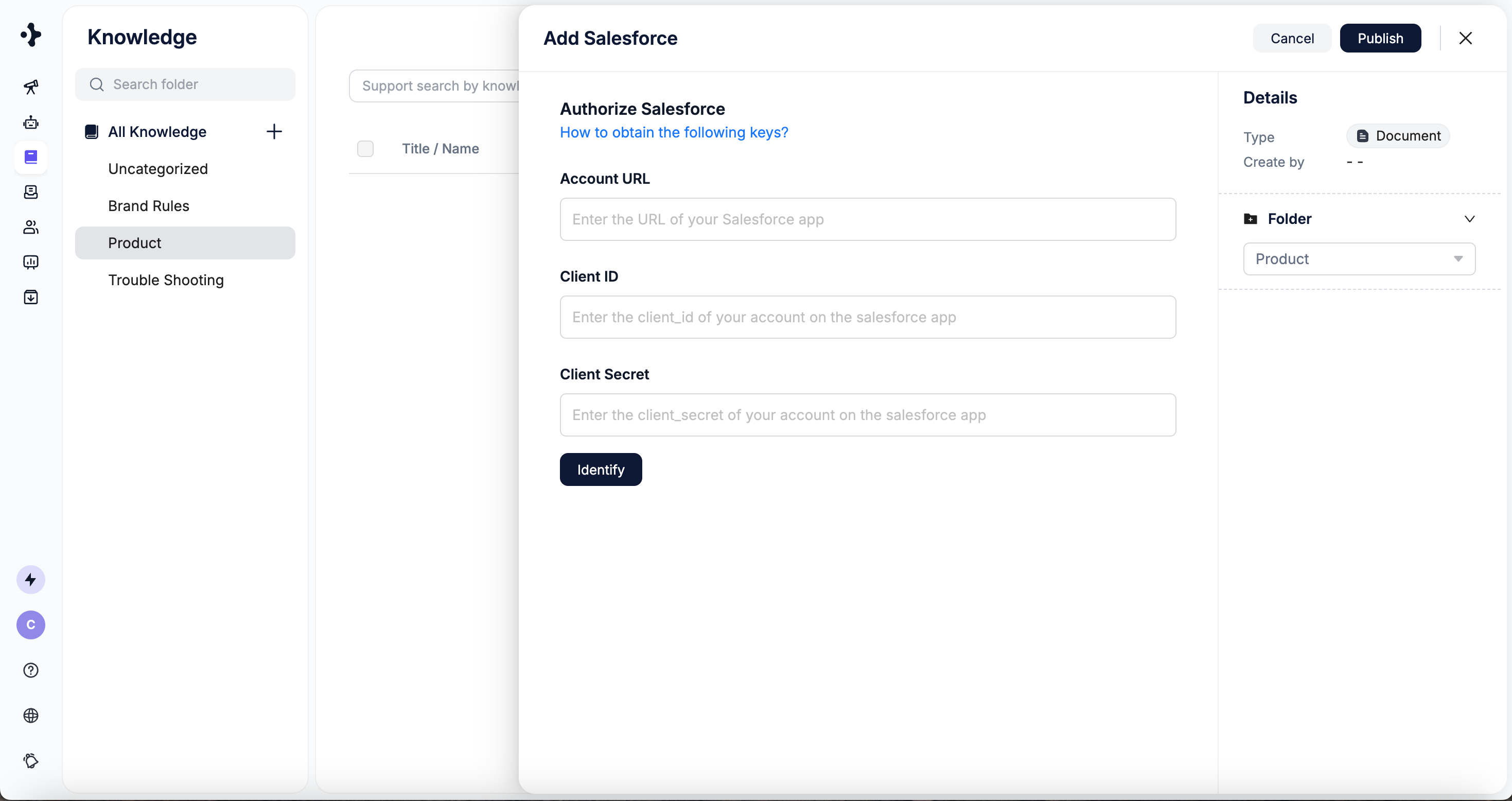
Enter your Account URL, Client ID and Client Secret.
To obtain your Client ID and Client Secret, please refer to the official Salesforce documentation: Generate an API Client ID.
3
Click Identify to start syncing.