Every business has moments when the phones are ringing faster than anyone can answer them — a Monday morning rush, a holiday promotional push, a staff member out sick, or simply a Tuesday afternoon that ran hotter than expected. When those moments happen, callers don't wait politely. They hang up, leave a voicemail they assume won't be returned, or call the next business on their list.
An overflow call answering service intercepts those calls before they're lost. Instead of ringing indefinitely or routing to voicemail, excess calls go to a backup service that answers, handles, and resolves them — using your business name, your greeting, and your process. This guide explains how overflow answering works, what separates a useful overflow solution from a stopgap, and what it actually costs to set one up.
TL;DR
Details | |
What it is | A backup answering service that handles calls your team can't pick up — due to high volume, hold queues, or unavailability |
How it triggers | Call forwarding activates when all lines are busy, after a set number of rings, or on a schedule |
Types | Live agent overflow, AI-powered overflow, IVR/automated overflow |
Cost | $50–$500+/month (live agent); $30/month and up (AI-powered) |
Setup time | Hours to days |
Who needs it | Any business that experiences call spikes, hold queues, or consistent missed calls during business hours |
What Is an Overflow Call Answering Service?
An overflow call answering service is a secondary answering layer that activates when your primary lines are unavailable. "Unavailable" can mean several things: all agents are on calls, a caller has been on hold for longer than a defined threshold, your office is temporarily closed, or your call volume has spiked beyond what your team can handle in real time.
The distinguishing feature of overflow answering — versus standard after-hours answering — is that it operates concurrently with your normal business operations. Your team is still active and handling calls. The overflow service catches everything they can't get to.
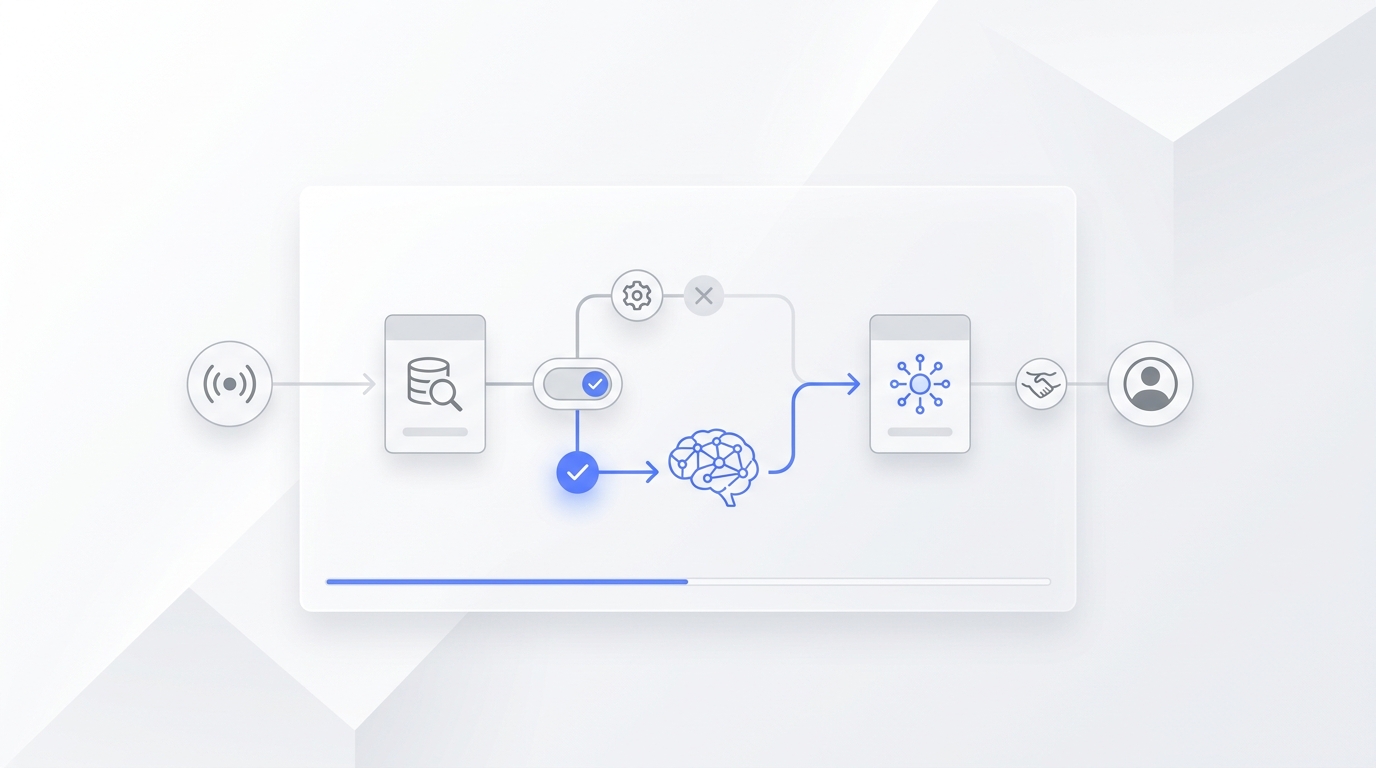
The mechanics work through call forwarding: your phone system detects when a call can't be answered within a set number of rings or seconds, then routes that call to the overflow service automatically. The caller never hears "all agents are busy" — they hear your business name and a professional greeting. Most don't know they've left your primary system.
When Businesses Actually Need Overflow Answering
Overflow answering isn't a solution looking for a problem. There are clear operational signals that a business has outgrown its current call handling capacity.
Call volume spikes that aren't predictable. Some businesses experience seasonal peaks (tax season for accountants, summer for landscapers, the holidays for retail). Others have unpredictable spikes — a promotional offer goes live, a product gets mentioned in a publication, a referral source sends a wave of inquiries all at once. Without overflow coverage, those spikes translate directly into missed calls and lost revenue.
Staff coverage gaps. A two-person office where one person is sick and the other is in a meeting has zero phone coverage. An overflow service fills that gap without requiring anyone to drop what they're doing.
Callers abandoning hold queues. When callers are placed on hold for more than a minute or two, a significant portion hang up before reaching anyone. If your call logs show hold times above 90 seconds with any regularity, callers are leaving before they are answered.
Growth ahead of headcount. Businesses scaling faster than they can hire often find that their phone system becomes the bottleneck before their product or service does. Overflow answering provides capacity without the lead time of recruiting, hiring, and training.
Multi-location or departmental routing gaps. When a call comes in for a department that's at capacity, it either waits in queue or gets dropped. Overflow answering can serve as the catch-all for any line that's temporarily unavailable.
How Overflow Call Answering Works
The technical backbone of overflow answering is call forwarding logic configured in your phone system. There are three common trigger conditions:
No-answer overflow: The call rings your primary line. If no one answers within a defined number of rings (typically 3–5), the call is automatically forwarded to the overflow service. This is the simplest configuration and works for any phone setup.
Busy-signal overflow: When all lines are in use and a new call comes in, it immediately routes to the overflow service rather than queuing. The caller gets an answer instead of a busy signal or hold music.
Threshold overflow: More sophisticated phone systems let you set a queue depth threshold — for example, "if more than 3 callers are waiting, route new calls to overflow." This preserves the queue experience for the first few callers while preventing the wait time from compounding indefinitely.
Once the overflow service receives the call, the experience from the caller's perspective is indistinguishable from your primary line: your business name, your greeting, your process. What happens next depends on which type of overflow service you're using.
The 3 Types of Overflow Answering Services
Live Agent Overflow
Human agents at a third-party service receive your overflow calls and handle them according to your script. Agents are typically shared across multiple client businesses, meaning they may be covering calls for several different companies within the same shift.
What live agent overflow handles well:
- Professional first impressions in industries where tone matters (legal, medical, financial)
- Nuanced intake that requires empathy or judgment
- Situations where callers are frustrated and benefit from a human voice
- Complex intake scripts with branching logic
Limitations:
- Agents work from your script; they can't access your internal systems
- Resolution is capped at message-taking, FAQ, and calendar-based appointment booking
- Shared agents may have inconsistent familiarity with your business over time
- Per-minute pricing can make high-volume overflow expensive
Cost: $75–$300/month for moderate overflow volume; $300–$600+/month for high-volume or 24/7 overflow.
AI-Powered Overflow
AI answering handles overflow calls conversationally — understanding what the caller says in natural language, responding appropriately, taking action, and resolving the call without requiring them to navigate a menu or wait for an agent.
Unlike live agents, AI overflow scales instantly. Ten calls arriving simultaneously is no different from one — there's no queue, no wait, no degradation in response quality. And unlike IVR, AI doesn't break when a caller says something unexpected.
What AI overflow handles well:
- Appointment booking with live calendar confirmation
- FAQ resolution from your knowledge base
- Lead qualification and intake form completion
- Order status checks when connected to your systems
- Any call type with a defined resolution path
Where it defers to humans:
- Calls requiring genuine judgment about edge cases
- Emotionally volatile situations where empathy is the primary need
- Compliance-sensitive intake (some medical, legal) where a human record is required
Cost: Free plans available; paid plans from $30/month. No per-minute billing — volume spikes don't change your monthly cost.
Automated / IVR Overflow
IVR overflow routes callers through a pre-recorded menu using keypad input. When the primary line is busy, callers hear "Our team is currently with other customers — please press 1 to leave a message, press 2 for our hours, or press 0 to hold."
What IVR overflow handles well:
- Directing callers to the right department or resource
- Collecting callback numbers for return calls
- Providing automated answers to predictable questions (hours, location, directions)
Where it falls short:
- Callers who won't navigate a menu — a significant and growing portion
- Any situation requiring actual resolution
- Businesses where the first impression of the phone experience matters
Cost: $20–$100/month. Often included as a feature in VoIP business phone plans.
Cost Breakdown
Type | Starting Cost | Volume Sensitivity | Setup |
Live agent overflow | $75–$150/month | Per-minute billing at high volume | 1–3 days |
AI-powered overflow | Free–$30/month | Flat rate — no per-minute billing | Under an hour |
IVR / automated | $20–$50/month | Usually flat | Same day |
The cost structure difference between live agent and AI overflow becomes meaningful at scale. A business receiving 200 overflow calls per month, averaging 3 minutes each, generates 600 agent-minutes. At a typical live answering rate of $1.20–$1.75/minute, that's $720–$1,050/month for overflow alone.
AI-powered overflow at the same volume costs the same flat rate regardless of minutes used — making it significantly more predictable at high overflow volumes.
How to Set Up Overflow Call Answering
Step 1: Audit your current missed and abandoned calls
Before setting up overflow, understand the scale of the problem. Pull two weeks of call logs and identify: how many calls went unanswered, what times of day overflow was highest, and whether the pattern is volume-driven (everyone's busy) or schedule-driven (certain hours have no coverage). This determines whether you need overflow, after-hours, or both.
Step 2: Choose your overflow type
Use the criteria above — call complexity, industry requirements, volume sensitivity, and budget — to select between live agent, AI-powered, and IVR. For most SMBs receiving occasional to moderate overflow, AI-powered overflow offers the best combination of resolution depth and cost predictability.
Step 3: Configure your forwarding trigger
Set up conditional call forwarding in your phone system. Most VoIP platforms (RingCentral, Nextiva, Google Voice Business, etc.) support this natively. Typical settings: forward after 4 rings, or immediately when all lines are busy. Your overflow service will provide a forwarding number.
Step 4: Provide your script or knowledge base
For live agent services: write a concise script covering your greeting, common call types, and what agents should do in each scenario. For AI services: upload your FAQ, connect your calendar, and configure escalation rules for calls the AI should hand off to a human.
Step 5: Test under simulated overflow conditions
Call your number from an external line while your internal lines are in use. Confirm the overflow triggers correctly, the greeting matches your brand, and common call types (appointment request, FAQ, urgent issue) are handled as expected.
Step 6: Review call logs weekly for the first month
The first few weeks reveal what your script or knowledge base is missing. Track: calls that were escalated unnecessarily, questions the service couldn't answer, and caller satisfaction signals. Refine based on real patterns.
Solvea as an Overflow Layer
Most overflow solutions treat an unanswered call as damage to minimize — route it somewhere, collect a message, and hope the caller waits for a callback. That's a reasonable expectation when the only alternative is a human agent queue. It's not a reasonable expectation anymore.
Solvea acts as a parallel capacity layer, not a fallback. When your primary lines are full, Solvea answers the incoming call at the same standard — booking appointments in real time, resolving FAQ from your knowledge base, handling intake, and escalating to your team only when the situation calls for it. The caller's experience doesn't degrade because they hit overflow. The outcome doesn't change. Your conversion rate doesn't drop.
That matters at scale. Anker, one of the world's largest consumer electronics brands, uses Solvea to handle cross-channel customer volume — and resolved more than 70% of customer service interactions automatically. The point isn't just efficiency. It's that high-volume call handling can maintain resolution quality without adding headcount every time volume grows.
For an SMB experiencing overflow, the calculus is similar: you don't need more staff to handle the calls your current staff can't reach. You need a layer that handles them to the same standard when your team is at capacity.
Solvea covers phone, live chat, and email in one platform — so if overflow is happening across channels simultaneously, every channel gets the same treatment. Flat-rate pricing means a busy week costs the same as a quiet one.
Your AI Receptionist, Live in Minutes.
Scale your front desk with an AI that never sleeps. Solvea handles unlimited multi-channel inquiries, books appointments into your calendar automatically, and ensures zero missed opportunities around the clock.
Frequently Asked Questions
What is an overflow call answering service?
An overflow call answering service handles inbound calls that your team can't answer — due to high volume, all lines being busy, or staff unavailability. Calls are routed automatically to the overflow service when a trigger condition is met (no answer after N rings, all lines busy, etc.), and the service answers using your business name and process.
How is overflow answering different from after-hours answering?
After-hours answering handles calls outside your defined business hours. Overflow answering handles calls during business hours that your team can't get to. Many businesses need both: overflow for peak-volume gaps and after-hours for evenings and weekends. Some services can be configured to do both simultaneously.
Does the caller know they've been routed to an overflow service?
No, if configured correctly. The overflow service answers using your business name, your greeting, and your process. Callers experience a seamless, professional answer — they don't see the routing logic behind it. This is why matching the greeting and handling protocol to your brand standards matters during setup.
How does call forwarding to an overflow service work?
Call forwarding routes an unanswered or busy call to a different number — in this case, your overflow service's line. You configure the forwarding trigger in your phone system: forward after 4 rings, or immediately when all lines are occupied. Most business VoIP platforms support conditional forwarding natively. Your overflow provider gives you the number to forward to.
Can an overflow service book appointments in real time?
Yes, if it's connected to your calendar system. AI-powered overflow services with native calendar integration can confirm bookings during the call. Live agent services can do the same with shared calendar access. Services that only collect a "request to book" and send you a message are not the same — verify real-time confirmation before committing.
What's the cheapest way to set up overflow call answering?
An AI-powered overflow service is typically the most cost-effective option for SMBs. Flat-rate pricing starting around $30/month means overflow volume doesn't drive up costs the way per-minute live agent billing does. Setup requires no dedicated staffing or training — connect your number, upload your FAQ, and the service is live.
When should a business upgrade from basic overflow to a full call center?
When overflow volume becomes the norm rather than the exception — meaning your primary lines are consistently full and the overflow service is handling more calls than your internal team — it's a signal that your staffing model has fallen behind your call volume. At that point, a dedicated call center operation (in-house or outsourced) is the appropriate scale. For most SMBs, that threshold is hundreds of inbound calls per day.